







What Is a Point-of-Sale Cash Register Benefits Features Guide

The Basics of a Point of Sale Cash Register
What Exactly Is a Point of Sale Cash Register
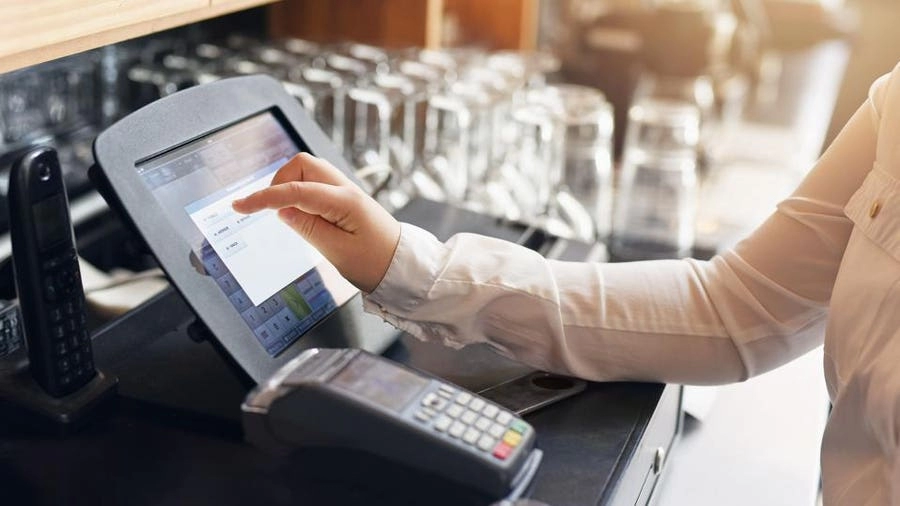
A point-of-sale (POS) cash register is more than just a device to collect cash. It is an integrated system designed to handle business transaction logging, including sales processing, payment acceptance, and inventory tracking. Today’s modern POS cash registers combine hardware like barcode scanners, payment processing terminals, and cash drawers with software that manages sales reporting, customer loyalty modules, and inventory tracking software.
From Traditional Cash Registers to Modern Retail POS Systems
The history of cash registers dates back to the late 1800s when mechanical registers were introduced to prevent theft and simplify sales transactions. Over time, these machines evolved into electronic cash registers, adding basic functions such as price calculation and receipt printing.
However, modern POS systems have revolutionized this simple setup by integrating cloud-based technology and advanced software tools. This transformation enables retailers to track sales in real-time, manage inventory efficiently, generate detailed sales reports, and even handle mobile checkout devices — all from a single system.
Key Components of a Point of Sale Cash Register
Understanding what makes up a POS cash register helps clarify why it’s essential for today’s retailers. The system typically includes:
Hardware Components
- Touchscreen display or monitor: Makes interaction easy and fast.
- Barcode scanner integration: Speeds up product identification.
- Payment processing terminal: Accepts credit, debit, and mobile payments.
- Cash drawer: Secure storage for cash transactions.
- Receipt printer: Provides customers with transaction proof.
Software Components
- Sales reporting tools: Generates detailed summaries to monitor performance.
- Inventory tracking software: Automatically updates stock levels.
- Customer loyalty module: Manages rewards and promotions.
- Cloud-based till system: Ensures data is accessible from multiple locations securely.
Together, these components make a point-of-sale cash register a powerful retail POS system that improves accuracy, speeds up checkout, and provides valuable insights for business growth.
By moving beyond simple cash collection, modern POS cash registers streamline daily operations and help small business owners focus on what matters most—serving customers and growing their business.
Cash Register vs POS Cash Register Breaking Down the Differences
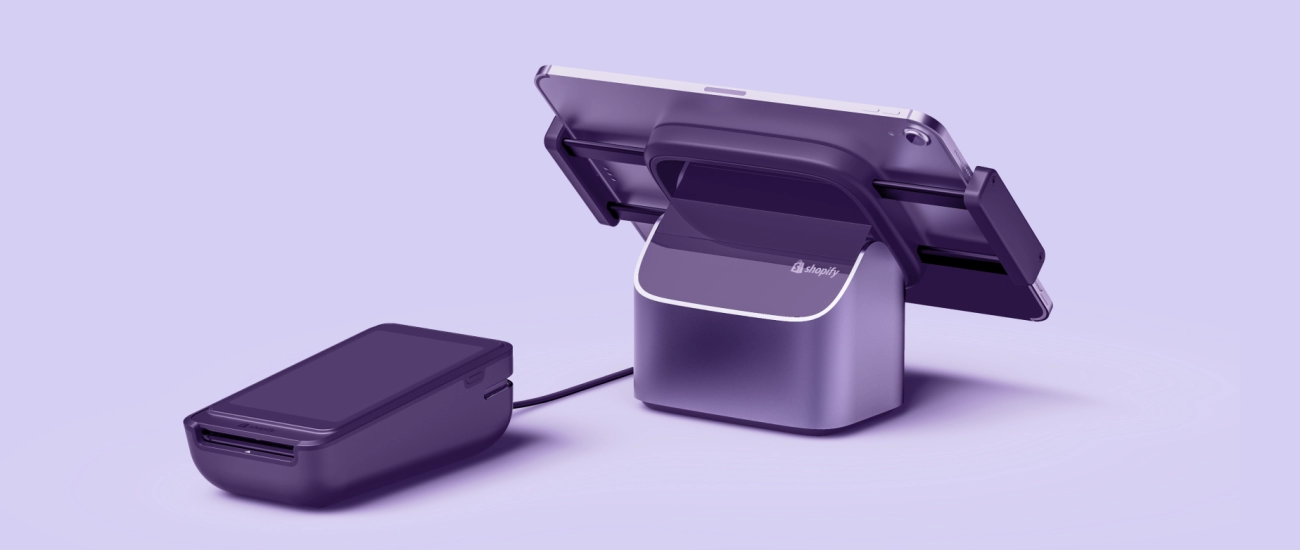
When deciding between a traditional cash register and a point-of-sale (POS) cash register, understanding the differences can help you choose what best fits your retail business needs.
Side-by-Side Comparison of Traditional Cash Register and POS Cash Register
| Feature | Traditional Cash Register | POS Cash Register (Retail POS System) |
|---|---|---|
| Functionality | Basic sales transaction logging | Full sales processing plus inventory tracking |
| Inventory Management | None or manual tracking | Integrated inventory tracking software |
| Payment Processing | Accepts cash and basic card terminals | Supports mobile checkout devices, contactless payments |
| Sales Reporting | Limited or no reporting tools | Detailed sales reporting tools and analytics |
| Integration | Standalone device | Integrates with barcode scanners, loyalty modules, and cloud-based systems |
| Scalability | Difficult to scale beyond single terminal | Easily scalable with multi-store and remote management options |
| Security Features | Basic cash drawer locks | Advanced security with PCI compliance and user permissions |
| User Interface | Simple keypad and display | Intuitive touchscreen interface |
Limitations of Traditional Cash Registers
Traditional cash registers are limited mostly to processing cash and basic credit card payments. They lack modern features such as inventory tracking, sales reporting, and customer management tools. This creates issues like manual errors, no automated stock updates, and minimal insights on business performance. They also don’t handle multiple payment types well and can’t integrate easily with new retail tech like barcode scanners or mobile checkout devices.
Why POS Cash Registers Win for Modern Retail
A POS cash register goes far beyond basic sales. It combines payment processing terminals, inventory control, and reporting tools into one system. That means less manual work, fewer errors, and better business oversight.
For example: A local clothing boutique using a POS system with barcode scanner integration can update inventory automatically with every sale. This frees staff to focus on customers, while the owner uses sales reports to decide which styles to promote next season. They even set up a customer loyalty module to reward repeat shoppers, driving more business.
In short, a POS system helps businesses like yours save time, reduce costs, and grow smarter. It’s a clear win over the old electronic cash register for keeping up with today’s retail demands.
Why Your Business Needs a POS Cash Register Benefits and Real-World Impact
Investing in a point-of-sale (POS) cash register goes beyond just handling transactions. It brings measurable improvements that help your business run smoother and smarter, especially in the competitive U.S. retail landscape.
Efficiency Gains and Automation Benefits
One of the biggest perks of a modern retail POS system is automation. By automating basic tasks like sales transaction logging, receipt printing, and even employee time tracking, your staff can focus more on customer service. This reduces human error and speeds up checkout lines, which customers appreciate during busy hours.
- Barcode scanner integration speeds up item entry
- Automated payment processing terminals accept multiple payment types fast
- Quick updates to the inventory tracking software avoid stockouts or overselling
Data Driven Decisions for Inventory and Promotions
Today’s POS systems don’t just record sales — they deliver actionable insights. With built-in sales reporting tools and inventory management, you can see which products sell best and when. This allows you to:
- Adjust stock levels efficiently
- Run targeted promotions based on real purchase data
- Plan for seasonal changes with better sales forecasting
These insights help cut down on overstock and shrinkage, saving your business money and improving customer satisfaction.
Scalability for Growth with Integrations
As your business grows, your POS cash register can grow too. Modern systems are flexible and integrate with:
- Customer loyalty modules to keep shoppers coming back
- Mobile checkout devices for faster service anywhere in the store
- Cloud-based till systems that sync data across multiple locations
This scalability means you won’t need to overhaul your entire setup as your business expands, making POS a smart long-term investment.
Security and Compliance Features
With rising concerns over data breaches and payment fraud, security is non-negotiable. POS cash registers come with built-in safeguards:
- Secure payment processing with encrypted terminals
- Compliance with PCI DSS standards to protect customer card data
- Role-based user access limits who can view or change sensitive information
These features reduce risks and give both you and your customers peace of mind.
For a deeper dive into why POS systems outperform traditional cash registers in today’s retail environment and how they can directly benefit your business, check out why POS wins for modern retail and learn how to select the best system tailored to your needs.
How to Choose and Set Up the Right POS Cash Register for Your Store
Picking the right POS cash register is a big deal for your business. It should match your store size, budget, and day-to-day needs. Here’s a clear guide to help you choose and set up the best system without headaches.
Selection Criteria Based on Business Size Budget and Needs
Business Size
Small shops might only need a basic system with payment processing and sales reporting tools. Larger stores will want features like inventory tracking software, barcode scanner integration, and customer loyalty modules.
Budget
Consider upfront costs and ongoing fees. Cloud-based till systems often have monthly subscriptions but reduce hardware expenses. Balance what you spend with what features you actually need.
Business Needs
Think about your workflow. Do you need mobile checkout devices to speed up lines? Should the register integrate with your existing accounting software? Choose a system that simplifies rather than complicates your operations.
Step by Step Setup Guide for Your POS Cash Register
Choose Your Hardware
Pick a terminal, barcode scanner, receipt printer, and cash drawer tailored to your retail type. Mobile-compatible devices are great for flexible checkout options.
Install Software and Connect Systems
Set up your POS software with payment processing terminals. Link it to inventory tracking and sales reporting tools.
Configure Inventory and Pricing
Upload your product list with prices and barcodes. Make sure inventory tracking is active to avoid stock surprises.
Train Your Staff
Spend time training your team on how to use the system. The easier it is for them, the smoother your checkout process.
Test Transactions and Reports
Run test sales. Check that all payment types work and reports pull up correctly.
Common Pitfalls to Avoid When Setting Up a POS Cash Register
Overbuying Features
Avoid expensive features you won’t use immediately. Start with essentials, then add as your business grows.
Ignoring Software Updates
Many POS systems push updates for security and new features. Ignoring these can cause glitches and security risks.
Poor Staff Training
Without proper training, mistakes happen and slow your operation. Invest time here early.
Skipping Backup Plans
Make sure your data backs up regularly, ideally in the cloud, to prevent costly losses.
Local Tips for Mobile Compatible POS Systems in the United States
Check Cellular and Wi-Fi Coverage
Mobile checkout devices need solid internet. In many U.S. cities, Wi-Fi is strong, but rural locations might rely on cellular data. Pick a system compatible with your coverage.
Compliance with Payment Regulations
Ensure your POS integrates with secure payment processing that meets U.S. standards like PCI DSS compliance.
Look for Local Support
Buying from providers offering U.S.-based customer service saves time when you need help.
Consider Integration with U.S. Accounting Software
Sync your POS with popular accounting tools Americans use, like QuickBooks, for smoother bookkeeping.
Choosing and setting up the right POS cash register boosts efficiency, security, and customer satisfaction. Take your time, plan well, and you’ll see real benefits in no time.
Spotlight on SDLPOS Reliable POS Cash Registers for Your Business
When it comes to choosing a point-of-sale cash register that fits the needs of modern U.S. retailers, SDLPOS stands out as a trusted name. They offer reliable, easy-to-use retail POS systems designed to streamline daily operations, boost sales accuracy, and support business growth.
Why SDLPOS Works for Your Business
SDLPOS combines essential features like payment processing terminals, barcode scanner integration, and sales reporting tools into one seamless system. Their devices are built with both hardware and cloud-based software, giving you real-time inventory tracking and business transaction logging that help sharpen your control over sales and stock.
Here’s what makes SDLPOS a smart choice:
- Easy setup and use allow quick adoption by your team.
- Cloud-based till systems mean you can check your business health anywhere, anytime.
- Built-in customer loyalty modules encourage repeat business.
- Scalable options fit small shops or growing retail chains.
- Strong security keeps payment data safe and compliant with U.S. regulations.
Real Success with SDLPOS
Take the example of a local boutique in Texas that switched to SDLPOS from a traditional cash register. They saw a 30% reduction in checkout times and 25% better inventory accuracy within six months. The store owner credits SDLPOS’s mobile checkout devices and automated sales reporting for helping staff focus more on customer service while the system handled the sales side smoothly.
Ready to Upgrade Your Cash Register
If you’re ready to take your store’s checkout experience to the next level, SDLPOS offers a proven solution tailored to American businesses. Whether you run a standalone shop or a chain, their reliable, feature-rich POS cash registers will help you stay competitive and efficient.
Contact SDLPOS today to learn how their POS systems can improve your retail success. Their team can guide you through selecting the right system for your needs and setting it up seamlessly.


