







Best POS Hardware 2025 Guide Affordable Terminals Scanners

Looking for the best POS hardware 2025? Whether you run a small retail shop or a busy restaurant, upgrading your point-of-sale system isn’t just a nice-to-have—it’s a must. Outdated hardware means slower checkouts, more errors, and ultimately lost sales. In 2025, affordable, reliable POS hardware with smart features like contactless payments and AI-driven inventory is what separates thriving businesses from the rest. This guide cuts through the noise to show you exactly what specs, trends, and devices matter so you can get up and running fast—without breaking the bank. Ready to stop losing customers at checkout? Let’s dive in.
Key Trends Shaping POS Hardware in 2025
Wondering what’s new with POS hardware in 2025? The industry is evolving fast to meet today’s retail challenges and consumer expectations. Here are the top trends shaping POS systems this year:
Rise of Hybrid Systems
Retailers are blending in-store and mobile POS to create seamless omnichannel experiences. About 40% of businesses now use tablet terminals, allowing staff to check out customers anywhere on the floor.
Sustainability Focus
Eco-conscious shoppers are pushing the market toward energy-efficient devices and recyclable materials. From low-power CPUs to sustainable packaging, greener POS solutions are becoming standard.
Security Upgrades
Fraud is on the rise, so POS hardware now includes stronger security measures: EMV compliance, tokenization to protect card data, and biometric authentication like fingerprint scanners to keep payments safe.
AI and Automation
Smart POS systems predict stock shortages with AI and offer voice-activated order processing, making both inventory management and checkout faster and more accurate.
Local Relevance
U.S. retailers get tailored features like NFC support for Apple Pay, Google Wallet, and other mobile wallets, especially important in busy urban stores where quick, contactless payments rule.
These trends aren’t just tech upgrades—they reflect what businesses and customers really need today. Want a POS system built to keep you competitive in 2025? Start here.
Essential Factors to Consider When Choosing POS Hardware
Picking the right POS hardware really depends on your store size and growth plans. Small boutiques usually do well with compact all-in-one terminals that save counter space, while bigger shops need modular stations that handle higher customer flow and offer easier upgrades. Consider throughput rates too—how fast your system can scan and process orders to keep lines moving smoothly.
Performance specs like CPU and RAM matter based on your business needs. Entry-level setups with basic processors work fine for low-traffic stores, but busier retailers or restaurants should opt for higher-end CPUs and more RAM to avoid lag during peak hours. Real-world benchmarks help here—make sure your system won’t slow down when running multiple apps or processing payments.
Durability and longevity are must-haves. Look for printheads rated for 50-100km of printing to cut down replacement costs, and check for IP54-rated spill resistance if your environment is prone to spills or dust. This adds to hardware life and keeps your operation running smoothly.
Scanner modules and peripherals are essential too. Fast 1D/2D barcode scanning speeds boost checkout times, while RFID compatibility can future-proof your setup. Also, don’t overlook cash drawer security to protect cash flow.
Cost versus ROI is key—think beyond the upfront price to subscription fees and savings from reduced downtime. A reliable system saves money in the long run by avoiding constant repairs or slow checkouts.
Finally, integration and compatibility should be seamless. Popular platforms like QuickBooks and Shopify syncing ensure your data stays in sync, and a setup time under 30 minutes means less hassle getting started. For more on choosing the right system, our guide on POS hardware basics for beginners offers a solid overview.
Here’s a quick comparison of key factors to help you decide:
| Factor | Ideal Spec | Budget Impact | Best For |
|---|---|---|---|
| Store Size | Compact all-in-one / modular | Low to High | Boutiques / Large stores |
| CPU & RAM | Quad-core, 4GB+ RAM | Moderate to High | Medium to high traffic |
| Printhead Lifespan | 50–100 km printhead | Moderate | Any with frequent printing |
| Scanner Speed | Fast 1D/2D, RFID ready | Moderate | Retail & warehousing |
| Cost Structure | Upfront + low subscription | Variable | Small to enterprise |
| Integration | QuickBooks, Shopify sync | Low | Ecommerce & retail ops |
Choosing the right hardware now can save headaches and expenses later, so keep these factors top of mind when upgrading or starting fresh.
Top 8 Best POS Hardware Recommendations for 2025
Here’s a quick rundown of the best POS hardware you should consider in 2025, tailored for different business types and budgets:
SDLPOS All-in-One Terminal
Featuring 4GB RAM and a quad-core processor, this terminal includes a thermal printer with a printhead that lasts up to 100km. Priced under $500, it’s a top pick for small retailers who want solid performance without breaking the bank.
Clover Flex Handheld
A portable Android-based device with an NFC reader, the Clover Flex is built for mobile pop-ups and on-the-go sales. Be aware of its higher processing fees, but the flexibility it offers for mobile POS is hard to beat.
Square Terminal
This standalone device comes with a built-in printer and free software, making it super startup-friendly. Perfect for new businesses looking to keep things simple while getting reliable hardware.
Toast Go Handheld
Spill-proof and designed for busy kitchens, the Toast Go is durable enough for restaurants. At $600+, it’s a solid investment for eateries needing reliable hardware that integrates with kitchen operations.
Lightspeed Nucleus
Apple-compatible with 8GB RAM, Lightspeed Nucleus suits upscale retail setups looking for powerful, smooth performance. Pricing starts at $1,000+, reflecting its premium features.
Epos Now Touchscreen Kit
User-friendly and modular, this system includes a fast 1D/2D scanner and is designed for quick onboarding. Starting around $400, it’s a great fit for retailers needing flexible setup options.
Shopify POS Hardware
Wireless and ecommerce-synced, Shopify’s hardware supports hybrid retail environments well. Priced at $300+, it’s ideal for sellers who want seamless integration with their online store and physical space.
Helcim Smart Terminal
Budget-friendly with low fees, this modern UI device is perfect for microbusinesses that want an affordable, no-fuss POS solution without sacrificing quality.
Each of these options covers essential features tailored to the varying needs of U.S. retail and restaurant environments in 2025. For more on the benefits of reliable POS systems, check out our detailed insights on retail POS system trends.
Spotlight on SDLPOS: Your Trusted Cash Register POS Supplier for 2025
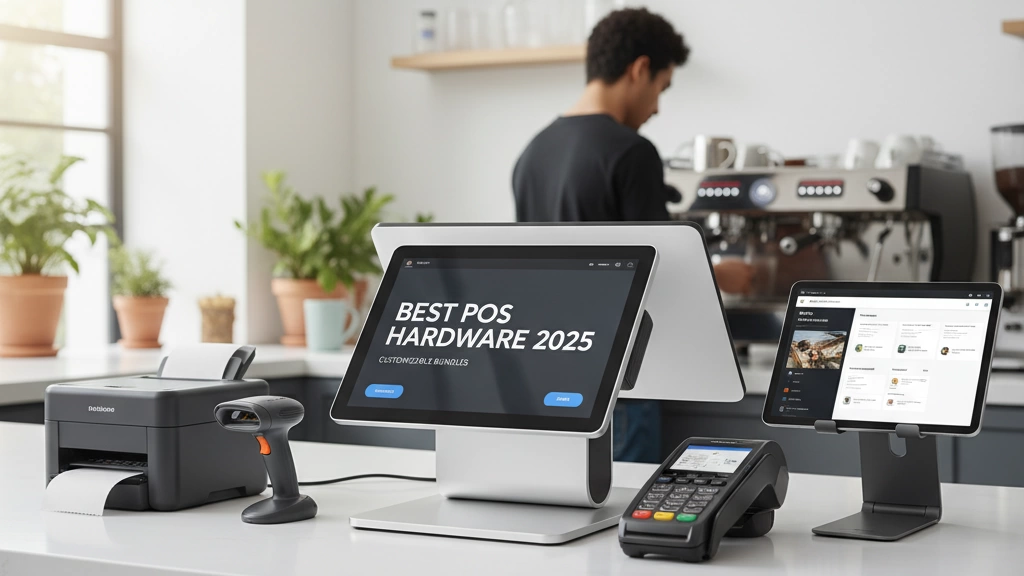
SDLPOS stands out as a leading North American supplier of cash register POS hardware, offering customizable bundles tailored to fit businesses of all sizes. With 2-year warranties and free shipping across the U.S., they make upgrading your POS system simple and worry-free.
Thanks to OEM flexibility, SDLPOS provides superior scanner modules and thermal printheads that last twice as long as the industry average, reducing printhead replacement costs significantly. This durability means less downtime and higher reliability for busy retailers.
Real results speak volumes: small retailers using SDLPOS have reported cutting checkout times by 40%, directly boosting overall sales and improving customer satisfaction.
Ready to see how SDLPOS can transform your store? Take advantage of their demo or quote tool and explore no-risk trials available specifically for local buyers.
For deeper insights into current hardware trends and security features, check out our detailed guide on cash register hardware trends in 2025 and ensure your setup aligns with the latest standards.
Implementation Tips: Getting Your POS Hardware Up and Running
Setting up your POS hardware doesn’t have to be complicated. Start by unboxing and connecting devices, then quickly pair any wireless components. With a straightforward design, most setups—plus staff training—can be done in under 15 minutes.
Watch out for common pitfalls like messy cable management and neglecting firmware updates. Keeping cables organized avoids hardware damage, while regular updates ensure your system stays secure and runs smoothly.
For maintenance, clean barcode scanners and touchscreens often. Keep an eye on printhead wear, since timely replacements (after 50–100km of printing) prevent downtime. Seasonal upgrades help you stay current with new features and security standards.
Planning to grow? You don’t need to replace everything. Add peripherals like extra scanners, cash drawers, or customer displays seamlessly to scale with your business. This approach saves costs and keeps your system flexible.
For more details on smooth setup and long-lasting devices, check out our guide on POS hardware with warranty and support.


