







Capacitive vs Resistive POS Terminal Displays Comparison Guide

How Do Capacitive and Resistive Touchscreens Actually Work?
At SDLPOS, we have spent over 15 years manufacturing industrial-grade POS hardware, witnessing the industry’s transition from clunky legacy screens to modern, high-speed interfaces. To choose the right hardware for your retail or hospitality business, you first need to understand the fundamental difference in how these screens register a command. It isn’t just about price; it is about the physics of the interaction.
The Science Behind Projected Capacitive (PCAP) Technology
Capacitive touch POS technology is the standard we use for our flagship 15.6″ Android and Windows terminals. Unlike older screens that rely on pressure, Projected Capacitive (PCAP) screens use the electrical properties of the human body to detect input.
Here is how our industrial POS touchscreen technology functions:
- Electrical Field: The screen is coated with a transparent conductive layer that holds an electrical charge.
- Touch Detection: When your finger touches the glass, it draws a tiny amount of current to the point of contact, creating a disturbance in the electrostatic field.
- Instant Processing: The processor (like our RK3568 or Intel i7 units) pinpoints the exact location of this change instantly.
Because this relies on electrical impulses rather than physical pressure, our capacitive screens support multi-touch capabilities, allowing for gestures like pinching and swiping that are essential for modern POS software.
Understanding Resistive Pressure-Based Mechanisms
Resistive touchscreen POS displays operate on a mechanical principle rather than an electrical one. These screens are constructed with two flexible, metallic layers separated by a tiny gap of air or inert gas.
- Pressure Required: When a cashier presses down on the screen, the top layer physically bends to touch the bottom layer.
- Circuit Completion: This contact completes an electrical circuit, telling the computer where the “click” happened.
- Single Point Input: Because it relies on physical deformation of the screen layers, resistive technology generally only supports single-touch input.
While we focus on high-performance capacitive solutions, understanding resistive tech is vital because it explains why legacy screens often feel “spongy” or require a firm press to register a sale.
Smartphone vs. ATM: A Simple Real-World Analogy
To visualize the POS touchscreen comparison, think about the devices you use daily.
- The Smartphone (Capacitive): Your smartphone screen is rigid glass. It responds the instant your finger grazes it. It is bright, clear, and supports multi-touch zooming. This is the experience we replicate in our 15.6 inch capacitive touchscreen terminals—fast, responsive, and durable.
- The Old ATM (Resistive): Think of an older ATM or a gas station pump. The screen feels slightly soft plastic, and you have to physically push the button hard to get it to work. That is resistive technology.
For most modern retail and hospitality environments, the “smartphone feel” of a capacitive display is preferred for speed and ease of use, whereas the “ATM feel” is becoming obsolete in high-volume settings.
Side-by-Side Comparison: Capacitive vs Resistive POS
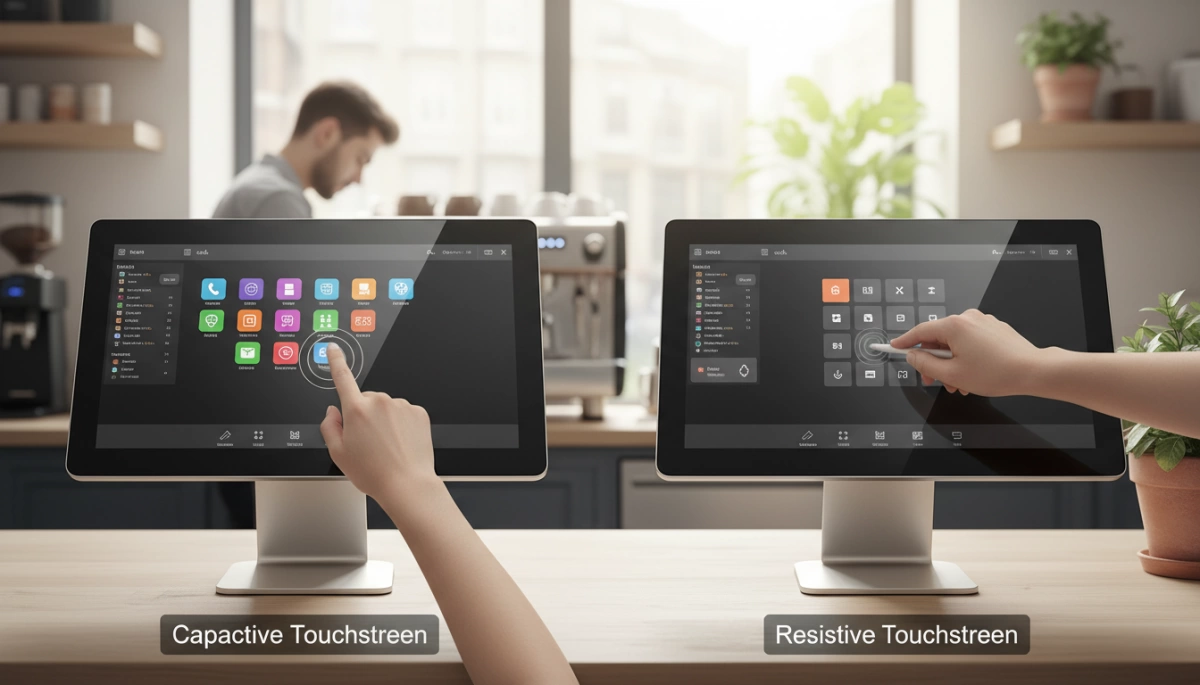
When we help clients choose hardware, the POS touchscreen comparison often comes down to specific use cases. While legacy systems relied on pressure, modern retail demands speed. Here is how the two technologies stack up in a direct showdown.
Touch Sensitivity and Multi-Touch Support Capabilities
If you are used to a smartphone, a capacitive touch POS feels natural. It relies on the electrical charge from your fingertip, registering inputs instantly without any pressure. This technology enables multi-touch POS terminal features, allowing staff to use gestures like pinch-to-zoom, which is essential for modern, complex inventory software.
In contrast, a resistive touchscreen POS requires physical pressure to connect two flexible layers. This means your staff has to press harder, and the system can only register one touch point at a time. For high-speed environments, the POS display response time on a capacitive screen is significantly faster, ensuring smoother transaction processing.
Durability and Scratch Resistance in Retail Settings
In a busy retail environment, screens get abused. Capacitive touchscreens use a glass top layer, making them highly resistant to scratches and wear. Our industrial-grade models are designed to withstand 24/7 operation without losing sensitivity.
Resistive screens use a soft, flexible plastic surface that wears down over time. Frequent poking at the same “Enter” button can eventually damage the sensor layers. For businesses looking for a long-lasting cash register POS system, the solid glass surface of a capacitive unit offers superior longevity.
Glove and Wet Hand Compatibility Breakdown
This is where the environment dictates the choice.
- Resistive: Works with anything—thick gloves, a stylus, or a credit card edge. It is purely pressure-based.
- Capacitive: Generally requires a bare finger or a special conductive glove.
However, modern projected capacitive POS terminal technology has improved significantly. While older screens struggled with water, our current industrial displays are tuned to handle minor splashes and contaminants better than consumer tablets. Still, for a gloved hand POS screen requirement in a heavy industrial freezer, resistive might still have a niche, but capacitive dominates the front-of-house.
Screen Clarity and Brightness Levels for Outdoor Use
POS screen brightness clarity is a major win for capacitive technology. Because there are fewer layers between the backlight and your eye, the image is crisp and vibrant. Our 15.6 inch capacitive touchscreen models utilize Full HD resolution, making them perfect for detailed menus and self-service kiosks where visual appeal drives sales.
Resistive screens have extra plastic layers that block light, often resulting in a dimmer, slightly hazy image that can be hard to read in bright sunlight.
Cost Analysis: Upfront Price vs Long-Term Value
We often discuss touchscreen cost vs performance with business owners.
- Upfront: Resistive screens are generally cheaper to manufacture and buy initially.
- Long-Term: Capacitive screens offer better ROI. They fail less often, require no recalibration, and the glass surface doesn’t wear out.
Investing in a high-quality custom cash register with a capacitive display usually saves money on repairs and replacements down the road.
Quick Comparison: Capacitive vs. Resistive
| Feature | Capacitive Display (PCAP) | Resistive Display |
|---|---|---|
| Input Method | Electrical charge (Light touch) | Physical pressure (Hard press) |
| Multi-Touch | Yes (Pinch, Zoom, Swipe) | No (Single touch only) |
| Clarity | High (100% light transmission) | Lower (75-80% transmission) |
| Durability | High (Glass surface) | Low (Soft plastic surface) |
| Scratch Resistance | Excellent | Poor (Prone to scratches) |
| Input Object | Finger, Conductive Stylus | Anything (Stylus, Glove, Pen) |
| Best Use | Retail, Hospitality, Kiosks | Heavy Industry, Freezers |
Pros and Cons of Capacitive POS Displays
Why We Love Capacitive: Speed, Aesthetics, and Clarity
At SDLPOS, we integrate 15.6-inch capacitive touchscreens into our high-performance Android and Windows terminals because they deliver a superior user experience. The primary advantage of a capacitive touch POS is the “zero-pressure” interaction. Unlike older screens that require a physical push, our industrial-grade capacitive displays register inputs the moment a finger makes contact. This drastically reduces POS display response time, allowing cashiers to process transactions rapidly during peak retail hours.
Beyond speed, the visual quality is unmatched. Because capacitive screens use a glass layer rather than flexible plastic sheets, they offer higher transparency and brightness. This results in a sharp, Full HD display that makes software interfaces easier to read. Additionally, these screens support multi-touch POS terminal gestures—like pinching to zoom or swiping—which are essential for modern POS cash register systems running complex inventory or self-service applications.
Key Advantages:
- Instant Response: No lag or pressure required, speeding up checkout lines.
- Durability: The glass surface is highly resistant to scratches and wear compared to plastic resistive overlays.
- Multi-Touch Support: Enables intuitive gestures similar to a smartphone or tablet.
- Visual Clarity: 100% light transmission ensures the screen remains bright and readable.
The Downsides: Higher Costs and Standard Glove Limitations
While projected capacitive POS terminal technology is the gold standard for most retail and hospitality environments, it does come with specific considerations. The manufacturing process for high-quality, industrial-grade glass screens is more complex, making the upfront investment higher than legacy resistive models. For businesses operating on a razor-thin margin where hardware longevity is less of a priority than immediate cost, this price difference is a factor to weigh.
The other main limitation involves input methods. Since capacitive technology relies on the electrical charge from the human body, it does not always register touches from a standard, non-conductive gloved hand. While our screens are designed for sensitivity, environments requiring thick, heavy-duty industrial gloves may face challenges without the use of specialized conductive gloves or styluses. However, for the vast majority of retail and restaurant workflows, the trade-off for speed and reliability is well worth it.
Pros and Cons of Resistive POS Displays
The Upside: Versatility with Stylus, Thick Gloves, and Grime
While we primarily manufacture modern capacitive units, the Resistive touchscreen POS still has a specific niche. Because these screens rely on physical pressure rather than electrical conductivity, they are “input agnostic.” You can operate them with literally anything—a stylus, the edge of a credit card, or a hand covered in thick, non-conductive industrial gloves.
This pressure-based mechanism makes them useful in environments where precision isn’t the priority, but input certainty is. For example, in an extremely greasy back-of-house setting, a resistive screen won’t register accidental touches from oil splatters; it only reacts when you intentionally press down on the surface.
The Drawbacks: Mechanical Wear, Tear, and Lower Visibility
The trade-off for that versatility is significant. Unlike the hardened glass we use on our capacitive models, a resistive screen requires a flexible top layer, usually made of plastic. This material is prone to scratching and gouging, which degrades POS screen brightness clarity over time. The extra layers required for the pressure sensor also block some backlight, making the display look dimmer and harder to read in bright retail environments.
From a longevity standpoint, the physical nature of the tech is its weakness. Constant pressing wears down the sensor layers. In a high-volume touchscreen durability restaurant scenario, resistive screens frequently develop “drift”—where the cursor doesn’t match your finger—or dead spots that stop working entirely. If your business is facing these reliability issues, finding a fast deployment POS solution to upgrade to more durable glass displays is often the most cost-effective move to prevent downtime.
Which POS Display Fits Your Business Model?
Choosing the right hardware isn’t just about comparing specs on a sheet; it’s about matching the technology to your daily workflow. As a manufacturer with over 15 years of experience building industrial-grade POS hardware, we know that a boutique clothing store has vastly different needs than a humid, fast-paced commercial kitchen. Here is how we break down the best fit for specific industries based on durability, speed, and user experience.
Best Choice for Retail Stores and Modern Cafés
For retail and front-of-house hospitality environments, the capacitive touch POS is the undisputed winner. In these settings, transaction speed and aesthetic appeal are critical. Your staff needs to process payments quickly, and customers expect a sleek, modern look that builds trust in your brand.
We strongly recommend 15.6-inch capacitive touchscreens for these businesses. The glass surface offers superior optical clarity, making images and menus look crisp in Full HD. More importantly, the multi-touch capability allows for intuitive gestures like pinch-to-zoom, which is essential for modern point-of-sale software running on Android 11 or Windows. Our flagship models, powered by efficient processors like the RK3568 or Intel i7, rely on the high sensitivity of capacitive technology to ensure zero lag during peak hours. If your environment is climate-controlled and customer-facing, the responsiveness of a projected capacitive POS terminal provides the smooth experience your staff and customers demand.
Top Pick for Industrial Kitchens, Bakeries, and Warehouses
Back-of-house operations present a tougher challenge. In kitchens, bakeries, and warehouses, hardware faces heat, airborne flour, grease, and moisture. Historically, resistive screens were the go-to here because they react to pressure, allowing use with thick oven mitts or dirty styluses. However, the industry is shifting.
Modern industrial POS touchscreen units now largely utilize hardened capacitive glass because it is significantly easier to clean. Unlike resistive screens, which have a soft plastic top layer that can wear down or trap grime in the bezels, a flat, industrial-grade capacitive screen can be wiped clean instantly. For these harsh environments, we design our terminals with enhanced heat dissipation and low-power consumption to ensure 24/7 reliability. Integrating a robust KDS cash register system with an IP-rated capacitive display often proves to be a better long-term investment than legacy resistive tech, provided the screen supports wet-hand or glove operation modes.
Hybrid Considerations for Mixed Business Environments
Some businesses, like supermarkets with fresh food counters or delis, straddle the line between retail and industrial. You might need the speed of a capacitive screen for the checkout lane but the durability of a weighing scale terminal at the deli counter.
In these hybrid scenarios, versatility is key. We often deploy modular solutions that combine high-performance computing with specialized peripherals. For instance, a dual-screen configuration allows you to have a pristine 15.6” capacitive display for the operator while utilizing a customer-facing screen for promotions. When selecting hardware for mixed environments, prioritize POS hardware that supports multiple interfaces and industrial-grade components like M.2 SSD storage. This ensures that regardless of the display type, the underlying system can handle the heavy data load of inventory management and sales processing simultaneously.
Critical Factors Before You Buy Your Next Terminal
Selecting the right hardware isn’t just about picking a screen type; it is about matching the device to your specific operational reality. As a manufacturer with over 15 years of experience, we know that the wrong choice can lead to frustrated staff and stalled checkout lines. Here is what you need to evaluate before placing an order.
Assessing Your Environmental Conditions (Grease, Dust, Water)
Your physical environment dictates the durability you need. In a pristine retail boutique, standard screens work fine, but a busy commercial kitchen or a fresh food market is a different story. Grease, flour dust, and water splashes are the enemies of electronics. You need industrial POS touchscreen units designed with proper heat dissipation and sealed components to withstand 24/7 operation in these harsh conditions. While resistive screens have historically been chosen for grime tolerance, modern industrial-grade capacitive screens are now built to be tough and easily wipeable. Understanding how to clean and care for your cash register is essential to extending the lifespan of your hardware, regardless of the display technology you choose.
Analyzing Staff Workflow and Input Habits
Speed is the currency of the service industry. You must look at how your employees interact with the screen.
- High-Volume Retail: If your cashiers need to process transactions rapidly, a multi-touch POS terminal is non-negotiable. Our 15.6″ capacitive screens offer the “fast system response” required to keep lines moving, supporting familiar gestures like swiping and pinching.
- Gloved Environments: If your staff wears thick industrial gloves, verify that the screen sensitivity is tuned for that use. However, for standard latex gloves used in food service, our capacitive displays respond perfectly without the lag associated with pressure-based resistive screens.
Future-Proofing Your Hardware for 2026 and Beyond
Investing in legacy technology is a short-term fix that costs more in the long run. Restaurant POS hardware software is becoming more demanding, requiring better processors and faster storage. We equip our flagship models with powerful components like the Intel i7 10th Gen or RK3568 processors and high-speed M.2 SSDs. This ensures your system won’t just work today but will handle the heavier software updates coming in the next few years. Choosing a modern capacitive display over an outdated resistive one ensures your business remains compatible with the next generation of POS applications.
Why Capacitive Is Becoming the 2026 Industry Standard
The Shift Toward Industrial-Grade 15.6” Glass Screens
We have observed a decisive move in the US market away from soft, plastic-layered displays toward hardened glass interfaces. The 15.6 inch capacitive touchscreen has effectively become the baseline for modern retail and hospitality hardware. Unlike legacy resistive models that rely on physical pressure, our industrial-grade capacitive screens utilize a solid glass surface that withstands the rigors of 24/7 commercial use. This shift isn’t just about aesthetics; it is about adopting industrial POS touchscreen technology that offers the same durability and clarity found in consumer tablets, but reinforced for business environments.
This transition is heavily supported by the versatility of modern operating systems. For instance, businesses deploying flexible Android POS devices require the multi-touch precision that only capacitive glass can provide. The glass construction eliminates the “pillow effect” of older screens, ensuring that the display remains clear and scratch-free even after thousands of daily interactions.
Reliability and Speed in High-Volume Transactions
In high-traffic environments like supermarkets or busy cafés, POS display response time is a critical metric. Capacitive technology registers input the moment a finger makes contact, allowing for rapid-fire entry without the lag associated with pressure-based screens. When we integrate these displays with high-performance processors like the RK3568 or Intel i7, the result is a seamless workflow that reduces checkout lines.
Reliability goes beyond just touch sensitivity; it involves the entire build quality. A capacitive touch POS terminal is designed to function continuously without calibration drift, a common issue with resistive layers that wear down over time. By combining these responsive screens with robust internal components of a cash register system, we ensure that businesses maintain peak efficiency during their busiest hours.
Key Performance Advantages:
- Instant Response: Zero lag input for faster checkout speeds.
- Maintenance-Free: No need for manual screen recalibration.
- Visual Clarity: Full HD resolution support for better software visibility.
- Longevity: Glass surfaces resist wear from repetitive tapping.
Frequently Asked Questions About POS Screens
Do capacitive POS screens work with standard latex gloves?
Yes, modern projected capacitive POS terminal displays are designed to be highly sensitive. While older capacitive tech required direct skin contact, the industrial-grade screens we manufacture generally register touches through standard thin latex or nitrile gloves commonly used in food service and retail. However, for extremely thick industrial safety gloves, a resistive screen or a specialized stylus might still be necessary.
Which screen type survives a busy, greasy kitchen best?
For longevity and hygiene, a capacitive touch POS is often the superior choice. Because the surface is solid glass, it is impervious to grease and easy to wipe clean without damaging the sensor. Resistive screens rely on a flexible top layer that can eventually degrade or scratch from constant cleaning and heavy pressure. Our hardware is built with industrial environments in mind, ensuring components withstand the rigors of daily commercial use.
Does resistive technology affect screen brightness and readability?
Yes, it does. Resistive screens require multiple layers of material (plastic and glass) separated by air gaps to function. This construction naturally blocks some light output, resulting in lower contrast and reduced visibility. In comparison, a 15.6 inch capacitive touchscreen offers excellent POS screen brightness clarity, delivering a sharper, more vibrant image that is easier for staff to read under bright store lights.
Is the price jump for capacitive terminals really worth it?
From a manufacturing perspective, absolutely. While the upfront cost is higher, the touchscreen cost vs performance ratio leans heavily in favor of capacitive tech for the long haul. Resistive screens are prone to physical wear and often require recalibration or replacement. Investing in durable capacitive hardware ensures you aren’t constantly fixing equipment, which helps maintain affordable POS system supplies for small business budgets by reducing maintenance downtime.
Can I upgrade an old resistive POS system to capacitive?
You typically cannot just swap the screen layer itself because the underlying technology and drivers are different. Upgrading usually means replacing the monitor or the entire terminal. Since modern POS software is optimized for the speed and multi-touch capabilities of capacitive displays, replacing legacy hardware with a modern industrial POS touchscreen unit is the most effective way to future-proof your operations.


