







Guía de caja registradora electrónica vs caja registradora mecánica

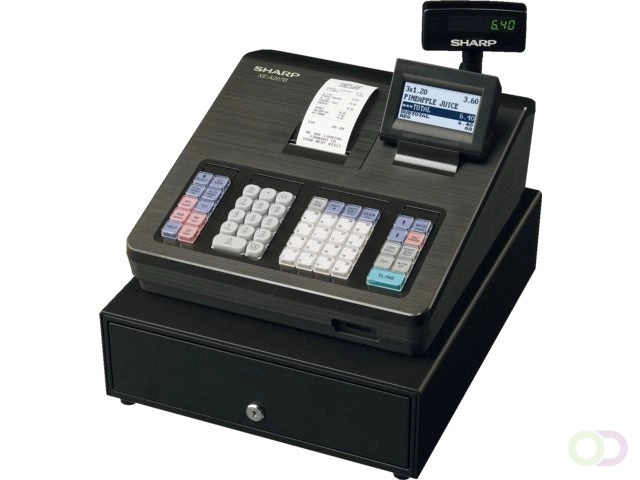
Elegir entre una caja registradora electrónica y un caja registradora mecánica puede parecer complicado—especialmente cuando ambos prometen manejar tus ventas con facilidad. La verdad es que, la elección correcta depende de tus necesidades comerciales, tu presupuesto, y de cuánto valoras funciones como velocidad, precisión, y compatibilidad con pagos modernos. Ya sea que dirijas una tienda minorista concurrida o un pequeño café, entender las diferencias, ventajas y desventajas de cada uno puede ahorrarte tiempo, dinero y dolores de cabeza en el futuro. Vamos a desglosarlo para que puedas hacer la inversión más inteligente para tu negocio.
¿Qué es una caja registradora mecánica?
Definición y principio básico de funcionamiento
A caja registradora mecánica is a manually operated till that uses levers, gears, and springs to record sales, calculate totals, and store cash. Instead of relying on electricity or software, these registers work through purely mechanical movement. When a cashier presses number keys and an operation key (like “total”), the system mechanically adds amounts, opens the cash drawer, and prints a paper receipt.
Historia y uso tradicional en el comercio minorista
Las cajas mecánicas datan de finales del siglo XIX y fueron ampliamente adoptadas a lo largo del siglo XX. Durante décadas, fueron el estándar en pequeñas tiendas minoristas, supermercados y negocios de hostelería. Su durabilidad las hacía ideales para un uso diario intensivo antes de que la tecnología digital se convirtiera en la norma.
Características y partes típicas
La mayoría de las cajas mecánicas comparten varios componentes básicos:
- Teclas numéricas para ingresar precios
- Teclas de operación (total, subtotal, limpiar)
- Cajón de efectivo con compartimentos para billetes y monedas
- Impresora de recibos manual con cinta de tinta
- ventana de exhibición para el cliente para mostrar los totales de la transacción
- mecanismo de campana para señalizar la apertura del cajón
Ventajas de las cajas registradoras mecánicas
Las cajas mecánicas aún ofrecen beneficios en ciertos entornos:
- No se necesita electricidad – Funciona sin energía, ideal para lugares con electricidad poco confiable
- Durabilidad – Construida en metal con pocas partes electrónicas, dura décadas con el cuidado adecuado
- Bajo coste inicial – A menudo más económica inicialmente que las cajas electrónicas
- Operación sencilla – Fácil de aprender para funciones básicas de venta
- Mantenimiento mínimo – Menos componentes que pueden fallar en comparación con unidades digitales
Desventajas y limitaciones
Sin embargo, las cajas mecánicas tienen claras desventajas en el entorno minorista actual:
- Funcionalidad limitada – Solo registran ventas básicas, sin seguimiento ni informes de inventario
- Transacciones más lentas – Más pulsaciones manuales en comparación con sistemas digitales
- Falta de integración – No se puede conectar con el software POS, lectores de tarjetas o un escáner de código de barras
- Opciones de pago limitadas – Principalmente soporta efectivo, no está diseñado para métodos de pago modernos
- Las reparaciones pueden ser complicadas – Las piezas de repuesto son más difíciles de encontrar
En resumen, una caja registradora mecánica es una solución confiable pero básica ideal para negocios con transacciones en efectivo simples, bajo volumen y mínima necesidad de integración digital.
Qué es una Caja Registradora Electrónica
An caja registradora electrónica (ECR) es una versión digital de una caja registradora tradicional, diseñada para manejar ventas más rápido, rastrear datos e integrarse con otros sistemas. A diferencia de las cajas registradoras mecánicas, que dependen de engranajes y palancas, una ECR funciona con electricidad y utiliza software incorporado para la mayoría de las operaciones.
Cómo se diferencia de las registradoras mecánicas
- Operación – Las registradoras mecánicas son manuales; las ECR son digitales y automatizadas.
- Manejo de datos – Las ECR pueden almacenar, rastrear y procesar datos, mientras que los modelos mecánicos no.
- Integración – Las ECR se conectan a escáneres de código de barras, impresoras, lectores de tarjetas e incluso software POS.
Características electrónicas clave
Las ECR modernas suelen incluir:
- Pantalla LCD o LED tanto para el cajero como para el cliente
- Teclas programables para entrada rápida de artículos
- Impresora de recibos integrada
- Compatibilidad con escaneo de código de barras
- Aceptación de múltiples métodos de pago (efectivo, tarjeta de crédito, débito, sin contacto)
- Informes de ventas y seguimiento básico de inventario
- Conectividad con sistemas POS o de contabilidad
Ventajas de las cajas registradoras electrónicas
- Velocidades de pago más rápidas reducir los tiempos de espera
- Mayor precisión con cálculos automatizados
- Gestión básica de inventario sin software adicional
- Admite métodos de pago modernos que esperan los clientes
- Informes fáciles para ventas diarias, impuestos y seguimiento de productos
Desventajas o Limitaciones
- Necesita electricidad (no puede funcionar durante cortes de energía sin respaldo)
- Costo inicial más alto en comparación con las registradoras mecánicas
- Requiere formación mínima para empleados no familiarizados con el sistema
- Más piezas/electrónica significa posibles reparaciones relacionadas con la tecnología
Diferencias clave entre cajas registradoras electrónicas y mecánicas
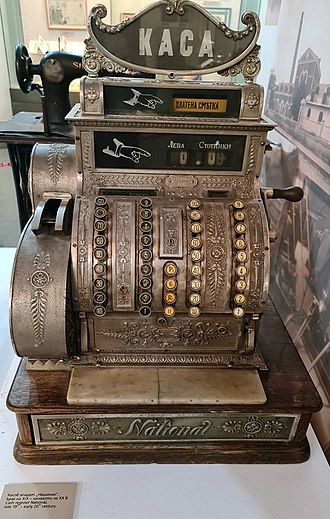
Si estás eligiendo entre un caja registradora electrónica vs mecánica, realmente depende de cuánta automatización e integración necesitas para tu negocio. Aquí tienes un desglose claro.
Funcionalidad Manual vs Digital
- Registros mecánicos son puramente manuales — presionas teclas para ingresar precios, tiras de palancas y calculas totales con ayuda limitada.
- Cajas registradoras electrónicas manejan cálculos, aplican impuestos automáticamente, imprimen recibos detallados y a menudo se integran con software para informes.
Facilidad de Uso y Capacitación
- Mecánico: El personal necesita procesar todo manualmente y entender matemáticas básicas. La capacitación lleva un poco más de tiempo para la precisión.
- Electrónico: Interfaces fáciles de usar, a veces con pantallas táctiles, hacen que la capacitación sea más rápida, especialmente para nuevos empleados.
Velocidad y precisión
- Mecánico: Más lento durante horas punta, más margen para errores humanos.
- Electrónico: Cobros más rápidos, cálculos automáticos de precios, redondeo de impuestos y menos errores.
Gestión de Inventario
- Mecánico: Sin seguimiento de inventario — eso se realiza por separado, generalmente en papel o con software externo.
- Electrónico: Muchos modelos rastrean inventario en tiempo real y generan informes de ventas.
Mantenimiento y Durabilidad
- Mecánico: Construidos como tanques, a menudo duran décadas con reparaciones mínimas. Las piezas pueden ser más difíciles de encontrar ahora.
- Electrónico: Más componentes que pueden fallar con el tiempo, pero más fáciles de reparar con piezas y soporte disponibles.
Comparación de costos
| Característica | Mecánico | Electrónico |
|---|---|---|
| Costo inicial | Menor inversión inicial en mercado de segunda mano | Mayor inversión inicial |
| Ahorros a largo plazo | Costos de reparación bajos pero mayor tiempo de mano de obra | Ahorra trabajo, aumenta la eficiencia de las transacciones |
| Necesidades de actualización | Rara vez es necesario a menos que se rompa | Puede necesitar actualizaciones para compatibilidad de software/pagos |
Compatibilidad con métodos de pago
- Mecánico: Limitado a efectivo y quizás a imprentas manuales de tarjetas de crédito.
- Electrónico: Funciona con efectivo, tarjetas, pagos móviles y opciones sin contacto.
Cuál caja registradora es adecuada para su negocio
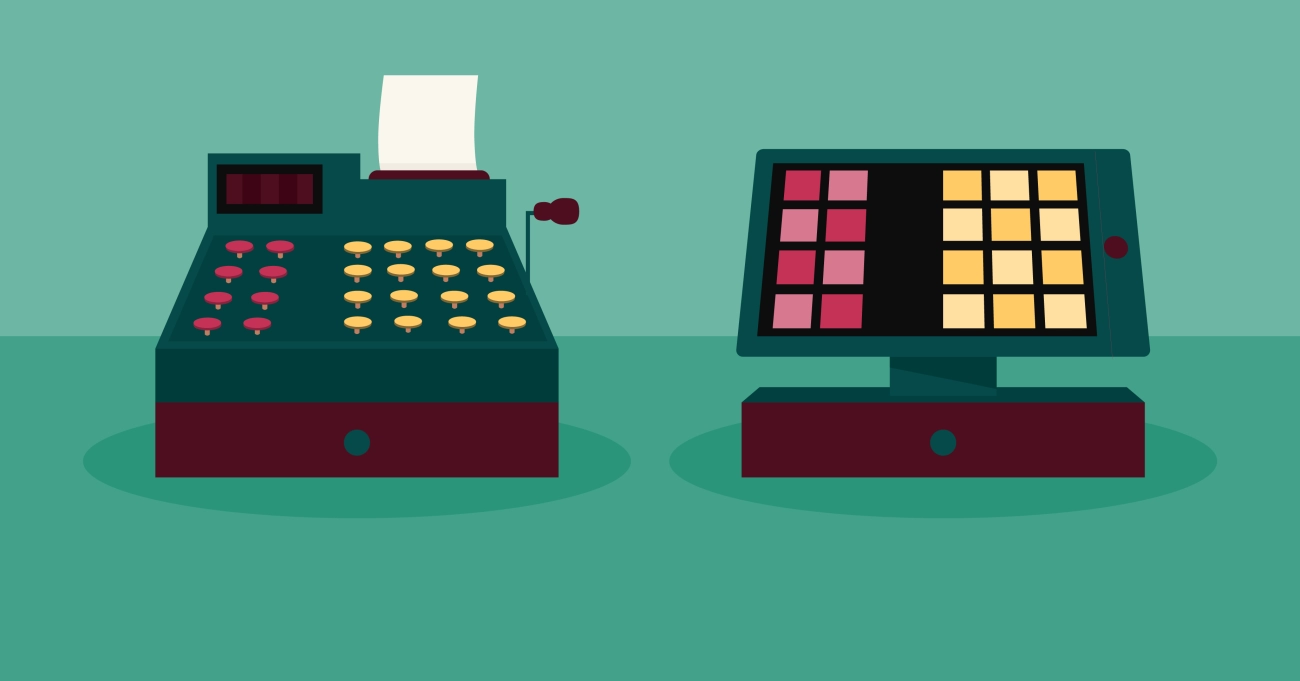
Elegir entre una caja registradora electrónica y un caja registradora mecánica realmente depende de cómo opera su negocio día a día. Cada opción tiene su lugar dependiendo del tamaño de su tienda, volumen de transacciones, presupuesto y nivel de tecnología que desea integrar.
Observe su entorno minorista
- Tiendas pequeñas de bajo volumen como tiendas de conveniencia familiares, puestos en mercados o puestos estacionales, pueden funcionar bien con una caja mecánica.
- Tiendas minoristas concurridas, restaurantes y negocios de servicios que manejan altos volúmenes de transacciones se benefician de la velocidad, precisión y funciones adicionales de una caja electrónica.
Presupuesto y valor a largo plazo
- Cajas registradoras mecánicas generalmente cuestan menos inicialmente y tienen costos operativos mínimos.
- Cajas registradoras electrónicas son una inversión mayor pero pueden ahorrar tiempo, reducir errores e integrarse con otros sistemas—a menudo se amortizan con el tiempo.
Integración con POS y contabilidad
Si necesita que su caja se conecte con software TPV, seguidores de inventario, o sistemas de contabilidad, opta por un modelo electrónico. Los registros mecánicos no tienen estas capacidades.
Durabilidad vs Tecnología
- Los registros mecánicos son conocidos por la durabilidad resistente y pueden funcionar sin electricidad, lo que los hace confiables en cortes de energía.
- Los registros electrónicos aportan herramientas modernas como informes de ventas, escaneo de códigos de barras y compatibilidad con pagos digitales.
Cuándo elegir cada tipo
La caja registradora mecánica es ideal para:
- Negocios en zonas con suministro eléctrico inestable
- Vendedores con necesidades de caja muy básicas
- Entornos donde la sencillez y la durabilidad importan más que las funciones avanzadas
La caja registradora electrónica es ideal para:
- Tiendas que necesitan gestión de inventario y seguimiento de ventas
- Negocios que ofrecen múltiples métodos de pago (tarjetas, pago móvil, etc.)
- Entornos de ritmo rápido donde la velocidad y la precisión son importantes
Por qué elegir SDLPOS para tus necesidades de caja registradora
Cuando se trata de elegir entre cajas registradoras electrónicas vs mecánicas, contar con un proveedor confiable marca la diferencia. SDLPOS ha construido una sólida reputación en el mercado por ofrecer soluciones duraderas, fáciles de usar y preparadas para negocios para todos los entornos minoristas. Ya dirijas una pequeña tienda o una cadena de comercio minorista concurrida, tienen opciones que funcionan para ti.
Marca de confianza con credibilidad comprobada
SDLPOS no es solo otro vendedor de cajas registradoras — han sido un recurso de referencia para negocios minoristas que buscan soluciones de caja confiables. Sus productos han sido probados en campo en supermercados, cafeterías, boutiques y mostradores de servicio en toda España, ganándose un historial de fiabilidad.
Amplia gama de opciones de cajas registradoras
Con SDLPOS, puedes elegir:
- Cajas registradoras mecánicas – Para negocios que valoran la sencillez, durabilidad manual y no dependencia de energía o software.
- Cajas registradoras electrónicas – Con funciones modernas como pantallas digitales, teclas programables y integración con sistemas POS para manejar las necesidades de transacción actuales.
Esto facilita a los negocios escoger la opción exacta según el volumen de transacciones, la complejidad de la configuración y los métodos de pago que ofrecen.
Fuerte soporte postventa y garantía
Muchos propietarios de negocios compran solo por precio — y luego se arrepienten por un soporte deficiente. SDLPOS destaca por ofrecer:
- Garantías de producto integrales para tranquilidad.
- Servicio al cliente local basado en España para ayuda rápida cuando la necesites.
- Guía de configuración y recursos de formación para que tu personal se ponga al día rápidamente.
Historias de éxito reales de clientes
Muchos pequeños y medianos negocios en España han cambiado a SDLPOS y han visto procesos de pago más fluidos y menos tiempo de inactividad. Por ejemplo:
- A tienda de comestibles familiar en España redujeron a la mitad los tiempos de transacción tras actualizar a una caja registradora electrónica SDLPOS.
- A cafetería retro en España eligió un modelo mecánico por su estilo vintage y mantenimiento cero tecnológico — y ha funcionado sin problemas durante años.
Resumen: SDLPOS no solo vende cajas registradoras — también ayuda a adaptar la tecnología adecuada (o modelo tradicional) a tu negocio para que obtengas valor a largo plazo, no solo una solución rápida.
Preguntas frecuentes sobre caja registradora electrónica vs mecánica
¿Puede una caja registradora electrónica funcionar sin electricidad?
La mayoría cajas registradoras electrónicas necesitan una fuente de energía constante. Si se va la luz, la caja no funcionará a menos que tenga un batería de respaldo incorporada— y estas solo funcionan por un corto período, suficiente para guardar datos o finalizar una transacción. Para un negocio en una zona con cortes frecuentes, quizás quieras:
- A UPS (sistema de alimentación ininterrumpida) para respaldo a corto plazo
- A caja registradora mecánica como respaldo para procesar ventas
¿Cuánto tiempo dura una caja registradora mecánica?
A cajas mecánicas puede durar décadas si se cuida adecuadamente. No tiene placa base, no requiere actualizaciones de software y tiene menos piezas que puedan fallar. La limpieza regular y el reemplazo ocasional de piezas pueden mantenerlas en funcionamiento durante 20-30 años o más. Esto las hace atractivas para propietarios que valoran bajo mantenimiento y durabilidad sobre funciones tecnológicas.
¿Son compatibles las cajas registradoras electrónicas con smartphones o tablets?
Sí—muchos modelos modernos ofrecen como lectores de tarjetas compatibles con EMV, terminales de pago sin contacto para pagos NFC y escáneres de códigos de barras y pueden conectarse a dispositivos móviles vía Wi-Fi, Bluetooth o a través de una aplicación. Esto permite:
- Seguimiento de ventas remoto
- Procesamiento de pagos móviles
- Sincronización con software de contabilidad
Las cajas registradoras electrónicas más antiguas o básicas pueden no tener esta función, por lo que verifique las opciones de conectividad antes de comprar.
¿Cuál es la diferencia de coste promedio entre cajas registradoras electrónicas y mecánicas?
- Cajas registradoras mecánicas: A menudo más baratas inicialmente, comenzando desde $100–$300, pero sin funciones avanzadas.
- Cajas registradoras electrónicas: Pueden variar desde $200 hasta más de $1,000 dependiendo de funciones como seguimiento de inventario, impresión de recibos y capacidad de pago con tarjeta.
Aunque los modelos electrónicos cuestan más, pueden ahorrar tiempo y dinero a largo plazo mediante transacciones más rápidas y menos errores.
¿Qué opción es mejor para una pequeña empresa?
Depende del tipo de negocio:
- Pequeñas tiendas o mostradores de bajo volumen: Una caja registradora mecánica funciona bien si todo lo que necesitas es registrar ventas básicas.
- Tiendas minoristas concurridas, restaurantes o negocios que necesitan informes: Una caja registradora electrónica es la opción más adecuada para velocidad, precisión y integración con otros sistemas.
Consejo rápido: Si planeas crecer, es más inteligente comenzar con una caja registradora electrónica, ya que escala mejor con tu negocio.


