







Best Windows Cash Register Software 2025 for Small Businesses

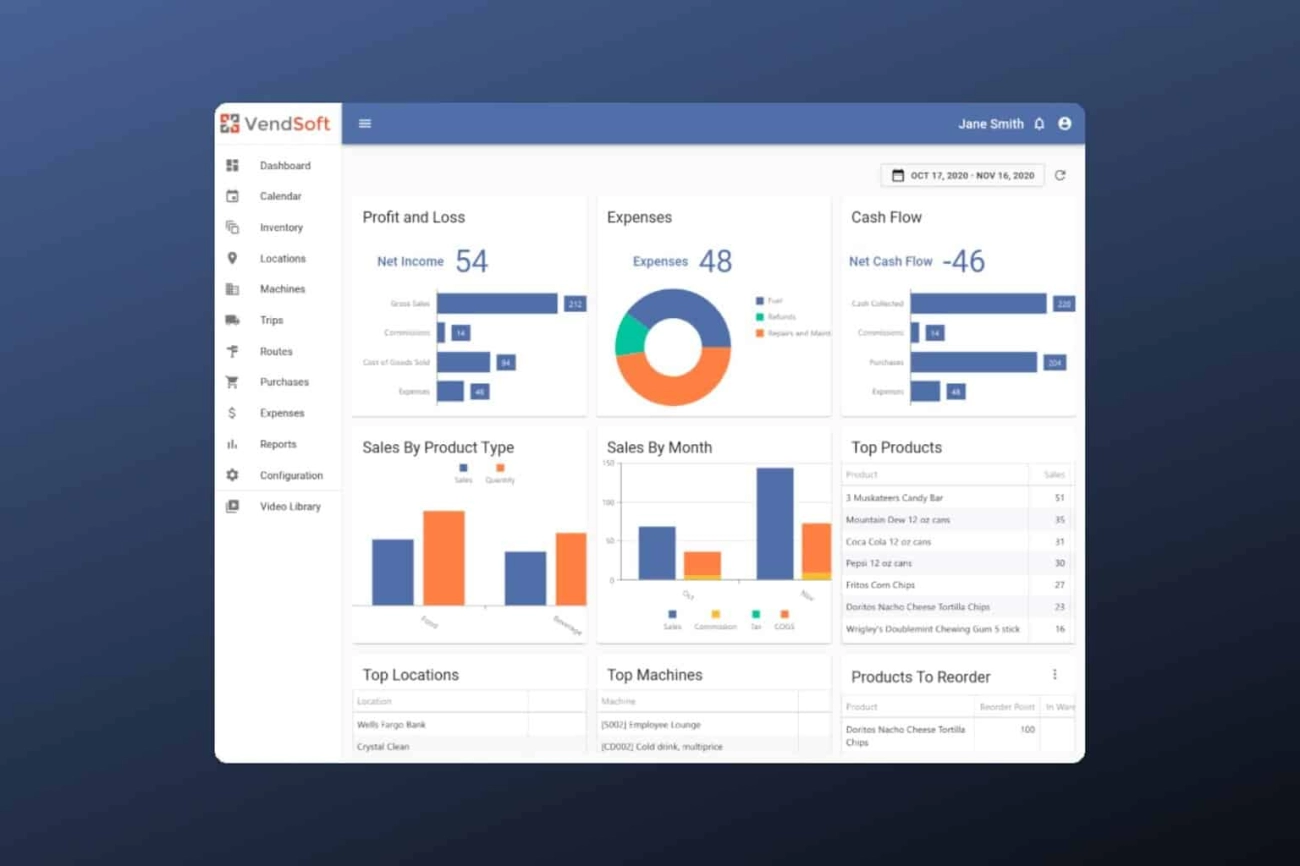
Why Choose Windows Cash Register Software for Your Business
When it comes to managing your retail or small business sales efficiently, selecting the right Windows cash register software is critical. Many business owners ask: Why choose a Windows-based solution over other platforms? The answer lies in its strong reliability, broad compatibility, and robust feature set tailored for local needs.
Reliability and Stability You Can Trust
Windows POS systems are known for their dependable performance in fast-paced retail environments. Unlike web-based or mobile-only apps, Windows software runs locally on your PC or cash register machine, significantly reducing the risk of downtime due to connectivity issues. This reliability saves you from lost sales and customer frustration, especially during peak hours.
Windows offers regular security updates and support, keeping your point of sale software safe from vulnerabilities and ensuring smooth transactions every day. The receipt printing POS Windows integrations work seamlessly without hiccups, supporting your checkout flow without delays.
Benefits Over Other Platforms
Choosing retail point of sale software designed for Windows gives you several distinct advantages:
- Wide hardware compatibility: Works easily with barcode scanners, receipt printers, cash drawers, and more.
- User-friendly interface: Most staff are already familiar with Windows, which shortens training time.
- Powerful inventory management POS: Handle stock levels, reorder points, and sales data in one place.
- Affordable pricing models: Options range from free cash register apps for PC to full-featured paid solutions.
- Multi-store sales reporting software: Ideal for businesses planning to expand or manage several locations.
- Employee time clock integration: Track hours alongside sales activity, simplifying payroll.
How Windows Software Compares
Compared to tablet-based or cloud-exclusive POS, Windows cash register software offers greater control and flexibility for localized business needs. You don’t need constant internet access to operate, which is vital for areas with unreliable connectivity.
While cloud systems excel in remote access, Windows systems shine in quick in-store transactions and compatibility with traditional small business transaction trackers and affordable ECR polling tools. This reliability combined with extensibility makes Windows POS a preferred choice, especially for businesses that value a balance of modern features and proven dependability.
If you want to learn more about managing cash registers effectively with Windows solutions, check out our detailed guide on manage a cash register.
Key Takeaway
By choosing Windows cash register software, you invest in a stable, versatile platform that supports your business growth, simplifies daily operations, and integrates with your existing hardware. It provides a foundation you can rely on, whether you run a single store or multiple outlets.
Start your digital upgrade with confidence and explore options designed to fit your needs and budget.
Key Features to Look for in the Best Windows Cash Register Software
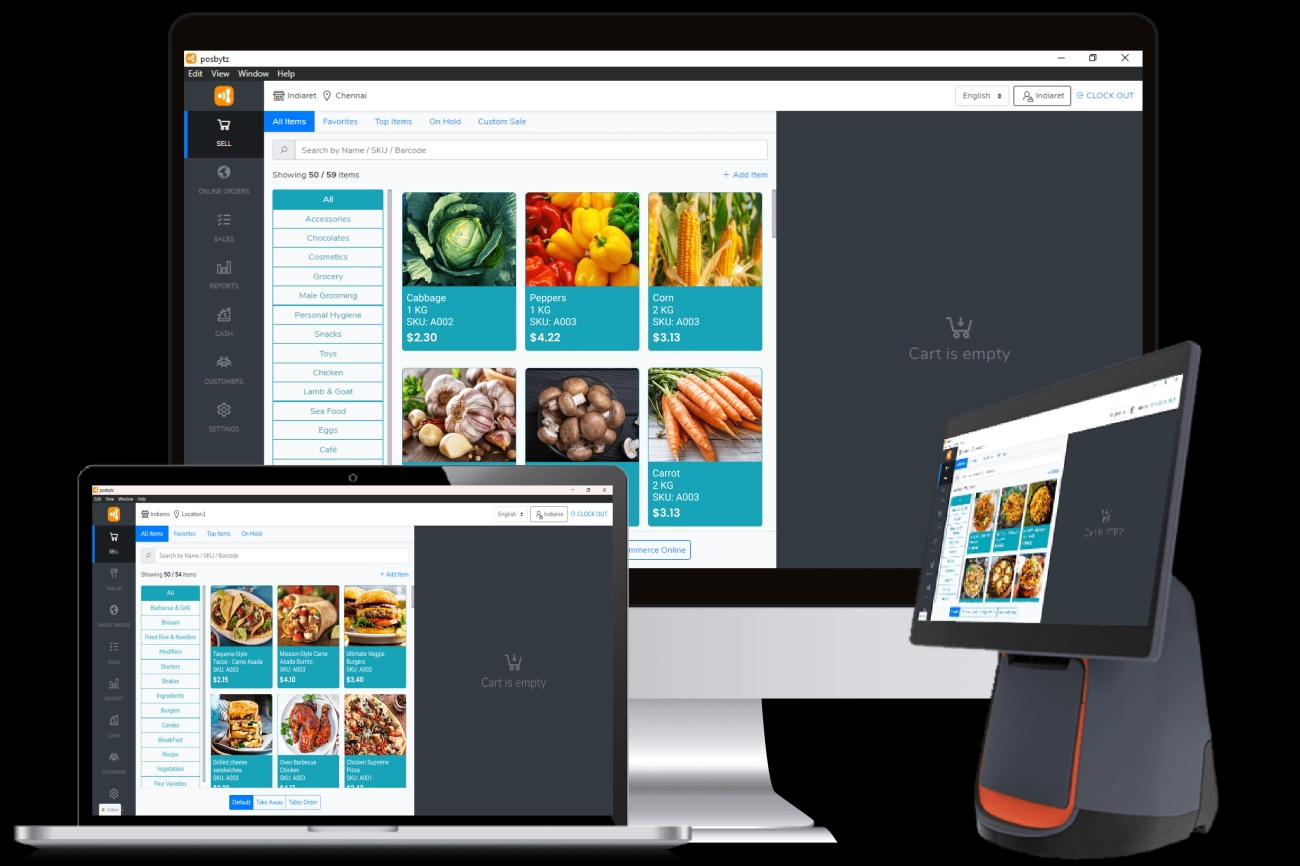
When choosing the best Windows cash register software, focusing on essential features that match your business needs is crucial. Whether you run a small retail store or a growing multi-location business, the right Windows POS system should simplify daily operations while boosting efficiency.
Must Have Functions for Efficient Transactions
User-Friendly Interface
Look for software with an intuitive layout. Cashiers should be able to ring up sales quickly without a steep learning curve. A clear Windows POS system interface helps reduce errors and speeds up checkout.
Inventory Management POS
This is a core feature. The software should track stock in real-time, send alerts for low inventory, and manage product variants. Good inventory management helps avoid deadstock and cash flow issues.
Receipt Printing POS Windows Compatible
Easy integration with receipt printers is a must-have. Your cash register software should support customized receipts that include your store’s logo, return policies, and transaction details.
Barcode Scanner Compatible Software
To speed up checkout and reduce manual entry errors, ensure the software works seamlessly with barcode scanners. This feature is essential for retail businesses dealing with large product volumes.
Features Supporting Small Business Needs
Small Business Transaction Tracker
The best Windows cash register software will provide detailed sales reports, making it easy to track daily revenue and analyze peak business hours.
Employee Time Clock Integration
If you manage staff, look for POS software with built-in employee clock-in/out features. This makes payroll and shift management simpler and more accurate.
Affordable ECR Polling Tool
For budget-conscious businesses, software that offers affordable electronic cash register (ECR) features like polling transactions and syncing with hardware is a bonus.
Advanced Features for Multi-Store and Growth
Multi-Store Sales Reporting Software
If you run several locations, choose software with the capability to consolidate sales data across stores. This helps in making informed decisions without juggling multiple systems. Consider exploring cash register systems with multistore management features to understand the options available.
Mobile Payment Integration
Modern shoppers expect multiple payment options. Look for Windows POS systems that support mobile wallets and contactless payments for faster checkout.
Compatibility and Local Support
- Ensure the software is fully compatible with your existing Windows hardware — computers, touch screens, receipt printers, and barcode scanners.
- Check for local customer support options in the U.S. to get quick help when needed. Reliable local support can save time and reduce downtime.
By focusing on these key features, you’re setting your business up with a Windows cash register software that’s both practical and future-proof, matching the needs of U.S. retailers today. For more insights on choosing the right device to pair with your software, check out our guide on where to buy a cash register.
Top 7 Best Windows Cash Register Software for 2025

When it comes to choosing the best Windows cash register software, you want solutions that are reliable, affordable, and loaded with features that fit your business needs. Here’s a detailed rundown of the top 7 Windows POS systems for 2025, including their pros, cons, pricing, compatibility, and best use cases.
1. Square for Retail
Overview
Square for Retail is popular for small to medium businesses that need a user-friendly Windows POS system with strong inventory management.
Pros
Easy setup and interface
Free basic plan available
Supports barcode scanner compatibility
Integrated receipt printing POS Windows support
Employee time clock integration
Cons
Advanced features require paid plans
Limited multi-store sales reporting on lower tiers
Pricing
Free basic plan
Paid plans start at $60/month
Best for
Retail stores and boutiques looking for affordable transaction tracking and inventory management POS.
2. Vend POS
Overview
Vend POS is a retail point of sale software well-suited for Windows devices, focusing on seamless sales and stock control.
Pros
Strong inventory features
Supports multiple payment methods
Real-time sales reporting
Multi-store sales reporting software
Cons
No free version, only a free trial
Higher monthly cost compared to competitors
Pricing
Plans start at $99/month
Best for
Businesses with high inventory turnover and multiple locations.
3. Lightspeed Retail
Overview
Lightspeed Retail is a powerful Windows-based ECR polling tool ideal for medium to large retailers who want robust sales and inventory insights.
Pros
Advanced inventory and customer management
Supports barcode scanner compatibility
Employee time clock integration
Strong analytics and reporting
Cons
Pricing can be steep for small businesses
Requires good internet connection
Pricing
Starts at $89/month
Best for
Businesses that need detailed sales tracking and customer data management.
4. QuickBooks POS
Overview
The QuickBooks POS is great for businesses already using QuickBooks accounting, offering smooth integration with financial tracking.
Pros
Syncs seamlessly with QuickBooks Accounting
User-friendly Windows interface
Supports receipt printing POS Windows
Solid transaction tracking
Cons
No cloud support; Windows based only
Higher upfront costs
Pricing
One-time purchase starting at $1200
Best for
Retailers who want integrated accounting and point of sale on a Windows platform.
5. ShopKeep by Lightspeed
Overview
ShopKeep is a small business transaction tracker and retail POS with easy Windows compatibility.
Pros
Simple setup for local businesses
Affordable plans with receipt printing POS support
Employee time clock integration
Inventory management POS features
Cons
Limited advanced features
Pricing details require contacting sales
Pricing
Starts at $69/month
Best for
Small shops and cafes focused on ease of use and basic POS needs.
6. Loyverse POS
Overview
Loyverse is a free cash register app for PC with built-in inventory and sales tools, perfect for businesses on a budget.
Pros
Completely free for basic features
Supports barcode scanners
Offers employee time clock integration in paid plan
Cloud-based but Windows compatible
Cons
Paid features needed for multi-store sales reporting software
Limited advanced reporting
Pricing
Free basic plan
Paid add-ons available
Best for
Startups and small businesses wanting cost-effective retail point of sale software.
7. eHopper POS
Overview
eHopper is an affordable Windows POS system designed for quick service and retail businesses needing an easy cash register solution.
Pros
Free version available for single location
Supports receipt printing POS Windows
Compatible with barcode scanners
Employee time clock tools
Cons
Advanced features limited to paid plans
Some user interface quirks reported
Pricing
Free for single terminal
Paid plans from $39.99/month
Best for
Small retail shops and food service businesses wanting a reliable, budget-friendly option.
the best Windows cash register software depends on your business size, budget, and specific needs like inventory management POS, employee integration, or multi-store reporting. Each option offers unique benefits tailored to local businesses across the US, making it easier than ever to find the right retail point of sale software to keep your sales flowing smoothly.
How to Choose and Implement the Right Windows Cash Register Software for Your Local Business
Choosing and setting up the best Windows cash register software is a big step toward smoother sales and improved cash flow. Here’s a simple step-by-step guide to help you find the right retail point of sale software and get it up and running without the usual headaches.
Step 1 Choose Software That Fits Your Business Needs
- Identify your core needs: Do you need basic transaction tracking, inventory management POS, or employee time clock integration?
- Consider local factors: Look for software that supports your industry type, payment methods popular in your area, and barcode scanner compatibility.
- Check for multi-store sales reporting software if you operate more than one location.
Step 2 Check Compatibility and System Requirements
- Ensure the software runs smoothly on your current Windows PC systems.
- Verify receipt printing POS Windows compatibility with your printer models.
- Confirm that the software works with affordable ECR polling tools if you use electronic cash registers.
Step 3 Evaluate Vendor Support and Updates
- Pick a vendor with reliable customer support that’s reachable during your business hours.
- Look for regular updates to keep your software secure and efficient.
- Free cash register app for PC options should also offer ongoing support, not just a one-time download.
Step 4 Trial Before Purchase
- Use free trials or demos to test features like inventory tracking, sales reporting, and employee time management.
- Test how it integrates with your hardware such as barcode scanners or receipt printers.
- Gather feedback from your staff to ensure ease of use.
Step 5 Plan Your Implementation
- Train your team before going live with the new system.
- Back up existing sales and inventory data to avoid loss during transition.
- Set up permissions and roles in the software, especially if it has employee clock-in features.
Step 6 Avoid Common Pitfalls
- Don’t rush the switch; plan the rollout during a slow business period.
- Avoid software that is too complex for your daily needs—simplicity improves accuracy and reduces errors.
- Double-check that all sales tax settings match your local regulations.
Step 7 Monitor and Optimize
- After implementation, regularly check sales reports and inventory updates for accuracy.
- Use multi-store sales reporting software or transaction trackers to spot trends and adjust ordering.
- Keep staff trained on new features and updates to maximize benefits.
By following these steps, you ensure that you pick Windows POS system software that works for your local business, supports your day-to-day tasks, and grows with you.
Real User Insights and Case Studies on Windows Cash Register Software
Understanding how Windows cash register software performs in real-world settings is key. Let’s explore what actual users say and review success stories from small businesses across the US, focusing on how this retail point of sale software handles daily challenges like inventory management, transaction tracking, and employee integration.
What Users Are Saying About Windows Cash Register Software
Reliability and Speed: Most users appreciate the stable performance on Windows systems, with quick checkout processes and smooth receipt printing POS functions. This is essential for busy retail shops and restaurants where fast transactions reduce customer wait times.
Ease of Use: Local business owners like that many Windows POS systems require little technical know-how for daily operations. A clean interface paired with barcode scanner compatible software reduces training time and operational errors.
Inventory Management Benefits: Small businesses report improved stock control, thanks to software that syncs sales data in real time. This helps avoid overstocking or running out of popular items, making their inventory management POS tools vital.
Employee Time Clock Integration: Businesses with multiple employees find this feature helpful for tracking work hours alongside sales data, improving payroll accuracy and staff accountability.
Multi-store Support: Retailers operating more than one location praise software that offers multi-store sales reporting software. It simplifies monitoring sales trends and coordinating stock movement across stores.
Local Success Stories
Independent Grocers: One grocery store in Ohio switched to a Windows POS system that offered touchscreen support and affordable ECR polling tools. This change helped them cut down checkout lines by 30% and reduced manual errors during busy weekends.
Boutique Retailers in Texas: A clothing boutique implemented software with integrated barcode scanner compatibility and employee time clocks. They saw an immediate boost in inventory accuracy and smoother staff scheduling, leading to better customer service and higher repeat sales.
Cafes and Small Eateries in California: Several cafes started using Windows cash register software that supports quick receipt printing and detailed transaction tracking. This allowed better daily sales insights and improved order accuracy, which is a big win during peak hours.
Key Takeaways from User Experiences
- Choosing software with the right mix of inventory management, transaction tracking, and employee integration is critical.
- Windows-based POS systems often provide more customization and compatibility with existing hardware like scanners and receipt printers.
- Affordability combined with robust features makes many of these solutions a top pick for US small businesses, especially in retail and food service.
For retailers wanting to invest in high-quality equipment that works seamlessly with Windows cash register software, explore options like high quality cash register equipment for retailers to ensure long-term reliability.
Real user insight highlights that the best Windows cash register software balances performance, usability, and local business needs — powering smooth transactions and smart sales management every day.
FAQ About Best Windows Cash Register Software
What is Windows cash register software?
Windows cash register software is a retail point of sale (POS) system designed to run on Windows-based computers. It helps businesses handle sales transactions, manage inventory, print receipts, and track employee hours all in one place. This software is often compatible with barcode scanners and receipt printers, making daily operations smoother.
Is there a free cash register app for PC I can try?
Yes, there are free and trial versions of Windows POS software that small businesses can test before buying. These free cash register apps for PC usually offer basic transaction tracking and receipt printing features but may limit multi-store reporting or inventory management functions.
What core features should I look for?
When choosing the best Windows cash register software, look for:
- Inventory management POS capabilities to keep stock in check
- Compatibility with barcode scanner hardware
- Easy receipt printing for Windows devices
- Options for employee time clock integration
- Affordable ECR polling tools for real-time sales data
- Multi-store sales reporting if you manage more than one location
Can Windows cash register software handle my small business transactions?
Absolutely. Most Windows POS systems are built with small business needs in mind. They provide an efficient small business transaction tracker so you can monitor sales, returns, and customer payments in real time, usually with minimal setup.
How compatible is this software with other devices?
The best Windows cash register software works well with common retail hardware such as:
- Barcode scanners
- Receipt printers
- Cash drawers
- Touchscreen monitors
- Employee time clocks
This compatibility ensures you don’t need extra adapters or complex installations.
How do I avoid common pitfalls when implementing Windows POS software?
To minimize headaches:
- Choose software that matches your business size and type
- Ensure it supports your existing hardware
- Train your staff properly before going live
- Regularly back up your sales and inventory data
- Use reliable cash register equipment to avoid hardware failures
Learn more about the benefits of advanced cash register systems here.
Can Windows POS software support multi-store management?
Yes, many Windows cash register systems offer multi-store sales reporting software features. This lets you keep an eye on sales, inventory, and employee performance across multiple locations from a single dashboard, a big help for growing retail chains.
Is receipt printing easy to set up?
Yes, most software supports receipt printing POS Windows out of the box. Just connect your printer, configure it in the software settings, and you’re set to print detailed, professional receipts.
How can I integrate employee time tracking?
Many Windows POS solutions come with employee time clock integration, allowing you to track clock-ins and shifts through the same system that handles your sales. This cuts down on the need for separate time-tracking tools.
If you want to dive deeper into how cash registers evolved and how systems differ, check out when was the cash register invented and what is the difference between POS and cash registers for valuable insights tailored to U.S. retailers.


