







Best Cash Registers for Kansas City Businesses with POS Features 2025

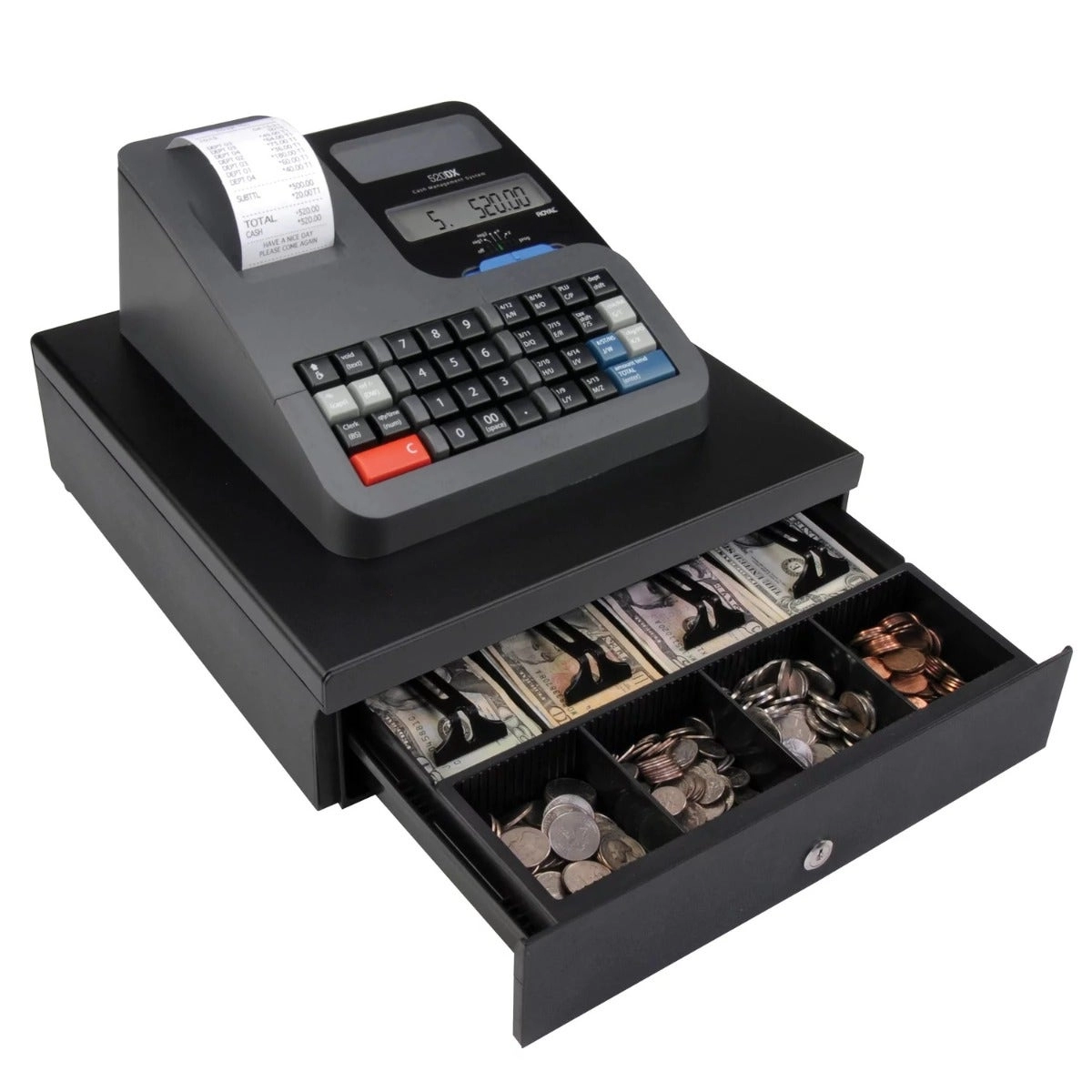
If you own a business in Kansas City, you already know that every second counts at the checkout. A cash register isn’t just a place to stash your money—it’s the heartbeat of your retail operation. Whether you’re running a bustling boutique or a food truck near the Plaza, your choice of register can make or break customer flow, security, and sales accuracy. In 2025, outdated machines won’t cut it—modern cash register systems now offer smart integrations, faster payments, and tighter fraud protection, tailored specifically for KC’s unique retail rhythm. Ready to stop losing time—and money—to slow, insecure checkouts? Let’s get you set up with the right cash register that powers growth and keeps your business ahead.
Understanding Cash Registers: From Mechanical Relics to Modern POS Powerhouses
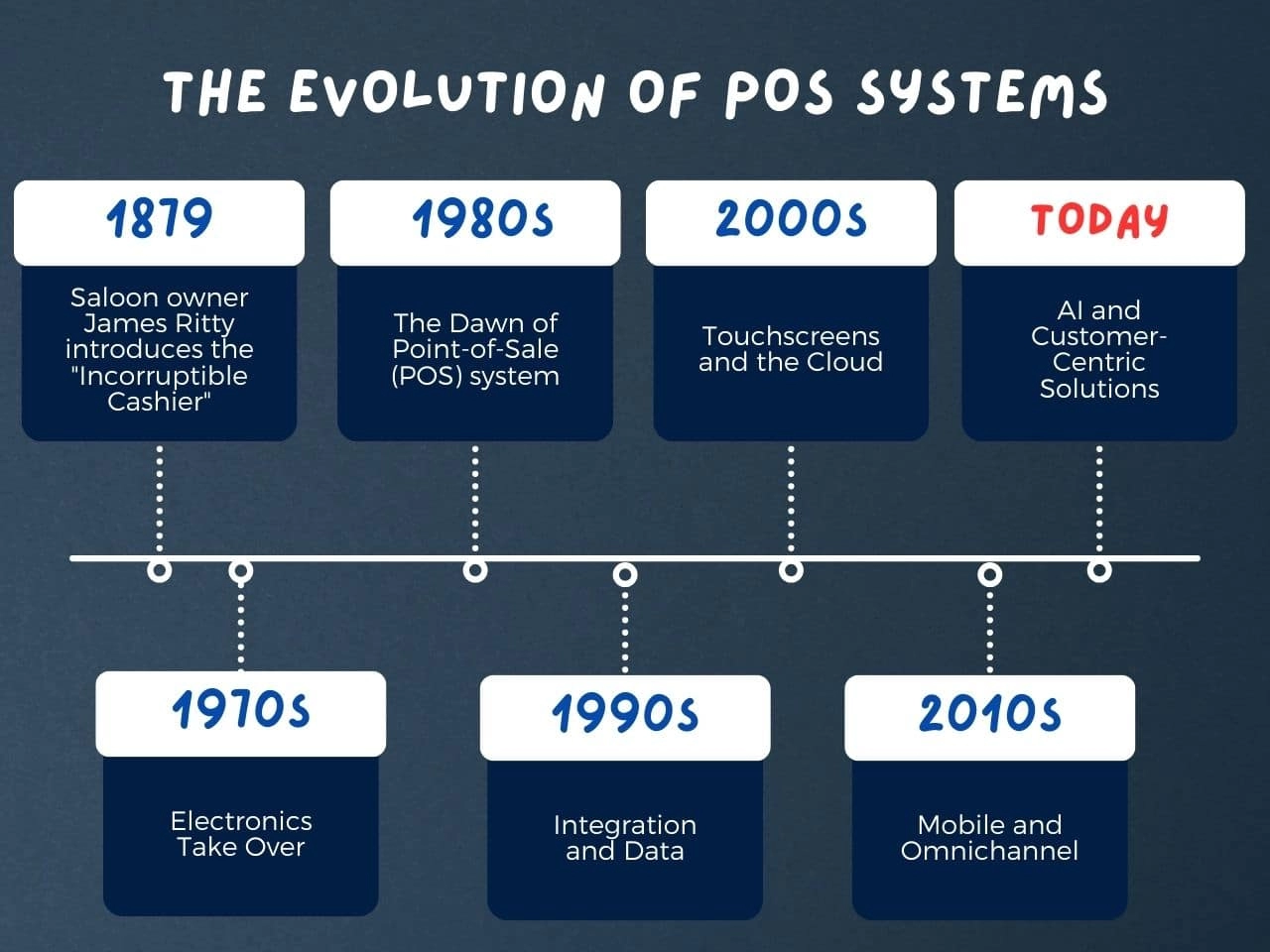
The Evolution of Cash Registers: From 1879 to Today’s Cloud-Synced Hybrids
Cash registers have come a long way since James Ritty’s “Incorruptible Cashier” invention in 1879. Originally designed to curb employee theft by mechanically recording sales, early cash registers were bulky, purely mechanical devices with limited functionality. Fast forward to today, and what was once a simple transaction logging device is now a sophisticated POS system. Modern cash registers often combine touchscreen interfaces, cloud syncing, and integrated payment processing, serving not just as retail checkout terminals but as comprehensive business management tools.
For example, many Kansas City retailers now rely on cloud-based tills that update in real-time, syncing sales data across multiple locations instantly—a far cry from the standalone mechanical devices of the past. These advancements have streamlined daily operations and improved accuracy dramatically. (Learn more about the detailed history and technological evolution in this article on the evolution of cash register technology.)
Core Functions Demystified: What Does a Modern Cash Register Actually Do?
Despite the fancy features, at its heart, a cash register still performs a few essential functions every day, including:
- Transaction logging: Each sale is recorded to create an accurate sales history.
- Cash drawer management: Securely stores money and provides quick access for giving change.
- Receipt generation: Prints or emails customer receipts instantly, ensuring accurate proof of purchase.
- Basic reporting: Offers daily and monthly sales summaries that help with business insights and bookkeeping.
These core tasks are still paramount. Without them, a business can’t track revenue or manage cash flow effectively.
Common Pitfalls: Fraud Vulnerabilities and Checkout Delays
Even with modern upgrades, cash registers—especially older or poorly maintained ones—still face challenges:
- Fraud risks: Manual overrides and unsecured cash drawers can open doors to employee theft.
- Checkout bottlenecks: Slow or unreliable systems can cause frustrating delays during busy times.
Kansas City businesses must be mindful of these pitfalls, particularly during high-traffic moments like Royals home games when checkout lines can stretch long. A quick, secure register system is critical to keeping customers happy and transactions moving smoothly.
KC Context: Handling Royals Game-Day Rushes and Missouri Sales Tax Remittance
Local nuances make certain features especially important here in Kansas City:
- On game days at Kauffman Stadium, retailers around the area need registers that can process high volumes of transactions quickly and securely.
- Missouri’s sales tax laws demand accurate reporting and remittance, so cash registers must integrate with tax software or have built-in tax calculation features to avoid costly errors.
Smart Kansas City retailers factor these realities into their POS choices, ensuring their systems support local business rhythms and regulatory compliance.
For a deeper dive into the functions of modern cash registers and their relevance in retail environments, check out this piece on functions of a modern cash register.
Types of Cash Registers: Which One Fits Your Kansas City Operation?
Choosing the right cash register depends on your business size, transaction volume, and local needs here in Kansas City. Let’s break down the main types and what works best for KC merchants.
Traditional Mechanical & Electronic Cash Registers
Pros:
Simple and durable
No internet needed
Cost-effective, great for low-tech setups
Cons:
Limited features—just basic cash handling and receipt printing
No inventory tracking or reporting
Can slow down busy rushes like Royals games or weekend foot traffic
Ideal for:
Small shops or food stands with steady but low transaction volumes, like local markets or concession stands.
Touchscreen & Mobile Registers
Key benefits:
Compact and portable for pop-up shops or food trucks
User-friendly touchscreen interfaces speed up checkout
Connects to payment processors for cards, Apple Pay, and EMV compliance
Drawbacks:
Battery life may limit all-day use without charging
Usually less powerful than full POS systems, fewer integrations
Great for:
Mobile vendors, boutiques in Westport, or businesses needing flexibility and easy upgrades.
Full POS-Integrated Systems
Cloud vs. On-Premise:
Cloud-based POS: Real-time syncing across multiple KC locations, automatic updates, and remote management.
On-premise: More control over data, no dependency on internet, but manual updates needed.
Features:
Inventory tracking and analytics
Sales tax calculations compliant with Missouri regulations
Customer loyalty and delivery app integrations
Best for:
Multi-location stores, busy retailers, and franchises needing centralized control and reporting.
Comparison Table: Cash Register Types & KC Use Cases
| Type | Price Range | Core Features | Ideal KC Use Case |
|---|---|---|---|
| Mechanical/Electronic | $200 – $600 | Cash drawer, receipt printing | Small shops, farmers markets, food stands |
| Touchscreen/Mobile | $400 – $1,000+ | Card payments, portability, touchscreen | Pop-ups, food trucks, kiosks |
| Full POS Systems | $1,200 – $5,000+ | Inventory, cloud sync, loyalty, reports | Multi-location retailers, boutiques |
Pro Tip: Battery-Backed Models for KC Power Reliability
Power outages hit KC from time to time. Choose cash registers and POS systems with battery backup to keep your checkout running smoothly during unexpected blackouts—especially critical during big game days or busy shopping hours. This prevents delays and loss of sales while keeping transaction logs intact.
Picking the right register makes a big difference in managing your Kansas City business smoothly. Consider how you handle rushes, sales tax remittance, and local power quirks when making your choice.
Key Features to Prioritize in a 2025 Cash Register
When choosing a cash register today, especially for a busy Kansas City business, focus on features that keep your operations smooth, secure, and up-to-date with payment trends.
Payment Versatility
Your cash register should accept multiple payment types:
- Cash handling remains essential for many KC shoppers.
- Cards (credit/debit) with EMV chip compliance are a must to avoid liability issues.
- Support for Apple Pay, Google Pay, and other contactless options caters well to tech-savvy customers.
- Consider registers that can even process crypto payments if your target audience demands it.
Inventory and Analytics
Modern cash registers aren’t just for checkout—they help you track inventory and sales insights:
- Real-time inventory tracking prevents stockouts and overorders.
- Automatic alerts for low stock or irregular sales help you act fast.
- Analytics let you calculate ROI on shrinkage reduction and identify best-sellers, especially important during KC’s high-traffic days like Royals games.
Security Essentials
Protect your business revenue with solid security features:
| Security Feature | Why It Matters for KC Businesses |
|---|---|
| Cash drawer locks | Prevents unauthorized access, reducing theft. |
| User permissions | Limits register access to authorized staff only. |
| Audit trails | Tracks all transactions for fraud detection and accountability. |
This security combo is key during busy rushes and when handling Missouri sales tax compliance.
User-Friendly Add-Ons
Streamline your daily tasks with smart integrations:
- Customizable interfaces mean your team won’t waste time navigating complicated menus.
- Receipt personalization helps with branding or adding legal tax info.
- Integration with accounting software like QuickBooks speeds up bookkeeping and tax filing.
Feature Checklist: Download and Score
To make your choice easier, look for a downloadable PDF checklist that lets you score cash registers based on:
- Payment features
- Inventory tools
- Security options
- User experience
This simple tool helps you weigh what really matters for your KC business needs.
For deeper insights on cash register features and how to operate them efficiently, check out the helpful resources like how to operate a cash register and cash register systems.
How to Choose the Perfect Cash Register: A Step-by-Step Buyer’s Framework
Choosing the right cash register or POS system for your Kansas City business means balancing your operational needs with budget and local factors. Here’s a straightforward guide to help you decide.
Assess Your Needs: Quick KC Self-Quiz
Start by answering these to nail down your requirements:
- Sales volume: Are you handling dozens or hundreds of transactions daily?
- Space: Do you have a dedicated checkout counter or limited room?
- Product types: Do you sell varied inventory requiring barcode scanning?
- Payment methods: Need to accept cash only, or cards, Apple Pay, and crypto?
- KC-specific scenarios: Handling Royals game-day surges? Missouri sales tax remittance?
- Mobility: Do you need a fixed register or a mobile/touchscreen solution?
Answering these clarifies if you want a basic till, a touchscreen register, or a full POS system with inventory and reporting.
Budget Breakdown: Entry-Level vs. Premium and Hidden Costs
Price points for cash registers vary widely. Here’s what to expect:
| Type | Price Range | Notes |
|---|---|---|
| Basic Mechanical/Electronic | $150 – $500 | Lowest cost; limited features |
| Touchscreen/Mobile Register | $400 – $1,000 | Portable, more payment options |
| Full POS-Integrated Systems | $1,000 – $5,000+ | Advanced reporting, cloud sync |
Don’t forget these hidden costs:
- Software/subscription fees (common in cloud POS)
- Payment processing fees
- Hardware accessories like barcode scanners or cash drawers
- Installation and training
Top 2025 Picks for Kansas City Businesses
Look for cash registers and POS systems that feature:
- Neutral reviews: Real user feedback from similar businesses
- SDLPOS compatibility: Seamless integration with local Kansas City SDLPOS solutions for support and scalability
- Ease of use: Intuitive interfaces reduce staff training time
- Local support: Fast response and service in Kansas City for quick issue resolution
Local Sourcing Tips: Find KC Suppliers with Quick Delivery
Partnering with a nearby supplier like SDLPOS gets you:
- Same-day or next-day delivery for urgent setups
- On-site installation & training tailored for your business size
- Missouri-compliant systems with built-in local tax rules
- Ongoing support and community connections
Decision Matrix: Cost vs. Features with KC Applicability
| Feature | Basic Register | Touchscreen Register | Full POS System | KC Applicability |
|---|---|---|---|---|
| Price | Low | Medium | High | Depends on size |
| Payment Flexibility | Cash only | Cash + Cards | All (Apple Pay, Crypto) | Royals game-day |
| Inventory Tracking | No | Limited | Real-time Analytics | Retail & food ops |
| Cloud Syncing | No | Some models | Yes | Multi-location |
| Local Tax Management | Manual setup | Partial | Automated | Missouri sales tax |
Bold takeaway: For KC businesses managing complex sales or multiple locations, a full POS with cloud capabilities is a smart investment despite the higher upfront cost.
Choosing the right cash register isn’t just about price. Focus on your daily business flow, payment methods, and support from trusted KC providers like SDLPOS to get the best fit in 2025.
Implementation and Best Practices for Cash Registers in Kansas City
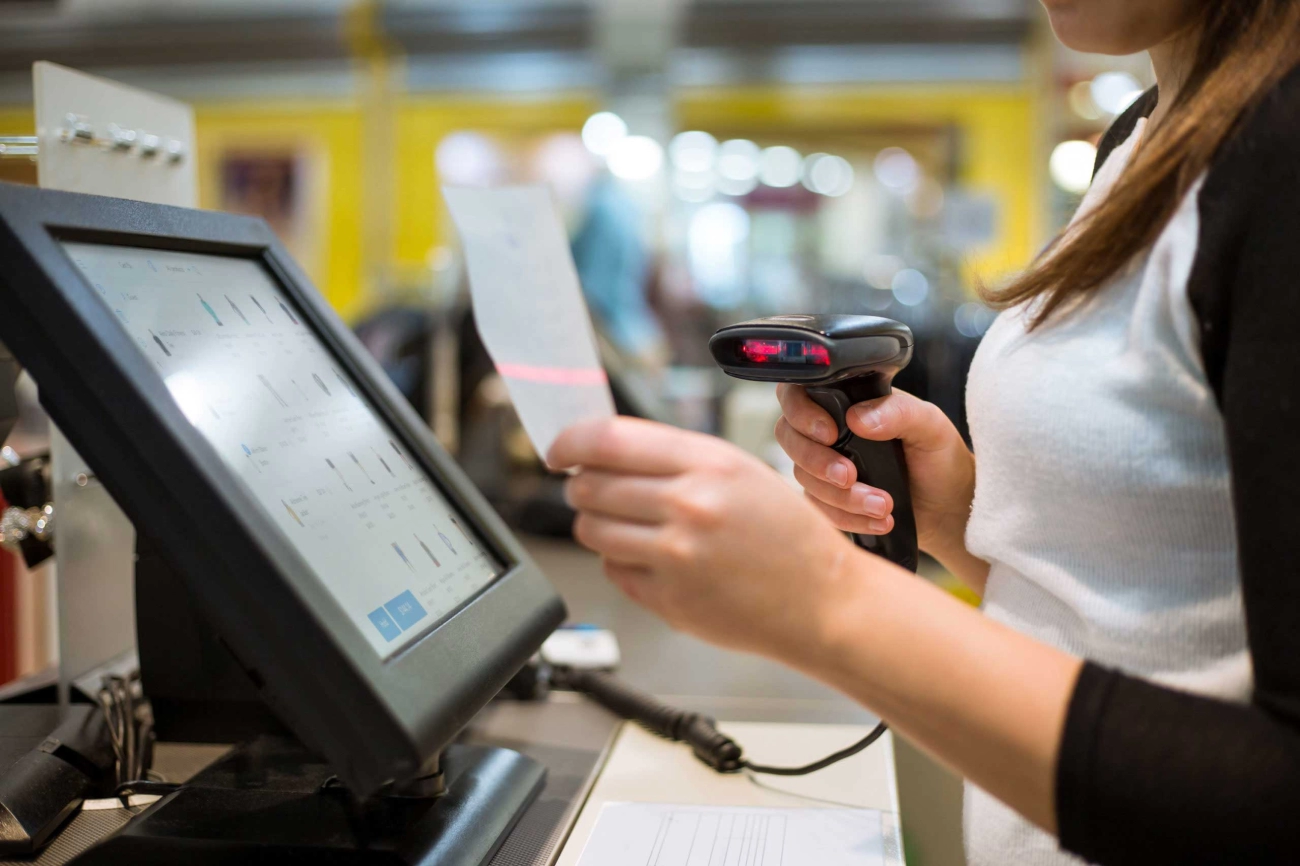
Getting your cash register up and running smooth is essential for any KC business—especially during busy hours. From setup to daily use and ongoing maintenance, here’s a straightforward guide to help you avoid the usual headaches.
Easy Setup: Unboxing, Programming & Staff Training
- Unboxing: Start by checking all components—cash drawer, receipt printer, touchscreen, barcode scanner, and power cables.
- Programming: Input your product list, tax rates (don’t forget Missouri sales tax), and payment options. Most systems offer step-by-step on-screen guides.
- Staff Training: Keep it simple. Train cashiers on how to ring sales, handle returns, open the cash drawer safely, and print reports. Role-playing typical rush scenarios like Royals game days can boost confidence.
Daily Operations Made Simple
- Tills Balancing: Count your cash drawer at the start and end of each shift to quickly spot discrepancies.
- End-of-Day Reports: Use your cash register’s built-in sales transaction software to generate daily reports that provide a clear snapshot of your revenue and taxes collected.
- Troubleshooting: Be familiar with basic fixes like paper roll replacements or reconnecting barcode scanners. A quick refresher saves time during busy checkout lines.
Optimization Hacks for Local Kansas City Businesses
- Integrate with KC Delivery Apps: Link your POS system to popular delivery platforms in KC to keep inventory real-time and reduce manual errors.
- Loyalty Program Sync: Connect your cash register with local rewards programs to encourage repeat customers and gather valuable sales data.
- Customize Receipts: Add your KC business logo and Promos—great for standing out while providing receipts customers actually want to keep.
Maintenance Routine to Ensure Maximum Uptime
- Regular Cleaning: Dust and spills can harm cash drawer mechanisms and printers. Schedule weekly cleanings of your registers.
- Software Updates: Keep your system’s software current to avoid security risks and ensure compatibility with new payment methods like Apple Pay or EMV cards.
- Backup Options: Consider a battery-backed cash register to handle the occasional power out in KC neighborhoods without losing transaction data.
Real-Life Success: Waldo Boutique’s Checkout Upgrade
After installing a cloud-backed touchscreen register with integrated inventory tracking and payment processing, Waldo’s boutique cut checkout times by 30%. They combined faster barcode scanning with mobile payment options, smoothing game-day rushes and reducing customer wait times significantly.
For hands-on guides and tools to get your cash register setup right, check out resources like Functions of a Cash Register and explore Kansas City-focused support with Cash Register Systems with 24/7 Support.
SDLPOS: Your Trusted Cash Register POS Partner in Kansas City
Local-Aligned, Rugged, and Customizable Systems
SDLPOS stands out as a locally focused supplier in Kansas City, offering durable and customizable cash register POS systems designed to fit the unique needs of Missouri businesses. Whether you run a busy retail store, a café, or manage multiple locations, their hardware and software solutions adapt to your workflow seamlessly. Their systems are built tough to handle the daily grind while providing flexibility with features like touchscreen registers, cash drawer security, and cloud syncing.
Free Consultations and Same-Day Installation
One of SDLPOS’s unique advantages is the free consultation service they provide. This means you get expert advice tailored specifically for your business volume, budget, and Kansas City tax regulations before purchasing. Plus, their same-day installation option ensures minimal downtime. Add in round-the-clock support, and you’ve got a partner willing to help anytime — whether it’s troubleshooting or quick updates. This is especially helpful during rush seasons like Royals game days when checkout speed matters.
Flagship Products and Flexible Pricing
SDLPOS offers a variety of flagship cash register models and POS bundles with clear pricing tiers suitable for small startups to large retail operations. Options include traditional electronic registers, touchscreen/mobile POS devices, and fully integrated cloud-based systems with inventory tracking and payment processing integration. Bundled deals often include barcode scanner POS hardware plus software for a complete retail checkout terminal package.
Proven Success and Testimonials
Many local Kansas City businesses have seen a measurable sales uplift after upgrading to SDLPOS systems, thanks to faster transactions and better inventory control. Testimonials highlight improvements in checkout times and easier sales tax remittance—key for Missouri retailers managing high foot traffic and complex tax rules.
Compliance and Community Support
Importantly, SDLPOS stays current with Missouri’s sales tax remittance requirements and supports local community events, giving your business a compliant, community-connected edge. For KC operators, this means peace of mind with less worry around regulatory issues tied to your cash register operations.
For a deeper dive into the essential cash register features and how SDLPOS solutions fit your needs, check out their cash register software features guide and learn how POS systems function as cash registers.


