







Cash Register POS for Pharmacy with Dual Screen and Expiry Tracking

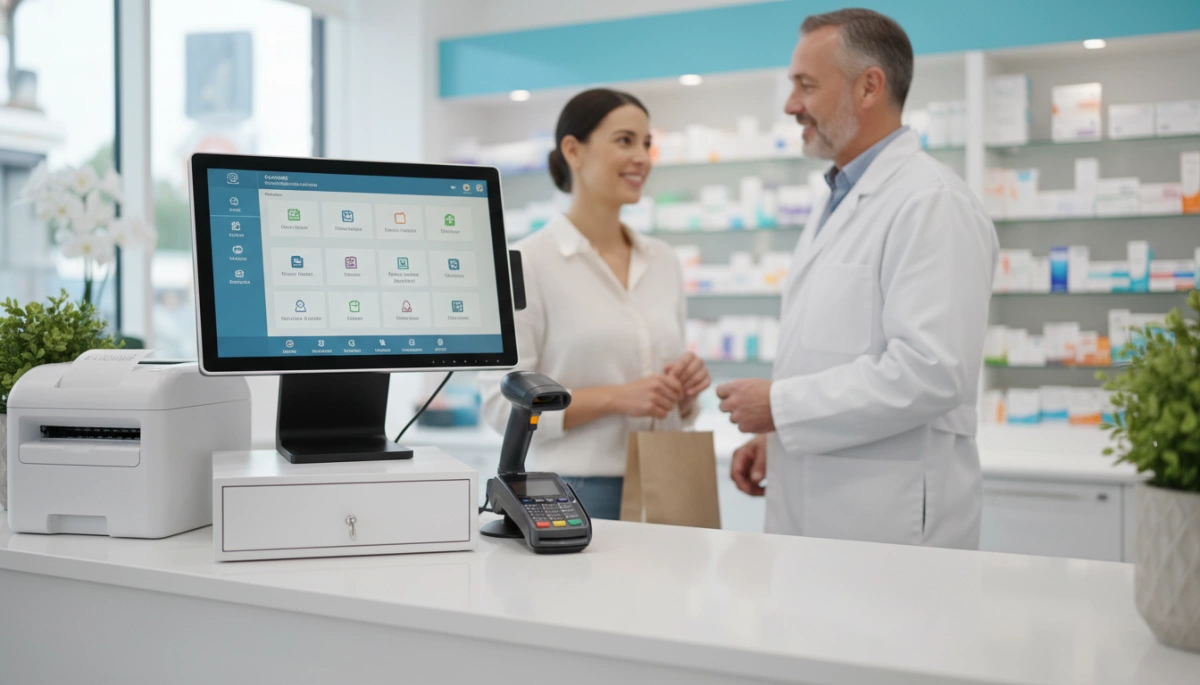
Key Challenges Every Pharmacy Faces at the Counter
Running a modern pharmacy in 2026 isn\’t just about filling prescriptions; it’s about managing a high-stakes retail environment where a single hardware glitch or tracking error can lead to compliance fines or lost patient trust. I’ve seen firsthand how the wrong pharmacy POS system turns a busy afternoon into a bottleneck of manual work and frustrated customers.
Controlled Substance and Pseudoephedrine Tracking
The legal requirements for controlled substance POS management are more stringent than ever. Without automated prompts and integrated ID verification, your staff is one human error away from an audit nightmare.
- Automated Logs: Manual entry for pseudoephedrine is a liability; you need real-time syncing with state databases.
- Compliance Safeguards: A HIPAA compliant cash register must lock down sensitive data while ensuring every pill is accounted for from the vault to the bag.
Expiry Date and Batch Lot Tracking
Nothing kills your margins faster than \”hidden\” expired inventory. Expiry date tracking POS features are no longer a luxury—they are a survival tool.
- First-In, First-Out (FIFO): Your system must prioritize older stock to minimize waste.
- Recall Readiness: If a manufacturer issues a recall, you need to identify affected batch lots in seconds, not hours of digging through paper logs.
PMS Integration Gaps
The biggest headache for pharmacy owners is a \”dumb\” terminal that doesn\’t talk to the back-end Pharmacy Management System (PMS).
| Integration Challenge | Operational Impact |
|---|---|
| Inventory Desync | Selling front-end items that aren\’t actually in stock. |
| Co-pay Errors | Discrepancies between the insurance claim and the register price. |
| Workflow Friction | Forcing pharmacists to walk between two different screens to complete one sale. |
Hygiene and Peak-Hour Reliability
In a healthcare setting, keeping customer-facing screens hygienic is a non-stop battle. Your hardware must be built to withstand medical-grade disinfectants without degrading the touchscreen sensitivity.
Furthermore, you need 24/7 reliable pharmacy POS hardware. When the 5:00 PM rush hits and the line is out the door, a system that overheats or suffers from \”ghost touches\” is a direct threat to your bottom line. Relying on consumer-grade tablets is a gamble that most independent pharmacies simply can\’t afford to take.
Must-Have Features in a 2026 Pharmacy POS System
In 2026, a cash register POS for pharmacy isn\’t just a tool for processing payments—it’s the central hub for patient safety and operational efficiency. I\’ve seen how trends in retail hardware technology are moving toward high-performance, ruggedized units that can handle the unique rigors of a healthcare environment without failing during peak hours.
Core Hardware & Compliance Standards
To keep a pharmacy running smoothly, the hardware must meet specific industrial benchmarks that standard retail registers often ignore:
- Industrial-Grade Durability: You need a 24/7 reliable pharmacy POS built with components that don\’t overheat.
- HIPAA and GDPR Readiness: Data security is the top priority. Every HIPAA compliant cash register must support encrypted signature capture and secure user authentication to protect sensitive patient health information (PHI).
- Dual-Screen Pharmacy POS: A customer-facing screen is essential. It allows patients to verify their medication list privately and provides a professional platform for signature prompts and health consultations.
- Low-Heat Fanless Design: Fanless systems are non-negotiable for pharmacies. They don\’t circulate dust or particulates, ensuring a cleaner environment and preventing internal hardware failure caused by debris.
Efficiency and Integration Checklist
Speed at the counter is determined by how well your peripherals work together. An all-in-one pharmacy cash register that eliminates cable clutter is the gold standard for modern floor plans.
| Feature | 2026 Pharmacy Requirement |
|---|---|
| OS Flexibility | Support for both Android/Windows pharmacy POS environments |
| Integrated Printing | High-speed integrated label printer POS pharmacy (2-inch or 3-inch) |
| Scanning | High-precision barcode scanning for 2D prescription codes and IDs |
| Patient Privacy | Encrypted signature pads for insurance and HIPAA compliance |
Having prescription barcode scanning and signature capture built directly into the terminal eliminates the need for bulky external attachments. This streamlined setup ensures that your pharmacists can focus on patient care rather than troubleshooting hardware connections. When choosing your next system, prioritize flexible OS support to ensure your hardware remains compatible with future updates to your Pharmacy Management Software (PMS).
Pharmacy POS Hardware Deep Dive
Choosing the right industrial POS terminal pharmacy hardware isn\’t just about the price tag; it\’s about the daily grind behind the counter.
Touchscreens: Capacitive vs. Resistive
In a modern pharmacy, capacitive touchscreens are the gold standard. They offer the same responsive, multi-touch feel as a smartphone, which speeds up navigation. We prioritize high-durability capacitive glass that stands up to constant sanitizing with medical-grade cleaners without losing sensitivity. While resistive screens allow for gloved use, the clarity and longevity of capacitive tech make it the preferred choice for 2026.
Processing Power: Windows vs. Android
The \”brain\” of your Android/Windows pharmacy POS depends entirely on your existing software stack:
- Intel Core i5/i7: These are the workhorses. Essential for pharmacies running heavy Windows-based management systems with large local databases and multiple background integrations.
- Rockchip (Android): This is the go-to for cloud-native apps. These processors run cool, consume less power, and offer incredible stability for dedicated point-of-sale tasks.
All-in-One vs. Modular Designs
Space is always at a premium at the pickup window. Our all-in-one pharmacy cash register models integrate the CPU and screen into a single, sleek footprint. This design is superior for reducing \”cable jungle\” and keeping the counter clean and professional.
Built-in Peripherals and Cable Management
- Dual Screen Pharmacy POS: A customer-facing display is now a requirement for HIPAA-compliant signature capture and order verification.
- Integrated Scanners: Built-in 2D barcode scanners handle prescription labels and IDs faster than handheld units.
- Hidden Port Compartments: Our hardware features specialized cable management to ensure that power bricks and peripheral wires stay out of sight and out of the way of your workflow.
Software Compatibility and Integration Checklist
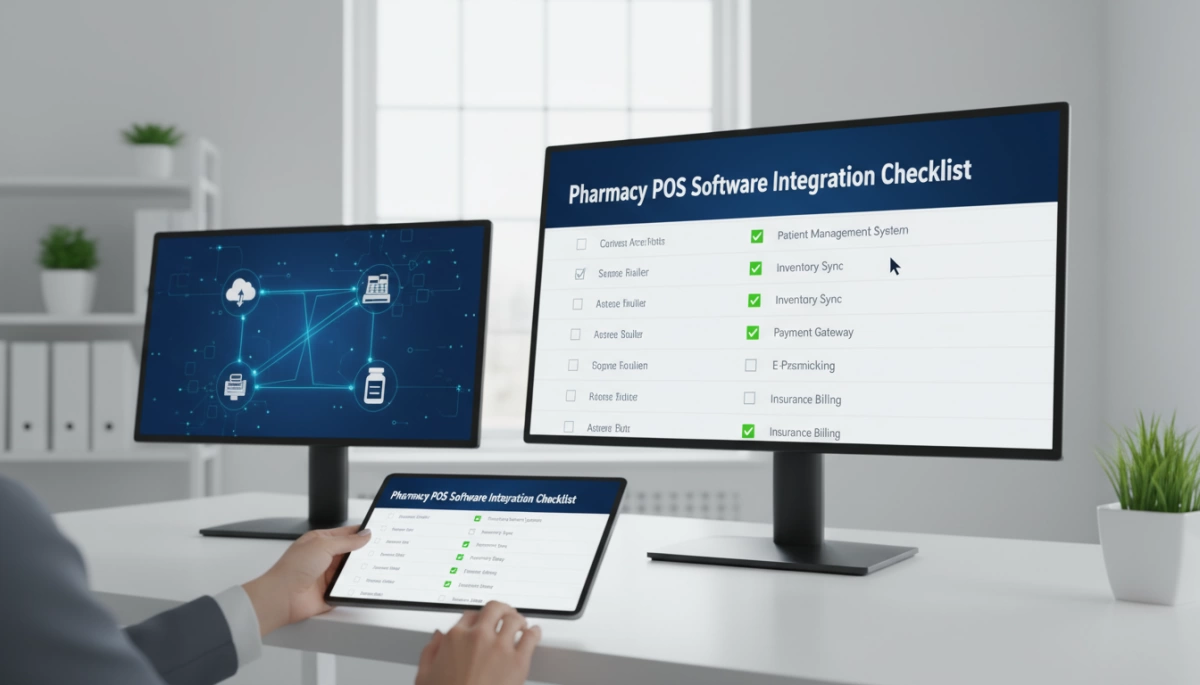
In 2026, a pharmacy POS system is only as good as its ability to talk to your back-end Pharmacy Management System (PMS). We design our hardware to bridge the gap between front-end retail and clinical data seamlessly. Whether you are running a high-volume independent pharmacy or a specialized clinic, your prescription POS integration must be rock-solid to ensure patient safety and inventory accuracy.
PMS Integrations and API Access
The core of a modern pharmacy workflow is the connection between the cash register POS for pharmacy and the patient’s medical records.
- Real-time Sync: Prices, patient profiles, and insurance copayments must update instantly across all terminals.
- Open API Access: We prioritize systems that allow for custom API calls, ensuring your POS isn\’t a \”closed\” system that prevents growth.
- OS Versatility: Depending on your specific PMS requirements, you should carefully weigh the pros and cons of Android vs. Windows POS systems to ensure 100% software compatibility.
Future-Proofing with Open SDKs
Hardware is a long-term investment, but software evolves every year. Using open Software Development Kits (SDKs) allows your IT team to add new features—like mobile loyalty programs or specialized 340B tracking—without replacing the physical terminal. This flexibility is vital for adapting to new HIPAA regulations or evolving insurance verification protocols without operational downtime.
Cloud-Based vs. Local Installations
Choosing the right hosting environment impacts your daily speed and data security:
| Feature | Cloud-Based POS | Local (On-Premise) |
|---|---|---|
| Accessibility | Real-time data access from any device. | High speed within the local network. |
| Maintenance | Automatic, hands-off software patches. | Manual control over all version updates. |
| Reliability | Requires stable internet for full sync. | Functions fully during internet outages. |
For most modern pharmacies, a hybrid approach is the gold standard. We recommend leveraging the benefits of upgrading to a digital cash register that offers cloud-based reporting for management while maintaining local redundancy to keep the checkout line moving during a network glitch. This ensures your Android/Windows pharmacy POS remains a reliable tool for patient care 24/7.
Pharmacy POS Cost of Ownership: The Hidden Expenses
When you\’re shopping for a cash register POS for pharmacy use, the sticker price is just the tip of the iceberg. I’ve seen too many owners get lured in by \”budget\” consumer tablets only to pay three times the original cost in repairs and lost scripts within two years. To get a true 5-year Total Cost of Ownership (TCO), you have to look past the initial invoice.
Upfront Cost vs. 5-Year Reality
| Expense Category | Consumer-Grade Hardware | Industrial-Grade Pharmacy POS |
|---|---|---|
| Initial Purchase | $400 – $800 | $1,200 – $2,500 |
| Replacement Cycle | Every 18–24 months | 5–7 years minimum |
| Maintenance | High (Plastic parts/fans) | Low (Fanless/Solid State) |
| Downtime Risk | Critical (Peak hour failure) | Minimal (24/7 reliable pharmacy POS) |
Downtime and Repair Realities
In a high-volume setting, hardware failure is a profit killer. A consumer-grade machine isn\’t built for the constant tapping and chemical cleaners used at a pharmacy counter.
- The \”Cheap\” Trap: Replacing a broken screen or a fried motherboard on a consumer unit often costs more than the device itself.
- Security Costs: Using hardware that supports PCI-compliant POS standards is non-negotiable. Failing to invest in secure, HIPAA compliant cash register setups can lead to fines that dwarf your hardware savings.
Training and Support Burdens
Your staff doesn\’t have time for a tech degree. A Pharmacy POS system 2026 should be \”plug-and-play\” for the user. Hidden costs often lurk in:
- Labor Loss: If a system is unintuitive, you\’re paying for hours of staff training rather than patient care.
- Integration Gaps: Opting for an industrial POS terminal pharmacy that lacks an open SDK means paying thousands in custom dev fees later to sync with your back-end management software.
- Support Contracts: Always check if \”24/7 support\” is included or if you’ll be hit with a per-incident fee every time the printer jams.
Choosing the Right Pharmacy POS in 2026

When I talk to pharmacy owners, the biggest mistake I see is treating a cash register POS for pharmacy like a standard retail terminal. In a clinical environment, \”consumer-grade\” is a recipe for disaster. By 2026, the hardware you choose must be an industrial POS terminal pharmacy solution that handles the unique heat, dust, and uptime requirements of a healthcare setting.
Industrial vs. Consumer Grade Hardware
The difference between a cheap tablet and a dedicated pharmacy POS system 2026 model comes down to the total cost of ownership. I always recommend industrial builds for long-term savings.
| Feature | Consumer-Grade (Retail) | Industrial-Grade (Pharmacy) |
|---|---|---|
| Cooling | Active fans (sucks in pill dust) | Fanless design (sealed/hygienic) |
| Material | Plastic housing | Aluminum alloy (heat dissipation) |
| Duty Cycle | 8-10 hours/day | 24/7/365 continuous operation |
| Lifespan | 18–24 months | 5–7 years |
| Connectivity | Wi-Fi/Bluetooth only | Dedicated COM/LAN/RJ11 ports |
The 7-Question Checklist Before You Buy
Before you commit to a hardware provider, run through this checklist to ensure your pharmacy point of sale durability meets 2026 standards:
- Is the design fanless? Fans are failure points that circulate airborne particulates common in pharmacies.
- Does it support a dual-screen setup? You need a customer-facing screen for HIPAA-compliant signatures and upselling.
- Can it handle your specific OS? Understanding the comparison of Android vs. Windows POS is vital to ensure your PMS software actually runs smoothly.
- Are the touchscreens capacitive? Resistive screens are outdated; you need multi-touch glass that responds even through medical gloves.
- What is the I/O port protection? Ensure ports are tucked away to prevent liquid spills or accidental cable snags.
- Does the manufacturer offer long-term part availability? You don\’t want a dead terminal because a proprietary cable is out of stock.
- Is it mounting-flexible? Ensure it fits VESA mounts for space-constrained pharmacy counters.
Custom OEM and ODM Solutions for Unique Workflows
Every pharmacy has a different footprint. As a pharmacy POS hardware manufacturer, I prioritize custom OEM pharmacy POS solutions that adapt to your space, not the other way around. Whether you need a built-in barcode scanner for prescription verification or an integrated label printer to reduce cable clutter, a modular design is the only way to future-proof your investment. Custom hardware allows us to strip away the \”fluff\” and focus on the high-speed processors and secure modules that keep your line moving during peak flu season.
Setting Up Your Cash Register POS for Pharmacy
Transitioning to a new Pharmacy POS system 2026 doesn\’t have to be a headache for your team. I’ve found that a structured approach is the only way to avoid day-one chaos. Most pharmacies look at a 2-to-4-week timeline from the moment you place the order to the day the first script is scanned. This includes shipping, hardware staging, and the critical data migration phase where your patient history moves from the old system to the new one.
Smooth Migration from Legacy Systems
Moving away from an outdated cash register POS for pharmacy requires a clean break. You can’t afford to lose prescription history or insurance data during the swap.
- Audit your data: Clean out inactive patient profiles before the move to speed up the process.
- Run a parallel test: Keep your old system active for 48 hours after the new one goes live just in case you need to reference a legacy record.
- Hardware verification: Ensure your POS systems LAN printer setup is configured correctly before the morning rush to avoid label printing delays.
Staff Training for Minimal Disruption
Your staff is busy, and a steep learning curve leads to errors at the counter. When we roll out a 24/7 reliable pharmacy POS, we focus on role-based training. Pharmacists need to know the clinical and compliance side, while technicians should master the speed of the checkout.
- The \”Super User\” Strategy: Train one lead technician first. They become the go-to person on the floor, reducing the need for everyone to call tech support at once.
- Focus on the Basics: Prioritize the \”Big Three\”: prescription pickup, controlled substance signature capture, and handling insurance rejections.
- Off-Peak Practice: Schedule hands-on time during low-traffic hours. Familiarity with the interface is what makes a POS for businesses with high customer turnover actually effective in a high-stress pharmacy environment.
By the time you hit \”Go Live,\” your hardware should feel like a natural extension of the counter. A well-executed onboarding ensures your all-in-one pharmacy cash register improves your workflow instead of getting in the way.
Pharmacy Cash Register POS FAQs
Choosing a cash register POS for pharmacy use involves more than just picking a screen. It’s about ensuring every transaction stays legal, secure, and fast. Here are the answers to the questions we hear most often from independent pharmacists.
What is the best POS for an independent pharmacy?
The best pharmacy POS system 2026 for independents is one that offers industrial-grade hardware combined with open software compatibility. You need a terminal that can run 24/7 without overheating. For most, an all-in-one system with a customer-facing screen is ideal because it builds trust and allows for easy digital signature capture.
How does a pharmacy cash register handle HIPAA compliance?
A HIPAA compliant cash register doesn\’t just store data; it protects it. Our systems manage compliance through:
- Encrypted Data Transmission: Ensuring patient info is scrambled during the checkout process.
- User Access Controls: Unique logins so you know exactly which staff member handled which script.
- Secure Signature Capture: Digital logs that prove a patient picked up their medication without keeping sensitive info visible on the main screen.
Can I integrate my existing barcode scanner with a new POS?
In most cases, yes. Most modern terminals support standard USB and Bluetooth peripherals. However, to ensure you’re getting the most out of your setup, it\’s worth reviewing the essential point-of-sale system features that allow for seamless prescription POS integration. If your current scanner can\’t read 2D barcodes for ID verification, it might be time for an upgrade.
Do I need Windows or Android for my pharmacy software?
This depends entirely on your current Pharmacy Management System (PMS).
- Windows: The industry standard for complex, legacy back-end systems that require deep processing power.
- Android: Gaining massive popularity for front-end sales due to its lower cost, high speed, and \”app-like\” ease of use for staff.
When deciding, it helps to look at the latest top-rated POS hardware to see which operating system supports the specific pharmacy workflows you use every day.
Quick Comparison Table
| Feature | Windows POS | Android POS |
|---|---|---|
| Software Compatibility | High (Legacy & Modern) | Medium (Modern Apps) |
| System Stability | Robust for Multitasking | High (Dedicated Tasks) |
| Maintenance | Requires Regular Updates | Low Maintenance |
| Hardware Feel | Powerful / Industrial | Sleek / Mobile-Friendly |


