







Top Cash Register POS Suppliers for Small Businesses with Key Features

Understanding Cash Register POS Systems
Definition and Core Components
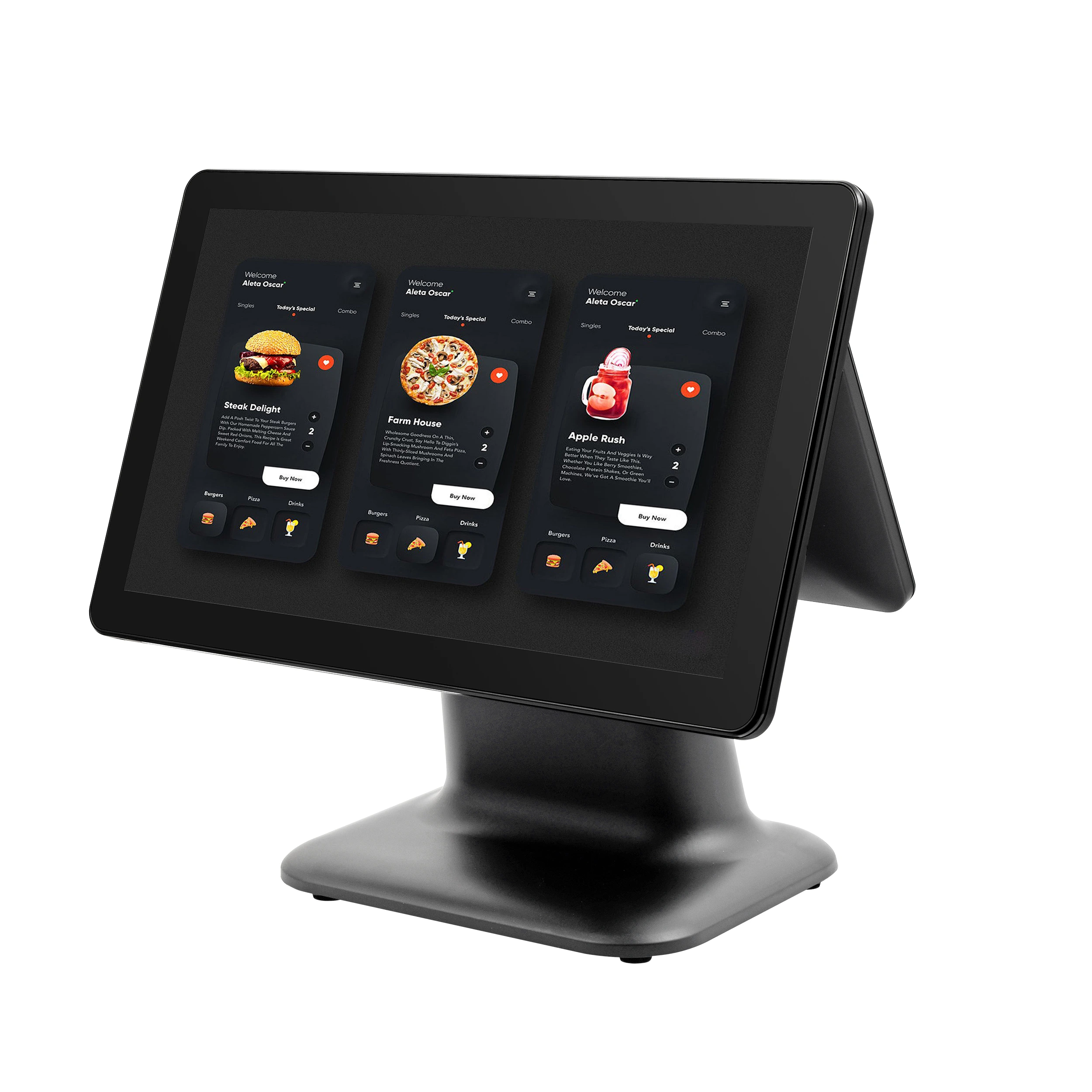
A cash register POS (point of sale) system is more than just a fancy cash drawer. It combines hardware and software to handle sales, track inventory, process payments, and manage customer data—all in one place. Core components often include a touchscreen monitor, receipt printer, barcode scanner, cash drawer, and the POS software itself. Together, they streamline daily operations and boost accuracy.
Evolution from Legacy Cash Registers
You might remember the old mechanical cash registers — simple machines that only totaled sales and stored cash. Today’s POS systems have evolved significantly. Modern cash registers integrate cloud-based technology, mobile compatibility, and advanced reporting tools. This shift means small retailers or restaurants can now access real-time inventory tracking and sales analytics on the go, something legacy systems simply couldn’t offer.
Common Myths Debunked
There are a few myths floating around about cash register POS systems:
- Myth 1: POS systems are only for big businesses. Actually, there are affordable, scalable options perfect for small retail and service businesses.
- Myth 2: They’re complicated to use. Most modern systems have intuitive, user-friendly interfaces that require little training.
- Myth 3: Cash registers are obsolete. While traditional models are fading, many suppliers still offer electronic cash registers with modern POS features ideal for specific needs.
Understanding these basics helps you make an informed choice when looking for a supplier and system that fits your business.
Key Factors to Evaluate When Selecting a Cash Register POS Supplier
Choosing the right cash register POS supplier is crucial for your business’s smooth operation. Here are the main factors you should keep in mind:
Reliability and Support
You want a supplier known for dependable products and prompt customer service. Downtime can cost sales and frustrate customers, so check if they offer 24/7 support or fast response times.
Compatibility and Integration
Your POS system should work well with your existing hardware and software, such as inventory tracking POS software or payment processing solutions. Look for suppliers offering cloud-based point of sale integration and touchscreen POS hardware that fits your setup without major hassle.
Scalability for Growth
As your business grows, your POS needs will change. A good supplier provides scalable solutions, whether you need to add more registers, integrate new payment options, or support additional locations.
Cost Breakdown
Evaluate the full cost, including startup fees, monthly subscriptions, hardware bundles, and transaction rates. Some affordable cash drawer bundles seem like a deal but may come with hidden service charges.
Security and Compliance
Your cash register POS must meet industry security standards like secure EMV-compliant registers and PCI compliance. This protects your business and customer data from breaches and fraud.
By keeping these factors in mind, you can find the right electronic cash register supplier in the USA that fits your budget and business needs. For detailed insights, check out this guide on manufacturers of Windows-based POS terminals.
Top Features to Look for in a Cash Register POS System
When choosing a cash register POS system, you want features that boost efficiency and fit your business needs. Here’s what to prioritize:
| Feature | Why It Matters |
|---|---|
| Payment Versatility | Accepts credit/debit, mobile wallets, EMV chip cards, and contactless payments to accommodate every customer. Secure EMV-compliant registers are a must for theft protection. |
| Inventory & Reporting | Tracks stock levels in real-time and generates clear sales reports. Helps you avoid stockouts and make smarter buying decisions. |
| User-Friendly Interface | Simplifies training and daily use with intuitive touchscreen POS hardware. Reduces mistakes and speeds up checkout. |
| Hardware Durability | Robust cash drawers and touchscreen screens withstand busy retail or restaurant environments, minimizing downtime and repair costs. |
| Advanced Add-Ons | Features like customer loyalty programs, cloud-based point of sale integration, and employee management tools can take your business to the next level. |
These features are especially useful for small retail shops and restaurants focused on smooth operations and good customer experience. For deeper insight into POS hardware with smart tools, check out this guide on POS hardware with advanced analytics tools.
Choosing a system with these core features ensures your cash register POS supplier meets your business demands today and grows with you tomorrow.
Comparing Leading Cash Register POS Suppliers
When choosing a cash register POS supplier, knowing the key players, their pricing, and hidden costs can save you time and money. Here’s a quick overview of some top suppliers in the USA and what they bring to the table.
Market Player Profiles
| Supplier | Strengths | Ideal For | Pricing Range |
|---|---|---|---|
| Square POS | Easy setup, mobile-friendly, affordable | Small retail & restaurants | Starts at $0/month + transaction fees |
| Clover | Versatile hardware options, cloud-based | Growing retail & hospitality | $14.95–$69.95/month |
| SAM4s | Durable hardware, reliable performance | Traditional retail stores | $500–$1,500 (hardware) + software costs |
| Toast POS | Restaurant-specific, powerful reporting | Restaurants & bars | Custom pricing, typically $79+/month |
| Lightspeed | Advanced inventory tracking, omnichannel support | Retail and ecommerce | $69–$229+/month |
Case Studies
- Retail Store in Ohio: Switched to Lightspeed POS and increased inventory accuracy by 25%, reducing overstock costs.
- Local Cafe in Texas: Adopted Toast POS for its mobile ordering and payment versatility, improving order speed and customer satisfaction.
- Convenience Store in Florida: Integrated SAM4s registers with existing accounting software, simplifying daily operations.
Hidden Costs to Watch
- Hardware Fees: Many suppliers charge extra for cash drawers, barcode scanners, and touchscreen POS hardware.
- Transaction Fees: Besides monthly fees, watch for credit card processing charges, especially for EMV-compliant registers.
- Software Upgrades: Some systems require paid upgrades or add-ons to unlock full features like cloud-based POS integration or loyalty programs.
- Support Charges: Pay attention if customer support is limited or requires additional fees during off-hours.
For a detailed look at suppliers offering durable, Windows-compatible cash registers, checking out suppliers of Windows compatible cash registers can be helpful. Also, exploring the latest trends in POS hardware for omnichannel retailers provides insight into hardware options that fit a wide range of business needs.
With this info, you can compare suppliers based on features, costs, and fit for your business—avoiding surprises while getting a system that really works for you.
Tailoring Your Choice to US Business Types
Choosing the right cash register POS supplier means matching the system to your specific business type and local needs. Here’s how different US business sectors benefit from tailored POS features:
Retail Stores
Retailers need reliable inventory tracking POS software that handles thousands of SKUs smoothly. Features like barcode scanning, real-time stock updates, and sales reporting streamline daily workflow. A sturdy cash drawer bundle and fast payment processing ensure quick checkouts during busy hours. Integration with cloud-based systems helps multi-location retailers manage sales and inventory seamlessly.
Restaurants and Hospitality
Restaurants benefit from mobile POS for restaurants that support tableside ordering and split checks. Touchscreen hardware combined with easy menu modifications boosts speed and accuracy. Look for systems offering integration with kitchen display units and online ordering platforms. EMV-compliant registers add a layer of security for in-person and takeout payments.
Convenience and Grocery Stores
These businesses demand fast and reliable checkout with secure EMV-compliant registers and support for barcode scanning of everyday items. Inventory tracking is critical for perishable goods, so seamless updates and alerts about low stock keep operations smooth. Suppliers offering affordable, durable hardware designed for continuous use are a significant plus.
Service-Based Businesses
For salons, repair shops, and similar services, look for POS systems with flexible payment options and appointment scheduling features. Integration capabilities with customer management tools help improve client retention. An easy-to-use interface tailored for non-retail sales makes daily tasks like invoicing and tracking payments hassle-free.
Local Regional Considerations
Don’t overlook regional factors like tax rates, preferred payment methods, and compliance requirements. For example, businesses in states with complex sales tax laws need systems that automatically calculate and apply these correctly. Local suppliers familiar with these nuances can offer better support and faster resolution of issues.
By considering these business-specific and regional needs when selecting a cash register POS supplier, you ensure your investment fits both your daily operations and growth plans. For deeper insights on how modern cash registers handle transaction details efficiently, you can explore how cash registers do the math for you.
Step-by-Step Guide to Implementing Your New Cash Register POS System
Implementing a new cash register POS system can feel overwhelming, but breaking it down into clear steps makes the process smooth and successful for your US business.
Assessment Phase
Start by evaluating your current checkout setup and business needs. Identify what features and hardware your operation requires—do you need touchscreen POS hardware, inventory tracking POS software, or secure EMV-compliant registers? This phase sets the foundation for choosing the right system.
Supplier Selection and Purchase
Research electronic cash register suppliers USA-wide, comparing reliability, support, and pricing. Look for vendors with strong local reputations and solid customer service. Consider the total cost, including hardware bundles, software licenses, and possible cloud-based point of sale integration fees. You can find more insights on cost and supplier options in guides like those on POS hardware leasing.
Installation and Training
Once purchased, schedule your hardware installation and software setup. A good supplier will provide on-site or virtual training for you and your staff to ensure everyone knows how to operate the system efficiently. Hands-on training is critical to avoid common pitfalls.
Testing and Optimization
Before launching fully, run test transactions to check payment processing, inventory updates, and reporting accuracy. Fine-tune settings or workflows to match your specific business flow. This stage helps catch glitches early and ensures day-to-day operations run without a hitch.
Post-Launch Support
Choose a supplier that offers reliable ongoing support. Whether it’s troubleshooting issues, software updates, or hardware maintenance, post-launch support keeps your POS running smoothly, protecting your investment and maintaining customer satisfaction.
Following these steps carefully will help your new cash register POS system integrate seamlessly into daily operations, boosting efficiency and sales from day one. For practical tips on improving checkout efficiency, exploring resources like POS hardware for improving checkout efficiency can give you a competitive edge.
Maximizing ROI with Your Cash Register POS
Getting the most out of your cash register POS system means paying attention to daily operations, maintenance, and long-term planning. Here’s how to boost your return on investment:
Daily Operations Hacks
- Streamline checkout: Use touchscreen POS hardware for faster transactions and reduce wait times.
- Track inventory in real-time: Inventory tracking POS software helps avoid stockouts and overordering, saving money.
- Leverage reporting tools: Use built-in reports to identify your best sellers and slow movers to adjust your stock and marketing strategies.
Maintenance Essentials
- Regular updates: Keep your system’s software updated to protect against bugs and security gaps.
- Hardware care: Clean touchscreens and cash drawers regularly to prevent downtime.
- Backup data: Use cloud-based point of sale integration for secure, automatic backups.
Measuring Impact
- Monitor sales trends: Track sales daily and monthly to spot patterns and opportunities.
- Customer feedback: Use your POS system’s customer tracking features to understand preferences and improve service.
- Evaluate costs vs. benefits: Periodically review fees and maintenance costs versus the efficiency and sales boosts you gain.
Future-Proofing Your POS System
- Scalable solutions: Choose a system that grows with your business, adding features like mobile POS for restaurants or advanced payment options.
- Security compliance: Ensure your register supports secure EMV-compliant registers to protect customer data.
- Stay updated with trends: Follow industry updates on retail hardware technology to keep your system modern and competitive.
By applying these tips, your cash register POS supplier investment turns into a powerful tool that grows your business and cuts costs over time. For more detailed advice on hardware options and discounts, check out resources on order cash register hardware with bulk discounts.


