







Functions of a Cash Register Explained for Retail Efficiency and Security

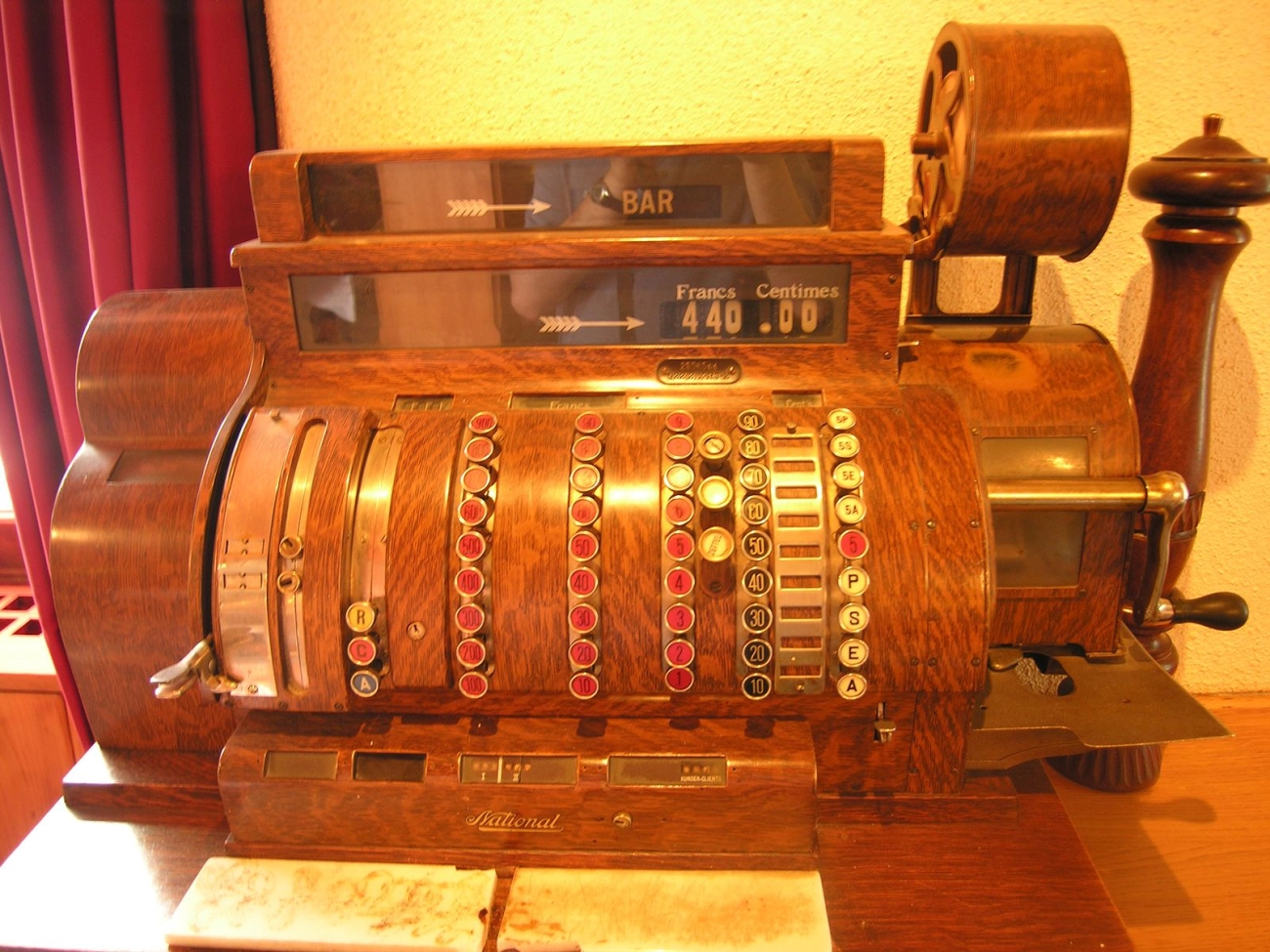
The Evolution of Cash Registers From Mechanical Tills to Smart POS Systems
Understanding the functions of a cash register means looking back at how these essential retail tools have evolved. Originally, cash registers were purely mechanical devices designed to keep money safe and calculate sales. Today, they have transformed into smart point of sale system features that do much more than just handle cash.
Historical Roots and Basic Principles
The first cash registers appeared in the late 1800s. These mechanical tills were simple: they recorded sales amounts and kept cash secure in a drawer. This solved two key problems for retailers: accurate transaction processing and reducing theft risk. The register “ringing” was also a useful signal for staff. At this stage, the device was limited to basic sales reporting tools and manual bookkeeping.
Traditional Versus Modern Cash Register Functions
Modern cash registers and smart POS systems go far beyond their mechanical ancestors, blending hardware and software to create seamless retail solutions. Here are some key differences:
Transaction Processing and Calculation
- Traditional registers did simple addition and printed basic receipts.
- Modern systems calculate taxes, discounts, and handle multiple payment types including credit cards and mobile pay.
Secure Cash Management
- Mechanical tills offered physical security via locked drawers.
- Today’s cash registers combine that with digital authorization and controlled user access for added protection.
Receipt Printing and Audit Trails
- Early registers printed plain receipts without much detail.
- Modern POS systems produce detailed receipts with itemized lists, taxes, and return policies, creating digital audit trails for easier retail transaction processing.
Inventory and Departmental Tracking
- Traditional cash registers had no tracking beyond sales totals.
- Now, POS systems link sales to inventory counts, track product performance, and assist in stock management, often integrating with barcode scanners.
You can see this evolution is about making retail operations smoother, more accurate, and better informed. If you want tools that boost efficiency and boost your bottom line, choosing the right modern cash register is critical.
Ready to explore the core functions your cash register should offer? Let’s break down what it does day to day.
Core Functions of a Cash Register Daily Operations Retail Transaction Processing and Calculation
At its heart, a cash register handles retail transaction processing with speed and accuracy. Each sale requires precise calculation—adding up prices, applying discounts, and calculating tax automatically. This reduces errors and speeds up the checkout line, which is crucial for smooth store operations. Modern electronic cash register operations often include automatic tax calculation in POS, ensuring compliance with local tax laws without manual input.
Secure Cash Management and Drawer Control
Security is a big part of what a cash register does daily. It keeps the cash drawer secure by allowing access only during authorized transactions. This control minimizes employee theft and cash mishandling. Some registers log every drawer open and close, creating an audit trail that helps managers verify cash flow and spot discrepancies easily.
Receipt Generation and Audit Trails for Accuracy and Accountability
Generating a clear, itemized receipt is another essential role. This includes printing out the list of purchased items, prices, taxes, and total. Receipts serve not only as proof for customers but also contribute to audit trails that document every transaction. These trails are invaluable for bookkeeping, sales reporting tools, and resolving any customer disputes.
Departmental Sales and Inventory Tracking Basics
Many cash registers support departmental tracking, breaking down sales by product category or specific items. This helps store owners understand which departments perform best and aids in stock management. Coupled with inventory tracking basics, it means your system can alert you when stock runs low, helping you avoid lost sales or overstock situations.
Key daily functions include:
- Processing sales accurately and quickly
- Securing cash with controlled drawer access
- Printing detailed receipts for customers and records
- Tracking departmental sales to spot trends
- Monitoring inventory alongside sales for timely restocking
By managing these core tasks efficiently, cash registers keep the checkout process smooth and provide the data needed for smart business decisions.
Advanced Features of Cash Registers Integration with Payment Methods and Security Protocols

Today’s cash registers go far beyond simple transaction processing. One major upgrade is their seamless integration with multiple payment methods. Whether customers pay by chip cards, contactless devices, mobile wallets, or even QR codes, modern POS systems handle these securely and instantly. This not only speeds up checkout but also reinforces cash drawer security by minimizing manual cash handling.
Behind the scenes, these systems come with built-in security protocols that protect sensitive payment data, complying with standards like PCI-DSS. This means your register isn’t just a calculator—it’s a secure hub that safeguards customer information and reduces fraud risks.
Reporting and Analytics for Smarter Decisions
Smart cash registers collect and analyze transaction data in real-time. The advanced sales reporting tools they offer allow retailers to track performance by day, shift, or product category. This makes it easier to spot trends, understand peak business hours, and optimize inventory.
With insights from inventory tracking basics integrated right into the system, you can reorder popular items promptly and reduce stock shortages. Some setups even provide customizable dashboards so you can focus on the metrics that matter most to your business.
Customization for Specific Retail Needs
No two retail businesses are alike, and modern cash registers reflect that reality. They come with customizable settings tailored to the unique workflow of your store. From defining departmental sales categories to configuring tax calculations specific to your state, these systems adapt to your exact needs.
Additional options include:
- Barcode scanning integration for faster checkout and accurate inventory updates
- Flexible receipt printing functions that include promotions or loyalty points
- Support for multiple users with varying access levels, enhancing security and accountability
By choosing a tailored cash register system designed for your local market, you get a solution that helps your business run smoother and smarter every day.
Setting Up and Optimizing Your Cash Register for Peak Performance
Getting your cash register ready and running smoothly is a key step for any retail business. Whether you’re working with a traditional electronic cash register or a modern point of sale system, proper setup ensures efficient transaction processing, accurate sales reporting, and secure cash management.
Step by Step Setup Guide for Your Cash Register
Unpack and Inspect
Check all components like the cash drawer, receipt printer, barcode scanner, and power cables before starting.
Connect Power and Peripherals
Plug in the register and connect any devices such as barcode scanners or card readers to ensure smooth retail transaction processing.
Configure Basic Settings
Set the time and date for accurate receipt timestamps.
Enter tax rates applicable in your state or city for automatic tax calculation.
Program your departments and product categories to help with inventory tracking basics.Load Receipt Paper and Test Printing
Make sure receipts print clearly for customer convenience and proper audit trails.
Set Up Cash Drawer Settings
Assign permissions for cash drawer access to reduce risk and improve cash drawer security.
Input Initial Inventory Data
Use built-in sales reporting tools for inventory tracking to sync your products correctly.
Run a Test Transaction
Process a mock sale to check that calculations, payment integrations, and receipt printing work properly.
Common Pitfalls and Troubleshooting Tips
Incorrect Tax Setup
Double-check tax rates and configurations. Mistakes here can cause compliance issues and incorrect totals.
Cash Drawer Won’t Open
Ensure the drawer is connected properly and that the permissions are set right. Sometimes a manual release switch will help.
Receipt Printer Errors
Paper jams or poor print quality often come from low-quality paper or incorrect loading. Replace or reload paper correctly.
Scanner Not Recognizing Barcodes
Clean the scanner window and verify barcode formats are compatible with your system.
System Freezing or Slow Performance
Close unnecessary applications on your POS system and check for software updates to keep things running smoothly.
Security Access Problems
Review user roles and access levels; limit permissions to avoid unauthorized cash drawer openings or voided sales.
Optimizing your cash register setup is essential. A well-configured system saves you headaches, speeds up your checkout process, and helps maintain accurate sales and inventory records. For local retailers in the U.S., paying attention to tax settings, department tracking, and cash drawer security can make all the difference in daily operations.
Why Choose SDLPOS for Your Cash Register Needs
When it comes to finding the right cash register that fits your local retail business, SDLPOS stands out by offering tailored solutions designed specifically for United States merchants. We understand that small to medium retailers need systems that are reliable, easy to use, and packed with the essential features to keep daily operations smooth.
Tailored Solutions for Local Retailers
At SDLPOS, we know every local business has unique challenges. That’s why our cash registers are customizable and flexible, letting you integrate the exact point of sale system features you need. Whether you’re handling grocery sales, clothing, or specialty shops, SDLPOS devices come with:
- Inventory tracking basics that help manage stock in real time
- Barcode scanning integration for quick and accurate checkout
- Tax calculation in POS systems tailored to U.S. state and local tax rules
- Easy-to-navigate sales reporting tools that save you time and help you understand your business better
This customization ensures you get a smart POS system that works for you, not the other way around.
The SDLPOS Advantage Reliability Meets Innovation
Choosing SDLPOS means opting for a balance of trusted electronic cash register operations and modern technology. Our products offer:
- Secure cash drawer control to keep money safe during every transaction
- Fast, accurate transaction processing and calculation, reducing errors
- Crisp, clear receipt printing functions that maintain records for audits and customer reference
- Advanced reporting and analytics that provide actionable insights without hassle
With SDLPOS, you’re not just buying a piece of hardware; you’re investing in a system built on consistency and innovation. We provide ongoing support and updates, ensuring your till alternatives stay current in a fast-changing retail environment.
Making the Smart Choice
For local businesses looking to boost efficiency and security without jumping through hoops, SDLPOS offers a dependable, user-friendly option for all your point of sale needs. Our focus on the unique needs of U.S. retailers, combined with a commitment to quality and innovation, makes SDLPOS the go-to partner for cash register solutions that work as hard as you do.


