







How to Choose the Right POS System for Your Business in 2025

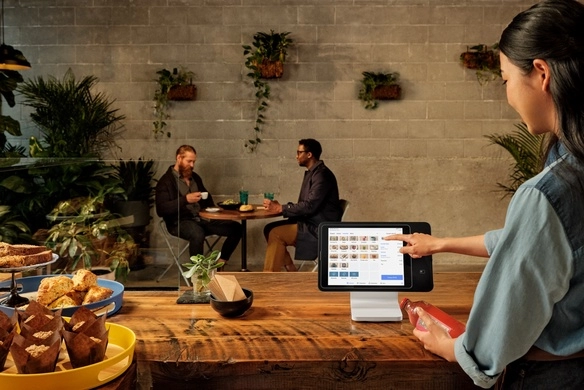
Step 1 Assess Your Business Needs and Goals to Choose the Right POS System for a Business
Before diving into features or pricing, start by understanding the unique needs of your business. This foundation ensures you pick a POS system tailored to your situation, avoiding costly mismatches down the road.
Identify Your Business Type and Size
The right POS system depends heavily on what kind of business you run and its scale. A small retail boutique will have very different priorities than a growing restaurant or an e-commerce brand looking for omnichannel POS integration. Here’s what to consider:
- Business type: Retail, restaurant, service-based, or hybrid? Each demands specific POS features like inventory management POS tools, table management, or appointment scheduling.
- Size of operations: Number of locations, employees, and daily transactions. Larger businesses may need scalable POS system solutions with multi-store support.
- Customer base: Are you serving walk-in customers only, or also online shoppers? This impacts if cloud-based POS systems and omnichannel integrations will benefit you.
By clearly outlining your business profile, you can filter out POS options that don’t align with your operational model.
Define Your Current Pain Points and Future Growth Plans
Next, be honest about what’s not working well with your current setup or manual processes. Common pain points include:
- Slow checkouts creating long lines
- Inventory management chaos or inaccuracies
- Limited reporting or analytics capabilities
- Difficulties integrating with your existing software
Recognizing these challenges helps prioritize the essential core features your next POS must have to ease daily struggles.
Also, factor in your growth plans such as expanding locations or launching online sales channels. This will guide you toward POS systems with scalability features so you don’t outgrow your investment too soon.
Why This Step Matters
Taking time to assess your needs and goals upfront creates a clear roadmap to follow. You avoid:
- Wasting money on irrelevant features
- Struggling with incompatible hardware or software
- Facing costly and disruptive upgrades in the near future
Tip: Write down your business type, key challenges, and growth ambitions before moving to feature comparisons. This clarity streamlines the entire POS selection process and ensures you find the best POS software for small retail, restaurants, or whichever industry you’re in.
Ready to match your business with key POS features? Next, we’ll explore what features to prioritize in a POS system to boost efficiency and customer satisfaction.
Step 2 Key Features to Prioritize in a POS System for Your Business

When choosing the right POS system for a business, it’s crucial to focus on the features that truly matter to your operation. The right mix can boost efficiency, improve customer experience, and handle your growth smoothly. Here’s what I recommend prioritizing:
Essential Core Features Every POS System Must Have
No matter your business size or type, these features are the backbone of best POS software for small retail and larger setups alike:
- Sales Processing: Quick, reliable checkout with support for multiple payment types including credit/debit cards, mobile wallets, and cash.
- Inventory Management: Real-time tracking, automated stock alerts, and easy updating help avoid out-of-stock situations. This is a must-have inventory management POS feature.
- Customer Management: Tools to store contact info, purchase history, and preferences allow personalized service and targeted marketing.
- Basic Reporting and Analytics: Understand sales trends and staff performance to make smarter decisions.
Advanced Must-Have Features for Efficiency and Growth
If you want your POS system to keep pace with your business as it grows, look for these advanced features:
- Omnichannel POS Integration: Seamless syncing between in-store, online, and mobile sales channels means you have one clear view of your business.
- Customer Loyalty and Rewards Tools: Building repeat customers with rewards programs built into your POS encourages long-term growth.
- Employee Management: Scheduling, time tracking, and role-based access make managing your team easier.
- Mobile Access and Cloud-Based POS Systems: Access your sales data anytime, anywhere, which is perfect for managing multiple store locations or remote work.
Integration and Customization Options
No two businesses are exactly alike, so your POS system should adapt to your needs:
- Hardware Compatibility: Make sure the POS supports POS hardware compatibility with devices you already use or plan to buy, like barcode scanners or receipt printers.
- Third-Party Software Integration: Support for common accounting tools, e-commerce platforms, and payment gateways streamlines your operations.
- Customizable Interface and Features: Being able to tailor your dashboard, reports, or workflows can save you time and reduce training headaches.
By focusing on these core and advanced features, along with solid integration options, you’ll ensure your POS system is not just a tool, but a true partner in your business’s success.
Step 3 Evaluate POS Hardware Software and Security
Choosing the right POS system means looking closely at the hardware, software, and security aspects. These elements directly impact how smoothly your business runs and how safe your data is. Let’s break down what to focus on.
Hardware Essentials from Reliable Suppliers
Your POS hardware has to be dependable and compatible with your chosen software. Here’s what to consider:
- POS Hardware Compatibility: Make sure your registers, barcode scanners, receipt printers, and cash drawers work well together. This prevents glitches that slow down sales.
- Durability and Support: Pick hardware from suppliers with solid warranties and customer service. In the US market, vendors known for quick replacement and support reduce downtime.
- Flexibility for Growth: Your hardware should be scalable. If your business grows, add extra terminals or devices without a hassle.
- Mobility Options: Consider mobile POS devices if you need to serve customers on the floor or outside the store.
Software Deployment Cloud vs Traditional
When it comes to software, you have two main options: Cloud-based POS systems and on-premises (traditional) solutions.
- Cloud-based POS Systems allow you to access your system anywhere with an internet connection. These options simplify updates, backups, and multi-location management. Cloud systems also often offer better omnichannel POS integration, which is great if you sell both in-store and online.
- Traditional POS Software installs on local servers or machines. It can work offline, which is an advantage where internet stability is an issue. However, it often means more maintenance and higher upfront costs.
- Inventory Management POS Features are usually built into both types, but cloud options tend to have more frequent updates and easier syncing between locations.
Security and Compliance Priorities
Security should never be an afterthought—especially with payment processing involved.
- Secure Payment Processing POS Systems must comply with PCI DSS (Payment Card Industry Data Security Standard). This protects your customers’ credit card info and your business from fines.
- Data Encryption and Tokenization ensure that sensitive data is unreadable if intercepted. Confirm your POS provider uses strong encryption methods.
- Regular Software Updates are critical to patch vulnerabilities. Cloud POS providers often handle this automatically.
- User Access Controls limit who can access certain parts of the POS system, reducing internal risks.
- Data Backup and Recovery Plans help avoid losses if systems crash or data gets corrupted.
By carefully evaluating hardware reliability, choosing the right software deployment method, and prioritizing security and compliance, you’re setting your business up for a smooth, secure, and scalable POS experience.
Step 4 Understand Pricing Models and Total Costs of POS Systems
Choosing the right POS system means more than just looking at the sticker price. To make a smart decision, you need to break down the pricing models and calculate the total cost of ownership. This ensures your investment fits your budget and delivers the best value for your business.
Common POS Pricing Structures Explained
Most POS providers offer pricing in one of these formats:
Subscription-based pricing
Usually a monthly fee that covers software access, updates, and support. This is common with cloud-based POS systems, especially popular among small retail stores for ease of use and scalability.
One-time software purchase
You pay upfront for the software and then own it. This may include optional fees for updates and support later. This model fits businesses favoring traditional setups.
Hardware costs
These are often separate and depend on your needs—registers, barcode scanners, receipt printers, and payment terminals. It’s important to check for POS hardware compatibility and find reliable suppliers to avoid future headaches.
Transaction fees
Some vendors charge per sale or as a percentage of each transaction, especially if they provide payment processing. Make sure to factor this in when comparing providers.
Additional fees
Look out for charges related to customer loyalty tools, advanced inventory management, or omnichannel POS integration features. These can add up quickly if not accounted for.
Calculating ROI and Staying Within Your Budget
To ensure your chosen POS system works financially, follow these steps:
Outline your current costs and bottlenecks
What costs does your current process have? How much time or money are you losing due to inefficiencies? This includes lost sales, manual errors, or slow checkouts.
Estimate time and labor savings
Efficient POS systems streamline operations, freeing staff for other tasks. Quantify how much labor cost you can save monthly or annually.
Factor in increased sales opportunities
Features like customer loyalty programs and smooth omnichannel integration can boost repeat business and average order value.
Balance upfront vs ongoing expenses
Some systems have low entry costs but higher long-term fees. Others require a bigger initial investment with fewer ongoing charges.
Use vendor demos and reviews to gauge value
Tools such as POS vendor reviews and demos help you understand which solutions offer the best bang for your buck based on your business type and growth plans.
Bottom line: Focus on the total cost of ownership, not just the initial price. A POS system that fits your budget and scales with your business will deliver the strongest ROI and keep your operations smooth and secure.
Step 5 Research POS Providers Test and Implement for Your Business
Choosing the right POS system goes beyond just features and pricing—it’s about finding a reliable provider, testing the system thoroughly, and making the implementation smooth. Here’s what you need to know when researching vendors, vetting support, and avoiding common pitfalls.
Vetting POS Vendors and Support
When researching your options, don’t just focus on the software or hardware specs. Strong vendor support can save you downtime and headaches. Look for:
- Customer service availability: 24/7 support is ideal, especially if you run a business with extended hours.
- Reputation and reviews: Check out POS vendor reviews and demos. Honest feedback from other US-based businesses helps you spot red flags or standout features.
- Training and onboarding: A good provider offers onboarding help to get your staff up to speed quickly.
- Customization options: Make sure they can tailor the POS system to your specific industry needs, whether you run a retail store, coffee shop, or restaurant (check options like those for restaurants and cafes).
Testing Before Full Implementation
Never skip testing. A pilot run helps you catch issues early and see if the system truly fits your workflow.
- Test hardware compatibility and whether all your devices sync well.
- Run sales, inventory tracking, and customer loyalty tools to confirm they work smoothly.
- Simulate peak business hours to check for any slowdowns or glitches.
- Evaluate the cloud-based POS system’s responsiveness if you’re going that route.
Implementation Best Practices
Rolling out a new POS system needs planning. Here’s what works:
- Backup existing data before you switch.
- Train your team in phases, starting with those who will use the system most.
- Set realistic timelines—don’t rush to avoid mistakes.
- Use professional installation services—you can see why it matters at POS system installation for tips on a smooth setup.
Common Mistakes to Avoid
Many businesses fall into traps that hinder success with their POS. Watch out for:
- Choosing a system without scalability: Think long term about POS system scalability for growth, especially for small to medium businesses.
- Ignoring hidden costs like hardware add-ons or premium support plans.
- Overlooking security and compliance concerns—secure payment processing POS systems should be a must.
- Failing to confirm vendor reliability or missing out on trying demos before buying.
- Not involving your staff or getting their feedback during testing.
Taking these steps seriously ensures you pick a POS system that helps your business run smoother and grow confidently. For tailored solutions, explore options like POS hardware for small business to match your needs perfectly.


