







Train Retail Staff on Touch Screen POS for Faster Error-Free Checkout

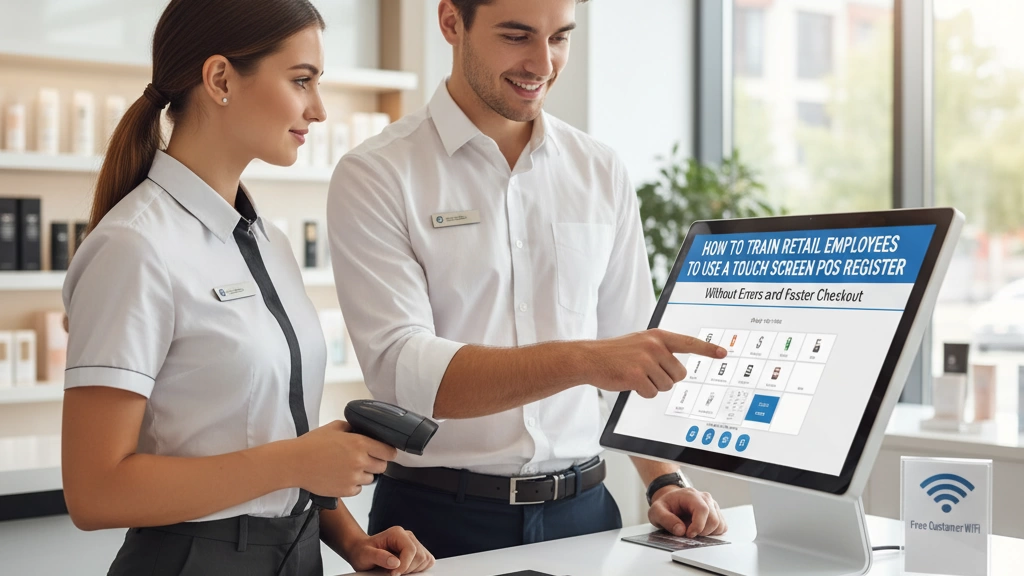
If you’re managing a retail store, you already know that training employees to use a touch screen POS register efficiently can make or break the checkout experience. The goal? Fewer errors and faster transactions that keep customers happy and lines moving. But how do you turn new hires into confident, error-free cashiers who breeze through the checkout? In this guide, you’ll discover proven strategies to train your retail staff on touchscreen POS systems—boosting speed, cutting mistakes, and improving overall store performance. Let’s get started.
Why Proper POS Training is Critical for Retail Success
Proper training on your retail POS system isn’t just nice to have—it’s essential for your store’s success. When employees struggle with the touch screen cash register, it can lead to costly errors such as incorrect sales entries, inventory mismatches, and frustrated customers waiting longer at checkout. These mistakes directly impact your bottom line and damage customer trust.
Speed and accuracy go hand-in-hand in a busy retail environment. Well-trained staff can process transactions quickly and correctly, boosting customer throughput during peak hours. This not only reduces wait times but also improves the overall shopping experience.
In today’s competitive retail market, excellent POS training sets your store apart. Retailers who invest in effective POS system employee training gain an advantage by minimizing errors, maintaining accurate inventory, and delivering faster checkouts. This builds customer loyalty and keeps your business running smoothly—making POS training a true differentiator.
Understanding Your Touch Screen POS System: Hardware and Software Basics
To train retail employees effectively on a touch screen POS system, it’s important first to cover the basic hardware and software components. Common POS hardware includes the touch screen monitors where employees input sales, barcode scanners for quick and accurate item lookups, cash drawers that secure cash transactions, and receipt printers to provide customers with purchase records. Familiarity with these devices helps staff operate smoothly without fumbling or causing delays.
On the software side, employees need to understand the interface basics—how to navigate menus, process transactions, handle returns, and apply discounts. The touchscreen layout should be intuitive, but clear training on each step ensures fewer errors. SDLPOS offers specific advantages worth highlighting, such as customizable screens and integrated inventory tracking, which streamline workflow and improve accuracy. Emphasizing these features during training not only boosts confidence but also speeds up checkout times.
For more detailed guidance on hardware setup and customization options, SDLPOS provides solutions tailored to retail needs, which you can explore to enhance your training program further. Check out their insights on POS hardware customization to see how devices can be optimized for your store’s workflow.
Step-by-Step Employee Training Process for Touch Screen POS Usage
To train retail employees effectively on a touch screen POS, start by preparing clear, easy-to-follow materials tailored to your SDLPOS system. This includes detailed manuals, quick-reference cheat sheets, and short video tutorials focused on the specific hardware and software your store uses.
Next, use hands-on training to walk staff through crucial functions like scanning items, processing payments, and handling returns or refunds. Don’t just explain these tasks—guide employees step-by-step on the actual touchscreen register, so they become comfortable navigating the interface and performing transactions confidently.
Adding simulated transactions is a great way to build real-world skills without pressure. Let employees practice ringing up various items, applying discounts, and processing different payment types in a controlled environment. This helps reduce errors when they work on live sales floors.
Lastly, track each employee’s progress closely and provide constructive feedback. Identify areas where they excel and where they need extra help. Regular check-ins ensure everyone reaches the right speed and accuracy level for fast, error-free checkout.
For detailed insights on choosing and training with touchscreen registers like those from SDLPOS, exploring their resources on touchscreen cash registers can be very helpful.
Training Retail Staff on Loyalty Programs and Customer Interaction Through POS
Training your retail employees to use the touchscreen POS system for loyalty programs can boost customer satisfaction and repeat business. Here’s how to get it right:
- Enrolling Customers Quickly: Teach staff to easily enter customer info or scan loyalty cards using the POS touchscreen. Make sure they know how to spot returning customers fast.
- Redeeming Rewards & Discounts: Show employees how to apply points, rewards, or automatic discounts right at checkout without slowing down the process.
- Clear Customer Communication: Encourage staff to explain loyalty benefits simply and naturally. For example, reminding customers of points earned or special rewards creates a positive checkout experience.
By making loyalty program functions a regular part of POS training, your team will handle these tasks smoothly and boost overall customer engagement. For a deeper understanding of the system’s features, consider offering training materials tailored for SDLPOS users, which highlight these loyalty tools clearly.
Techniques to Reduce Errors and Speed Up Checkout Processes
Reducing POS transaction errors and speeding up the checkout process go hand in hand. Here are some proven techniques for retail employees using a touch screen POS register:
Avoid Common Mistakes:
Train staff to double-check scanned items and prices before finalizing a sale. Missing price overrides or incorrect item entries cause costly errors.
Master Keyboard Shortcuts and Touch Gestures:
Encourage employees to use touchscreen gestures (like swiping between screens) and keyboard shortcuts to navigate faster instead of hunting for buttons. This cuts down transaction time significantly.
Improve Barcode Scanning and Item Lookups:
Make sure scanners are well-maintained and teach employees to verify items quickly using SKU or description search when a barcode is damaged or missing.
Use Pre-Authorized Payments:
Tap into contactless payments and mobile wallets like Apple Pay or Google Pay when possible. These options speed up payment approval and reduce queues.
Promote Multitasking (Carefully):
Staff can prepare bags or organize items during payment processing without losing focus on accuracy. Balance speed with attention to detail to prevent errors.
Training that focuses on these practical, everyday tips helps employees become confident and efficient, leading to smoother checkouts and happier customers. For more about modern POS system features that support fast checkout, see the key features of modern cash register systems.
Creating a Store-Level POS Training Standard Operating Procedure (SOP)
Having a clear, documented POS training Standard Operating Procedure (SOP) is essential for keeping your team consistent and efficient. An SOP ensures every employee knows exactly how to use the touch screen POS system the right way—from their first day on the register to peak hours.
Why SOPs Matter
- Consistency: Every staff member follows the same steps, which cuts down on errors and speeds up checkout.
- Quality Control: Managers can track if employees stick to best practices, making it easier to spot and fix issues.
- Training Made Simple: New hires get clear guidelines, reducing training time and boosting confidence.
Key SOP Components to Include
- User Roles and Access: Define who can perform specific actions—like processing refunds or accessing reports—to keep controls tight.
- Daily Startup and Shutdown: Step-by-step instructions for booting up and closing the POS system properly, ensuring smooth operation and safe cash handling.
- Error Handling Procedures: Clear guidelines on what to do when transaction issues or hardware glitches occur, such as how to void errors or when to call IT support.
Keeping SOPs Updated
Your SOP shouldn’t be set in stone. As new POS features roll out or store policies evolve, update the documents to reflect these changes. Make sure to communicate updates clearly to staff and schedule refresher training sessions to keep everyone on the same page.
For stores using SDLPOS, incorporating system-specific tips like cash drawer management or card reader handling will make the SOP even more effective. Check out SDLPOS affordable system supplies for resources to support your SOP and keep equipment running smoothly.
Managing Training for Multilingual and Multi-Location Retail Teams
Training retail employees spread across different locations—and speaking different languages—can be a challenge. To overcome language barriers in POS training, start by using multilingual training aids such as translated manuals, cheat sheets, and video tutorials. These help ensure everyone understands key functions of your touch screen POS system, no matter their native language.
Leverage remote training tools like live webinars, screen sharing, and on-demand videos to provide consistent instruction across stores. This saves time and keeps all locations on the same page. You can also use built-in translation apps or customize training content for common languages spoken in your workforce.
Tracking training progress across multiple stores is crucial for quality assurance. Use centralized learning management systems (LMS) or digital checklists to monitor who has completed training and how well they perform. This helps you quickly identify gaps and provide extra support where needed.
For efficient deployment, highlight key features and hardware like your POS’s touchscreen interface, barcode scanners, and payment options by referring to industry best practices with the best cash register brands for retailers, ensuring your teams are equipped with relevant hardware and software knowledge at every location.
Common FAQs From Retailers About POS Training
How long does it typically take for employees to master a POS system?
Most retail employees reach basic proficiency with a touch screen POS register within a week of hands-on training and practice. Mastery—meaning fast, error-free checkout—usually comes with a month of regular use and ongoing feedback.
Can new hires with no tech experience be quickly trained?
Yes. Touch screen POS systems are designed for ease of use, and with clear training materials and step-by-step guides, even those with minimal tech skills can get up to speed quickly. Hands-on practice and supportive backup during early shifts make a big difference.
What to do when POS hardware malfunctions during peak hours?
Have a clear plan for common issues, including quick reboot steps, backup devices like manual cash registers, or offline modes if supported by your system (see SDLPOS’s offline POS capability for ideas). Train staff on troubleshooting basics and designate a point person for technical support to minimize downtime.
How often should refresher training be conducted?
Refresher training is best scheduled every 3-6 months or whenever new system features or store policies roll out. Regular refreshers help reduce transaction errors and keep checkout speeds high across your team, especially if you have seasonal or high turnover.
By addressing these FAQs thoughtfully, you set your retail team up for smoother operations and better customer experiences. For more on hardware basics and troubleshooting, check out these insights on POS hardware solutions for small retailers.


