







POS Integration with Scales Guide for Accurate Retail Weighing and Sales

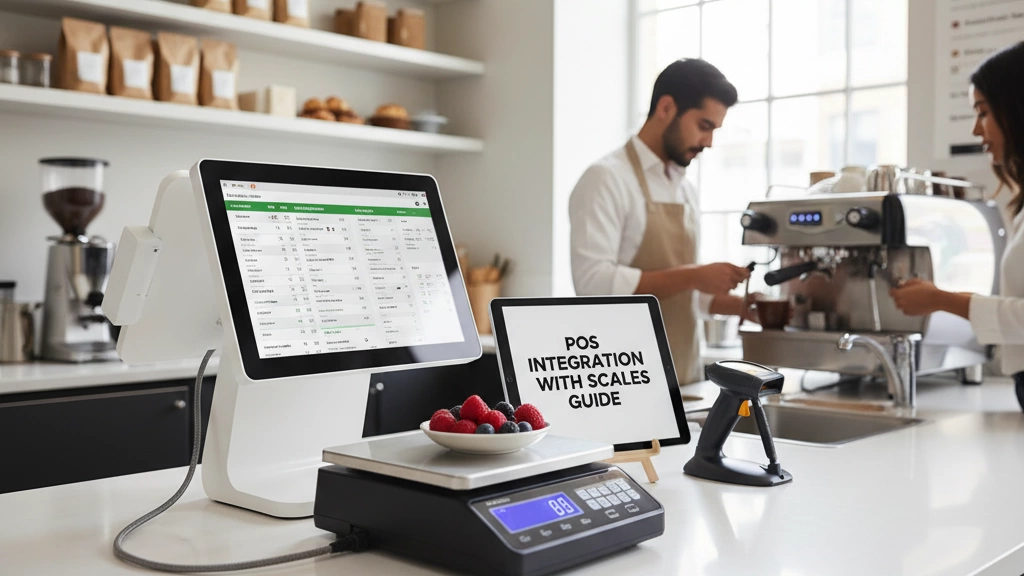
Understanding POS Scale Integration
If you’re running a fresh market, integrating your POS system with weighing scales can drastically simplify pricing and improve accuracy. Here’s how it works and why it matters.
How Scales Send Weight Data to POS
Scales capture item weight and instantly relay that data to your POS system. This automatic transfer means your system can calculate prices on the spot, without manual entry. The result? Faster checkouts, fewer mistakes, and happier customers.
Types of Integration: Embedded vs Standalone Scales
Embedded scales: Built directly into the POS terminal. They save counter space and reduce cable clutter but may have limited scale options or capacities.
Standalone scales: Separate devices connected by serial, USB, LAN, or Bluetooth. They offer more flexibility in scale size and placement, ideal for busy produce, deli, or seafood counters.
Both types have pros and cons depending on setup and workflow.
Pros and Cons for Fresh Markets
Pros:
- Streamlines pricing for fruits, seafood, and deli items
- Improves accuracy, cutting down on pricing disputes
- Helps comply with legal standards for trade scales
Cons:
- Integration setup can be technical without proper guidance
- Maintenance or calibration needed to avoid drift
- Costs vary based on scale type and connectivity
Key Fresh Market Scenarios
Integrating scales is especially useful when selling:
- Fresh fruits and vegetables priced per pound
- Seafood displayed on ice where weight fluctuates
- Deli meats and cheeses cut to order
Each scenario benefits from real-time weight capture, boosting checkout speed and accuracy.
Why Choose SDLPOS?
As a trusted POS hardware supplier, SDLPOS specializes in scale solutions made for fresh markets like yours. Our reliable, easy-to-integrate scales support multiple connection types and come with full US compliance, including NTEP certification. With SDLPOS, you get hardware designed for seamless integration and minimal headaches.
By understanding how POS scale integration works and choosing the right setup, you’ll empower your fresh market to run smoother, sell smarter, and serve customers better every day.
Preparing for POS Integration with Scales
Before integrating scales with your POS system, start by checking compatibility. Most fresh market setups use connection types like RS-232 (serial port), USB, or Ethernet. Make sure your POS hardware supports these interfaces to avoid costly upgrades later. For wireless setups, Bluetooth pairing is also an option but requires careful network management.
Next, focus on scale selection based on your fresh market needs:
- Capacity: Choose a scale that handles your heaviest items, whether it’s bulk fruits or seafood.
- Accuracy: Precision matters, especially for smaller deli cuts or premium produce.
- Durability: Look for scales built to withstand busy counters and moisture typical in fresh markets.
On the software side, check if your POS supports OPOS toolkits or scale SDKs. These make integration smoother by providing ready-made drivers and protocols. Some systems also allow custom API connections for advanced setups.
Keep your budget in mind without compromising quality. Sourcing locally helps reduce wait times and shipping costs. SDLPOS offers a reliable range of scales designed specifically for US fresh markets, combining accuracy and durability without breaking the bank.
To get a clear view of your POS hardware options and training, consider exploring SDLPOS’s guides on POS hardware training and best cash registers for small businesses to ensure smooth integration.
Step-by-step POS-Scale Integration

Starting your POS integration with scales begins right at unboxing. Position your scale at the checkout counter where it’s easy to access and visible to the cashier and customer. Good placement speeds up the weighing process and keeps the workflow smooth.
Physical connections come next. Most fresh market setups use one of these options:
- Serial (RS-232) cables – reliable for short runs and common on many POS systems.
- LAN/Ethernet – great for setups with longer distances or multiple scales on one network.
- USB – simple plug-and-play, ideal for basic setups.
- Bluetooth – wireless pairing offers flexibility but watch for interference in busy stores.
After physically connecting the scale, configure it to communicate through your system’s protocol. Many POS systems rely on OPOS drivers for seamless scale data exchange, while others may use custom APIs. Visual guides or software tools often help set parameters like baud rate, parity, and stop bits for serial connections or IP addresses for LAN scales.
On the software side, syncing your PLU (Price Look-Up) database is crucial. Your scale needs to know the correct codes and prices for items like fruits, seafood, or deli products. Set units of measurement (pounds, ounces, kilograms) matching your local selling standards. Perform a few test captures to confirm data is accurately transmitted from the scale to the POS.
Proper calibration is necessary not just for accurate pricing but also for legal compliance — especially if your scale is NTEP certified. Use certified calibration weights and follow local regulations to keep your scale “legal for trade.”
Before going live, run several transaction simulations. Weigh items, process the sale, print receipts, and confirm pricing matches. This step ensures your POS-scale system is foolproof before customers are in line.
If you’re interested, the reliable scales and POS hardware from SDLPOS come with ready support for these connection types and protocols, simplifying your setup from hardware to checkout.
Optimizing Weight Synchronization and Error Control
For smooth POS integration with scales, real-time weight data flow is key. When a customer places an item on the scale, the scale sends weight info instantly to the POS, triggering automatic price calculation. This seamless communication depends on well-configured protocols like OPOS or custom APIs, ensuring no lag or dropped data during transactions.
Common synchronization issues to watch for include delayed weight updates, connection drops, or mismatched unit settings between the scale and POS. To prevent these problems:
- Regularly verify physical connections (serial, USB, LAN, or Bluetooth).
- Keep firmware and software updated on both devices.
- Use error logs and diagnostic codes proactively to spot faults early.
- Ensure your scale and POS support the same communication protocols.
When errors do occur, employ error handling best practices such as alert notifications on the POS screen and automated retries of failed data transmissions. Diagnostic codes from SDLPOS hardware can help quickly identify specific issues, saving time during troubleshooting.
For advanced functionality, many systems support multi-scale setups—perfect for busy fresh markets with multiple checkout points. Also, integration can enable inventory updates directly from scale transactions, helping retailers track stock levels and reduce waste more efficiently.
By optimizing these areas, fresh market operators can achieve smooth weight synchronization, minimize pricing errors, and improve overall checkout speed.
For further insights on touchscreen POS hardware that works well with scale integration, you can explore detailed setups in our touchscreen cash registers resource.
Recommended SDLPOS Hardware for Fresh Markets

When it comes to POS integration with scales, SDLPOS offers a solid lineup tailored to fresh market needs like fruits, seafood, and deli items. Their top models include countertop scales with built-in printers, standalone scales with Bluetooth or LAN connectivity, and multi-function devices designed for busy fresh produce counters.
Top SDLPOS Models Overview
- Countertop Scales: Perfect for small to medium setups, these offer easy USB and serial connections.
- Bluetooth-Enabled Scales: Ideal for flexible positioning and wireless syncing.
- LAN-Ready Scales: Best for larger operations requiring stable network connections and multi-scale management.
Each model integrates smoothly with popular POS software systems, offering broad compatibility and eliminating common connection headaches. The SDLPOS compatibility matrix ensures your POS can communicate flawlessly with your chosen scale, supporting protocols like OPOS and custom APIs for real-time weigh data syncing.
Why Choose SDLPOS?
- Reliability: Built to withstand daily fresh market use, featuring durable materials and accurate sensors.
- Integration Ease: Plug-and-play options plus strong software toolkits simplify setup and maintenance.
- Fresh Market Design: Models suit various fresh market items, ensuring precise pricing for fruits, seafood, deli items, and more.
Proven Results
A recent case study showed that after integrating SDLPOS scales, a fresh market reduced weighing errors by over 40%, speeding up checkout flow and minimizing pricing disputes.
For a deeper look into POS system capabilities that pair well with SDLPOS hardware, check out this comprehensive guide on what is a cash register point of sale to understand how POS and scale hardware work together seamlessly.
Troubleshooting Common Challenges

Even the best POS integrations with scales can face hiccups. Here are quick fixes for frequent issues:
Connectivity fixes:
- Disconnections: Check cables (USB, serial, Ethernet) for damage and secure connections.
- Bluetooth failures: Make sure devices are within range, paired correctly, and free from interference. Restart both POS and scale if needed.
- Serial errors: Confirm proper COM port settings, baud rates, and protocol compatibility in your POS software.
Accuracy drift and recalibration:
- Recalibrate scales regularly, especially in busy fresh market environments where heavy use can cause weighing errors.
- Follow legal-for-trade calibration standards to stay compliant and accurate.
Software glitches and firmware conflicts:
- Keep POS and scale firmware updated to latest versions.
- Restart software or devices when strange errors occur.
- Clear cache or reinstall scale drivers if communication fails repeatedly.
Scaling tips for high-traffic environments:
- Consider multi-scale setups to avoid bottlenecks during peak hours.
- Use reliable networking hardware to reduce lag in weight syncing.
- Regular maintenance helps prevent sudden failures.
When to contact SDLPOS support:
- If connectivity or calibration issues persist despite troubleshooting.
- For firmware updates or compatibility help with your POS system.
- When you need advice on scaling your fresh market setup or addressing unusual error codes.
For detailed hardware options and support, SDLPOS remains a trusted partner known for reliable fresh market POS scale integration. For further insights, check out our POS hardware for grocery stores and supermarkets guide.
Advanced Tips to Maximize ROI
Integrating your weighing scales with inventory tools is a game-changer for fresh markets. It helps track stock levels accurately and reduces waste by alerting you to low or excess inventory. This way, you avoid overordering and minimize spoilage—both critical for perishable goods like fruits and seafood.
Customizing your POS system for local habits boosts efficiency. Set up seasonal PLUs to handle price changes during peak harvests or holidays, and consider mobile POS extensions to serve customers faster during busy times or at farmer’s markets. These tweaks keep your checkout smooth and customer-friendly.
Security and compliance are must-haves. Use encryption and audit trails to protect transaction data and stay ready for inspections. Make sure your scales are NTEP certified to meet legal-for-trade standards, ensuring pricing accuracy and building customer trust.
Looking ahead, future-proof your setup with cloud syncing and AI-driven error prediction. Cloud sync keeps your sales and inventory data backed up and accessible from anywhere. AI tools can spot weight anomalies or sync issues before they cause problems, reducing downtime and maintaining smooth operations.
By combining these advanced strategies, you not only optimize your fresh market’s daily operations but also maximize your overall return on investment.
For more insights into POS system features and setup, check out our detailed guide on the key components of a modern POS system.


