







Best POS System for High-Traffic Stores with Failproof Hardware 2025


What “High-Traffic” Really Means – Defining the Workload
When we talk about high-traffic stores, we’re referring to retail environments that process a large number of transactions daily and operate nearly nonstop. It’s not just about total sales volume — it’s the intensity and consistency of activity that define the workload.
Transaction Volume Benchmarks
- 500 transactions per day — Typical for busy small to mid-sized stores.
- 1,000 transactions per day — A common benchmark for medium-sized retail outlets and pharmacies.
- 3,000+ transactions per day — High-end volume for supermarkets, large convenience stores, or specialty retailers with multiple POS lanes.
These numbers help set clear expectations for the kind of POS hardware and software that can handle continuous demand without lag or failure.
Peak Concurrent Users
High-traffic stores don’t just have high daily transactions; they often see many transactions happening simultaneously. This means:
- Multiple cashiers actively processing sales.
- Self-checkout stations running concurrently and generating heavy data input.
- Backend systems handling inventory, pricing updates, and payment authorizations in real time.
A POS system must efficiently support all these concurrent users to avoid slowdowns or outages during peak hours.
Continuous Operation Requirement
Because many high-volume retailers operate nearly 24/7, POS systems need to support 16 to 24 hours of continuous operation daily — seven days a week. This level of uptime demands:
- Robust hardware designed for long, uninterrupted runs.
- Software stability to prevent crashes or freezes.
- Rapid recovery mechanisms for any unexpected issues.
Understanding these workload parameters is essential to select hardware built to withstand the realities of high-traffic retail environments without compromising performance or reliability.
Minimum Hardware Specifications You Cannot Compromise On (2025 Edition)
When it comes to high-traffic stores, the hardware inside your POS system isn’t something to cut corners on. You need reliable, fast, and durable components that keep up with thousands of transactions daily without lag or failure.
Here’s the must-have hardware baseline for 2025 to keep your POS running smoothly:
| Component | Minimum Spec | Recommended for 1,000+ TX/Day | Notes |
|---|---|---|---|
| CPU | Intel Core i5/i7 10th Gen or better | Same | Qualcomm Snapdragon 7c Gen 2+ if fanless needed for hot environments |
| RAM | 8 GB | 16 GB | More RAM improves multitasking and speed under load |
| Storage | NVMe SSD 256 GB+ | Same | Avoid eMMC or HDD—too slow and less reliable for daily stress |
| Cooling | Thermal design tuned for 35–45 °C | Active or passive cooling | Fanless models preferred for dust-prone or noisy settings |
| Ports | 6+ powered COM, 8+ USB, dual LAN | Same | Dual LAN critical for network failover |
High-traffic retail environments can heat up fast. That’s why thermal design and cooling methods are vital—whether you pick active fans or a fanless setup using Snapdragon CPUs, make sure the device can handle 35 to 45 °C without throttling or shutting down.
Also, don’t overlook ports; having plenty of powered COM ports and USBs allows seamless connection of scanners, printers, cash drawers, and backup networking gear. Dual LAN ensures your system stays online even when one network fails.
For more on how retail POS hardware must stand up to daily wear and tear, check out our detailed guide on POS hardware durability for international markets.
Must-Have Features for Zero Downtime in Peak Hours
When your store is slammed with customers, downtime is not an option. Here are key features your POS must have to keep the cash flowing smoothly during rush hours:
| Feature | Why It Matters |
|---|---|
| High-concurrency database engine (local + cloud sync) | Handles multiple transactions simultaneously, syncing in real time to prevent lags or lost sales. |
| Dual-network failover (LAN + 4G/5G) | Automatic switch to backup network if the main connection drops—no transaction interruptions. |
| Watchdog timer & auto-reboot on freeze | Detects system freeze and restarts the terminal automatically to minimize downtime. |
| RAID-1 or cloud backup in real time | Ensures data is mirrored or backed up instantly, so no sale is lost if hardware fails. |
| Peripheral health monitoring | Tracks printers, scanners, and cash drawers to catch faults before they cause issues. |
These features combined create a robust environment that supports high-volume POS systems in busy retail settings. For more insights on how hardware ties into smooth operations, check out our guide on the role of POS hardware in retail.
Peripherals That Survive High-Volume Abuse
In high-traffic stores, your POS peripherals need to withstand nonstop use without breaking down. Here’s what to look for:
- Thermal printers: Aim for printers that can handle speeds of 300 mm/s or more and come with auto-cutters rated for over 2 million cuts. Fast, reliable printing keeps lines moving and reduces wait times.
- Barcode scanners: Choose 1D/2D imagers capable of scanning 500+ items per minute. This speed ensures smooth checkout even during busy rush hours.
- Customer displays & cash drawers: Heavy-duty solenoids are a must for shutters and drawers built to last under constant use without failing.
- Touchscreens: Look for screens rated for at least 50 million touches to avoid downtime from wear and tear, especially with hundreds of daily users.
Relying on rugged, retail-grade peripherals not only boosts performance but also cuts maintenance costs. For more on tough, reliable hardware setups, check out our guide on touch screen POS terminals.
Real-World Load Testing – How We Stress-Test SDLPOS Hardware
We don’t just claim our POS hardware can handle high traffic — we put it through rigorous real-world load testing to prove it. Our SDLPOS systems undergo a 72-hour continuous run simulating 1,500 transactions per hour to ensure consistent performance without slowdowns or crashes.
Testing isn’t just about speed; durability matters too. That’s why we use temperature chamber testing from 0 to 50 °C to replicate tough store environments, including hot backrooms and cold warehouses. Our hardware keeps running even in those extremes, avoiding costly downtime.
To safeguard against network glitches, we perform network failure injection tests, switching between primary LAN and backup cellular connections seamlessly. This guarantees your store won’t lose connectivity during peak hours.
We back our testing with real-world proof: major clients like supermarket chains with 120 checkout lanes and pharmacy networks that maintain 365-day uptime have successfully deployed SDLPOS hardware. These case studies highlight how our high-concurrency POS systems handle true industry demands.
For more insight into reliable, high-traffic POS solutions, check out our detailed overview of how POS systems work for businesses and learn why SDLPOS is trusted across the retail sector.
Top 7 POS Hardware Configurations for Different High-Traffic Scenarios
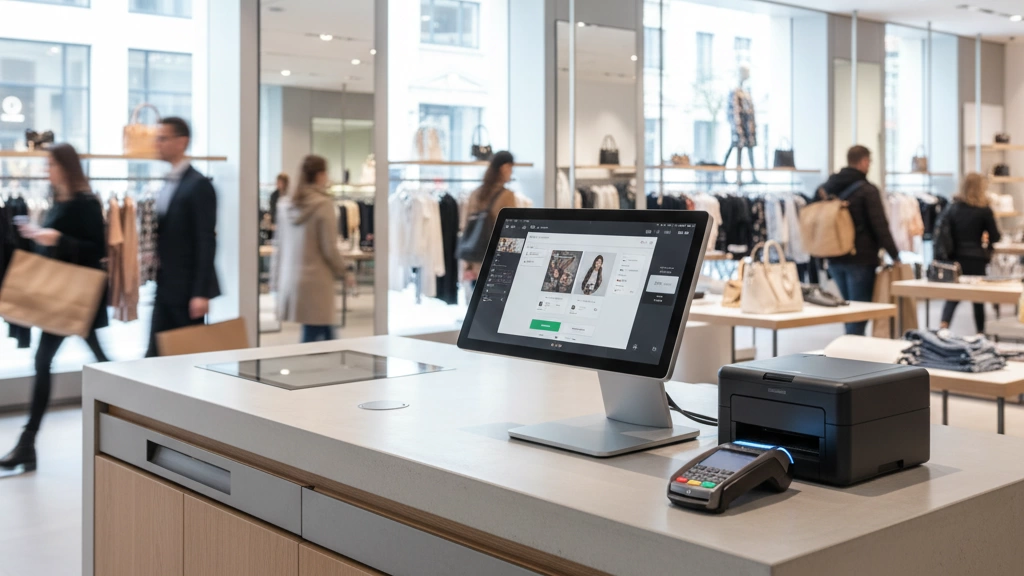
High-traffic stores face unique challenges, so their POS hardware needs to be tailored to fit. Here’s a quick guide to the best setups across different industries:
| Scenario | Recommended Hardware Highlights | Key Features |
|---|---|---|
| Supermarket/Grocery | 80–150 lanes, high-speed thermal printers, robust barcode scanners | Dual LAN failover, 16+ GB RAM, fast CPUs |
| Fashion & Department Stores | Touchscreen POS stations, customer-facing displays, stylish terminals | Heavy-duty cash drawers, easy UI |
| 24/7 Convenience & Gas Stations | Fanless CPUs for heat resistance, long-lasting printers, dual network | 24/7 operation ready, RAID backups |
| Pharmacy Chains | High-concurrency database support, secure transaction modules | Real-time cloud sync, peripheral monitoring |
| Quick-Service Restaurants | POS with delivery integration, fast scan response, thermal printers | Mobile ordering support, reliable network |
| Hypermarkets with Self-Checkout | Self-checkout lanes, rugged touchscreens, auto-cutter printers | Multi-lane concurrency, failover LAN/4G |
| Stadium & Event Retail | Portable terminals, fast receipt printing, battery backup options | High durability, fast transaction speed |
Each setup is designed to handle volume while cutting downtime and speeding transactions. For example, supermarkets especially benefit from dual LAN failover and fast CPUS with plenty of memory to keep lanes moving. Meanwhile, stadium vendors prioritize portability and battery life for flexible operation.
For more on matching POS hardware to busy retail needs, check out our insights on POS hardware with cloud integration.
Total Cost of Ownership Comparison – Cheap vs Built-for-High-Traffic POS
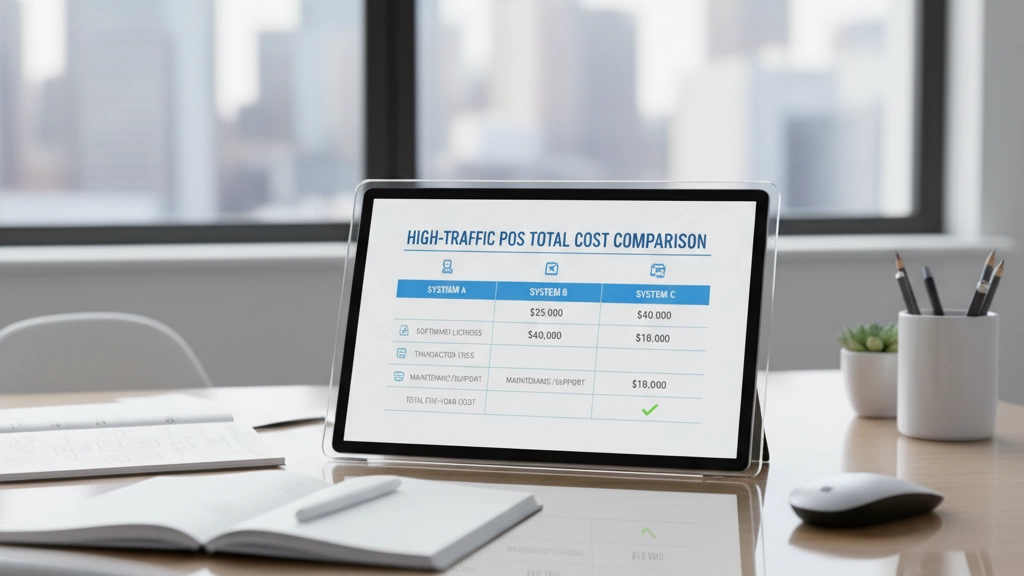
When choosing a POS system for high-traffic stores, looking beyond upfront costs is critical. Cheap hardware may save money initially but often leads to higher failure rates and costly downtime over time. Here’s a quick comparison based on 3-year data:
| Feature | Budget POS Hardware | Built-for-High-Traffic POS |
|---|---|---|
| 3-Year Failure Rate | 25–40% | 5–10% |
| Average Downtime Cost | $10,000+ per year | <$2,000 per year |
| Warranty & Support | Limited or remote only | On-site with rapid response |
| Replacement Cycle | 2–3 years | 5+ years |
Downtime isn’t just a nuisance—it hits revenue and customer trust hard. Using a POS downtime cost calculator helps reveal real losses from outages, like missed transactions and slowed lines. The most expensive POS failures are invisible but felt throughout your business daily.
Warranty and on-site support play a big role in minimizing downtime. High-traffic POS providers offer quick repairs and proactive maintenance that budget brands typically neglect. That means fewer interruptions and less stress on your staff.
Investing in POS hardware designed for heavy-volume retail ensures you’re not constantly replacing underpowered machines. It’s about reliability, speed, and sustaining business flow during peak hours.
For deeper insights on ensuring POS uptime, check out how our real-time reporting POS solutions can support continuous operation.
How to Choose the Right POS Supplier for High-Volume Retail
Picking the right POS supplier is critical when you run a high-traffic store. Here are the top questions to ask every vendor before making your decision:
| Questions to Ask | Why It Matters |
|---|---|
| Can your systems handle 1,000+ transactions per day? | Ensures hardware and software handle peak volume without slowing down. |
| What is your failover strategy for network outages? | Minimizes downtime with dual LAN or cellular backup. |
| How do you support continuous 16–24 hour operation? | Reliability during long shifts avoids costly crashes. |
| What warranty and on-site support do you offer? | Quick hardware fixes reduce expensive downtime. |
| Are your POS terminals tested in real-world high-load scenarios? | Validates performance under the pressure of busy stores. |
Red flags to watch out for:
- Vague or no data on transaction volume limits
- Limited or no network failover options
- Short warranty periods or no local support
- Lack of load testing evidence
Green flags that show a reliable partner:
- Transparent stress testing and case studies
- Industry-proven hardware specs tailored for heavy use
- Solid warranty with on-site technician support
- Experience supplying established retail chains
SDLPOS has earned the trust of over 500 high-traffic retail chains in the US by meeting all these standards. They offer reliable, high-performance POS hardware engineered for nonstop operation, strong network failover, and quick maintenance response—making sure your store stays open and efficient no matter the rush.
For a deeper dive on selecting a POS vendor that fits your needs, check out our detailed guide on how to evaluate POS hardware suppliers. You’ll get valuable insights tailored for busy retail environments like yours.


