







POS Standard Hardware Checklist for Reliable and Efficient Retail Systems

Understanding POS Hardware Basics
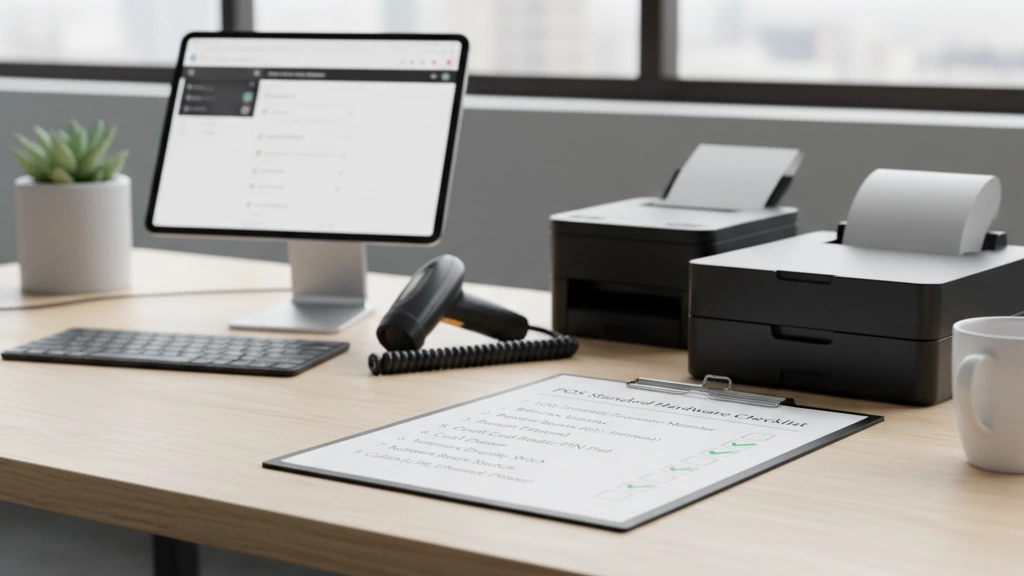
Are you wondering what exactly goes into a reliable POS system? At its core, POS hardware includes all the physical components that make sales transactions smooth and efficient. This means everything from the POS terminal essentials like the touchscreen display and motherboard to peripheral devices such as scanners and printers.
When choosing POS hardware, consider three key factors:
- Compatibility: Make sure your hardware works seamlessly with your POS software. This includes matching operating systems, supported drivers, and connectivity options.
- Durability and Quality: Retail environments demand rugged equipment. Selecting reliable components like sturdy cash drawers and durable barcode scanners reduces downtime.
- Scalability: Your business might grow, so choose hardware that can upgrade, like POS motherboards with SSD storage options or modular peripherals.
Remember, compatibility is crucial—mixing incompatible scanners or card readers can cause delays at checkout. Always verify device specs and software support ahead of purchase. This simple step avoids headaches and ensures your POS system works without a hitch from day one.
The Core POS Hardware Checklist

When setting up your POS standard hardware, focus first on the core components that keep your sales running smoothly.
POS Terminal & Display
Choose a terminal with a reliable processor and sufficient RAM to handle your sales software without lag. Look for touchscreen displays with good resolution and responsiveness—capacitive touchscreens are standard for ease of use. Depending on your setup, options include all-in-one terminals, tablet POS systems, or traditional desktop units. For more details on modern options, check out our guide on modern cash registers.
Motherboard & Internal Components
The motherboard should support upgrades like additional RAM or SSD storage to boost speed and reliability. SSD drives are recommended for faster data access, helping improve transaction times. Compare specs to ensure compatibility with your software and future scalability needs.
Cash Drawer Features & Security
Your cash drawer needs solid security features—look for sturdy steel construction, reliable locking mechanisms, and compatibility with your terminal. Some drawers offer media slots for checks or receipts, enhancing convenience. Secure connections and integration reduce potential theft risks.
Receipt Printer Types & Eco Tips
Thermal receipt printers are the go-to choice for retail and hospitality thanks to speed and quiet operation. They require no ink and are easier to maintain. For eco-conscious businesses, consider printers with auto-cutter features to reduce paper waste and energy-saving modes. Also, look for models that support recycled or FSC-certified paper.
This core checklist ensures you’re covering all vital bases before expanding to peripherals or specialized gear. For those aiming to set up quickly, our cash register systems with same-day delivery offer curated bundles to simplify the selection process.
Essential Peripherals for POS Systems

When it comes to essential peripherals, these add-ons make your POS setup smoother and customer-friendly.
Barcode Scanners
Choosing the right barcode scanner depends on your business needs. Options include handheld, fixed-mount, or wireless models. Accuracy is key—look for scanners that quickly read various barcode types (1D, 2D) even if labels aren’t perfectly aligned. High compatibility with your POS software will speed up checkout and inventory management.
Card Readers and Payment Terminals
Card readers must support EMV chip, contactless payments (NFC), and mobile wallets like Apple Pay or Google Pay. Security compliance, especially PCI-DSS, is critical to protect card data. Many modern payment terminals now feature touchscreen interfaces and easy software integration. Make sure the device matches your transaction volume and supports upgrades as payment tech evolves.
Customer-Facing Displays
A customer-facing display boosts transparency and improves the checkout experience. These displays can show totals, itemized lists, loyalty points, or special promotions. Look for compact, high-resolution screens with adjustable brightness and connectivity options (USB, HDMI) to integrate smoothly with your POS terminal.
For businesses seeking a bundled approach with compatible peripherals, exploring a POS hardware bundle can be a smart move. This ensures all components work seamlessly together, saving you setup headaches and enhancing daily operations.
Advanced and Industry-Specific Hardware
When your business needs go beyond the basics, specialized POS hardware can make all the difference. In retail, devices like weigh scales and RFID readers streamline inventory and checkout processes, helping you keep tabs on stock and speed up service. For restaurants, kitchen display systems replace traditional paper tickets, improving order accuracy and kitchen flow. Handheld order takers give servers mobility, boosting table turnover and customer satisfaction.
If you run a hybrid operation selling both online and offline, look for e-commerce-friendly POS tools that sync sales and inventory across channels. Scalability is key, so choose cloud-ready hardware setups that grow with your business. This approach ensures you’re ready for higher volumes and new features without costly upgrades.
For a deeper dive into retail-specific systems with barcode integration, check out our guide on cash register systems with integrated barcode scanners. These combined solutions often boost efficiency and reduce hardware clutter—perfect for today’s fast-paced retail environments.
By choosing the right advanced hardware tailored to your industry, you’re setting up a solid foundation for smoother operations and better customer experiences.
Setup and Compatibility Checklist

Before buying POS hardware, start with a pre-purchase audit to map out your needs: check your business size, transaction volume, and integration with existing software. This helps avoid overspending or ending up with incompatible gear. Make sure your POS terminal, cash drawer, receipt printer, and peripherals all support your preferred software and payment processors.
When it’s time to install, follow these steps for a smooth setup:
- Organize wiring neatly to prevent clutter and disconnects, using labeled cables and cable ties.
- Pair hardware with software carefully; confirm drivers and firmware are up to date for compatibility.
- Connect card readers and barcode scanners using the recommended ports (USB, Bluetooth, or serial).
- Run system checks before going live to catch any mismatches or hardware errors.
Be aware of common pitfalls like using mismatched hardware specs (e.g., low-powered motherboards with high-demand peripherals), ignoring security features on cash drawers, or skipping EMV compliance on payment devices. These can cause downtime or compliance issues.
For easy reference, keep a printable checklist handy that includes:
- Hardware compatibility confirmation
- Wiring and connection points
- Software pairing status
- Security feature checks
- Backup power readiness
Following a clear setup and compatibility plan reduces headaches and gets your POS system up and running efficiently. For more detailed installation steps and integration advice, check our retail POS installation guide.
Maintenance, Security, and Troubleshooting
Keeping your POS hardware running smoothly means sticking to regular maintenance and security checks. For daily and weekly routines, start by wiping down touchscreens and displays to avoid buildup. Check connections on your cash drawer, printer, and barcode scanner to prevent loose wiring issues. Also, clear out dust from vents on your POS terminal and motherboard to avoid overheating.
Security is crucial, especially with payment data involved. Make sure your system follows PCI-DSS compliance guidelines to protect cardholder information. Keep all firmware and software updated, and change passwords regularly. Limit physical access to your POS terminals and cash drawers to authorized staff only.
Troubleshooting common hardware issues often comes down to simple fixes:
- Restarting devices to clear temporary glitches
- Checking cables and power sources
- Updating or reinstalling drivers for scanners, printers, or card readers
- Running diagnostics on motherboard and storage components
For warranty and upgrades:
- Track hardware age and performance to plan timely replacements
- Take advantage of vendor support and extended warranties
- Consider SSD storage and motherboard upgrades to extend system life and speed
If you want hassle-free support, look into bundled packages with maintenance options—top suppliers like SDL POS also offer expert advice and hardware audits to keep your setup optimized. For restaurant or retail businesses looking for mobile solutions, check out their handheld POS device insights to stay ahead.
Budgeting and Sourcing POS Hardware
When planning your POS hardware purchase, it’s important to balance cost with functionality. Entry-level setups often include a basic touchscreen terminal, receipt printer, and cash drawer—perfect for small businesses or startups. On the other hand, full-featured systems add barcode scanners, advanced card readers, customer displays, and faster internal components like SSD storage and upgraded motherboards, which fit larger retailers or multi-location operations.
Choosing the right vendor can save you time and money. Working with a trusted POS cash register hardware supplier like SDLPOS means access to reliable products, expert advice, and tailored bundles that suit your industry needs. Plus, SDLPOS offers financing options and bundle discounts that help make upgrading your POS system more affordable without sacrificing quality.
To make your buying process smoother, consider scheduling a free hardware audit with SDLPOS. This personalized service reviews your current setup and recommends cost-effective upgrades or new hardware that fits your business goals.
For more insight on vendor benefits and hardware solutions, check out SDLPOS’s dedicated resources on being a trusted POS hardware supplier for distributors and their guides on supporting multicurrency transactions.
Budget tips:
- Start with essentials and add advanced peripherals as needed
- Look for hardware bundles to save upfront costs
- Evaluate vendor warranties and upgrade policies
- Explore financing to ease cash flow pressures
Proper planning and the right sourcing partner ensure your POS setup matches your budget and scales as your business grows.


