







Industrial POS Hardware Guide for Rugged Fanless POS Systems

Consumer vs. Industrial Grade: Understanding the Architecture
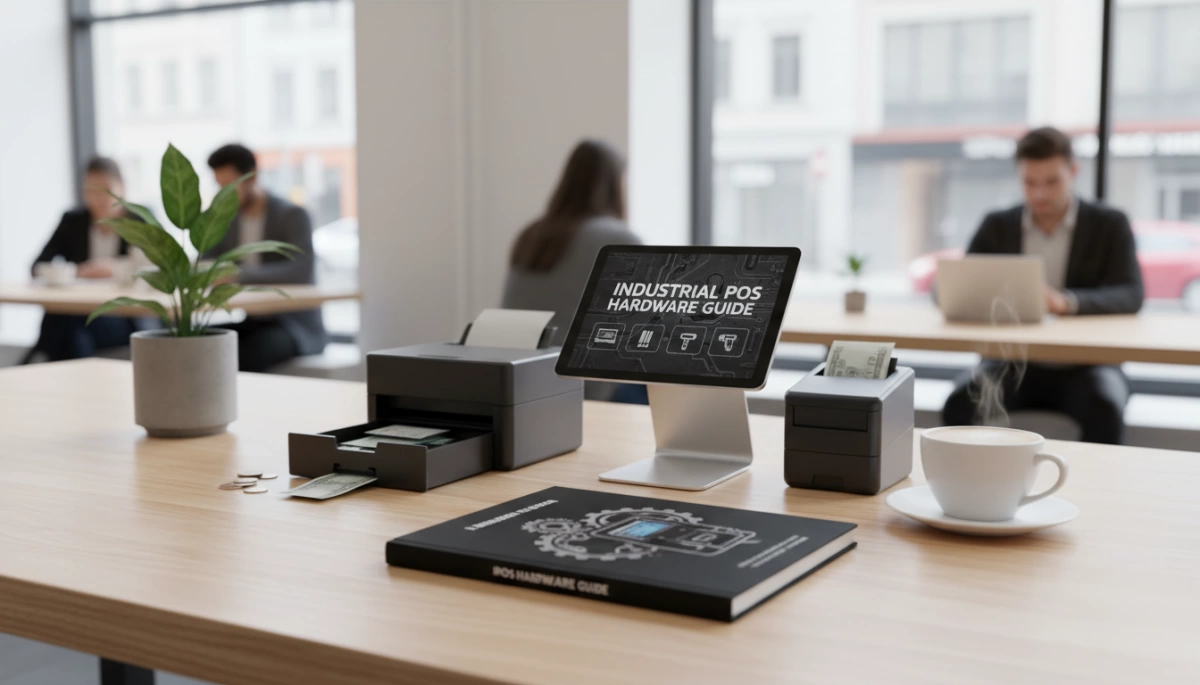
When you run an operation that never sleeps, you cannot afford hardware that takes a nap. The most common failure point I see in high-volume environments is the deployment of standard consumer electronics where a Ruggedized POS terminal is required. Understanding the architectural differences between a cheap plastic unit and a professional industrial system is the first step in our Industrial POS Hardware Guide.
The Core Difference: Standard vs. Industrial
A standard retail POS is often just a consumer tablet or PC inside a plastic shell, designed for climate-controlled boutiques and light duty. In contrast, an industrial unit is engineered from the ground up to survive harsh realities—grease, dust, vibration, and constant interaction. We build our systems to function as a critical infrastructure tool, not just a display screen.
Motherboard Design: Stability First
The motherboard is the nervous system of your POS. Consumer-grade boards are designed for intermittent use; they often throttle performance or fail when subjected to constant heat and voltage fluctuations.
Our Industrial board architecture is different:
- 24/7 Continuous Operation: Engineered to run non-stop without degradation.
- Component Longevity: High-quality capacitors and circuits designed to last years, not just through a warranty period.
- Stable Performance: Maintains processing speed even under heavy software loads, unlike consumer boards that lag when they get hot.
Materials: Aluminum Alloy vs. Plastic
We strictly utilize Aluminum alloy housing in our Sinda series and industrial lines. This isn’t just for aesthetics; it is a critical engineering decision for thermal management and durability.
| Feature | Standard Plastic POS | Industrial Aluminum POS |
|---|---|---|
| Heat Dissipation | Traps heat (Insulator) | Dissipates heat (Heatsink) |
| Cooling Method | Often requires noisy fans | Enables Fanless cooling system |
| Impact Resistance | Brittle, cracks on impact | High structural integrity, anti-shock |
| Aging Test | Minimal | Rigorous high-temp aging tests |
Plastic acts as an insulator, keeping heat trapped inside the chassis which cooks the internal components over time. Aluminum acts as a massive passive heatsink, pulling heat away from the CPU and motherboard. This allows for a completely fanless design, eliminating the intake of dust and debris while ensuring the system remains cool during peak operation.
Critical Technical Specifications for Industrial POS
When evaluating hardware for harsh environments, specific internal components dictate the system’s longevity. We don’t just assemble parts; we engineer solutions designed to withstand the rigors of daily industrial use.
Fanless Cooling System
The biggest enemy of any computer hardware is dust and debris. In a standard setup, cooling fans suck in flour, grease, and warehouse dust, coating internal components and causing overheating.
Our industrial POS terminals utilize a fanless cooling system. By using the aluminum alloy housing as a massive heat sink, we eliminate the need for internal fans. This design choice offers two massive benefits:
- Zero Noise: Silent operation perfect for quiet retail environments.
- Reduced Failure Rate: No moving parts means fewer points of failure and no intake of conductive dust.
Processor Performance vs. Efficiency
Choosing the right brain for your operation depends on your software load. We offer a range of Intel processors tailored to different industrial needs.
- Intel Celeron (J1900/J4125/J6412): These are low power consumption CPU options ideal for standard retail and hospitality. They generate minimal heat and are cost-effective for running standard POS software.
- Intel Core Series (i3/i5/i7): For complex inventory management or multi-tasking environments, these high-performance chips are necessary. If you are looking to buy cash register systems for large-scale operations where speed is critical, the Core series ensures zero lag during peak hours.
| Feature | Intel Celeron (J Series) | Intel Core (i3/i5/i7) |
|---|---|---|
| Power Consumption | Low (Energy Efficient) | Moderate to High |
| Heat Generation | Minimal | Moderate |
| Best Use Case | Standard Retail/F&B | Data-Heavy Industrial/Supermarkets |
| Cost | Budget-Friendly | Performance-Oriented |
Industrial Storage and Memory
Speed is nothing without stability. Consumer-grade hard drives often fail under the vibration and constant read/write cycles of a busy business. We strictly use high-speed Solid State Drives (SSD). Unlike traditional spinning hard drives, SSDs have no moving parts and offer rapid boot times.
Combined with industrial-grade RAM, our systems are built for 24/7 continuous operation. This ensures that whether you are running a 24-hour diner or a three-shift factory line, the hardware remains stable without freezing or crashing. When selecting POS hardware for grocery stores and supermarkets, this reliability prevents costly downtime at the checkout lane.
Durability Standards: Decoding IP Ratings and Ruggedness
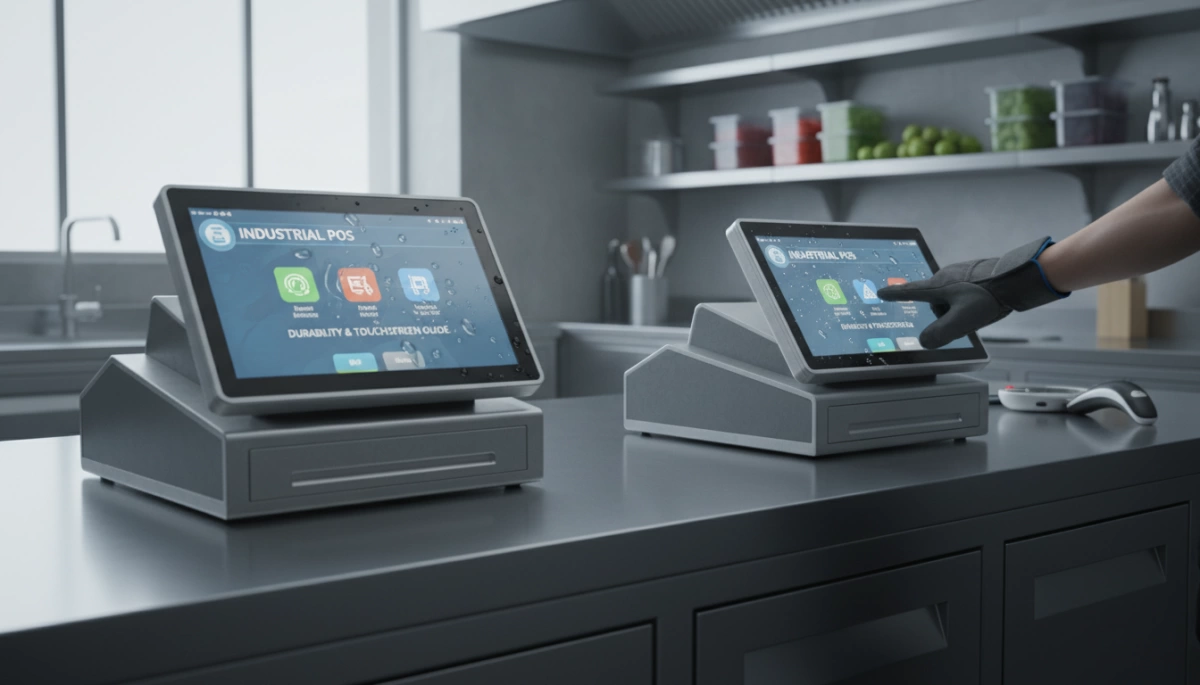
When we build hardware for the real world, we know it’s not sitting in a quiet office. It’s out on a greasy kitchen line, a dusty warehouse floor, or a high-traffic retail counter. That is why consumer tablets fail where our gear succeeds; they simply lack the necessary shock and vibration resistance to handle daily abuse. We engineer our systems to withstand the environments where business actually happens.
Ingress Protection (IP) Explained
You will often see the term “IP65” on our spec sheets, but here is what that actually means for your operations. The “6” indicates total protection against dust ingress—crucial for factories or sawmills where particles kill standard computers. The “5” means the unit can handle low-pressure water jets from any direction.
For a restaurant owner, an IP65 rated touchscreen front panel means a spilled drink or a wet cleaning cloth won’t short out the motherboard. It allows for easy wipe-downs without fear of liquid damage, ensuring the system keeps running through the lunch rush.
Screen Hardness and Impact Resistance
Industrial environments are unpredictable. A stray tool or a heavy scanner dropped on a screen shouldn’t result in downtime. We utilize high-durability glass designed to resist scratches and impacts. While standard cash register and POS monitors might crack under pressure, industrial-grade displays are built to maintain structural integrity even after years of heavy tapping and accidental knocks.
Touch Technology: PCAP vs. Resistive
We have moved far beyond the days of pressure-sensitive resistive screens that wear out over time. Our terminals utilize Projected Capacitive (PCAP) touch technology.
- Responsiveness: PCAP works like your smartphone, registering a touch the instant your finger makes contact, without needing pressure.
- Multi-Touch: Supports 10-point touch for faster operation and complex gestures.
- Clarity: Unlike resistive screens that have flexible plastic layers which can cloud over, PCAP uses glass for superior optical clarity and brightness.
- Longevity: With no moving parts or flexible layers to wear down, PCAP screens offer a significantly longer lifespan in 24/7 commercial settings.
Connectivity and Expansion: The Industrial Nervous System
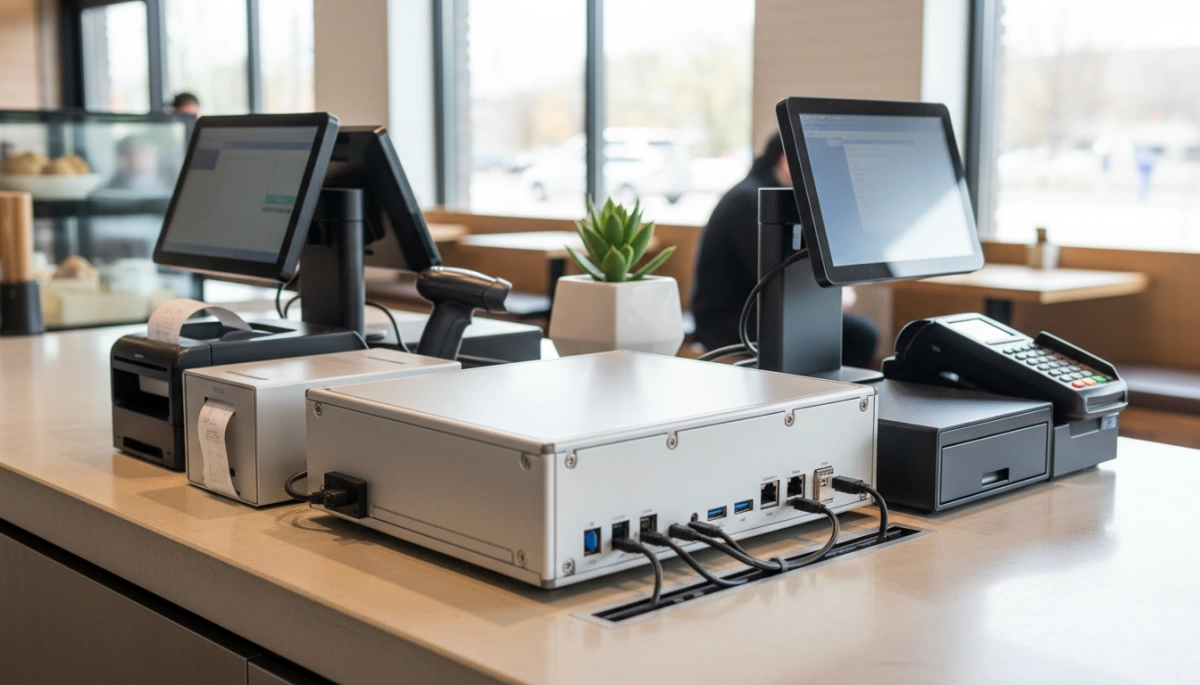
An Industrial POS Hardware Guide isn’t complete without addressing the “nervous system” of the machine: the I/O panel. Unlike consumer tablets that rely almost exclusively on a single USB-C port or wireless connections, industrial environments demand physical, robust connectivity. The ability to interface with a wide array of peripherals simultaneously is what separates a professional terminal from a casual device.
Legacy Port Support: Why COM Ports Are Vital
In many industrial and retail sectors, “old” technology is synonymous with reliability. We still prioritize RS232 serial port connectivity (COM ports) on our motherboards because mission-critical hardware depends on it. Heavy-duty weighing scales, kitchen impact printers, and industrial automation controllers often do not support USB or Bluetooth. They require the stable, interrupt-free communication that only a physical serial connection provides. We design our boards to support multiple COM interfaces, ensuring you don’t need unreliable dongles to keep your legacy infrastructure running.
Peripheral Integration: USB 3.0 and LAN Stability
While legacy support is crucial, modern speed is equally important. We integrate USB 3.0 ports to handle high-speed data transfer for modern peripherals like high-resolution scanners and biometric readers. Furthermore, reliance on Wi-Fi can be risky in environments with heavy interference, such as factories or metal-walled kitchens. That is why we equip our units with dedicated LAN (RJ45) ports. A hardwired connection guarantees that data packets—whether they are kitchen orders or inventory updates—arrive without latency. When evaluating different point-of-sale system vendors, always verify that the hardware offers this balance of high-speed modern ports and stable wired networking options.
Modular POS Architecture: Ease of Maintenance
Hardware failures shouldn’t require replacing the entire unit. We utilize a modular POS architecture that allows for easy component swapping. If a storage drive needs an upgrade or a specific module requires service, the design allows technicians to access these parts quickly without dismantling the entire aluminum alloy chassis. This approach significantly reduces downtime and maintenance costs, ensuring the system remains operational for the long haul.
Use Cases: Matching Hardware to Environment
Not every terminal belongs on a pristine countertop. Through our experience manufacturing Industrial POS Hardware Guides and solutions, we know that placing the wrong device in a harsh environment is a recipe for downtime. We engineer our hardware to survive specific industrial challenges, ensuring reliability where consumer-grade tablets would fail within weeks.
Scenario A: The Factory Floor
In manufacturing plants, heavy machinery creates constant low-level shaking that destroys standard hard drives and loosens plastic casings.
- Shock and Vibration Resistance: We utilize a die-cast aluminum alloy housing and solid-state storage (SSD) to absorb ambient vibration without data loss.
- Mounting Flexibility: Desk space is rare on a production line. Our units feature standard VESA mount compatibility, allowing operators to bolt the terminal directly to machine arms, walls, or poles for ergonomic access.
Scenario B: Commercial Kitchens
Heat, steam, and grease make kitchens one of the toughest environments for electronics. A standard computer with a cooling fan will suck in airborne grease, coating the motherboard and causing overheating.
- Fanless Cooling System: Our wide temperature range POS terminals use the metal chassis as a giant heatsink, eliminating the need for internal fans and preventing internal grease buildup.
- Water Resistance: Spills happen. The front panels feature an IP65 rated touchscreen, meaning they are sealed against water jets and wet fingers. For a deeper dive into specific F&B requirements, check our restaurant hardware procurement guide.
Scenario C: Warehousing & Logistics
Warehouses are dusty, and the hardware needs to interface with a variety of tracking tools.
- Dust-Proof Architecture: Similar to kitchens, the fanless design prevents conductive dust from shorting out internal components.
- Peripheral Integration: Logistics rely on speed. Our terminals offer extensive I/O ports (USB 3.0, COM) to support high-speed barcode scanners and label printers, ensuring the ruggedized POS terminal acts as a central hub for inventory management.
Customization and OEM/ODM Services
In the industrial sector, a standard off-the-shelf terminal rarely meets every specific operational requirement. We understand that unique workflows demand unique hardware configurations. That is why our Industrial POS Hardware Guide emphasizes the importance of flexible manufacturing. We don’t just sell boxes; we engineer solutions tailored to your specific environment, ensuring the hardware adapts to your business, not the other way around.
One Size Does Not Fit All
We offer extensive customization options to ensure your ruggedized POS terminal fits seamlessly into your existing infrastructure. Whether you need a specific operating system to run proprietary software or a unique physical interface for specialized machinery, our modular POS architecture allows for deep modification.
Key Customization Options:
- I/O Port Configuration: We can modify the motherboard layout to include extra RS232 serial port connectivity for legacy industrial scales or additional LAN ports for network redundancy.
- Screen Sizing: Choose from compact 15-inch displays for tight workspaces up to 21.5-inch HD screens for complex visual data.
- Operating Systems: We support full integration with Windows 7/10/11, Linux, and Android, ensuring compatibility with your backend systems.
- Branding: We apply your company logo and color schemes directly to the aluminum alloy housing, maintaining your brand identity on the factory floor or sales counter.
The SDLPOS Advantage
Working directly with the manufacturer eliminates the middleman, giving you direct access to engineering support and faster lead times. As a dedicated bulk POS machine supplier, we oversee the entire production lifecycle, from the initial design concept to the final aging test. This control ensures that every OEM/ODM POS solution we ship meets rigorous quality standards before it reaches your facility.
Direct Manufacturer vs. Reseller:
| Feature | Direct Manufacturer (SDLPOS) | Standard Reseller |
|---|---|---|
| Customization | Full hardware & firmware modification | Limited to software settings |
| Cost | Factory-direct pricing | Markup added |
| Support | Direct access to engineers | Generic helpdesk |
| Scalability | High volume production capacity | Limited stock availability |
By partnering with us, you gain a strategic ally capable of delivering high-performance hardware that withstands the test of time and usage.
Industrial POS Buying Guide Checklist
When investing in hardware for harsh environments, the details on the spec sheet determine the lifespan of your equipment. We know that a Ruggedized POS terminal isn’t just a purchase; it’s an investment in uptime and reliability. To ensure you are getting true industrial-grade quality rather than a consumer tablet in a fancy case, use this checklist to validate your hardware choices. Focusing on Total Cost of Ownership (TCO) means selecting gear that won’t fail when the shop gets busy or the factory floor gets dusty.
If you are currently sourcing equipment for a startup or expansion, evaluating a comprehensive POS bundle for new shops can help ensure all components meet these rigorous standards from day one.
Quick Decision-Maker’s
| Feature | Consumer/Standard POS | Industrial POS Requirement | Why It Matters |
|---|---|---|---|
| Housing Material | ABS Plastic | Aluminum Alloy Housing | Critical for heat dissipation and structural integrity during drops or impacts. |
| Cooling System | Active Fan Cooling | Fanless Cooling System | Eliminates noise and prevents dust or grease from being sucked into internal components. |
| Ingress Protection | None / Low | IP65 Rated Touchscreen | Prevents water spills, cleaning sprays, and debris from damaging the display. |
| Connectivity | USB / WiFi only | RS232 Serial Port Connectivity | Essential for connecting legacy peripherals like scales, heavy-duty printers, and scanners. |
| Operation Cycle | 8-12 Hours | 24/7 Continuous Operation | Industrial motherboards are stress-tested to run non-stop without overheating. |
Verifying Metal vs. Plastic Housing
Never compromise on the chassis material. A true Industrial panel PC or POS terminal must utilize an Aluminum alloy housing. Unlike plastic, which acts as an insulator and traps heat, aluminum acts as a giant heatsink. This passive thermal management is crucial for keeping the processor cool without relying on moving parts. Additionally, metal housing provides superior shock resistance, protecting the motherboard from the vibrations typical in logistics and manufacturing settings.
Checking for Fanless Systems
The number one killer of electronics in commercial environments is the cooling fan. In a kitchen, fans pull in grease; in a warehouse, they pull in dust. This buildup coats the internal components, causing short circuits and overheating. Ensure your Industrial POS Hardware Guide prioritizes a Fanless cooling system. By removing the fan, we remove the most common point of mechanical failure, significantly extending the hardware’s operational life.
Confirming Legacy Port Availability
Modern consumer PCs often strip away ports to save space, but industrial operations run on connectivity. You must verify the availability of RS232 serial port connectivity (COM ports) and rigid LAN (RJ45) connections. Many industrial peripherals—from barcode scanners to manufacturing control units—still rely on the stability of serial communication. A unit that only offers USB ports will likely require unstable dongles or adapters, introducing unnecessary points of failure.
Validating IP65 Ratings and Lifecycle Guarantees
Finally, check the front panel rating. An IP65 rated touchscreen ensures the device is dust-tight and protected against low-pressure water jets. This allows staff to wipe down screens with wet cloths or operate them with damp hands without risking internal damage. Furthermore, look for manufacturers that perform rigorous aging tests, vibration tests, and drop tests. Hardware designed for 24/7 continuous operation should come with the assurance that it has survived these stress tests before it ever reaches your facility.
FAQ: Common Questions About Industrial POS Hardware
What is the difference between a standard POS and an industrial POS?
The main difference lies in longevity and build quality. A standard consumer-grade POS is often made of plastic and uses generic PC components that aren’t designed to run all day, every day. In contrast, an industrial panel PC or POS terminal features an aluminum alloy housing for superior structural integrity and heat dissipation. We engineer these systems with industrial-grade motherboards specifically capable of 24/7 continuous operation, ensuring they don’t overheat or crash during peak business hours. For a deeper look at how hardware choices impact stability, reviewing the differences between Windows cash registers vs. tablet POS can help clarify why rugged architecture matters.
Why is fanless design important for industrial POS?
A fanless cooling system is critical for reliability in harsh environments. Traditional fans suck in dust, grease, and moisture, which eventually coat internal components and lead to short circuits or overheating. By removing the fan and using the aluminum body as a heat sink, we eliminate the most common point of mechanical failure. This makes the unit silent and significantly extends the hardware’s lifespan, especially in dusty warehouses or greasy kitchens.
Can industrial POS terminals run Windows 11?
Yes, absolutely. While older legacy systems might be stuck on Windows 7, modern industrial hardware is fully compatible with the latest operating systems. Our units equipped with newer processors, such as the Intel Celeron J6412 or Core i3/i5 series, handle Windows 10 and Windows 11 effortlessly. This ensures your business stays compliant with the latest security protocols and software updates.
What does IP65 rating mean for POS hardware?
An IP65 rated touchscreen means the device is certified to be dust-tight and protected against low-pressure water jets. In practical terms, this means the front panel of your POS can withstand liquid spills, wet fingers, and cleaning sprays without sustaining damage. This level of protection is a standard requirement for maintaining a ruggedized POS terminal in food and beverage or industrial settings where mess is inevitable.


