







POS Terminal Metal Stand Stability Guide for Durable Secure Setup

Material Science: Why Carbon Steel is the Industry Standard
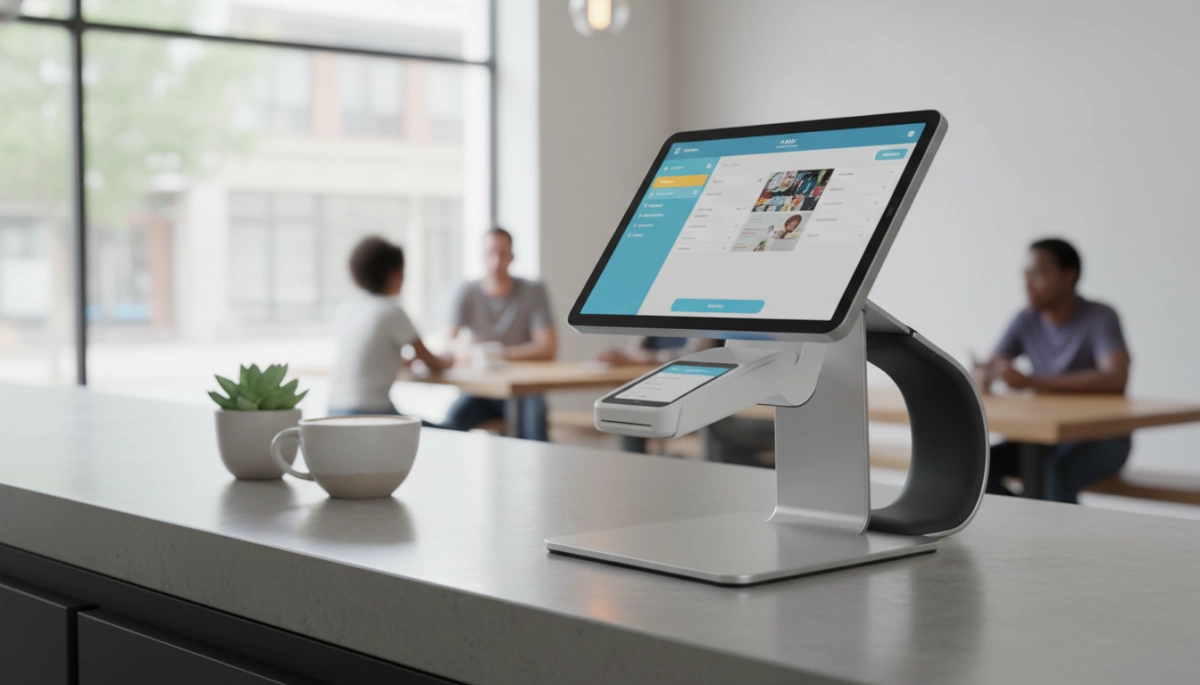
When we engineer heavy-duty carbon steel POS stands at SDL POS, we prioritize one thing above all else: unshakeable stability. In a high-traffic retail environment, plastic mounts simply cannot compete with the structural integrity of metal. We choose carbon steel as our primary material because it provides the density and tensile strength required to anchor modern, heavy all-in-one terminals.
Weight & Center of Gravity: Physics of Density
Stability is a game of physics. To prevent a terminal from tipping during aggressive touch interactions, you need a low center of gravity. Carbon steel is significantly denser than aluminum or plastic, providing natural weight balance. This inherent mass ensures that the base remains planted on the counter, acting as a solid anchor without needing excessive clamping force.
Gauge Thickness: Impact on Rigidity and Flex
The thickness of the metal, or its gauge, directly dictates how much a stand will flex under pressure. We utilize high-grade steel with substantial metal thickness to eliminate the “spring effect.”
- High Rigidity: Prevents the arm from bending when a user presses hard on the screen.
- Zero Flex: Ensures the mount holds its position, maintaining the optimal viewing angle.
- Touch Stability: Reduces vibration transfer, keeping the display steady for precise inputs.
Durability Factors: Metal Fatigue and Powder Coating
Industrial grade POS hardware must withstand years of abuse. Unlike plastic, which becomes brittle and cracks over time, steel is resistant to metal fatigue. To further enhance longevity, we apply a robust powder coating to our stands. This finish does more than just look professional; it creates a hard shell that resists scratches, corrosion, and the daily wear and tear of commercial use.
Mounting Mechanisms: Anchoring Your Terminal
When we engineer our hardware, we know that the strongest steel in the world doesn’t matter if the stand slides off the counter. The connection between the stand and your checkout surface is the foundation of a reliable POS terminal Metal Stand Stability Guide. Choosing the right mounting method depends entirely on your store’s traffic volume and counter material.
The Bolt-Down Method: Maximum Stability for High Volume
For environments that see non-stop action, the countertop bolt-down installation is the only option I recommend for total peace of mind. We design our heavy-duty bases with pre-drilled anchoring holes that allow you to drive screws directly through the countertop. This creates a mechanical lock that makes the terminal virtually immovable.
This method serves two critical purposes:
- Vibration Elimination: It completely stops the stand from shifting during aggressive screen tapping.
- Theft Prevention: Using tamper-resistant mounting screws turns your stand into a permanent fixture, securing expensive hardware against “grab-and-go” theft.
This level of security is essential for fast-paced environments, such as a busy cash register POS terminal for fruit shops, where speed and durability are non-negotiable.
Weighted Base with Anti-Slip Silicone: Friction Mechanics
Not every business owns their building or wants to drill into expensive granite counters. In these cases, we rely on physics. A weighted base vs. adhesive mount debate often settles on the weighted option for flexibility. We use high-density carbon steel to lower the center of gravity, ensuring the unit stays upright even with a heavy all-in-one computer attached.
To prevent sliding, we apply industrial-grade anti-slip pads to the bottom. These silicone feet increase the coefficient of friction against the counter. When you combine a heavy steel mass with high-friction silicone, you get a freestanding mount that mimics the stability of a bolted unit without the permanent damage.
Adhesive Mounting: Use Cases and Limitations
Adhesive mounting is the middle ground. We typically see this used on glass countertops or temporary setups where drilling is impossible, but a weighted base feels too risky. High-strength industrial double-sided tape can secure a stand effectively, but it has limits. Over time, cleaning chemicals and constant vibration can degrade the bond. While it offers a cleaner look than a weighted base, it rarely matches the absolute rigidity of a bolted connection.
The Hinge Factor: Eliminating Screen Bounce
Torque & Tension: Adjustable Resistance for Heavy Screens
Nothing frustrates a cashier more than a terminal that droops or bounces every time they tap the screen. We engineer our stands with high-torque hinge adjustment capabilities to handle the weight of modern all-in-one systems. This isn’t just about holding the screen up; it is about screen bounce prevention during high-pressure touch interactions. You can dial in the specific tension required for your device, ensuring the display remains rigid and stationary, even in a 24/7 retail environment. For those sourcing hardware for continuous operations, verifying these mechanical details is a critical step in our POS buying guide for 24/7 use.
The Pivot Point: 360-Degree Swivel and Tilt Stability
Flexibility cannot come at the expense of balance. Our metal stands are built to provide 360-degree swivel stability, allowing staff to flip the screen toward the customer for signatures without the base shifting. The internal mechanics use durable metal washers and tension screws rather than plastic friction joints that wear down. This ensures that when you tilt the screen for better ergonomics, it stays exactly where you put it.
VESA Compatibility: Ensuring Flush, Rattle-Free Connections
A stable foundation is useless if the connection between the stand and the terminal is loose. We strictly adhere to VESA 75/100 mounting patterns (75x75mm and 100x100mm). This standardization guarantees a flush, rattle-free fit for almost any industrial monitor or PC. By using a metal VESA plate, we eliminate the flex found in cheaper plastic mounts, creating a solid, unified structure that feels like a single piece of hardware.
Key Stability Features:
- Adjustable Tension: Hex-key adjustable hinges for custom resistance.
- Metal-on-Metal Joints: Reduces wear and maintains stiffness over years of use.
- Standardized Fit: Universal VESA support for secure, gap-free mounting.
The Role of Cable Management in Stability
The Cable Drag Effect: How Loose Wires Destabilize Gravity
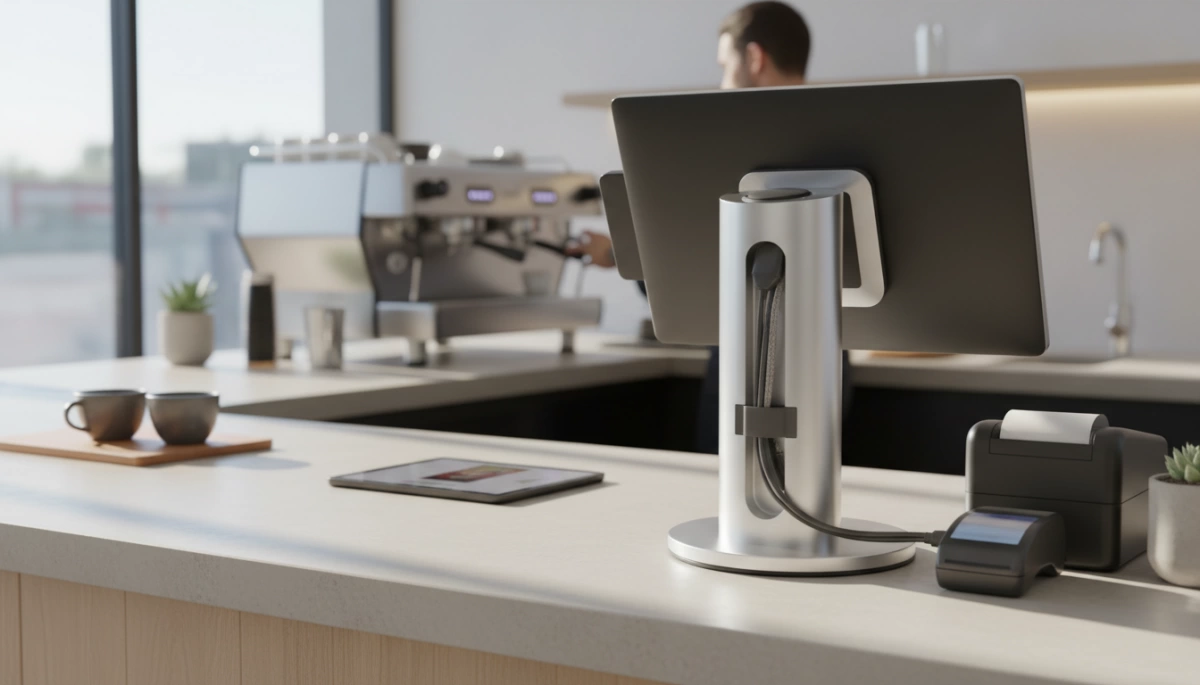
It is a common misconception that stability is solely about the weight of the base. In reality, a POS terminal cable management system is a structural necessity, not just an aesthetic choice. When power cords, LAN cables, and peripheral connections hang loosely off the back of a terminal, they create “cable drag.” This constant downward or sideways pull shifts the center of gravity away from the stand’s core.
In high-traffic environments, a snagged wire acts like a lever. If a clerk pulls a handheld scanner or shifts a printer, that force transfers directly to the terminal. Even with a heavy-duty carbon steel POS stand, external cable tension creates unnecessary stress on the mounting points. This often leads to gradual loosening of the VESA mount or causes “screen bounce” every time the display is touched, compromising the retail checkout ergonomics for your staff.
Internal Routing Solutions for Physical Equilibrium
To maintain true physical equilibrium, the weight distribution must remain centered, unaffected by external pulling forces. We engineer our metal stands with integrated internal routing channels specifically to neutralize this risk. By feeding wires through the hollow neck of the stand rather than letting them drape over the side, we eliminate the leverage that hanging cables exert.
- Centralized Weight: Cables run through the vertical axis, keeping the center of gravity locked over the base.
- Snag Prevention: Enclosed routing prevents accidental yanks from customers or employees.
- Clean Footprint: Wires exit discreetly through the base or directly through a grommet hole in the counter.
This approach is critical when deploying cash register systems for large-scale operations, where equipment consistency and safety are paramount across hundreds of lanes. By securing the cables internally, the stand functions as a solid, unified unit rather than a top-heavy display fighting against the weight of its own connections.
Installation & Maintenance Checklist for Longevity
Even the most robust heavy-duty carbon steel POS stand is only as stable as its installation. We design our hardware to withstand years of abuse in high-traffic retail environments, but proper setup is the variable that ensures that longevity. Following a strict protocol during installation prevents the dreaded “screen wobble” and protects both your counter and your terminal investment.
Pre-Install: Assessing Counter Material Strength
Before drilling a single hole, you must evaluate the structural integrity of your checkout counter. A countertop bolt-down installation exerts significant pressure on the surface material.
- Solid Wood or Stone: Ideal for direct bolting. These materials provide a rigid anchor point that won’t flex under the weight of the terminal.
- Laminate or Particle Board: Requires caution. We recommend using a backing plate underneath the counter to distribute the stress of the tamper-resistant mounting screws. Without reinforcement, the torque from adjusting the screen can eventually crack the countertop surface.
- Glass or Metal: Often requires specialized adhesive mounting or a clamp-style system rather than drilling.
When integrating the essential components of a cash register system, ensure the surface area is level and free of debris to guarantee a flush mount.
The Installation: Proper Tightening Sequence
Achieving an anti-wobble touch screen mount isn’t just about tightness; it’s about balance. When securing the VESA plate or the base, never fully tighten one screw before inserting the others.
- Hand-thread all screws loosely to ensure proper alignment with the VESA 75/100 mounting patterns.
- Tighten in a “Star” Pattern: Move diagonally across the screw holes (e.g., top-left, then bottom-right). This technique ensures the pressure is distributed evenly across the metal plate.
- Final Torque: Once all screws are seated, apply the final turn to lock them in place. Uneven tightening can warp the mounting plate, leading to a shaky terminal even on a solid base.
Routine Maintenance: Re-tightening Hex Keys and Cleaning Pads
While our industrial-grade stands are built for “set it and forget it” reliability, the physics of daily use means maintenance is necessary. Constant tapping and swiveling create micro-vibrations that can gradually loosen fasteners over time.
- Quarterly Tension Check: Use the included hex key (Allen wrench) to check the tension on the main hinge. If the screen starts to droop or bounce, a quarter-turn is usually all it takes to restore rigidity.
- Pad Maintenance: For stands utilizing a weighted base, the vibration dampening materials (silicone or rubber feet) rely on friction. Dust and grease buildup on the counter reduces this friction, causing the stand to slide. Wipe the pads and the counter surface with an alcohol wipe monthly to maintain maximum grip.
Custom Solutions: When Off-the-Shelf Isn’t Enough
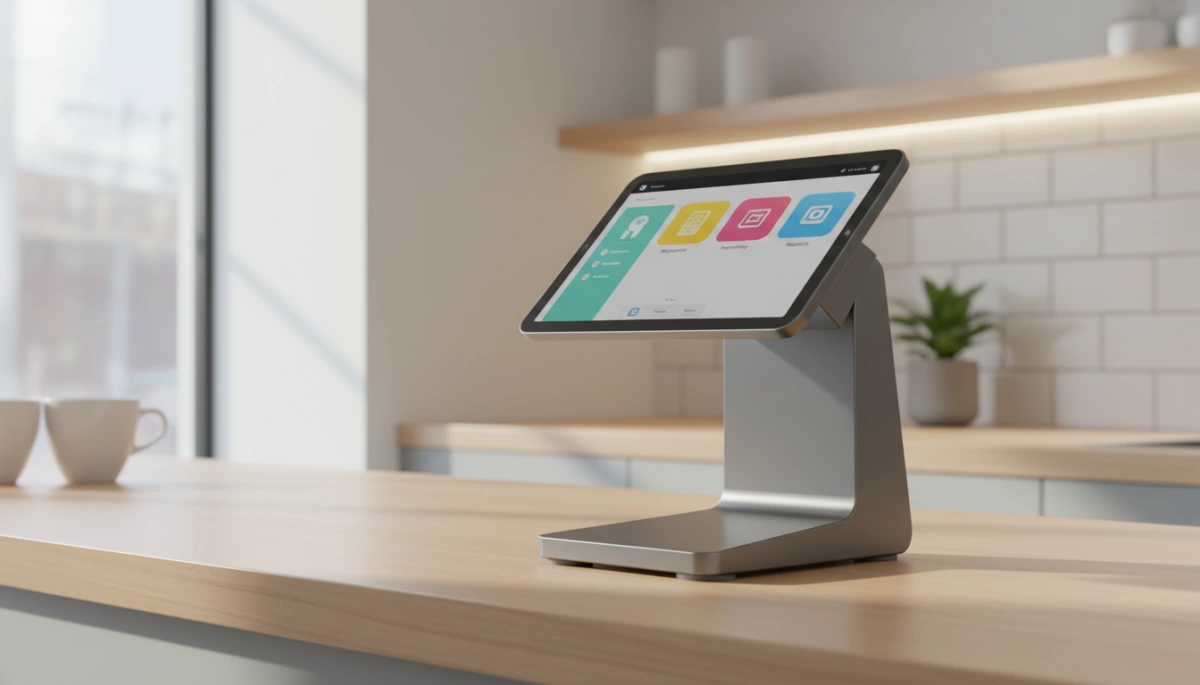
Standard hardware works for most, but unique retail environments often demand specialized engineering. As a manufacturer with over a decade of experience, we know that a generic stand won’t cut it for every checkout lane. That is why we offer comprehensive OEM POS stand manufacturing services to build mounting systems that fit your specific operational needs.
OEM/ODM Capabilities for Unique Counter Shapes
Retail counters in the US come in all shapes and sizes, from compact kiosk corners to curved reception desks. If a standard base plate overhangs or doesn’t sit flush, stability is compromised. We design custom base footprints that align perfectly with your furniture.
- Space Optimization: We tailor the stand’s footprint to maximize usable counter space without sacrificing balance.
- Material Matching: Whether you need a specific heavy-duty carbon steel POS stand finish or a custom height to clear obstacles, we adjust the specs to match your environment.
- Integrated Workflow: Custom hardware is often the secret weapon for improving checkout efficiency in non-standard layouts, ensuring the screen is exactly where the cashier needs it.
Engineering Custom Counterweights for Legacy Terminals
Not every business has upgraded to lightweight tablets. Many industries still rely on robust, legacy all-in-one terminals that are significantly heavier than modern screens. A standard stand might tip under this weight.
We engineer industrial grade POS hardware specifically for these high-load scenarios. By calculating the exact load capacity required, we can modify the internal weighting of the base or increase the thickness of the steel. This ensures the center of gravity remains low and centered, preventing the terminal from tipping during aggressive use or screen adjustments.
FAQ: Common Questions About POS Stand Stability
How do I stop my POS screen from wobbling when touched?
Screen wobble typically stems from two issues: loose hinge tension or a base that lacks sufficient mass. To achieve screen bounce prevention, you first need to ensure your stand features high-torque hinge adjustment. Many of our stands allow you to tighten the pivot points using a hex key, increasing the resistance against the force of your finger taps. If the stand itself is flexing, it’s likely made of thin plastic or low-grade alloy. Switching to an anti-wobble touch screen mount made from rigid carbon steel eliminates the flex that causes that annoying “after-shake” when entering transactions.
Is a weighted base enough for a heavy all-in-one terminal?
For most standard 15-inch terminals, a properly engineered weighted base is sufficient, provided it has a low center of gravity and high-friction rubber feet. However, as you upgrade to larger displays or heavier touch POS systems compared to traditional keypad models, the physics change. If you are deploying a widescreen unit in a busy environment, we recommend checking the load capacity for payment terminals specified by the manufacturer. If the terminal is top-heavy, a weighted base might still allow for tipping if bumped hard; in those cases, a bolt-down solution is safer.
Why is carbon steel better than aluminum for POS stands?
While aluminum is lightweight and resists corrosion, heavy-duty carbon steel POS stands offer superior stability due to density. Steel is significantly heavier, which naturally lowers the assembly’s center of gravity. This added weight acts as an anchor, making the stand far more resistant to sliding or tipping during aggressive use. For industrial grade POS hardware, we prefer steel because it provides a rigid, non-flexing backbone that maintains its structural integrity even after years of constant adjustment and heavy use.
What is the best mounting method for high-traffic areas?
In high-volume retail or hospitality environments where speed is critical, countertop bolt-down installation is the undisputed champion. Relying on gravity or adhesive alone can be risky when lines are long and cashiers are working quickly. Bolting the stand through the counter using a VESA 75/100 mounting pattern ensures the terminal becomes a permanent extension of the workspace. This method not only offers maximum stability against accidental knocks but also acts as a theft deterrent, securing your hardware firmly in place.


