







Soluciones de hardware POS en la nube para negocios minoristas y de restauración


¿Estás buscando el terminal de punto de venta inalámbrico perfecto hardware POS en la nube ¿Para transformar tu negocio? Elegir el equipo adecuado puede potenciar tus ventas, optimizar operaciones y encantar a tus clientes.
Como propietario de un negocio, entiendo el desafío de encontrar soluciones POS escalables que se ajusten a tu presupuesto y necesidades. Por eso he elaborado esta guía, llena de conocimientos prácticos y consejos de expertos basados en mi experiencia en la industria.
En esta publicación, descubrirás lo mejor hardware POS basado en la nube, características clave a priorizar y cómo SDLPOS ofrece soluciones confiables y rentables para comercio minorista, restaurantes y más. ¿Listo para simplificar tu proceso de ventas y aumentar la eficiencia?
¡Vamos a ello!
¿Qué es Hardware POS en la Nube? Elementos esenciales y diferencias clave con los sistemas tradicionales
El hardware POS en la nube se refiere a los dispositivos físicos utilizados en una sistema POS en la nube que procesan transacciones de ventas, gestionan inventario y soportan diversas operaciones comerciales mediante conectividad a internet. A diferencia del hardware POS tradicional que depende de software y servidores instalados localmente, el hardware POS en la nube funciona en conjunto con software en la nube alojado en línea. Esta configuración permite acceder y sincronizar datos en tiempo real en múltiples ubicaciones sin esfuerzo.
Componentes clave del hardware POS en la nube
Una configuración típica de hardware POS en la nube incluye varios elementos esenciales:
- terminales POS modernos o tablets táctiles que sirven como interfaz principal para ventas y gestión
- Dispositivos POS móviles que permiten al personal de ventas procesar transacciones en cualquier lugar del establecimiento, añadiendo flexibilidad
- Escáneres de código de barras para POS para acelerar la identificación de productos y mejorar la eficiencia en el pago
- Impresoras de recibos térmicos para impresión rápida y clara de recibos y tickets de pedido
- Hardware de pago sin contacto que soporta NFC y monederos móviles para opciones de pago modernas
- Cajas de dinero integrado para manejo seguro de efectivo vinculado directamente a las transacciones
Cada componente se comunica con los servidores en la nube para mantener los datos uniformes y accesibles, eliminando la necesidad de redes locales complejas o servidores voluminosos.
Diferencias con el hardware POS tradicional
Los sistemas POS tradicionales suelen estar ligados a servidores en la tienda y software instalado en máquinas propietarias. El hardware POS en la nube se diferencia principalmente en:
- Conectividad El hardware en la nube depende del acceso a internet para sincronizar datos y funcionar, mientras que los sistemas tradicionales pueden operar sin conexión pero carecen de actualizaciones en tiempo real.
- Flexibilidad y movilidad POS en la nube incluye dispositivos móviles y tablets, mientras que los sistemas tradicionales suelen usar terminales fijos.
- Escalabilidad Agregar nuevo hardware o ubicaciones es más fácil con configuraciones en la nube, ya que todo se conecta a través de la nube sin necesidad de reconfiguración de hardware.
- Estructura de costos El hardware de POS en la nube suele requerir una inversión inicial menor, aprovechando suscripciones para acceso continuo al software en lugar de licencias costosas y tarifas de mantenimiento vinculadas al hardware tradicional.
En resumen, hardware POS en la nube está diseñado para un entorno empresarial moderno y ágil que necesita integración sin fisuras, datos actualizados y tecnología de pago flexible. Encaja perfectamente con tiendas minoristas, restaurantes y negocios de servicios que buscan soluciones de POS escalables que crecen con sus operaciones.
Beneficios del hardware POS en la nube para las empresas
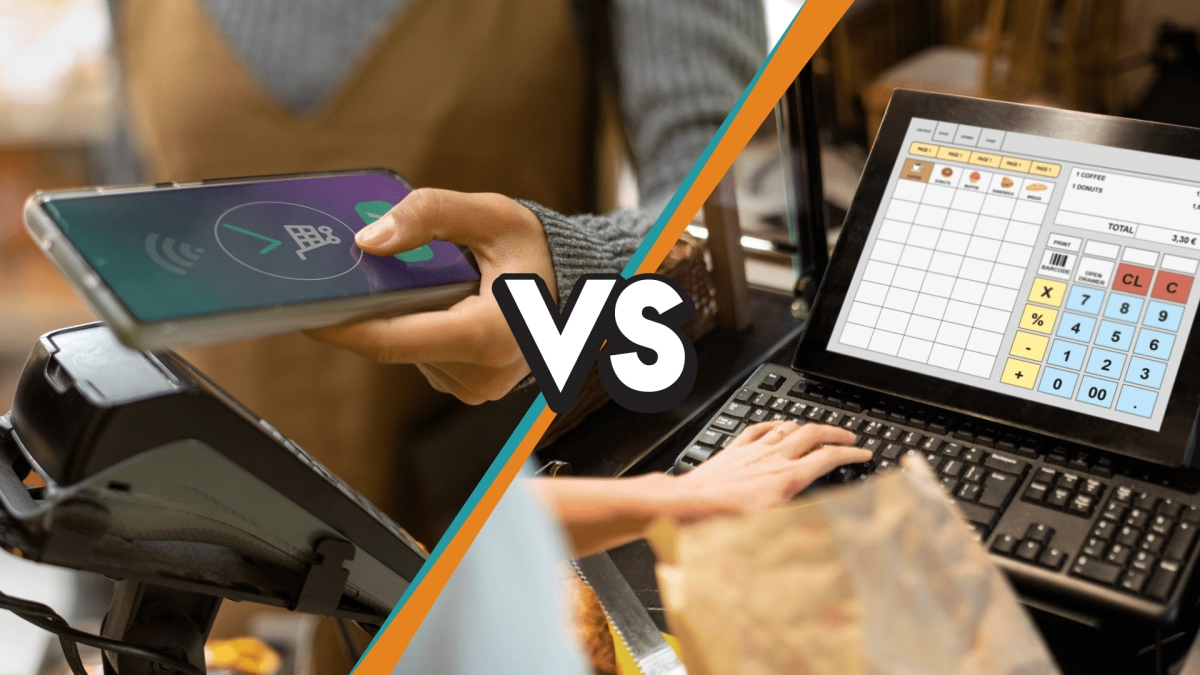
Cambiar a hardware POS en la nube ofrece ventajas sólidas que impactan directamente en cómo operan las empresas, especialmente en los sectores minorista y de restauración en España. Aquí tienes por qué se está convirtiendo en la opción preferida:
Rentabilidad
Los sistemas POS tradicionales a menudo implican costos iniciales elevados por hardware y licencias de software. El hardware POS en la nube reduce eso significativamente porque:
- Pagas costos iniciales más bajos ya que el software funciona en la nube, no en servidores locales.
- El mantenimiento y las actualizaciones se gestionan de forma remota, por lo que ahorras en gastos de TI.
- Evitas reemplazos costosos de hardware, ya que muchos dispositivos POS en la nube están diseñados para actualizaciones fáciles.
Accesibilidad remota
Una de las mayores ventajas de los sistemas POS en la nube es la capacidad de acceder a tus datos desde cualquier lugar. Ya gestiones un solo restaurante o varias tiendas minoristas, puedes:
- Monitorizar ventas e inventario en tiempo real desde tu teléfono o portátil.
- Gestionar múltiples ubicaciones sin necesidad de estar en el sitio.
- Responder rápidamente a cambios en el negocio o emergencias en movimiento.
Escalabilidad
A medida que tu negocio crece, tu sistema POS debe crecer contigo, sin costosas actualizaciones o reemplazos. El hardware POS en la nube ofrece:
- Opciones de dispositivos flexibles como dispositivos POS móviles, tablets o terminales completos que puedes añadir o quitar según sea necesario.
- Fácil expansión a nuevas ubicaciones sin la molestia de configurar redes locales complejas.
- Soluciones escalables adaptadas desde pequeñas tiendas hasta grandes cadenas.
Sincronización de datos en tiempo real
El hardware POS en la nube garantiza que tus ventas, inventario y datos de clientes se sincronicen instantáneamente en todos los dispositivos y ubicaciones. Esto significa:
- Sin retrasos en los conteos de inventario, reduciendo agotamientos o exceso de stock.
- Datos de ventas actualizados al minuto para una mejor toma de decisiones.
- Informes precisos para optimizar la contabilidad y la nómina.
Integraciones sin problemas
Los sistemas POS en la nube modernos se vinculan fácilmente con otras herramientas empresariales, haciendo la vida más sencilla. Con soluciones como SDLPOS y similares, puedes integrar:
- gestión de inventario en punto de venta sistemas, manteniendo toda la información de stock unificada.
- Software de contabilidad para un seguimiento financiero fluido.
- Pasarelas de pago que soportan hardware de pago sin contacto para pagos más rápidos.
- Programas de fidelización y herramientas de marketing para aumentar la retención de clientes.
hardware POS en la nube no es solo una actualización tecnológica, sino una estrategia inteligente que ahorra dinero, facilita la gestión y apoya el crecimiento. Encaja perfectamente en los entornos minoristas y de restauración de ritmo acelerado, especialmente en España, donde la flexibilidad, la velocidad y la conectividad son clave.
Características clave a buscar en hardware POS en la nube
Al elegir hardware POS en la nube, hay varias características importantes a considerar. Estas garantizarán que tu sistema funcione sin problemas y se adapte a las necesidades de tu negocio en el mercado español.
Compatibilidad con sistemas POS en la nube
Asegúrate de que tu hardware sea compatible con tu software POS en la nube. Esto incluye:
- Soporte para diversos sistemas operativos (iOS, Android, Windows)
- Capacidad para integrarse con soluciones POS populares utilizadas en comercios y restauración
- Conexión fluida con periféricos esenciales como lectores de código de barras para POS y impresoras de recibos térmicos
La compatibilidad ayuda a prevenir tiempos de inactividad y reduce las molestias de cambiar de hardware posteriormente.
Movilidad y Flexibilidad
La movilidad es clave, especialmente para:
- Dispositivos POS móviles utilizados en restaurantes o tiendas temporales
- Personal que se desplaza mientras atiende a los clientes
- Ventas al aire libre o en eventos donde los terminales fijos no son prácticos
Busca dispositivos ligeros e inalámbricos que ofrezcan fácil configuración y conexiones rápidas.
Durabilidad para el uso diario
Tu hardware debe soportar el desgaste diario, especialmente en tiendas minoristas ocupadas o restaurantes de ritmo acelerado. Enfócate en:
- Construcción resistente para resistir caídas o derrames
- Hardware con clasificación para largas horas de uso sin sobrecalentarse
- Batería confiable para dispositivos móviles y evitar interrupciones
La durabilidad significa menos costos de reemplazo y menos sorpresas durante las horas de trabajo.
Flexibilidad de pago con hardware de pago sin contacto
Tu sistema debe soportar múltiples opciones de pago para satisfacer la demanda de los clientes:
- tarjetas con chip EMV
- Pagos sin contacto como Apple Pay, Google Pay y tarjetas de crédito con toque
- Billeteras móviles y códigos QR
Tener opciones de pago flexibles aumenta la satisfacción del cliente y acelera el proceso de pago.
Modo Offline para Ventas Ininterrumpidas
Un hardware POS en la nube robusto debe ofrecer un modo offline. Esto garantiza:
- Las transacciones aún pueden procesarse durante cortes de internet
- Los datos de ventas se sincronizan automáticamente cuando la conexión se restablece
- Mínima interrupción en las operaciones de su negocio
La capacidad offline es crucial para negocios en áreas con internet menos confiable o durante cortes inesperados.
Seleccionar hardware POS en la nube con estas funciones le dará a su negocio la ventaja – desde soluciones sin interrupciones gestión de inventario en punto de venta hasta soluciones escalables que crecen con usted.
Soluciones de Hardware POS en la Nube SDLPOS
Cuando se trata de hardware POS en la nube, SDLPOS ofrece una gama completa adaptada a diversas necesidades comerciales en toda España. Ya dirija una tienda minorista concurrida, un restaurante de servicio completo o una operación móvil de ritmo rápido, SDLPOS le respalda con hardware confiable, escalable y fácil de usar que funciona perfectamente con sistemas POS en la nube.
Gama de productos y puntos de venta únicos
SDLPOS ofrece una amplia gama de hardware POS para minoristas y restaurantes, incluyendo:
- Terminales táctiles diseñado para una entrada de pedidos rápida y precisa y gestión de inventario.
- Dispositivos POS móviles que permiten ventas en movimiento, perfectas para pop-ups, eventos al aire libre o pedidos en la mesa.
- Escáneres de código de barras para POS que agilizan las colas de pago y el seguimiento del inventario.
- Impresoras de recibos térmicos conocido por su impresión rápida, clara y de bajo mantenimiento.
- Hardware de pago sin contacto que soporta las últimas opciones de tarjetas y monederos móviles para mejorar la comodidad del cliente.
Lo que distingue a SDLPOS es su enfoque en durabilidad y compatibilidad. Cada pieza de hardware está optimizada para funcionar a la perfección con plataformas POS en la nube populares, garantizando una integración fluida y un tiempo de inactividad mínimo. Además, su equipo está diseñado con pensando en la escalabilidad, de modo que a medida que tu negocio crece, tu sistema POS puede mantenerse al día sin una renovación completa.
Soluciones Específicas para la Industria
SDLPOS no ofrece hardware de talla única. Sus soluciones están personalizadas para industrias como:
- Restaurantes: Ofrecen terminales que manejan menús complejos, procesamiento de propinas y comunicación con la cocina. Sus terminales POS para restaurantes están diseñados para soportar cocinas concurridas y servicios de ritmo rápido.
- Minorista: Desde boutiques hasta grandes almacenes, SDLPOS ofrece hardware que se integra con sistemas de gestión de inventario y soporta operaciones en múltiples ubicaciones.
- Vendedores Móviles: Puestos de hot dogs, mercados agrícolas o servicios de entrega se benefician de dispositivos compactos e inalámbricos que son fáciles de montar y desmontar.
Ejemplo de estudio de caso
Una cadena de cafeterías con sede en España actualizó a hardware POS en la nube de SDLPOS para manejar el aumento de tráfico en verano. Con dispositivos POS móviles y impresoras térmicas rápidas, redujeron los tiempos de espera de los clientes en 30% y mejoraron la precisión del seguimiento de inventario en 25%. La accesibilidad remota de su sistema en la nube permitió a los gerentes monitorear las ventas en tiempo real y optimizar el personal, aumentando la eficiencia general.
Para quienes estén interesados en montar el kit POS perfecto, echa un vistazo a los paquetes de hardware personalizados de SDLPOS o explora sus opciones para hardware POS móvil, diseñadas para operaciones de ventas flexibles y de vanguardia.
Cómo Elegir el Hardware POS en la Nube Adecuado para Tu Negocio
Seleccionar el hardware POS en la nube es crucial para garantizar operaciones fluidas y maximizar tu inversión. Aquí te mostramos cómo tomar una decisión inteligente basada en las necesidades específicas de tu negocio y las demandas del mercado.
Evalúe las necesidades de su negocio
Antes que nada, analiza detenidamente cómo opera tu negocio:
- Tipo de negocio: El comercio minorista, la restauración o la industria de servicios tienen demandas de hardware diferentes.
- Volumen de transacciones: Los negocios de alto volumen necesitan dispositivos robustos y rápidos como impresoras térmicas confiables o dispositivos POS móviles.
- Requisitos de movilidad: Si necesitas desplazarte o vender en movimiento, considera terminales POS móviles e inalámbricos.
- Gestión de inventario: Para el comercio minorista, es imprescindible contar con hardware que soporte escáneres de código de barras e integre de manera fluida con los sistemas de inventario.
Evalúa la compatibilidad con tu sistema POS en la nube
Su hardware debe funcionar perfectamente con su sistema POS en la nube. Busque:
- Compatibilidad con POS en la nube: Verifique si los dispositivos están certificados o recomendados por plataformas populares de POS en la nube.
- Integración sin problemas: Hardware como terminales de pago sin contacto y cajones de efectivo deben conectarse sin complicaciones.
- Actualizaciones de software: El hardware debe soportar actualizaciones de firmware fáciles para mantenerse al día con nuevos métodos de pago y funciones.
Considere su Presupuesto
El costo importa, pero no comprometa la calidad solo para ahorrar unos euros:
- Costes iniciales y continuos: Tenga en cuenta el precio de compra, mantenimiento y posibles tarifas de suscripción.
- Inversiones escalables: Opte por hardware que pueda crecer con su negocio en lugar de necesitar una sustitución completa.
- Eficiencia energética y durabilidad: Los dispositivos duraderos pueden costar más inicialmente, pero le ahorran dinero con el tiempo al requerir menos reemplazos.
Verifique la disponibilidad de soporte y servicio local
Cuando su hardware POS tenga problemas, querrá soporte rápido:
- Atención al cliente local: Elija proveedores con un equipo de soporte fuerte en España.
- Reparación o reemplazo rápido: Confirme qué tan rápido se resuelven los problemas de hardware.
- Recursos de formación: Busque empresas que ofrezcan formación para el personal o guías de configuración fáciles para poner a su equipo en marcha rápidamente.
Priorice la escalabilidad y la protección futura
Una buena solución POS en la nube escala a medida que crece su negocio:
- Opciones de hardware modular: Añade o intercambia componentes como escáneres de código de barras o terminales de pago según sea necesario.
- Soporte para nuevos métodos de pago: Asegúrate de que los dispositivos manejen pagos sin contacto, monederos móviles y tarjetas con chip EMV.
- Sincronización de datos en la nube: El hardware debe sincronizarse en tiempo real con tu sistema POS en la nube, soportando múltiples ubicaciones o gestión remota.
Elegir el sistema correcto hardware POS en la nube se trata de equilibrar tus necesidades presentes con el crecimiento futuro. Al enfocarte en compatibilidad, presupuesto, soporte y escalabilidad, puedes encontrar soluciones inteligentes que mantengan tu negocio eficiente y preparado para lo que venga.
Configura tu hardware POS en la nube con SDLPOS
Configurar tu hardware POS en la nube poner en marcha con SDLPOS es sencillo. Sigue esta guía paso a paso para asegurar una integración fluida con tu sistema POS en la nube y preparar a tu equipo rápidamente.
Guía de configuración paso a paso para el hardware POS en la nube SDLPOS
Desempaquetar e inspeccionar el hardware
Comienza desempaquetando cuidadosamente tus dispositivos SDLPOS, como los terminales POS móviles, escáneres de código de barras y impresoras de recibos térmicos. Verifica si hay signos de daño y confirma que todos los componentes estén incluidos.
Conectar dispositivos a la corriente y a la red
Enchufa tus dispositivos y conéctalos a una fuente de alimentación confiable. Para la conectividad de red, la mayoría del hardware SDLPOS soporta Wi-Fi o Ethernet. Asegúrate de que tu conexión a Internet sea estable para que el sistema POS en la nube se sincronice en tiempo real.
Instalar el software SDLPOS
Descarga la aplicación oficial SDLPOS en tus terminales o computadoras. El software está diseñado para sistemas POS en la nube y te guiará a través de las pantallas de configuración inicial, como iniciar sesión y seleccionar el perfil de tu negocio.
Integrar con tu plataforma POS en la nube
Utiliza la configuración del software SDLPOS para vincular tu hardware a tu plataforma POS en la nube específica, ya sea para uso minorista o en restaurantes. Este paso habilita funciones clave como gestión de inventario en tiempo real y procesamiento de pagos sin contacto.
Configurar Hardware de Pago
Configura dispositivos de pago sin contacto y impresoras de recibos. El hardware SDLPOS soporta múltiples tipos de pago, así que asegúrate de que el software esté alineado para aceptar tarjetas, monederos móviles y efectivo si es necesario.
Realizar Pruebas Iniciales
Realiza transacciones de prueba para confirmar que todo funcione sin problemas. Desde escanear códigos de barras hasta imprimir recibos y procesar pagos, esto garantiza que tu sistema esté listo para las operaciones diarias.
Consejos para una capacitación efectiva del personal en Hardware POS en la Nube SDLPOS
Mantén la capacitación sencilla y práctica
Concéntrate en tareas comunes como registrar ventas, procesar reembolsos y generar informes en lugar de abrumar a tu personal con extras.
Destaca la movilidad y el modo offline
Enseña a tu personal cómo usar de manera eficiente los dispositivos POS móviles, especialmente funciones como la operación offline, para que las ventas puedan continuar incluso si se cae internet.
Usa guías de referencia rápida
Proporciona hojas de trucos impresas o digitales fáciles de seguir para solucionar problemas comunes y procesos.
Programa sesiones de actualización
Actualiza regularmente la capacitación en función de las nuevas actualizaciones de software o al agregar nuevos componentes de hardware.
Fomenta preguntas y comentarios
Crea un ambiente abierto donde los empleados puedan compartir sus experiencias y desafíos con la nueva configuración de hardware.
Siguiendo estos pasos de configuración y enfocándote en una capacitación exhaustiva del personal, tu SDLPOS hardware POS en la nube ayudará a optimizar tus operaciones y mejorar la experiencia del cliente en tu negocio en España.
Por qué elegir SDLPOS para Hardware POS en la Nube
Cuando se trata de hardware POS en la nube para comercio minorista y restaurantes, SDLPOS destaca como una opción confiable en toda España. Aquí te explicamos por qué SDLPOS debe ser tu opción principal para soluciones POS confiables, escalables y eficientes.
Hardware certificado en el que puedes confiar
SDLPOS proporciona hardware POS certificado que garantiza compatibilidad con los sistemas POS en la nube más populares. Ya sea que busques terminales POS para restaurantes, dispositivos POS móviles, o hardware de pago sin contacto, SDLPOS asegura que cada dispositivo cumple con los estándares de la industria en rendimiento y seguridad. Esta certificación significa menos dolores de cabeza, integraciones más suaves y un sistema que simplemente funciona.
Atención al cliente dedicada
Un buen hardware significa poco si no cuentas con soporte cuando lo necesitas. SDLPOS ofrece soporte al cliente receptivo, con sede en España listo para ayudar con la configuración, resolución de problemas y mantenimiento. Su equipo comprende los desafíos de los negocios locales, facilitando la resolución rápida de problemas y manteniendo tus operaciones en marcha sin inconvenientes.
Precios competitivos para cada negocio
SDLPOS ofrece soluciones de hardware POS rentables adaptadas desde pequeñas tiendas hasta negocios con múltiples ubicaciones. Sus precios son transparentes, sin tarifas ocultas, facilitando que minoristas y restaurantes en España inviertan de manera inteligente sin gastar de más. Además, obtienes hardware con valor añadido que soporta escalabilidad y crecimiento futuro.
Compromiso con la innovación
En un mercado en constante cambio, SDLPOS se mantiene a la vanguardia actualizando continuamente su gama de productos. Se centran en soluciones POS escalables que evolucionan con las tendencias tecnológicas como lectores de código de barras, impresoras de recibos térmicos, y gestión de inventario en punto de venta funciones. Elegir SDLPOS significa invertir en hardware innovador diseñado para una experiencia de POS en la nube sin fisuras, hoy y mañana.
- Hardware certificado y totalmente compatible que garantiza una integración fluida con POS en la nube
- soporte al cliente en España ofrece ayuda rápida y práctica
- Precios asequibles y escalables que se adaptan a negocios de todos los tamaños
- Innovación dedicada que te mantiene a la vanguardia con dispositivos y funciones modernas
Con SDLPOS, no solo está comprando hardware de TPV; se está asociando con un proveedor comprometido con el éxito a largo plazo de su negocio.
Preguntas frecuentes sobre hardware de TPV en la nube: compatibilidad, costes, seguridad y soluciones específicas del sector
¿Cuál es la diferencia entre el hardware de TPV en la nube y el hardware tradicional?
Hardware de TPV en la nube se basa en dispositivos conectados a Internet que funcionan con software basado en la nube, mientras que el hardware de TPV tradicional generalmente implica servidores in situ y software instalado. El hardware en la nube ofrece:
- Acceso remoto a los datos en cualquier momento y lugar
- Actualizaciones y mantenimiento más rápidos sin intervención física
- Más escalable y flexible configuraciones adaptadas a empresas de cualquier tamaño
Los sistemas tradicionales pueden tener costes iniciales más altos y movilidad limitada, pero pueden funcionar sin conexión a Internet.
¿Qué tan compatible es el hardware de TPV en la nube con el equipo existente?
La compatibilidad depende de la elección de un hardware de TPV en la nube que admita dispositivos comunes de venta minorista y restaurantes como:
- Escáneres de código de barras
- Impresoras de recibos térmicos
- Terminales de pago sin contacto
Muchas configuraciones de TPV en la nube se integran sin problemas con el hardware existente, pero es importante verificar la compatibilidad del dispositivo especialmente si desea conservar sus herramientas actuales y reducir los costes de reemplazo.
¿Cuáles son los costes típicos del hardware de TPV en la nube?
El hardware de POS en la nube generalmente implica:
- Costes iniciales más bajos ya que no se necesitan servidores costosos
- Tarifas de suscripción vinculadas al software en la nube (mensuales o anuales)
- Complementos opcionales como terminales POS móviles o periféricos adicionales
Este modelo de pago por uso es rentable, especialmente para pequeñas y medianas empresas que buscan escalabilidad y flexibilidad.
¿Existen soluciones específicas de hardware POS en la nube para la industria?
Sí, el hardware POS en la nube se adapta a industrias como el comercio minorista y la restauración:
- Hardware POS para comercio minorista destaca por un proceso de pago rápido con escáneres de código de barras y gestión de inventario.
- Terminales POS para restaurantes a menudo incluyen pantallas táctiles e integración con pantallas en cocina.
- Los dispositivos POS móviles y tablets ofrecen movilidad para ventas en movimiento como food trucks o tiendas temporales.
Elegir hardware diseñado para su industria específica ayuda a optimizar operaciones y mejorar la experiencia del cliente.
¿Qué tan seguro es el hardware POS en la nube en comparación con los sistemas tradicionales?
La seguridad es una preocupación clave para cualquier sistema POS. Las ventajas del hardware POS en la nube incluyen:
- Cifrado de datos durante la transmisión y almacenamiento
- Actualizaciones actualizaciones de seguridad de la plataforma en la nube sin esfuerzo manual
- Herramientas de detección de fraudes y cumplimiento características
Mientras que los sistemas tradicionales almacenan datos localmente, lo que puede exponerlo a riesgos físicos, las soluciones en la nube distribuyen los datos de forma segura en varias ubicaciones, reduciendo los riesgos de pérdida de datos.
In El hardware de punto de venta en la nube ofrece mayor flexibilidad, eficiencia en costos y seguridad que los sistemas tradicionales. Su compatibilidad con diversos dispositivos y configuraciones específicas de la industria lo convierten en una opción sólida para empresas en España que buscan mantenerse ágiles y competitivas. Siempre priorice hardware que se adapte a su flujo de trabajo, presupuesto y necesidades de los clientes.


