







What Are Point of Sale Cash Register Systems Features and Benefits

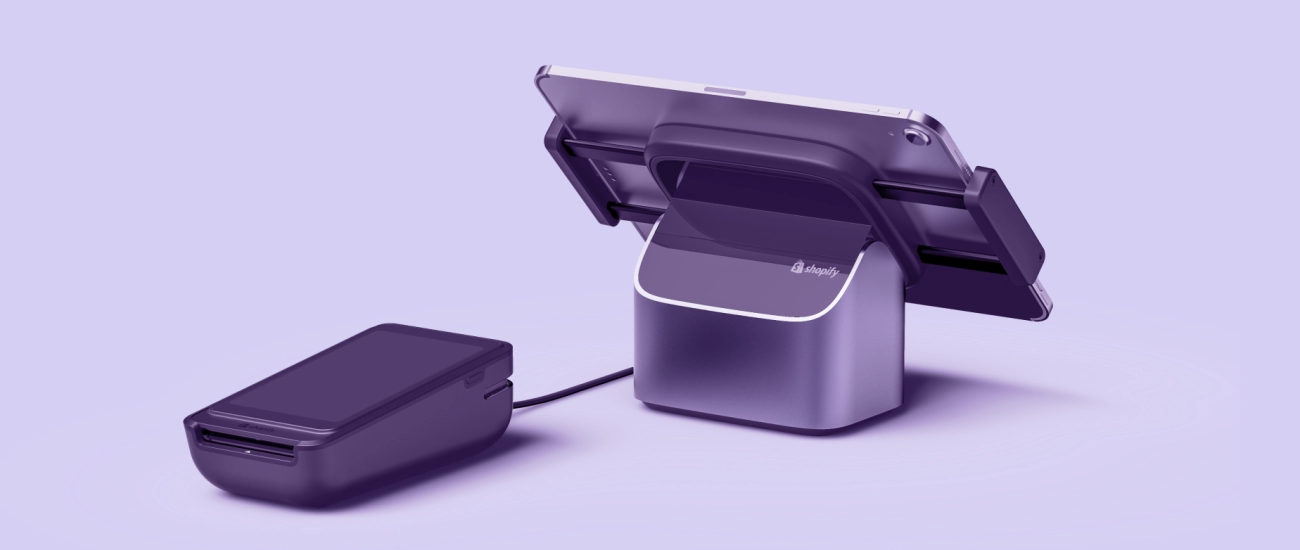
¿Qué es un sistema de caja registradora de Punto de Venta
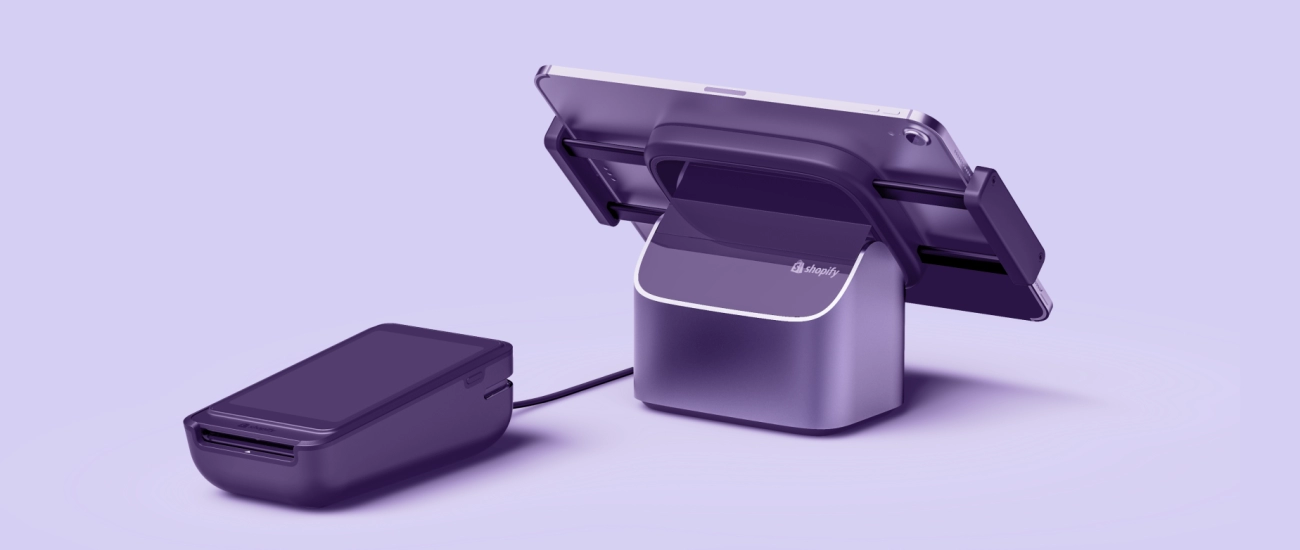
Si gestionas un negocio, quizás te preguntes cómo manejar las ventas de manera eficiente mientras llevas un control del inventario y los datos de los clientes. Ahí es donde entra un sistema de caja registradora de Punto de Venta (POS) que es más que un simple cajón de dinero—esta tecnología agiliza las transacciones diarias y las tareas de gestión empresarial.
Definición y componentes básicos
A sistema de caja registradora POS es una configuración integrada que combina hardware y software para procesar ventas, gestionar inventario y manejar pagos. A diferencia de las cajas registradoras tradicionales que simplemente suman precios y abren un cajón de dinero, los sistemas POS modernos ofrecen una solución empresarial completa.
Los componentes básicos incluyen:
Hardware
- Monitores táctiles o tablets para una entrada fácil
- Escáneres de código de barras para acelerar el proceso de pago de productos
- Impresoras de recibos para prueba de transacción
- Cajones de dinero que almacenan efectivo de forma segura
- Terminales de pago que soportan pagos con tarjeta y sin contacto
Software
- Herramientas de gestión de transacciones de venta
- Seguimiento de inventario y alertas
- Gestión de relaciones con clientes para programas de fidelización
- Paneles de informes para analizar ventas y rendimiento
Cómo los sistemas POS se diferencian de las cajas registradoras tradicionales
Las cajas registradoras tradicionales se centran principalmente en calcular ventas y almacenar efectivo. Tienen una funcionalidad limitada y no ofrecen conocimientos profundos ni integración. En cambio, sistemas de caja registradora POS ofrecen:
- En tiempo real actualizaciones de inventario, evitando quiebres de stock
- Múltiples opciones de pago, incluyendo pagos con tarjeta, monederos móviles y pagos sin contacto
- Informes detallados de ventas para informar las decisiones empresariales
- Capacidad para integrar con software de contabilidad, comercio electrónico y marketing
- Herramientas para recolección de datos de clientes y programas de fidelización
Estas funciones hacen que los sistemas POS sean indispensables para las empresas modernas que buscan mejorar la precisión y eficiencia.
Ejemplos de configuraciones comunes de sistemas POS
Aquí hay algunas configuraciones típicas de sistemas POS que podrías encontrar:
| Tipo de configuración | Descripción | Ideal para |
|---|---|---|
| Mostrador independiente | POS tradicional con pantalla táctil, impresora y caja registradora | Tiendas minoristas, pequeñas boutiques |
| POS en tableta o móvil | Aplicaciones POS portátiles que funcionan en tabletas o teléfonos inteligentes | Camiones de comida, tiendas emergentes, restaurantes |
| Sistemas basados en la nube | Software alojado en línea accesible desde cualquier dispositivo | Minoristas con múltiples ubicaciones, franquicias |
| Sistemas híbridos | Combinación de hardware local respaldado por software en la nube | Negocios en crecimiento que necesitan flexibilidad |
Comprender estas configuraciones te ayuda a elegir un sistema POS que se adapte al tamaño y necesidades de tu negocio, mejorando el flujo de trabajo y la experiencia del cliente.
Funciones clave de los sistemas de caja registradora POS
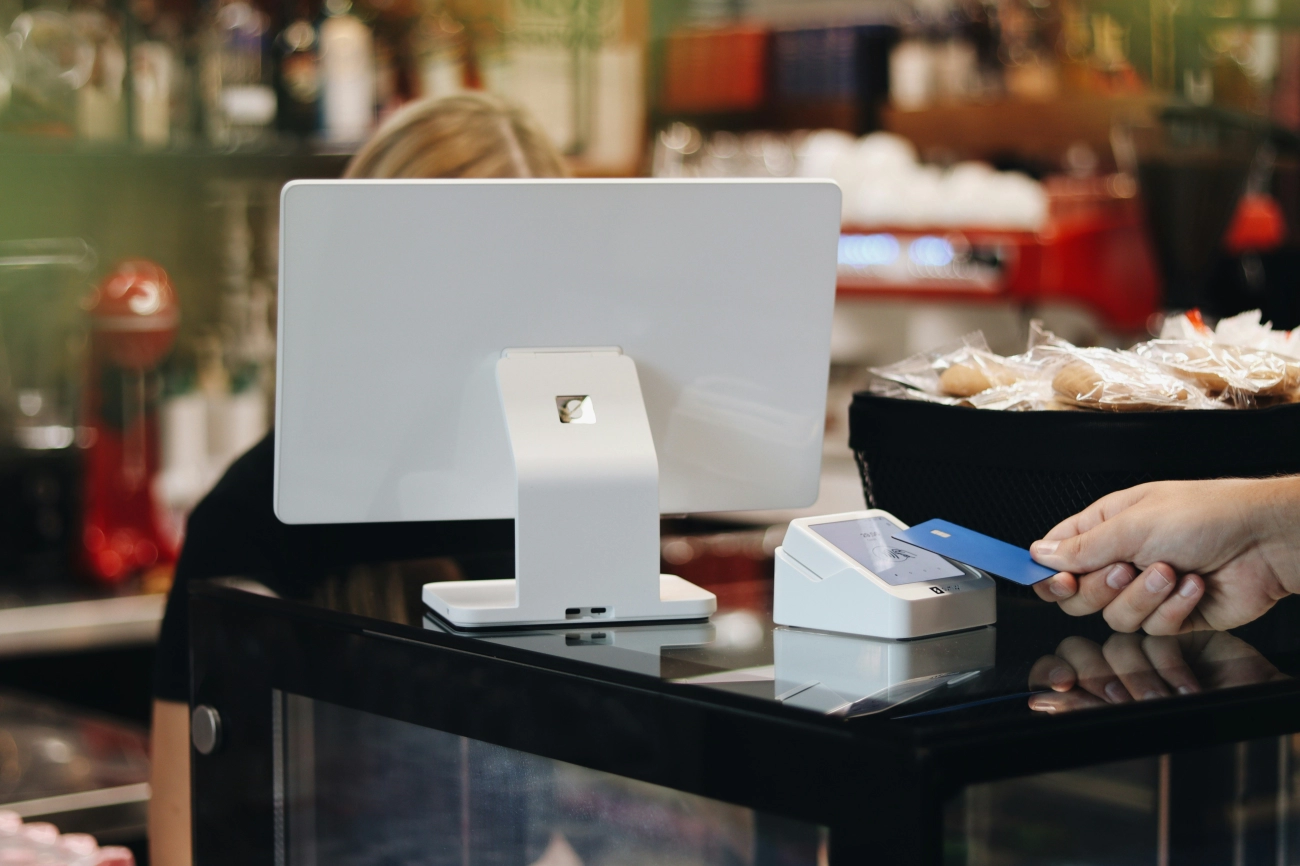
Los sistemas de caja registradora (POS) vienen cargados de funciones diseñadas para ayudar a las empresas a funcionar de manera fluida y eficiente. Aquí tienes un desglose de las funciones críticas que ofrecen los sistemas POS modernos, adaptadas para satisfacer las necesidades de minoristas, restaurantes y proveedores de servicios por igual.
Procesamiento de ventas y gestión de transacciones
En su núcleo, las cajas registradoras POS agilizan el proceso de pago al manejar las ventas de manera rápida y precisa. Ellas:
- Procesan múltiples tipos de pago incluyendo efectivo, tarjetas de crédito/débito y pagos sin contacto como Apple Pay o Google Pay
- Calcular automáticamente los impuestos, asegurando el cumplimiento de las leyes fiscales locales
- Soportar transacciones divididas y reembolsos, reduciendo errores manuales y mejorando la responsabilidad
Seguimiento y gestión de inventario
Uno de los principales beneficios de los sistemas POS es el seguimiento del inventario en tiempo real. Esta función ayuda a las empresas:
- Monitorizar los niveles de stock para prevenir sobrestock o agotamientos
- Actualizar automáticamente el inventario a medida que se realizan ventas
- Recibir alertas cuando los artículos necesitan reabastecimiento, ayudando a mantener operaciones fluidas
Recopilación de datos de clientes e integración con programas de fidelización
Las cajas registradoras POS también sirven como herramientas de relación con el cliente mediante:
- Recopilar y almacenar datos de clientes como historial de compras y preferencias
- Habilitar programas de fidelidad y recompensas, que fomentan la repetición de negocios
- Soportar promociones y descuentos personalizados según el comportamiento del cliente
Informes y análisis para obtener conocimientos empresariales
Entender cómo funciona tu negocio es crucial. Los sistemas POS modernos generan informes detallados para:
- Tendencias de ventas por producto, categoría o período de tiempo
- Rendimiento de empleados y conciliación de caja
- Rotación de inventario y márgenes de beneficio
Estos conocimientos permiten decisiones más inteligentes y basadas en datos para aumentar la rentabilidad.
Opciones de procesamiento de pagos
Un sistema POS flexible soportará una variedad de opciones de pago, incluyendo:
- Manejo tradicional de efectivo
- Lectores de tarjetas con chip y deslizamiento
- Tecnología NFC para pagos sin contacto
- Integraciones con billeteras móviles, mejorando la comodidad para los clientes
Capacidades de integración
Las cajas registradoras POS de hoy no funcionan de forma aislada. Se conectan perfectamente con:
- Plataformas de comercio electrónico para un seguimiento de ventas unificado en todos los canales
- Software de contabilidad para simplificar la contabilidad y la declaración de impuestos
- Herramientas de terceros como aplicaciones de marketing o sistemas de gestión de proveedores, ampliando la funcionalidad
| Característica clave | Beneficio |
|---|---|
| Gestión de ventas y transacciones | Pagos más rápidos, menos errores |
| Gestión de Inventario | Información precisa de stock, menos faltantes |
| Datos del cliente y programas de fidelización | Relaciones más fuertes, ventas repetidas |
| Informes y análisis | Decisiones empresariales basadas en datos |
| Opciones de procesamiento de pagos | Comodidad y flexibilidad |
| Capacidades de integración | Operaciones optimizadas en todos los sistemas |
Al combinar estas funciones, un sistema de caja registradora POS se convierte en algo más que una herramienta de ventas: se transforma en un activo esencial que crece junto a tu negocio. Para una exploración más profunda de las mejores funciones del sistema de punto de venta, puedes visitar funciones del sistema POS.
¿Listo para actualizar modelos antiguos? Considera cómo estas funciones pueden resolver los problemas comunes asociados con las cajas registradoras obsoletas discutidas aquí: Problemas comunes con las cajas registradoras obsoletas.
Beneficios de usar sistemas de caja registradora POS para negocios

Usando un sistema de caja registradora POS ofrecen ventajas claras que ayudan a que su negocio funcione de manera más fluida e inteligente. Aquí está por qué muchos negocios en España eligen estos sistemas en lugar de métodos tradicionales:
Transacciones más rápidas y mayor eficiencia
Con un sistema POS, el proceso de pago es más rápido. La escaneo automatizado y el procesamiento de pagos significan que los clientes pasan menos tiempo esperando. Esto aumenta la velocidad de las transacciones y mantiene las filas en movimiento, lo cual es clave para tiendas minoristas o restaurantes concurridos.
Mayor precisión y reducción de errores
La entrada manual puede causar errores—precios incorrectos, descuentos omitidos o dinero mal contado. Los sistemas POS calculan automáticamente los totales, aplican impuestos y registran los pagos, reduciendo significativamente los errores humanos y asegurando que sus números sean correctos.
Mejor control y gestión del inventario
El software POS a menudo incluye seguimiento de inventario en tiempo real, por lo que siempre sabe qué hay en stock y qué necesita ser reordenado. Esto previene exceso de inventario o agotamientos, mejora el flujo de efectivo y mantiene a los clientes satisfechos con la disponibilidad de productos.
Mejora de la experiencia del cliente y programas de fidelización
Muchos sistemas POS recopilan información de los clientes en el momento de la compra, ayudándole a crear programas de fidelización y promociones personalizadas. Estos datos le permiten recompensar a los compradores habituales y adaptar el marketing, creando una mejor experiencia de compra y aumentando la retención de clientes.
Informes detallados de ventas para decisiones más inteligentes
Los sistemas POS generan informes completos por día, semana o mes. Estos conocimientos resaltan los artículos más vendidos, las horas pico y las tendencias de ventas, brindándole las herramientas para tomar decisiones comerciales informadas y detectar oportunidades de crecimiento.
Cumplimiento con regulaciones fiscales y de seguridad
Los registros POS calculan automáticamente los impuestos según su ubicación, manteniéndolo en cumplimiento con las regulaciones federales y estatales de España. Además, soportan métodos seguros de procesamiento de pagos, incluyendo chip EMV, sin contacto y cumplimiento PCI, protegiendo los datos de sus clientes y su negocio.
Tabla de Beneficios Clave
| Beneficio | Descripción | Impacto |
|---|---|---|
| Transacciones más rápidas | Escaneo y pago automatizados | Reducción de tiempos de espera y filas largas |
| Mayor Precisión | Totales e impuestos calculados automáticamente | Menos errores, informes precisos |
| Gestión de Inventario | Seguimiento de stock en tiempo real | Optimice los niveles de stock, reduzca pérdidas |
| Lealtad del Cliente | Recolección de datos y recompensas | Mejore la retención de clientes |
| Informes Detallados | Tendencias de ventas y análisis | Mejores decisiones comerciales |
| Cumplimiento en impuestos y seguridad | Cálculos automáticos de impuestos y manejo seguro de pagos | Evite multas y proteja los datos |
Elegir un sistema de caja registradora POS significa equipar su negocio con herramientas diseñadas para la velocidad, precisión y mejores relaciones con los clientes, todo lo cual se traduce en operaciones más inteligentes y mayores beneficios.
Tipos de sistemas de caja registradora POS disponibles
Al elegir un sistema de caja registradora POS, entender los diferentes tipos disponibles puede ayudarte a encontrar la opción adecuada para tu negocio. Cada sistema ofrece funciones únicas adaptadas a diversas industrias como comercio minorista, restaurantes y servicios.
Registros de Punto de Venta (POS) tradicionales independientes
Estos son los clásicos registros de caja voluminosos que la mayoría de la gente imagina. Vienen con hardware integrado como una caja registradora, impresora de tickets, teclado y pantalla. Estos sistemas suelen ser autónomos, lo que significa que todo el software funciona localmente en el dispositivo sin dependencia de internet.
- Ideal para tiendas pequeñas o de ubicación fija con necesidades sencillas de procesamiento de ventas.
- Opciones de integración limitadas pero altamente confiables para transacciones rápidas y sin conexión.
Si deseas una comparación detallada, consulta las diferencias entre cajas registradoras electrónicas y mecánicas.
Sistemas POS móviles y basados en tabletas
Las soluciones POS móviles utilizan smartphones o tabletas combinados con lectores de tarjetas y accesorios. Son altamente portátiles y excelentes para negocios en movimiento.
- Ideales para tiendas temporales, servicios de entrega o pedidos en mesa en restaurantes.
- Ofrecen flexibilidad con terminales de pago inalámbricos y aplicaciones sencillas.
- Generalmente se combinan con software en la nube para sincronizar datos en tiempo real.
Sistemas POS en la nube
Los sistemas POS en la nube funcionan en plataformas web, accesibles desde cualquier dispositivo conectado a internet. Estos sistemas almacenan datos de forma segura en línea, lo que significa que las actualizaciones, copias de seguridad e informes son automáticos.
- Perfectos para negocios que requieren gestión en múltiples ubicaciones y monitoreo remoto.
- Ofrecen informes avanzados, seguimiento de inventario e integración con plataformas de comercio electrónico y software de contabilidad.
- Soporte terminales POS de pago sin contacto y procesamiento de tarjetas sin hardware voluminoso.
Sistemas POS híbridos
Los sistemas híbridos combinan software local con servicios en la nube. Almacenan los datos de ventas en el dispositivo para uso offline, pero los sincronizan con la nube una vez que se reconecta.
- Útil para empresas con internet poco fiable pero que desean beneficios de la nube como informes y copias de seguridad.
- Ofrecen flexibilidad mientras mantienen la fiabilidad de las transacciones durante cortes.
Emparejar sistemas POS con tipos de negocio
| Tipo de negocio | Sistema POS recomendado | Por qué encaja |
|---|---|---|
| Tiendas minoristas | Basado en la nube o independiente tradicional | Gestión de inventario y supervisión de múltiples tiendas; pago rápido en caja. |
| Restaurantes | Basado en móvil/tablet o híbrido | Pedidos en mesa, pagos móviles, opciones de sincronización offline. |
| Proveedores de servicios | POS móvil o basado en la nube | Facturación flexible, pagos en movimiento, acceso remoto. |
Elegir el sistema adecuado depende del volumen de transacciones, modelo de negocio y nivel de comodidad con la tecnología. Por ejemplo, los negocios minoristas de alto tráfico suelen beneficiarse de sistemas de caja registradora en la nube con un software POS de gestión de inventario sólido, mientras que las tiendas locales pequeñas pueden preferir una caja independiente tradicional.
Para necesidades más específicas en el comercio de lujo, puedes explorar proveedores de cajas registradoras para tiendas de lujo.
Cómo elegir el sistema de caja POS adecuado para tu negocio
Elegir el sistema de caja registradora POS es crucial para una operación fluida y crecimiento. Esto es en lo que debes enfocarte al decidir qué sistema se adapta a las necesidades de tu negocio, ya sea que dirijas una tienda pequeña, un comercio minorista concurrido o un restaurante.
Evalúe el tamaño de su negocio y el volumen de transacciones
- Pequeñas empresas los que tienen pocas transacciones diarias podrían necesitar un POS móvil o basado en tablet.
- Minoristas o restaurantes medianos a grandes que generalmente se benefician de una solución más robusta sistemas POS basados en la nube o híbridos que puedan manejar un mayor volumen de ventas.
- Considere los horarios punta y la frecuencia de ventas para asegurarse de que su sistema no ralentice su proceso de pago.
Considere funciones esenciales e integraciones
Asegúrese de que el sistema POS incluya funciones que realmente importan para su operación:
- Procesamiento de ventas con opciones para pagos en efectivo, con tarjeta y sin contacto.
- Seguimiento de inventario que se actualicen en tiempo real para evitar agotamientos de stock.
- Programas de fidelización de clientes y recopilación de datos para aumentar la fidelidad de los clientes.
- Integración con su software de contabilidad para facilitar la contabilidad.
- Soporte para plataformas de comercio electrónico si vende tanto en tienda como en línea.
Presupuesto y Análisis de Coste-Beneficio
- Enumere los costos iniciales (hardware, licencias de software) y las tarifas continuas (suscripciones, procesamiento de pagos).
- Compare sistemas en función del valor, no solo del precio de etiqueta. Un sistema que ahorra tiempo y reduce errores a menudo se amortiza solo.
- Incluya en su revisión presupuestaria los costos de instalación, capacitación y actualizaciones.
Importancia de proveedores confiables como SDLPOS
- Elija proveedores conocidos por productos confiables y soporte local como SDLPOS.
- La presencia local significa tiempos de respuesta más rápidos y un acceso más fácil a reparaciones o asistencia.
- La fiabilidad del proveedor impacta directamente en la continuidad de su negocio.
Soporte postventa y escalabilidad del sistema
- Asegúrese de que el proveedor del sistema ofrezca un soporte sólido posventa incluyendo formación, resolución de problemas y actualizaciones.
- El crecimiento importa — selecciona un sistema POS que pueda escala a medida que tu negocio se expanda (más terminales, funciones adicionales).
- Confirma lo fácil que es actualizar o personalizar sin empezar de cero.
| Factores Clave | Qué Buscar |
|---|---|
| Tamaño del Negocio | Ajusta la capacidad del sistema a la carga de ventas |
| Características | Inventario, pagos, fidelización, informes |
| Presupuesto | Costes iniciales y continuos equilibrados |
| Fiabilidad del Proveedor | Soporte local y sólida reputación |
| Postventa y Soporte | Formación, actualizaciones, ayuda rápida |
| Escalabilidad | Crece con las necesidades de tu negocio |
Por qué elegir SDLPOS para tus necesidades de sistema de caja registradora POS
Al seleccionar un sistema de caja registradora POS, asociarse con el proveedor adecuado es esencial. SDLPOS destaca como una opción principal para negocios en toda España, ofreciendo una variedad de productos y servicios adaptados a diversas necesidades minoristas y de servicios.
Amplia gama de productos y servicios POS
SDLPOS ofrece una línea completa de soluciones POS, incluyendo:
- Sistemas POS basados en la nube y móviles para una operación flexible
- Sistemas tradicionales e híbridos de caja registradora para diversos tamaños de negocio
- Dispositivos de procesamiento de pagos que soportan pagos en efectivo, tarjeta y sin contacto
- Software de punto de venta para gestión de inventario integrado con seguimiento de ventas
- Sistemas diseñados para industrias específicas como comercio minorista, restaurantes y franquicias
Su gama versátil de productos asegura que encuentre una opción adecuada, ya sea que dirija una pequeña boutique o una gran franquicia.
Presencia local con soporte experto
Tener un equipo de soporte local en España significa ayuda más rápida y comunicación más sencilla. SDLPOS destaca en ofrecer:
- Asistencia técnica y configuración en el lugar
- Servicio al cliente receptivo para resolución de problemas
- Recursos de capacitación para una incorporación sin problemas
- Actualizaciones continuas del sistema y consejos de mantenimiento
Soporte rápido y experto que ayuda a prevenir tiempos de inactividad y mantiene su negocio funcionando eficientemente.
Soluciones personalizables para cada industria
SDLPOS reconoce que no hay dos negocios iguales. Sus soluciones POS son altamente personalizables, permitiendo ajustes como:
- Funciones de inventario adaptadas para comercio minorista o mayorista
- Gestión de menús para restaurantes y cafeterías
- Integración de programas de fidelización para la participación del cliente
- Compatibilidad del software de contabilidad para una gestión contable más fluida
Esta flexibilidad asegura que su sistema POS crezca junto con las demandas de su negocio.
Éxito comprobado con testimonios y estudios de caso
SDLPOS tiene un historial de clientes satisfechos en diversos sectores. Muchos negocios destacan:
- Mejora en la velocidad y precisión de las transacciones
- Seguimiento y control de inventario mejorados
- Integración perfecta con opciones de pago
- Mejoras en la visión empresarial mediante informes detallados
Puede explorar ejemplos del mundo real en su sitio para ver cómo otros negocios en España se benefician de las soluciones de SDLPOS.
Comenzando con SDLPOS
Comenzar con SDLPOS es sencillo:
- Evalúa las necesidades de tu negocio—considerar tamaño, volumen de transacciones y funciones requeridas.
- Contacte con SDLPOS para una consulta y explorar las mejores opciones de sistema.
- Elija un sistema que se ajuste a su presupuesto y requisitos operativos.
- Programe la instalación y capacitación con su equipo de soporte.
- Comience a usar su sistema POS con asistencia continua disponible.
Para explorar diversos sistemas de caja registradora con entrega rápida, consulte la amplia gama de SDLPOS en sistemas de caja registradora con entrega en el mismo día.


