







How to Operate a Cash Register Step by Step Guide for Beginners

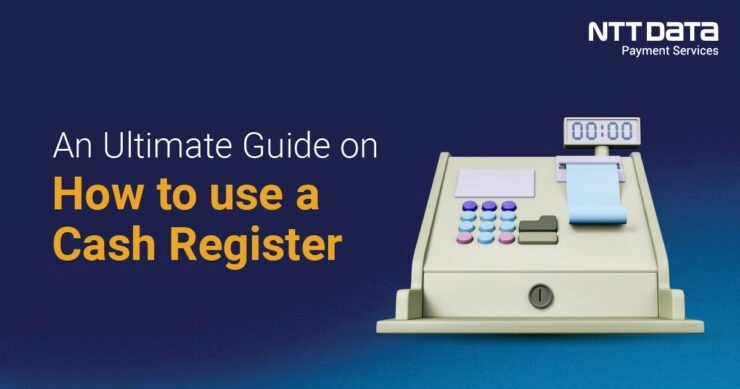
¿Te preguntas cómo operar una caja registradora como un profesional? Ya seas un nuevo cajero o el propietario de una pequeña empresa que está abriendo, dominar la caja registradora es clave para transacciones fluidas y clientes contentos. En el hardware y las soluciones de SDLPOS, hemos estado equipando a las empresas con lo mejor de hardware de caja registradora durante años, y estamos aquí para compartir nuestra experiencia. En esta guía para principiantes, descubrirás instrucciones claras, paso a paso, para manejar con confianza las ventas, los pagos y más. ¡Empecemos y hagamos que de operación de la caja registradora sea pan comido!
Los Fundamentos de una Caja Registradora

Qué es una Caja Registradora y Cuál es su Propósito
A caja registradora is a device used in retail and service settings to record sales transactions, calculate totals, and handle payments. Its primary purpose is to ensure accurate billing, secure cash handling, and provide receipts for customers. Whether you’re handling cash, card, or mobile payments, a cash register simplifies checkout and helps manage sales data efficiently.
Tipos de Cajas Registradoras
Existen varios tipos de cajas registradoras, cada una adaptada a diferentes necesidades empresariales:
- Cajas Registradoras Manuales – Modelos mecánicos básicos donde los precios se introducen manualmente. Mayormente obsoletos, pero aún se utilizan en configuraciones muy pequeñas o de baja tecnología.
- Cajas Registradoras Electrónicas (ECR) – Más comunes hoy en día, estos modelos tienen pantallas digitales y pueden calcular automáticamente los totales, los impuestos y el cambio.
- Sistemas de Punto de Venta (POS) – Sistemas electrónicos avanzados con software que gestiona las ventas, el inventario, los clientes y los informes. Estos sistemas a menudo integran escáneres de códigos de barras, impresoras de recibos y se pueden conectar a procesadores de pagos.
Elegir el tipo correcto depende del tamaño de tu negocio, el volumen de transacciones y las necesidades operativas.
Componentes Clave del Hardware de la Caja Registradora
Comprender las partes principales de una caja registradora te ayuda a operarla sin problemas y a solucionar problemas si es necesario. Los componentes de hardware típicos incluyen:
- Pantalla – Muestra los precios, los totales y los detalles de la transacción tanto al cajero como al cliente.
- Cajón de efectivo – El compartimento seguro para guardar efectivo y monedas. Se abre durante las transacciones o las comprobaciones manuales.
- Impresora de Recibos – Imprime recibos detallados para los clientes. Es necesario cargar papel de recibo regularmente.
- Escáner de Código de Barras – Lee los códigos de barras de los productos para registrar rápidamente los artículos y reducir errores manuales.
- Teclado o Pantalla táctil – Interfaz de entrada para ingresar precios, seleccionar funciones y procesar ventas.
Una configuración eficiente de la caja registradora combina estos componentes para acelerar el proceso de pago, reducir errores y mejorar la experiencia del cliente.
Esta visión general de cómo usar una caja registradora para principiantes establece la base para aprender los pasos de operación, manejo de efectivo y resolución de problemas comunes. A continuación, cubriremos cómo preparar su caja registradora antes de usarla para un inicio sin problemas.
Preparar la caja registradora antes de usarla
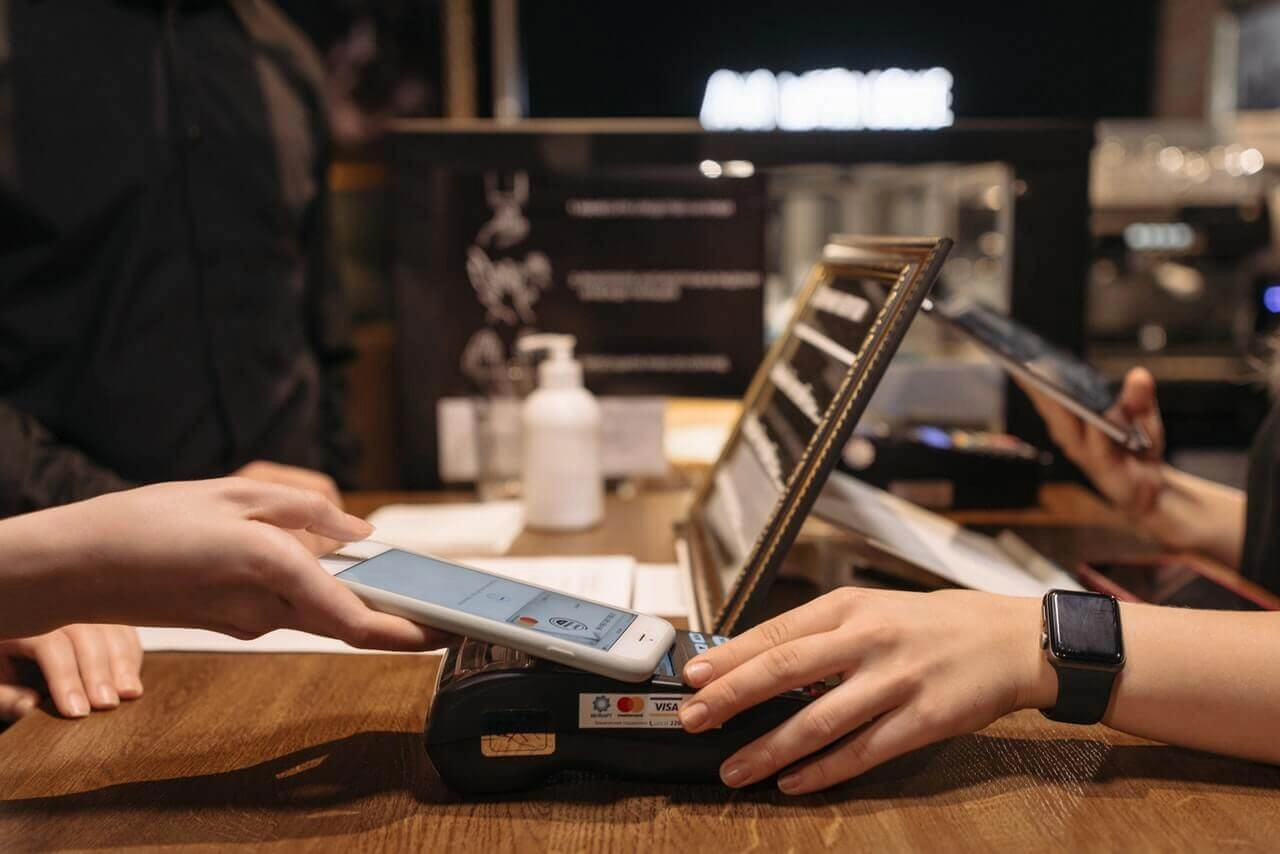
Antes de comenzar a registrar ventas, es esencial preparar correctamente su caja registradora. Esto ayuda a evitar errores y mantiene su flujo de trabajo fluido durante todo el día.
Configurar su caja registradora
Primero, encender la caja registradora siguiendo las instrucciones del fabricante. La mayoría de las cajas registradoras electrónicas y sistemas POS tienen un botón o interruptor de encendido simple. Una vez encendida, verifique que la pantalla esté limpia y lista para usar.
- Cargar papel de recibo: Abra el compartimento de la impresora de recibos e inserte el rollo de papel con la orientación correcta. Asegúrese de que el papel se alimente suavemente y cierre la tapa de manera segura.
- Abrir la caja registradora: En la mayoría de los sistemas, la caja registradora se abre automáticamente al encenderla o presionar la tecla de “abrir caja”. Verifique físicamente que la caja se abra y cierre fácilmente sin atascarse.
Iniciar sesión y autenticación de usuario
Si su caja registradora o sistema POS requiere inicio de sesión de usuario, ingrese sus credenciales para acceder al sistema de forma segura. Esto podría ser un PIN, una tarjeta de banda magnética o una contraseña.
- Iniciar sesión ayuda a rastrear ventas por cajero y añade una capa de seguridad para prevenir usos no autorizados.
- Si comparte la caja, asegúrese de que todos usen su inicio de sesión único para la responsabilidad.
Configuración del Fondo de Caja Inicial
Comenzar su turno con un fondo de caja inicial adecuado es fundamental. Esta es la cantidad de dinero colocada en la caja al inicio del día para hacer cambios durante las transacciones.
- Cuente el importe correcto del fondo según la política de su tienda, generalmente una mezcla de monedas y billetes que cubre las necesidades comunes de cambio.
- Coloque el efectivo ordenadamente en los compartimentos correctos de la caja.
- Registre el monto del fondo en la caja si su sistema le lo solicita, para que conozca el saldo inicial y pueda realizar un seguimiento preciso del efectivo.
Omitir este paso puede causar problemas al equilibrar su caja más tarde, así que nunca lo pase por alto. Una configuración adecuada asegura que la gestión de su efectivo sea fluida y transparente durante su turno.
Guía paso a paso para operar una caja registradora
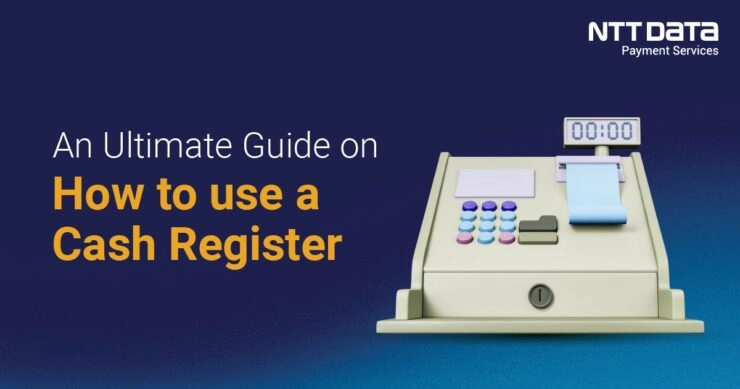
Operar una caja registradora de manera fluida es clave para ofrecer una experiencia de pago rápida y profesional. Aquí tienes un resumen claro de los pasos esenciales para registrar ventas, manejar pagos y cerrar transacciones de manera eficiente.
Registrar ventas Escanear artículos y ingresar precios manualmente
- Escanear artículos usar el escáner de código de barras para introducir automáticamente precios y descripciones en la caja registradora. Esto reduce errores y agiliza el proceso.
- Si un artículo no se escanea, introduce el precio manualmente escribiendo el precio o el código del artículo.
- Verifica cada entrada en la pantalla de la caja registradora para asegurar la precisión antes de continuar.
Aplicando descuentos, cálculos de impuestos y precios especiales
- Usa las funciones de descuento de la caja registradora para aplicar cupones, promociones o descuentos para empleados. Estos pueden ser en porcentaje o en cantidades fijas en euros.
- La caja registradora calculará automáticamente el impuesto sobre las ventas.
- Manejar según la configuración fiscal de tu tienda, lo que te ahorra hacer cálculos en el momento. precios especiales.
Procesamiento de pagos Efectivo Tarjeta Pagos móviles
- como ofertas de compra uno y lleva uno o descuentos por volumen seleccionando la opción correcta en la caja registradora, asegurando que el cliente vea los ahorros correctos. Aceptar varios tipos de pago incluyendo efectivo, tarjetas de crédito/débito y monederos móviles.
- como Apple Pay o Google Pay.
- Para pagos en efectivo, introduce la cantidad entregada y da el cambio correcto desde la caja de dinero.
- Para pagos con tarjeta y móvil, sigue las indicaciones en el terminal de tarjeta o sistema POS para completar la transacción de forma segura.
Emisión de recibos y gestión de devoluciones y reembolsos
- Imprime los recibos usando el impresora de recibos y entrégaselos a los clientes. Los recibos sirven como prueba de compra y son importantes para devoluciones o cambios.
- Al gestionar devoluciones o reembolsos, procésalos a través de la caja registradora localizando la venta original o ingresando los artículos devueltos.
- Sigue la política de tu tienda para devoluciones para asegurar que el monto del reembolso sea correcto y que el inventario se actualice en consecuencia.
Cierre de venta y actualización del inventario si está integrado con el TPV
- Después del pago, finaliza la venta pulsando el “complete” or “close sale” botón en la caja registradora.
- Si tu sistema de TPV está integrado con la gestión de inventario, el sistema actualizará automáticamente los niveles de stock basándose en lo vendido.
- Esta actualización en tiempo real ayuda a mantener tu inventario preciso, evitando ventas excesivas o agotamiento de stock.
Dominar estos pasos hace que la operación de la caja registradora sea sencilla y fiable. Todo se trata de precisión al registrar, procesamiento de pagos rápido y seguro, y manejo claro de recibos y devoluciones. Si tu caja registradora forma parte de un sistema de TPV como SDLPOS, estas tareas se vuelven aún más eficientes, ayudando a que tu tienda funcione sin esfuerzo cada día.
Mejores prácticas para manejar efectivo y la seguridad de la caja registradora
Gestionar el efectivo y mantener la seguridad de la caja son fundamentales para una operación comercial fluida y para prevenir pérdidas. Aquí tienes cómo manejar el efectivo con precisión y mantener segura tu caja durante tu turno.
Consejos para un manejo preciso del efectivo para evitar errores y robos
- Cuenta el efectivo cuidadosamente al comenzar y terminar tu turno. Verifica siempre que el efectivo inicial coincida con la cantidad registrada en la caja para asegurar una base precisa.
- Utilice una bandeja para contar efectivo si es posible. Ayuda a acelerar el conteo y reduce errores.
- Nunca mezcle el efectivo de depósito con su fondo de caja. Mantenga la cantidad inicial separada para evitar confusiones al hacer el balance posteriormente.
- Evite distracciones mientras manipula efectivo. Concéntrese completamente al dar cambio o aceptar pagos para prevenir errores.
- Tenga cuidado con los billetes falsificados. Utilice bolígrafos detectores de billetes falsificados, lupas o luces UV si su empleador proporciona alguno.
- Limite el acceso a la caja registradora. Solo el personal autorizado debe abrir la caja para evitar la retirada no autorizada de efectivo o manipulaciones.
Gestión adecuada de la caja registradora durante los turnos
- Mantenga la caja cerrada cuando no esté en uso. Ábrala solo para transacciones.
- Evite sobrecargar la caja. Retire regularmente el exceso de efectivo para almacenarlo en un lugar seguro como una caja fuerte o buzón de depósito.
- Organice el efectivo por denominación. Esto acelera las transacciones y reduce errores.
- Registre claramente cualquier depósito o retirada de efectivo. La transparencia ayuda a rastrear el flujo de efectivo con precisión.
- Utilice la función de bloqueo en la caja registradora cuando se aleje para evitar accesos no autorizados.
Procedimientos para conciliar el registro y la conciliación de fin de día
- Conte cuidadosamente todo el efectivo, cheques y recibos de crédito. Compare con sus registros de ventas antes de cerrar.
- Registre las discrepancias de inmediato. Anote cualquier diferencia entre el efectivo contado y los totales del registro para su revisión.
- Siga los procedimientos de su empresa para excesos o faltantes. Esto puede implicar completar informes de incidentes o alertar a un gerente.
- Realice las funciones de cierre de caja al final del día. Esto garantiza que todas las transacciones se registren y contabilicen correctamente.
- Asegure todo el efectivo y los recibos en un lugar seguro durante la noche. Utilice una caja fuerte con cerradura o un buzón de depósito seguro.
- Revise los informes de transacciones en busca de irregularidades. Esto puede ayudar a detectar posibles robos o errores operativos temprano.
Siguiendo estas Mejores prácticas para el manejo de efectivo y la seguridad de la caja registradora, puede reducir errores, detener pérdidas y mantener sus operaciones de caja registradora suaves y seguras todos los días.
Solución de problemas comunes de la caja registradora
Operar una caja registradora sin problemas significa saber cómo solucionar problemas comunes que surgen. Aquí hay una guía sencilla para manejar problemas típicos como atascos en la impresora de recibos, errores en la pantalla, teclas que no responden y fallos de energía.
Solución de atascos en la impresora de recibos y reemplazo de papel
Atascos en la impresora de recibos son una de las molestias más frecuentes durante el proceso de pago. Para resolverlo rápidamente:
- Apaga la caja registradora antes de abrir la impresora para evitar daños.
- Abre la tapa de la impresora y retira suavemente el papel atascado. No lo tires con fuerza; tira lentamente para evitar rasgarlo.
- Revisa si hay pequeños trozos de papel atascados en el interior y límpialos.
- Replace the receipt paper roll with the correct size and make sure it’s loaded con el papel alimentándose desde la parte inferior del rollo.
- Cierra la tapa y enciende la caja registradora nuevamente. Imprime un recibo de prueba para confirmar que funciona.
Una correcta carga de papel y un mantenimiento regular reducirán significativamente los atascos.
Solución de problemas de errores en la pantalla y teclas que no responden
A veces la pantalla puede mostrar texto ilegible, estar en blanco o las teclas dejar de responder debido a fallos de hardware o software:
- Reinicia la caja registradora como tu primera solución rápida. Esto suele solucionar errores menores.
- Verifica si el brillo de la pantalla es demasiado bajo o si la unidad está correctamente conectada a la corriente.
- Para teclas que no responden, asegúrate de que el teclado o la tecla numérica no estén sucios o atascados. Límpialo suavemente con un paño suave y seco.
- Si teclas específicas no funcionan, intenta recalibrar el teclado si tu sistema lo soporta.
- Consulte el manual del usuario para ver los códigos de error que aparecen en la pantalla; a menudo proporcionan pistas sobre lo que está mal.
Si los problemas persisten, póngase en contacto con su proveedor de cajas registradoras o con el soporte técnico para obtener ayuda avanzada para la resolución de problemas.
Qué hacer en caso de fallos de alimentación o bloqueos del sistema
Los fallos de alimentación o los bloqueos del sistema pueden detener las ventas y provocar la pérdida de datos si no tiene cuidado. Aquí le mostramos cómo minimizar las interrupciones:
- Siempre guarde su trabajo con frecuencia si su sistema lo admite.
- Utilice un sistema de alimentación ininterrumpida (SAI) o alimentación de reserva para las cajas registradoras electrónicas para mantenerlas en funcionamiento durante cortes breves.
- Si se produce un bloqueo, reinicie la caja registradora y compruebe la integridad del sistema antes de reanudar las transacciones.
- Tenga listo un proceso de copia de seguridad manual, como registros de transacciones escritos o una calculadora, para mantener las ventas en marcha.
- Regularmente haga una copia de seguridad de sus datos de ventas para evitar pérdidas permanentes.
Estar preparado para los problemas de alimentación ahorra tiempo y dolores de cabeza.
Al dominar estos pasos de solución de problemas, puede mantener su caja registradora funcionando sin problemas y a sus clientes contentos, al tiempo que reduce significativamente el tiempo de inactividad y los errores.
Ventajas de utilizar cajas registradoras SDLPOS para un funcionamiento eficiente
Cuando se trata de cómo operar una caja registradora, elegir el sistema adecuado es clave. Las cajas registradoras SDLPOS destacan por su fiabilidad y durabilidad, lo que los convierte en una opción sólida para negocios minoristas en toda España.
Hardware confiable y duradero
Las cajas registradoras SDLPOS están construidas para soportar las demandas diarias de tiendas concurridas. Su hardware está diseñado para durar, minimizando el tiempo de inactividad y los costos de reparación. Esta durabilidad significa menos preocupaciones por averías y más tiempo enfocado en atender a los clientes de manera eficiente.
Interfaz fácil de usar y operaciones eficientes
Una de las ventajas de los sistemas SDLPOS es su interfaz de usuario intuitiva. Ya sea que seas un cajero que acaba de aprender los pasos para operar una caja registradora o un gerente que administra un sistema POS grande, SDLPOS hace que el proceso sea fluido con:
- Escaneo fácil de artículos y entrada de precios
- Procesamiento rápido de pagos en efectivo, tarjeta o móvil
- Gestión incorporada de impuestos y descuentos
- Impresión sencilla de recibos y procesamiento de devoluciones
Esta facilidad de uso reduce el tiempo de capacitación, por lo que el nuevo personal se adapta rápidamente y las tareas diarias se agilizan.
Funciones de seguridad robustas
Proteger tu caja fuerte y los datos de los clientes es crucial. Las cajas registradoras SDLPOS cuentan con medidas de seguridad robustas, como inicio de sesión seguro, transacciones encriptadas y cajas fuertes a prueba de manipulaciones. Estas funciones ayudan a reducir riesgos de robo y mantener tus operaciones en cumplimiento con las mejores prácticas minoristas.
Soporte y servicio integral
Otra ventaja de SDLPOS es su fuerte red de soporte y servicio al cliente en España. Ofrecen:
- Asistencia técnica para solucionar problemas comunes de la caja registradora
- Reparación rápida o piezas de repuesto cuando sea necesario
- Actualizaciones regulares de software para mantener el sistema funcionando de manera fluida y segura
Tener soporte confiable significa menos interrupciones y resoluciones más rápidas a problemas como atascos en la impresora de recibos o caídas del sistema.
En general, las cajas registradoras SDLPOS ofrecen una solución confiable y fácil de usar que se adapta bien a las mejores prácticas de los cajeros minoristas. Su combinación de hardware sólido, funciones fáciles de usar y excelente soporte hace que operar una caja registradora sea más simple y eficiente para los negocios locales.



Pensamientos sobre “How to Operate a Cash Register Step by Step Guide for Beginners”