







Cómo usar una caja registradora paso a paso para ventas fáciles

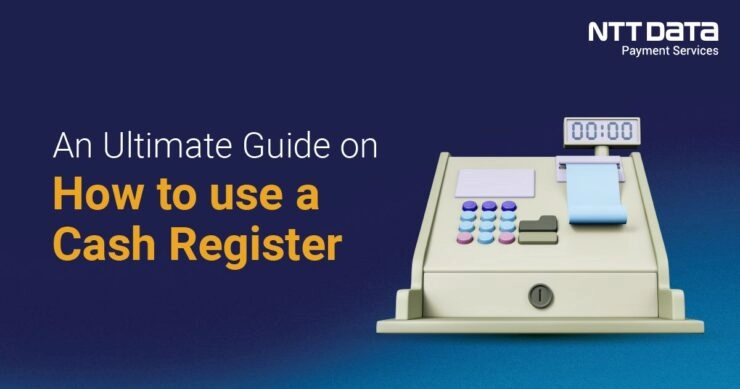
Domina tu Caja registradora con facilidad
¿Eres nuevo en el uso de una caja registradora ¿y te sientes un poco abrumado? Ya seas propietario de un pequeño negocio o empleado de comercio, dominar operaciones de caja registradora de Walmart es clave para realizar transacciones fluidas y eficientes que mantienen felices a los clientes. En SDLPOS, llevamos años suministrando hardware POS confiables y estamos aquí para compartir nuestra experiencia. En esta guía, descubrirás instrucciones simples y paso a paso para facturar ventas, gestionar tu caja registradora, y solucionar problemas comunes. Vamos a sumergirnos y hacer que el uso de la caja registradora sea pan comido!
Resumen de componentes de la caja registradora
Al aprender ¿cómo se usa una caja registradora?, el primer paso es entender sus componentes principales. Una caja registradora típica, especialmente modelos populares como el hardware y las soluciones de SDLPOS, incluye varias partes esenciales diseñadas para agilizar las transacciones de venta y garantizar operaciones sin problemas.
Pantalla
El pantalla de visualización es donde ves los detalles de la transacción, como nombres de artículos, precios y totales. Te ayuda a verificar las entradas y mantiene informados a los clientes durante el proceso de pago. Algunos modelos cuentan con pantallas táctiles para facilitar la navegación, mientras que otros usan configuraciones básicas de LCD.
Teclado
El teclado o interfaz táctil es tu centro de entrada. Introduces manualmente los precios de los artículos o seleccionas productos desde botones preestablecidos. En sistemas POS avanzados como SDLPOS, los teclados suelen incluir teclas de acceso rápido para artículos o funciones populares, acelerando el proceso de pago.
Cajón de efectivo
El caja registradora almacena de forma segura billetes y monedas. Se abre automáticamente tras una venta o manualmente para diversas tareas, como añadir cambio. Muchas cajas registradoras tienen compartimentos para mantener el efectivo organizado y están diseñadas para cerrarse con llave de manera segura para prevenir robos.
Impresora de Recibos
Una impresora de recibos imprime registros de transacciones para los clientes. Las impresoras de recibos suelen usar papel térmico para una impresión rápida y clara con un mantenimiento mínimo. Los modelos de SDLPOS a menudo incluyen impresoras rápidas que reducen los tiempos de espera durante las horas punta.
Escáner si es aplicable
Si tu configuración incluye un código de barras escáner, puede realizar ventas rápidamente escaneando los códigos de barras de los productos en lugar de ingresar los precios manualmente. Los escáneres aumentan la precisión y la velocidad, lo que los hace vitales para negocios con inventarios grandes.
Variaciones de hardware en modelos SDLPOS
SDLPOS ofrece varias versiones de hardware adaptadas a diferentes necesidades minoristas. Algunos modelos son compactos con funciones básicas ideales para tiendas pequeñas, mientras que otros proporcionan sistemas totalmente integrados que incluyen interfaces táctiles, lectores de múltiples métodos de pago y conectividad en red para el seguimiento de ventas en tiempo real.
Las variaciones clave incluyen:
- Entrada táctil vs entrada por teclado
- Escáneres de código de barras integrados o dispositivos separados
- Tamaños diferentes de cajones de dinero y mecanismos de bloqueo
- Tipos de impresoras que van desde modelos básicos hasta térmicos de alta velocidad
Comprender estos componentes y cómo encajan juntos te proporciona una base sólida para gestionar operaciones de caja registradora de Walmart de manera eficiente. Este conocimiento te ayuda a aprovechar al máximo tu configuración de hardware y evitar errores comunes a medida que te familiarizas con tu dispositivo.
Configurar tu caja registradora para operaciones fluidas

Preparar tu caja registradora desde el principio facilita la realización de ventas y previene problemas posteriores. Aquí te explicamos cómo encender y configurar correctamente tu máquina, incluyendo la configuración de ajustes clave y la carga de papel para dinero en efectivo y recibos.
Encender la caja registradora
Antes de comenzar, conecta tu caja registradora a una fuente de alimentación confiable. Enciende la máquina usando el botón de encendido, generalmente ubicado en el lateral o en la parte trasera. Para los modelos SDLPOS, algunos pueden tener una función de arranque automático una vez conectados a la corriente. Asegúrate de que tu máquina cargue completamente el sistema operativo o el software POS antes de continuar.
Configuración inicial de ajustes esenciales
Cuando enciendes por primera vez tu caja registradora, a menudo se te solicitará configurar detalles importantes del sistema:
- Configurar la Fecha y la Hora: La fecha y hora precisas aseguran registros de transacciones y recibos adecuados.
- Configurar tasas de impuestos: Ingresa tus tasas de impuesto sobre ventas locales para que los impuestos se calculen automáticamente en cada venta.
- Crear perfiles de usuario: Configura accesos de cajero o perfiles de usuario para seguridad y seguimiento de quién realiza cada transacción. Esto ayuda con la responsabilidad y protege contra errores o robos.
Estos pasos son críticos para una contabilidad fluida operaciones de caja registradora de Walmart y precisa posteriormente.
Cargar papel de recibo y efectivo correctamente
Tu caja registradora y la impresora de recibos deben estar listas antes de comenzar a vender:
- Cargar efectivo: Organiza los billetes y monedas ordenadamente en sus respectivos compartimentos dentro de la caja registradora. Normalmente, ordena los billetes por denominación para un acceso rápido y una cuenta más fácil. Evita sobrecargar para prevenir atascos.
- Insertar papel de recibo: Abre la tapa de la impresora de recibos, coloca el rollo de papel de modo que se alimente desde abajo, y tira suficiente papel para imprimir recibos cómodamente. Cierra la tapa firmemente para evitar atascos en la impresora.
Seguir estos pasos de configuración asegura que tu sistema funcione eficientemente desde el principio. Para consejos detallados sobre configuración de hardware y gestión de la caja registradora, consulta esta guía exhaustiva tutorial de caja registradora.
Hacer la configuración inicial correctamente hace que el resto del uso de la caja registradora sea fluido y confiable. A continuación, querrás centrarte en cómo registrar ventas de manera precisa y rápida para mantener el flujo en tu proceso de cobro.
Cómo procesar una venta usando una caja registradora paso a paso
Al realizar transacciones de venta en tu caja registradora, seguir un proceso claro ayuda a mantener las cosas fluidas y precisas. Ya sea ingresando artículos manualmente o escaneando códigos de barras, aquí tienes una guía sencilla para hacerlo bien cada vez.
Ingresar artículos y precios manualmente o con un escáner de códigos de barras
- Entrada manual: Usa el teclado para introducir el SKU o el precio de cada artículo. Verifica antes de pulsar enter para evitar errores.
- Escáner de Código de Barras: Simplemente escanea el código de barras de cada artículo. El precio y la información del artículo se mostrarán automáticamente en la pantalla, acelerando el proceso de pago.
- Asegúrate de que tu escáner esté bien conectado y sea compatible con tu hardware POS para un funcionamiento fluido.
Aplicar descuentos y promociones correctamente
- Selecciona el artículo o toda la transacción antes de aplicar un descuento.
- Utiliza teclas de descuento predefinidas para promociones comunes (porcentaje, cantidad en euros, o compra uno y lleva otro).
- Verifica que los descuentos se apliquen solo a los artículos elegibles para evitar errores.
- Comunica claramente con los clientes sobre los descuentos para mantener las transacciones transparentes.
Manejo de múltiples métodos de pago
Tu caja registradora debe manejar varios tipos de pago para adaptarse a las preferencias del cliente:
- Efectivo: Ingresa la cantidad recibida, la caja calculará el cambio automáticamente.
- Tarjetas de Crédito/Débito: Desliza, inserta o toca la tarjeta en tu terminal integrado con la caja registradora.
- Pagos móviles: Acepta pagos mediante Apple Pay, Google Pay u otras carteras móviles si son compatibles con tu sistema.
- Siempre confirma que el pago se haya realizado antes de finalizar la venta.
Emisión de recibos y aseguramiento de la satisfacción del cliente
- Después de completar la venta, pulsa el botón de imprimir recibo para entregar a los clientes una factura detallada de su compra.
- Verifica que el recibo muestre correctamente todos los artículos, descuentos y detalles de pago.
- Si se solicita, ofrece recibos digitales por correo electrónico o mensaje de texto para mayor comodidad.
- Un recibo claro y preciso genera confianza y ayuda a resolver cualquier duda o devolución posterior.
Siguiendo estos pasos, acelerarás el proceso de pago, reducirás errores y mejorarás la experiencia de tus clientes mientras usas tu caja registradora de manera eficiente.
Gestionar la caja y equilibrar las transacciones
Adecuado de la caja registradora es fundamental para mantener operaciones de venta fluidas y registros precisos. Aquí te mostramos cómo manejar tu caja de forma segura y mantener tus registros en orden.
Abrir y cerrar la caja de forma segura
- Abre el cajón solo cuando sea necesario—generalmente durante una venta o al dar cambio. Evita dejarlo abierto sin supervisión.
- Utiliza las funciones o la llave autorizada de la caja registradora para abrir el cajón, evitando accesos no autorizados.
- Siempre cierra el cajón firmemente después de usarlo para asegurar el efectivo en su interior.
- Si tu configuración incluye un cajón de efectivo electrónico vinculado a tu sistema POS, asegúrate de que funcione solo durante transacciones válidas para una mejor seguridad. (Aprende más sobre opciones seguras de cajón de efectivo aquí).
Contar el efectivo durante y al final del turno
- Cuenta tu efectivo de manera periódica a lo largo del día para detectar discrepancias temprano. Esto ayuda a prevenir pérdidas y errores.
- Al final del turno, cuenta cuidadosamente todos los billetes y monedas, anotando el efectivo inicial y todas las transacciones realizadas.
- Compara tu efectivo contado con el total de ventas de la caja y el efectivo esperado.
- Investiga cualquier diferencia de inmediato para evitar errores acumulados o robos.
Registro y reporte de ventas para una contabilidad precisa
- Utiliza las funciones de reporte de tu caja registradora para imprimir informes diarios de ventas y resúmenes.
- Registra todas las entradas y salidas de efectivo, incluyendo reembolsos, descuentos y pagos.
- Mantén registros claros y organizados guardando los informes ya sea digitalmente o en formato físico.
- Realiza copias de seguridad periódicas de tus datos de transacción, especialmente si utilizas una combinación de caja registradora y POS.
- Este nivel de registro detallado respalda la preparación de impuestos y la analítica empresarial.
Gestionar bien tu caja y equilibrar las transacciones garantiza operaciones diarias seguras y mantiene tus libros precisos. Para sistemas de caja registradora y POS diseñados para negocios en España, consulta sistemas de cajas registradoras para encontrar soluciones que se adapten a tus necesidades minoristas.
Solución de Problemas Comunes con la Caja Registradora
Encontrar problemas durante las transacciones de venta puede ser frustrante, pero la mayoría de los problemas con tu caja registradora se pueden solucionar rápidamente. Aquí te mostramos cómo manejar problemas comunes como Atascos de papel, errores en las transacciones, y reiniciar tu máquina.
Solución de Atascos de Papel en la Impresora de Tickets
Un atasco de papel en la impresora de tickets es un problema típico que puede impedir que tu caja registre correctamente los recibos. Cuando esto sucede:
- Apaga la caja registradora antes de intentar despejar el atasco para evitar daños.
- Abre la tapa de la impresora de tickets y retira cuidadosamente el papel atascado. Evita rasgar el papel en el interior.
- Verifica que el rollo de papel esté instalado correctamente. Asegúrate de que el papel se alimente desde la parte inferior del rollo y esté cargado de forma ajustada.
- Vuelve a cargar papel térmico nuevo si es necesario, asegurándote de que sea compatible con tu modelo específico SDLPOS.
- Cierra la tapa y enciende la máquina nuevamente.
- Realiza una prueba de impresión para confirmar que la impresora funciona sin problemas.
Si los atascos de papel persisten, revisa si hay piezas desgastadas o sensores sucios en la impresora y límpialos con cuidado.
Resolución de Errores Durante la Entrada de Transacciones
Los errores ocurren al ingresar ventas—quizá un precio incorrecto, un código de artículo equivocado o un error en el descuento. Para solucionar esto:
- Utiliza el “botón de ”anular“ o ”cancelar” para eliminar el último artículo ingresado sin afectar la venta completa.
- Verifique las conexiones del escáner de códigos de barras si la lectura no funciona; limpie la ventana del escáner si es necesario.
- Verifique las tasas de impuestos y las configuraciones de descuentos en su máquina para asegurarse de que sean precisas.
- Si su caja registra con el software SDLPOS, utilice los registros de errores integrados para identificar problemas comunes y siga las indicaciones para corregirlos.
- Cuando tenga dudas, consulte el manual de su software o las guías de ayuda rápida para soluciones paso a paso.
Restablecer o Reiniciar la Caja Registradora
A veces, su caja puede congelarse o mostrar códigos de error. Un restablecimiento suele restaurar el uso normal:
- Guarde cualquier transacción no finalizada si es posible.
- Apague su caja registradora usando el botón de encendido principal o desconéctela durante 10-15 segundos.
- Enciéndala nuevamente y permita que el sistema se reinicie completamente.
- Si el problema persiste, realice un reinicio suave a través del menú de su software POS—esto no borrará sus datos, pero actualizará el sistema.
- Para problemas persistentes, puede ser necesario un restablecimiento de fábrica pero solo hágalo si ha respaldado todos sus datos y configuraciones importantes.
Las actualizaciones regulares del software y mantener su caja registradora limpia pueden reducir en gran medida los errores. Para soporte detallado sobre solución de problemas y mantenimiento, consulte cómo operar una caja registradora y solución de problemas de caja registradora.
Siguiendo estos pasos, mantendrá sus ventas fluidas y evitará tiempos de inactividad no deseados durante las horas punta.
Consejos para un uso eficiente y seguro de la caja registradora
Usar su caja registradora de manera eficiente y segura es crucial para una operación diaria sin problemas y para proteger su negocio. Aquí hay algunos consejos prácticos para acelerar las transacciones, evitar errores y mantener sus ventas seguras.
Mejores prácticas para velocidad y precisión
Familiarícese con las funciones clave
Dedica tiempo a aprender los atajos del teclado de la caja registradora, el uso del escáner de códigos de barras y los comandos de la impresora de tickets. Esto acelera el proceso de cobro y reduce errores.
Utiliza escáneres de códigos de barras cuando sea posible
Escanear artículos en lugar de ingresar precios manualmente reduce errores y ahorra tiempo durante las horas punta.
Mantén actualizados los artículos y precios
Actualiza regularmente los precios de tus productos y las configuraciones de impuestos para evitar cobros incorrectos o retrasos en la caja.
Aplica descuentos y promociones correctamente
Aprende a aplicar descuentos a través del sistema de caja para evitar cálculos manuales, que pueden causar errores.
Capacita a tu personal de manera constante
Entrena a todos los que usan la caja para manejar las ventas correctamente, desde ingresar artículos hasta procesar devoluciones, asegurando un servicio uniforme y menos errores.
Consejos de seguridad para prevenir robos y errores
Limita el acceso a la caja
Restringe quién puede abrir manualmente la caja registradora. Solo permite que el personal de confianza tenga acceso durante las transacciones.
Usa perfiles de usuario y contraseñas
Configura perfiles individuales para tus empleados con niveles de permiso. Esto ayuda a monitorear las transacciones y prevenir usos no autorizados.
Cuenta el efectivo regularmente
Realiza conteos de efectivo periódicos durante tu turno para detectar discrepancias temprano y reducir el riesgo de robo.
Verifica los recibos contra el contenido de la caja
Compara los recibos de venta con los totales de la caja durante el día para detectar irregularidades.
Mantén visible el área de la caja
Ubica tu caja registradora donde los gerentes o supervisores puedan detectar fácilmente comportamientos sospechosos.
Mantenimiento regular y actualizaciones de software
Limpia el hardware de tu caja registradora
Quita el polvo del teclado, la pantalla y el escáner de códigos de barras regularmente para garantizar un funcionamiento fluido. Reemplaza los rollos de papel de recibo correctamente para evitar atascos.
Actualiza el software con frecuencia
Mantén el software de tu caja registradora actualizado a la última versión. Las actualizaciones suelen corregir errores y agregar funciones que mejoran la seguridad y la funcionalidad.
Haz copias de seguridad de tus datos de ventas
Realiza copias de seguridad de tus registros de transacciones regularmente para evitar perder información importante de ventas en caso de fallo de energía o error del sistema.
Revisa y reemplaza consumibles
Supervisa las cintas de tinta, el papel de recibo y los cables. Reemplaza las piezas desgastadas rápidamente para minimizar el tiempo de inactividad.
Siguiendo estas Consejos para cajas registradoras minoristas, manejarás las ventas más rápido, reducirás errores y protegerás tu negocio de manera efectiva. Para obtener información más detallada sobre cómo usar tu modelo, consulta el sistema POS de caja registradora SDLPOS.



Pensamientos sobre “How to Use a Cash Register Step by Step for Easy Sales”