







POS Standard Hardware Checklist for Reliable and Efficient Retail Systems

Comprendiendo los conceptos básicos del hardware POS
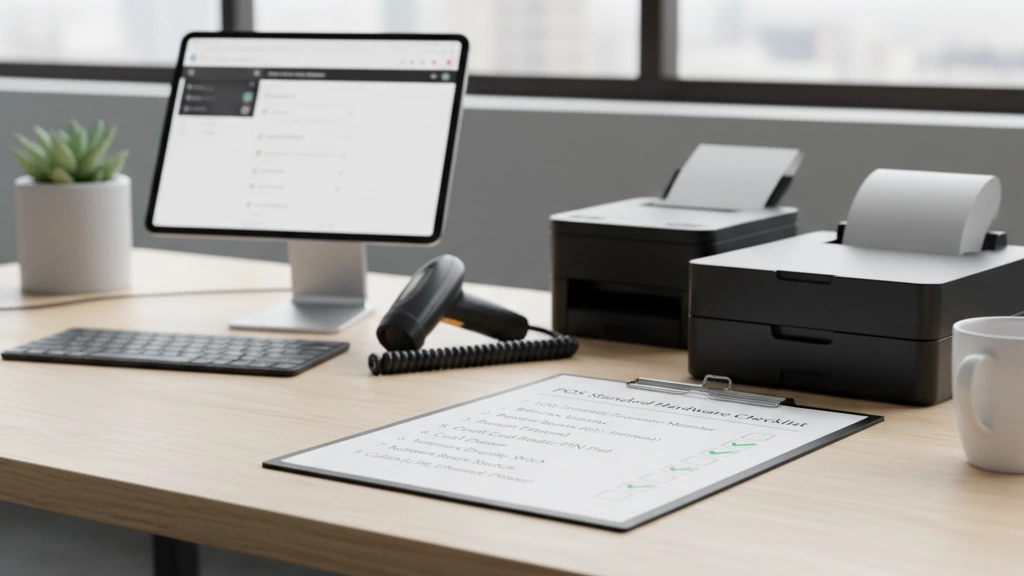
¿Te preguntas qué implica exactamente un sistema POS confiable? En su núcleo, el hardware POS incluye todos los componentes físicos que hacen que las transacciones de venta sean fluidas y eficientes. Esto significa todo desde la terminal POS esencial como la pantalla táctil y la placa base hasta dispositivos periféricos como escáneres y impresoras.
Al elegir hardware POS, considera tres factores clave:
- Compatibilidad: Asegúrate de que tu hardware funcione perfectamente con tu software POS. Esto incluye coincidir sistemas operativos, controladores compatibles y opciones de conectividad.
- Durabilidad y Calidad: Los entornos minoristas exigen equipos resistentes. Elegir componentes confiables como cajones de dinero robustos y escáneres de código de barras duraderos reduce el tiempo de inactividad.
- Escalabilidad: Tu negocio podría crecer, así que elige hardware que pueda actualizarse, como placas base POS con opciones de almacenamiento SSD o periféricos modulares.
Recuerda, la compatibilidad es crucial—mezclar escáneres o lectores de tarjetas incompatibles puede causar retrasos en la caja. Verifica siempre las especificaciones del dispositivo y el soporte del software antes de comprar. Este simple paso evita dolores de cabeza y asegura que tu sistema POS funcione sin problemas desde el primer día.
La Lista de Verificación del Hardware Central del POS

Al configurar tu hardware estándar de POS, enfócate primero en los componentes principales que mantienen tus ventas en marcha sin problemas.
Terminal POS y Pantalla
Elige un terminal con un procesador confiable y suficiente RAM para manejar tu software de ventas sin retrasos. Busca pantallas táctiles con buena resolución y respuesta—las pantallas capacitivas son estándar por su facilidad de uso. Dependiendo de tu configuración, las opciones incluyen terminales todo en uno, sistemas POS en tablet o unidades de escritorio tradicionales. Para más detalles sobre opciones modernas, consulta nuestra guía sobre cajas registradoras modernas.
Placa Base y Componentes Internos
La placa base debe soportar actualizaciones como RAM adicional o almacenamiento SSD para mejorar la velocidad y fiabilidad. Se recomiendan unidades SSD para un acceso más rápido a los datos, ayudando a mejorar los tiempos de transacción. Compara las especificaciones para asegurar compatibilidad con tu software y necesidades de escalabilidad futura.
Características y Seguridad del Cajón de Dinero
Tu cajón de dinero necesita características de seguridad sólidas—busca construcción de acero resistente, mecanismos de cierre confiables y compatibilidad con tu terminal. Algunos cajones ofrecen ranuras para medios como cheques o recibos, mejorando la comodidad. Las conexiones seguras y la integración reducen los riesgos potenciales de robo.
Tipos de Impresoras de Recibos y Consejos Ecológicos
Las impresoras de recibos térmicas son la opción preferida para comercio minorista y hostelería gracias a su velocidad y funcionamiento silencioso. No requieren tinta y son más fáciles de mantener. Para negocios ecológicos, considera impresoras con funciones de corte automático para reducir el desperdicio de papel y modos de ahorro de energía. Además, busca modelos que soporten papel reciclado o certificado FSC.
Esta lista de verificación básica asegura que cubres todas las áreas vitales antes de ampliar a periféricos o equipos especializados. Para quienes buscan configurarlo rápidamente, nuestra sistemas de caja registradora con entrega en el mismo día ofrece paquetes seleccionados para simplificar el proceso de selección.
Periféricos esenciales para sistemas POS

Cuando se trata de periféricos esenciales, estos complementos hacen que tu configuración POS sea más fluida y amigable para el cliente.
Escáneres de código de barras
Elegir el escáner de código de barras adecuado depende de las necesidades de tu negocio. Las opciones incluyen modelos de mano, montados fijos o inalámbricos. La precisión es clave—busca escáneres que lean rápidamente varios tipos de códigos de barras (1D, 2D) incluso si las etiquetas no están perfectamente alineadas. Una alta compatibilidad con tu software POS acelerará el proceso de pago y la gestión de inventario.
Lectoras de tarjetas y terminales de pago
Las lectoras de tarjetas deben soportar chip EMV, pagos sin contacto (NFC) y monederos móviles como Apple Pay o Google Pay. El cumplimiento de seguridad, especialmente PCI-DSS, es fundamental para proteger los datos de las tarjetas. Muchos terminales de pago modernos ahora cuentan con interfaces táctiles y fácil integración de software. Asegúrate de que el dispositivo se adapte a tu volumen de transacciones y soporte actualizaciones a medida que evoluciona la tecnología de pagos.
Pantallas para clientes
Una pantalla para el cliente aumenta la transparencia y mejora la experiencia en el proceso de pago. Estas pantallas pueden mostrar totales, listas detalladas, puntos de fidelidad o promociones especiales. Busca pantallas compactas, de alta resolución, con brillo ajustable y opciones de conectividad (USB, HDMI) para integrarlas sin problemas con tu terminal POS.
Para negocios que buscan un enfoque combinado con periféricos compatibles, explorar un Paquete de hardware POS puede ser una decisión inteligente. Esto garantiza que todos los componentes funcionen de manera fluida, ahorrando dolores de cabeza en la configuración y mejorando las operaciones diarias.
Hardware avanzado y específico para la industria
Cuando las necesidades de tu negocio van más allá de lo básico, el hardware POS especializado puede marcar la diferencia. En el comercio minorista, dispositivos como balanzas y lectores RFID agilizan los procesos de inventario y pago, ayudándote a controlar el stock y acelerar el servicio. Para restaurantes, los sistemas de pantallas en cocina reemplazan los tickets tradicionales en papel, mejorando la precisión de los pedidos y el flujo en cocina. Los ordenadores portátiles para tomar pedidos ofrecen movilidad a los camareros, aumentando la rotación de mesas y la satisfacción del cliente.
Si gestionas una operación híbrida que vende tanto en línea como en tienda física, busca herramientas POS compatibles con comercio electrónico que sincronicen ventas e inventario en todos los canales. La escalabilidad es clave, así que elige configuraciones de hardware en la nube que crezcan con tu negocio. Este enfoque te prepara para volúmenes mayores y nuevas funciones sin costos elevados en actualizaciones.
Para una inmersión más profunda en sistemas específicos para retail con integración de códigos de barras, consulta nuestra guía sobre sistemas de caja registradora con escáneres de código de barras integrados. Estas soluciones combinadas suelen aumentar la eficiencia y reducir el desorden de hardware—perfecto para los entornos minoristas de ritmo rápido de hoy en día.
Al elegir el hardware avanzado adecuado adaptado a tu industria, estás estableciendo una base sólida para operaciones más fluidas y mejores experiencias para el cliente.
Lista de verificación de configuración y compatibilidad

Antes de comprar hardware POS, comienza con una auditoría previa a la compra para definir tus necesidades: revisa el tamaño de tu negocio, volumen de transacciones y la integración con el software existente. Esto ayuda a evitar gastos excesivos o adquirir equipo incompatible. Asegúrate de que tu terminal POS, caja registradora, impresora de tickets y periféricos sean compatibles con tu software y procesadores de pago preferidos.
Cuando llegue el momento de instalar, sigue estos pasos para una configuración sin problemas:
- Organizar el cableado de manera ordenada para prevenir desorden y desconexiones, usando cables etiquetados y bridas.
- Emparejar hardware con software con cuidado; confirmar que los controladores y el firmware estén actualizados para garantizar compatibilidad.
- Conecta lectores de tarjetas y escáneres de código de barras utilizando los puertos recomendados (USB, Bluetooth o serie).
- Realizar verificaciones del sistema antes de ponerlo en marcha para detectar posibles incompatibilidades o errores de hardware.
Ser consciente de errores comunes como usar especificaciones de hardware incompatibles (por ejemplo, placas base de baja potencia con periféricos de alta demanda), ignorar las funciones de seguridad en las cajas registradoras, o saltarse la compatibilidad EMV en los dispositivos de pago. Estos pueden causar tiempo de inactividad o problemas de cumplimiento.
Para referencia fácil, mantén una lista de verificación imprimible a mano que incluya:
- Confirmación de compatibilidad del hardware
- Puntos de conexión y cableado
- Estado de emparejamiento del software
- Verificación de funciones de seguridad
- Preparación de energía de respaldo
Seguir un plan claro de configuración y compatibilidad reduce dolores de cabeza y pone en marcha tu sistema POS de manera eficiente. Para pasos de instalación más detallados y consejos de integración, consulta nuestra guía de instalación de POS minorista.
Mantenimiento, Seguridad y Resolución de Problemas
Mantener tu hardware POS funcionando sin problemas significa seguir rutinas regulares de mantenimiento y verificaciones de seguridad. Para rutinas diarias y semanales, comienza limpiando pantallas táctiles y displays para evitar acumulaciones. Verifica las conexiones en tu caja registradora, impresora y escáner de código de barras para prevenir problemas de cableado suelto. Además, limpia el polvo de las rejillas de ventilación en tu terminal POS y placa base para evitar sobrecalentamiento.
La seguridad es crucial, especialmente cuando se manejan datos de pago. Asegúrate de que tu sistema siga cumplimiento con PCI-DSS las directrices para proteger la información del titular de la tarjeta. Mantén todo el firmware y software actualizados, y cambia las contraseñas regularmente. Limita el acceso físico a tus terminales POS y cajas registradoras solo al personal autorizado.
La resolución de problemas comunes de hardware a menudo se reduce a soluciones simples:
- Reiniciar los dispositivos para eliminar fallos temporales
- Verificar cables y fuentes de alimentación
- Actualizar o reinstalar controladores para escáneres, impresoras o lectores de tarjetas
- Ejecutar diagnósticos en la placa base y componentes de almacenamiento
Para garantías y actualizaciones:
- Rastrear la antigüedad y el rendimiento del hardware para planificar reemplazos oportunos
- Aprovechar el soporte del proveedor y las garantías extendidas
- Considerar actualizaciones de almacenamiento SSD y placa base para prolongar la vida útil y la velocidad del sistema
Si buscas soporte sin complicaciones, investiga paquetes combinados con opciones de mantenimiento—los principales proveedores como SDL POS también ofrecen asesoramiento experto y auditorías de hardware para mantener tu configuración optimizada. Para negocios de restauración o comercio minorista que buscan soluciones móviles, consulta sus informes sobre dispositivos POS portátiles para mantenerse a la vanguardia.
Presupuestación y adquisición de hardware POS
Al planificar la compra de tu hardware POS, es importante equilibrar el costo con la funcionalidad. Las configuraciones básicas suelen incluir un terminal táctil, una impresora de tickets y una caja registradora—perfecto para pequeñas empresas o startups. Por otro lado, los sistemas completos añaden escáneres de código de barras, lectores de tarjetas avanzados, pantallas para clientes y componentes internos más rápidos como almacenamiento SSD y placas base mejoradas, que son adecuados para grandes minoristas o operaciones con múltiples ubicaciones.
Elegir el proveedor adecuado puede ahorrarte tiempo y dinero. Trabajar con un proveedor confiable de hardware de caja registradora POS como SDLPOS significa acceso a productos fiables, asesoramiento experto y paquetes personalizados que se adaptan a las necesidades de tu industria. Además, SDLPOS ofrece opciones de financiación y descuentos en paquetes que facilitan la actualización de tu sistema POS sin sacrificar calidad.
Para facilitar tu proceso de compra, considera programar una auditoría de hardware gratuita con SDLPOS. Este servicio personalizado revisa tu configuración actual y recomienda actualizaciones rentables o hardware nuevo que se ajuste a los objetivos de tu negocio.
Para obtener más información sobre los beneficios del proveedor y soluciones de hardware, consulta los recursos dedicados de SDLPOS sobre ser un proveedor confiable de hardware POS para distribuidores y sus guías sobre cómo soportar transacciones en múltiples monedas.
Consejos para el presupuesto:
- Comienza con lo esencial y añade periféricos avanzados según sea necesario
- Busca paquetes de hardware para ahorrar costos iniciales
- Evalúa las garantías del proveedor y las políticas de actualización
- Explora opciones de financiación para aliviar las presiones de flujo de efectivo
Una planificación adecuada y el socio de sourcing correcto aseguran que tu configuración de POS se ajuste a tu presupuesto y escale a medida que crece tu negocio.


