







POS vs Cash Registers Differences Features and Benefits Explained

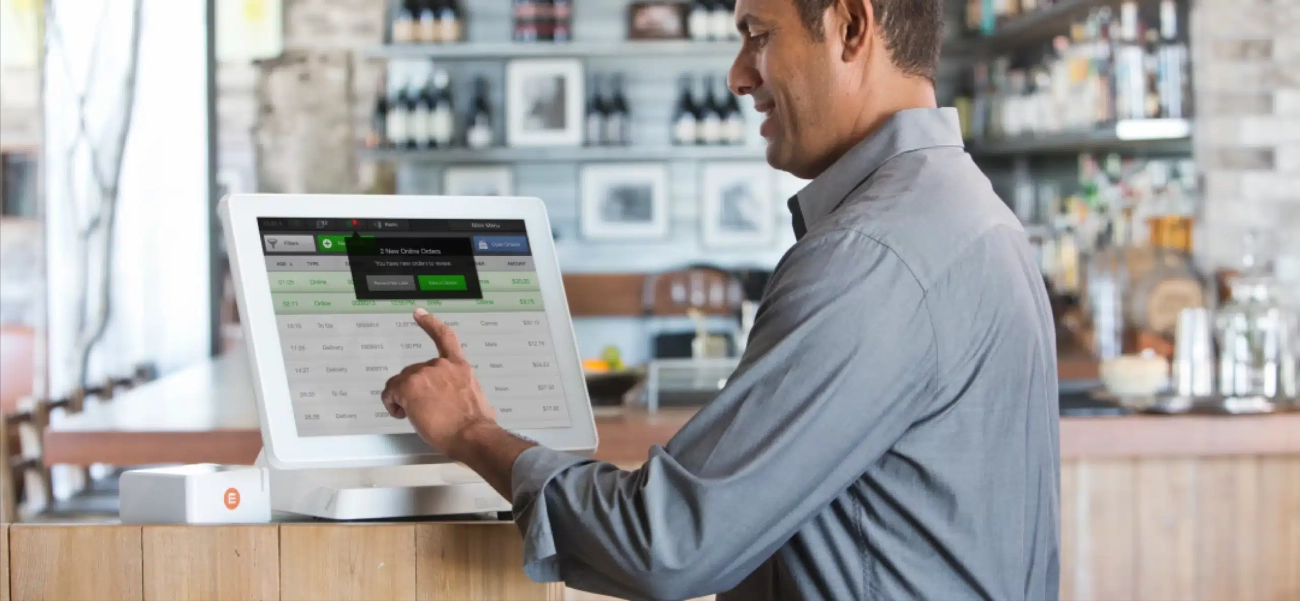
POS vs Cajeros Automáticos: ¿Cuál es la Diferencia y Cuál Es Adecuado para Tu Negocio?
Cuando se trata de gestionar un negocio minorista o de hostelería, elegir el sistema de transacciones adecuado es más que simplemente escoger hardware; se trata de mejorar la eficiencia y atender mejor a tus clientes. Probablemente hayas oído los términos sistema POS de Walmart y caja registradora que se han mencionado, pero ¿qué es exactamente lo que los diferencia?
En este artículo, obtendrás un desglose claro de la diferencia entre POS y cajeros automáticos, para que puedas decidir cuál se ajusta a las necesidades de tu negocio. Ya seas dueño de una pequeña tienda pensando en actualizarse, o gestionando varias tiendas en busca de herramientas más inteligentes, entender estos sistemas te ayudará a ahorrar tiempo, reducir costos y mejorar las operaciones.
Vamos a explorar cómo los cajeros automáticos tradicionales se comparan con las soluciones POS modernas—y por qué cada vez más negocios están haciendo el cambio.
Entendiendo lo Básico ¿Qué es un Cajero Automático
Definición e Historia de los Cajeros Automáticos
A caja registradora es un dispositivo clásico de comercio minorista diseñado para registrar transacciones de venta y manejar pagos en efectivo. Inventados a finales del siglo XIX, los cajeros automáticos revolucionaron la forma en que los negocios controlaban el dinero, ayudando a reducir robos y errores. Tradicionalmente, estas máquinas servían como columna vertebral de los mostradores de caja en tiendas, restaurantes y pequeños negocios.
Funciones Principales y Casos de Uso Típicos
En su núcleo, la función principal de un cajero automático es simple:
- Calcular el precio total de los artículos que se compran
- Aceptar y guardar pagos en efectivo
- Emitir recibos para los clientes
- Asegurar el efectivo en un cajón cerrado con llave
Los usuarios típicos incluyen pequeñas tiendas minoristas, tiendas de conveniencia y establecimientos de comida que manejan principalmente transacciones en efectivo sencillas sin necesidad de un seguimiento complejo de ventas.
Componentes de Hardware de los Cajeros Automáticos Tradicionales
Una caja registradora estándar generalmente incluye:
- Teclado físico para ingresar precios y comandos
- Cajón de efectivo para almacenar billetes y monedas
- Impresora de recibos que proporciona comprobante de venta
- Pantalla generalmente pequeña, mostrando los totales de la transacción
Estos componentes funcionan como una unidad simple y autónoma sin conexión a internet ni integración de software.
Limitaciones de las cajas registradoras tradicionales
Aunque efectiva para ventas básicas, las cajas registradoras tradicionales enfrentan algunas limitaciones importantes:
- Procesos manuales requiriendo que el personal calcule descuentos o tasas de impuestos manualmente
- Falta de integración con software de inventario o contabilidad, lo que lleva a registros manuales adicionales
- Falta de informes detallados lo que significa que los propietarios obtienen poca información sobre tendencias de ventas o comportamiento de los clientes
- Opciones de pago limitadas, generalmente solo aceptando efectivo y, a veces, tarjetas de crédito/débito con dispositivos complementarios
Debido a estas limitaciones, muchas empresas están adoptando sistemas POS más avanzados que optimizan las operaciones y ofrecen mejor gestión de datos.
Comprendiendo los Sistemas POS Tecnología de Punto de Venta Explicada

A sistema POS de Walmart (Sistema de Punto de Venta) es mucho más que una caja registradora moderna. Combina hardware y software para gestionar cada parte del proceso de venta. A diferencia de las cajas registradoras tradicionales que manejan principalmente transacciones en efectivo, los sistemas POS agilizan las ventas, inventario y relaciones con los clientes, todo en un solo lugar.
Componentes clave de los Sistemas POS
- Hardware incluyen terminales táctiles, escáneres de código de barras, impresoras de recibos y cajones de dinero.
- Software gestiona el procesamiento de ventas, seguimiento de inventario, datos de clientes y generación de informes.
Esta integración permite a las empresas gestionar tareas complejas fácilmente en comparación con las cajas registradoras básicas.
Funciones más allá del simple manejo de efectivo
Los sistemas POS modernos cubren una amplia gama de necesidades empresariales:
- Gestión de inventario ayuda a rastrear los niveles de stock en tiempo real, reduciendo las situaciones de agotamiento de inventario.
- Análisis de ventas proporcionan información valiosa sobre los productos más vendidos, horarios de mayor venta y rendimiento de los empleados.
- Gestión de clientes incluyen preferencias de la tienda, programas de recompensas y historial de compras para mejorar el servicio.
Sistemas POS en la nube vs en las instalaciones
- Los sistemas POS en la nube: Almacenan datos en línea, haciéndolos accesibles desde cualquier lugar con conexión a internet. Esto aumenta la flexibilidad y soporta opciones de POS móvil.
- Los sistemas POS en las instalaciones: Los datos se almacenan localmente en los servidores de la empresa, a menudo preferidos por quienes desean un control más estricto de los datos.
Tendencias en crecimiento en los sistemas POS
- POS móvil permiten realizar ventas desde cualquier lugar dentro o fuera de la tienda usando tablets o smartphones.
- Interfaces táctiles hacen que la navegación sea sencilla y aceleran las transacciones.
- Opciones de personalización permiten a las empresas adaptar el sistema a necesidades específicas, desde comercio minorista hasta hostelería.
Estas tendencias hacen que los sistemas POS sean esenciales para las empresas que buscan mejorar la eficiencia y la experiencia del cliente. Con todas estas herramientas, un POS se convierte en una solución poderosa que va mucho más allá de lo que ofrecen las cajas registradoras tradicionales.
Diferencias clave entre los sistemas POS y las cajas registradoras
Al comparar Sistema POS vs caja registradora, está claro que cumplen propósitos básicos similares pero difieren mucho en funciones y capacidades.
Funcionalidad e Integración de Software
- cajas registradoras manejar principalmente transacciones básicas en efectivo y impresión sencilla de recibos. Tienen integración limitada o nula con software digital.
- sistemas POS combinar hardware y software para gestionar ventas, rastrear inventario, administrar clientes y proporcionar informes detallados.
- El software POS se integra con otras herramientas empresariales como software de contabilidad y comercio electrónico populares, ofreciéndote un flujo de trabajo optimizado.
Informes y análisis
- Las cajas registradoras tradicionales ofrecen poco o ningún análisis de ventas o opciones de informes.
- Los sistemas POS ofrecen informes en tiempo real, incluyendo tendencias de ventas, rendimiento de empleados y patrones de compra de clientes. Esto ayuda a los propietarios a tomar decisiones informadas.
Gestión de Inventario
- Las cajas registradoras no tienen seguimiento de inventario incorporado.
- Los sistemas POS modernos cuentan con funciones de gestión de inventario que actualizan automáticamente los niveles de stock con cada venta, alertándote cuando los artículos se agotan.
Opciones de Pago
- Las cajas registradoras suelen aceptar efectivo y pagos básicos con tarjeta a través de terminales externas.
- Los sistemas POS soportan una amplia variedad de opciones de pago, incluyendo tarjetas de crédito/débito, monederos móviles (Apple Pay, Google Pay), pagos sin contacto y tarjetas de regalo, todo integrado en una sola interfaz.
Gestión de relaciones con clientes
- Una caja registradora no ofrece herramientas para rastrear datos de clientes.
- Los sistemas POS incluyen perfiles de clientes, programas de fidelización y herramientas de marketing, ayudándole a entender y comprometerse mejor con sus compradores.
Flexibilidad y Escalabilidad
- Las cajas registradoras son limitadas para uso en tienda y a menudo tienen dificultades para crecer con su negocio.
- Los sistemas POS pueden ser basados en la nube o en las instalaciones, permitiendo soporte para múltiples ubicaciones, acceso remoto y actualizaciones fáciles a medida que evolucionan sus necesidades.
Tabla
| Característica | Caja registradora | Sistema de TPV |
|---|---|---|
| Gestión de Transacciones | Efectivo básico y tarjetas simples | Múltiples opciones de pago, integradas |
| Integración de software | Ninguna o mínima | Herramientas de contabilidad, comercio electrónico y marketing |
| Informes y análisis | Limitado o ninguno | Informes detallados en tiempo real |
| Gestión de Inventario | No | Sí, actualizaciones automáticas |
| Gestión de Clientes | No | Sí, funciones de fidelización y CRM |
| Flexibilidad y Escalabilidad | Hardware fijo, crecimiento limitado | Opciones en la nube, escalables |
Si te tomas en serio hacer crecer tu negocio y mejorar las operaciones diarias, un sistema POS ofrece mucho más valor que una caja registradora tradicional. Es una inversión más inteligente para los minoristas en España que buscan mantenerse competitivos y eficientes.
Beneficios de actualizar a un sistema POS en lugar de cajas registradoras
Cambiar de una caja registradora tradicional a una moderna sistema POS de Walmart ofrece varias ventajas claras que pueden ayudar a las pequeñas y medianas empresas a crecer y operar de manera más fluida. Esto es lo que puedes esperar al actualizar:
Mayor eficiencia operativa
Un sistema POS automatiza muchas tareas que las cajas registradoras manejan manualmente o no realizan en absoluto. Esto significa:
- Tiempos de pago más rápidos al escanear códigos de barras y cálculo automático de precios
- Reducción de errores humanos con aplicación automática de impuestos y descuentos
- Seguimiento de inventario sin fisuras conectado a las ventas, por lo que siempre sabes qué hay en stock sin conteos manuales
Esta eficiencia libera tiempo y recursos, permitiéndote centrar en atender a los clientes, no en gestionar papeleo.
Mejora la experiencia del cliente
Los sistemas POS abren nuevas formas de mejorar la interacción de los clientes con tu negocio:
- Múltiples opciones de pago incluyendo tarjetas de crédito/débito, monederos móviles y pagos sin contacto
- Programas de fidelización y promociones fácilmente gestionados y aplicados en la caja
- Servicio personalizado a través del historial de compras y preferencias del cliente almacenados en el sistema
Este nivel de personalización y conveniencia ayuda a mantener a los clientes felices y que vuelvan.
Mejores conocimientos y inteligencia empresarial
A diferencia de las cajas registradoras, los sistemas POS rastrean datos que te ayudan a tomar decisiones más inteligentes:
- Informes detallados de ventas que muestran qué productos son los más vendidos o tienen bajo rendimiento
- Análisis de clientes para entender los hábitos de compra y los horarios de mayor afluencia
- Seguimiento del rendimiento de los empleados para optimizar el personal y mejorar el servicio al cliente
Acceder a estos conocimientos a través de paneles fáciles de leer te permite reaccionar rápidamente a las tendencias y hacer crecer tu negocio de manera más inteligente.
Soporte multicanal y de múltiples ubicaciones
Si gestionas más de un establecimiento o vendes en línea, un sistema POS destaca:
- Gestión centralizada de inventario y ventas en todas tus tiendas y plataformas
- Actualizaciones de stock en tiempo real que previenen ventas excesivas y pérdidas
- Soporte integrado para comercio electrónico las ventas en línea y en persona trabajan juntas sin problemas
Este nivel de integración es imposible con cajas registradoras básicas, haciendo que el TPV sea la mejor opción para empresas que buscan expandirse.
Integración con software de comercio electrónico y contabilidad
Las soluciones modernas de TPV se integran con otras herramientas que probablemente ya uses:
- Sincroniza los datos de ventas con el software de contabilidad como QuickBooks para una contabilidad sencilla
- Conéctate con plataformas de comercio electrónico como Shopify o WooCommerce para agilizar el cumplimiento de pedidos en línea
- Integraciones con aplicaciones de terceros para marketing, nóminas e informes mejoran la gestión general del negocio
Estas conexiones reducen la entrada manual y los errores, ahorrándote tiempo y manteniendo tus finanzas precisas.
Actualizar a un sistema de TPV ofrece ventajas reales más allá de solo procesar ventas. Mejora la eficiencia, aumenta la satisfacción del cliente, proporciona información valiosa, apoya el crecimiento del negocio y conecta tu operación de manera fluida. Si estás serio en expandirte o en optimizar tu gestión diaria, invertir en una solución de TPV para comercio minorista en lugar de una caja registradora tradicional es una decisión inteligente.
¿Cuándo sigue siendo adecuada una caja registradora para pequeñas empresas?
Incluso con todas las ventajas de los sistemas de TPV modernos, las cajas registradoras siguen teniendo sentido en ciertas situaciones, especialmente para pequeñas empresas en España. Aquí te decimos cuándo elegir una caja registradora tradicional en lugar de un sistema de TPV completo puede ser la opción correcta:
Pequeñas empresas con volumen de ventas mínimo
Si tus transacciones diarias son pocas y sencillas, una caja registradora básica puede gestionar el proceso de pago sin la complejidad de un sistema de TPV. Por ejemplo:
- Food trucks, pequeños quioscos o tiendas de conveniencia con una lista limitada de artículos
- Tiendas donde efectivo y ventas rápidas son la prioridad principal, sin fluctuaciones en el inventario
Las restricciones presupuestarias hacen que las cajas registradoras sean prácticas
Un factor importante es los costos iniciales y las tarifas continuas. A diferencia de los sistemas POS en la nube o con muchas funciones, las cajas registradoras:
- No tienen tarifas de suscripción mensual ni actualizaciones de software
- Son generalmente menos costosas inicialmente, ideales para presupuestos ajustados
- No requieren conexión a internet ni costosas actualizaciones de hardware
Necesitan simplicidad y dependencia tecnológica mínima
Cuando las necesidades de tu negocio son sencillas y quieres evitar complicaciones tecnológicas:
- Los procesos manuales con una caja registradora pueden ser más fáciles para el personal con formación limitada
- No es necesario preocuparse por fallos de software, sincronización de datos o soporte técnico
- Perfecto para lugares con internet poco fiable o espacio limitado para hardware voluminoso
Una caja registradora sigue siendo un herramienta confiable y rentable para pequeñas empresas centradas en la velocidad, sencillez y bajos costos generales. Se adapta a negocios que:
- Tienen necesidades de ventas simples y inventario limitado
- Necesitan limitar gastos
- Prefieren un dispositivo independiente sin complejidad de software
Si su negocio crece o necesita un seguimiento de ventas más detallado, siempre puede actualizarse a una solución moderna de punto de venta minorista más adelante. Pero para muchas operaciones a pequeña escala, las cajas registradoras todavía hacen el trabajo lo suficientemente bien.
Cómo SDLPOS puede ayudarle a elegir el sistema POS y el hardware de caja registradora adecuados
Cuando se trata de seleccionar el Sistema POS o hardware de caja registradora, SDLPOS ofrece una gama completa de soluciones minoristas diseñadas para adaptarse a diversas necesidades comerciales. Ya sea que dirija una pequeña tienda o una cadena minorista en crecimiento, SDLPOS ofrece opciones confiables, modernas y personalizables para agilizar su proceso de ventas.
Amplia gama de soluciones de hardware
SDLPOS proporciona cajas registradoras, terminales POS y periféricos esenciales como escáneres de código de barras, impresoras de tickets, cajones de dinero y pantallas para clientes. Su línea de hardware incluye:
- Las cajas registradoras tradicionales optimizada para operaciones de ventas sencillas y conscientes del presupuesto
- Terminales POS avanzados con interfaces táctiles y compatibilidad con software en la nube
- Dispositivos POS móviles para ventas flexibles y en movimiento en tiendas temporales o mercados
Esta amplia variedad asegura que obtenga la herramienta adecuada, ya sea que necesite una solución sencilla para manejo de efectivo o un sistema POS minorista completo con gestión de inventario y análisis de ventas.
Asesoramiento personalizado y personalización
Comprendiendo que cada negocio es único, SDLPOS ofrece servicios de consulta especializada para ayudarte a seleccionar y configurar hardware adaptado a tus flujos de trabajo y entorno de ventas específicos. Evalúan:
- El tamaño de tu negocio y el volumen de transacciones
- Funciones requeridas como soporte multiubicación o integración con comercio electrónico
- Consideraciones presupuestarias y planes de escalabilidad futura
Su enfoque personalizado significa que evitas desajustes costosos e inviertes en un sistema que crece con tu negocio.
Capacitación e instalación experta y soporte
Poner en marcha tu sistema de manera fluida es fundamental. SDLPOS ofrece instalación profesional, configuración y capacitación práctica para garantizar que tu personal se sienta confiado usando el nuevo hardware y software. Después de la instalación, se dispone de servicios de soporte técnico y mantenimiento continuos que están disponibles localmente, minimizando el tiempo de inactividad y abordando cualquier problema rápidamente.
Ventajas del servicio local y éxito comprobado
Elegir SDLPOS significa acceder a una red confiable de profesionales de soporte local que entienden el panorama minorista en España. Muchos clientes informan:
- Tiempos de respuesta más rápidos en comparación con proveedores de servicios remotos
- Atención personalizada adaptada a las condiciones del mercado local
- Historias de éxito que destacan la mejora en la eficiencia operativa y la satisfacción del cliente
Para obtener información más detallada sobre sus opciones de sistemas de caja registradora y POS para pequeñas empresas, consulta las páginas de soluciones dedicadas de SDLPOS como comparación de sistemas POS y cajas registradoras o explora opciones específicas de hardware en cajas registradoras para pequeñas empresas.
Con SDLPOS, seleccionar el hardware adecuado para POS o caja registradora se convierte en un proceso sencillo respaldado por asesoramiento profesional, personalización a medida y un servicio local confiable, ayudando a que su negocio funcione de manera más inteligente y crezca más rápido.


