







Cómo solucionar la guía rápida para que la impresora POS no alimente papel rápidamente

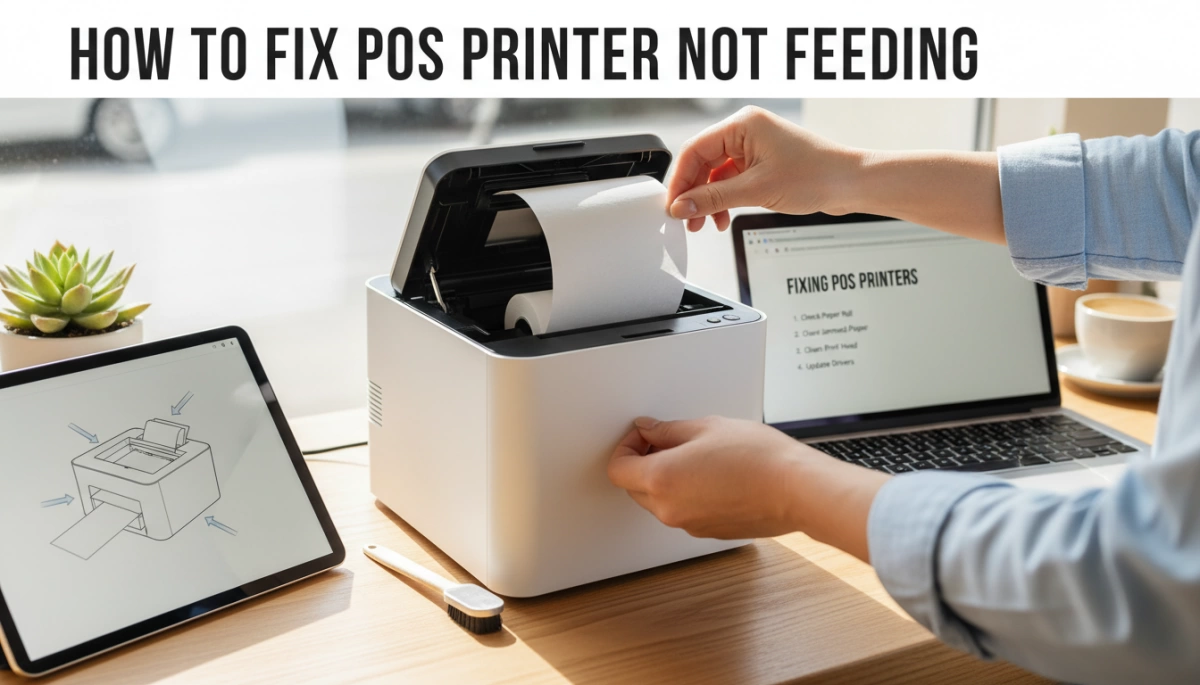
Revisiones rápidas antes de que entres en pánico
Cuando una impresora POS no alimenta papel, tu línea se está extendiendo y todos te están mirando. Antes de suponer que la impresora está muerta, revisa estos revisiones rápidas. La mayoría de las impresoras POS que no alimentan se arreglan en menos de 2 minutos.
Preguntas básicas para hacer primero
Pregúntate:
¿Esto empezó justo después de cambiar el papel?
→ Muy a menudo el papel de la impresora térmica se carga al revés o el rollo está atascado.¿Alguna luz está en rojo o parpadeando en la impresora?
→ Un error en la impresora de recibos “papel no carga” o “tapa abierta” bloqueará la alimentación.¿Algo se movió o desconectó justo ahora?
→ Un bloque de alimentación o cable USB suelto puede hacer que una impresora de recibos POS no tire papel.¿Hace algún ruido la impresora cuando presionas ALIMENTAR?
→ Sin ruido = problema de energía o de la placa.
→ Ruido de molienda o débil = posible problema en el motor o en el rodillo.
Si puedes responder rápidamente a estas preguntas, sabrás si debes centrarte en el papel, la energía o el hardware.
Cómo apagar y encender de forma segura la impresora POS
Un ciclo de encendido y apagado limpio soluciona muchos casos de un problema de alimentación de papel en la impresora de recibos térmica POS:
- Apague la impresora utilizando el interruptor de encendido.
- Apaga o cierra tu aplicación POS, y si es posible, reinicia la terminal POS o el PC.
- Desconecta el adaptador de corriente de la impresora de la toma de corriente y de la impresora durante 20-30 segundos.
- Vuelve a conectar la corriente a la impresora y a la toma de corriente.
- Enciende la impresora primero, espera a que termine su inicio, y luego abre tu aplicación POS.
Deberías ver la luz de encendido fija y escuchar un breve sonido de inicio. Ahora pulsa ALIMENTAR una vez y comprueba si el papel avanza.
Verifique cables, puertos y adaptadores de corriente
A La impresora POS no imprime pero tiene energía a menudo es un problema de cable o adaptador:
- Confirma que la el bloque de alimentación es el adaptador original o aprobado por SDLPOS. La tensión incorrecta puede causar alimentación débil.
- Asegúrate de que el el cable de alimentación está completamente conectado tanto en la impresora como en la pared o barra de sobretensión.
- Para Las impresoras de recibos USB no alimentan, retire y vuelva a insertar el cable USB en:
- Un puerto USB diferente en el PC o terminal POS
- Directamente en la máquina (evite concentradores al probar)
- Para Impresoras POS Ethernet, verifique:
- El cable Ethernet encaja firmemente en
- La luz de enlace en el puerto de red está encendida o parpadeando
Después de volver a colocar todo, apague y encienda la impresora nuevamente, luego presione ALIMENTAR. Si el papel avanza ahora, lo ha solucionado.
Lea las luces de energía y error
Tu impresora POS térmica generalmente le indican qué está mal:
Luz de energía verde fija, sin luz de error
→ El hardware está bien. Si el papel aún no se mueve, sospeche carga de papel, atasco o rodillos sucios.Luz roja o naranja parpadeante
→ A menudo significa puerta abierta, sin papel o atasco de papel. Vuelva a colocar el rollo de papel y cierre la tapa firmemente hasta que haga clic.Luz roja constante y pitido
→ Error grave: atasco en el cortador, sensor bloqueado o fallo interno. Deje de forzar la alimentación y planifique abrir e inspeccionar el recorrido del papel.
Cuando comprende estas luces, sabe dónde buscar a continuación y evita conjeturas aleatorias.
Soluciones rápidas cuando su impresora POS no alimenta
Si su impresora POS no alimenta papel, pruebe primero estas soluciones rápidas. En la mayoría de tiendas y restaurantes, una de estas soluciones resuelve el problema en menos de 5 minutos.
1. Recargue el rollo de papel de la manera correcta (la solución más común)
La mayoría de los problemas de “impresora POS que no alimenta” provienen de una carga incorrecta del papel.
- Abra la tapa y retire completamente el rollo.
- Asegúrese de que el papel se alimente desde la parte inferior del rollo hacia usted, no por encima.
- Saque 5–10 cm, cierre la tapa firmemente hasta que haga clic, luego presione ALIMENTAR.
- Si el rollo está suelto en el núcleo o no está colocado en los soportes laterales, la impresora no lo agarrará.
Esto es lo primero que les digo a los propietarios de tiendas que revisen cuando una impresora de recibos térmica POS no alimenta papel después de un cambio.
2. Limpie atascos ocultos y pequeños trozos de papel
Un pequeño trozo cerca del cortador puede bloquear completamente el camino del papel.
- Abra la tapa y siga el recorrido del papel desde el rollo hasta la salida.
- Extraiga suavemente cualquier trozo de papel rasgado con ambas manos—nunca tire de él bruscamente.
- Revise alrededor del cortador automático en busca de etiquetas, cinta o pegatinas atascadas.
Si su impresora de recibos no tira papel en absoluto, es muy probable que sea un atasco pequeño que no puede ver a simple vista.
3. Limpie el sensor de papel y el rodillo de alimentación
El polvo y el polvo de papel hacen que la impresora piense que no hay papel o reduzcan la sujeción.
- Utilice un paño suave y seco o una toallita con alcohol para limpiar el rodillo de alimentación de goma negra.
- Limpie la pequeña ventana del sensor de papel cerca de la entrada del papel—no la raye.
- Deje que todo se seque completamente, luego presione ALIMENTAR de nuevo.
Un sensor sucio es una causa común del error de “la impresora de recibos no carga papel”, incluso con un rollo lleno.
4. Restablezca la impresora a la configuración de fábrica
Si la mecánica está bien pero la lógica está confundida, realice un restablecimiento.
- Apague la impresora.
- Mantén pulsado ALIMENTAR, vuelva a encenderla, mantenga presionado hasta que las luces parpadeen o imprima una página de configuración (depende del modelo).
- Libere y déjalo terminar.
Esto suele solucionar errores extraños de “sin alimentación de papel” o “datos” que comenzaron después de un cambio de configuración o actualización del firmware.
5. Verifique el grosor del papel y la tensión del rollo
El papel barato o incorrecto puede detener una alimentación limpia.
- Asegúrese de que el rollo coincida con su impresora: 58 mm o 80 mm de ancho, tamaño correcto del núcleo.
- Si el rollo está enrollado demasiado apretado, desenrolle un poco y vuelva a enrollar de forma suelta.
- El papel demasiado grueso o rígido puede causar atascos y esfuerzo en el motor.
Para contadores de alto volumen y configuraciones de caja registradora POS, siempre recomiendo papel térmico aprobado únicamente—los rollos de baja calidad aleatorios causan la mayoría de las quejas de alimentación y atascos.
6. Pruebe con un rollo diferente de papel térmico
Si nada de lo anterior ayuda, suponga que el rollo en sí está defectuoso.
- Prueba un rollo conocido como bueno de otro impresor POS que funcione.
- Confirme que es papel térmico (raállalo con una moneda; debe volverse negro).
- Si el nuevo rollo alimenta normalmente, deseche el lote antiguo.
Muchos casos de “papel en blanco para impresora de recibos térmicos” y “papel de impresora térmica que no avanza” se deben a papel de mala calidad o dañado, no al hardware de la impresora.
Estas soluciones rápidas abordan la mayoría de las reparaciones de atascos de papel en impresoras térmicas POS y problemas de “sin alimentación” en entornos minoristas pequeños, para llevar y quioscos. Si la impresora aún no mueve el papel después de esto, probablemente estés lidiando con una falla en el cortador, motor o sensor que requiere una solución de problemas más profunda o servicio.
Cómo recargar el papel de la impresora POS de la manera correcta
Si tu impresora POS no alimenta el papel, es muy probable que el rollo de papel esté cargado incorrectamente. Solucionarlo generalmente toma menos de un minuto si sigues los pasos adecuados.
Confirma que estás usando papel térmico real (prueba de rasguño)
La mayoría de las impresoras de recibos POS (de 58 mm y 80 mm) son térmicas. Si usas papel no térmico, la impresora no imprimirá nada aunque alimente el papel.
Verificaciones rápidas:
- Prueba de rasguño:
- Toma un pequeño trozo del rollo.
- Frota tu uña o una moneda rápidamente a lo largo de un lado.
- Si un aparece una línea oscura, es papel térmico y esa es la cara de impresión.
- Si no aparece nada, probablemente estés usando papel no térmico or de baja calidad que puede causar “sin alimentación” o recibos en blanco.
- Para impresoras SDLPOS, siempre recomiendo rollos térmicos de alta calidad y bajo polvo para proteger la cabeza de impresión y el rodillo de alimentación.
Saber el tipo y la calidad del papel es tan importante como saber el componentes principales de hardware POS estás ejecutando.
Carga de papel paso a paso para impresoras POS térmicas
Utilice este proceso para la mayoría de las impresoras de recibos POS térmicas de 58 mm y 80 mm (SDLPOS, Epson, Star, Bixolon, etc.):
- Apague la impresora o presione ALIMENTAR para detener cualquier trabajo.
- Abra la tapa del papel usando la pestaña o botón.
- Retire el rollo antiguo y cualquier resto suelto en el interior.
- Verifique el ancho del rollo:
- Las impresoras de 58 mm necesitan rollos de 57–58 mm.
- Las impresoras de 80 mm necesitan rollos de 79–80 mm.
Un ancho incorrecto puede impedir que el papel se alimente recto.
- Coloque el rollo en el soporte:
- El rollo debe estar horizontal, no inclinado ni apretado.
- Saque de 5 a 10 cm (2 a 3 pulgadas) de papel sobre el borde del cortador.
- Cierra la tapa firmemente hasta que sienta o escuche un clic.
- Encienda de nuevo la impresora y presione ALIMENTAR una vez:
- El papel debe avanzar suavemente y cortarse (si el cortador automático está habilitado).
Si el papel no avanza, vuelva a abrir la tapa y verifique la orientación.
Asegure la orientación correcta del rollo de papel térmico para que realmente avance
La orientación incorrecta es la razón número uno por la cual una impresora de recibos térmica POS no alimenta o imprime recibos en blanco.
Utilice esta regla sencilla:
- Cuando la tapa de la impresora esté abierta y el rollo esté en el soporte:
- El el papel debe desenrollarse desde la parte inferior hacia usted en la mayoría de las impresoras POS de salida frontal.
- Si tira del papel y sale de la parte superior del rollo, probablemente esté al revés.
Confirme la orientación con la prueba de rasguño:
- Rasgue ambas caras del papel:
- El lado que se vuelve oscuro debe estar frente a la cabezal de impresión (generalmente mirando hacia abajo hacia el mecanismo).
- Si está orientado en la dirección incorrecta, la impresora alimentará pero imprimirá en blanco o recibos muy tenues.
Errores comunes al cargar que detienen la alimentación
Cuando aparece un problema de la impresora POS que no alimenta justo después de cambiar el papel, generalmente es uno de estos:
Rollo al revés
- El papel imprime en blanco.
- La alimentación puede funcionar, pero no se ve ningún texto o gráfico.
- Solución: Voltea el rollo, realiza una prueba de rayas, recarga.
Rollo de ancho incorrecto
- Rollo demasiado ancho: el papel roza los lados, se atasca o no cae en el soporte.
- Rollo demasiado estrecho: el papel se desplaza lateralmente y se queda atascado.
- Solución: Usa el ancho correcto indicado en tu impresora o especificaciones del sistema de caja registradora.
Rollo demasiado apretado o núcleo aplastado
- Un rollo enrollado demasiado apretado o con un núcleo dañado no puede girar libremente.
- El rodillo de alimentación de la impresora se desliza y el papel no avanza.
- Solución:
- Desenrolle algunos bucles a mano para aflojarlo.
- Si el núcleo es ovalado o está aplastado, reemplace el rollo.
El papel no se ha sacado más allá del cortador
- Si el borde de ataque del papel todavía está dentro de la impresora cuando cierra la tapa, el rodillo de alimentación no puede agarrarlo.
- Solución: Siempre tire de una tira de papel fuera de la tapa antes de cerrarla.
Tapa no completamente cerrada
- Muchas impresoras TPV tienen un sensor en la tapa.
- Si no está completamente bloqueada, la impresora muestra “error de papel” o no alimenta.
- Solución: Presione la tapa hacia abajo uniformemente en ambos lados hasta que encaje.
Cargue el rollo correctamente, verifique la orientación con la prueba de rayado y, en la mayoría de los casos, su El papel de la impresora TPV no se alimenta problema se resuelve sin herramientas ni tiempo de inactividad.
Eliminación de atascos de papel y bloqueos ocultos en la impresora TPV
Cuando una impresora TPV no se alimenta, un atasco de papel o bloqueo oculto es una de las causas más comunes. Aquí le explico cómo solucionarlo de forma rápida y segura.
Señales de que su impresora TPV tiene un atasco de papel
Es probable que tu impresora de recibos térmica o TPV esté atascada si:
- El El botón FEED no mueve el papel, o el papel avanza solo unos pocos milímetros.
- Escuchas un zumbido o chirrido, pero el papel permanece quieto.
- La impresora muestra error de papel / luz roja, aunque haya un rollo cargado.
- Los recibos salen arrugados, rotos o medio impresos.
- La tapa se siente difícil de cerrar o se abre durante la impresión.
Si tienes operaciones minoristas o de restaurante ajetreadas, estos síntomas son tu primera pista de que la ruta del papel está bloqueada.
Cómo abrir la tapa e inspeccionar la ruta del papel
La mayoría de las impresoras térmicas de recibos TPV se abren con un simple pestillo:
- Enciende la impresora apagada y desenchúfala por seguridad.
- Presiona o tira del palanca/cierre de la tapa superior para abrir completamente la tapa.
- Retire el rollo de papel y póngalo a un lado.
- Utilice un linterna del teléfono para verificar todo el recorrido del papel:
- Desde el soporte del rollo
- a través del cabezal de impresión térmica
- a través del rodillos de alimentación
- más allá del cortador automático y la ranura de salida
Si gestionas múltiples puntos de venta o entornos de alto volumen, haz que esta inspección forme parte de tu rutina regular de hardware POS—igual que cuando revisas el hardware POS para retail de alto volumen Hardware POS para retail de alto volumen.
Cómo quitar el papel atascado de forma segura
Quieres sacar el papel, pero no quieres dañar la impresora:
- No uses herramientas de metal (destornilladores, cuchillos, tijeras).
- Suavemente tire el papel rasgado en la dirección normal de alimentación (hacia adelante, hacia la salida).
- Si el papel está enrollado alrededor del rodillo, gire el rodillo lentamente a mano mientras tira de él.
- Retire todos los pequeños restos, especialmente cerca de los sensores y del área de corte.
- Nunca arranque el papel hacia atrás a través de la cabeza térmica; eso puede desalinear las piezas.
Tómese su tiempo—forzarla es la forma en que se dañan los rodillos de alimentación y las engranajes.
Retirar Etiquetas, Pegatinas y Residuos
Muchos problemas de alimentación “misteriosos” provienen de etiquetas, cinta o pegamento de pegatinas que quedan atrapados en el interior:
- Verifica la área de corte y ranura de salida para:
- Etiquetas de precio
- Pegatinas de entrega
- Residuo de cinta
- Restos de papel enrollados
- Si ves residuo:
- Apaga la impresora y desconéctala.
- Utilice un paño ligeramente húmedo con alcohol isopropílico (70–90%) para limpiar el área de la cuchilla cortadora y las piezas de plástico/metal cercanas.
- Evita empapar; un limpieza suave es suficiente.
- Deja que todo seque completamente antes de encenderla.
La acumulación pegajosa es una causa principal por la que una impresora térmica de punto de venta deja de tirar papel o se atasca repetidamente.
Cuando un atasco significa problemas en la cortadora o en el motor
A veces el “atasco” es en realidad una pieza defectuosa:
- La impresora emite pitidos y parpadea en rojo, la cortadora solo se mueve a la mitad, y cada intento de alimentación se atasca en el mismo lugar → probablemente problema en la cortadora automática.
- Escuchas un ruido fuerte de molienda o clics y el papel no se mueve en absoluto, incluso sin atasco → posible fallo en el motor de alimentación o en la engranaje.
- El papel se alimenta libremente con la tapa abierta o el cortador desactivado (si su modelo lo permite), pero se atasca cada vez que intenta cortar → desalineación del cortador o dientes rotos.
Si ve estos signos repetidamente, probablemente ya ha pasado las reparaciones rápidas. En ese caso, normalmente:
- Pruebe con un rollo nuevo de papel térmico de buena calidad conocido.
- Prueba un ciclo de encendido completo y auto-prueba.
- Si el problema persiste, planifique para reparación del cortador, motor o placa, o considere reemplazar la unidad por una impresora POS más robusta que se adapte a su volumen de trabajo y opciones de soporte local.
El objetivo es simple: despejar bloqueos rápidamente, evitar forzar las partes mecánicas y reconocer temprano cuando el problema ya no es solo un atasco.“
Limpieza de sensores, rodillos y cabezal de impresión en una impresora POS
Si su impresora POS no alimenta el papel o solo avanza a veces, generalmente la causa son sensores, rodillos o cabezal de impresión sucios. Una limpieza de 3 a 5 minutos suele solucionar problemas de “impresora POS no alimenta papel” sin necesidad de piezas o herramientas.
Por qué el polvo y el polvo de papel detienen la alimentación del papel
Las impresoras de recibos térmicos POS constantemente raspan pequeños trozos de papel de cada rollo. Añada grasa de cocina, huellas dactilares y polvo, y obtendrá una película pegajosa que:
- Hace rodillos de alimentación resbaladizo, por lo que la impresora no puede tirar del papel
- Bloquea el sensor de papel, por lo que la impresora piensa “sin papel”
- Causas alimentación torcida y recibos torcidos o a medio imprimir
- Disparadores atascos de papel falsos y errores de “impresora de recibos sin tirar papel”
Si el papel de su impresora térmica POS no avanza, pero escucha el motor intentando, muy probablemente las causas sean rodillos o sensores sucios.
Dónde está el sensor de papel en la mayoría de las impresoras POS
La mayoría de las impresoras térmicas POS de 58 mm y 80 mm (SDLPOS, Epson, Star, Bixolon, etc.) colocan el sensor principal de papel:
- Justo debajo del recorrido del papel, justo antes de la cabeza de impresión
- Cerca del centro o ligeramente desplazado del centro del ancho del papel
- En una pequeña ranura o agujero donde se coloca el papel cuando la tapa está cerrada
Normalmente verás un pequeño “ojo” de plástico negro o palanca. Si ese lugar está cubierto de polvo o escamas de papel, tu impresora térmica de recibos no alimentará el papel o mostrará “papel agotado” incluso cuando el rollo esté lleno.
Cómo limpiar de forma segura los sensores de la impresora POS
Utilice solo limpieza ligera para evitar rayar los sensores:
- Enciende la impresora apagada y desconecte la alimentación y USB/Ethernet.
- Abra la tapa y retire el rollo de papel.
- Utilice un cepillo seco y suave o aire comprimido para eliminar el polvo suelto.
- Limpie ligeramente el área del sensor con:
- A paño sin pelusas o bastoncillo de algodón
- Humedecido con alcohol isopropílico 90%+ (sin goteo)
- Deje que se seque completamente (30–60 segundos) antes de cerrar la tapa y volver a encender.
Evite empapar el sensor o usar limpiador de cristales, agua o productos químicos agresivos. Si administra múltiples terminales o revende hardware POS, limpiar rápidamente entre turnos reduce significativamente los tickets de “el papel de la impresora POS no avanza”.
Cómo limpiar los rodillos de alimentación para que vuelvan a agarrar
Rodillos sucios o brillantes = sin agarre = la impresora de recibos no tira del papel. Para limpiar los rodillos de alimentación:
- Mantenga la impresora apagada y fría.
- Gire el rodillo de goma a mano (o gire suavemente la rueda si es accesible).
- Limpie toda la superficie del rodillo con:
- A paño sin pelusas ligeramente humedecido con alcohol isopropílico
- Concéntrate en las manchas oscuras, brillantes o pegajosas; ahí es donde vive el polvo y la grasa.
- Sigue limpiando y girando hasta que el rodillo se sienta ligeramente pegajoso, no resbaladizo.
- Déjalo secar durante 1–2 minutos antes de volver a cargar el rollo de papel térmico.
Si los rodillos de alimentación están agrietados o pulidos suavemente por años de uso, limpiar puede ayudar temporalmente, pero un cambio de rodillo puede ser necesario para solucionar completamente los problemas intermitentes de alimentación del papel.
Limpieza segura para la cabeza de impresión térmica
Una cabeza de impresión sucia generalmente no detendrá la alimentación del papel, pero puede causar:
- Recibos desvaídos o en blanco
- Líneas faltantes
- Fricción adicional en el recorrido del papel
Para limpiar correctamente la cabeza de impresión térmica:
- Asegúrate de que la impresora esté apagada y fría (nunca limpies una cabeza caliente).
- Abre la tapa y localiza la delgada tira/barras de metal sobre el rodillo – esa es la cabeza de impresión.
- Utilice un bolígrafo de limpieza para cabezales térmicos, o:
- Un paño sin pelusas / hisopo de espuma con alcohol isopropílico
- Limpie suavemente en una dirección a lo largo de la cabeza, no de ida y vuelta.
- No utilice nada afilado o abrasivo (sin destornilladores, sin herramientas de metal, sin paño áspero).
- Déjelo secar completamente, luego vuelva a cargar su rollo con la orientación correcta del papel térmico para que el lado recubierto toque la cabeza.
Si realiza ventas al por mayor o en hostelería, agregar una rutina rápida de limpieza mensual para sensores, rodillos y la cabeza de impresión evitará la mayoría de los problemas de “papel de impresora térmica que no avanza” y “recibo en blanco” antes de que afecten sus líneas de caja. Para instalaciones en crecimiento o revendedores que necesitan equipos confiables, también puede considerar opciones de hardware POS diseñadas para un uso intensivo y fácil mantenimiento para reducir las tasas de fallo en todos los sitios.
Ejecutar una Autoprueba y Diagnósticos Básicos
Cuando su impresora POS no alimenta papel, una autoprueba rápida le indica si el hardware está bien o si está persiguiendo el problema equivocado.
Cómo realizar una autoprueba en una impresora POS con el botón de ALIMENTAR
La mayoría de las impresoras de recibos térmicos POS (58 mm y 80 mm) utilizan un método similar:
- Enciende la impresora APAGADO.
- Presiona y mantén presionado el botón FEED.
- Mientras mantienes presionado FEED, enciende la impresora ON.
- Mantén presionado hasta que comience a imprimir una página de prueba, luego suelta.
Si tu modelo es diferente, consulta el manual o la página de soporte de tu marca. Para las tiendas que implementan varias impresoras o sitios, vale la pena agregar este paso a tu plan de implementación de hardware POS regular.
Lo que te dice una auto prueba exitosa
Si el la auto prueba se imprime correctamente y el papel se alimenta sin problemas:
- El el motor, los rodillos de alimentación, los sensores y el cabezal de impresión están funcionando.
- Es probable que tu problema sea software, controladores, configuración o cableado, no la mecánica de la impresora.
- Los problemas de alimentación de papel que solo ocurren dentro de la aplicación POS generalmente significan configuración incorrecta del tamaño del papel or problemas con el controlador.
Si la prueba se imprime pero tu software POS no lo hace
Si la auto prueba está bien pero tu software POS no imprime ni alimenta:
- Confirma que la modelo de impresora correcto está seleccionado en tu aplicación POS.
- Verifica la tipo de puerto/conexión (USB, Ethernet, serial) coincide con cómo está conectado.
- Reinstala o actualiza el controlador de impresora térmica.
- Intenta imprimir una página de prueba de Windows o un archivo de texto simple.
Este es el caso clásico de “la impresora POS no alimenta” donde la impresora está en buen estado pero el configuración del sistema es incorrecta.
Usando pitidos y luces como códigos de error
La mayoría de las impresoras POS usan luces de encendido, luces de error y pitidos como códigos de error:
- Verde sólido + sin pitidos: normal.
- Rojo parpadeante / naranja + pitidos: atasco de papel, tapa abierta, sin papel o error en el sensor.
- Patrones repetidos (p.ej., 3 pitidos, pausa, 3 pitidos): error de hardware o cortador, revisa la lista de códigos de tu modelo.
Siempre nota el color de la luz + patrón de parpadeo + pitidos antes de apagar y encender. Es la forma más rápida para que soporte reduzca la falla.
Cuando una auto-prueba fallida indica problema de hardware
Si la impresora no imprime una página de auto-prueba en absoluto, o:
- El papel no avanza durante la auto-prueba,
- Escuchas sonidos de molienda o motor débil,
- La prueba solo imprime a mitad de camino o muy tenue,
entonces probablemente estés enfrentando un problema de hardware: rodillos de alimentación desgastados, motor defectuoso, fuente de alimentación defectuosa o daño en la placa principal. En ese caso, no sigas forzando—documenta los síntomas (fotos/video de luces y sonidos) y contáctanos para que podamos asesorarte sobre reparación vs. reemplazo y conseguirte una unidad o piezas compatibles el mismo día.
Verificación de Configuración de la Impresora, Controladores y Conexiones
Si tu impresora POS no alimenta papel, no ignores la “parte de software”. Una configuración incorrecta o un cable defectuoso pueden parecer exactamente un fallo de hardware.
Ajusta el Ancho y Tipo de Papel en tu Software POS
Si tu aplicación POS piensa que estás usando el tamaño de papel incorrecto, la impresora puede detenerse, alimentar a medias o cortar en el lugar equivocado.
Verifica en la configuración de tu POS / conductor:
- Ancho del papel: 58mm o 80mm – coincide exactamente con lo que tiene la impresora.
- Tipo de papel: Térmico, no “normal” o “matriz de puntos”.”
- Opciones de márgenes y cortador: Desactiva cualquier tamaño de página personalizado extraño mientras pruebas.
Si aún estás eligiendo un sistema, vale la pena revisar cómo manejan diferentes plataformas POS las impresoras de recibos antes de comprometerte.
Verifica el modelo de la impresora y la selección de puerto
Tu software POS podría estar enviando datos al dispositivo incorrecto.
- In Windows > Impresoras y escáneres, confirma:
- El nombre correcto del modelo (por ejemplo, “SDLPOS 80mm Térmico,” “Epson TM-T20”)
- La impresora es Establecida como predeterminada (para configuraciones simples)
- En tus Configuración de la aplicación POS:
- Seleccionar el modelo/marca exacta si está listado
- Elige el puerto correcto:
- USB: “Soporte de impresión USB” u otro similar
- Red: Dirección IP de la impresora
- Serial: COM1 / COM2 (coincide con tu cable)
Actualizar o reinstalar los controladores de la impresora
Un controlador defectuoso o genérico puede causar “sin alimentación” o recibos en blanco.
- Descarga el controlador más reciente para tu modelo exacto y sistema operativo.
- Desinstala la impresora antigua en Windows, luego reinstala con el nuevo controlador.
- Evita imprimir como un dispositivo “Genérico / Solo texto” mientras solucionas un problema de alimentación.
Prueba los cables y puertos USB, Ethernet o Serial
A veces, “la impresora POS no alimenta” simplemente significa que “los datos nunca llegaron”.”
- Impresoras USB:
- Prueba con otro puerto USB en el PC
- Prueba un cable USB más corto y confiable
- Evitar concentradores USB sin alimentación
- Impresoras Ethernet:
- Verifica luces de enlace en el puerto LAN de la impresora
- Cambia el cable Ethernet
- Conecta en un puerto diferente del switch/router
- Impresoras seriales:
- Confirma que la Número de puerto COM en el Administrador de dispositivos
- Ajusta la velocidad en baudios y configuraciones según el manual de la impresora
Problemas de red y IP que parecen problemas de alimentación
En impresoras POS en red, “no alimenta” a menudo significa “no recibe el trabajo”.”
- Imprime la auto-prueba / configuración de red para ver su IP.
- Asegúrate de:
- que la IP en tu aplicación POS coincida con la IP de la impresora
- La IP de la impresora está configurada en estática o reservada en el enrutador
- Ningún firewall está bloqueando la IP o el puerto de la impresora (a menudo 9100)
Si estás usando múltiples terminales (caja registradora Windows, tableta POS o híbrido), trata cada dispositivo como un host separado y confirma que cada uno pueda acceder a la impresora a través de la red, similar a cómo compararías configuraciones al elegir entre un caja registradora Windows vs. tableta POS.
Calibrando la impresora POS para una alimentación limpia
Cuándo debes calibrar tu impresora POS
Calibra tu impresora POS cada vez que la alimentación del papel se sienta “extraña”, por ejemplo:
- El papel se alimenta torcido o los recibos salen inclinados
- La impresora salta secciones o alimenta en ráfagas cortas
- Acabas de cambiar a una nueva marca, ancho o grosor de papel
- Has realizado una limpieza profunda o un reinicio y la alimentación cambió después
La calibración regular es especialmente útil en configuraciones de comercio minorista o restaurantes concurridos donde las impresoras funcionan todo el día como parte de un entorno POS con múltiples periféricos, similar a lo que recomendamos cuando elegimos hardware POS que funcione de manera fluida juntos.
Usando la secuencia del botón FEED para calibrar
La mayoría de las impresoras de recibos térmicas POS usan una combinación de botones FEED para iniciar la calibración:
- Enciende la impresora apagada.
- Mantén presionado el botón FEED, luego enciende la impresora on.
- Sigue manteniendo presionado hasta que la impresora emita un pitido o imprima una página corta de configuración/calibración.
- Libera la alimentación y espera a que la impresora termine de alimentar y se detenga por sí sola.
Consulta el manual de tu modelo para la secuencia exacta de ALIMENTACIÓN, pero la lógica es la misma en la mayoría de las impresoras térmicas POS de 58 mm y 80 mm.
Cómo la calibración corrige el alimentado desalineado o intermitente
La calibración ayuda a tu impresora POS:
- Redetectar el ancho del papel y marcas/negrillas negras (si se usan)
- Sincronizar los sensores con la posición de inicio/parada real del papel
- Corregir el problema de “comenzar a imprimir a mitad del recibo” o alimentación intermitente del papel problemas
- Reducir los casos en los que la impresora dice “sin papel” aunque la bobina esté allí
Si el papel de tu impresora térmica POS no avanza recto, la recalibración suele solucionar el problema en segundos.
Recalibrar después de nuevas bobinas de papel o limpieza
Cada vez que tú:
- Cambies a un nueva marca de papel térmico o diferente grosor
- Pasar de rollos de 58 mm a 80 mm (o viceversa)
- Limpiar el sensor, rodillos o cabezal de impresión
…realizar una calibración rápida después. Esto permite que el sensor de papel y el rodillo de alimentación “aprendan” la nueva sensación del papel y reduce futuros Impresora POS que no alimenta y alineación del recibo problemas.
Soluciones específicas para impresoras POS (Cómo arreglar una impresora POS que no alimenta)
Las diferentes impresoras POS fallan de maneras ligeramente distintas. Cuando una impresora POS no alimenta o tu impresora de recibos térmica POS no alimenta papel, usa estos consejos específicos de marca antes de rendirte.
Impresoras POS SDLPOS de 58 mm y 80 mm
Para nuestra propia impresoras POS térmicas SDLPOS de 58 mm y 80 mm:
Problemas comunes de “sin alimentación”
- Papel cargado al revés (recibos en blanco / sin avance de papel)
- Atasco de papel pequeño justo en el cortador
- Sensor de papel sucio o rodillo de alimentación desgastado
Combinaciones básicas de botones
- Autoevaluación / revisión de hardware:
- Girar la impresora APAGADO
- Mantén pulsado ALIMENTAR
- Girar ON mientras mantiene presionado, soltar después de 3–5 segundos
- Reinicio rápido (varía según el modelo, consulte la etiqueta debajo de la impresora):
- Girar APAGADO, mantener ALIMENTAR, encendido ON, seguir manteniendo presionado 10+ segundos hasta que se detenga la impresión
Si está actualizando el hardware o añadiendo carriles, normalmente combinamos estas impresoras con nuestros paquetes de hardware POS con soporte técnico 24/7 para que no depure solo: hardware POS con soporte siempre activo.
Reparación del alimentador de papel Epson TM‑T20 / TM‑T82
Para un Impresora POS Epson que no alimenta papel (TM‑T20, TM‑T82):
- Primero revise el recorrido del papel
- Abra la tapa superior
- Quitar el rollo
- Soplar o limpiar el polvo suelto de papel con un paño
- Limpiar los sensores
- Buscar cerca de la entrada de papel y del área del cortador un pequeño “ojo” negro – ese es el sensor de papel
- Limpiar suavemente con una toallita con alcohol o un paño seco sin pelusas
- Realizar una auto-prueba
- Girar APAGADO
- Mantén pulsado ALIMENTAR
- Girar ON y mantener presionado hasta que la impresora comience a imprimir
Si el página de auto-prueba de la impresora térmica se alimenta perfectamente pero su aplicación POS no imprime, es un problema de controlador / puerto / software problema, no un problema del motor de alimentación.
Star TSP143 / TSP100 Atasco en el cortador automático
A Problema de alimentación de papel en Star TSP100 es a menudo un atasco en el cortador automático:
- Signos
- Clic o roce fuerte, luego una luz de error roja
- El papel se detiene justo en el cortador, o solo se corta parcialmente
- Solucionar el atasco en el cortador automático
- Girar la impresora APAGADO
- Abra la tapa
- Mirar la cuchilla metálica del cortador cerca de la ranura de salida
- Retire pequeños restos, etiquetas o colas de recibo gruesas pegadas alrededor de la cuchilla
- Reinicie el cortador
- Algunos modelos tienen un agujero de reinicio manual del cortador en el lateral/frontal – muévalo suavemente con una herramienta plana según el manual
- Girar ON y presione ALIMENTAR para confirmar el avance suave del papel
Si el cortador se atasca repetidamente, la unidad del cortador puede estar desgastada y necesitar reemplazo.
Presión y tensión del rodillo Bixolon SRP‑350
En un Bixolon SRP‑350 con un impresora de recibos que no tira del papel o alimentación intermitente:
- Verifique y limpie el rodillo de alimentación
- Abra la tapa y retire el rollo
- Limpie el rodillo de goma negra con una toallita de alcohol ligeramente húmeda
- Deje que se seque completamente antes de cargar el papel
- Ajuste la presión/tensión del rodillo (específico del modelo)
- Algunas versiones del SRP‑350 tienen una pequeña palanca o dial cerca del rodillo
- Configúrelo en “estándar” primero; demasiado bajo = deslizamiento, demasiado alto = atascos
- Ejecutar una prueba de alimentación
- Mantener pulsado ALIMENTAR con energía ON
- Asegúrate de que el papel avance suavemente durante unos segundos
Deslizamiento persistente incluso después de limpiar generalmente significa que el rodillo está desgastado y necesita ser reemplazado.
Otras marcas comunes de POS térmico
Para otras marcas (Citizen, Rongta, Xprinter, etc.) con impresora de recibos POS sin alimentación de papel:
- Verifica la etiqueta debajo de la impresora para el número de modelo exacto
- Descarga el manual / guía rápida desde el sitio oficial de la marca
- Buscar: “Marca Modelo manual de usuario” o “auto-prueba de impresora térmica Modelo”
- Busca secciones sobre:
- Auto-prueba / funciones del botón de ALIMENTACIÓN
- Eliminación de atascos de papel
- Ubicaciones de los sensores
- Restablecimiento de fábrica / inicialización
Si estás modernizando tu caja y estandarizando el hardware en todas las tiendas, generalmente recomiendo planificar los modelos de impresoras junto con la actualización de tu POS para que el soporte y las piezas sean sencillos. Puedes ver cómo abordamos eso en nuestra guía sobre modernizar tu sistema de caja minorista: planificación moderna de hardware de caja registradora y POS.
Siempre que una reparación de atasco de papel en impresoras POS térmicas or restablecimiento de fábrica el paso en el manual no restaura la alimentación, probablemente estés enfrentando motor, cortador o placa fallo y es momento de valorar reparación vs. reemplazo.
Soluciones avanzadas cuando tu impresora POS aún no alimenta
Cuando tu impresora POS todavía no alimenta después de solucionar los problemas básicos, probablemente estés lidiando con un problema de hardware o configuración más profundo. En este punto, trata la impresora como hardware crítico para el negocio: prueba cuidadosamente, documenta lo que
Signos de advertencia que no debes ignorar
Cuando una impresora POS no alimenta, algunos síntomas significan “detenerse y revisar” y otros “detenerse y desenchufar”. Estos son los signos de peligro que nunca ignoro.
Ruidos de rozamiento o arañazos al intentar alimentar
Si tu impresora POS emite ruidos de rozamiento, arañazos o clics fuertes durante la alimentación del papel:
- Detén la alimentación inmediatamente – no sigas presionando el botón de ALIMENTAR.
- Causas probables:
- Papel atascado en el cortador o en las engranajes
- Rodillos de alimentación desalineados o desgastados
- Engranaje roto o problema en el motor
- Forzarla puede desgarrar engranajes, rompe el cortador o quema el motor. Abre la tapa, revisa si hay atascos y si el ruido continúa sin obstrucción visible, es momento de llamar a un técnico.
Luz roja constante y pitidos que no se apagan
Una impresora de recibos POS que permanece encendida en un luz roja sólida o intermitente con pitidos constantes te indica que hay una avería grave:
- Significados comunes:
- Tapa no completamente cerrada
- Atasco severo de papel en el cortador
- Sobrecalentamiento de la cabeza o motor
- Error mecánico (motor, cortador, placa)
- Si has:
- Recargado el papel correctamente
- Revisado si hay atascos
- Apagado y encendido de la impresora
Y el error no se elimina, no sigas reiniciando. Los pitidos continuos junto con la luz roja generalmente indican una avería de hardware que requiere servicio.
La impresora alimenta papel pero imprime recibos a medias o desvanecidos
Si la impresora térmica POS alimenta papel pero imprime:
- Recibos a medias, líneas faltantes, o solo parte del ancho
- Texto muy claro / desvanecido, incluso con buen papel
Entonces:
- Podrías tener:
- Cabezal de impresión térmica defectuoso
- Configuración incorrecta de temperatura/densidad en el controlador
- Papel térmico de mala calidad o incompatible
- Problemas con la fuente de alimentación (bajo voltaje)
- No simplemente aumentes la oscuridad en la configuración y lo olvides. Si una autoevaluación buena también es tenue o incompleta, eso es un advertencia de hardware. Un cabezal que se está muriendo o una fuente de alimentación débil empeorarán, no mejorarán.
Sobrecalentamiento, olores a quemado o apagados repetidos
Si tu impresora térmica POS:
- Se siente muy caliente alrededor del cabezal o del motor
- Emite un olor a quemado (plástico, goma o eléctrico)
- Se apaga y se reinicia repetidamente bajo carga
Luego desconéctalo de inmediato:
- Posibles problemas:
- Placa o motor en cortocircuito
- Adaptador de corriente defectuoso
- Ventilación bloqueada, causando sobrecalentamiento
- Operar en este estado puede matar completamente la placa o crear un riesgo de incendio. No “dejes enfriar y prueba de nuevo” más de una vez; trata esto como una falla crítica.
Cuándo dejar de intentar arreglos y llamar a un técnico
Deja de arreglarlo tú mismo y llama a un técnico o a tu proveedor de POS cuando:
- El ruido de molienda o mecánico fuerte no se detiene después de limpiar el papel visible
- La luz de error roja y el pitido persisten después de recargar, verificar atascos y ciclo de energía
- Las páginas de autoevaluación no se imprimen o parecen claramente incorrectas (falta la mitad de la página, bloques aleatorios)
- Hay olor a quemado, humo visible o cortes de energía repetidos
- Las ruedas de alimentación giran pero nunca agarran el papel, incluso con rollos nuevos y limpieza
En ese momento, probablemente estés viendo motor, cortador, rodillo o placa principal problemas. Esas son partes que no recomiendo que abras o reemplaces tú mismo a menos que estés capacitado o sigas el manual de servicio de la marca.
Si estás planificando una actualización de hardware en lugar de una reparación, vale la pena considerar hardware POS rentable que aún soporte impresoras de recibos confiables y piezas de repuesto, como se explica en nuestra guía de hardware POS rentable para mayoristas.
Prevención de problemas de alimentación de la impresora POS
Si tu impresora POS es fundamental para tu flujo de caja, la mejor solución es la prevención. Aquí te explico cómo mantengo los problemas de alimentación de la impresora POS al mínimo absoluto en entornos de comercio minorista y hostelería muy concurridos.
Utiliza papel térmico de alta calidad aprobado por SDLPOS
El papel de mala calidad es la causa de que una impresora de recibos térmica no alimente papel, se atasque o imprima recibos con poca tinta.
- Siempre usa Rollos de papel térmico aprobados por SDLPOS (de ancho y tamaño de núcleo correctos para impresoras de 58 mm o 80 mm).
- Los rollos baratos generan más polvo, se doblan mal y pueden deslizarse en el rodillo de alimentación.
- Alinea las especificaciones del rollo con tu impresora: ancho, diámetro y grosor del papel (GSM).
Para entornos con múltiples carriles o cadenas, generalmente alineo los estándares de la impresora y el papel con nuestras recomendaciones más amplias de hardware POS para minoristas ocupados para que los operadores no tengan que adivinar qué comprar.
Almacena el papel correctamente para proteger la alimentación y la calidad de impresión
La forma en que almacenas los rollos térmicos afecta directamente la alimentación del papel, el encordado y el contraste de impresión.
- Mantén los rollos en un lugar fresco y seco, alejado de la luz solar directa y fuentes de calor.
- Evitar almacenes húmedos; la humedad causa pegajoso, hinchazón y resistencia al alimentador.
- No apile cajas pesadas sobre los rollos – los núcleos aplastados conducen a impresora de recibos que no tira del papel de manera fluida.
- Rotar el inventario (primero en, primero fuera) para que el papel viejo no se seque ni se desvanezca antes de su uso.
Programa de limpieza sencillo para sensores y rodillos
Una rutina rápida evita que los sensores y los rodillos de alimentación se obstruyan con polvo y polvo de papel.
- Semanal (sitios concurridos) / Mensual (bajo volumen):
- Abra la tapa, sople o peine suavemente para eliminar el polvo suelto.
- Limpie el rodillos de alimentación con un paño ligeramente húmedo, sin pelusas o con una toallita de alcohol (deje secar completamente).
- Limpie ligeramente el área del sensor de papel para que pueda detectar correctamente el borde del papel.
- Registre esto como parte del mantenimiento regular de su POS para que realmente se realice.
Mejores hábitos al cargar y cerrar la tapa
La mayoría de las llamadas de “la impresora POS no alimenta después del cambio de papel” se deben a hábitos de carga.
Capacite al personal para que siempre:
- Verifique orientación correcta del papel térmico (lado brillante/ térmico orientado hacia la cabeza de impresión).
- Saque de 5 a 10 cm de papel antes de cerrar la tapa para que la impresora pueda agarrar el borde.
- Asegúrese de que el rollo gira libremente – no esté atascado demasiado apretado en el soporte.
- Cierre la tapa firmemente hasta que haga clic; las tapas medio cerradas causan errores de “sin alimentación de papel” y de cortador.
Auto-pruebas mensuales y revisiones visuales rápidas
Una revisión mensual de 1 minuto puede detectar problemas antes de que alcancen su punto máximo de uso.
- Ejecutar un página de auto-prueba de la impresora térmica usando el botón FEED (varía según el modelo):
- Confirma que la alimentación, la cabeza de impresión y los sensores funcionan.
- Revisión visual rápida:
- Busque rollos de papel curvados, aplastados o húmedos.
- Verifique la acumulación de polvo alrededor del recorrido del papel y del cortador.
- Confirme que no haya luces de error antes de comenzar a operar.
Si gestiona sitios de alto volumen como farmacias, supermercados o conceptos de servicio rápido, combine esta rutina con una planificación sólida de hardware POS para operaciones en múltiples sitios (como en muchas de nuestras implementaciones de POS en cadenas minoristas)) mantiene los problemas de alimentación de la impresora de recibos raros y predecibles.
Cómo obtener ayuda de SDLPOS
Si su impresora POS aún no alimenta el papel, preferiría que nos enviara un mensaje rápido a que perdiera todo un turno luchando con ella.
Cómo obtener ayuda remota rápida (fotos y videos)
Para Impresora POS que no alimenta or impresora de recibos que no tira del papel, envíenos:
- 2–3 claras fotos:
- Parte frontal de la impresora (mostrando luces y botones)
- Interior con la cubierta abierta (trayectoria del papel, rodillos, sensores)
- El rollo de papel que está utilizando (etiqueta visible si es posible)
- Un corto video de 10–20 segundos:
- Presione el ALIMENTAR botón para que podamos escuchar/ver lo que hace la impresora
- Capture cualquier luces de error or ruidos de chirrido
Esto nos permite detectar problemas típicos problema de alimentación de papel en la impresora de recibos térmica POS en minutos en lugar de adivinar.
Qué detalles enviar para que podamos diagnosticar más rápido
Pega esta información en tu mensaje para que podamos ir directamente a la solución correcta:
- Marca + modelo de la impresora (por ejemplo:. SDLPOS 80mm, Epson TM‑T20, Star TSP100)
- Tipo de conexión: USB / Ethernet / Serial / Bluetooth
- Software o plataforma POS que estás usando
- Problema exacto:
- “No alimenta en absoluto” / “alimenta pero tickets en blanco” / “alimenta luego atasco de papel”
- Lo que ya has probado:
- recargado papel térmico, limpiado el atasco, realizado la autoevaluación, cambiado el cable, etc.
Para modelos USB, también puedes seguir nuestra Guía de solución de problemas de impresoras POS USB mientras espera una respuesta.
Repuestos de reemplazo en el mismo día y impresoras compatibles
Como un proveedor de cajas registradoras POS, mantenemos listos para enviar las piezas de fallo común:
- Rodillos de alimentación y Unidades cortadoras para impresoras 58mm y 80mm SDLPOS
- Adaptadores de corriente, cables y placas base de repuesto bajo solicitud
- Compatibles de inserción rápida impresoras térmicas POS si la suya está realmente muerta
En muchas regiones podemos enviar reemplazos el mismo día, así que su minorista or sistema POS para hostelería no se quede sin servicio durante la noche.
Dónde pedir rollos, rodillos y sensores genuinos SDLPOS
Para evitar repeticiones impresora de recibos POS sin alimentación de papel de problemas, use piezas que coincidan con nuestras impresoras:
- Rollos de papel térmico genuinos SDLPOS (ancho, grosor y núcleo correctos)
- Original sensores y rodillos diseñado para presión de alimentación SDLPOS
- Paquetes a granel para cadenas y tiendas de alto volumen
Puedes adquirir todo papel térmico aprobado por SDLPOS, rodillos y sensores directamente de nuestro equipo de ventas o en paquete con nuevos hardware POS para minoristas omnicanal a través de nuestro Soluciones de hardware para TPV.


