







Guide d'intégration POS avec balances pour une pesée et des ventes précises en retail

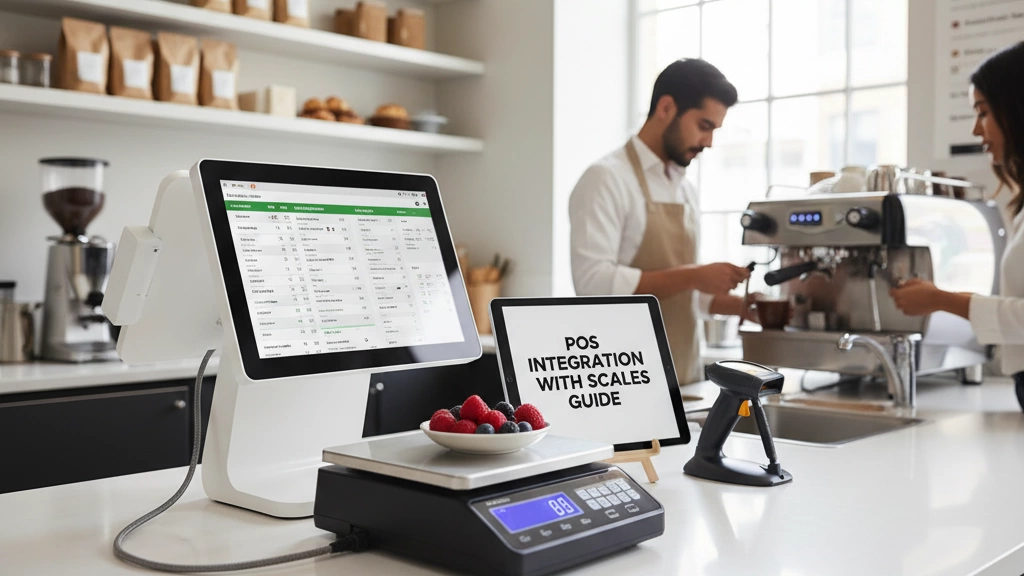
Comprendre l'intégration de l'échelle POS
Si vous gérez un marché frais, l'intégration de votre système de point de vente avec des balances peut simplifier considérablement la tarification et améliorer la précision. Voici comment cela fonctionne et pourquoi c'est important.
Comment les balances envoient les données de poids au POS
Les balances captent le poids des articles et transmettent instantanément ces données à votre système POS. Ce transfert automatique permet à votre système de calculer les prix sur place, sans saisie manuelle. Le résultat ? Des passages en caisse plus rapides, moins d'erreurs et des clients plus satisfaits.
Types d'intégration : Balances intégrées vs Balances autonomes
Balances intégrées : Intégrées directement dans le terminal POS. Elles économisent de l'espace sur le comptoir et réduisent l'encombrement des câbles, mais peuvent avoir des options ou capacités de balance limitées.
Balances autonomes : Appareils séparés connectés par série, USB, LAN ou Bluetooth. Ils offrent plus de flexibilité en termes de taille et de placement, idéaux pour les comptoirs de fruits, de charcuterie ou de fruits de mer très fréquentés.
Les deux types présentent des avantages et des inconvénients selon la configuration et le flux de travail.
Avantages et inconvénients pour les marchés frais
Avantages :
- Simplifie la tarification pour les fruits, les fruits de mer et les produits de charcuterie
- Améliore la précision, réduisant les litiges de prix
- Aide à respecter les normes légales pour les balances de commerce
Inconvénients :
- La configuration de l'intégration peut être technique sans guidance appropriée
- Maintenance ou calibration nécessaires pour éviter tout décalage
- Les coûts varient en fonction du type de balance et de la connectivité
Scénarios clés pour les marchés frais
L'intégration des balances est particulièrement utile lors de la vente de :
- Fruits et légumes frais au prix au kilogramme
- Fruits de mer exposés sur glace dont le poids fluctue
- Charcuterie et fromages coupés à la commande
Chaque scénario bénéficie d'une capture du poids en temps réel, améliorant la rapidité et la précision du passage en caisse.
Pourquoi choisir SDLPOS ?
En tant que fournisseur de matériel POS de confiance, SDLPOS se spécialise dans des solutions de balances conçues pour des marchés frais comme le vôtre. Nos balances fiables, faciles à intégrer, supportent plusieurs types de connexion et sont conformes à toutes les normes américaines, y compris la certification NTEP. Avec SDLPOS, vous obtenez du matériel conçu pour une intégration transparente et des tracas minimaux.
En comprenant comment fonctionne l'intégration des balances POS et en choisissant la bonne configuration, vous permettrez à votre marché frais de fonctionner plus efficacement, de vendre plus intelligemment et de mieux servir vos clients chaque jour.
Préparer l'intégration POS avec des balances
Avant d'intégrer des balances à votre système POS, commencez par vérifier la compatibilité. La plupart des configurations de marchés frais utilisent des types de connexion comme RS-232 (port série), USB ou Ethernet. Assurez-vous que votre matériel POS supporte ces interfaces pour éviter des mises à niveau coûteuses ultérieurement. Pour les configurations sans fil, le jumelage Bluetooth est également une option mais nécessite une gestion attentive du réseau.
Ensuite, concentrez-vous sur la sélection de la balance en fonction des besoins de votre marché frais :
- Capacité : Choisissez une balance capable de supporter vos articles les plus lourds, qu'il s'agisse de fruits en vrac ou de fruits de mer.
- Précision : La précision est importante, surtout pour les petites découpes de charcuterie ou de produits de qualité supérieure.
- Durabilité : Recherchez des balances conçues pour résister aux comptoirs très fréquentés et à l'humidité typique des marchés frais.
Du côté logiciel, vérifiez si votre POS supporte Kits d'outils OPOS ou SDKs de balance. Ceux-ci facilitent l'intégration en fournissant des pilotes et protocoles prêts à l'emploi. Certains systèmes permettent également des connexions API personnalisées pour des configurations avancées.
Gardez votre budget en gardant à l'esprit sans compromettre la qualité. L'approvisionnement local aide à réduire les délais d'attente et les coûts d'expédition. SDLPOS offre une gamme fiable de balances conçues spécifiquement pour les marchés frais en France, combinant précision et durabilité sans se ruiner.
Pour avoir une vue claire de vos options matérielles POS et de la formation, envisagez d'explorer les guides de SDLPOS sur formation sur le matériel POS et meilleures caisses enregistreuses pour petites entreprises pour assurer une intégration fluide.
Intégration étape par étape de la balance POS

Commencer votre intégration POS avec des balances commence dès l'ouverture du colis. Positionnez votre balance au comptoir où elle est facilement accessible et visible par le caissier et le client. Un bon placement accélère le processus de pesée et maintient un flux de travail fluide.
Connexions physiques sont ensuite. La plupart des configurations de marchés frais utilisent l'une de ces options :
- Câbles série (RS-232) – fiable pour de courtes distances et couramment utilisés sur de nombreux systèmes POS.
- Réseau/Ethernet – idéal pour des configurations avec de plus longues distances ou plusieurs balances sur un même réseau.
- USB – simple branchement et utilisation, parfait pour des configurations basiques.
- Bluetooth – la connexion sans fil offre de la flexibilité mais faites attention aux interférences dans les magasins très fréquentés.
Après avoir connecté physiquement la balance, configurez-la pour communiquer via le protocole de votre système. De nombreux systèmes POS utilisent pilotes OPOS pour un échange de données de balance fluide, tandis que d'autres peuvent utiliser des API personnalisées. Des guides visuels ou des outils logiciels aident souvent à définir des paramètres tels que le débit en bauds, la parité et les bits de stop pour les connexions série ou les adresses IP pour les balances LAN.
Du côté logiciel, la synchronisation de votre base de données PLU (Price Look-Up) est cruciale. Votre balance doit connaître les codes et prix corrects pour des articles comme les fruits, les fruits de mer ou les produits de charcuterie. Définissez les unités de mesure (livres, onces, kilogrammes) en accord avec vos normes de vente locales. Effectuez quelques tests pour confirmer que les données sont transmises avec précision de la balance au POS.
Une calibrage est nécessaire non seulement pour un prix précis mais aussi pour la conformité légale — surtout si votre balance est certifiée NTEP. Utilisez des poids de calibration certifiés et respectez les réglementations locales pour que votre balance soit “ conforme pour le commerce ”.”
Avant de mettre en service, effectuez plusieurs simulations de transactions. Pesez les articles, traitez la vente, imprimez les reçus et vérifiez que les prix correspondent. Cette étape garantit que votre système de caisse et de balance est infaillible avant que les clients ne soient en ligne.
Si vous êtes intéressé, les balances fiables et le matériel POS de SDLPOS sont équipés d’un support prêt pour ces types de connexion et protocoles, simplifiant votre configuration du matériel au paiement.
Optimisation de la synchronisation du poids et du contrôle des erreurs
Pour une intégration fluide du POS avec les balances, un flux de données de poids en temps réel est essentiel. Lorsqu’un client place un article sur la balance, celle-ci envoie instantanément les informations de poids au POS, déclenchant le calcul automatique du prix. Cette communication transparente dépend de protocoles bien configurés comme OPOS ou des API personnalisées, garantissant l’absence de décalage ou de perte de données lors des transactions.
Les problèmes courants de synchronisation à surveiller incluent les mises à jour de poids retardées, les coupures de connexion ou les incohérences dans les unités entre la balance et le POS. Pour prévenir ces problèmes :
- Vérifiez régulièrement les connexions physiques (série, USB, LAN ou Bluetooth).
- Maintenez à jour le firmware et le logiciel sur les deux appareils.
- Utilisez proactivement les journaux d’erreurs et les codes de diagnostic pour repérer rapidement les défauts.
- Assurez-vous que votre balance et votre POS supportent les mêmes protocoles de communication.
En cas d’erreurs, appliquez les meilleures pratiques de gestion des erreurs telles que les notifications d’alerte sur l’écran du POS et les tentatives automatiques de retransmission des données échouées. Les codes de diagnostic du matériel SDLPOS peuvent aider à identifier rapidement des problèmes spécifiques, gagnant du temps lors du dépannage.
Pour des fonctionnalités avancées, de nombreux systèmes supportent des configurations multi-balances — parfait pour les marchés frais très fréquentés avec plusieurs points de paiement. De plus, l’intégration peut permettre des mises à jour d’inventaire directement à partir des transactions de balance, aidant les détaillants à suivre les niveaux de stock et à réduire le gaspillage plus efficacement.
En optimisant ces domaines, les opérateurs de marchés frais peuvent réaliser une synchronisation fluide du poids, minimiser les erreurs de tarification et améliorer la vitesse globale de passage en caisse.
Pour plus d’informations sur le matériel POS à écran tactile compatible avec l’intégration de balance, vous pouvez explorer les configurations détaillées dans notre les caisses tactiles ressource.
Matériel SDLPOS recommandé pour les marchés frais

En ce qui concerne l'intégration POS avec les balances, SDLPOS offre une gamme solide adaptée aux besoins du marché frais tels que les fruits, les fruits de mer et les produits de charcuterie. Leurs modèles phares incluent des balances de comptoir avec imprimantes intégrées, des balances autonomes avec connectivité Bluetooth ou LAN, et des appareils multifonctions conçus pour les comptoirs de produits frais très fréquentés.
Aperçu des principaux modèles SDLPOS
- Balances de comptoir: Parfaites pour des configurations petites à moyennes, elles offrent des connexions USB et série faciles.
- Balances compatibles Bluetooth: Idéales pour un positionnement flexible et une synchronisation sans fil.
- Balances compatibles LAN: Idéales pour des opérations plus importantes nécessitant des connexions réseau stables et une gestion multi-balances.
Chaque modèle s'intègre parfaitement avec les systèmes logiciels POS populaires, offrant une compatibilité étendue et éliminant les problèmes de connexion courants. La matrice de compatibilité SDLPOS garantit que votre POS peut communiquer sans problème avec la balance choisie, en supportant des protocoles comme OPOS et des API personnalisées pour la synchronisation des données de pesée en temps réel.
Pourquoi choisir SDLPOS ?
- Fiabilité: Conçues pour résister à une utilisation quotidienne dans le marché frais, avec des matériaux durables et des capteurs précis.
- Facilité d'intégration: Options plug-and-play plus des kits d'outils logiciels performants simplifient l'installation et la maintenance.
- Design pour le marché frais: Les modèles conviennent à divers produits du marché frais, assurant une tarification précise pour les fruits, fruits de mer, produits de charcuterie, et plus encore.
Résultats éprouvés
Une étude de cas récente a montré qu'après l'intégration des balances SDLPOS, un marché frais a réduit ses erreurs de pesée de plus de 40%, accélérant le flux de paiement et minimisant les litiges de prix.
Pour un aperçu plus approfondi des capacités du système POS qui s'associent bien avec le matériel SDLPOS, consultez ce guide complet sur ce qu'est une caisse enregistreuse point de vente pour comprendre comment le POS et le matériel de pesée fonctionnent ensemble de manière transparente.
Dépannage des défis courants

Même les meilleures intégrations POS avec des balances peuvent rencontrer des problèmes. Voici des solutions rapides pour les problèmes fréquents :
Corrections de connectivité :
- Déconnexions : Vérifiez les câbles (USB, série, Ethernet) pour détecter des dommages et assurez-vous que les connexions sont sécurisées.
- Échecs Bluetooth : Assurez-vous que les appareils sont à portée, correctement appairés et sans interférences. Redémarrez le POS et la balance si nécessaire.
- Erreurs série : Confirmez les paramètres corrects du port COM, les taux de transmission (baud rates) et la compatibilité du protocole dans votre logiciel POS.
Dérive de précision et recalibrage :
- Recalibrez régulièrement les balances, surtout dans des environnements de marché frais très fréquentés où une utilisation intensive peut entraîner des erreurs de pesée.
- Suivez les normes de calibration légales pour rester conforme et précis.
Problèmes logiciels et conflits de firmware :
- Maintenez le firmware du POS et de la balance à jour avec les dernières versions.
- Redémarrez le logiciel ou les appareils lorsque des erreurs étranges se produisent.
- Videz le cache ou réinstallez les pilotes de la balance si la communication échoue de façon répétée.
Conseils d'échelle pour les environnements à fort trafic :
- Envisagez des configurations multi-balances pour éviter les goulots d'étranglement pendant les heures de pointe.
- Utilisez du matériel réseau fiable pour réduire la latence dans la synchronisation du poids.
- Un entretien régulier permet de prévenir les défaillances soudaines.
Quand contacter le support SDLPOS :
- Si les problèmes de connectivité ou de calibration persistent malgré le dépannage.
- Pour les mises à jour du firmware ou l'aide à la compatibilité avec votre système POS.
- Lorsque vous avez besoin de conseils pour augmenter la capacité de votre installation de marché frais ou pour résoudre des codes d'erreur inhabituels.
Pour des options matérielles détaillées et un support, SDLPOS reste un partenaire de confiance reconnu pour l'intégration fiable des balances POS pour marchés frais. Pour plus d'informations, consultez notre matériel POS pour épiceries et supermarchés guide détaillé.
Conseils avancés pour maximiser le retour sur investissement
L'intégration de vos balances avec des outils d'inventaire est une révolution pour les marchés frais. Elle permet de suivre précisément les niveaux de stock et de réduire le gaspillage en vous alertant sur les stocks faibles ou excessifs. Ainsi, vous évitez la surcommande et minimisez la détérioration—ce qui est crucial pour les produits périssables comme les fruits et les fruits de mer.
Personnaliser votre système POS selon les habitudes locales augmente l'efficacité. Configurez des PLUs saisonniers pour gérer les variations de prix lors des récoltes de pointe ou des fêtes, et envisagez des extensions POS mobiles pour servir les clients plus rapidement lors des périodes chargées ou dans les marchés de producteurs. Ces ajustements garantissent un passage en caisse fluide et convivial.
La sécurité et la conformité sont indispensables. Utilisez le chiffrement et les pistes d'audit pour protéger les données des transactions et être prêt pour les inspections. Assurez-vous que vos balances sont certifiées NTEP pour respecter les normes légales de commerce, garantissant la précision des prix et renforçant la confiance des clients.
En regardant vers l'avenir, préparez votre installation avec la synchronisation cloud et la prédiction d'erreurs basée sur l'IA. La synchronisation cloud sauvegarde vos données de ventes et d'inventaire et y donne accès de n'importe où. Les outils d'IA peuvent détecter des anomalies de poids ou des problèmes de synchronisation avant qu'ils ne causent des interruptions, réduisant ainsi les temps d'arrêt et assurant une opération fluide.
En combinant ces stratégies avancées, vous optimisez non seulement les opérations quotidiennes de votre marché frais, mais maximisez également votre retour sur investissement global.
Pour plus d'informations sur les fonctionnalités et la configuration du système POS, consultez notre guide détaillé sur les composants clés d'un système POS moderne.


