







Top Cash Register Software Features to Boost Small Business Efficiency

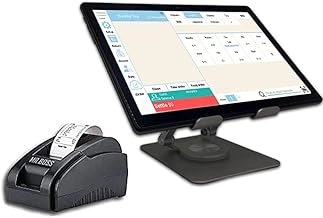
Core Transaction Processing Features for Efficient Cash Register Software
At the heart of any great cash register software lies its transaction processing capabilities. This is the foundation for speedy, accurate checkouts that keep your customers happy and your lines moving. Let’s break down the must-have features that make these systems so powerful.
Multi-Payment Support for Modern Transactions
Customers today expect flexibility at checkout. Your software should handle:
- Cash and credit/debit cards seamlessly
- Contactless payments including Apple Pay, Google Wallet, and other mobile wallets
- Split payments, especially useful for service businesses where bills may be shared
- Tip handling built right in, making it easy to add gratuity without slowing the process
By supporting multiple payment methods, you reduce friction, speeding up transactions and improving customer satisfaction.
Customizable Receipts and Invoice Generation with Branding
Every transaction generates a chance to reinforce your brand. Advanced cash register software offers:
- Custom receipt templates featuring your logo and business info
- Options for digital invoices emailed or texted instantly
- Tools to add promotional offers or loyalty codes right on the receipt
This not only creates a professional image but also opens up marketing opportunities directly at checkout.
Benefits of Robust Transaction Processing
Implementing core transaction features delivers real-world advantages:
- Reduces checkout lines by 30 to 50 percent, keeping customers from walking away
- Minimizes errors with automated price calculations and tax applications
- Improves employee efficiency thanks to intuitive, easy-to-navigate interfaces
Faster checkouts mean more sales and happier customers.
Plug-and-Play Setup with SDLPOS Compatibility
A major headache with new software is installation and setup. The right cash register system offers:
- Plug-and-play compatibility with SDLPOS hardware
- Rapid deployment out of the box, no complex installations
- Seamless integration with peripherals like barcode scanners and receipt printers
This means you hit the ground running with minimal downtime.
Comparing Basic and Advanced Transaction Tools
Here’s a quick look at how basic vs advanced transaction features stack up in cash register software:
| Feature | Basic Tools | Advanced Tools |
|---|---|---|
| Payment Methods | Cash and card only | Multi-payment including mobile wallets |
| Receipts | Standard paper print | Customizable receipts with branding options |
| Payment Flexibility | Single payment per transaction | Split payments and tip handling |
| User Interface | Simple checkout screen | Intuitive workflows with error prevention |
| Hardware Integration | Limited | Full SDLPOS plug-and-play compatibility |
| Setup Time | Moderate | Immediate plug-in and start |
Choosing software with advanced transaction features ensures your checkout process is smooth, professional, and ready for modern consumer expectations.
By prioritizing these core transaction processing features, you create a strong foundation for your checkout process, reducing errors, speeding up sales, and offering the payment flexibility customers demand today. Next, we’ll explore how inventory and stock management features prevent costly stock issues and keep your business running efficiently.
Inventory and Stock Management Features for Efficient Retail
Managing inventory well is key to avoiding both stockouts and excess stock that ties up cash. Good cash register software with strong inventory and stock management tools helps you stay on top of what you have and what you need.
Real-Time Tracking and Smart Alerts
With real-time tracking, you always know your inventory status. The software sends low-stock alerts so you can reorder before running out, reducing lost sales and unhappy customers. Many systems offer auto-reordering based on predefined levels, making replenishment effortless.
Barcode and RFID Scanning Integration
Integrating barcode scanning or RFID technology speeds up updates and cuts human errors. SDLPOS scanners are known for their accuracy and durability, allowing quick and reliable data capture. This keeps your stock info precise without wasting staff time.
Multi-Location Inventory Management
For businesses with multiple stores, warehouses, or pop-up shops, the software’s multi-location support lets you track stocks across all places from a single dashboard. This helps in moving inventory where it’s needed most and reduces overstock in slower locations.
Real-Life Results from Local Retailers
A local retail shop reported cutting waste by 25% simply by switching to a system with these inventory features. They reduced dead stock and made smarter purchasing decisions based on accurate, up-to-date data.
Easy Implementation Checklist
To get the most out of your inventory management software, follow these steps:
- Set up barcode or RFID scanning hardware, like SDLPOS scanners
- Define your minimum stock levels for auto-reordering
- Organize your inventory by location for multi-site tracking
- Train staff on updating and verifying stock counts regularly
- Schedule regular audits to keep data clean
- Integrate inventory data with POS for smooth sales processing
Inventory Management ROI
Using efficient inventory tools saves money by:
- Cutting stock waste
- Preventing lost sales from out-of-stock items
- Reducing manual counting errors
- Streamlining purchase orders and stock transfers
A good inventory system pays off quickly and makes running your business easier day-to-day. The right POS inventory management features in SDLPOS software can transform how you handle stock, giving you more control and better insight over your products.
Reporting and Analytics Features for Cash Register Software
Make Smarter Business Moves with Data-Driven Insights
Good reporting and analytics tools are essential in any cash register software. They help you understand how your business is doing in real time and guide smarter decisions that drive growth. With customizable dashboards, you can track daily and weekly sales, monitor top-selling products, and analyze profit margins all in one place.
Key Reporting Tools to Watch
- Customizable dashboards that let you see what matters most to your business
- Detailed sales reports broken down by day, week, or product
- Insights into profit margins to spot where you’re making or losing money
- Top-seller reports showing which items bring in the most revenue
Seamless Integration With Accounting Software
Linking your system to QuickBooks and other accounting software means you can export data smoothly. This eliminates manual entry errors and saves time during tax season or monthly reconciliations. Reliable reporting with clean data feeds from SDLPOS makes this process seamless and error-free.
Predictive Analytics for Seasonal and Demand Forecasting
The software doesn’t just report past sales; it can help predict future trends based on historical data. This is great for managing inventory around busy seasons or planning promotions to boost slower periods.
Why Reporting and Analytics Matter
- Boosts profitability by highlighting underperforming products or sales strategies early
- Helps manage stock better by knowing what sells and when
- Empowers smarter pricing and marketing decisions
- Saves time with automated, reliable reporting tools
SDLPOS Supports Reliable Reporting
SDLPOS cash register systems are built to deliver clean, accurate data that ensures you can trust your reports. Their software dashboard uses clear visuals, like simple bar charts, so understanding sales trends becomes straightforward for any user.
Reporting Comparison Table
| Feature | Basic Reporting | Advanced Reporting |
|---|---|---|
| Sales reports | Daily summaries | Custom date range, detailed views |
| Profit margin analysis | Not available | Included |
| Integration with accounting | Manual data export | Seamless QuickBooks export |
| Predictive analytics | No | Yes |
| Custom dashboards | Limited | Fully customizable |
Use these tools to gain a stronger grasp on your business and stay ahead in the competitive retail market.
Customer Relationship and Loyalty Features Enhancing Repeat Business
Building strong customer relationships and loyalty is essential for any business aiming to grow and keep customers coming back. Modern cash register software features include tools that help you do just that by combining CRM, loyalty programs, and seamless online ordering.
CRM Integration for Personalized Service
With CRM integration, you can create detailed customer profiles tracking purchase history and preferences. This allows you to send targeted emails and promotions that resonate with your customers, driving repeat visits and higher sales. Knowing your customers better means you can offer the right deals at the right time.
Loyalty Programs That Work
Effective customer loyalty programs are more than just points and discounts. Look for systems offering:
- Points accumulation for every purchase
- Discounts and special offers tailored to different shopper levels
- VIP tiers rewarding regular customers with exclusive perks
- Automated rewards that trigger based on behavior, like birthdays or milestones
These features help turn one-time buyers into loyal brand supporters, increasing overall revenue.
Omnichannel Online Ordering and Sync
Today’s customers want flexibility. Good cash register software supports online ordering and keeps your sales data synced between your in-store POS and e-commerce platform. This omnichannel approach improves convenience and customer satisfaction, letting your business meet customers wherever they shop.
Practical Implementation Tips
To maximize customer loyalty tools, consider these steps:
- Collect email addresses through checkout and offer opt-ins for marketing
- Send digital receipts that double as promotional touchpoints
- Use your POS touchscreen’s customer-facing interface for quick loyalty sign-ups
- Monitor and adjust your rewards program based on customer engagement and sales data
SDLPOS Features for Customer Engagement
SDLPOS offers intuitive customer-facing displays that make it easy for your staff and customers to interact with loyalty programs right at the register. Its software supports seamless CRM integration and online sync, helping your business stay connected with your buyers.
For a smooth setup, SDLPOS provides a loyalty program flowchart to guide you through launching successful customer incentives.
Boost your growth by turning transactions into meaningful customer relationships with these powerful loyalty and CRM features built into your cash register software.
For more insights on choosing the right system, check out how to choose a cash register for a small business or explore cash register system features.
Security and Compliance Features in Cash Register Software
Protecting your business from security risks and staying compliant with regulations is a must-have feature in any cash register software. With SDLPOS, you get a solution designed specifically to keep transactions safe and your data secure.
End-to-End Encryption for Secure Payment Processing
PCI-compliant encryption ensures that all payment data is protected from the moment a customer pays, right through to the final authorization. This means your customers’ credit card info—and your business—are safe from potential breaches. Whether you’re handling cash cards, contactless payments like Apple Pay, or mobile wallets, SDLPOS meets strict security standards so you don’t have to worry about compliance headaches.
User Access Controls and Audit Logs for Employee Accountability
Managing who can access different parts of your system is essential for preventing internal errors and fraud. SDLPOS offers user access controls that let you assign specific permissions for cashiers, managers, and back-office staff. The software also keeps detailed audit logs, so every action is recorded. This transparency boosts employee accountability and helps when tracking down issues.
Offline Mode and Safe Data Sync to Avoid Downtime Losses
Sometimes, internet outages happen. SDLPOS includes an offline mode that keeps your business running by allowing transactions to process locally. Once your connection is back, the software securely syncs all data with the cloud—so no sales or inventory updates get lost, protecting your revenue and reporting accuracy.
Certified Hardware Software Bundles for Added Security
SDLPOS doesn’t just stop at software security. Their certified hardware-software bundles ensure that your entire cash register setup adheres to security best practices. This reduces vulnerabilities from third-party hardware and simplifies compliance with industry regulations.
Compliance Checklist for Your Peace of Mind
To keep your business secure and compliant, make sure your cash register software includes:
- PCI compliance certification
- End-to-end encryption of payment data
- Role-based user access control
- Detailed audit trails and reports
- Offline transaction support with secure data sync
- Certified secure hardware-software package
Choosing a cash register system like SDLPOS means you can focus on growing your business, with confidence that your payment security and compliance needs are fully covered.
Integration and Scalability Cash Register Software Features for Future Growth
When choosing cash register software, integration and scalability are key to keeping your business flexible and ready to grow. The right system should work well with your existing tools and adapt as your needs change.
Open APIs and Third-Party App Ecosystem
A cash register software with open APIs lets you connect smoothly with various third-party apps—like e-commerce platforms, delivery services, or accounting tools. This flexibility avoids vendor lock-in, so you’re not stuck with one provider or limited features. For local businesses in the US, being able to quickly link your POS with popular online ordering or accounting software means less hassle and extra automation.
Cloud vs On-Premise Options
Deciding between cloud-based POS systems and on-premise setups depends on your business priorities.
| Feature | Cloud-Based POS | On-Premise POS |
|---|---|---|
| Remote Access | Yes, from anywhere | Limited to local network |
| Setup & Upgrades | Automatic and hassle-free | Manual, needs IT support |
| Security | Managed by vendor, regular updates | Managed internally |
| Initial Cost | Lower upfront | Higher upfront |
| Internet Dependency | Requires stable connection | Works offline |
| Scalability | Easy for multi-store expansion | More complex |
For businesses wanting remote access and easy updates, cloud options shine. But if you operate in areas with spotty internet, on-premise can offer reliable offline transaction support while syncing data later.
Easy Upgrades and Multi-Store Expansion
As your business grows, you’ll want cash register software that scales without headaches. Systems like SDLPOS modular setups make it simple to add new registers, locations, or features without starting fresh. This flexibility helps retailers, restaurants, or service businesses expand across multiple sites smoothly.
SDLPOS Solutions Designed to Grow
SDLPOS offers modular systems that integrate well with your current operations and grow with your business. Whether you need:
- Easy multi-location management
- Seamless third-party app integration
- Flexible cloud or local deployment
SDLPOS provides options tailored for US businesses needing scalable cash register software that won’t slow them down later.
Key Takeaways
- Choose software with open APIs to match your existing tools and avoid being locked in.
- Weigh pros and cons of cloud vs on-premise based on your business internet and security needs.
- Pick systems like SDLPOS that offer easy upgrades and smooth multi-store support for growth.
Investing in flexible, integrated, and scalable cash register software sets you up for long-term success—keeping operations smooth as your business evolves.


