







Key Components of a Modern POS System for Efficient Retail Management

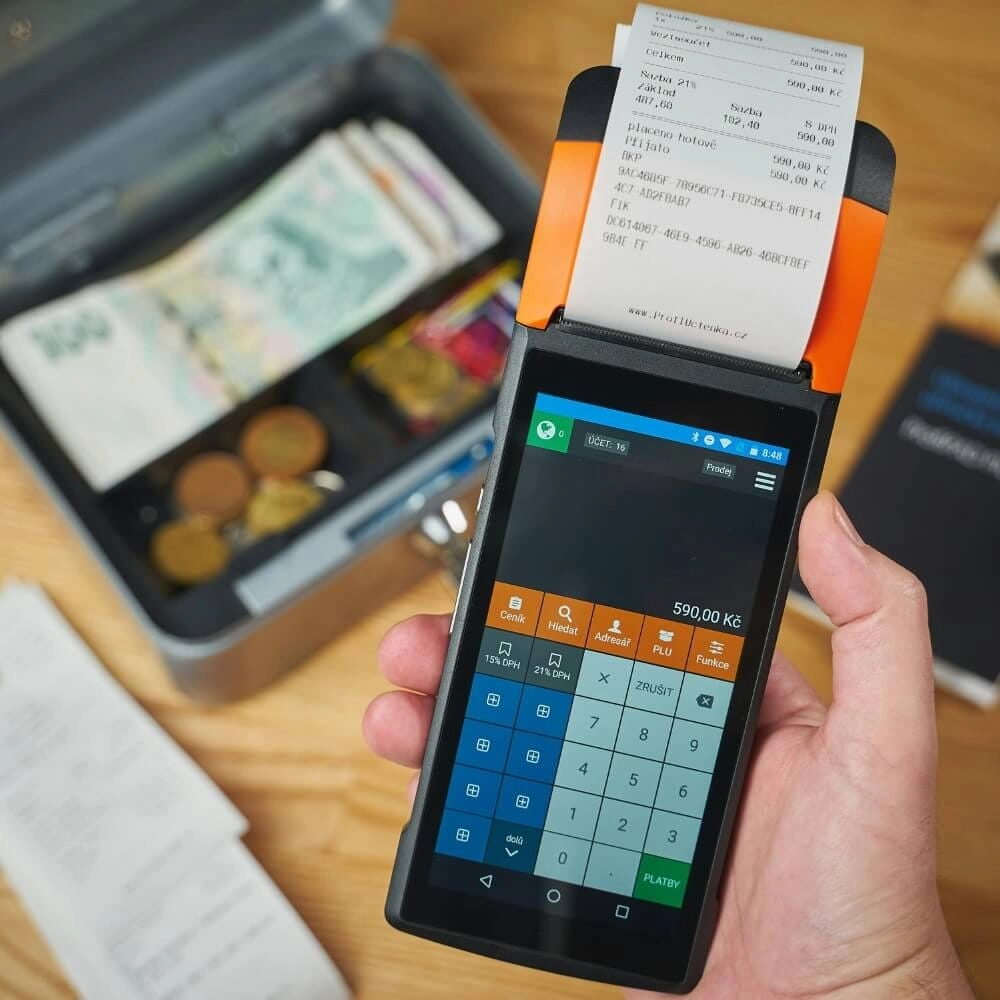
The Hardware Backbone Essential POS Hardware Essentials for Seamless Operations

A modern POS system starts with reliable hardware components that keep your business running smoothly. Whether you’re in retail, food service, or any other fast-paced environment, these physical tools form the backbone of your daily operations.
POS Terminal and Touchscreen The Command Center of Your Business
The POS terminal is the heart of your setup. Most systems now feature a responsive touchscreen that acts as the intuitive command center. This hardware allows quick item selection, order processing, and access to essential functions, minimizing training time and speeding up customer service.
- Durable and easy-to-clean screens matter in busy environments.
- Mobile POS terminals add flexibility, letting staff assist customers anywhere on the floor.
- Touchscreens with multi-touch support improve accuracy and efficiency.
Barcode Scanners and Payment Readers Speeding Up Checkouts
Handheld or fixed barcode scanners are vital for fast, error-free inventory tracking and quick checkout. Coupled with advanced payment readers, they reduce wait times and improve customer satisfaction by accepting various payment methods.
- Support for contactless payments and NFC technology is essential now.
- EMV chip card readers protect against fraud and comply with security protocols.
- Scanners that integrate seamlessly with your POS software keep data synced in real time.
Cash Drawers Receipt Printers and Customer Displays Completing the Essential Setup
While digital payments grow, cash drawers remain necessary for many transactions. They work hand in hand with receipt printers to provide proof of purchase promptly. Plus, customer-facing displays enhance transparency and trust by showing order details during checkout.
- Receipt printers vary from thermal to impact models based on your needs.
- Customer displays improve clarity and reduce disputes.
- Cash drawers with sturdy locks ensure security.
Together, these key hardware components create a smooth checkout experience and contribute to effective inventory tracking and sales accuracy. Investing in quality hardware is critical for long-term reliability and customer satisfaction in any modern POS system.
The Software Engine Powering Modern POS Systems

A modern POS system’s true strength lies in its software engine—the digital features that drive your business forward. The right software doesn’t just process sales; it delivers real-time business intelligence that helps you manage inventory, payments, reporting, and customer relationships efficiently.
Inventory Management with Real-Time Tracking
One of the most critical features is inventory management. A modern POS tracks stock levels in real time, helping you avoid costly stockouts or overstock situations. This means you always know what’s selling fast, and when to reorder, keeping your shelves properly stocked and your customers happy. Many systems also integrate with suppliers, streamlining your restocking process automatically. For more details on inventory tracking, check out our article on cash register systems with integrated inventory management.
Payment Processing and Security
Your POS software needs to handle multiple payment options—from traditional cards to contactless and mobile payments—to meet customer expectations. It should support secure payment processing protocols that protect sensitive data and combat fraud. Features like end-to-end encryption, EMV chip support, and tokenization are standard in modern systems, reducing your risks and building trust.
Reporting and Analytics for Smarter Decisions
A big advantage of modern POS software is its reporting and analytics capabilities. Dashboards provide insights into sales trends, peak hours, employee performance, and product popularity. This data helps you make smarter decisions about pricing, promotions, and inventory. Retail analytics dashboards turn raw data into actionable insights, giving you a clear picture of business health without the guesswork.
Customer Relationship Management and Loyalty Tools
Building repeat business is easier when your POS software includes CRM features and loyalty programs. You can store customer profiles, track purchase history, and send personalized offers or promotions based on buying habits. Loyalty tools reward repeat customers and increase engagement, directly impacting your bottom line by encouraging frequent visits.
By combining these digital features, your POS software acts as a powerful business engine—streamlining operations, improving security, and providing you with the tools to grow. For businesses looking to modernize, these capabilities are essential to stay competitive and responsive to customer needs.
Advanced Integrations for Modern POS Systems
Cloud-Based Access and Omnichannel Support
A cloud-based POS system is a game-changer for businesses across the United States. With cloud access, you can manage your store from anywhere—whether you’re at home, a satellite location, or on the go. This setup allows real-time updates to sales, inventory, and customer data without being tied to one physical terminal.
Omnichannel support is another must-have feature. It connects your in-store sales with your online shop seamlessly, so customers get a consistent experience whether they buy in person, online, or through a mobile app. This integration helps you avoid inventory confusion and keeps your sales data accurate across platforms.
Scalability and Customization for Growing Businesses
When choosing a POS system, think about how it will grow with your business. The scalability of modern POS solutions means you can start small and add features or terminals as your needs expand.
Good POS systems offer customizable options to tailor workflows, add apps, or integrate with third-party services like accounting or marketing tools. This flexibility is crucial for retailers and small businesses aiming to stay competitive and efficient as they scale.
Key Benefits of Advanced Integrations
- Unified data management across sales channels
- Remote access to monitor your business anytime
- Smooth customer experiences with synced inventory and CRM features
- Easier expansion without needing a full system overhaul
Investing in a POS with solid advanced integrations helps you see the bigger picture—combining sales, stock, and customer insights to run your business smarter and faster.
Choosing the Right POS Implementation Tips and Common Pitfalls
Selecting the right POS system for your business in the U.S. market is critical. With various options available—from cloud-based POS software to traditional hardware setups—making the wrong choice can lead to wasted resources, frustrated staff, and unhappy customers. Here are some essential tips and common pitfalls to keep in mind during implementation.
Tips for Successful POS Implementation
Understand Your Business Needs
Start by assessing what your store truly requires. Do you need strong inventory tracking in POS to avoid stockouts? Or is contactless payment integration a priority for faster, safer checkouts? Pinpointing features, like CRM tools for loyalty programs or a retail analytics dashboard for smarter decisions, will guide you in picking the right system.
Prioritize User-Friendly Hardware and Software
Your team will interact with the system daily, so ease of use in the POS hardware essentials (like touchscreen terminals or barcode scanners) and the software interface are key. Look for intuitive designs that reduce training time and improve efficiency.
Ensure Strong Security Protocols
Your POS must follow the latest POS security protocols to protect against fraud and data breaches. This includes encrypted payment processing and compliance with industry standards such as PCI DSS—something U.S. retailers can’t afford to overlook.
Opt for Scalability and Customization
Choose a system that grows with your business. Whether you’re running a small shop or expanding into multiple locations, your omnichannel retail POS should offer flexibility, including adding new features or integrating with other tools down the line.
Test Before Full Rollout
A phased or pilot implementation helps catch glitches early. Try your mobile POS terminal or cloud system in one location first to gather feedback and iron out issues.
Common Pitfalls to Avoid
Ignoring Integration Capabilities
Failing to check if your POS connects smoothly with accounting software, e-commerce platforms, or CRM systems creates workflow bottlenecks. Integration matters, especially for businesses wanting an all-in-one solution.
Overpaying for Unnecessary Features
Some vendors push expensive POS packages loaded with features you won’t use. Focus on what fits your current needs to avoid overspending on complex setups that add no real value.
Neglecting Ongoing Support and Training
Choosing a system without reliable customer service or proper training resources leads to downtime and mistakes. Make sure your provider offers accessible support tailored to U.S. customer expectations.
Underestimating Network and Internet Requirements
For cloud-based POS software, a stable internet connection is crucial. Poor connectivity can disrupt sales and frustrate customers. Plan your infrastructure accordingly.
By keeping these points front and center, you’ll pave the way for a smooth POS implementation that supports your business goals, improves operational efficiency, and delivers a seamless checkout experience for your customers.


