







Top Cash Register POS Suppliers for Small Businesses with Key Features

Verstehen von Kassensystemen mit POS-Funktion
Definition und Kernkomponenten
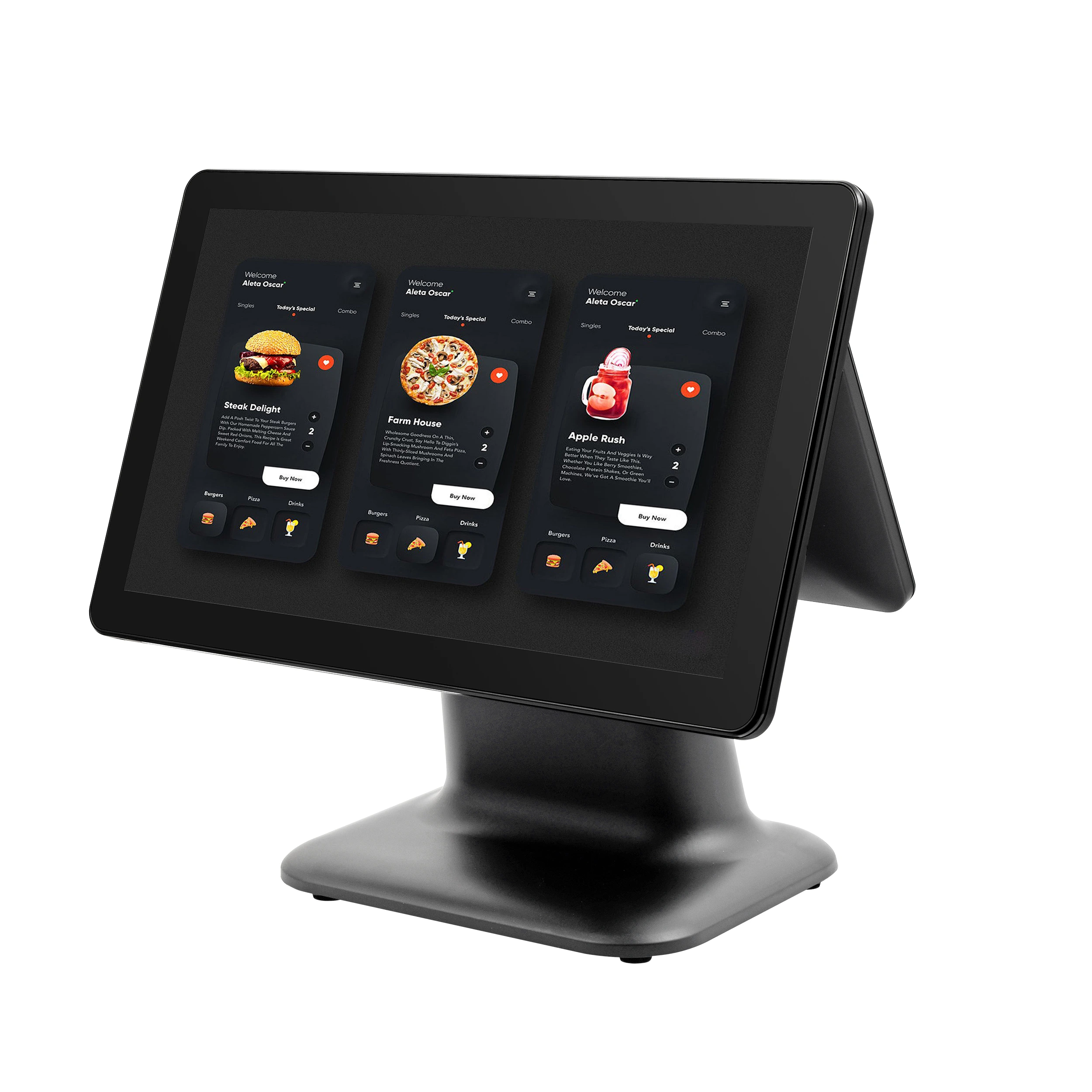
Ein Kassensystem mit POS (Point of Sale) ist mehr als nur eine schicke Kassenschublade. Es kombiniert Hardware und Software, um Verkäufe abzuwickeln, Inventar zu verfolgen, Zahlungen zu verarbeiten und Kundendaten zu verwalten – alles an einem Ort. Zu den Kernkomponenten gehören oft ein Touchscreen-Monitor, Belegdrucker, Barcodescanner, Kassenschublade und die POS-Software selbst. Gemeinsam optimieren sie die täglichen Abläufe und erhöhen die Genauigkeit.
Entwicklung von herkömmlichen Kassensystemen
You might remember the old mechanical cash registers — simple machines that only totaled sales and stored cash. Today’s POS systems have evolved significantly. Modern cash registers integrate cloud-based technology, mobile compatibility, and advanced reporting tools. This shift means small retailers or restaurants can now access real-time inventory tracking and sales analytics on the go, something legacy systems simply couldn’t offer.
Häufige Mythen entlarvt
Es kursieren einige Mythen über Kassensysteme mit POS:
- Mythos 1: POS-Systeme sind nur für große Unternehmen geeignet. Tatsächlich gibt es erschwingliche, skalierbare Optionen, die perfekt für kleine Einzelhandels- und Dienstleistungsbetriebe sind.
- Mythos 2: Sie sind kompliziert in der Bedienung. Die meisten modernen Systeme verfügen über intuitive, benutzerfreundliche Schnittstellen, die nur wenig Schulung erfordern.
- Mythos 3: Kassensysteme sind veraltet. Während traditionelle Modelle auslaufen, bieten viele Anbieter noch immer elektronische Kassensysteme mit modernen POS-Funktionen an, die für spezifische Bedürfnisse ideal sind.
Das Verständnis dieser Grundlagen hilft Ihnen, eine informierte Entscheidung bei der Auswahl eines Anbieters und Systems zu treffen, das zu Ihrem Unternehmen passt.
Wichtige Faktoren bei der Auswahl eines Kassensystem-Pos-Anbieters
Die Wahl des richtigen Kassensystem-Pos-Anbieters ist entscheidend für einen reibungslosen Geschäftsbetrieb. Hier sind die wichtigsten Faktoren, die Sie beachten sollten:
Zuverlässigkeit und Support
Sie möchten einen Anbieter, der für zuverlässige Produkte und schnellen Kundenservice bekannt ist. Ausfallzeiten können Umsätze kosten und Kunden frustrieren, daher sollten Sie prüfen, ob sie 24/7-Support oder schnelle Reaktionszeiten anbieten.
Kompatibilität und Integration
Ihr POS-System sollte gut mit Ihrer bestehenden Hardware und Software zusammenarbeiten, wie z.B. Inventar-Tracking-Software oder Zahlungsabwicklungslösungen. Achten Sie auf Anbieter, die cloudbasierte POS-Integration und Touchscreen-POS-Hardware anbieten, die sich nahtlos in Ihre Einrichtung einfügt.
Skalierbarkeit für Wachstum
Mit wachsendem Geschäft werden sich Ihre POS-Anforderungen ändern. Ein guter Anbieter bietet skalierbare Lösungen, egal ob Sie mehr Kassen hinzufügen, neue Zahlungsmöglichkeiten integrieren oder zusätzliche Standorte unterstützen möchten.
Kostenaufstellung
Bewerten Sie die Gesamtkosten, einschließlich Einrichtungsgebühren, monatlicher Abonnements, Hardware-Bundles und Transaktionsgebühren. Einige günstige Kassenschubladen-Bundles erscheinen verlockend, können aber versteckte Servicegebühren haben.
Sicherheit und Compliance
Ihr Kassensystem mit POS muss den Sicherheitsstandards der Branche entsprechen, wie z.B. sichere EMV-konforme Kassen und PCI-Konformität. Dies schützt Ihr Unternehmen und Kundendaten vor Angriffen und Betrug.
Wenn Sie diese Faktoren berücksichtigen, können Sie den richtigen Anbieter für elektronische Registrierkassen in Deutschland finden, der zu Ihrem Budget und Ihren Geschäftsanforderungen passt. Für detaillierte Einblicke lesen Sie diesen Leitfaden zu Hersteller von Windows-basierten POS-Terminals.
Top-Funktionen, auf die Sie bei einem Kassensystem mit POS-Funktion achten sollten
Bei der Auswahl eines Kassensystems mit POS-Funktion möchten Sie Funktionen, die die Effizienz steigern und Ihren Geschäftsanforderungen entsprechen. Hier sind die Prioritäten:
| Funktion | Warum es wichtig ist |
|---|---|
| Zahlungsvielfalt | Akzeptiert Kredit-/Debitkarten, mobile Wallets, EMV-Chipkarten und kontaktlose Zahlungen, um jeden Kunden zu bedienen. Sicheres, EMV-konformes Kassensystem ist ein Muss zum Schutz vor Diebstahl. |
| Inventar & Berichte | Verfolgt Lagerbestände in Echtzeit und erstellt klare Verkaufsberichte. Hilft, Lagerengpässe zu vermeiden und klügere Einkaufsentscheidungen zu treffen. |
| Benutzerfreundliche Oberfläche | Vereinfachte Schulung und täglicher Gebrauch mit intuitiver Touchscreen-POS-Hardware. Reduziert Fehler und beschleunigt den Bezahlvorgang. |
| Hardware-Haltbarkeit | Robuste Kassenschubladen und Touchscreens, die auch in geschäftigen Einzelhandels- oder Restaurantumgebungen standhalten, minimieren Ausfallzeiten und Reparaturkosten. |
| Erweiterte Zusatzfunktionen | Features wie Kundenbindungsprogramme, cloudbasierte POS-Integration und Mitarbeitermanagement-Tools können Ihr Geschäft auf die nächste Ebene heben. |
Diese Funktionen sind besonders nützlich für kleine Einzelhandelsgeschäfte und Restaurants, die auf reibungslose Abläufe und gute Kundenerfahrung setzen. Für tiefere Einblicke in POS-Hardware mit intelligenten Tools lesen Sie diesen Leitfaden zu POS-Hardware mit fortschrittlichen Analysetools.
Die Wahl eines Systems mit diesen Kernfunktionen stellt sicher, dass Ihr Anbieter für Kassensysteme mit POS Ihren Geschäftsanforderungen heute entspricht und mit Ihnen wächst.
Vergleich führender Anbieter für Kassensysteme mit POS
Bei der Auswahl eines Anbieters für Kassensysteme mit POS ist es hilfreich, die wichtigsten Akteure, ihre Preise und versteckte Kosten zu kennen. Hier ist eine kurze Übersicht über einige Top-Anbieter in Deutschland und was sie zu bieten haben.
Profile der Marktteilnehmer
| Lieferant | Stärken | Ideal Für | Preisspanne |
|---|---|---|---|
| Square POS | Einfache Einrichtung, mobilfreundlich, erschwinglich | Kleine Einzelhändler & Restaurants | Beginnt bei $0/Monat + Transaktionsgebühren |
| Clover | Vielseitige Hardwareoptionen, cloudbasiert | Wachsender Einzelhandel & Gastgewerbe | $14,95–$69,95/Monat |
| SAM4s | Robuste Hardware, zuverlässige Leistung | Traditionelle Einzelhandelsgeschäfte | $500–$1.500 (Hardware) + Softwarekosten |
| Toast POS | Branchenspezifische, leistungsstarke Berichterstattung | Restaurants & Bars | Individuelle Preisgestaltung, typischerweise $79+/Monat |
| Lightspeed | Erweiterte Bestandsverfolgung, Omnichannel-Unterstützung | Einzelhandel und E-Commerce | $69–$229+/Monat |
Fallstudien
- Einzelhandelsgeschäft in Deutschland: Auf Lightspeed POS umgestellt und die Bestandsgenauigkeit um 25% erhöht, wodurch Überbestandskosten reduziert wurden.
- Lokales Café in Deutschland: Toast POS für seine mobile Bestell- und Zahlungsvielfalt genutzt, was die Bestellgeschwindigkeit und Kundenzufriedenheit verbessert hat.
- Kiosk in Deutschland: SAM4s-Kassen mit bestehender Buchhaltungssoftware integriert, um den täglichen Betrieb zu vereinfachen.
Versteckte Kosten, die man im Auge behalten sollte
- Hardware-Gebühren: Viele Anbieter erheben zusätzliche Gebühren für Kassenschubladen, Barcodescanner und Touchscreen-POS-Hardware.
- Transaktionsgebühren: Neben monatlichen Gebühren sollten Sie auf Kreditkartengebühren achten, insbesondere bei EMV-konformen Registrierkassen.
- Software-Updates: Einige Systeme erfordern kostenpflichtige Upgrades oder Add-ons, um volle Funktionen wie cloudbasierte POS-Integration oder Treueprogramme freizuschalten.
- Support-Gebühren: Achten Sie darauf, ob der Kundendienst eingeschränkt ist oder zusätzliche Gebühren außerhalb der Geschäftszeiten verlangt werden.
Für einen detaillierten Blick auf Anbieter, die langlebige, Windows-kompatible Kassensysteme anbieten, kann es hilfreich sein, Anbieter von Windows-kompatiblen Kassensystemen zu prüfen. Außerdem bietet die Erkundung der neuesten Trends in POS-Hardware für Omnichannel-Händler Einblicke in Hardware-Optionen, die eine Vielzahl von Geschäftsanforderungen erfüllen.
Mit diesen Informationen können Sie Anbieter anhand von Funktionen, Kosten und Eignung für Ihr Unternehmen vergleichen – Überraschungen vermeiden und ein System finden, das wirklich zu Ihnen passt.
Ihre Wahl auf US-Geschäftstypen abstimmen
Die Wahl des richtigen Kassensystem-Pos-Anbieters bedeutet, das System auf Ihren spezifischen Geschäftstyp und lokale Bedürfnisse abzustimmen. So profitieren verschiedene Geschäftsbereiche in Deutschland von maßgeschneiderten POS-Funktionen:
Einzelhandelsgeschäfte
Einzelhändler benötigen zuverlässige Inventar-Tracking-POS-Software Geräte, die Tausende von SKUs reibungslos verwalten. Funktionen wie Barcode-Scanning, Echtzeit-Bestandsaktualisierungen und Verkaufsberichte optimieren den täglichen Arbeitsablauf. Eine robuste Kassenschublade und schnelle Zahlungsabwicklung sorgen für zügige Kassiervorgänge während der Stoßzeiten. Die Integration mit cloudbasierten Systemen hilft Mehrstandort-Händlern, Verkäufe und Lagerbestände nahtlos zu verwalten.
Restaurants und Gastronomie
Restaurants profitieren von mobiles POS für Restaurants die Tischbestellung und geteilte Rechnungen unterstützen. Touchscreen-Hardware in Kombination mit einfachen Menüänderungen erhöht Geschwindigkeit und Genauigkeit. Achten Sie auf Systeme, die eine Integration mit Küchenanzeigen und Online-Bestellplattformen bieten. EMV-konforme Registrierkassen erhöhen die Sicherheit bei Zahlungen vor Ort und bei Takeaway.
Bequemlichkeit und Lebensmittelgeschäfte
Diese Unternehmen verlangen einen schnellen und zuverlässigen Kassiervorgang mit sicheren EMV-konformen Registrierkassen und Unterstützung für Barcode-Scanning bei Alltagsartikeln. Bestandsverfolgung ist bei verderblichen Waren entscheidend, daher sorgen nahtlose Updates und Warnungen bei niedrigem Lagerbestand für reibungslose Abläufe. Anbieter, die erschwingliche, langlebige Hardware für den Dauerbetrieb anbieten, sind ein großer Vorteil.
Servicebasierte Unternehmen
Für Salons, Reparaturwerkstätten und ähnliche Dienstleistungen suchen Sie nach POS-Systemen mit flexiblen Zahlungsoptionen und Terminplanungsfunktionen. Integrationsmöglichkeiten mit Kundenverwaltungstools helfen, die Kundenbindung zu verbessern. Eine benutzerfreundliche Oberfläche, die auf Nicht-Einzelhandelsverkäufe zugeschnitten ist, macht tägliche Aufgaben wie Rechnungsstellung und Zahlungsüberwachung unkompliziert.
Regionale Überlegungen vor Ort
Übersehen Sie nicht regionale Faktoren wie Steuersätze, bevorzugte Zahlungsmethoden und Compliance-Anforderungen. Zum Beispiel benötigen Unternehmen in Bundesländern mit komplexen Umsatzsteuergesetzen Systeme, die diese automatisch korrekt berechnen und anwenden. Lokale Anbieter, die mit diesen Nuancen vertraut sind, können besseren Support und schnellere Problemlösungen bieten.
Wenn Sie bei der Auswahl eines Kassensystem-Anbieters diese geschäftsspezifischen und regionalen Bedürfnisse berücksichtigen, stellen Sie sicher, dass Ihre Investition sowohl Ihren täglichen Betrieb als auch Wachstumspläne unterstützt. Für tiefere Einblicke, wie moderne Registrierkassen Transaktionsdetails effizient verwalten, können Sie wie Registrierkassen die Berechnungen für Sie durchführen.
Schritt-für-Schritt-Anleitung zur Implementierung Ihres neuen Kassensystems
Die Implementierung eines neuen Kassensystems kann überwältigend erscheinen, aber eine klare Schritt-für-Schritt-Vorgehensweise macht den Prozess reibungslos und erfolgreich für Ihr Unternehmen in Deutschland.
Bewertungsphase
Beginnen Sie mit der Bewertung Ihrer aktuellen Kassiervorrichtung und Geschäftsbedürfnisse. Identifizieren Sie, welche Funktionen und Hardware Ihr Betrieb benötigt – benötigen Sie Touchscreen-POS-Hardware, Inventarverwaltung-Software oder sichere EMV-konforme Registrierkassen? Diese Phase legt die Grundlage für die Auswahl des richtigen Systems.
Auswahl und Kauf des Anbieters
Recherchieren Sie elektronische Registrierkassenanbieter in Deutschland, vergleichen Sie Zuverlässigkeit, Support und Preise. Suchen Sie nach Anbietern mit gutem Ruf vor Ort und gutem Kundenservice. Berücksichtigen Sie die Gesamtkosten, einschließlich Hardwarepakete, Softwarelizenzen und möglicher Cloud-basierter POS-Integrationsgebühren. Weitere Einblicke zu Kosten und Anbietern finden Sie in Leitfäden wie denen auf POS-Hardware-Leasing.
Installation und Schulung
Nach dem Kauf planen Sie die Hardwareinstallation und Softwareeinrichtung. Ein guter Anbieter bietet Vor-Ort- oder virtuelle Schulungen für Sie und Ihr Personal an, damit alle wissen, wie man das System effizient bedient. Praktische Schulungen sind entscheidend, um häufige Fehler zu vermeiden.
Testen und Optimieren
Führen Sie vor dem vollständigen Start Testtransaktionen durch, um Zahlungsabwicklung, Bestandsaktualisierungen und Berichtsgenauigkeit zu prüfen. Passen Sie Einstellungen oder Arbeitsabläufe an Ihren spezifischen Geschäftsablauf an. Diese Phase hilft, Fehler frühzeitig zu erkennen und einen reibungslosen täglichen Betrieb zu gewährleisten.
Support nach der Einführung
Wählen Sie einen Anbieter, der zuverlässigen kontinuierlichen Support bietet. Ob Fehlerbehebung, Software-Updates oder Hardwarewartung – Support nach der Einführung sorgt dafür, dass Ihr POS-System reibungslos läuft, schützt Ihre Investition und erhält die Kundenzufriedenheit.
Wenn Sie diese Schritte sorgfältig befolgen, wird Ihr neues Kassensystem nahtlos in den täglichen Betrieb integriert, wodurch Effizienz und Umsatz ab dem ersten Tag gesteigert werden. Für praktische Tipps zur Verbesserung der Kassiereffizienz, die Ressourcen wie POS-Hardware zur Verbesserung der Kasseneffizienz können Ihnen einen Wettbewerbsvorteil verschaffen.
ROI-Maximierung mit Ihrem Kassensystem
Das Beste aus Ihrem Kassensystem herauszuholen bedeutet, auf den täglichen Betrieb, Wartung und langfristige Planung zu achten. So steigern Sie Ihre Kapitalrendite:
Tipps für den täglichen Betrieb
- Checkout optimieren: Verwenden Sie Touchscreen-Kassentechnologie für schnellere Transaktionen und kürzere Wartezeiten.
- Bestandsverwaltung in Echtzeit: Inventar-Tracking-Software hilft, Lagerausfälle und Überbestellungen zu vermeiden und spart Geld.
- Berichtstools nutzen: Verwenden Sie integrierte Berichte, um Ihre Bestseller und Langsamverkäufer zu identifizieren, um Ihre Lager- und Marketingstrategien anzupassen.
Wartungsgrundlagen
- Regelmäßige Updates: Halten Sie die Software Ihres Systems auf dem neuesten Stand, um vor Fehlern und Sicherheitslücken zu schützen.
- Hardwarepflege: Reinigen Sie Touchscreens und Kassenschubladen regelmäßig, um Ausfallzeiten zu vermeiden.
- Daten sichern: Nutzen Sie cloudbasierte POS-Integration für sichere, automatische Backups.
Auswirkungen messen
- Verkaufsentwicklung überwachen: Verfolgen Sie Verkaufszahlen täglich und monatlich, um Muster und Chancen zu erkennen.
- Kundenfeedback: Nutzen Sie die Kundenverfolgungsfunktionen Ihres POS-Systems, um Vorlieben zu verstehen und den Service zu verbessern.
- Kosten gegen Nutzen bewerten: Überprüfen Sie regelmäßig Gebühren und Wartungskosten im Vergleich zu den Effizienzsteigerungen und Umsatzsteigerungen, die Sie erzielen.
Zukunftssicherung Ihres POS-Systems
- Skalierbare Lösungen: Wählen Sie ein System, das mit Ihrem Unternehmen wächst, und fügen Sie Funktionen wie mobiles POS für Restaurants oder erweiterte Zahlungsmöglichkeiten hinzu.
- Sicherheitskonformität: Stellen Sie sicher, dass Ihr Kassensystem sichere, EMV-konforme Registrierkassen unterstützt, um Kundendaten zu schützen.
- Bleiben Sie auf dem Laufenden mit Trends: Verfolgen Sie Branchenupdates zur Einzelhandel-Hardware-Technologie, um Ihr System modern und wettbewerbsfähig zu halten.
Durch die Anwendung dieser Tipps wird Ihre Investition in einen Kassensystem-Pos-Anbieter zu einem leistungsstarken Werkzeug, das Ihr Geschäft wächst und Kosten im Laufe der Zeit senkt. Für detailliertere Ratschläge zu Hardware-Optionen und Rabatten, schauen Sie sich Ressourcen an auf Bestellen Sie Kassensystem-Hardware mit Mengenrabatten.


