







Mejores escáneres de código de barras para sistemas POS con características y beneficios

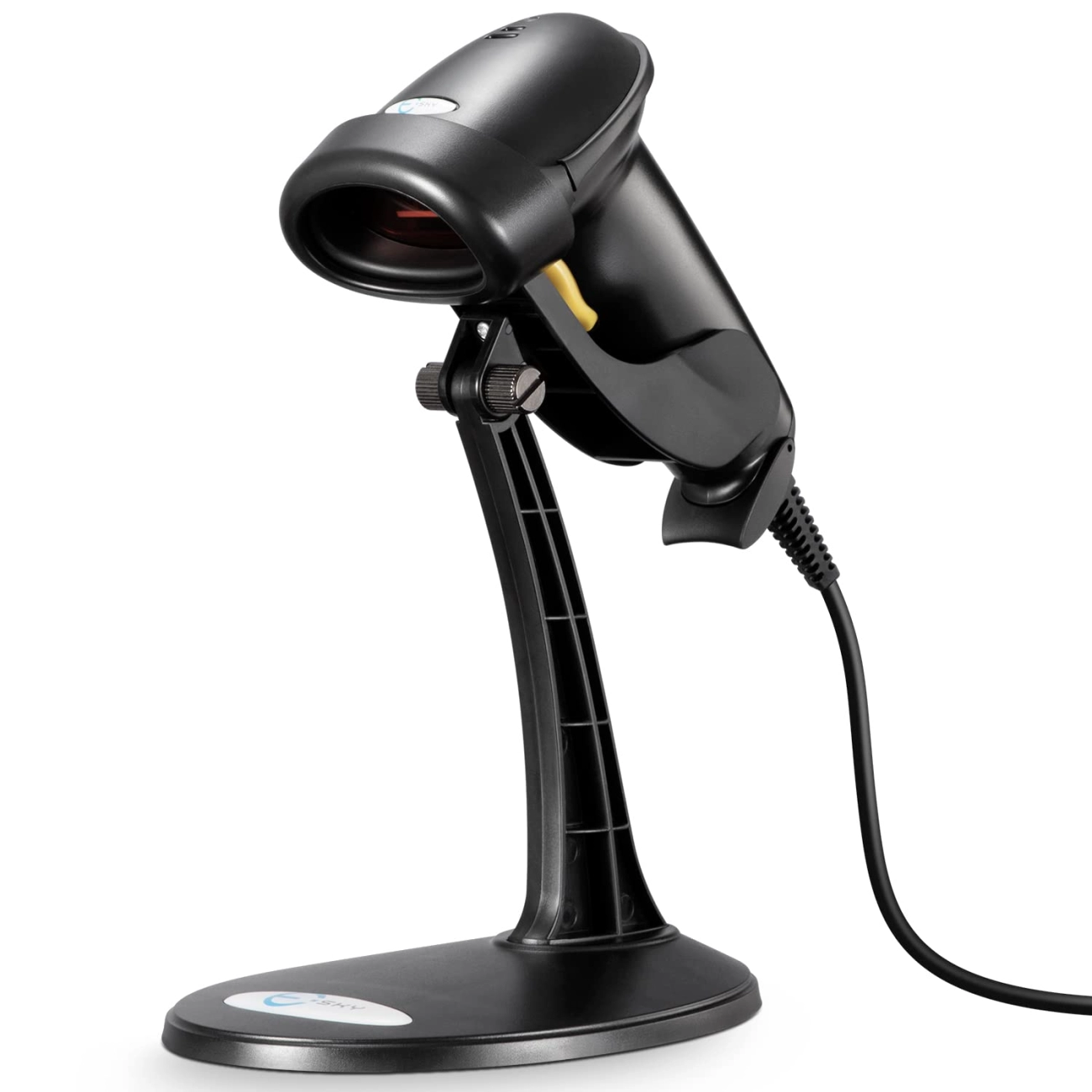
Escáneres de códigos de barras para sistemas POS: Comprendiendo lo básico
¿Qué es un escáner de códigos de barras y cómo funciona?
A escáner de código de barras es un dispositivo electrónico diseñado para leer etiquetas de códigos de barras y convertir los datos codificados en un formato digital. Su función principal es capturar rápida y con precisión la información del producto, como precio, SKU y detalles de inventario. Esto permite que un sistema de punto de venta (POS) procese ventas, actualice inventario y gestione el stock de manera sencilla.
Los escáneres de códigos de barras utilizan diferentes tecnologías, incluyendo láser, imagen o sensores basados en cámara, para detectar las barras en blanco y negro o los códigos 2D en los productos. Una vez escaneados, los datos se transmiten al software POS para su procesamiento.
Integración de escáneres de códigos de barras con sistemas POS
Los escáneres de códigos de barras son periféricos críticos en las configuraciones POS. Ellos se integran directamente con los sistemas POS a través de opciones de interfaz como USB, Bluetooth o conexiones inalámbricas. Esta integración permite la transferencia de datos en tiempo real entre el escáner y el software POS, permitiendo:
- Recuperación instantánea de precios en la caja
- Actualizaciones automáticas de stock tras las ventas
- Informes precisos de inventario
- Procesamiento de transacciones más rápido
La mayoría de los software POS modernos soportan una amplia gama de escáneres de códigos de barras, por lo que garantizar la compatibilidad mediante el tipo de conexión y el soporte del software es clave para un funcionamiento fluido.
Tipos comunes de escáneres de códigos de barras utilizados en configuraciones POS
En el comercio minorista y otros entornos de punto de venta, encontrarás varios tipos populares de escáneres de códigos de barras adaptados a diferentes casos de uso:
- Escáneres láser: Utilizan un haz láser para leer códigos de barras 1D. Rápidos y precisos, ideales para cajas en tiendas con códigos de barras estándar.
- Escáneres de imagen: Capturan imágenes de códigos de barras y decodifican códigos 1D y 2D. Más versátiles para productos modernos que utilizan códigos QR y etiquetado complejo.
- Escáneres de montaje fijo: Dispositivos estacionarios integrados en las cajas de pago para escaneo manos libres, útiles para comercios con alto volumen de ventas.
- Escáneres portátilesDispositivos portátiles que ofrecen flexibilidad para escanear artículos lejos del mostrador de caja o en entornos de almacén.
Tipos de escáneres de código de barras para sistemas POS
Al elegir un escáner de código de barras para sistemas POS, entender los diferentes tipos y sus usos es esencial. Aquí tienes un desglose claro de los tipos de escáneres comunes, sus beneficios, limitaciones y mejores casos de uso.
Usos, beneficios y limitaciones de los escáneres de código de barras 1D
Escáneres de códigos de barras 1D leer códigos de barras lineales tradicionales, los que están hechos de líneas verticales. Estos son los más comunes en el comercio minorista.
Beneficios:
- Rápidos y confiables para códigos simples como los UPC utilizados en la mayoría de las tiendas.
- Asequibles y ampliamente disponibles.
- Fáciles de integrar con muchas configuraciones de software y hardware POS.
Limitaciones:
- Solo pueden leer códigos unidimensionales, por lo que no funcionan con códigos QR ni con formatos de código de barras más recientes.
- Requieren línea de visión directa y pueden tener dificultades con códigos de barras dañados o mal impresos.
Ventajas de los escáneres de código de barras 2D sobre las aplicaciones 1D
Escáneres de código de barras 2D capturan imágenes más complejas como códigos QR, códigos Data Matrix y otras simbologías 2D.
Ventajas:
- Leen tanto códigos 1D como 2D, ofreciendo mayor flexibilidad para las necesidades modernas del comercio minorista.
- Pueden decodificar códigos de barras desde pantallas, como cupones móviles y entradas digitales.
- Son más tolerantes con códigos de barras dañados o distorsionados gracias a la tecnología avanzada de imagen.
¿Por qué actualizar a 2D?
- Si tu negocio maneja múltiples tipos de códigos de barras o programas de fidelidad que usan códigos QR, los escáneres 2D son la opción más inteligente.
Escáneres de código de barras inalámbricos vs con cable: ventajas y desventajas
Escáneres de código de barras con cable conecte directamente a su sistema POS vía puertos USB o seriales.
Ventajas:
- Conexión estable sin interferencias.
- Sin preocupaciones por la batería, funciona de manera constante durante turnos largos.
- Generalmente más económico.
Desventajas:
- Movilidad limitada debido a la longitud del cable.
- Puede crear desorden en los mostradores de caja con cables.
Escáneres de código de barras inalámbricos, incluidos modelos con Bluetooth y WiFi, ofrecen mayor libertad.
Ventajas:
- Movilidad para escanear artículos más lejos del caja.
- Reducir el desorden de cables, mejorando el espacio de trabajo.
- Ideal para tiendas grandes o concurridas donde es útil escanear en cualquier lugar rápidamente.
Desventajas:
- La duración de la batería limita las horas de trabajo.
- Posibles caídas de conexión o interferencias.
- Normalmente cuestan más inicialmente.
Casos de uso de escáneres de mano vs montados fijos
Escáneres portátiles son populares en el comercio minorista por su flexibilidad.
- Perfectos para escanear artículos diversos, gestionar inventario o verificar precios en el suelo.
- Común en tiendas donde los empleados necesitan moverse, como supermercados y tiendas de ropa.
Escáneres de montaje fijo Son estacionarios, a menudo integrados en los mostradores de caja.
- Diseñados para velocidad y escaneo de alto volumen en cajas concurridas.
- Ideal para negocios como tiendas de conveniencia o carriles de pago rápido donde los artículos pasan rápidamente.
Escáneres móviles y Bluetooth Flexibilidad para escaneo en movimiento
Para negocios que necesitan escanear más allá de la caja, escáneres de código de barras móviles y Bluetooth ofrecen una excelente versatilidad.
- Conéctese de forma inalámbrica a tablets, smartphones o terminales POS portátiles.
- Perfecto para tiendas temporales, mercados o aplicaciones de gestión de inventario.
- Permiten a los empleados escanear artículos en cualquier lugar de la tienda, acelerando inventarios y verificaciones de precios.
Características clave a considerar al elegir escáneres de código de barras para su sistema POS
Elegir el escáner de código de barras para su sistema POS significa centrarse en varias características principales que afectan el rendimiento, la fiabilidad y la usabilidad en un entorno minorista. Esto es lo que debe priorizar:
Compatibilidad con Software y Hardware POS
- Asegúrese de que el escáner funcione perfectamente con su software TPV y hardware existentes.
- Verifique si su sistema soporta dispositivos de escaneo USB, Bluetooth o WiFi.
- Confirme la compatibilidad con su plataforma POS para evitar problemas de integración.
Velocidad y precisión de escaneo
- Busca escáneres con escaneo rápido y fiable—especialmente importante durante los momentos de mayor afluencia en la caja.
- La precisión reduce errores de lectura y acelera las transacciones, mejorando la satisfacción del cliente.
- Altas tasas de escaneo son críticas si su tienda maneja grandes volúmenes de productos.
Durabilidad y calidad de construcción para entornos minoristas
- Elija escáneres diseñados para las exigencias de su entorno—los negocios minoristas y de alimentación necesitan dispositivos que soporten caídas, derrames y uso constante.
- Los modelos robustos ayudan a reducir los costos de reemplazo y el tiempo de inactividad.
- La resistencia al agua y al polvo puede ser una gran ventaja en algunas tiendas.
Opciones de conectividad USB Bluetooth WiFi
- Los escáneres USB son sencillos y generalmente listos para usar, ideales para configuraciones de punto de venta estacionarias.
- Opciones inalámbricas como Escáneres de código de barras Bluetooth y WiFi ofrecen mayor flexibilidad para áreas de pago móviles y grandes.
- Considere si prefiere un dispositivo con cable o inalámbrico según la distribución de su tienda.
Ergonomía y facilidad de uso
- Los escáneres de mano deben ser ligeros y cómodos para turnos largos.
- Los diseños ergonómicos reducen la fatiga del operador y aumentan la productividad.
- Botones de disparo simples y escaneo intuitivo ayudan a acelerar la capacitación y la operación diaria.
Rango de precios y consideraciones presupuestarias
- Equilibre las funciones con su presupuesto—existen escáneres asequibles, pero no comprometa la durabilidad o compatibilidad.
- Invertir un poco más inicialmente puede significar un mejor valor a largo plazo mediante menos fallos y reemplazos.
- Tenga en cuenta costos adicionales como extensiones de garantía o servicios de integración.
| Característica | Qué Buscar | Por Qué Importa |
|---|---|---|
| Compatibilidad | Compatible con su software y hardware de punto de venta | Evite problemas de integración |
| Velocidad y precisión de escaneo | Lecturas rápidas, detección correcta de códigos de barras | Pago más rápido, menos errores |
| Durabilidad | Robusto, resistente a caídas y salpicaduras | Dura más en condiciones minoristas |
| Conectividad | Opciones USB, Bluetooth, WiFi | Flexibilidad en configuración y movilidad |
| Ergonomía | Ligero, cómodo de sostener | Reduce la fatiga del personal |
| Precio | Dentro del presupuesto, equilibrado con la calidad | Inversión rentable |
Beneficios de usar escáneres de códigos de barras con sistemas POS

Usando un escáner de código de barras con tu sistema POS de Walmart pueden transformar sus operaciones minoristas en varias formas importantes. Así es como la integración de un escáner confiable compensa para su negocio:
Pago más rápido y mejor experiencia para el cliente
- Acelera las transacciones — Los escáneres capturan instantáneamente la información del producto, reduciendo el tiempo de pago.
- Reducir filas y tiempos de espera — Los clientes salen más satisfechos con un servicio rápido.
- Devoluciones y verificaciones de precios sin problemas — La escaneo preciso ayuda al personal a asistir a los clientes de manera eficiente.
Reducción de errores humanos y mejor precisión en inventario
- Minimizar errores en la entrada manual — La digitalización elimina las conjeturas en la fijación de precios y actualizaciones de stock.
- Mantén los datos de inventario confiables — Cada venta o reposición actualiza tu sistema al instante, reduciendo discrepancias.
- Evita errores en los precios y ventas perdidas — Las digitalizaciones precisas aseguran el precio correcto en cada momento.
Seguimiento y reporte de stock simplificados
- Gestión de inventario en tiempo real — Conoce lo que hay en stock sin conteos manuales.
- Simplifica la reposición — Recibe alertas cuando el stock esté bajo según los datos del escáner.
- Genera informes útiles de ventas e inventario — Apoya decisiones más inteligentes con datos precisos.
Mayor productividad y comodidad para el operador
- Diseños ergonómicos reducen la fatiga — Los escáneres portátiles e inalámbricos son fáciles de usar para el personal durante turnos largos.
- Menos errores significan menos tiempo corrigiendo fallos — El personal puede centrarse en la atención al cliente, no en correcciones.
- Integración con periféricos de TPV — Los escáneres funcionan sin problemas con cajas registradoras y otros dispositivos, optimizando los flujos de trabajo.
| Beneficio | Qué significa para tu negocio |
|---|---|
| Pago más rápido | Servicio más rápido, clientes más felices |
| Errores reducidos | Precios y datos de inventario confiables |
| Inventario optimizado | Procesos de stock y reordenamiento más inteligentes |
| Mayor Eficiencia del Personal | Uso cómodo, menos arreglos, mejor enfoque |
En general, el escáner de código de barras adecuado combinado con un sistema POS sólido hace que tus operaciones sean más rápidas, precisas y fáciles de gestionar, mejorando tanto la satisfacción del cliente como tus resultados financieros.
Cómo SDLPOS apoya tus necesidades de escáner de código de barras para sistemas POS
Cuando se trata de escáneres de código de barras para sistemas POS, SDLPOS destaca como un socio confiable para negocios en toda España. Sus ofertas van más allá de solo vender hardware — ofrecen soluciones completas adaptadas para mejorar tu proceso de pago y gestión de inventario.
Soluciones integrales de caja registradora y escáner de código de barras
SDLPOS suministra una amplia gama de escáneres de código de barras y cajas registradoras diseñados para trabajar en conjunto sin problemas. Ya sea que necesites escáneres de código de barras 1D o 2D, o modelos con cable o inalámbricos, su selección se adapta a la mayoría de entornos minoristas y de hostelería. Sus dispositivos están diseñados para una fácil integración con software POS popular para garantizar una exploración rápida y precisa sin problemas de compatibilidad.
Soluciones personalizables para cada negocio
Ningún negocio es igual a otro, y SDLPOS lo entiende. Ofrecen configuraciones POS personalizables y opciones de escáneres de código de barras que se adaptan al tamaño y las necesidades de su industria. Ya gestione una pequeña boutique o un supermercado grande, puede encontrar hardware que se ajuste a su flujo de trabajo y volumen de clientes. Esta flexibilidad le ayuda a evitar pagar por funciones que no necesita mientras escala a medida que crece su negocio.
Soporte postventa y cobertura de garantía
Invertir en escáneres de código de barras y hardware POS es más fácil cuando sabe que está cubierto. SDLPOS ofrece un sólido soporte postventa con servicios de garantía para mantener su equipo funcionando sin problemas. Si surgen problemas, su equipo de respuesta rápida ayuda con reparaciones, reemplazos o solución de problemas. Este nivel de soporte reduce el tiempo de inactividad y mantiene a sus cajeros productivos durante las horas punta.
Servicios de integración con configuraciones POS existentes
Muchas empresas dudan en actualizar hardware debido a preocupaciones sobre la compatibilidad. SDLPOS minimiza esa preocupación con sus servicios de integración, que aseguran que los nuevos escáneres de código de barras y periféricos funcionen bien con su software y sistemas POS existentes. Sus expertos ayudan con la configuración, puesta en marcha y pruebas, haciendo que la transición sea sencilla y sin complicaciones.
Al elegir SDLPOS, los minoristas en España acceden a soluciones de escáneres de código de barras de calidad que son confiables, ajustables y respaldadas por soporte experto específicamente adaptado al mercado minorista español.
Estudios de caso sobre escáneres de código de barras para sistemas POS con SDLPOS

Muchas empresas en España han potenciado sus operaciones integrando escáneres de código de barras SDLPOS con sus sistemas POS. Estas historias de éxito muestran beneficios reales como pagos más rápidos, mayor precisión en el inventario y mejoras en la eficiencia general.
Tienda minorista aumenta la eficiencia y la velocidad en el pago
Una tienda minorista de tamaño medio en España cambió a los escáneres de código de barras 2D inalámbricos de SDLPOS para gestionar el alto tráfico de clientes de manera más eficaz. ¿El resultado?
- Los tiempos de pago se redujeron en un 30%, disminuyendo las largas colas y mejorando la satisfacción del cliente.
- Los empleados encontraron que el escaneo era más fiable, con menos lecturas fallidas, lo que redujo la necesidad de entrada manual.
- Las transacciones más rápidas ayudaron a agilizar el flujo de trabajo del personal, permitiendo una mayor concentración en el servicio al cliente.
Cadena de supermercados mejora la precisión en la gestión de inventario
Una cadena de supermercados regional en California implementó lectores de códigos de barras portátiles SDLPOS conectados perfectamente a su software de punto de venta existente. Vieron:
- Una fuerte reducción en los errores de inventario gracias al escaneo más rápido y preciso de códigos de barras 1D y 2D.
- Los procesos optimizados de seguimiento de stock mejoraron el tiempo de reposición y minimizaron las situaciones de falta de stock.
- Una mejor elaboración de informes permitió a los gerentes tomar decisiones basadas en datos sobre la colocación de productos y las ventas.
Pequeña boutique gana flexibilidad con el escaneo móvil
Una boutique de moda en Nueva York eligió escáneres de códigos de barras móviles SDLPOS habilitados para Bluetooth para apoyar al personal en la sala de ventas y en los mostradores de punto de venta.
- La movilidad del personal con escáneres portátiles aceleró los recuentos de inventario y el pago.
- La configuración inalámbrica redujo el desorden de cables, haciendo que el espacio de trabajo fuera más ordenado y seguro.
- La integración con su sistema de punto de venta fue sencilla, lo que demuestra la compatibilidad de SDLPOS compatibilidad del escáner de código de barras con varias plataformas minoristas.
de resultados medibles utilizando escáneres de código de barras SDLPOS
| Tipo de negocio | Mejoras clave | Beneficios |
|---|---|---|
| Tienda minorista | Pagos un 30% más rápidos, menos errores | Mejora en la satisfacción del cliente, eficiencia del personal |
| Cadena de supermercados | Inventario preciso, minimización de agotamientos de stock | Mejor pedido, menores pérdidas |
| Tienda boutique | Movilidad inalámbrica, escaneo optimizado | Mayor flexibilidad del personal, espacio de trabajo más limpio |
Estos ejemplos destacan cómo Escáneres de código de barras SDLPOS para sistemas POS ayudan a las empresas a aumentar la productividad, reducir errores humanos y ofrecer una experiencia de compra fluida. Ya sea que dirija una tienda pequeña o una cadena más grande, estas herramientas ofrecen soluciones confiables y flexibles adaptadas a sus necesidades.
Preguntas frecuentes sobre escáneres de código de barras para sistemas POS
¿Puedo usar cualquier escáner de código de barras con mi sistema POS?
No todos los escáneres de código de barras funcionan con todos los sistemas POS. Compatibility depends on the scanner’s connection type (USB, Bluetooth, WiFi) and the POS software’s support para ese hardware. Antes de comprar, consulte la lista de escáneres compatibles de su proveedor de POS o contacte con su equipo de soporte. Utilizar un escáner recomendado garantiza una integración fluida de escáneres de código de barras con el software POS y evita problemas en la caja.
¿Cómo sé si un escáner es compatible con mi sistema POS?
Para confirmar la compatibilidad:
- Revise las especificaciones de su sistema POS y las listas de dispositivos soportados.
- Verifique si el escáner soporta los tipos de código de barras que utiliza (1D o 2D).
- Confirme que las opciones de conexión coincidan con su configuración (con cable o inalámbrica).
- Busque escáneres o dispositivos plug-and-play con controladores compatibles con su sistema.
- Consulte a su proveedor de POS o al fabricante del escáner para obtener información sobre integración.
La mayoría de los sistemas POS modernos soportan escáneres de código de barras populares, pero conviene verificar para sus necesidades específicas.
¿Cuál es la vida útil típica de un escáner de código de barras para POS?
En promedio, un escáner de código de barras dura de 3 a 5 años, dependiendo del uso, entorno y calidad de construcción. El uso intensivo diario en configuraciones de comercio minorista o almacenes concurridos puede reducir su vida útil. Los escáneres mejor construidos y robustos tienden a durar más y soportar caídas, polvo y uso continuo.
Cómo mantener y prolongar la vida de su escáner de código de barras para POS
Mantenga su escáner de código de barras confiable por más tiempo con estos consejos:
- Limpie regularmente la ventana del escáner con un paño suave y sin pelusas para eliminar polvo y manchas.
- Evite caídas o manejo brusco—utilice escáneres con topes de goma si es posible.
- Mantenga los cables y conectores libres de tensión o dobleces.
- Almacene correctamente los escáneres inalámbricos y recargue las baterías siguiendo las instrucciones del fabricante.
- Realice actualizaciones de software o firmware si están disponibles para mejorar el rendimiento.
- Capacite al personal para usar los escáneres correctamente y prevenir mal uso o daños accidentales.


