







Mejores cajas registradoras para pequeñas empresas Características principales y recomendaciones de expertos

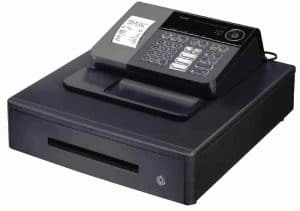
¿Estás buscando el mejores cajas registradoras para pequeñas empresas ¿Qué puede simplificar tus operaciones diarias y mejorar la experiencia de tus clientes? Elegir la caja registradora adecuada no se trata solo de procesar pagos, sino de encontrar un socio confiable que se adapte a las necesidades únicas de tu negocio, ya sea que dirijas una tienda minorista, un café o una empresa de servicios.
En SDLPOS, entendemos lo crucial que es esta decisión para los pequeños empresarios como tú. Por eso hemos elaborado esta guía completa para ayudarte a navegar entre las opciones, funciones y precios, y así escoger el hardware de caja registradora perfecto que se ajuste a tu presupuesto y objetivos.
¿Listo para descubrir qué caja registradora facilitará tus ventas y hará que tus clientes vuelvan? ¡Comencemos!
Por qué elegir la caja registradora adecuada es importante para las pequeñas empresas
Incrementar la velocidad de las transacciones y la satisfacción del cliente
Dirigir un pequeño negocio significa que cada minuto cuenta. La mejores cajas registradoras para pequeñas empresas puede marcar una verdadera diferencia en la caja. Una caja lenta o confusa puede generar largas filas, clientes frustrados y ventas perdidas. Por otro lado, una caja moderna y fácil de usar mantiene las transacciones en movimiento rápidamente, haciendo que tu negocio parezca más profesional y manteniendo felices a los clientes.
Beneficios clave:
- Cajas rápidas reducen los tiempos de espera y aumentan la repetición de negocios
- Interfaces sencillas ayudan al personal a aprender más rápido y cometer menos errores
- Procesamiento de pagos fluido cubre pagos en efectivo, con tarjeta y móviles
Garantizando precisión y seguridad en las ventas
Las pequeñas empresas no pueden permitirse errores ni brechas de seguridad. La caja registradora adecuada no es solo un cajón de dinero, sino una herramienta para precisión y seguridad. Los errores en el cambio o en el seguimiento de ventas pueden acumularse, perjudicando tus beneficios. Además, necesitas proteger tu negocio contra robos y fraudes, tanto en la caja como en tus registros.
Qué buscar:
- Seguimiento preciso de ventas para minimizar errores
- Cajones de efectivo y accesos de usuario seguros para prevenir robos
- Registros digitales que facilitan las auditorías y la declaración de impuestos
Mejorando la gestión de inventario y ventas
Una caja registradora hace más que registrar ventas. La mejor tecnología POS con cajas registradoras te ayuda a gestionar el inventario, rastrear los productos más vendidos y detectar tendencias. Esto es fundamental para pequeñas tiendas y minoristas que necesitan mantener el stock ajustado y evitar pedidos excesivos.
Ventajas de las funciones modernas de caja registradora:
- Actualizaciones de inventario en tiempo real para que nunca te quedes sin artículos populares
- Informes de ventas que te ayudan a planificar de manera más inteligente
- Integración con software de contabilidad para reducir el papeleo
Elegir la caja registradora adecuada para tu pequeña empresa no solo se trata de hardware, sino de construir una base para un mejor servicio al cliente, controles más estrictos y un crecimiento más inteligente. Ya sea que dirijas una tienda minorista, un café o un puesto móvil, invertir en la caja adecuada compensa cada día.
Tipos de cajas registradoras para pequeñas empresas

Elegir el sistema correcto caja registradora es muy importante para los propietarios de pequeñas empresas. La configuración adecuada puede hacer que tu día a día sea más fluido, ayudarte a rastrear ventas y mantener felices a los clientes. Aquí tienes una visión general de los principales tipos de cajas registradoras que funcionan mejor para pequeñas empresas en España, junto con sus ventajas y desventajas.
Cajas registradoras electrónicas tradicionales
Las cajas registradoras electrónicas tradicionales son la opción clásica que verás en muchas tiendas pequeñas y restaurantes. Son sencillas, confiables y generalmente asequibles.
Mejor para: Pequeños minoristas, cafeterías y negocios con necesidades básicas.
Ventajas:
Fáciles de usar con capacitación mínima
Duraderas y de larga duración
Costo inicial bajo
Desventajas:
Funciones limitadas (ventas básicas e impresión de recibos)
No ideales para el seguimiento de inventario o múltiples tipos de pago
Más difícil de integrar con software moderno
Sistemas de Punto de Venta con cajas registradoras integradas
Los sistemas POS combinan una caja registradora con software y a veces una pantalla táctil. Son populares entre negocios que quieren más que solo un lugar para guardar efectivo.
Ideal para: tiendas minoristas, restaurantes y negocios de servicios que necesitan más que ventas básicas.
Ventajas:
Acepta tarjetas, pagos móviles y efectivo
Controla ventas, inventario y clientes
Facilita la personalización de recibos
Desventajas:
Costes iniciales y mensuales más altos
Puede requerir más formación para el personal
Necesita actualizaciones regulares de software
Cajas registradoras móviles y para tabletas
Las cajas registradoras móviles usan tabletas o smartphones como dispositivo principal. Añade un lector de tarjetas y un cajón de efectivo, y listo. Perfecto para negocios en movimiento o con espacio limitado.
Ideal para: food trucks, tiendas temporales, mercados y proveedores de servicios.
Ventajas:
Super portátil y compacto
Acepta todo tipo de pagos
A menudo incluye seguimiento de inventario y ventas
Configuración asequible
Desventajas:
Necesita Wi-Fi o datos móviles
El hardware puede ser menos duradero
Puede requerir tarifas continuas por la app
Cajas registradoras híbridas con software en la nube
Los modelos híbridos combinan hardware tradicional con software en la nube. Obtienes la fiabilidad de una caja registradora y una impresora, además de la flexibilidad de la gestión en línea.
Ideal para: Empresas en crecimiento que desean funciones modernas sin abandonar el hardware clásico.
Ventajas:
Seguimiento de ventas e inventario en tiempo real desde cualquier lugar
Fácil integración con contabilidad y comercio electrónico
Escala a medida que crece tu negocio
Seguridad sólida y respaldo de datos
Desventajas:
Cuotas mensuales de software
Necesita acceso a internet para funciones completas
Inversión inicial ligeramente mayor
Resumen:
Al elegir una caja registradora para tu pequeña empresa, piensa en tu volumen de ventas, espacio y cuánto tecnología quieres manejar. Ya sea que necesites una caja registradora electrónica básica, un POS con todas las funciones o una solución móvil, hay una opción que se adapta a tu negocio y presupuesto.
Funciones clave a considerar al comprar las mejores cajas registradoras para pequeñas empresas
Elegir la caja registradora adecuada para tu pequeña empresa es importante. Las funciones correctas pueden ahorrarte tiempo, ayudarte a vender más y mantener tu negocio funcionando sin problemas. Esto es lo que debes buscar antes de tomar una decisión.
Facilidad de uso y capacitación
- Fácil de usar: Elige una caja registradora o sistema POS que sea sencillo de aprender. Si tu equipo no puede entenderlo rápidamente, ralentizará tus ventas y frustrará a todos.
- Capacitación rápida: Busca pantallas táctiles, menús claros y sistemas con buen soporte. Esto significa menos tiempo de capacitación para nuevos empleados y menos errores en la caja.
- Soporte multilingüe: Si tu equipo es diverso, considera un sistema que ofrezca múltiples opciones de idioma. Sistemas de caja registradora con soporte multilingüe pueden hacer que la incorporación sea muy sencilla.
Opciones de pago soportadas
- Tipos de pago múltiples: Sus clientes esperan pagar como quieran—tarjeta de crédito, débito, efectivo, sin contacto, pago móvil (Apple Pay, Google Pay), e incluso tarjetas de regalo.
- A prueba de futuro: Asegúrese de que su caja registradora pueda manejar nuevos métodos de pago a medida que se vuelvan populares.
Impresión y personalización de recibos
- Recibos rápidos y claros: Los clientes quieren recibos, y usted quiere que sean legibles y profesionales.
- Personalización: Agregue su logo, nombre del negocio o una nota de agradecimiento. Esta es una forma sencilla de potenciar su marca y hacer que los clientes vuelvan.
Integración de seguimiento de inventario y ventas
- Gestión de inventario incorporada: Las mejores cajas registradoras para pequeñas empresas le permiten rastrear el stock mientras vende, para que sepa cuándo reordenar.
- Análisis de ventas: Vea qué se vende, qué no, y cuándo son sus horas punta. Esto le ayuda a tomar mejores decisiones y detectar tendencias temprano.
- Fácil integración: Si ya usa software de contabilidad o inventario, asegúrese de que su nueva caja registradora pueda conectarse a él sin complicaciones.
Durabilidad y garantía
- Construido para durar: Las pequeñas empresas no pueden permitirse tiempos de inactividad. Elija cajas registradoras hechas para uso en el mundo real con hardware resistente.
- Garantía y soporte: Busque al menos una garantía de un año y soporte al cliente confiable. Si algo sale mal, quiere soluciones rápidas, no largas esperas.
Costo inicial del presupuesto vs Valor a largo plazo
- Costo asequible inicial: El presupuesto importa, pero no elijas solo la opción más barata. A veces gastar un poco más te proporciona funciones que ahorran dinero en el futuro.
- Costos bajos continuos: Ten cuidado con tarifas ocultas, suscripciones de software o complementos costosos.
- Valor a largo plazo: Considera cómo escalará la caja registradora a medida que crece tu negocio. Los sistemas actualizables o los POS en la nube pueden adaptarse a medida que cambian tus necesidades.
Cuando estés buscando la mejores cajas registradoras para pequeñas empresas, ten en cuenta estas características clave. La combinación adecuada de facilidad de uso, flexibilidad en pagos, herramientas de inventario y soporte sólido ayudará a que tu negocio funcione más suavemente y mantenga felices a tus clientes. Si quieres profundizar en cómo elegir una caja registradora para tu pequeña empresa, consulta nuestro guía paso a paso.
Las cinco mejores cajas registradoras para pequeñas empresas
Elegir el mejor caja registradora para tu pequeña empresa no se trata solo de registrar ventas, sino de encontrar la opción adecuada para tu flujo de trabajo, espacio y presupuesto. Aquí tienes una vista rápida de cinco opciones principales que cubren una variedad de necesidades, desde tiendas tradicionales hasta vendedores móviles.
Caja registradora electrónica Casio SE-G1
- Características Clave:
- Interfaz sencilla, configuración fácil
- Admite pagos en efectivo, con tarjeta de crédito y cheque
- Huella compacta para mostradores pequeños
- Impresora de recibos con personalización básica
- Ventajas:
- Muy asequible
- Confiable para tiendas con poco tráfico
- Necesita entrenamiento mínimo
- Desventajas:
- Opciones de pago limitadas (sin contacto)
- Funciones básicas de informes e inventario
- Mejor para:
- Pequeños minoristas, tiendas temporales o puestos de comida que necesitan un registro económico, sin complicaciones
- Precios:
- Alrededor de $120–$150
Sistema POS Square Register
- Características Clave:
- Pantalla táctil
- Acepta pagos con chip, contacto y móvil
- Software POS integrado con gestión de inventario
- Informes en la nube
- Ventajas:
- Solución todo en uno
- Diseño elegante y moderno
- Escalable con complementos
- Desventajas:
- Cuotas mensuales por funciones avanzadas
- Necesita conexión a internet estable
- Mejor para:
- Boutiques, cafeterías, salones y negocios de servicios que desean un sistema POS moderno y flexible
- Precios:
- El hardware comienza en $799; el software es gratuito para comenzar, con planes de pago para más funciones
Clover Mini POS
- Características Clave:
- Compacto, apto para mostradores
- Acepta todas las principales tarjetas y pagos sin contacto
- Mercado de aplicaciones para herramientas empresariales
- Impresora de recibos integrada
- Ventajas:
- Personalizable con aplicaciones
- Hardware duradero
- Fácil de usar y capacitar al personal
- Desventajas:
- Cuotas mensuales de software
- Bloqueado en el procesamiento de pagos de Clover
- Mejor para:
- Pequeños restaurantes, comida rápida o tiendas minoristas que necesitan POS personalizable con gestión de inventario
- Precios:
- Hardware de $749; tarifas mensuales desde $14.95
Registradora electrónica SAM4s ER-940
- Características Clave:
- Construcción resistente
- Impresoras duales para recibos y órdenes de cocina
- Teclado programable grande
- Seguimiento básico de inventario
- Ventajas:
- Confiable para alto tráfico
- Gestiona múltiples departamentos y artículos
- Adecuado para servicios de comida
- Desventajas:
- Voluminoso, no portátil
- Interfaz clásica
- Mejor para:
- Comensales ocupados, restaurantes de comida rápida o supermercados que necesitan una caja registradora robusta y tradicional
- Precios:
- Alrededor de $600–$800
Shopify POS Go
- Características Clave:
- Dispositivo móvil con lector de tarjetas integrado
- Se sincroniza con la tienda en línea de Shopify
- Ventas e inventario en la nube
- Recibos por correo electrónico y SMS
- Ventajas:
- Movilidad para eventos y mercados
- Integración perfecta con comercio electrónico
- Sin contratos a largo plazo
- Desventajas:
- Ideal para usuarios de Shopify
- Tarifa mensual de POS Pro para funciones avanzadas
- Mejor para:
- Vendedores del mercado, minoristas móviles y cualquier persona que venda en línea y en persona
- Precios:
- Dispositivo $399; POS Pro $89/mes (opcional)
Tabla comparativa
| Modelo | Mejor para | Tipos de pago | Seguimiento de inventario | Costo inicial | Tarifa mensual |
|---|---|---|---|---|---|
| Casio SE-G1 | Minorista tradicional, presupuesto | Efectivo, tarjeta de crédito, cheque | Básico | $120–$150 | Ninguno |
| Square Register | Minorista moderno, servicios | Todos los principales, móviles | Avanzados | $799+ | Gratis/$ |
| Clover Mini | Personalizable para comercio minorista/alimentación | Todos los principales, sin contacto | Avanzados | $749+ | $14.95+ |
| SAM4s ER-940 | Alta afluencia, alimentación/abarrotes | Efectivo, tarjeta de crédito, cheque | Básico | $600–$800 | Ninguno |
| Shopify POS Go | Móvil, integración con comercio electrónico | Todos los principales, sin contacto | Avanzados | $399 | $89 (Pro) |
Consejo:
Al elegir un caja registradora para tu pequeña empresa, piensa en tus ventas diarias, espacio y si necesitas controlar inventario o aceptar pagos móviles. Cada uno de estos modelos tiene ventajas para diferentes tipos de negocio, así que ajusta las funciones a lo que realmente necesita tu tienda.
Cómo elegir la mejor caja registradora para tu pequeña empresa
Elegir la caja registradora adecuada no solo se trata de registrar ventas, sino de hacer que toda tu operación funcione más smoothly. Aquí te mostramos cómo ajustar tu elección a las necesidades reales de tu negocio, ya sea que dirijas un café concurrido, una boutique o un puesto temporal.
Conoce tu volumen de ventas y horas punta
Comienza rastreando tus ventas diarias y los momentos más concurridos.
Las tiendas de alto volumen (como tiendas de conveniencia concurridas) necesitan cajas registradoras o sistemas POS que manejen muchas transacciones rápidamente, con mínimo tiempo de inactividad.
Los negocios de menor volumen (como salones de belleza o boutiques especializadas) pueden conformarse con sistemas más sencillos, pero aún así necesitan fiabilidad.
Consejo: si no estás seguro, busca modelos con seguimiento de ventas incorporado. Esto te ayuda a planificar días ocupados y crecimiento futuro.
Considera las necesidades de espacio y movilidad
La distribución de tu tienda importa.
¿Espacio en mostrador limitado? Opta por cajas registradoras compactas o todo en uno. Algunos sistemas POS usan tablets o pantallas táctiles que caben en casi cualquier lugar.
Los vendedores móviles (como camiones de comida o puestos en el mercado) deberían consultar las cajas registradoras móviles que son fáciles de mover y montar.
Si tienes curiosidad sobre hardware para espacios pequeños, consulta nuestra guía sobre hardware POS para negocios con espacio limitado.
No olvides: Los cables, impresoras y cajones de dinero también necesitan espacio. Mide antes de comprar.
Integración con Software de Contabilidad e Inventario
Una caja registradora inteligente debería funcionar con tus herramientas actuales.
Gestión de inventario: Si haces seguimiento del stock, consigue una caja registradora con seguimiento de inventario o una que se sincronice con tu software.
Contabilidad: Algunos sistemas exportan los datos de ventas directamente a QuickBooks o a tu programa de contabilidad favorito, eliminando la entrada manual y errores.
Consejo profesional: Busca cajas registradoras que soporten integración con aplicaciones de terceros o que ofrezcan exportaciones de datos fáciles.
Planifica para el crecimiento y las actualizaciones
Piensa a largo plazo, no solo para las necesidades de hoy.
Escalabilidad: Si planeas añadir más locales o cajas, elige un sistema que crezca contigo. Los sistemas POS en la nube son ideales para esto.
Actualizaciones: Asegúrate de poder añadir funciones como programas de fidelidad, tarjetas de regalo o nuevos tipos de pago a medida que tu negocio evoluciona.
Consejo de presupuesto: A veces gastar un poco más inicialmente ahorra dinero (y molestias) después. Revisa también las garantías y opciones de soporte.
Resumen:
La mejor caja registradora para tu pequeña empresa es aquella que se ajusta a tu volumen de ventas, espacio y flujo de trabajo, y que facilita el crecimiento y la adaptación. Si quieres más detalles sobre funciones y opciones, consulta nuestra guía del sistema POS de caja registradora para un desglose completo.
SDLPOS Las mejores cajas registradoras para pequeñas empresas
Por qué elegir las cajas registradoras SDLPOS
Cuando se trata de mejores cajas registradoras para pequeñas empresas, SDLPOS es un nombre en el que confían los minoristas locales. Sabemos que cada pequeña tienda, cafetería o vendedor necesita herramientas que sean simples, fiables y diseñadas para el mundo real. Por eso nos centramos en calidad e innovación del producto—nuestras cajas registradoras están diseñadas para mantenerse al día con días ocupados y ayudarte a crecer.
- Hardware duradero: Construido para durar, incluso en tiendas con mucho tráfico.
- Diseño moderno: Opciones de pantalla táctil y estilos clásicos para combinar con tu tienda.
- Rendimiento consistente: Sin retrasos, sin fallos—solo pagos rápidos y suaves.
Personalización y soporte adaptados a ti
Tu negocio no es como los demás. Por eso, las cajas registradoras SDLPOS pueden ser personalizadas para adaptarse a tu forma de trabajar.
- Configuraciones flexibles: Elige entre modelos electrónicos, POS o de caja móvil.
- Software personalizado: Integra con tu inventario, contabilidad o programas de fidelización.
- Soporte local: Nuestro equipo, basado en España, está aquí para ayudarte, desde la configuración hasta la resolución de problemas.
Precios competitivos y garantía
Sabemos que cajas registradoras asequibles son importantes para las pequeñas empresas. SDLPOS ofrece:
- Precios transparentes: Sin tarifas ocultas, solo costos claros.
- Garantía incluida: La mayoría de los modelos vienen con una garantía sólida para tranquilidad.
- Relación calidad-precio: Obtén las funciones que necesitas sin pagar por extras que nunca usarás.
Historias reales de propietarios de pequeñas empresas
No solo confíes en nuestra palabra. Aquí tienes lo que dicen algunos de nuestros clientes:
- “Cambiar a SDLPOS hizo que mis filas de caja se movieran más rápido, y mi personal lo aprendió en minutos.” – Sarah, Propietaria de cafetería, España
- “El seguimiento de inventario es un cambio radical. Paso menos tiempo contando stock y más con los clientes.” – Mike, Minorista de boutique, España
- “Necesitábamos algo móvil para nuestro camión de comida. SDLPOS tenía la solución perfecta.” – Lisa, Vendedora móvil, España
Por qué SDLPOS es la opción adecuada
Si estás buscando el mejor tecnología POS con cajas registradoras o simplemente necesitas una caja registradora sencilla y resistente que no te defraude, SDLPOS te tiene cubierto. Con nuestra combinación de innovación, soporte y valor, obtendrás una caja registradora que se adapta a tu negocio—hoy y a medida que crezcas.
Preguntas frecuentes sobre cajas registradoras para pequeñas empresas
Preguntas comunes sobre cajas registradoras para pequeñas empresas
¿Tienes dudas sobre cómo elegir la mejor caja registradora para tu pequeña tienda? Aquí tienes respuestas sencillas a lo que la mayoría de los propietarios preguntan.
¿Cuál es la diferencia entre una caja registradora electrónica y un sistema POS?
- Cajas registradoras electrónicas: Máquinas básicas para registrar ventas, imprimir recibos y manejar efectivo. Adecuadas para tiendas pequeñas con necesidades simples.
- Sistemas POS con cajas registradoras: Estos combinan software y hardware, permitiéndote rastrear inventario, gestionar ventas, aceptar múltiples tipos de pago e incluso generar informes. Son ideales para negocios que quieren más que solo una caja de efectivo.
¿Puedo usar una tableta o dispositivo móvil como mi caja registradora?
Sí. Las cajas registradoras móviles o sistemas basados en tabletas son populares para vendedores, food trucks y tiendas temporales. Son portátiles, fáciles de configurar y a menudo más económicas inicialmente. Solo asegúrate de que tu dispositivo sea seguro y se conecte con tu procesador de pagos.
¿Qué tipos de pago debería soportar mi caja registradora?
- Efectivo, tarjeta de crédito, débito, sin contacto (NFC), monederos móviles (Apple Pay, Google Pay)
- Si estás en comercio minorista o servicios de alimentación, soportar más opciones de pago significa que no rechazarás clientes.
¿Cómo ayudan las cajas registradoras en la gestión de inventario?
Muchos dispositivos modernos Las cajas registradoras POS rastrean el inventario automáticamente a medida que vendes. Recibirás alertas por stock bajo y podrás ver qué productos se venden mejor. Esto ahorra tiempo y ayuda a evitar quedarse sin artículos populares.
¿Son confiables las cajas registradoras asequibles para pequeñas empresas?
Sí, si compras a un proveedor de hardware de cajas registradoras de confianza. Los modelos asequibles funcionan bien para tiendas pequeñas con menor volumen de ventas. Busca marcas con buenas reseñas, garantías sólidas y soporte al cliente receptivo.
¿Cómo elijo una caja registradora para mi pequeña empresa?
- Evalúa tu volumen de ventas
- Considera tus necesidades de espacio y movilidad
- Verifica la integración con software de contabilidad/inventario
- Piensa en futuras actualizaciones y escalabilidad
¿Necesito una caja registradora con pantalla táctil?
No siempre, pero son más fáciles de usar. Los modelos con pantalla táctil son populares por su interfaz sencilla y capacitación rápida. Si tienes rotación frecuente de personal o quieres transacciones rápidas, una pantalla táctil ayuda.
¿Puedo personalizar los recibos con mi caja registradora?
La mayoría de las cajas registradoras modernas te permiten agregar tu logotipo, información del negocio y mensajes personalizados a los recibos. Esto es excelente para la marca y la comunicación con el cliente.
¿Cuánto duran las cajas registradoras?
- Los modelos duraderos pueden durar de 5 a 10 años o más
- Busca Opciones de garantía y hardware resistente si buscas valor a largo plazo
¿Dónde puedo encontrar las mejores cajas registradoras para pequeñas empresas?
Compra con un proveedor de confianza como SDLPOS. Ofrecemos cajas registradoras asequibles para minoristas, sistemas POS de alta calificación y soporte experto adaptado a las necesidades de las pequeñas empresas en España.
¿Aún tienes preguntas? Contacta con nuestro equipo para recibir asesoramiento sobre cómo elegir la caja registradora adecuada para tu tienda.


