







Cómo mantener tu caja registradora para uso a largo plazo Guía de cuidado experto

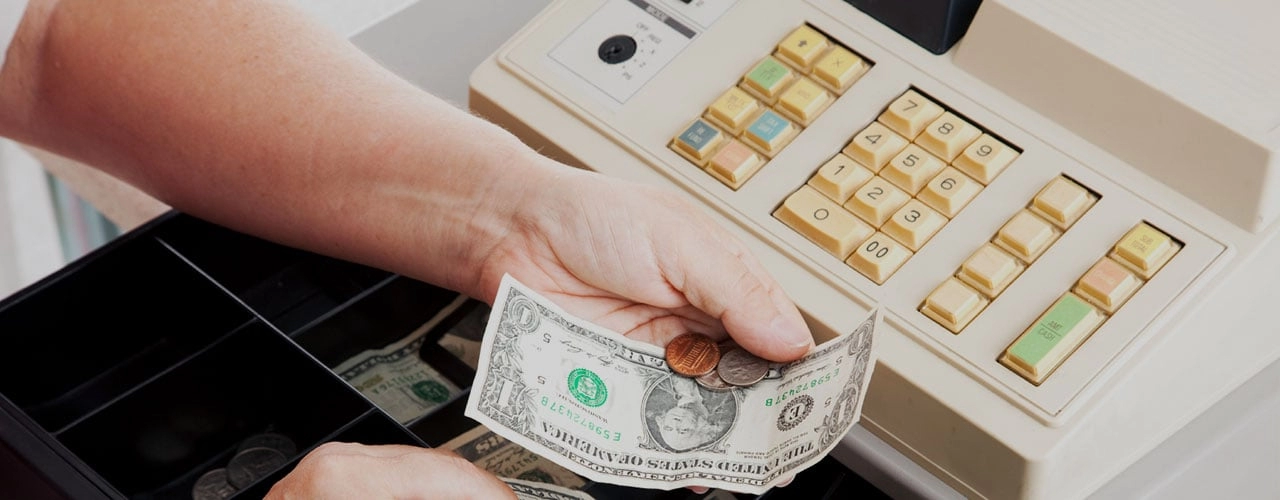
¿Estás buscando cómo mantener tu caja registradora para uso a largo plazo? Mantener tu caja registradora en óptimas condiciones no solo se trata de limpieza — es proteger una pieza crítica de la infraestructura de tu negocio. Una caja registradora bien mantenida ayuda a evitar averías inesperadas, reparaciones costosas y tiempos de inactividad que pueden afectar tus ganancias.
En esta guía, encontrarás consejos sencillos y profesionales para mantener tu caja registradora funcionando sin problemas — desde rutinas diarias de limpieza hasta soluciones inteligentes y cuándo llamar a los expertos. Ya seas dueño de un pequeño negocio o gerente de comercio minorista, obtendrás consejos prácticos diseñados para prolongar la vida útil de tu hardware y proteger tu inversión.
¿Listo para descubrir los secretos de la longevidad de la caja registradora? ¡Comencemos!
Comprendiendo los componentes y vulnerabilidades de tu caja registradora
Si te preguntas cómo mantener tu caja registradora para uso a largo plazo, empieza por saber qué hay en su interior y dónde pueden fallar las cosas. Ya sea que dirijas una tienda minorista concurrida o un pequeño café, entender tu hardware y software de caja registradora es el primer paso para un mantenimiento efectivo.
Componentes clave de hardware y software de la caja registradora
Tu caja registradora no es solo una caja que guarda dinero. Esto es con lo que realmente estás trabajando:
- Teclado o Pantalla táctil: Para ingresar ventas y navegar por los menús.
- Pantalla de visualización: Muestra los detalles de la transacción a ti y a tu cliente.
- Impresora de recibos: Imprime recibos de venta; utiliza papel térmico o de cinta de tinta.
- Cajón de efectivo: Compartimento asegurado para efectivo y monedas.
- Escáner de Código de Barras: (Si incluye) Acelera la entrada de artículos.
- Dispositivos periféricos: Lector de tarjetas, pantallas para clientes o balanzas.
- Software/Firmware: Ejecuta el sistema de punto de venta (POS), gestiona ventas, inventario e informes.
Vulnerabilidades comunes en cajas registradoras
Incluso las mejores cajas registradoras enfrentan desgaste diario. Aquí es donde suelen aparecer los problemas:
- Teclas pegajosas o no responden: Causado por suciedad, derrames o botones desgastados.
- Atascos en la impresora o recibos desvaídos: Papel de baja calidad, polvo o cabezales de impresión desgastados.
- Atasco en la caja de dinero: Monedas o residuos que bloquean el mecanismo.
- Cables o conectores sueltos: Provoca interrupciones en la alimentación o en los datos.
- Software desactualizado: Causa ralentizaciones y riesgos de seguridad.
- Daños en la pantalla: Arañazos o píxeles muertos por limpieza inadecuada.
Por qué es importante conocer tus componentes para el mantenimiento
Cuando sabes qué hace cada parte y dónde es vulnerable, puedes:
- Detectar problemas temprano: Reconocer signos de advertencia antes de que se conviertan en problemas mayores.
- Enfocarse en la limpieza y el cuidado: Centrarse en áreas de alto uso como el teclado y la impresora.
- Elige los suministros adecuados: Utiliza limpiadores y papel adecuados para evitar daños.
- Planifica las actualizaciones de software: Mantén tu sistema POS seguro y funcionando sin problemas.
- Comunícate con profesionales de reparación: Describe los problemas claramente para un servicio más rápido.
Resumen: Si quieres prolongar la vida útil del hardware de tu caja registradora y evitar reparaciones costosas, comienza por entender sus componentes y dónde es más probable que se desgasten. Esto prepara el escenario para un mantenimiento preventivo inteligente y operaciones más fluidas cada día.
Mejores prácticas de mantenimiento diario para la longevidad de la caja registradora
Mantener tu caja registradora en óptimas condiciones no tiene que ser un problema. Seguir algunas rutinas de mantenimiento diario puede marcar una gran diferencia en la duración de tu sistema POS. Aquí te mostramos cómo mantener tu equipo limpio, eficiente y listo para el negocio cada día.
Cómo limpiar una caja registradora de la manera correcta
El polvo y la suciedad son los enemigos de cualquier caja registradora. Esto es lo que funciona para la mayoría de los entornos minoristas en España:
- Limpia las superficies a diario con un paño suave y sin pelusas. Evita las toallas de papel, ya que pueden rayar las pantallas y el plástico.
- Usa un limpiador suave (como un poco de jabón para platos diluido) para manchas difíciles, pero nunca rocies directamente sobre la máquina. Rocía el paño y luego limpia.
- Mantén el teclado y los botones limpios usando aire comprimido para eliminar migas y polvo. No uses objetos afilados para sacar los residuos.
- Desinfecta las áreas de contacto frecuente con toallitas de alcohol, especialmente en tiendas concurridas.
Revisar y reemplazar el papel de la impresora
Quedarse sin papel de recibo durante una hora punta es un problema. Aquí tienes cómo evitarlo:
- Revisa el rollo de papel cada mañana antes de abrir. Cámbialo si está casi vacío.
- Usa el tipo de papel adecuado—papel térmico o de bobina, según lo recomendado por tu fabricante.
- Instala el rollo correctamente para evitar atascos. El papel debe alimentarse desde la parte inferior del rollo, no desde la superior.
- Mantén un rollo de respaldo a mano en la caja registradora o debajo del mostrador.
Protocolos adecuados de apagado y reinicio
Los cortes de energía repentinos o apagados incorrectos pueden dañar el software y hardware de tu caja registradora. Aquí tienes qué hacer:
- Siempre usa la opción de apagado en pantalla o la secuencia de botones de encendido recomendada. No desenchufes la máquina directamente.
- Reinicia regularmente—una vez al día o según lo recomendado por tu proveedor—para limpiar la memoria y mantener el software en buen estado.
- Verificar actualizaciones de software Durante el reinicio. Esto ayuda tanto al rendimiento como a la seguridad.
Consejo: Para más información sobre los conceptos básicos de uso y mantenimiento de tu caja registradora, consulta esto ¿cómo se usa una caja registradora? .
Mantenimiento preventivo diario no se trata solo de limpiar, sino de mantener su caja registradora confiable, segura y lista para cada transacción. Haga de estos pasos un hábito y evitará mucho tiempo de inactividad y costos de reparación.
Tareas de mantenimiento semanal y mensual de la caja registradora
Mantener su caja registradora en óptimas condiciones requiere más que una limpieza diaria. El mantenimiento regular semanal y mensual ayuda a prevenir averías, mantiene las transacciones fluidas y prolonga la vida útil del hardware de su POS. Aquí le mostramos cómo realizar las tareas clave:
Inspeccionar cables, conectores y periféricos
Las conexiones sueltas y los cables desgastados son una causa común de fallos en la caja registradora. Dedique unos minutos cada semana a:
- Verificar todos los cables y enchufes por desgaste, deshilachado o daño. Reemplace los que parezcan desgastados.
- Probar todos los dispositivos periféricos (escáneres de código de barras, lectores de tarjetas, impresoras de tickets) para asegurarse de que respondan rápida y confiablemente.
- Conexiones seguras para evitar desconexiones accidentales o pérdida de datos durante las horas punta.
Limpiar componentes internos y cajón de dinero
La suciedad y los residuos pueden acumularse dentro de su sistema POS y cajón de dinero, causando teclas pegajosas y atascos. Para una limpieza segura:
- Apague y desconecte la caja registradora antes de limpiar.
- Utilice un paño suave y seco o un paño de microfibra ligeramente húmedo (no mojado) para pantallas y teclados.
- Aire comprimido puede ayudar a eliminar el polvo del interior del teclado y alrededor de las pistas del cajón de efectivo.
- Nunca rocíe limpiadores directamente sobre la caja registradora—aplique sobre el paño primero.
- Limpie el cajón de efectivo por dentro y por fuera, y elimine monedas o residuos atascados en las pistas.
Actualice el software y el firmware
El software desactualizado puede ralentizar su caja registradora y dejarla vulnerable a riesgos de seguridad. Manténgase al día con las actualizaciones mediante:
- Verificar actualizaciones de software y firmware de su proveedor de caja registradora o sistema POS al menos una vez al mes.
- Instalar las actualizaciones de manera oportuna para asegurarse de tener las funciones más recientes y parches de seguridad.
- Hacer copias de seguridad de datos importantes de transacciones antes de las actualizaciones para evitar pérdida de datos.
Por qué la mantenimiento regular es importante
El mantenimiento preventivo para sistemas POS no solo consiste en mantener las cosas limpias. Le ayuda a:
- Detectar pequeños problemas temprano antes de que se conviertan en problemas grandes y costosos.
- Mantener un proceso de pago rápido y confiable durante períodos de mucho trabajo.
- Proteja su inversión al extender la vida útil del hardware de su caja registradora.
Consejo: Configure un recordatorio recurrente para estas tareas y mantenga una lista de verificación sencilla. Esto facilita mantener la consistencia y ayuda en llamadas de garantía o soporte si es necesario.
Al hacer que estas rutinas semanales y mensuales formen parte del cuidado de su caja registradora, evitará la mayoría de los problemas comunes y mantendrá su negocio funcionando sin problemas.
Solución de problemas comunes de la caja registradora

Mantenerse al día de mantenimiento de caja registradora le ayuda a evitar la mayoría de los dolores de cabeza, pero incluso los mejores sistemas pueden tener inconvenientes. Aquí le mostramos cómo detectar y solucionar problemas comunes, además de cuándo llamar a los profesionales.
Problemas típicos por un mantenimiento deficiente
Dejar de lado el cuidado regular puede llevar a:
- Atascos de papel en la impresora de recibos
- Teclas pegajosas o que no responden en el teclado
- Problemas de pantalla o pantallas en blanco
- La gaveta no se abre o se atasca
- Dispositivos periféricos (como los escáneres de código de barras) que no se conectan
- Fallos en el software o ralentizaciones
Estos problemas pueden retrasar su proceso de cobro, frustrar al personal y molestar a los clientes.
Soluciones rápidas para problemas menores
La mayoría de los problemas pequeños se pueden gestionar internamente si sabe qué buscar:
Atascos de papel
- Apaga la caja registradora antes de abrir la impresora.
- Retire suavemente el papel atascado—no tire bruscamente, o dañará el mecanismo.
- Cargue nuevos rollos de papel correctamente, siguiendo las flechas o guías.
- Mantenga limpia el área de la impresora para evitar la acumulación de polvo.
Teclas que no responden
- Reiniciar el registro (apagar y reiniciar).
- Limpie alrededor de las teclas con un cepillo suave o aire comprimido.
- Compruebe si hay derrames o residuos debajo de las teclas; nunca use limpiadores agresivos.
Problemas con el cajón de efectivo
- Compruebe si hay obstrucciones dentro del riel del cajón.
- Asegúrese de que el cajón esté desbloqueado.
- Pruebe el cable de conexión desde el registro hasta el cajón.
- No forces a abrir el cajón—esto puede romper el mecanismo.
Problemas de pantalla o periféricos
- Verifica todos los cables para conexiones sueltas o dañadas.
- Reinicia la caja para restablecer las conexiones.
- Actualizar el software si notas retrasos o fallos.
Cuándo llamar a un servicio profesional
Algunos problemas requieren ayuda de un experto. Contacta a tu de hardware para cajas registradoras o proveedor de servicios si notas:
- Atascos de papel repetidos incluso después de limpiar
- Teclados o pantallas táctiles que no funcionan después de limpiar y reiniciar
- El cajón no se abre y has revisado todas las conexiones
- Fallos frecuentes del software o mensajes de error
- Daño obvio en el hardware (grietas, quemaduras, cables expuestos)
- Los dispositivos periféricos no se conectan después de solucionar problemas
Consejos profesionales
- Mantén una guía sencilla de resolución de problemas cerca de tu caja registradora para el personal.
- Registra cada problema y solución—esto ayuda a detectar patrones y respalda reclamaciones de garantía.
- No intentes reparar tú mismo los componentes electrónicos internos esto puede anular garantías y crear riesgos de seguridad.
Ser proactivo con el mantenimiento preventivo de los sistemas POS hace que tu hardware dure más y que tu negocio funcione más suavemente. Si tienes dudas, llama a un profesional en reparación y servicio de cajas registradoras antes de que un pequeño problema se convierta en un gran problema.
Factores ambientales que afectan la longevidad de la caja registradora
Mantener tu caja registradora en óptimas condiciones no solo se trata de limpiar y actualizar el software. El lugar y la forma en que configures tu caja importa mucho para el uso a largo plazo. Aquí te mostramos cómo puedes proteger tu inversión y evitar problemas comunes causados por factores ambientales.
Consejos para colocar la caja registradora
- Mantén alejado de fuentes de calor: Las cajas registradoras no funcionan bien cerca de hornos, calentadores o luz solar directa. El calor puede afectar los circuitos internos y acortar la vida útil de tu hardware.
- Evita la humedad: El agua y los dispositivos electrónicos no se llevan bien. Asegúrate de que tu caja registradora esté lejos de fregaderos, estaciones de bebidas o lugares donde sean frecuentes los derrames.
- Limita la exposición al polvo: El polvo puede obstruir el teclado, la pantalla y la caja de efectivo, provocando teclas pegajosas y problemas en la pantalla. Coloca tu caja registradora en un lugar limpio y de bajo tráfico.
Uso de fundas y estuches protectores
- Invierte en una funda ajustada: Cuando no estés usando la caja registradora, una funda ayuda a mantener fuera el polvo y los derrames accidentales.
- Considera protectores contra salpicaduras: Si estás en un café o restaurante concurrido, los protectores contra salpicaduras añaden una capa adicional de protección contra líquidos.
- Elige estuches para sistemas POS móviles: Si usas tablets o dispositivos POS portátiles, estuches resistentes pueden prevenir daños por caídas o golpes.
Gestión de la fuente de alimentación para el mantenimiento de la caja registradora
- Usa protectores contra sobretensiones: Las sobretensiones pueden dañar los circuitos de tu caja registradora. Conecta tu caja registradora a un protector contra sobretensiones confiable para mantenerla segura durante tormentas o fallos eléctricos.
- Considera un SAI (Sistema de Alimentación Ininterrumpida): Un SAI mantiene tu caja registradora en funcionamiento durante cortos cortes de energía, evitando pérdida de datos y daños en el hardware.
- Revisa los cables y enchufes: Asegúrese de que todos los cables estén seguros y no estén desgastados. Los cables sueltos o dañados son una causa común de fallos en la caja registradora.
Consejo profesional: Muchas llamadas de reparación y mantenimiento de cajas registradoras son causadas por negligencia ambiental. Tomar estos pasos ayuda a prolongar la vida útil del hardware de su caja registradora y ahorra en reparaciones costosas.
Tabla: Cómo proteger su caja registradora de daños ambientales
| Factor de riesgo | Qué Hacer | Por Qué Importa |
|---|---|---|
| Calor | Coloque lejos de fuentes de calor | Previene daños en los circuitos |
| Humedad | Evite áreas húmedas, use cubiertas | Detiene la corrosión y cortocircuitos |
| Polvo | Limpie el área, use cubiertas | Mantiene el teclado y el cajón suaves |
| Sobretensiones | Utilice protectores contra sobretensiones y UPS | Protege de daños eléctricos |
Cuidar el entorno de su caja registradora es una de las formas más fáciles de evitar tiempos de inactividad y mantener su sistema POS funcionando sin problemas.
Cuándo y cómo solicitar mantenimiento y reparaciones profesionales de la caja registradora

Señales clave de que necesita reparación profesional de la caja registradora
A veces, la limpieza regular y las reparaciones rápidas no son suficientes. Aquí le indicamos cuándo llamar a los profesionales:
- Caídas frecuentes del sistema o códigos de error que no se solucionan con un simple reinicio.
- Problemas persistentes de hardware como teclas que no responden, cajón de efectivo atascado o problemas en la pantalla.
- Fallos en el software que impiden realizar transacciones o causan pérdida de datos.
- Ruidos inusuales, sobrecalentamiento o olores eléctricos de la unidad.
- Daños físicos—pantallas agrietadas, botones rotos o impresoras atascadas.
Si detecta alguno de estos, no espere. Retrasar las reparaciones puede generar costos mayores o incluso pérdida de ventas.
Cómo Elegir el Proveedor de Servicios de Caja Registradora Adecuado
Elegir un servicio de reparación confiable es importante tanto para la rapidez como para la calidad. Esto es lo que debe buscar:
- Técnicos certificados con experiencia en su modelo específico de caja registradora o sistema POS.
- Soporte local para una reparación más rápida y una comunicación más sencilla.
- Opiniones positivas y recomendaciones de otros negocios en su área.
- Precios claros—pida presupuestos por adelantado para evitar sorpresas.
- Acceso a piezas genuinas y actualizaciones para mantener su caja en óptimas condiciones.
No elijas solo la opción más barata. Las reparaciones de calidad ayudan a prolongar la vida útil de tu caja registradora y protegen tu inversión.
Consideraciones de garantía y soporte para el mantenimiento de la caja registradora
Antes de programar reparaciones, revisa tus opciones de garantía y soporte:
- Revisa los términos de tu garantía—algunos problemas pueden estar cubiertos sin costo adicional.
- Contacta a tu proveedor o fabricante de la caja registradora para centros de servicio autorizados.
- Mantén registros de mantenimiento para respaldar reclamaciones de garantía y seguir el historial de servicio.
- Pregunta sobre planes de soporte continuos o paquetes de mantenimiento preventivo.
Mantenerse con socios de reparación autorizados ayuda a proteger tu garantía y asegura que tu registradora reciba las piezas y servicios adecuados.
Resumen: El mantenimiento regular mantiene tu registradora en funcionamiento, pero saber cuándo llamar a los expertos puede ahorrarte tiempo, dinero y dolores de cabeza. Siempre elige profesionales calificados y mantén al día los detalles de tu garantía para obtener los mejores resultados.
Actualización y reemplazo de piezas para la longevidad de la caja registradora
Mantener tu caja registradora funcionando sin problemas no solo se trata de limpiar, sino también de saber cuándo actualizar o cambiar piezas. Aquí tienes cómo puedes extender la vida útil de tu sistema POS y aprovechar al máximo tu inversión.
Actualización de memoria y software para un mejor rendimiento
Las cajas registradoras antiguas pueden ralentizarse o incluso congelarse si la memoria o el software quedan obsoletos. Actualizar estas piezas ayuda a que tu sistema maneje métodos de pago modernos y mantiene las operaciones rápidas.
- Actualiza los módulos de memoria: Si tu registradora lo soporta, más memoria significa operaciones más suaves y menos fallos.
- Instala las últimas actualizaciones de software: Estas suelen solucionar errores, mejorar la seguridad y añadir nuevas funciones. Programa recordatorios para comprobar actualizaciones mensualmente.
- Habla con tu proveedor de hardware de caja registradora: Ellos pueden guiarte sobre actualizaciones compatibles para tu modelo.
Reemplazo de piezas de hardware desgastadas
Incluso con el mejor cuidado, algunas piezas se desgastarán con el tiempo. Reemplazarlas antes de que fallen mantiene tu negocio en marcha.
- Teclados y botones: Las teclas pegajosas o que no responden pueden ralentizar las ventas. Cámbialas pronto.
- Mecanismos de impresión y recibo: Las impresiones desvaídas o atascos de papel son señales de que es hora de un cabezal de impresión o rodillo nuevos.
- Componentes de la caja registradora: Si se atasca, hace ruido o no cierra con llave, considera reemplazarlo para mantener tu efectivo seguro.
- Cables y conectores: Los cables desgastados o sueltos son un riesgo de seguridad y pueden causar problemas de conexión.
Beneficio de coste entre reparación y reemplazo
Decidir si reparar o reemplazar se trata de equilibrar coste y fiabilidad. Aquí tienes una forma rápida de verlo:
| Situación | Reparación (Recomendado) | Reemplazar (Recomendado) |
|---|---|---|
| Fallo menor de pieza | ✔️ | |
| Software desactualizado | ✔️ (si se puede actualizar) | |
| Fallas frecuentes | ✔️ | |
| Daño importante en hardware | ✔️ | |
| Piezas ya no disponibles | ✔️ | |
| En garantía | ✔️ (usar garantía) |
- Si las reparaciones cuestan más de la mitad del precio de una unidad nueva, reemplazar suele ser más conveniente.
- Ten en cuenta el tiempo de inactividad: Un cajón roto durante horas punta puede costar más que un dispositivo nuevo.
- Revisa tu garantía: Las reparaciones podrían ser gratuitas o con descuento si aún estás cubierto.
El mantenimiento preventivo para sistemas POS va más allá de limpiar—mejoras inteligentes y reemplazos oportunos de piezas mantén tu caja registradora fiable, segura y lista para el negocio.
Consejos finales para el calendario de mantenimiento de la caja registradora
Configura un calendario regular de mantenimiento de la caja registradora
A programa de mantenimiento regular es la columna vertebral para mantener tu caja registradora en óptimas condiciones. Aquí te mostramos cómo hacer que se mantenga:
- Elige un día consistente cada semana para limpieza básica y revisiones rápidas.
- Configura recordatorios mensuales para limpiezas más profundas y actualizaciones de software.
- Usa una lista de verificación para que no se te pase nada, desde el cajón del dinero hasta la impresora de recibos.
Mantén un Registro de Mantenimiento para Garantías y Reparaciones
Documenta cada tarea de mantenimiento. Esto no es solo trabajo administrativo, protege tu inversión.
- Anota qué hiciste y cuándo. Ejemplo: “Limpió el teclado, revisó cables, actualizó software.”
- Registra quién realizó el trabajo. Si alguna vez hay una reclamación de garantía, tendrás prueba del cuidado adecuado.
- Guarda los registros digitalmente o en un archivador cerca de tu sistema POS para fácil acceso.
Capacita al personal en el manejo adecuado de la caja registradora
Tu caja registradora solo es tan confiable como las personas que la usan. La capacitación del personal ayuda a prevenir accidentes y prolonga la vida útil del hardware.
- Entrenar a los nuevos empleados sobre lo básico: pulsaciones suaves de teclas, apagado correcto y cómo detectar problemas.
- Revisar los métodos de limpieza para que nadie utilice productos químicos agresivos o paños ásperos.
- Recordar a todos que reporten los problemas temprano—una solución rápida ahora puede prevenir una reparación grande más adelante.
Por qué importa un calendario de mantenimiento
- Previene averías y pérdidas de ventas durante los momentos de mayor afluencia.
- Extiende la vida útil de tu hardware y mantiene tu sistema POS funcionando sin problemas.
- Ayuda con las reclamaciones de garantía y reduce los costos de reparación a largo plazo.
- Fomenta una cultura de cuidado para que todos traten tu equipo como si importara.
Resumen: Seguir un calendario de mantenimiento simple y regular es uno de los consejos más inteligentes para el mantenimiento de cajas registradoras para cualquier negocio en España. Mantiene tu sistema POS funcionando sin problemas, protege tu inversión y facilita las operaciones diarias para todos.


