







Cómo manejar una caja registradora Guía paso a paso para principiantes

¿Te preguntas cómo manejar una caja registradora ¿sin sentirse abrumado? Dominar un caja registradora es una necesidad para cualquiera que comience en el comercio minorista, ¡y es más fácil de lo que piensas!
Como proveedor de confianza de hardware de caja registradora confiable, SDLPOS ha visto a innumerables principiantes convertirse en profesionales con la orientación adecuada. En esto guía paso a paso, descubrirás consejos prácticos, instrucciones claras y trucos internos para manejar con confianza transacciones y mantener felices a tus clientes.
¡Vamos a empezar y a hacer que te pongas a registrar ventas como un cajero experimentado!
Los Fundamentos de una Caja Registradora
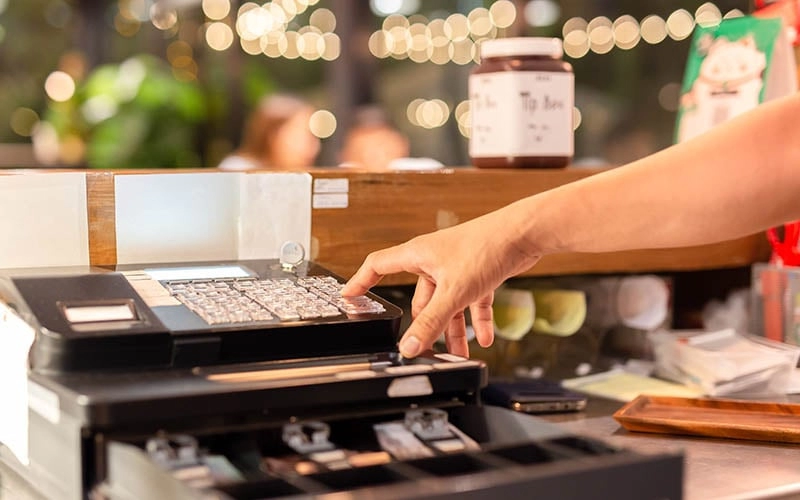
A caja registradora es una herramienta esencial para cualquier negocio minorista, diseñada para manejar transacciones de venta de manera rápida y precisa. En su núcleo, consta de varios componentes clave que trabajan juntos para procesar compras y gestionar efectivo de manera efectiva:
- Pantalla: Muestra detalles de la transacción como artículos escaneados, precios, totales y solicitudes de pago. Esto ayuda tanto al cajero como al cliente a seguir la venta.
- Teclado: Permite la entrada manual de códigos de productos, precios y comandos. Algunos registros cuentan con teclas físicas tradicionales, mientras que otros usan pantallas táctiles.
- Cajón de efectivo: Almacena de forma segura efectivo, monedas y a veces cheques. Se abre automáticamente al final de una transacción o manualmente si es necesario.
- Impresora de recibos: Imprime recibos detallados de la transacción para dar a los clientes prueba de compra y ayudar a mantener registros de ventas precisos.
Tipos comunes de cajas registradoras
Los minoristas hoy en día tienen opciones dependiendo del tamaño de su tienda y volumen de transacciones:
- Cajas registradoras básicas: Modelos tradicionales con teclas físicas y funciones digitales limitadas. Ideales para pequeños negocios que necesitan funciones simples de caja.
- Cajas registradoras con pantalla táctil: Sistemas modernos con pantallas digitales fáciles de usar e interfaces de software, permitiendo una entrada de datos más rápida y acceso a información de inventario.
- Registros híbridos: Combinan interfaces táctiles con cajas registradoras físicas y impresoras de recibos, equilibrando la experiencia del usuario con la fiabilidad del hardware.
El papel del hardware de SDLPOS en la fiabilidad de la caja registradora
Elegir el hardware adecuado marca una gran diferencia. hardware SDLPOS está diseñado para proporcionar:
- Durabilidad y un rendimiento consistente para entornos minoristas ocupados.
- Facilidad de uso con interfaces intuitivas y tiempos de respuesta rápidos.
- Integración sin problemas con software minorista común para transacciones más fluidas.
- Recursos de soporte y capacitación para ayudar a las empresas a aprovechar al máximo sus cajas registradoras.
Con hardware SDLPOS, obtienes más que una simple máquina: obtienes un socio confiable que mantiene tu caja en funcionamiento sin problemas y mejora el servicio al cliente cada día.
Guía paso a paso para la operación de la caja registradora
Saber cómo usar una caja registradora de manera fluida es clave para acelerar las transacciones y mantener las ventas organizadas. Aquí tienes una explicación clara de los pasos básicos para operar un sistema de caja minorista.
Encendido y configuración inicial
Comience por encender la caja registradora o sistema POS. Algunos modelos pueden requerir un breve proceso de inicio. Una vez encendido:
- Verifica la configuración de fecha y hora para garantizar la precisión.
- Asegúrate de que el la caja de efectivo está vacía y cerrada de forma segura.
- Confirma que la la impresora de recibos tiene papel cargado.
- Configura cualquier informes diarios o metas de ventas que utilice tu negocio.
Iniciar sesión o registrarse
Si su sistema lo requiere, inicie sesión con su ID de empleado o contraseña. Este paso realiza un seguimiento de quién está manejando las transacciones y añade una capa de seguridad. Para sistemas con pantalla táctil o cajas registradoras híbridas, simplemente puede tocar su nombre o escanear una placa de identificación.
Ingresar artículos de venta con SKU o entrada manual
Para realizar una venta, utilice uno de estos métodos:
- Escanee el código de barras del artículo con el escáner de código de barras SKU. Esto introduce automáticamente el producto y el precio.
- Si no hay un código de barras, ingrese manualmente el SKU o código del artículo utilizando el teclado.
- Para artículos sin códigos, seleccione el producto manualmente desde la pantalla táctil o el menú.
Verifique que el artículo y el precio aparezcan en la pantalla para mayor precisión.
Aplicación de Descuentos y Promociones
Si su cliente tiene descuentos o cupones:
- Entró códigos de descuento o seleccione la promoción de las opciones preestablecidas de su sistema.
- Algunas cajas registradoras permiten aplicar descuentos porcentuales o en dólares fijos.
- Confirme que el total ajustado se muestre claramente en la pantalla antes de continuar.
Procesar pagos en una caja registradora
Maneje rápidamente diferentes tipos de pago con estos pasos:
- Para efectivo, introduce la cantidad entregada y la caja registradora calculará el cambio.
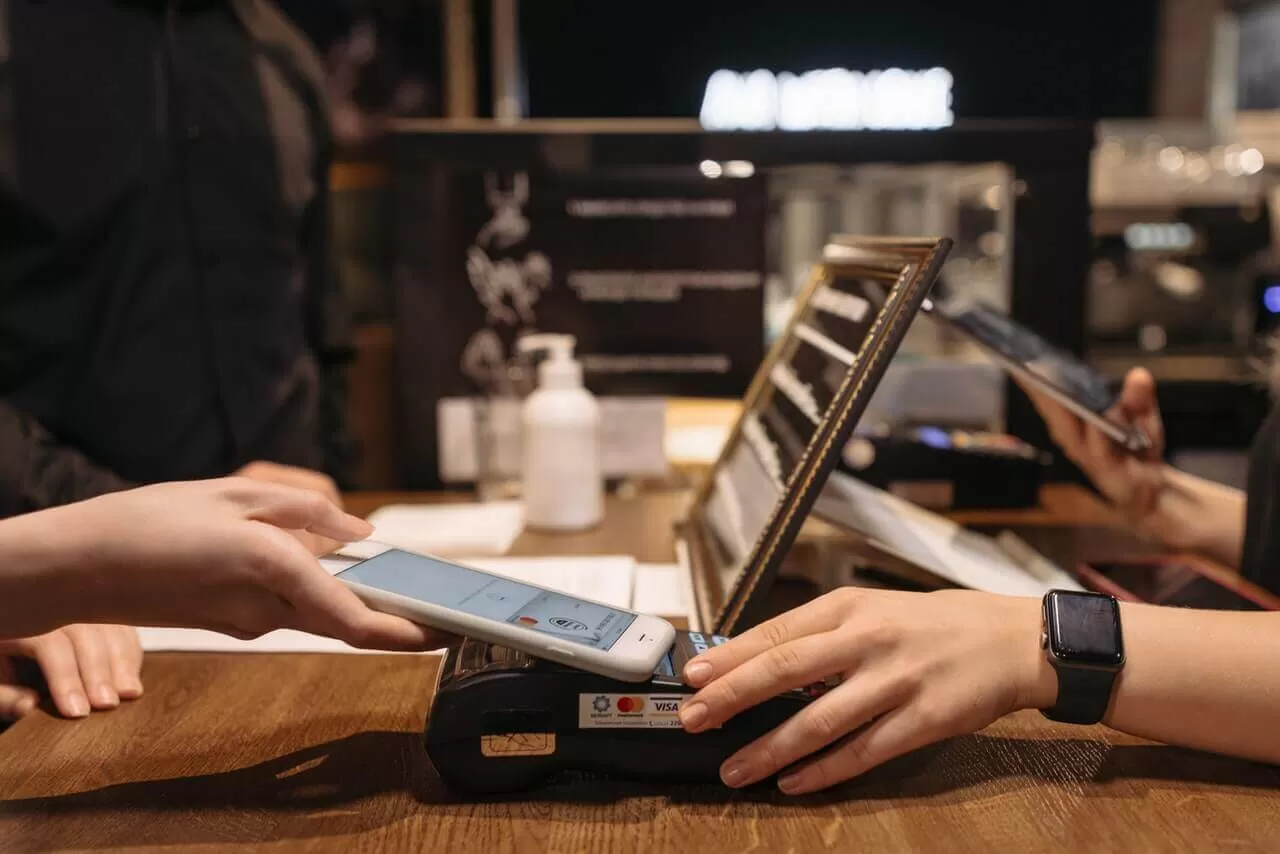
- Para tarjetas de crédito o débito, pase, inserte o toque la tarjeta del cliente en la terminal.
- Muchos sistemas soportan pagos móviles como Apple Pay o Google Wallet; simplemente pida al cliente que pague a través de su dispositivo.
- Verifique que el pago sea aceptado antes de emitir un recibo.
Emisión de Recibos y Gestión de Devoluciones y Cambios
Siempre imprima o envíe por correo electrónico un recibo después de una venta; es prueba tanto para usted como para el cliente.
- Para devoluciones o cambios, acceda a la transacción anterior mediante el ID de transacción o la fecha.
- Procese la devolución ya sea reembolsando en efectivo/tarjeta o emitiendo crédito en tienda.
- Siga la política de su tienda y registre la devolución con precisión para evitar discrepancias.
Cierre de caja y conteo de efectivo al final del día
Al final de su turno o día laboral:
- Cuente el efectivo en la caja, comparándolo con el informe de ventas de la caja registradora.
- Ejecute un cierre de ventas del día para verificar el efectivo total, pagos con tarjeta, descuentos y reembolsos.
- Cierre la caja con una impresión del informe final.
- Almacena de manera segura el efectivo y los recibos según los procedimientos de tu tienda.
Seguir estos pasos garantiza una operación fluida de la caja en el comercio minorista y ayuda a mantener tus ventas precisas y a tus clientes satisfechos. La formación regular y la familiarización con tu hardware POS específico harán que estas tareas sean algo natural.
Consejos y mejores prácticas para un uso eficiente de la caja registradora
Usar la caja registradora de manera fluida y precisa es crucial para cualquier negocio minorista. Aquí tienes algunos consejos esenciales y mejores prácticas para mantener tu operación sin contratiempos.
Precisión en la introducción de ventas para evitar discrepancias
- Verifica cada artículo ingresado: Ya sea escaneando un código de barras o ingresando manualmente los SKUs, siempre verifica el artículo y el precio antes de finalizar la venta.
- Utiliza códigos PLU predefinidos para artículos comunes: Esto ayuda a acelerar la introducción y reduce errores.
- Evita atajos que omitan la verificación: Acelerar puede causar errores que conduzcan a totales desajustados posteriormente.
- Mantén actualizada tu base de datos de productos: Esto previene discrepancias de precios y información de productos desactualizada.
Manejo del efectivo de forma segura y responsable
- Cuenta el efectivo cuidadosamente al inicio y al final de los turnos: Mantener balances precisos en la caja ayuda a prevenir pérdidas.
- Utiliza correctamente las funciones de la caja: Ábrela solo cuando sea necesario, como para aceptar efectivo o dar cambio.
- Almacena el efectivo sobrante de forma segura: Traslada los billetes de mayor denominación a un lugar de almacenamiento seguro, alejado de la caja.
- Mantén la alerta ante billetes falsificados: Aprende a identificar moneda sospechosa y utiliza herramientas de detección si están disponibles.
Resolución rápida de errores comunes, anulaciones, reembolsos y montos no coincidentes
- Aprende a anular o cancelar transacciones correctamente: Esto ayuda a corregir errores sin alterar tus totales diarios.
- Gestiona reembolsos y cambios a través de la caja registradora: Esto mantiene los registros claros y precisos.
- Familiarízate con los mensajes de error y cómo reiniciar la caja registradora: Las soluciones rápidas minimizan el tiempo de inactividad.
- Mantén la calma y comunícate claramente con los clientes: Las explicaciones claras previenen confusiones durante las correcciones.
Importancia de la formación y la práctica regular
- Entrena regularmente a todos los cajeros: Incluso el personal experimentado se beneficia de refrescos sobre actualizaciones del sistema y mejores prácticas.
- Practica escenarios comunes: Realizar simulaciones de devoluciones, descuentos y tipos de pago mejora la rapidez y la confianza.
- Fomenta preguntas y comentarios: Esto ayuda a identificar dónde se necesita más formación.
- Utiliza hardware de comercio minorista confiable como SDLPOS: Equipamiento de calidad reduce problemas técnicos y simplifica la formación.
Seguir estos consejos te ayudará a gestionar la caja registradora de manera eficiente, reducir errores y mejorar el servicio al cliente — vital para cualquier negocio minorista que busque tener éxito.
Solución de problemas comunes de la caja registradora
Al trabajar con un caja registradora, encontrar problemas como una impresora de recibos atascada, una caja registradora que no se abre o mensajes de error confusos puede ralentizar tu servicio. Aquí tienes una guía rápida sobre cómo manejar estos problemas comunes de manera eficiente.
Impresora de Recibos Atascada
Una impresora de recibos atascada es uno de los problemas más comunes en la operación de cajas registradoras minoristas. Aquí tienes qué hacer:
- Abre la tapa de la impresora con cuidado y busca cualquier papel atascado o arrugado.
- Retira suavemente el papel atascado sin rasgarlo, ya que los restos en el interior pueden causar más atascos.
- Verifica la orientación del rollo de papel— asegúrate de que el papel se alimente desde la parte inferior del rollo como se requiere.
- Recarga con papel de recibo nuevo y cierra la tapa de manera segura.
- Haz una prueba de impresión para confirmar que todo funciona.
Reemplazar regularmente el papel y mantener la impresora limpia previene futuros atascos y mantiene fluido el proceso de cobro.
Caja Registradora que No se Abre
Si el la caja registradora no se abre después de una venta o durante una apertura manual:
- Confirma que la venta se haya completado correctamente. Muchas cajas registradoras mantienen la caja cerrada hasta que finaliza una transacción.
- Verifica la palanca de liberación manual de la caja, generalmente se encuentra debajo o en la parte trasera del cajón. Úselo para abrirlo manualmente si es necesario.
- Inspeccione la conexión del cable entre la caja registradora y el cajón—puede aflojarse o desconectarse.
- Intente reiniciar su sistema de caja registradora, ya que fallos en el software a veces bloquean el cajón.
Si ninguno de estos pasos funciona, el mecanismo de bloqueo del cajón podría necesitar inspección o reparación.
Mensajes de error y reinicio de la caja registradora
Cuando una caja registradora muestra mensajes de error:
- Anote el código o mensaje de error exacto que aparece en la pantalla. Esto ayuda al consultar el manual de su caja registradora o recursos de soporte.
- Los errores comunes pueden estar relacionados con errores en la entrada de ventas, errores en la impresora o conexiones de hardware.
- Pruebe un reinicio suave apagando y encendiendo la caja registradora después de unos segundos. Esto suele eliminar fallos temporales.
- Si el error persiste, consulte el código en el manual de su caja registradora o en soporte en línea específico para su modelo.
Para errores persistentes o poco claros, contactar con el soporte técnico es la opción más segura. Ellos pueden guiarle en la resolución avanzada o gestionar reparaciones.
Usar estos consejos para solución de problemas de caja registradora ayuda a mantener las transacciones fluidas y a los clientes satisfechos. Además, el mantenimiento regular y conocer soluciones rápidas reducen el tiempo de inactividad en su entorno minorista ocupado.
Cómo SDLPOS Apoya las Necesidades de su Caja Registradora con Hardware Minorista Confiable
Cuando se trata de gestionar operaciones minoristas sin problemas, contar con un hardware de caja registradora confiable es fundamental. SDLPOS se especializa en ofrecer soluciones de hardware confiables adaptadas para negocios minoristas, ayudándote a evitar tiempos de inactividad y mantener tus transacciones en marcha sin problemas.
Hardware confiable diseñado para entornos minoristas concurridos
SDLPOS ofrece una gama de equipos robustos y fáciles de usar diseñados para manejar desde ventas de alto volumen hasta tareas minoristas diarias. Ya sea que necesites una caja registradora clásica, un sistema POS con pantalla táctil o una configuración híbrida, su hardware está diseñado para ofrecer:
- Durabilidad que soporta el uso diario
- Tiempos de respuesta rápidos para pagos rápidos
- Componentes integrados como escáneres de código de barras, impresoras de tickets y cajones de efectivo que funcionan perfectamente juntos
Esta configuración asegura que puedas procesar pagos—ya sea en efectivo, con tarjeta de crédito o móvil—sin preocuparte por fallos de hardware que interrumpan el servicio.
Soporte al cliente integral y capacitación
Elegir SDLPOS va más allá del hardware. Respaldan sus productos con atención al cliente dedicada y recursos de formación. Esto significa que la ayuda está a solo una llamada o clic cuando encuentres problemas o necesites orientación. Además, sus materiales de capacitación te ayudan a ti y a tu equipo:
- Sentirte cómodo usando rápidamente tu sistema de caja registradora
- Aprender las mejores prácticas para gestionar transacciones y cajones de efectivo
- Solucionar problemas comunes como atascos en la impresora o mensajes de error
Contar con este tipo de soporte reduce el tiempo de inactividad y aumenta la confianza del personal, lo cual es especialmente útil para negocios en el mercado minorista donde la rapidez en el servicio al cliente es clave.
Por qué el hardware de SDLPOS mejora tu experiencia con la caja registradora
Al elegir SDLPOS, estás invirtiendo en una solución de hardware diseñada específicamente para los desafíos del comercio minorista. Sus sistemas facilitan las tareas diarias—desde registrar ventas y aplicar descuentos hasta gestionar devoluciones y cerrar tu caja.
La integración estrecha de sus componentes y un enfoque en la facilidad de uso te ayudan a:
- Mantener la precisión durante las horas punta
- Manejar de forma segura los pagos en efectivo y electrónicos
- Evitar errores comunes que ralentizan las transacciones
Todos estos beneficios se combinan para mejorar la experiencia general del cliente mientras reducen el tiempo de capacitación de los empleados y los errores en la caja.
En resumen, SDLPOS te ofrece un sistema de caja registradora confiable y bien respaldado, diseñado para las necesidades de los negocios minoristas en España. Su hardware y atención al cliente trabajan en conjunto para mantener tu proceso de ventas rápido, seguro y sin complicaciones.


