







Cómo funciona una caja registradora explicado con características y beneficios

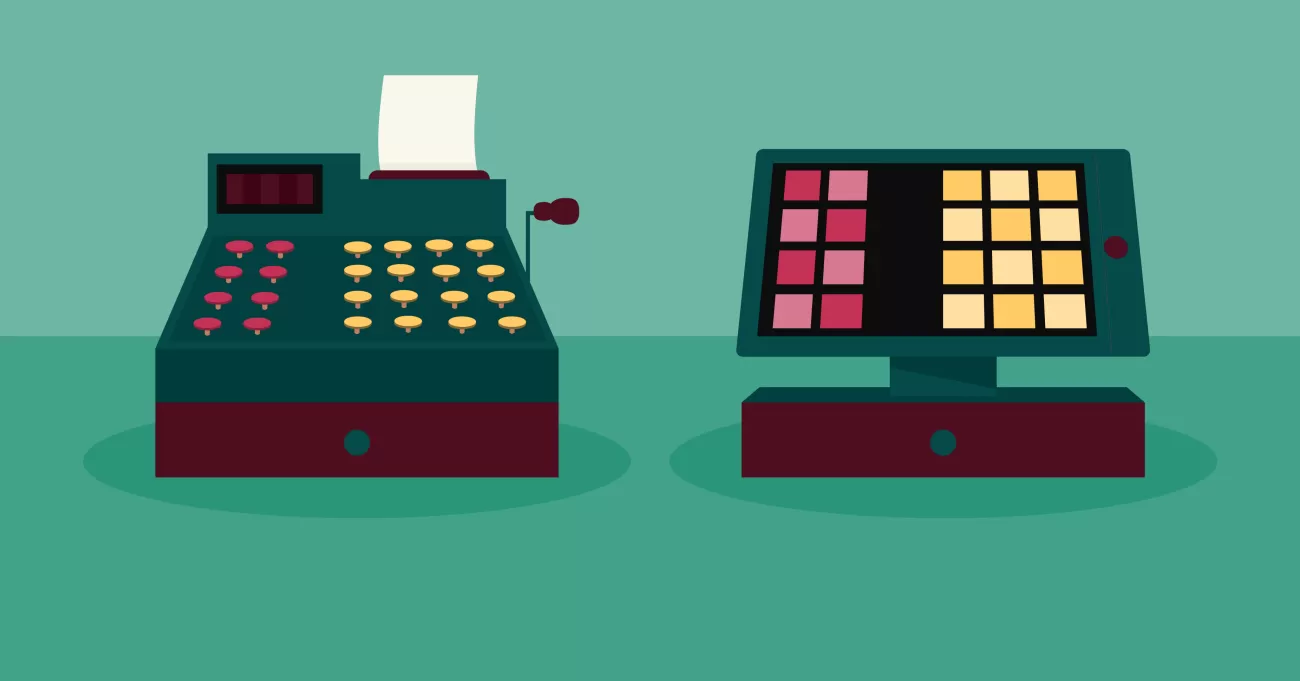
¿Tienes curiosidad por cómo funciona una caja registradora ¿o preguntándose qué sistema es mejor para su negocio? Entender de operación de la caja registradora puede transformar su proceso de caja y aumentar la eficiencia. Como un líder de hardware para cajas registradoras, SDLPOS ha ayudado a innumerables negocios a agilizar transacciones con soluciones confiables y de vanguardia. En esta guía, desglosaremos el funcionamiento de las cajas registradoras, exploraremos los sistemas POS modernos, y compartiremos ideas prácticas para ayudarle a elegir la configuración perfecta. ¡Comencemos!
¿Qué es una caja registradora? Definición y función principal
A caja registradora es un dispositivo utilizado por negocios, especialmente en comercio minorista y hostelería, para registrar transacciones de ventas y manejar efectivo u otras formas de pago. En su núcleo, una caja registradora cumple dos propósitos principales: calcular el precio total de los artículos comprados y guardar de forma segura el dinero recaudado de los clientes durante las transacciones. Más que una caja de dinero, ayuda a los negocios a rastrear ventas y mantener los registros financieros organizados.
Evolución de sistemas mecánicos a electrónicos y digitales de punto de venta (POS)
Las cajas registradoras han avanzado mucho desde su invención. Originalmente, eran máquinas mecánicas diseñadas únicamente para registrar ventas y proteger el efectivo. Estas primeras cajas dependían de botones físicos, engranajes y palancas—con una capacidad limitada para calcular precios o proporcionar recibos detallados.
A medida que la tecnología avanzó, estos dispositivos evolucionaron en las cajas registradoras electrónicas (ECRs). Las cajas electrónicas introdujeron pantallas, métodos de entrada digitales y la capacidad de calcular automáticamente totales, impuestos y descuentos, acelerando las transacciones. También ofrecían más funciones de seguridad, como cajones de efectivo cerrados y impresión automática de recibos.
En los últimos años, la tendencia se ha desplazado hacia sistemas digitales de Punto de Venta (POS). Estos sistemas modernos combinan hardware y software para ofrecer una experiencia de compra fluida. Con funciones como escaneo de códigos de barras, gestión de inventario y soporte para múltiples métodos de pago—incluidos tarjetas de crédito y monederos móviles—los sistemas POS digitales han transformado la caja registradora de un simple gestor de dinero en una herramienta integral para negocios.
Para los propietarios de pequeñas empresas que buscan la mejor opción, entender esta evolución aclara cómo la operación de la caja registradora se ha adaptado para satisfacer las crecientes necesidades del comercio minorista y la hostelería.
Para explorar cómo las soluciones modernas integran estas tecnologías, consulta sistemas de caja registradora y POS SDLPOS, diseñados pensando en los negocios locales.
¿Cómo funciona una caja registradora? Componentes y operación

Entender cómo funciona una caja registradora starts with its core components. Whether it’s a traditional electronic cash register (ECR) or a modern POS system, the basic hardware and software parts handle transactions efficiently. Here’s a breakdown of the essential pieces you’ll find in most cash registers and how they function together during a sale.
Componentes clave del hardware y software de la caja registradora
Pantalla
Muestra el precio de cada artículo, totales e información de pago tanto al cajero como al cliente.
Teclado o dispositivos de entrada
Permite la introducción manual de precios de artículos o códigos de productos cuando no se utiliza escáner.
Impresora de Recibos
Imprime recibos para clientes con detalles como artículos comprados, precios, impuestos, descuentos y totales.
Cajón de efectivo
Almacena de forma segura efectivo, monedas y a menudo cheques; se abre automáticamente después de una venta en efectivo.
Escáner de códigos de barras y periféricos
Acelera el proceso de pago leyendo instantáneamente la información y precios de los productos.
Software
Ejecuta las operaciones de la caja registradora, calculando totales, impuestos y descuentos mientras realiza un seguimiento de los datos de ventas.
Paso a paso: cómo funciona una caja registradora en el punto de venta
Escaneo de artículos o introducción manual de precios
El cajero escanea el código de barras de cada artículo o introduce manualmente el precio/código a través del teclado.
Cálculo de precios incluyendo impuestos y descuentos
El software suma automáticamente los precios, añade el impuesto sobre las ventas aplicable y aplica cualquier descuento o promoción.
Procesamiento de pagos
El sistema soporta varios métodos de pago:
- Efectivo: La caja registradora se abre para aceptar billetes y cambio.
- Pagos con tarjeta: Los lectores de tarjetas integrados procesan transacciones de crédito o débito.
- Pagos Móviles: Los dispositivos habilitados para NFC aceptan Apple Pay, Google Pay y otras billeteras móviles.
Generación de Recibo
Una vez que se completa el pago, la impresora de recibos produce un comprobante detallado de compra para el cliente.
Operación de la caja registradora
La caja registradora se abre solo después de un pago en efectivo o una transacción autorizada, asegurando el dinero de las ventas del día.
El funcionamiento de una caja registradora combina hardware y software para gestionar ventas de manera rápida y precisa. Desde el escaneo de artículos hasta la impresión de recibos y la recopilación de pagos, estos sistemas agilizan el proceso de pago y reducen errores humanos—fundamental para cualquier negocio minorista o de servicios en el mercado español. Los sistemas POS modernos se basan en esta base integrando seguimiento de inventario, informes y capacidades en la nube, pero todos comienzan con estas funciones básicas que funcionan sin problemas en la caja.
Tipos de cajas registradoras y cómo difiere su funcionamiento

Cuando se trata de de operación de la caja registradora, las empresas en España tienen varias opciones. Entender las diferencias entre las cajas registradoras mecánicas, las cajas registradoras electrónicas (ECRs), y los sistemas POS modernos te ayuda a elegir la opción adecuada para tu tienda. Aquí tienes un desglose claro con ejemplos de el hardware y las soluciones de SDLPOS, un proveedor confiable de hardware de cajas registradoras.
Cajas registradoras mecánicas
Estas son las máquinas clásicas, totalmente mecánicas, que podrías imaginar de hace décadas. Funcionan únicamente con botones físicos y engranajes, sin pantallas ni componentes digitales.
- Cómo funcionan: Los precios se ingresan manualmente presionando teclas; los totales se suman mediante contadores mecánicos.
- Ventajas: Fáciles de usar, muy duraderas, no necesitan electricidad.
- Desventajas: Funciones limitadas—sin seguimiento de inventario, sin recibos digitales y con procesos de pago más lentos.
- Ideal para: Pequeñas empresas o negocios que solo aceptan efectivo y desean registrar transacciones básicas sin tecnología.
SDLPOS ofrece modelos mecánicos robustos que mantienen las cosas sencillas pero confiables.
Cajas registradoras electrónicas ECR
Las cajas registradoras electrónicas representan el siguiente paso. Estas máquinas tienen pantallas digitales y software básico para gestionar ventas, calcular impuestos y imprimir recibos.
- Cómo funcionan: Utiliza entrada por teclado o escáner de código de barras, calcula totales electrónicamente y imprime recibos detallados.
- Ventajas: Más rápidas y precisas que las registradoras mecánicas, pueden gestionar configuraciones de impuestos y descuentos simples.
- Desventajas: Integración limitada—generalmente unidades independientes sin sincronización de inventario ni funciones en la nube.
- Ideal para: Pequeñas y medianas tiendas minoristas que desean una gestión electrónica sencilla pero no están listas para cambiar a un sistema POS completo.
SDLPOS suministra modelos de ECR con opciones de pantalla táctil y compatibilidad opcional con escáner de código de barras para agilizar el caja.
Sistemas POS modernos, basados en la nube e hardware integrado
Lo último en tecnología minorista, los sistemas POS modernos combinan hardware y software en la nube para ofrecer mucho más que solo procesamiento de ventas.
- Cómo funcionan: Escanea o ingresa artículos, actualiza automáticamente el inventario en tiempo real, gestiona múltiples métodos de pago (efectivo, tarjetas, móvil) y genera informes detallados de ventas accesibles desde cualquier lugar.
- Ventajas: Seguimiento de inventario integrado, gestión de clientes, análisis de ventas y soporte para múltiples tiendas; proceso de pago más rápido mediante procesos automatizados.
- Desventajas: Requiere acceso a internet y cierta curva de aprendizaje para su configuración.
- Ideal para: Negocios en crecimiento que desean optimizar operaciones, seguir de cerca el inventario y mejorar la experiencia del cliente.
Con SDLPOS, obtienes sistemas POS de servicio completo que son personalizables, con soporte local y fáciles de escalar según las necesidades del negocio.
Elegir la caja registradora adecuada depende del tamaño de tu negocio, tipo de productos y nivel de tecnología con el que te sientas cómodo. Las registradoras mecánicas funcionan para necesidades simples, los ECR son una opción sólida intermedia, y los sistemas POS en la nube son la mejor opción para minoristas modernos que quieren crecer de manera eficiente. SDLPOS ofrece opciones en todos estos tipos, ayudando a los negocios en España a encontrar la opción perfecta para mejorar precisión, velocidad y visión de ventas.
Por qué la operación de la caja registradora es importante para los negocios
Adecuado de operación de la caja registradora es esencial para cualquier negocio, grande o pequeño. Va más allá de simplemente registrar ventas: impacta directamente en la precisión, la experiencia del cliente, la gestión de inventario y la seguridad.
Precisión en las transacciones de venta
Una de las mayores ventajas de usar una caja registradora confiable es la precisión que aporta a las transacciones de venta. Los errores con precios, impuestos o descuentos pueden llevar a pérdida de ingresos o clientes insatisfechos. Una caja registradora que funciona bien:
- Calcula los totales automáticamente, incluyendo impuestos y descuentos
- Reduce errores en la entrada manual
- Asegura que cada venta esté correctamente registrada para fines contables y fiscales
Esta precisión genera confianza con tus clientes y mantiene tus registros financieros limpios.
Mejorando el servicio al cliente y la velocidad en la caja
Una caja registradora rápida y fluida es un factor clave en la satisfacción del cliente. Una caja registradora de calidad o un sistema POS moderno te ayuda a:
- Escanear los artículos rápidamente en lugar de entrada manual
- Aceptar múltiples métodos de pago, incluyendo efectivo, tarjetas de crédito, tarjetas y pagos móviles
- Generar recibos al instante
- Reducir los tiempos de espera en la caja
Una mejor velocidad y conveniencia mejoran la experiencia de compra en general, fomentando la repetición del negocio.
Beneficios del seguimiento y reporte de inventario
Más allá de las ventas, las cajas registradoras hoy en día a menudo integran seguimiento de inventario funciones que te ayudan a:
- Monitorizar los niveles de stock en tiempo real
- Evitar quedarse sin productos populares
- Generar informes detallados de ventas e inventario
- Tomar decisiones de pedido y stock más inteligentes
Tener datos precisos de inventario vinculados a las ventas reduce desperdicios, exceso de stock y oportunidades de venta perdidas.
Reducción de errores y robos
El control preciso de operación de la caja registradora reduce pérdidas y robos mediante:
- Registro preciso de cada transacción
- Seguimiento de quién opera la caja y cuándo
- Alertas sobre actividades sospechosas o discrepancias en la caja
- Minimización de errores en el manejo manual de efectivo
Esto añade una capa importante de seguridad para su negocio, protegiendo sus beneficios.
cómo opera su caja registradora afecta la salud financiera de su negocio, la satisfacción del cliente y la seguridad. Invertir en sistemas confiables de caja registradora para comercio minorista o soluciones POS que se ajusten a sus necesidades ayuda a agilizar su proceso de pago y mantener su negocio funcionando sin problemas.
Cómo las cajas registradoras SDLPOS ayudan a que su negocio opere de manera eficiente
Cuando se trata de de operación de la caja registradora, SDLPOS ofrece una gama de productos confiables diseñados para adaptarse a diversas necesidades minoristas y de servicios en toda España. Sus soluciones de hardware para cajas registradoras combinan simplicidad con funciones potentes, ayudando a que los negocios funcionen de manera más fluida en el punto de venta.
Resumen de productos y soluciones de hardware de SDLPOS
SDLPOS ofrece una variedad de opciones, desde las cajas registradoras electrónicas (ECRs) hasta modernas soluciones en la nube sistemas POS. Ya sea que sea un pequeño negocio que necesita un sistema sencillo de caja registradora para comercio minorista o una tienda en crecimiento que busca software y hardware integrados, SDLPOS tiene herramientas flexibles para adaptarse a:
- Pantallas táctiles y teclados fáciles de usar diseñados para una entrada rápida y una capacitación mínima.
- Duradero impresoras de tickets y cajones de dinero construido para un uso intensivo diario.
- Compatibilidad con lectores de código de barras y otros periféricos que aceleran el proceso de pago.
- Capacidades de sincronización en la nube que permiten que los datos de ventas se actualicen en tiempo real para facilitar el seguimiento de inventario y ventas.
Funciones que simplifican el uso de la caja registradora
La verdadera fortaleza de SDLPOS radica en cómo su tecnología agiliza su proceso de ventas:
- Cálculos automáticos de precios incluyendo impuestos y descuentos, eliminan las conjeturas en las transacciones.
- Herramientas de procesamiento de pagos soporta pagos en efectivo, tarjetas de crédito/débito y pagos móviles con procesos de pago seguros y rápidos.
- Las pantallas fáciles de leer aseguran que empleados y clientes puedan ver claramente los detalles de la transacción, reduciendo errores.
- Software intuitivo que integra el seguimiento y reporte de ventas, ahorrando tiempo en tareas administrativas.
Soporte Local y Opciones de Personalización
Uno de los mayores beneficios de trabajar con SDLPOS es el soporte local que brindan a las empresas en España. Obtienes:
- Asistencia en la configuración y capacitación para poner en marcha tu sistema rápidamente.
- Funciones personalizables adaptadas a tu industria, ya sea comercio minorista, restauración o ventas especializadas.
- Servicio al cliente receptivo para gestionar actualizaciones, resolución de problemas o mantenimiento del hardware.
Resultados comprobados con las cajas registradoras SDLPOS
Muchas empresas en España han mejorado sus procesos de cobro y aumentado su eficiencia al cambiar a SDLPOS. Mayor precisión, velocidades de servicio más rápidas y mejor visibilidad del inventario han ayudado a reducir pérdidas y mejorar beneficios.
Con SDLPOS, no solo estás comprando una caja registradora; estás invirtiendo en un sistema confiable diseñado para trabajar duro por tu negocio cada día. Su combinación de tecnología moderna de caja registradora y soporte local en España hace que gestionar ventas y atención al cliente sea más fluido y efectivo.
Preguntas frecuentes sobre cajas registradoras Preguntas comunes Configuración Uso y resolución de problemas
Cambiar o mantener un sistema de caja registradora puede generar muchas dudas. Aquí tienes algunas preguntas frecuentes comunes sobre cajas registradoras, incluyendo configuración, uso, resolución de problemas y cómo hacer la transición de sistemas tradicionales a sistemas modernos como POS.
¿Cómo configuro una caja registradora?
- Desempaquetar y conectar el hardware: Conecta la caja registradora, la impresora de tickets, el escáner de códigos de barras y la pantalla.
- Conecta a la corriente y a la red: La mayoría de las cajas registradoras modernas o sistemas POS necesitan una conexión a internet estable para actualizaciones y funciones en la nube.
- Instalación del software: Carga el software de retail o POS proporcionado. Sigue las instrucciones en pantalla para configurar impuestos, descuentos y detalles de productos.
- Transacción de prueba: Realiza ventas de prueba para asegurar que la entrada de precios, el procesamiento de pagos y la impresión de recibos funcionen sin problemas.
¿Cuáles son los pasos básicos para usar una caja registradora?
- Ingresa o escanea los artículos: Utiliza el teclado o el escáner de códigos de barras para registrar cada producto.
- Aplica descuentos o impuestos: Permite que el sistema calcule cualquier tarifa adicional u ofertas promocionales.
- Elige el método de pago: Acepta efectivo, tarjetas de crédito/débito o pagos móviles como Apple Pay.
- Abre la caja registradora y imprime el recibo: El sistema imprime un recibo y abre automáticamente la caja registradora para manejar efectivo.
¿Cómo puedo solucionar problemas comunes de la caja registradora?
- Atascos en la impresora de recibos o que no imprime: Revisa los rollos de papel, elimina atascos y verifica la conexión de la impresora.
- La caja registradora no se abre: Asegúrate de que la fuente de alimentación esté conectada y que el software active la apertura de la caja.
- El escáner no lee los códigos de barras: Limpia la ventana del escáner y revisa la configuración.
- Congelamientos o errores en el software: Reinicia la caja registradora/POS y actualiza a la última versión del software.
¿Cómo puedo hacer la transición de las cajas registradoras tradicionales a los sistemas POS modernos?
- Evalúa tus necesidades actuales: Observa el volumen de transacciones, el seguimiento del inventario y las preferencias de pago de los clientes.
- Elige el sistema adecuado: Opta por un POS en la nube que se adapte al tamaño de tu negocio y ofrezca integraciones de hardware fáciles.
- Copia de seguridad de datos: Exporta la información de ventas e inventario de los sistemas antiguos.
- Capacita a tu personal: Ofrece una formación sencilla y práctica centrada en las nuevas funciones como pagos móviles y gestión de inventario.
- Implementación gradual: Ejecuta el nuevo sistema junto con tu caja registradora antigua durante un corto período para detectar problemas antes de cambiar completamente.
Por qué la transición es importante para tu negocio
La tecnología moderna de cajas registradoras mejora la precisión, velocidad y generación de informes, ayudándote a atender mejor a los clientes y mantener un control más estricto sobre las ventas y el inventario.
Si deseas aprender más sobre cómo configurar o actualizar tu caja registradora, SDLPOS ofrece asesoramiento experto, soluciones de hardware confiables y soporte local adaptado al mercado español.


