







Cómo operar una caja registradora paso a paso con la guía SDLPOS -

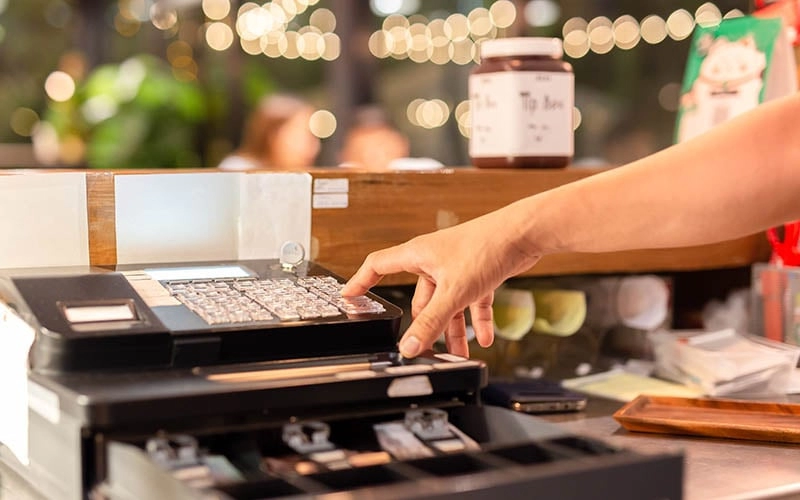
¿Eres nuevo en operar una caja registradora ¿y sentirse un poco abrumado? Dominar lo básico puede transformar tu experiencia minorista, asegurando clientes felices y sin problemas. transacciones y clientes satisfechos. Como una marca de confianza en hardware POS, SDLPOS entiende los entresijos de una de operación de la caja registradora. En este guía paso a paso, te guiaré a través de todo lo que necesitas saber para manejar con confianza un caja registradora, desde comenzar hasta cerrar, basado en conocimientos del mundo real. Vamos a ello y hagamos capacitación de cajeros ¡simple y sin estrés!
Tus tipos de caja registradora y características clave
When it comes to operating a cash register, understanding the type of device you’re using is the first step in mastering retail POS operation. Cash registers come in different forms, ranging from modelos mecánicos tradicionales to sistemas electrónicos modernos de punto de venta (POS) como la caja registradora SDLPOS. Cada tipo ofrece características únicas diseñadas para agilizar las ventas, mejorar la precisión y manejar diversos métodos de pago.
Tipos comunes de cajas registradoras
- Cajas mecánicas: Sistemas simples de entrada manual, principalmente para tiendas pequeñas o de bajo volumen
- Cajas electrónicas: Teclados digitales y pantallas, funciones básicas de procesamiento de ventas
- Sistemas POS: Soluciones integrales que incluyen seguimiento de inventario, gestión de clientes y múltiples opciones de pago
- Punto de venta móvil: Dispositivos portátiles vinculados a tablets o smartphones, perfectos para entornos de ventas flexibles
Resumen del hardware de la caja registradora SDLPOS
La caja registradora SDLPOS destaca como un sistema robusto y fácil de usar construido específicamente para operaciones minoristas confiables diarias en el mercado de España. Su hardware está diseñado para facilitar su uso mientras soporta requisitos avanzados de comercio minorista. Aquí tienes un vistazo rápido a los componentes principales y sus funciones:
- Pantalla: Una pantalla clara y brillante que muestra precios, información de artículos y estado de la transacción tanto para el cajero como para el cliente
- Teclado: Respuesta rápida y dispuesto de manera lógica para una entrada de datos rápida — incluyendo códigos de productos, cantidades y accesos de empleados
- Cajón de dinero: Compartimento seguro para almacenar efectivo, diseñado para abrirse automáticamente durante las transacciones en efectivo o manualmente cuando sea necesario
- Impresora de recibos: Impresora térmica incorporada que imprime recibos claros y rápidos, incluyendo detalles de artículos, impuestos, descuentos e información de la tienda
Estas partes se unen en el sistema SDLPOS para ofrecerte una experiencia de caja registradora rápida, eficiente y confiable. Ya sea que estés procesando ventas, manejando devoluciones o conciliando la caja, conocer tu hardware a fondo te prepara para el éxito.
¿Listo para comenzar? Vamos a profundizar en cómo operar tu caja registradora SDLPOS paso a paso.
Guía paso a paso para operar una caja registradora Cómo encender tu caja registradora

Configurar tu caja registradora y ponerla en marcha es el primer paso esencial para operaciones minoristas sin problemas. Ya seas nuevo en máquinas de punto de venta o estés actualizando a una caja registradora SDLPOS, saber cómo encenderla e iniciar sesión correctamente marca el tono para todo el turno.
Encendido y inicialización
- Encienda la caja registradora using the main power button or switch, usually located on the side or back of the unit.
- La caja realizará una autoevaluación y secuencia de inicialización. Esto asegura que todos los componentes como la pantalla, el teclado, la caja de efectivo y la impresora de recibos funcionen correctamente.
- Espera a que aparezca la pantalla de inicio o la solicitud de inicio de sesión. Esto indica que el sistema está listo para el siguiente paso.
El proceso de arranque puede tardar unos segundos dependiendo del modelo, pero durante este tiempo asegúrate de que la caja de efectivo esté cerrada de forma segura para evitar errores.
Iniciar sesión usando claves, ID de empleado o PIN
La mayoría de las cajas registradoras SDLPOS utilizan un sistema de inicio de sesión seguro diseñado para responsabilidad del empleado y seguimiento de transacciones. Normalmente tendrás tres formas comunes de iniciar sesión:
- Entrada manual de clave: Ingresa tu ID de empleado asignado o PIN usando el teclado numérico. Esto es común para equipos pequeños o rotación de cajeros menos frecuente.
- Deslizar tarjeta o llavero: Algunos modelos soportan tarjetas o llaveros con credenciales de empleado incrustadas, que te inician sesión automáticamente al deslizar o tocar.
- Interfaz Táctil: Si tu caja tiene pantalla táctil, selecciona tu perfil de usuario o ingresa un PIN a través de la interfaz digital.
Consejos importantes:
- Mantén siempre confidenciales tus credenciales de empleado.
- Cierra sesión inmediatamente después de tu turno para proteger los datos de ventas y mantener la seguridad.
- Si el inicio de sesión falla, verifica doblemente tu entrada o consulta a un gerente o supervisor.
Al iniciar correctamente tu caja registradora e iniciar sesión de forma segura, preparas tu sistema para un procesamiento preciso de transacciones, informes y registros de auditoría — todo clave para una buena gestión del negocio minorista. Este paso previene errores comunes como ventas mal atribuidas o errores en la caja en línea.
En la siguiente sección, explicaremos cómo procesar ventas de manera eficiente, incluyendo la entrada de artículos, aplicación de descuentos y aceptación de múltiples métodos de pago.
Cómo Operar una Caja Registradora Procesando una Venta

Procesar una venta en tu caja registradora es sencillo una vez que entiendes los pasos. Ya seas nuevo en el comercio minorista o estés familiarizado con las funciones básicas de la caja, seguir esta guía hace que cada transacción sea fluida y precisa.
Ingresar artículos y cantidades
Comience por introduciendo el precio de cada artículo o usando códigos de producto (entradas PLU) para agilizar el proceso. La mayoría de las cajas registradoras, incluidos modelos SDLPOS, permiten:
- Escanea los códigos de barras o ingresar manualmente los códigos de producto.
- Ingresa cantidades escribiendo el número antes del código del producto si un cliente compra varios artículos.
Esto reduce errores y mantiene tus datos de ventas limpios.
Aplicando Descuentos, Impuestos y Promociones
A continuación, aplica cualquier descuento o promoción. Este paso incluye:
- Usar claves de descuento predefinidas o ingresar códigos promocionales.
- Ajustar precios según sea necesario para ventas u ofertas especiales.
- Asegurando que se agregue el el impuesto sobre las ventas según los requisitos de tu estado o localidad.
El sistema SDLPOS está diseñado para manejar diversos escenarios promocionales y calcula automáticamente los impuestos, facilitando el cumplimiento para los minoristas en España.
Aceptación de Métodos de Pago
Tu caja registradora debe aceptar múltiples opciones de pago para la comodidad del cliente. Los métodos comunes incluyen:
- Efectivo: Cuenta el dinero y ingresa la cantidad entregada.
- Pagos con tarjeta: Desliza o inserta tarjetas de crédito/débito usando el lector de tarjetas integrado.
- Pagos digitales: La compatibilidad con billeteras móviles o pagos sin contacto como Apple Pay o Google Pay suele estar disponible.
Al procesar pagos:
- Confirma que el monto total sea correcto.
- Entrega el cambio a los clientes de manera rápida si pagan en efectivo.
- Siempre imprima un recibo, que el sistema SDLPOS soporta con su impresora incorporada.
Al dominar estos pasos, mejora la velocidad y precisión en la caja. Esto aumenta la satisfacción del cliente y garantiza una operación fluida del POS minorista que cumple con las necesidades comerciales diarias en tiendas de España.
Manejo de devoluciones y cambios en una caja registradora
Gestionar devoluciones y cambios es una parte importante de operar una caja registradora, especialmente en entornos minoristas. Saber cómo manejar estas transacciones de manera fluida mejora la satisfacción del cliente y mantiene precisos los registros de ventas. Aquí tienes una guía paso a paso sobre cómo procesar devoluciones, reembolsos y cambios usando tu caja registradora.
Acceder al modo de devolución en tu caja registradora
La mayoría de las cajas registradoras, incluido el sistema SDLPOS, tienen un modo de devolución diseñado para gestionar devoluciones y cambios de manera eficiente. Para ingresar en este modo:
- Localiza la tecla “Devolución” o “Reembolso” en el teclado, o selecciona la opción de devolución en la pantalla del menú.
- Inicia sesión con tu ID de empleado o PIN si es necesario para acceder a las funciones de devolución—esto ayuda a mantener las transacciones seguras y rastreables.
- Confirma que la caja esté lista para procesar una devolución, generalmente indicada por un mensaje o un cambio de modo en la pantalla.
Procesando reembolsos y devoluciones
Al procesar un reembolso o devolución, la precisión es clave:
- Escanea o ingresa el código del producto (código PLU/Búsqueda de Producto) del artículo que se devuelve.
- Introduce la cantidad si se devuelven varias unidades.
- Verifique que el artículo coincida con la venta original, incluyendo el precio y la fecha; algunas tiendas limitan los periodos de devolución.
- Si el artículo es elegible para un reembolso, pulse el botón “Reembolso” o “Devolución” para registrar la transacción como una deducción de sus ventas.
Emitir vales de tienda o cambios
No todas las devoluciones se reembolsan en efectivo. A veces, los clientes quieren cambios o vales de tienda:
- Seleccionar el “opción ”Cambio” si el cliente quiere un producto diferente. Registre el nuevo artículo como lo haría en una venta normal.
- Para vale de tienda, utilice la función de emisión de vales de tiendade la caja registradora; imprimirá un comprobante que el cliente podrá utilizar más adelante.
- Asegúrese de explique las políticas de vales de tienda claramente al cliente para evitar confusiones.
Consejos para gestionar devoluciones y cambios
- Verifique siempre el estado del artículo devuelto antes de procesarlo.
- Mantenga las devoluciones transparentes documentando la transacción en el sistema de la caja registradora.
- Mantener la seguridad limitando quién puede realizar devoluciones a través de acceso restringido por PIN.
- Utiliza las funciones de tu sistema POS para rastrear devoluciones frecuentes para la prevención de fraudes y una mejor gestión del inventario.
Al dominar estos procedimientos de devolución y cambio, manejarás las solicitudes de los clientes de manera profesional y mantendrás equilibradas tus cajas registradoras. Para instrucciones más detalladas sobre cómo operar tu caja registradora SDLPOS, consulta esta guía útil en cómo operar una caja registradora.
Guía paso a paso para operar una caja registradora Apertura y cierre del cajón de dinero

Saber cómo abrir y cerrar el cajón de dinero de manera adecuada es esencial para operaciones suaves y seguras de la caja registradora. Ya sea que tu sistema abra el cajón manualmente o automáticamente, seguir los pasos correctos garantiza precisión y responsabilidad.
Métodos manual y automático para abrir el cajón de dinero
- Apertura automática: La mayoría de las cajas registradoras modernas, como la SDLPOS, abren el cajón automáticamente después de completar una venta o cuando presionas una tecla específica (como “Efectivo” o “Abrir cajón”). Esto reduce la posibilidad de errores y acelera el proceso de pago.
- Apertura manual: Si necesitas abrir el cajón sin una venta (para depósitos en efectivo, pagos o conteos), usa el botón dedicado “Abrir cajón” en el teclado de tu POS o en la interfaz del software. Algunos modelos tienen una palanca de liberación física como respaldo, pero esto suele ser para emergencias.
Procedimientos de conteo de efectivo antes de comenzar y cerrar tu turno
El manejo preciso del efectivo implica conteos regulares para evitar discrepancias:
- Conteo de apertura: Cuenta el efectivo en el cajón antes de que comience el turno. Registra la cantidad inicial en tu sistema de caja o en un registro de cajero.
- Durante el turno: Mantén la caja organizada. Retira billetes grandes o cambio en exceso durante momentos de menor actividad para evitar errores.
- Conteo de cierre: Al final de tu turno o día laboral, cuenta todo el efectivo, cheques y vales en la caja. Compara esto con los totales de ventas registrados por tu caja registradora.
Mejores prácticas para la conciliación de efectivo
- Utiliza las funciones de reporte integradas de la caja registradora SDLPOS para consultar las ventas y cantidades de efectivo esperadas.
- Confirma que los totales de la caja coincidan con la cantidad esperada en el sistema.
- Documenta cualquier diferencia claramente; las discrepancias pequeñas necesitan investigación.
- Asegura el efectivo y cierra la caja inmediatamente después del conteo.
Consejos para manejar la caja de forma segura
- Nunca dejes la caja abierta sin supervisión.
- Limita el acceso a empleados de confianza con PIN o identificación de empleado.
- Mantén a mano una caja de depósito para reducir el efectivo en caja.
- Audita regularmente el efectivo al azar para detectar errores o posibles robos a tiempo.
Conocer estos pasos clave para abrir y cerrar tu caja de manera fluida mantendrá tu caja registradora funcionando eficientemente y tu dinero seguro. Es una parte fundamental para dominar las operaciones de caja registradora, imprescindible para cualquier empleado de atención al cliente o propietario de pequeño negocio que utilice equipos POS en España.
Guía paso a paso para operar una caja registradora y procedimientos de cierre de día
Al final de tu turno o día laboral, completar los procedimientos de fin de día en tu caja registradora es crucial para garantizar informes precisos, seguridad del efectivo y operaciones fluidas al día siguiente. Aquí te mostramos cómo cerrar de manera eficiente usando tu caja registradora SDLPOS o un sistema POS minorista similar.
Imprimir informes de ventas
- Accede al menú de informes: Utiliza el teclado o la pantalla táctil para navegar hasta la sección de informes de ventas.
- Selecciona el tipo de informe: A menudo puedes imprimir totales de ventas diarios, ventas detalladas y resúmenes por tipo de pago.
- Imprimir el informe: Confirma tu selección e imprime. Este informe detalla todas las transacciones, ayudando a rastrear ventas y detectar errores.
- Revisar para verificar precisión: Escanea rápidamente los totales y cifras clave para detectar cualquier anomalía que pueda necesitar corrección antes de cuadrar.
Conciliar la caja
- Contar el efectivo: Cuenta manualmente los billetes y monedas en la caja para verificar que la cantidad coincida con las ventas registradas en la caja.
- Confirmar totales con el informe: Compara el efectivo físico con la cantidad esperada mostrada en tu informe de ventas.
- Registrar discrepancias: Anota cualquier exceso o déficit para abordar posibles errores en las transacciones o robos.
- Asegurar el efectivo: Coloca el efectivo y cualquier cheque o vale en un lugar seguro, generalmente una caja fuerte o caja de dinero cerrada con llave.
Cerrar sesión y apagar la caja registradora
- Cerrar sesión de las cuentas de usuario: Cerrar sesión de tu caja o ID de empleado para asegurar la caja registradora y proteger información sensible.
- Cerrar el sistema: Apaga la caja registradora utilizando el procedimiento de apagado adecuado para evitar pérdida de datos o problemas de hardware.
- Prepararse para el próximo uso: Deja la caja lista para el siguiente turno o día, asegurándote de que esté limpia y en funcionamiento.
Siguiendo estas pasos clave de fin de día, ayudas a mantener registros financieros precisos y a asegurar el flujo de efectivo de tu negocio. Para una guía más detallada sobre cómo gestionar tu caja registradora, consulta las Guías de operación de caja registradora SDLPOS.
Este cuidadoso proceso de equilibrar y reportar forma parte de lo que hace que el sistema de caja registradora SDLPOS sea confiable y fácil de usar para minoristas en todo el país. Seguir estos pasos garantiza que el manejo de efectivo y el seguimiento de ventas se mantengan precisos cada día.
Solución de problemas comunes al operar una caja registradora
Incluso con hardware confiable como la caja registradora SDLPOS, pueden surgir problemas ocasionales. Saber cómo manejar rápidamente los problemas comunes mantendrá tu caja en funcionamiento sin problemas y reducirá el tiempo de inactividad.
Solucionar atascos de papel en la impresora de recibos
Los atascos de papel son uno de los problemas más frecuentes con las cajas registradoras. Aquí tienes cómo solucionarlos de manera eficiente:
- Abre la tapa de la impresora con cuidado siguiendo la guía de hardware de tu caja registradora SDLPOS.
- Retira el papel atascado con cuidado para evitar rasgarlo dentro del mecanismo.
- Revisa si hay residuos o pequeños trozos de papel atrapado dentro de la impresora de recibos.
- Recarga papel de recibo fresco de acuerdo con la orientación correcta (generalmente un lado impreso hacia arriba).
- Cierra la tapa firmemente y realiza una impresión de prueba para confirmar que el problema se ha resuelto.
Reemplazar regularmente el papel de recibo y mantener limpia la impresora puede prevenir atascos.
Comprender los mensajes de error comunes
Las cajas registradoras pueden mostrar mensajes de error para alertarle sobre problemas como:
- “Error en la caja registradora” – generalmente significa que la caja no se abrió correctamente o está atascada.
- “Sin papel” – la impresora de recibos necesita papel nuevo.
- “Error en el PLU” – los códigos de búsqueda de productos ingresados son inválidos o están ausentes.
- “Error del sistema” – podría indicar fallos en el software o hardware.
Si aparece un mensaje de error, siga estos pasos:
- Lea cuidadosamente el mensaje de error.
- Consulte el manual de usuario SDLPOS o las indicaciones en pantalla.
- Pruebe reinicios básicos como cerrar sesión y reiniciar la caja registradora.
- Si no se resuelve, escale a su gerente de tienda o soporte técnico.
Cuándo buscar soporte técnico
Algunos problemas requieren ayuda profesional. Contacte con el soporte de SDLPOS si experimenta:
- Malfunciones persistentes del hardware (teclado, pantalla, impresora).
- Bloqueos frecuentes o congelamientos del software.
- Errores que no se solucionan después de reiniciar.
- Problemas que afectan los informes de ventas o la conciliación de la caja registradora.
SDLPOS ofrece soporte técnico dedicado para soluciones oportunas — aprovechar su experiencia significa menos tiempo de inactividad y un sistema de punto de venta funcionando sin problemas.
de Consejos de Solución de Problemas
- Prevenir atascos de papel mediante mantenimiento regular y carga correcta del papel.
- Aprender mensajes de error comunes y seguir soluciones paso a paso.
- Reinicia la caja registradora como una solución sencilla inicial.
- Contactar con el soporte de SDLPOS cuando los problemas persisten más allá de la solución básica.
Para orientación detallada y soporte en la resolución de problemas, visite los recursos de SDLPOS sobre cómo operar una caja registradora o consulte la página de soporte de SDLPOS.
Mantenerse proactivo en la resolución de problemas ayuda a mantener líneas de caja eficientes y una mejor experiencia para el cliente.
Mejores prácticas para una operación eficiente de la caja registradora
Operar una caja registradora de manera fluida y precisa es esencial, especialmente en entornos minoristas concurridos aquí en España. Acertar en ello ahorra tiempo, genera confianza con los clientes y mantiene su proceso de ventas sin contratiempos. A continuación, algunos consejos y hábitos clave para aprovechar al máximo su caja registradora, ya sea que utilice un sistema TPV o cualquier otro sistema de punto de venta minorista.
Consejos de precisión para el uso de la caja registradora
- Verifique las entradas antes de finalizar las ventas. Los errores en los códigos de artículos, cantidades o precios pueden causar dolores de cabeza en inventario y contabilidad.
- Utilice los códigos de producto o PLUs de manera consistente. Esto reduce errores y acelera el proceso de pago.
- Aplique descuentos e impuestos correctamente. Asegúrese de que todas las promociones y tasas de impuestos estén programadas y revisadas regularmente.
- Cuente el efectivo cuidadosamente al abrir y cerrar la caja. Evite confusiones siguiendo una rutina estricta de manejo de efectivo.
- Registre cada transacción en su totalidad. Esto ayuda a rastrear tendencias de ventas y disputas con clientes.
Protección del efectivo y la información confidencial
- Limite el acceso a la caja solo al personal autorizado. Utilice identificaciones de empleados o PINs para llevar un control de quién inicia sesión y abre la caja.
- Mantenga su caja registradora en un lugar seguro. Debe ser visible para el personal pero inaccesible para los clientes.
- Cambie regularmente los PINs y contraseñas de los empleados. Esto reduce el riesgo de accesos no autorizados.
- Triture o almacene de forma segura los recibos e informes. Proteja la privacidad de sus clientes y de su negocio gestionando adecuadamente las huellas en papel.
- Evite compartir detalles de inicio de sesión. Cada cajero debe tener sus propias credenciales para garantizar la responsabilidad.
Mantenimiento del hardware de la caja registradora para su longevidad
- Limpie regularmente el teclado y la pantalla con un paño suave y seco para prevenir teclas pegajosas y mejorar la visibilidad.
- Revise con frecuencia la impresora de recibos. Reemplace las bobinas de papel de inmediato y elimine cualquier atasco con cuidado sin forzar las piezas.
- Inspeccione el mecanismo de la caja de dinero. Asegúrese de que abra y cierre suavemente, y engrasar las pequeñas piezas móviles si el fabricante lo recomienda.
- Mantenga el área de la caja libre de polvo y derrames. Los líquidos y la suciedad pueden dañar componentes sensibles con el tiempo.
- Programe revisiones técnicas periódicas o actualizaciones, especialmente si está utilizando hardware de caja registradora SDLPOS, que ofrece soporte confiable.
Al centrarse en precisión, seguridad y cuidado regular del hardware, minimiza errores, protege su negocio y prolonga la vida útil de su caja registradora. Ya sea que esté comenzando o buscando mejorar su operación de punto de venta minorista, adoptar estas mejores prácticas mantendrá su proceso de pago fluido y a sus clientes satisfechos.
Por qué elegir el hardware de caja registradora SDLPOS para su negocio
Cuando se trata de elegir confiable hardware de caja registradora que se adapte al ritmo y necesidades de su tienda, SDLPOS destaca con razones sólidas por las que es una opción principal para negocios en toda España.
Construido para la Durabilidad y Uso Diario
Las cajas registradoras SDLPOS están diseñadas con pensando en la durabilidad. Estas máquinas manejan la actividad constante de los entornos minoristas sin ralentizarse ni romperse bajo presión. Ya sea que dirija una tienda de conveniencia concurrida, un café o una pequeña tienda, el hardware SDLPOS durará:
- Construcción robusta que resiste el desgaste y el deterioro
- Componentes de larga duración para reducir el tiempo de inactividad
- Mecanismos de impresión y cajón de dinero confiables
Fácil de usar para cada cajero
Realizar ventas rápidamente es esencial, por lo que los dispositivos SDLPOS se centran en simplicidad y facilidad de operación. Desde principiantes hasta cajeros experimentados, la interfaz es intuitiva, ayudando a reducir errores y acelerar los tiempos de capacitación.
- Diseños claros de teclados y pantallas sensibles
- Entrada sencilla de productos y PLU para un checkout rápido
- Integración fluida para múltiples tipos de pago, incluyendo efectivo, tarjetas y billeteras digitales
Soporte profesional en el que puede confiar
Elegir SDLPOS significa que no solo está comprando hardware, sino que está accediendo a una red de soporte profesional que mantiene su negocio en funcionamiento:
- Ayuda rápida para cualquier fallo de hardware o duda de software
- Guías paso a paso y consejos de resolución de problemas adaptados a las cajas registradoras SDLPOS
- Un servicio al cliente amigable con sede en España que responde rápidamente para mantener activo su sistema de caja
Beneficios para el usuario respaldados por comentarios positivos
Muchos minoristas locales ya confían en SDLPOS para sus necesidades diarias de punto de venta minorista. Los usuarios suelen destacar:
- Reducción de los tiempos de pago, mejorando la satisfacción del cliente
- Menos errores gracias al diseño de la interfaz
- Hardware duradero que minimiza los costes de reparación
Elegir SDLPOS le ofrece a su negocio un sistema de caja confiable que combina fiabilidad, facilidad de uso y soporte local—ayudándole a centrarse en lo que más importa: gestionar su tienda sin problemas.


