







Comment faire fonctionner une caisse étape par étape avec le guide SDLPOS

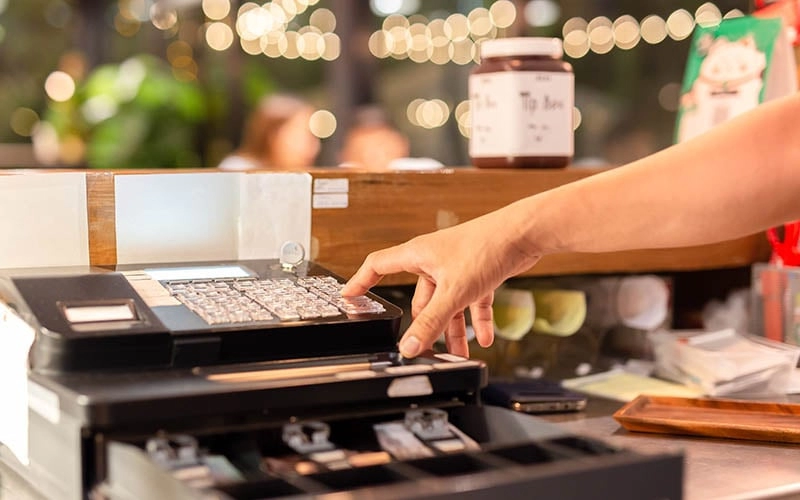
Vous êtes nouveau dans l'exploitation d'une caisse enregistreuse et vous sentir un peu dépassé ? Maîtriser les bases peut transformer votre expérience de vente au détail, assurant une expérience fluide les transactions et des clients satisfaits. En tant que nom de confiance dans matériel POS, SDLPOS comprend les tenants et aboutissants d'un système fiable l'utilisation de la caisse enregistreuse. Dans ce guide étape par étape, je vais vous guider à travers tout ce que vous devez savoir pour gérer en toute confiance un caisse enregistreuse, du démarrage à la clôture, en me basant sur des observations concrètes. Lancez-vous et faites de la formation de caissier simple et sans stress !
Vos types de caisses enregistreuses et leurs principales caractéristiques
When it comes to operating a cash register, understanding the type of device you’re using is the first step in mastering retail POS operation. Cash registers come in different forms, ranging from modèles mécaniques traditionnels to systèmes de point de vente (POS) électroniques modernes comme la caisse enregistreuse SDLPOS. Chaque type offre des fonctionnalités uniques conçues pour rationaliser les ventes, améliorer la précision et gérer divers modes de paiement.
Types courants de caisses enregistreuses
- Caisses enregistreuses mécaniques : Systèmes de saisie manuelle simples, principalement pour les petits magasins ou ceux à faible volume de ventes
- Caisses enregistreuses électroniques : Claviers et écrans numériques, fonctions de traitement des ventes de base
- Systèmes POS : Solutions complètes qui incluent le suivi des stocks, la gestion de la clientèle et de multiples options de paiement
- Point de vente mobile : Appareils portables connectés à des tablettes ou des smartphones, parfaits pour les environnements de vente flexibles
Aperçu du matériel de caisse SDLPOS
La caisse enregistreuse SDLPOS se distingue comme un système robuste et convivial construit spécifiquement pour des opérations de vente au détail fiables au quotidien sur le marché français. Son matériel est conçu pour la facilité d'utilisation tout en supportant des exigences avancées en vente au détail. Voici un aperçu rapide des principaux composants et de leurs fonctions :
- Écran : Un écran clair et lumineux qui affiche les prix, les informations sur les articles et le statut de la transaction à la fois pour le caissier et le client
- Clavier : Réactif et disposé de manière logique pour une saisie rapide — y compris les codes produits, les quantités et les connexions des employés
- Tiroir-caisse : Compartiment sécurisé pour stocker l'argent liquide, conçu pour s'ouvrir automatiquement lors des transactions en espèces ou manuellement si nécessaire
- Imprimante de reçus : Imprimante thermique intégrée qui imprime des reçus clairs et rapides, incluant les détails des articles, les taxes, les remises et les informations du magasin
Ces pièces s'assemblent dans le système SDLPOS pour vous offrir une expérience de caisse rapide, efficace et fiable. Que vous traitiez des ventes, gériez des retours ou équilibriez la caisse, connaître votre matériel sur le bout des doigts vous prépare au succès.
Prêt à commencer ? Plongeons dans la façon d'utiliser votre caisse SDLPOS étape par étape.
Guide étape par étape pour faire fonctionner une caisse : Démarrer votre caisse

Obtenir votre caisse enregistreuse mettre en marche et démarrer est la première étape essentielle pour des opérations de vente au détail fluides. Que vous soyez novice avec les machines de point de vente ou que vous passiez à une caisse SDLPOS, savoir comment démarrer et vous connecter correctement donne le ton pour toute la journée.
Allumer et initialiser
- Allumer la caisse enregistreuse en utilisant l'interrupteur ou le bouton principal, généralement situé sur le côté ou à l'arrière de l'appareil.
- La caisse effectuera une auto-vérification et une séquence d'initialisation. Cela garantit que tous les composants comme l'écran, le clavier, le tiroir-caisse et l'imprimante à reçus fonctionnent correctement.
- Attendez que l'écran d'accueil ou l'invite de connexion apparaisse. Cela indique que le système est prêt pour l'étape suivante.
Le processus de démarrage peut prendre quelques secondes selon le modèle, mais pendant ce temps, assurez-vous que le tiroir-caisse est bien fermé pour éviter les erreurs.
Se connecter en utilisant les clés, l'ID employé ou le code PIN
La plupart des caisses SDLPOS utilisent un système de connexion sécurisé conçu pour Responsabilité des employés et suivi des transactions. Vous aurez généralement trois méthodes courantes pour vous connecter :
- Saisie manuelle de la clé: Entrez votre identifiant ou code PIN d'employé attribué à l'aide du clavier numérique. Cela est courant pour les petites équipes ou une rotation de caissiers moins fréquente.
- Carte à puce ou porte-clés électronique: Certains modèles prennent en charge des cartes ou porte-clés avec des identifiants d'employé intégrés, ce qui vous connecte automatiquement une fois que vous les avez passés ou tapés.
- Interface Tactile: Si votre caisse dispose d'un écran tactile, sélectionnez votre profil utilisateur ou entrez un code PIN via l'interface numérique.
Conseils importants :
- Gardez toujours confidentiels vos identifiants d'employé.
- Déconnectez-vous immédiatement après votre service pour protéger les données de vente et maintenir la sécurité.
- Si la connexion échoue, vérifiez votre saisie ou consultez un responsable ou superviseur.
En démarrant correctement votre caisse et en vous connectant en toute sécurité, vous préparez votre système à un traitement précis des transactions, à la génération de rapports et à la traçabilité — essentiels à une bonne gestion commerciale. Cette étape évite les erreurs courantes telles que des ventes mal attribuées ou des erreurs de caisse à terme.
Dans la section suivante, nous expliquerons comment traiter efficacement les ventes, y compris la saisie des articles, l'application des remises et l'acceptation de plusieurs méthodes de paiement.
Comment faire fonctionner une caisse enregistreuse pour traiter une vente

Traiter une vente sur votre caisse est simple une fois que vous comprenez les étapes. Que vous soyez nouveau dans la vente au détail ou familiarisé avec les fonctions de base d'une caisse, suivre ce guide rend chaque transaction fluide et précise.
Saisir les articles et les quantités
Commencez par saisir le prix de chaque article ou en utilisant les codes produits (entrées PLU) pour accélérer le processus. La plupart des caisses, y compris les modèles SDLPOS, vous permettent de :
- Scanner les codes-barres ou saisir manuellement les codes produits.
- Saisissez les quantités en tapant le numéro avant le code produit si un client achète plusieurs articles.
Cela réduit les erreurs et maintient la propreté de vos données de vente.
Application des remises, taxes et promotions
Ensuite, appliquer toutes remises ou promotions. Cette étape inclut :
- L'utilisation de clés de remise prédéfinies ou la saisie de codes promo.
- Ajuster les prix selon les besoins pour les ventes ou offres spéciales.
- S'assurer que le bon la taxe de vente est ajouté, en fonction de vos exigences régionales ou locales.
Le système SDLPOS est conçu pour gérer divers scénarios promotionnels et calcule automatiquement les taxes, facilitant la conformité pour les commerçants en France.
Acceptation des modes de paiement
Votre caisse enregistreuse doit accepter plusieurs modes de paiement pour la commodité des clients. Les méthodes courantes incluent :
- Espèces: Comptez l'argent et saisissez le montant remis.
- Paiements par carte: Glissez ou insérez les cartes de crédit/débit à l'aide du lecteur de cartes intégré.
- Paiements numériques: La prise en charge des portefeuilles mobiles ou des paiements sans contact tels qu'Apple Pay ou Google Pay est souvent disponible.
Lors du traitement des paiements :
- Confirmez que le montant total est correct.
- Remettez la monnaie aux clients rapidement s'ils paient en espèces.
- Toujours imprimer un reçu, ce que le système SDLPOS prend en charge avec son imprimante intégrée.
En maîtrisant ces étapes, vous améliorez la rapidité et la précision à la caisse. Cela augmente la satisfaction des clients et garantit un fonctionnement fluide du point de vente au détail qui répond aux besoins quotidiens des magasins.
Gestion des retours et échanges en caisse
Gérer les retours et échanges est une étape importante dans l'exploitation d'une caisse, surtout dans les environnements de vente au détail. Savoir comment traiter ces transactions de manière fluide améliore la satisfaction des clients et maintient l'exactitude de vos registres de ventes. Voici un guide étape par étape pour traiter les retours, remboursements et échanges avec votre caisse.
Accéder au mode Retour sur votre caisse
La plupart des caisses, y compris le système SDLPOS, disposent d’un mode spécifique mode retour conçu pour gérer efficacement les retours et échanges. Pour entrer dans ce mode :
- Localisez la touche “ Retour ” ou “ Remboursement ” sur le clavier, ou sélectionnez l’option retour dans l’écran du menu.
- Connectez-vous avec votre identifiant employé ou votre code PIN si nécessaire pour accéder aux fonctions de retour — cela permet de sécuriser et de suivre les transactions.
- Confirmez que la caisse est prête à traiter un retour, généralement indiqué par un message ou un changement de mode sur l’écran.
Traitement des remboursements et retours
Lors du traitement d’un remboursement ou d’un retour, la précision est essentielle :
- Scannez ou saisissez le code produit (PLU / code de recherche du produit) de l’article retourné.
- Saisissez le quantité si plusieurs unités sont retournées.
- Vérifiez que l’article correspond à la vente originale, y compris le prix et la date — certains magasins limitent la période de retour.
- Si l'article est éligible à un remboursement, appuyez sur le “bouton ” Remboursement “ ou ” Retour » pour enregistrer la transaction comme une déduction de vos ventes.
Émission de crédits en magasin ou d'échanges
Toutes les retours ne sont pas remboursés en espèces. Parfois, les clients souhaitent des échanges ou un crédit en magasin :
- Sélectionnez le “option ” Échange » si le client souhaite un produit différent. Enregistrez le nouvel article comme lors d'une vente normale.
- Pour crédit en magasin, utilisez la fonction d’émission de crédit en magasin de la caisse— elle imprimera un bon de reçu que le client pourra utiliser ultérieurement.
- Assurez-vous de expliquer clairement la politique de crédit en magasin au client pour éviter toute confusion.
Conseils pour gérer les retours et échanges
- Vérifiez toujours l’état de l’article retourné avant de traiter.
- Garder retours transparents en documentant la transaction dans le système de caisse.
- Maintenir sécurité en limitant qui peut effectuer des retours via un accès restreint par code PIN.
- Utilisez les fonctionnalités de votre système de point de vente pour suivre les retours fréquents afin de prévenir la fraude et une meilleure gestion des stocks.
En maîtrisant ces procédures de retour et d’échange, vous traiterez les demandes des clients de manière professionnelle et maintiendrez l’équilibre de vos caisses. Pour des instructions plus détaillées sur le fonctionnement de votre caisse enregistreuse SDLPOS, consultez ce guide utile sur comment faire fonctionner une caisse enregistreuse.
Guide étape par étape pour l’ouverture et la fermeture d’une caisse enregistreuse

Savoir comment ouvrir et fermer la caisse correctement est essentiel pour un fonctionnement fluide et sécurisé de la caisse. Que votre système ouvre le tiroir manuellement ou automatiquement, suivre les bonnes étapes garantit précision et responsabilité.
Méthodes d’ouverture manuelle et automatique du tiroir-caisse
- Ouverture automatique : La plupart des caisses modernes, comme la SDLPOS, ouvrent le tiroir automatiquement après une vente ou lorsque vous appuyez sur une touche spécifique (comme “ Espèces ” ou “ Ouvrir le tiroir ”). Cela réduit les erreurs et accélère le passage en caisse.
- Ouverture manuelle : Si vous devez ouvrir le tiroir sans vente (pour des dépôts d’espèces, des paiements ou des comptages), utilisez le “bouton ” Ouvrir le tiroir » sur votre clavier de point de vente ou interface logicielle. Certains modèles disposent d’un levier de déblocage physique en secours, mais cela est généralement réservé aux urgences.
Procédures de comptage de caisse avant de commencer et de clôturer votre service
Une gestion précise de la caisse implique des comptages réguliers pour éviter les écarts :
- Comptage d’ouverture : Comptez l’argent dans le tiroir avant le début du service. Enregistrez le montant de départ dans votre système de caisse ou un registre de caissier.
- Tout au long du service : Gardez la caisse organisée. Retirez les grosses coupures ou la monnaie excédentaire pendant les périodes plus calmes pour éviter les erreurs.
- Compte de clôture : À la fin de votre poste ou de votre journée d'affaires, comptez tout l'argent liquide, les chèques et les bons dans la caisse. Comparez cela avec les totaux des ventes enregistrés par votre caisse enregistreuse.
Meilleures pratiques de rapprochement de caisse
- Utilisez les fonctionnalités de reporting intégrées de la caisse enregistreuse SDLPOS.
- pour afficher les ventes et les montants en espèces attendus.
- Confirmez que les totaux de la caisse correspondent au montant attendu par le système.
- Documentez clairement toute différence ; les petites écarts nécessitent une enquête.
Sécurisez l'argent liquide et fermez la caisse immédiatement après le comptage.
- Conseils pour manipuler la caisse en toute sécurité.
- Ne laissez jamais la caisse ouverte sans surveillance.
- Limitez l'accès aux employés de confiance avec un code PIN ou une identification employé.
- Gardez une boîte de dépôt d'argent à portée de main pour réduire la liquidité en caisse.
Auditez régulièrement la caisse de manière aléatoire pour détecter rapidement les erreurs ou les vols potentiels. Connaître ces étapes clés pour ouvrir et fermer votre caisse.
de manière fluide vous permettra de faire fonctionner votre caisse efficacement et de sécuriser votre argent. C’est une étape essentielle pour maîtriser les opérations de caisse – indispensable pour tout employé de vente au détail en première ligne ou propriétaire de petite entreprise utilisant un système de point de vente dans le pays.
Guide étape par étape pour faire fonctionner une caisse enregistreuse - Procédures de fin de journée À la fin de votre poste ou de votre journée d'affaires, compléter le Il est crucial de vérifier votre caisse enregistreuse pour assurer une comptabilité précise, la sécurité des fonds et le bon déroulement des opérations le lendemain. Voici comment clôturer efficacement en utilisant votre caisse enregistreuse SDLPOS ou un système POS de vente au détail similaire.
Impression des rapports de vente
- Accédez au menu des rapports : Utilisez le clavier ou l'écran tactile pour naviguer jusqu'à la section des rapports de vente.
- Sélectionnez le type de rapport : Souvent, vous pouvez imprimer les totaux de ventes quotidiens, les ventes détaillées et les résumés par mode de paiement.
- Imprimez le rapport : Confirmez votre sélection et imprimez. Ce rapport détaille toutes les transactions, aidant à suivre les ventes et à repérer les erreurs.
- Vérification de l'exactitude : Passez rapidement en revue les totaux et les chiffres clés pour détecter toute anomalie nécessitant une correction avant de faire la balance.
Équilibrage de la caisse
- Comptez la caisse : Comptez manuellement les billets et les pièces dans la caisse pour vérifier que le montant correspond aux ventes enregistrées par la caisse.
- Comparez les totaux avec le rapport : Comparez l'argent physique avec le montant attendu indiqué sur votre rapport de vente.
- Enregistrez les écarts : Notez tout excédent ou déficit pour traiter d'éventuelles erreurs de transaction ou de vol.
- Sécurisez l'argent : Placez l'argent et tout chèque ou bon dans un endroit sûr, généralement une caisse ou un coffre-fort verrouillé.
Déconnexion et extinction de la caisse
- Déconnexion des comptes utilisateur : Déconnectez votre caissier ou votre identifiant d'employé pour sécuriser la caisse et protéger les informations sensibles.
- Fermez le système : Éteignez la caisse en utilisant la procédure d'arrêt appropriée pour éviter toute perte de données ou problème matériel.
- Préparez la prochaine utilisation : Laissez la caisse prête pour le prochain poste ou jour, en vous assurant qu’elle est propre et opérationnelle.
En suivant ces étapes clés de fin de journée, vous aidez à maintenir des registres financiers précis et à sécuriser la flux de trésorerie de votre entreprise. Pour un guide plus détaillé sur la gestion de votre caisse, consultez le guide d'utilisation de la caisse SDLPOS.
Ce processus de équilibrage et de reporting minutieux fait partie de ce qui rend le système de caisse SDLPOS fiable et convivial pour les détaillants en France. En suivant ces étapes, vous assurez une gestion précise de votre caisse et un suivi des ventes chaque jour.
Dépannage des problèmes courants lors de l'utilisation d'une caisse
Même avec du matériel fiable comme la caisse SDLPOS, des problèmes occasionnels peuvent survenir. Savoir comment gérer rapidement les problèmes courants permettra de maintenir votre caisse en marche sans interruption et de réduire les temps d'arrêt.
Résolution des bourrages de papier dans l'imprimante de tickets
Les bourrages de papier sont l’un des problèmes les plus fréquents avec les caisses. Voici comment les résoudre efficacement :
- Ouvrez le couvercle de l’imprimante avec précaution en suivant le guide matériel de votre caisse SDLPOS.
- Retirez doucement le papier coincé pour éviter de le déchirer à l’intérieur du mécanisme.
- Vérifiez la présence de débris ou de petits morceaux de papier coincés à l’intérieur de l’imprimante de tickets.
- Rechargez du papier de reçu neuf selon la bonne orientation (généralement un côté imprimé face vers le haut).
- Fermez le couvercle fermement et effectuez une impression de test pour confirmer que le problème est résolu.
Remplacer régulièrement votre papier de reçus et garder l'imprimante propre peut prévenir les bourrages.
Comprendre les messages d'erreur courants
Les caisses enregistreuses peuvent afficher des messages d'erreur pour vous alerter sur des problèmes tels que :
- “ Erreur de tiroir-caisse ” – signifie généralement que le tiroir ne s'est pas ouvert correctement ou est bloqué.
- “ Papier épuisé ” – l'imprimante de reçus a besoin de nouveau papier.
- “ Erreur PLU ” – les codes de recherche de produits saisis sont invalides ou manquants.
- “ Erreur système ” – pourrait indiquer des bugs logiciels ou matériels.
Si un message d'erreur apparaît, suivez ces étapes :
- Lisez attentivement le message d'erreur.
- Consultez le manuel d'utilisation SDLPOS ou les invites à l'écran.
- Essayez des réinitialisations de base comme vous déconnecter et redémarrer la caisse.
- Si le problème persiste, faites remonter à votre responsable de magasin ou au support technique.
Quand demander une assistance technique
Certains problèmes nécessitent une assistance professionnelle. Contactez le support SDLPOS si vous rencontrez :
- Des dysfonctionnements matériels persistants (clavier, écran, imprimante).
- Des plantages fréquents ou des gels logiciels.
- Des erreurs qui ne disparaissent pas après le redémarrage.
- Des problèmes affectant la génération de rapports de vente ou la reconciliation du tiroir-caisse.
SDLPOS fournit une assistance technique dédiée pour des solutions rapides — tirer parti de leur expertise signifie moins d'interruptions et un système de point de vente qui fonctionne sans problème.
des Conseils de dépannage
- Prévenir les bourrages papier par un entretien régulier et un chargement correct du papier.
- Apprendre les messages d'erreur courants et suivre des solutions étape par étape.
- Redémarrez la caisse comme une première solution simple.
- Contactez le support SDLPOS lorsque les problèmes persistent au-delà du dépannage de base.
Pour des conseils détaillés de dépannage et d'assistance, consultez les ressources SDLPOS sur la façon d'utiliser une caisse ou reportez-vous à la page d'assistance SDLPOS.
Adopter une attitude proactive face au dépannage permet de maintenir des files d'attente efficaces et une meilleure expérience client.
Meilleures pratiques pour une gestion efficace de la caisse
Faire fonctionner une caisse de manière fluide et précise est essentiel, surtout dans les environnements de vente au détail très fréquentés ici en France. La maîtriser permet de gagner du temps, de renforcer la confiance des clients et de garantir un processus de vente sans accroc. Voici quelques conseils et habitudes clés pour optimiser l'utilisation de votre caisse, que vous utilisiez un système SDLPOS ou un autre POS de vente.
Conseils pour la précision lors de l'utilisation de la caisse
- Vérifiez soigneusement les entrées avant de finaliser les ventes. Les erreurs dans les codes d'article, les quantités ou les prix peuvent causer des problèmes d'inventaire et de comptabilité.
- Utilisez de manière cohérente les codes produits ou PLUs. Cela réduit les erreurs et accélère le passage en caisse.
- Appliquez correctement les remises et les taxes. Assurez-vous que toutes les promotions et taux de taxe sont programmés et revus régulièrement.
- Comptez l'argent liquide avec soin lors de l'ouverture et de la fermeture de la caisse. Évitez les confusions en respectant une routine stricte de gestion de la caisse.
- Enregistrez chaque transaction de manière complète. Cela facilite le suivi des tendances de vente et la résolution des litiges clients.
Sécurisation de l'argent liquide et des informations sensibles
- Limitez l'accès à la caisse au personnel autorisé uniquement. Utilisez des identifiants employés ou des codes PIN pour suivre qui se connecte et ouvre la caisse.
- Gardez votre caisse dans un endroit sécurisé. Elle doit être visible par le personnel mais inaccessible aux clients.
- Changez régulièrement les codes PIN et mots de passe des employés. Cela réduit le risque d'accès non autorisé.
- Déchiquetez ou stockez en toute sécurité les reçus et rapports. Protégez la vie privée de vos clients et de votre entreprise en gérant correctement les traces papier.
- Évitez de partager les identifiants de connexion. Chaque caissier doit avoir ses propres identifiants pour assurer la responsabilité.
Maintenir le matériel de caisse enregistreuse pour la longévité
- Nettoyez régulièrement le clavier et l'écran avec un chiffon doux et sec pour éviter que les touches ne collent et améliorer la visibilité.
- Vérifiez fréquemment l'imprimante de reçus. Remplacez rapidement les rouleaux de papier et dégagez les bourrages en manipulant délicatement sans forcer les pièces.
- Inspectez le mécanisme du tiroir-caisse. Assurez-vous qu'il s'ouvre et se ferme en douceur, et huilez les petites pièces mobiles si le fabricant le recommande.
- Gardez la zone de la caisse exempte de poussière et de déversements. Les liquides et la saleté peuvent endommager les composants sensibles avec le temps.
- Programmez des contrôles techniques ou des mises à jour périodiques, en particulier si vous utilisez du matériel de caisse enregistreuse SDLPOS, qui offre un support fiable.
En se concentrant sur précision, sécurité et entretien régulier du matériel, you minimize errors, protect your business, and extend the life of your cash register. Whether you’re just getting started or looking to improve your retail POS operation, adopting these best practices will keep your checkout process smooth and your customers happy.
Pourquoi choisir le matériel de caisse enregistreuse SDLPOS pour votre entreprise
Lorsqu'il s'agit de choisir un matériel fiable matériel de caisse enregistreuse qui s'adapte au rythme et aux besoins de votre magasin, SDLPOS se distingue par des raisons solides pour lesquelles c'est un choix de premier ordre pour les entreprises en France.
Conçu pour la durabilité et l'utilisation quotidienne
Les caisses enregistreuses SDLPOS sont conçues avec la durabilité à l'esprit. Ces machines gèrent l'activité constante des environnements de vente au détail sans ralentir ni se casser sous la pression. Que vous dirigiez une épicerie, un café ou une petite boutique, le matériel SDLPOS durera :
- Une qualité de fabrication robuste qui résiste à l'usure
- Composants durables pour réduire les temps d'arrêt
- Mécanismes d'impression et de tiroir-caisse fiables
Facile à utiliser pour chaque caissier
Il est essentiel de réaliser rapidement des ventes, donc les appareils SDLPOS se concentrent sur la simplicité et la facilité d'utilisation. Des débutants aux caissiers expérimentés, l'interface est intuitive, aidant à réduire les erreurs et à accélérer les temps de formation.
- Dispositions claires du clavier et écrans réactifs
- Saisie simple des produits et des PLU pour un passage en caisse rapide
- Intégration fluide pour plusieurs modes de paiement, y compris l'argent liquide, les cartes et les portefeuilles numériques
Support professionnel sur lequel vous pouvez compter
Choisir SDLPOS signifie que vous n'achetez pas seulement du matériel—vous accédez à un réseau de support professionnel qui maintient votre activité en marche :
- Aide rapide pour tout problème matériel ou question logicielle
- Guides étape par étape et conseils de dépannage adaptés aux caisses SDLPOS
- Service client amical basé en France répondant rapidement pour maintenir votre système de caisse actif
Avantages utilisateur soutenus par des retours positifs
De nombreux détaillants locaux font déjà confiance à SDLPOS pour leurs besoins quotidiens en POS de détail. Les utilisateurs soulignent souvent :
- Réduction des temps de passage en caisse améliorant la satisfaction client
- Moins d'erreurs grâce à la conception de l'interface
- Matériel durable qui minimise les coûts de réparation
Choisir SDLPOS offre à votre entreprise un solution de caisse fiable alliant fiabilité, simplicité d'utilisation et support local—vous aidant à vous concentrer sur ce qui compte le plus : faire fonctionner votre magasin sans souci.


