







Soluciones compactas de hardware POS para negocios con espacio limitado

¿Te cuesta encontrar el adecuado hardware POS para negocios con espacio limitado? No estás solo. Muchas pequeñas tiendas, cafeterías y quioscos enfrentan el desafío de integrar un sistema de punto de venta completo en mostradores estrechos o áreas de trabajo compactas. Pero aquí tienes la buena noticia: elegir el hardware POS que ahorra espacio puede transformar tu flujo de trabajo, acelerar las transacciones y mantener tu negocio ordenado y profesional.
En esta publicación, descubrirás exactamente qué buscar en soluciones POS compactas, por qué el tamaño importa más que nunca, y cómo SDLPOS ofrece hardware personalizado diseñado específicamente para prosperar en espacios pequeños. Si quieres optimizar tu área de caja—sin sacrificar funcionalidad—sigue leyendo.
Desafíos del espacio limitado para sistemas POS en pequeñas empresas
Las pequeñas empresas a menudo enfrentan restricciones de espacio reducido que complican la configuración de hardware efectivo de punto de venta. Ya sea que dirijas una tienda en mostrador pequeña, un quiosco, o trabajes en movimiento con sistemas POS móviles, el espacio físico limitado puede crear desafíos reales.
Restricciones típicas de espacio que enfrentan las pequeñas empresas
- Mostradores compactos y áreas de caja significan que hay poco espacio para equipos voluminosos.
- Quioscos y tiendas temporales a menudo tienen una superficie mínima con superficies compartidas o multifuncionales.
- Operaciones móviles como camiones de comida o puestos de mercado requieren hardware POS portátil y ligero que no ocupa mucho espacio.
Impacto en el servicio al cliente y la gestión de inventario
Cuando el hardware POS es voluminoso o está mal organizado, puede ralentizar los tiempos de transacción, frustrando a los clientes y causando filas más largas. Los espacios abarrotados también dificultan el seguimiento preciso del inventario, lo que conduce a agotamientos o exceso de stock.
Velocidad y precisión en el servicio al cliente y el seguimiento del inventario dependen directamente de qué tan bien se adapte el sistema POS al espacio disponible.
Importancia de elegir el hardware POS adecuado para la optimización del espacio
Seleccionar hardware POS compacto diseñado para espacios pequeños es esencial. El equipo adecuado ayuda a:
- Maximizar las áreas limitadas de mostradores o quioscos sin desorden
- Apoyar transacciones rápidas y fluidas para mantener satisfechos a los clientes
- Mejorar la gestión de inventario mediante configuraciones de hardware eficientes y accesibles
Al centrarse en cajas registradoras que ahorran espacio, dispositivos POS inalámbricos, y soluciones integradas, las pequeñas empresas pueden optimizar operaciones sin sacrificar funcionalidad.
Elegir el hardware de punto de venta eficiente en espacio adecuado no solo se trata de ajustar los dispositivos, sino de mejorar toda la experiencia del cliente y el flujo operativo en espacios limitados.
Características clave a buscar en hardware POS que ahorra espacio para espacios pequeños
Al buscar hardware POS compacto que encaja en espacios limitados, es crucial centrarse en funciones que maximicen la eficiencia sin abarrotar su mostrador o quiosco.
Huella Compacta y Modularidad
Elija equipos con un pequeña huella física que encaje ordenadamente en áreas estrechas. La modularidad también es útil: componentes que puede añadir o quitar según sea necesario le permiten personalizar el sistema sin desperdiciar espacio.
Multi-funcionalidad con Componentes Integrados
Busca dispositivos todo en uno que combinan varias funciones, como un terminal con pantalla táctil con un impresora integrada y cajón de efectivo. Esto reduce el número de dispositivos y cables en su mostrador, haciendo que la configuración sea más limpia y rápida.
Configuraciones Inalámbricas y Mínimamente Conectadas por Cables
Dispositivos POS inalámbricos o con muy pocos cables mantienen su espacio de trabajo ordenado y flexible. Esto también le permite reorganizar el equipo fácilmente y reduce el desorden, crucial para sistemas POS en espacios pequeños como quioscos y operaciones móviles.
Diseños Ligeros y Portátiles
Para negocios en movimiento o con espacio muy limitado, terminales POS ligeros y portátiles—como tablets con lectores de tarjetas— son ideales. Estos dispositivos se pueden mover o almacenar según sea necesario, ahorrando valioso espacio en superficie cuando no se usan.
Durabilidad a Pesar de su Pequeño Tamaño
Compact doesn’t mean fragile. You want hardware that can hold up to daily use without frequent repairs or replacements. Durability is key, especially in busy environments, so opt for equipment built with quality materials designed for longevity.
Al centrarse en estas características, obtendrá hardware de punto de venta eficiente en espacio que mantiene sus operaciones fluidas sin ocupar su limitado espacio de trabajo.
Tipos de hardware POS ideales para espacios reducidos

Al trabajar con hardware POS para negocios con espacio limitado, elegir los dispositivos adecuados puede marcar una gran diferencia en eficiencia y usabilidad. Aquí están los tipos de equipos más prácticos diseñados para áreas pequeñas, combinando hardware POS compacto características con alta funcionalidad.
Terminales POS todo en uno
Las terminales POS todo en uno son perfectas para mostradores estrechos porque integran componentes esenciales como la pantalla táctil, la impresora de tickets y la caja registradora en una sola unidad. Esto reduce el desorden y libera espacio valioso en el mostrador, ofreciendo al mismo tiempo un rendimiento robusto y facilidad de uso.
- Pantalla táctil integrada que simplifica la navegación
- Impresora y caja registradora integradas que minimizan la huella
- Opciones modulares que permiten actualizaciones fáciles
Dispositivos POS Móviles
Dispositivos POS móviles, como tablets combinadas con lectores de tarjetas compactos, son altamente flexibles para pequeñas empresas o operaciones móviles. Estos terminales POS portátiles le permiten atender a los clientes en cualquier lugar del establecimiento, incluso fuera del sitio, manteniendo su configuración mínima y mejorando la interacción con el cliente.
- Ligero e inalámbrico para movilidad
- Fácil de mover entre ubicaciones
- Ideal para quioscos, puestos temporales y eventos
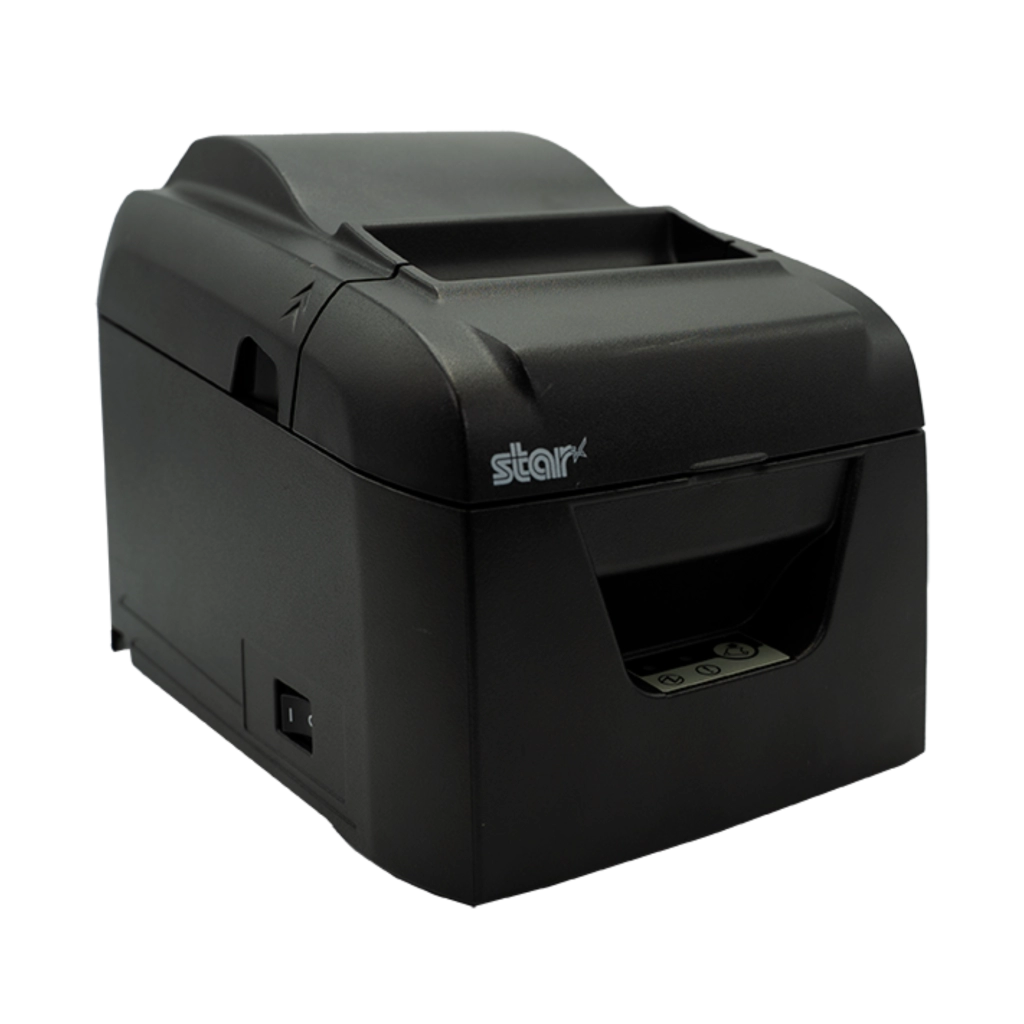
Impresoras de recibos compactas
Las impresoras de recibos diseñadas para espacios limitados vienen en modelos pequeños y simplificados que caben fácilmente en estanterías o detrás de mostradores sin abarrotar. Estas impresoras suelen soportar conexiones inalámbricas, lo que permite reducir el desorden de cables y mejorar la organización general de su área de punto de venta.
- Impresión rápida a pesar de su tamaño compacto
- Opciones inalámbricas o de cableado mínimo
- Construcciones duraderas para uso diario
Cajones de efectivo delgados
Los cajones de efectivo estándar pueden ocupar espacio innecesario, pero cajones de efectivo delgados están diseñados para caber debajo de mostradores y en espacios más estrechos, ofreciendo aún así un almacenamiento seguro para efectivo y recibos.
- Diseño estrecho que se ajusta a mostradores más pequeños
- Mecanismos de bloqueo robustos
- Compatible con diversas configuraciones de punto de venta
Escáneres de código de barras eficientes en espacio
Los escáneres de código de barras en forma compacta o portátil ahorran espacio en el mostrador y ayudan a acelerar los procesos de pago. Muchos modelos modernos cuentan con conectividad inalámbrica para eliminar cables y pueden montarse o usarse de forma manual según sea necesario.
- Opciones inalámbricas o USB
- Tamaño reducido y diseño ergonómico
- Escaneos rápidos y precisos
Pantallas para clientes minimalistas y señalización digital
Las pantallas para clientes no necesitan ser voluminosas. Pantallas para clientes minimalistas o pequeñas pantallas de señalización digital proporcionan información esencial y promociones en un paquete elegante que ocupa muy poco espacio.
- Diseños delgados, de montaje en pared o de encimera
- Visibilidad clara para los clientes
- Uso multiusos más allá de las ventas (promociones, información de fidelidad)
Seleccionando inteligentemente estos tipos de hardware de punto de venta eficiente en espacio ayuda a garantizar que su negocio funcione sin problemas incluso en los entornos más ajustados. Para encimeras pequeñas, quioscos o estaciones móviles, estas opciones compactas e integradas ofrecen el mejor equilibrio entre funcionalidad y ahorro de espacio.
Para obtener más información sobre cómo seleccionar la tecnología POS adecuada para pequeñas empresas, consulte nuestra guía sobre por qué las pequeñas empresas necesitan cajas registradoras modernas.
Cómo SDLPOS apoya a las empresas conscientes del espacio con hardware POS compacto
Cuando trabaja con espacio limitado, encontrar el hardware POS adecuado es crucial. SDLPOS se especializa en ofrecer hardware POS compacto diseñado específicamente para encimeras pequeñas, quioscos y configuraciones móviles donde cada centímetro cuenta. Su gama de productos se centra en maximizar la funcionalidad sin ocupar espacio innecesario.
Paquetes POS personalizables para pequeñas empresas
Una característica destacada de SDLPOS es la capacidad de personalizar paquetes POS. Ya sea que dirija un quiosco minorista, un camión de comida en un espacio reducido o una pequeña boutique, SDLPOS ofrece paquetes adaptados a sus necesidades específicas de espacio y negocio. Estos paquetes combinan impresoras de recibos compactas, cajones de dinero delgados y terminales POS inalámbricos que funcionan perfectamente juntos para mantener su sistema de punto de venta eficiente y organizado.
Calidad, durabilidad y soporte confiable
SDLPOS no solo entrega dispositivos compactos; también enfatizan la durabilidad y fiabilidad a largo plazo. Su hardware está diseñado para rendir en entornos de ritmo acelerado sin fallos frecuentes que puedan interrumpir las operaciones diarias. Además, respaldan sus productos con equipos de soporte experto y servicios locales receptivos en España, para que puedas obtener ayuda rápida cuando la necesites, facilitando el mantenimiento y reduciendo la probabilidad de que consuma tu valioso espacio o tiempo.
Asesoramiento experto para necesidades específicas del negocio
Knowing what fits your business and space best can be tricky. SDLPOS’s team offers consultas personalizadas para ayudarte a seleccionar la combinación adecuada de cajas registradoras que ahorran espacio, soluciones POS integradas y dispositivos POS inalámbricos. Esta orientación garantiza que tu configuración sea tanto compacta como escalable, ayudándote a mejorar la velocidad de atención al cliente y la gestión de inventario sin saturar tu mostrador.
Al centrarse en diseños de huella compacta, opciones inalámbricas y calidad de construcción sólida, SDLPOS ofrece hardware de punto de venta inteligente y eficiente en espacio que cumple con las demandas de negocios con espacio limitado. Sus soluciones personalizadas te permiten operar de manera más fluida sin sacrificar tu valioso espacio en el mostrador o quiosco.
Mejores prácticas para configurar hardware POS para negocios con espacio limitado
Al trabajar con hardware POS para negocios con espacio limitado, cada centímetro cuenta. Configurar tu sistema POS compacto de la manera correcta puede aumentar la eficiencia y mantener tu mostrador libre de desorden.
Optimiza la distribución para una accesibilidad máxima
- Posiciona los dispositivos de manera reflexiva para que equipos utilizados con frecuencia como la pantalla táctil, la impresora de tickets y la caja registradora estén al alcance de la mano.
- Mantén las pantallas orientadas al cliente visibles pero fuera del camino para evitar saturar el espacio de trabajo.
- Utiliza el espacio vertical cuando sea posible—monta escáneres de código de barras o pantallas para clientes en soportes para liberar espacio en el mostrador.
Invierte en periféricos inalámbricos y gestión de cables
- los dispositivos POS inalámbricos y accesorios ayudan a reducir el desorden de cables, que es un problema común en espacios pequeños.
- Utiliza organizadores y clips para cables para mantener los cables ordenados y evitar enredos, mejorando tanto la seguridad como la estética.
- Las configuraciones con cables mínimos no solo liberan espacio, sino que también facilitan la limpieza y la reorganización.
Mantenimiento regular para prevenir fallos
- Mantén tu hardware POS compacto en óptimas condiciones para evitar averías inesperadas que puedan requerir reparaciones o reemplazos voluminosos.
- Programa revisiones de rutina para impresoras, lectores de tarjetas y cajones de efectivo — esto ayuda a mantener operaciones fluidas sin ocupar espacio adicional para configuraciones temporales.
- Limpia los dispositivos regularmente para prevenir la acumulación de polvo que puede afectar su funcionamiento en espacios reducidos.
Planifica para una escalabilidad futura sin sacrificar espacio
- Elige hardware POS modular y expandible que te permita añadir componentes a medida que tu negocio crece sin necesidad de una encimera más grande.
- Considera soluciones con opciones de montaje flexibles o unidades apilables para mantener tu configuración compacta incluso al actualizar.
- Pensar con anticipación previene reconfiguraciones costosas y desafíos de espacio en el futuro.
Siguiendo estas mejores prácticas, aseguras que tu hardware POS que ahorra espacio funcione sin problemas, mejora la velocidad de atención a tus clientes y apoya el crecimiento de tu negocio — todo sin abarrotar tus pequeños mostradores o quioscos.
Para consejos más detallados sobre el mantenimiento y la actualización del equipo POS, consulta nuestra guía en mantenimiento de hardware de TPV. If you’re exploring financing options for affordable compact POS equipment, see our financiación de hardware de TPV página.
Estudios de caso sobre hardware POS para negocios con espacio limitado
Muchos pequeños negocios en toda España han visto beneficios reales al cambiar a sistemas POS compactos SDLPOS diseñados específicamente para espacios reducidos. Aquí hay ejemplos que muestran cómo el hardware POS que ahorra espacio mejoró sus operaciones diarias y la experiencia del cliente.
Kioscos minoristas pequeños aumentan la eficiencia con hardware POS compacto
Un kiosco local popular especializado en snacks y bebidas rápidas enfrentó grandes desafíos debido a la limitada espacio en la encimera. Al adoptar un terminal POS táctil todo en uno con impresoras integradas y un cajón de efectivo delgado de SDLPOS, liberaron espacio valioso en la encimera. Este cambio permitió a su personal atender a los clientes más rápido durante las horas punta. El hardware de punto de venta inalámbrico y eficiente en espacio también simplificó la gestión de cables, reduciendo el desorden y haciendo que el kiosco fuera un lugar más limpio y acogedor.
Los clientes notaron tiempos de espera más cortos, y el negocio obtuvo un mejor control sobre las ventas y el inventario sin sacrificar espacio valioso.
Los Food Trucks Móviles Usan Terminales POS Portátiles para Aumentar las Ventas
Un número creciente de food trucks en áreas urbanas se han dirigido a terminales POS portátiles de SDLPOS para abordar las limitaciones de espacio. Estos sistemas ligeros y duraderos permiten al personal tomar pedidos y procesar pagos sobre la marcha sin que equipos voluminosos los ralenticen. El hardware POS compacto con conectividad inalámbrica encaja perfectamente en espacios reducidos de camiones y configuraciones móviles, lo que ayuda a los propietarios a evitar la molestia de cables enredados o múltiples dispositivos.
Esta flexibilidad mejoró el rendimiento de los clientes durante eventos concurridos, mientras que el hardware confiable prometía un tiempo de inactividad mínimo, un factor crucial en las operaciones móviles.
Las Pequeñas Boutiques Confían en Sistemas POS de Espacio Eficiente para la Satisfacción del Cliente
Una boutique de moda en un distrito comercial del centro tenía mostradores estrechos que limitaban su configuración de pago. Seleccionaron sistemas POS modulares SDLPOS, incluyendo escáneres de códigos de barras integrados y pantallas minimalistas orientadas al cliente, para mantener el área del mostrador ordenada y organizada.
Al optimizar el diseño y utilizar cajas registradoras que ahorran espacio, aumentaron la velocidad de las transacciones y mejoraron la experiencia de compra. La fiabilidad del hardware condujo a menos problemas técnicos y un mantenimiento general más fácil.
Estas historias de éxito demuestran que elegir el hardware POS adecuado para pequeñas empresas que se enfrentan a un espacio limitado puede impulsar directamente la eficiencia operativa y mejorar la satisfacción del cliente. Si desea ver cómo las soluciones SDLPOS pueden adaptarse a su espacio de trabajo único, consulte nuestras ofertas en dispositivos POS móviles y obtenga más información sobre mantenimiento de hardware de TPV para mantener su equipo funcionando sin problemas.


