







Caisse enregistreuse Windows vs POS tablette Quel convient le mieux à votre entreprise

Le choix entre un caisse enregistreuse Windows et un système de point de vente sur tablette peut sembler un choix difficile pour de nombreux propriétaires de petites entreprises en 2025. Dirigez-vous un point de vente occupé qui nécessite une puissance de caisse stationnaire solide comme un roc ? Ou peut-être une boutique éphémère mobile où la rapidité et la flexibilité sont essentielles ? Les deux ont des avantages clairs—caisses enregistreuses Windows offrent fiabilité et une intégration logicielle approfondie, tandis que PDV sur tablette les systèmes apportent une commodité élégante et nomade ainsi qu'une intelligence basée sur le cloud. Si vous cherchez à réduire les files d'attente, à augmenter l'efficacité et à trouver la solution parfaite pour vos besoins commerciaux uniques, ce guide vous aidera à décider ce qui fonctionne le mieux—et comment les solutions SDLPOS peuvent rendre la mise en œuvre transparente. Prêt à débloquer des caisses plus rapides et plus intelligentes ? Allons-y.
Comprendre les systèmes matériels de caisses Windows POS de bureau
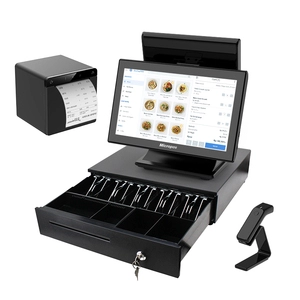
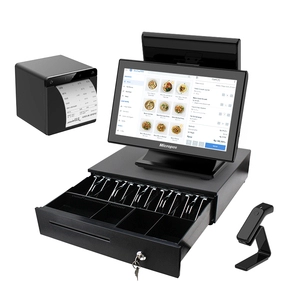
Les caisses Windows sont des systèmes de point de vente (POS) basés sur un ordinateur de bureau ou un ordinateur portable fonctionnant sous le système d'exploitation Windows. Ils intègrent à la fois des composants logiciels et matériels dédiés conçus pour les environnements de vente au détail. Contrairement aux caisses traditionnelles autonomes, ces systèmes combinent la puissance et la flexibilité d'un système Windows complet avec des périphériques spécialisés tels que tiroirs-caisses, scanners de codes-barres, imprimantes de reçus et moniteurs tactiles.
Fonctionnement des systèmes de caisses Windows
Au cœur, les caisses Windows fonctionnent comme un système POS basé sur ordinateur où le système d'exploitation Windows gère toutes les tâches logicielles. La configuration matérielle est généralement fixe à un seul endroit et comprend :
- Terminaux POS de bureau ou tout-en-un fonctionnant sous Windows, personnalisé pour les flux de travail de vente ou de service
- Unités de tiroirs-caisses intégrés connectés en toute sécurité pour la gestion de la caisse
- Scanners de codes-barres et lecteurs de cartes pour accélérer le passage en caisse
- Imprimantes de reçus et écrans d'affichage pour la confirmation des transactions
- Optionnel Interfaces clavier/souris ou écran tactile selon les préférences de l'utilisateur
Cette approche intégrée matériel et logiciel offre une solution de caisse complète qui prend en charge le suivi des stocks de vente au détail, la gestion de la clientèle et les rapports de transactions. L'environnement Windows permet également aux entreprises d'exécuter d'autres applications telles que des outils de comptabilité ou de planification en parallèle avec le logiciel de point de vente.
Principales caractéristiques du matériel de point de vente basé sur Windows
- Robuste et polyvalent avec accès à un large éventail d'options de logiciels de point de vente basés sur Windows
- Conçu pour emplacements fixes comme les comptoirs de vente au détail et les bureaux de service
- Peut gérer des transactions à volume élevé avec des composants matériels fiables
- Prend en charge intégration des périphériques y compris les imprimantes, les scanners et les tiroirs-caisses
- Fonctionne hors ligne sans dépendance à Internet, assurant la stabilité dans divers environnements commerciaux
En tirant parti du système d'exploitation Windows, ces systèmes de caisse enregistreuse fournissent des interfaces familières et une compatibilité étendue avec divers matériels tiers, ce qui en fait un choix populaire pour les entreprises à la recherche de solutions de point de vente durables et puissantes.
Comprendre les principales caractéristiques et capacités des caisses enregistreuses Windows
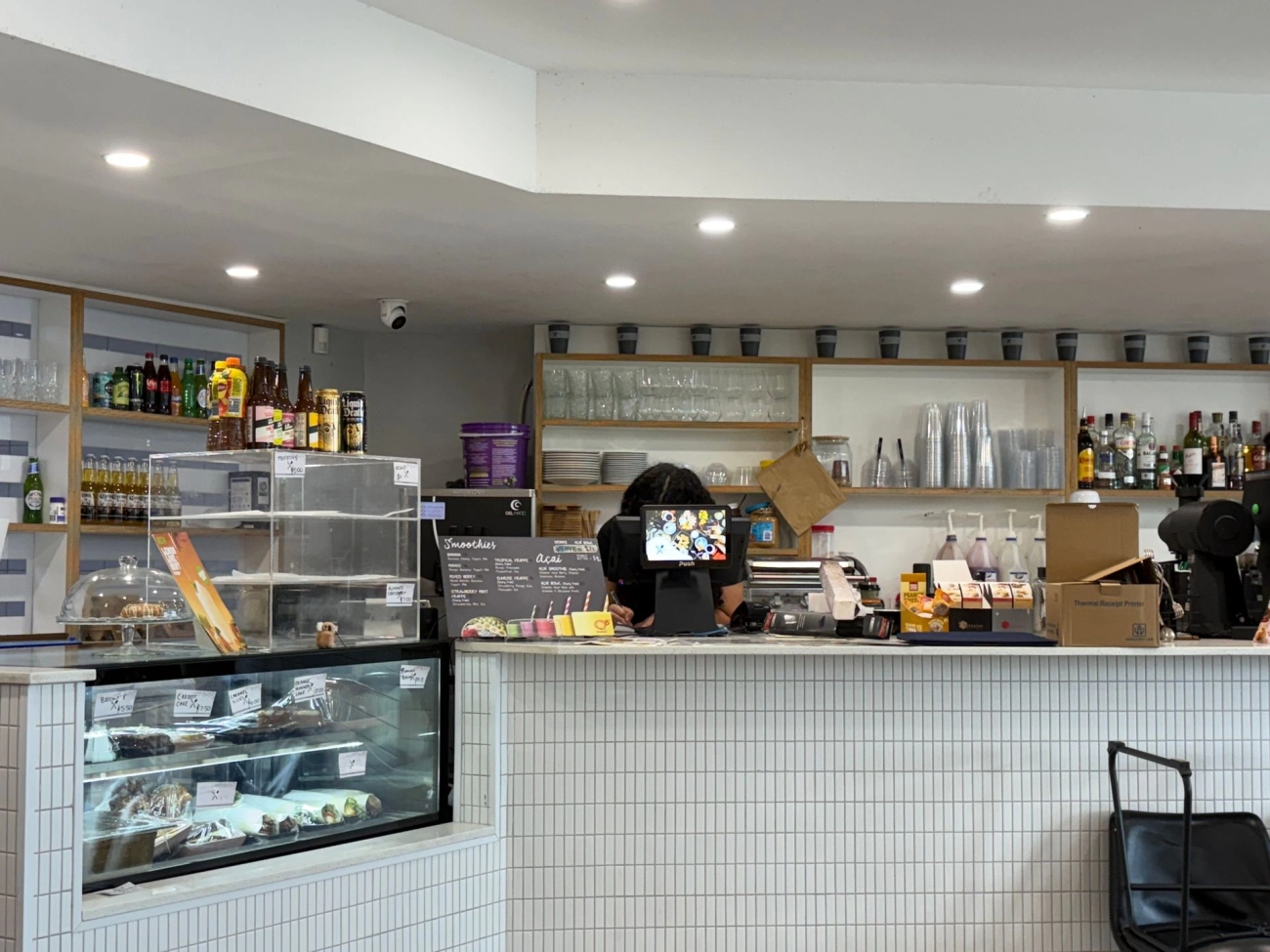
Les caisses enregistreuses Windows se distinguent par leur écosystème logiciel robuste, qui prend en charge une large gamme d'applications POS adaptées au commerce de détail, à l'hôtellerie et aux industries de services en France. Contrairement aux caisses enregistreuses basiques, ces systèmes fonctionnent sous Windows OS, permettant un logiciel puissant et riche en fonctionnalités que les entreprises peuvent personnaliser pour répondre à leurs besoins spécifiques.
Mode Hors Ligne Fiable
L'un des plus grands avantages est la mode hors ligne. Les caisses enregistreuses Windows fonctionnent souvent sans accès Internet constant, offrant une tranquillité d'esprit aux commerçants dans les zones avec une Wi-Fi instable ou lors de pannes de réseau. Cela fiabilité POS hors ligne assure que les transactions se poursuivent sans interruption, réduisant ainsi les temps d'arrêt et les pertes de ventes.
Rapports Avancés et Suivi des Stocks
Ces systèmes offrent des outils de reporting avancés qui aident les commerçants à suivre les tendances de vente, la performance du personnel et le flux de trésorerie quotidien. Les commerçants peuvent générer des rapports détaillés qui soutiennent une prise de décision plus intelligente et une gestion des stocks efficace. L'intégration avec des scanners de codes-barres et des logiciels de gestion des stocks de détail facilite encore plus le contrôle des stocks et le réapprovisionnement.
Flexibilité Logicielle et Compatibilité
Le logiciel POS basé sur Windows supporte plusieurs accessoires matériels tels que l'intégration de tiroirs-caisse portables, scanners et imprimantes de tickets. Cette compatibilité permet aux magasins d'étendre ou de mettre à niveau leurs configurations facilement sans repartir de zéro. De plus, l'écosystème Windows large signifie que les mises à jour régulières et l'intégration d'applications tierces sont plus accessibles que sur des plateformes fermées.
Les caisses enregistreuses Windows combinent une flexibilité logicielle puissante, une opération hors ligne, et des rapports approfondis des fonctionnalités, ce qui les rend idéales pour les entreprises nécessitant un matériel POS de bureau fiable et évolutif avec de solides performances. Pour en savoir plus sur la gestion d'un système de caisse basé sur Windows, consultez notre guide sur comment gérer une caisse enregistreuse.
Comprendre les caisses enregistreuses Windows : durabilité, faibles coûts initiaux, facilité de mise à l'échelle
En ce qui concerne caisses enregistreuses Windows, plusieurs avantages clairs en font un choix solide pour de nombreuses entreprises françaises, en particulier les magasins physiques. Voici ce qui ressort :
Matériel durable et fiable
Les caisses enregistreuses Windows sont connues pour leur construction robuste et durable. Il s'agit de systèmes basés sur ordinateur de bureau ou portable conçus pour gérer les opérations quotidiennes sans pannes fréquentes. Ils incluent souvent des tiroirs-caisse intégrés, des scanners de codes-barres et des imprimantes de reçus conçus pour durer dans des environnements très fréquentés comme les supermarchés ou les salons de coiffure.
Faible coût initial avec un logiciel éprouvé
Contrairement à certaines solutions de point de vente plus récentes, les caisses enregistreuses Windows sont généralement proposées avec des coûts initiaux plus faibles. Vous investissez dans un logiciel Windows familier, qui donne accès à une large gamme d'applications POS éprouvées. Cela signifie moins de surprises lors de la configuration et une meilleure compatibilité avec le matériel existant comme les tiroirs-caisse portables et les scanners de codes-barres.
Facile à faire évoluer pour les entreprises en croissance
Si vous prévoyez de vous développer, les caisses enregistreuses Windows offrent une évolutivité facile. Ajouter plus de stations ou améliorer les fonctionnalités logicielles nécessite rarement une refonte complète du système. Parce que ces systèmes fonctionnent sous Windows, de nombreuses PME bénéficient de configurations multi-utilisateurs et d'options de réseau familières, ce qui aide à faire évoluer leur solution POS au fil du temps sans se ruiner.
des Avantages Clés
- Matériel durable conçu pour une utilisation intensive
- Investissement initial inférieur par rapport aux systèmes de tablettes personnalisés
- Compatibilité logicielle étendue avec les applications POS Windows populaires
- Évolutivité fluide pour l'expansion des opérations de vente au détail ou de services
Pour de nombreux commerçants locaux et prestataires de services en France qui privilégient la fiabilité et le rapport qualité-prix, les caisses enregistreuses Windows restent un concurrent solide lors du choix entre le matériel POS de bureau et les systèmes de point de vente mobiles.
Comprendre les caisses enregistreuses Windows Cons configuration encombrante mobilité limitée consommation d'énergie plus élevée interfaces obsolètes
Bien que caisses enregistreuses Windows offrent de nombreux avantages, ils présentent également certains inconvénients évidents que vous devez prendre en compte pour votre entreprise.
Configuration encombrante et mobilité limitée
Ces systèmes impliquent généralement matériel POS de bureau comme des tiroirs-caisse, des scanners de codes-barres et des imprimantes de reçus reliés à un ordinateur de bureau ou un ordinateur portable basé sur Windows. Cela signifie :
- Ils occupent plus d'espace sur votre comptoir par rapport aux systèmes POS sur tablette élégants.
- Une fois installés, ils sont principalement fixes à un endroit, ce qui les rend inadaptés aux entreprises qui ont besoin de mobilité.
- Déplacer ou ajuster la configuration nécessite souvent un travail supplémentaire et parfois même une assistance technique.
Consommation d'énergie plus élevée et maintenance
Contrairement aux tablettes qui fonctionnent sur batteries ou à faible consommation, les caisses Windows ont tendance à :
- Consommer plus d'électricité en raison de leur connexion constante à l'alimentation.
- Augmentent vos coûts d'exploitation au fil du temps, surtout dans les lieux ouverts de longues heures.
- Nécessitent une maintenance régulière pour assurer le bon fonctionnement du matériel et du système d'exploitation Windows, ce qui augmente vos coûts de main-d'œuvre.
Interfaces obsolètes et expérience utilisateur
De nombreuses caisses Windows s'appuient encore sur des logiciels traditionnels avec des interfaces qui :
- Paraissent dépassées par rapport aux applications modernes à écran tactile.
- Peuvent être moins intuitives, ce qui nécessite plus de formation du personnel et des temps de passage en caisse plus longs.
- Ne prennent peut-être pas en charge aussi facilement les dernières intégrations ou fonctionnalités cloud que les solutions POS mobiles plus récentes.
des principaux inconvénients
- Le matériel volumineux limite l'espace au comptoir et la flexibilité de l'installation
- Pas conçu pour les environnements mobiles ou multitâches
- Coûts énergétiques plus élevés par rapport aux tablettes ou aux systèmes basés sur le cloud
- Les interfaces logicielles plus anciennes peuvent affecter la vitesse et la convivialité
Pour de nombreuses entreprises, en particulier celles avec des points de vente fixes comme les épiceries ou les salons, ces inconvénients peuvent être gérables. Assurez-vous simplement de peser votre besoin de durabilité et de fiabilité hors ligne face à ces facteurs avant de choisir un système de caisse Windows.
Comprendre les cas d'utilisation des caisses Windows Idéal pour les magasins physiques Épiceries Salons
Les caisses Windows sont parfaitement adapté aux entreprises traditionnelles en magasin physique qui nécessitent un système de paiement stable et fiable. Ces configurations fonctionnent mieux lorsque le point de vente reste fixe et que les clients attendent une expérience simple et cohérente.
Pourquoi les magasins physiques choisissent les caisses Windows
Épiceries
Les épiceries bénéficient des caisses Windows en raison de leur durabilité et de leur fiabilité POS hors ligne. Ces systèmes gèrent de gros volumes de transactions et s'intègrent parfaitement avec les scanners de codes-barres et les outils de suivi des stocks en vente au détail. Le logiciel robuste du système d'exploitation Windows supporte des rapports de ventes détaillés et la gestion des stocks, ce qui est crucial pour les entreprises avec beaucoup d'inventaire.
Salons de beauté et entreprises de services
Les salons apprécient la solution POS de bureau complète car elle gère facilement les rendez-vous, suit les services et gère les données clients localement sans dépendre entièrement de la connectivité cloud. Le matériel intégré, comprenant les tiroirs-caisse et les imprimantes de reçus, offre une configuration professionnelle qui soutient les opérations quotidiennes sans interruption.
Principaux avantages pour ces cas d'utilisation
- Matériel fixe et stable réduit les temps d'arrêt et la nécessité d'ajustements constants.
- Logiciel POS Windows puissant prend en charge des rapports avancés et un accès multi-utilisateur, ce qui aide les gestionnaires à suivre les ventes et la performance des employés.
- Fonctionnalités hors ligne assurer le bon fonctionnement des entreprises même lors de coupures Internet.
Si votre entreprise est une épicerie, un salon ou tout point de vente avec un emplacement physique et un flux constant de clients, une caisse Windows offre une solution peu exigeante en maintenance, évolutive et durable. Elle s'intègre parfaitement dans des environnements où la mobilité est moins importante et où des analyses approfondies, ainsi que les fonctionnalités traditionnelles de caisse, sont précieuses.
Explorer les systèmes POS sur tablette, configurations portables avec lecteurs de cartes et synchronisation cloud
systèmes POS sur tablette sont des configurations compactes, faciles à utiliser, conçues autour de tablettes polyvalentes fonctionnant sous Android, iOS ou Windows. Ces appareils transforment des tablettes classiques en stations de point de vente complètes en se connectant à des tiroirs-caisse portables, des lecteurs de cartes, et des supports pour une expérience de paiement soignée.
Voici ce qui distingue ces systèmes :
- Portabilité : Vous pouvez transporter votre POS partout dans le magasin ou en déplacement, offrant une flexibilité inégalée par rapport au matériel POS de bureau traditionnel.
- Compatibilité : La plupart des systèmes POS sur tablette supportent une gamme d'appareils — qu'il s'agisse d'un iPad, d'une tablette Android ou d'une tablette Windows — permettant aux entreprises de choisir selon leurs préférences ou leur budget.
- Lecteurs de cartes et accessoires : Accessoires prêts à l'emploi comme lecteurs de cartes à puce et à glisser, compatibilité avec les scanners de codes-barres, et les supports transforment la tablette en un outil de paiement puissant.
- Synchronisation Cloud : Transactions, mises à jour d'inventaire et données clients synchronisées en temps réel avec le cloud, permettant un accès depuis n'importe quel appareil et offrant des sauvegardes pour prévenir la perte de données.
Cette configuration bénéficie aux entreprises nécessitant systèmes de point de vente mobiles et celles visant des paiements rapides et simplifiés avec un suivi complet de l'inventaire de détail synchronisé sur tous les appareils. Le modèle de caisse sur tablette basé sur le cloud supporte des environnements de travail dynamiques tout en garantissant que les enregistrements restent à jour et sécurisés.
Fonctionnalités clés des systèmes POS sur tablette : personnalisation d'application, paiements mobiles, intégration
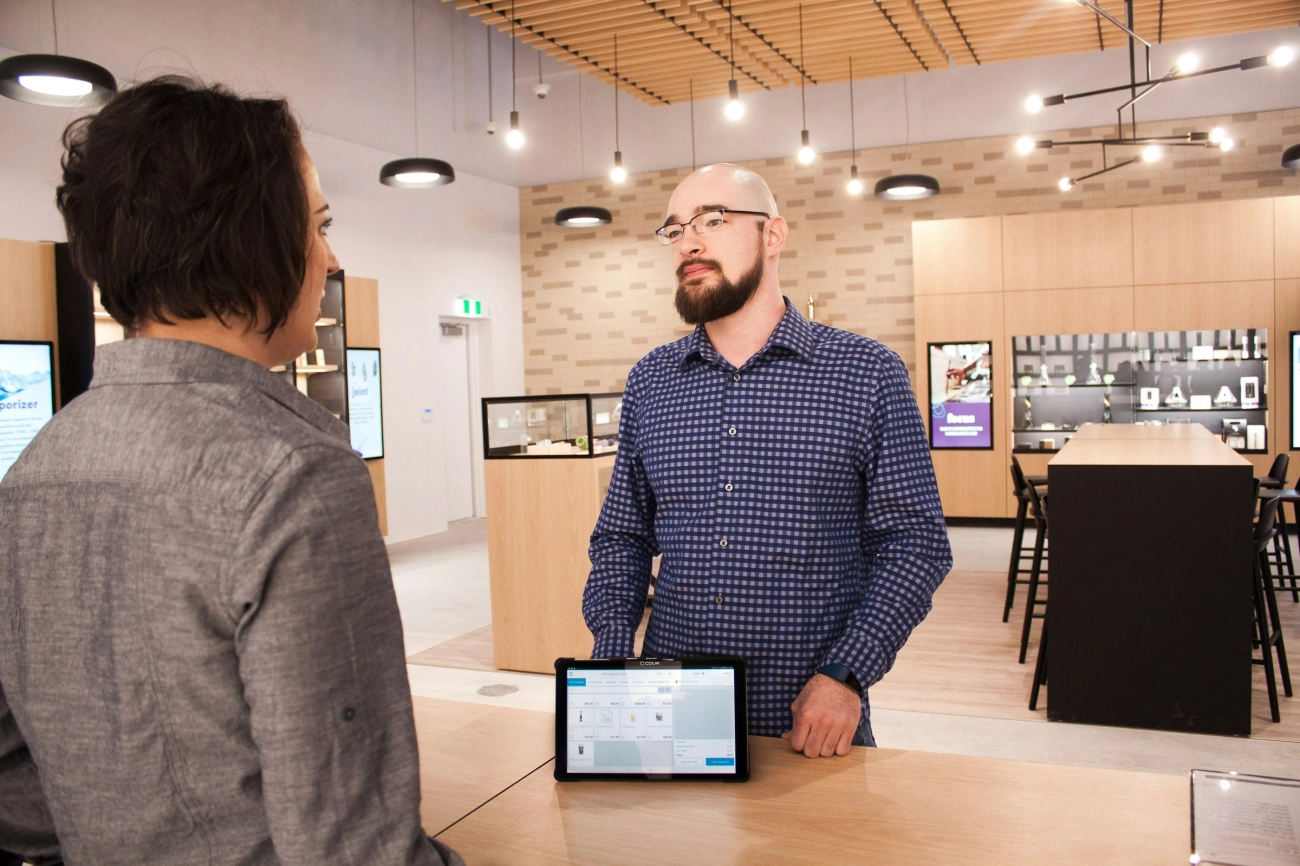
Les systèmes POS sur tablette se distinguent par leurs interfaces tactiles conviviales. Cela rend le processus de paiement rapide et intuitif, réduisant le temps de formation du personnel et accélérant le service client. L'écran tactile permet aux employés de naviguer facilement dans les menus, de traiter les ventes et de gérer l'inventaire directement depuis la tablette.
La personnalisation des applications est un autre avantage majeur. Vous pouvez adapter le logiciel POS à vos besoins spécifiques, que ce soit en ajoutant des fonctionnalités comme des programmes de fidélité, des remises ou des rapports de vente détaillés. Ces applications personnalisables proviennent souvent d'un large écosystème logiciel, vous offrant la flexibilité de choisir des outils alignés avec vos objectifs commerciaux.
L'intégration des paiements mobiles est indispensable pour le POS sur tablette. Ces systèmes prennent en charge plusieurs options de paiement comme Apple Pay, Google Pay, et les paiements par carte traditionnels via des lecteurs de cartes portables. Cette flexibilité permet d'offrir aux clients une variété de méthodes de paiement sans contact ou par puce, améliorant la commodité et accélérant les transactions.
Parmi les autres fonctionnalités importantes figurent :
- La synchronisation dans le cloud pour un accès aux données en temps réel et une sauvegarde
- Suivi des stocks qui se met à jour au fur et à mesure des ventes
- Intégration facile avec lecteurs de codes-barres et caisses enregistreuses portables
- Prise en charge de la gestion multi-sites via des applications centralisées
Les systèmes POS sur tablette offrent une solution moderne et adaptable avec des fonctionnalités conçues pour améliorer l'expérience client et simplifier la gestion d'entreprise, ce qui les rend idéaux pour des environnements dynamiques et mobiles.
Explorer les avantages des systèmes POS sur tablette Ultra Portable Mise en place rapide Rentabilité Attrait pour la clientèle
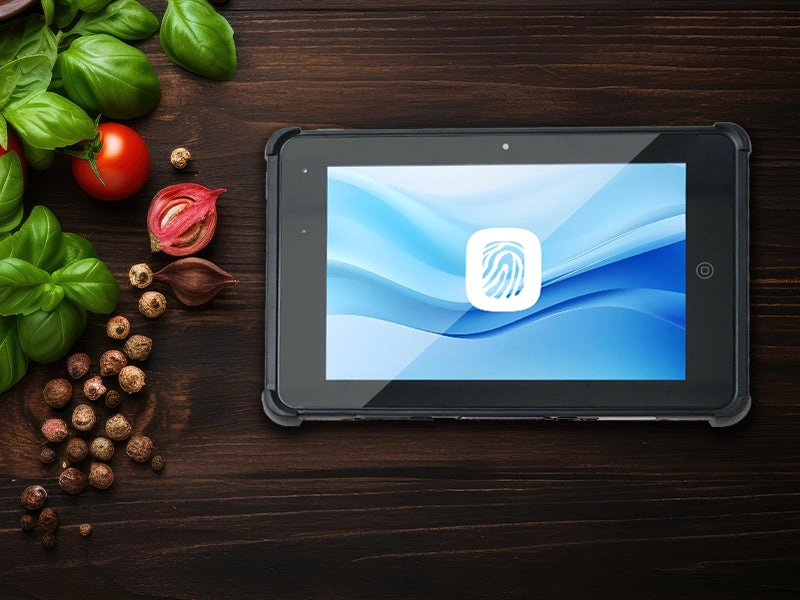
Les systèmes POS sur tablette offrent plusieurs avantages clairs pour les entreprises souhaitant moderniser leur processus de paiement avec des systèmes de point de vente mobiles et flexibles. Voici pourquoi ils se démarquent :
Matériel ultra portable Idéal pour les déplacements
Les configurations POS sur tablette fonctionnent sur tablettes Android, iOS ou Windows, ce qui les rend faciles à transporter. Cette portabilité permet aux employés de se déplacer librement dans le magasin, le marché ou l'événement :
- Appareils légers qui tiennent confortablement dans la main ou sur un support
- Lecteurs de cartes intégrés et options de caisses enregistreuses portables ajoutent à la mobilité
- Parfaits pour les boutiques éphémères, food trucks et entreprises dynamiques nécessitant de la flexibilité
Installation rapide, gain de temps et de main-d'œuvre
Du matériel prêt à l'emploi à un logiciel basé sur le cloud, les systèmes POS sur tablette sont conçus pour une installation rapide et des mises à jour transparentes :
- Applications tactiles intuitives réduisent le temps de formation
- La synchronisation dans le cloud signifie moins d'interruptions et des sauvegardes de données plus faciles
- Un câblage minimal vous permet de commencer à vendre en quelques minutes, pas en heures
Solution économique pour les petites entreprises
Les tablettes et le matériel POS mobile associé coûtent généralement coût initial inférieur comparé aux systèmes POS Windows de bureau volumineux :
- Investissement initial abordable avec de nombreux packs matériels à faible coût
- Le logiciel de point de vente basé sur un abonnement réduit les frais uniques importants
- Les plans payez à mesure de votre croissance s'adaptent aux budgets plus petits et évoluent avec votre entreprise
Attractivité et engagement client
Les systèmes de point de vente modernes sur tablette impressionnent les clients par leur design élégant et leur expérience de paiement fluide :
- Les paiements mobiles rapides accélèrent les files d'attente
- Les reçus numériques et les profils clients renforcent les programmes de fidélité
- Un look moderne et attrayant qui correspond aux attentes des acheteurs technophiles et plus jeunes
En résumé, les systèmes de point de vente sur tablette offrent un mélange puissant de mobilité, d'efficacité et d'accessibilité, ce qui en fait un choix solide pour de nombreuses petites et moyennes entreprises visant une caisse moderne et conviviale.
Avantages et inconvénients des systèmes de point de vente sur tablette : limites de la batterie, Wi-Fi, dépendance au cloud, risques hors ligne
Les systèmes de point de vente sur tablette sont populaires pour leur flexibilité et leur facilité d'utilisation, mais ils comportent certains inconvénients importants à considérer, notamment pour les entreprises françaises utilisant des systèmes de point de vente mobiles.
Limites de la durée de vie de la batterie, portabilité et disponibilité
L'autonomie de la batterie est un facteur limitant clé pour les configurations de point de vente sur tablette. Contrairement aux caisses enregistreuses Windows branchées, les tablettes dépendent de batteries rechargeables qui peuvent s'épuiser lors de périodes de forte activité. Cela signifie :
- Risque d'indisponibilité si l'appareil n'est pas correctement chargé
- Interruptions du service pendant les heures de pointe
- Nécessité de transporter des chargeurs ou des banques d'alimentation pour des opérations prolongées
Dépendance au Wi-Fi et à la connectivité cloud
La plupart des systèmes de point de vente sur tablette fonctionnent via un logiciel de caisse basé sur le cloud, ce qui nécessite un une connexion Internet stable pour synchroniser les ventes, mettre à jour l'inventaire et traiter les paiements en temps réel. L'inconvénient est :
- Les signaux WiFi faibles ou perdus peuvent perturber les transactions
- La dépendance aux réseaux externes rend les sauvegardes hors ligne essentielles
- Les problèmes de synchronisation dans le cloud peuvent entraîner des retards dans la génération de rapports de ventes et le suivi des stocks
Risques et limitations du mode hors ligne
Bien que certaines applications de point de vente sur tablette offrent des capacités hors ligne, elles comportent souvent des limitations importantes:
- Fonctionnalités limitées par rapport au mode en ligne complet
- Risque de perte de données ou de conflits lors de la synchronisation avec le cloud
- Les employés ont besoin d'une formation supplémentaire pour gérer avec précision les ventes hors ligne
des inconvénients du Point de Vente sur tablette
- Les limites de la batterie restreignent l'utilisation continue sans recharge
- La dépendance au WiFi risque de perdre la connexion lors des moments clés de vente
- La dépendance au cloud nécessite une infrastructure réseau solide
- Les modes hors ligne sont souvent basiques et plus risqués pour l'intégrité des données
Pour les petites entreprises, cafés ou vendeurs sur marché en France, qui comptent sur la rapidité et la mobilité, ces défis doivent être pesés par rapport aux avantages de la portabilité. Assurer une bonne gestion de la batterie, un accès WiFi fiable et des pratiques de sauvegarde des données peut atténuer bon nombre de ces problèmes.
Explorer l'utilisation des systèmes de point de vente sur tablette pour les entreprises dynamiques
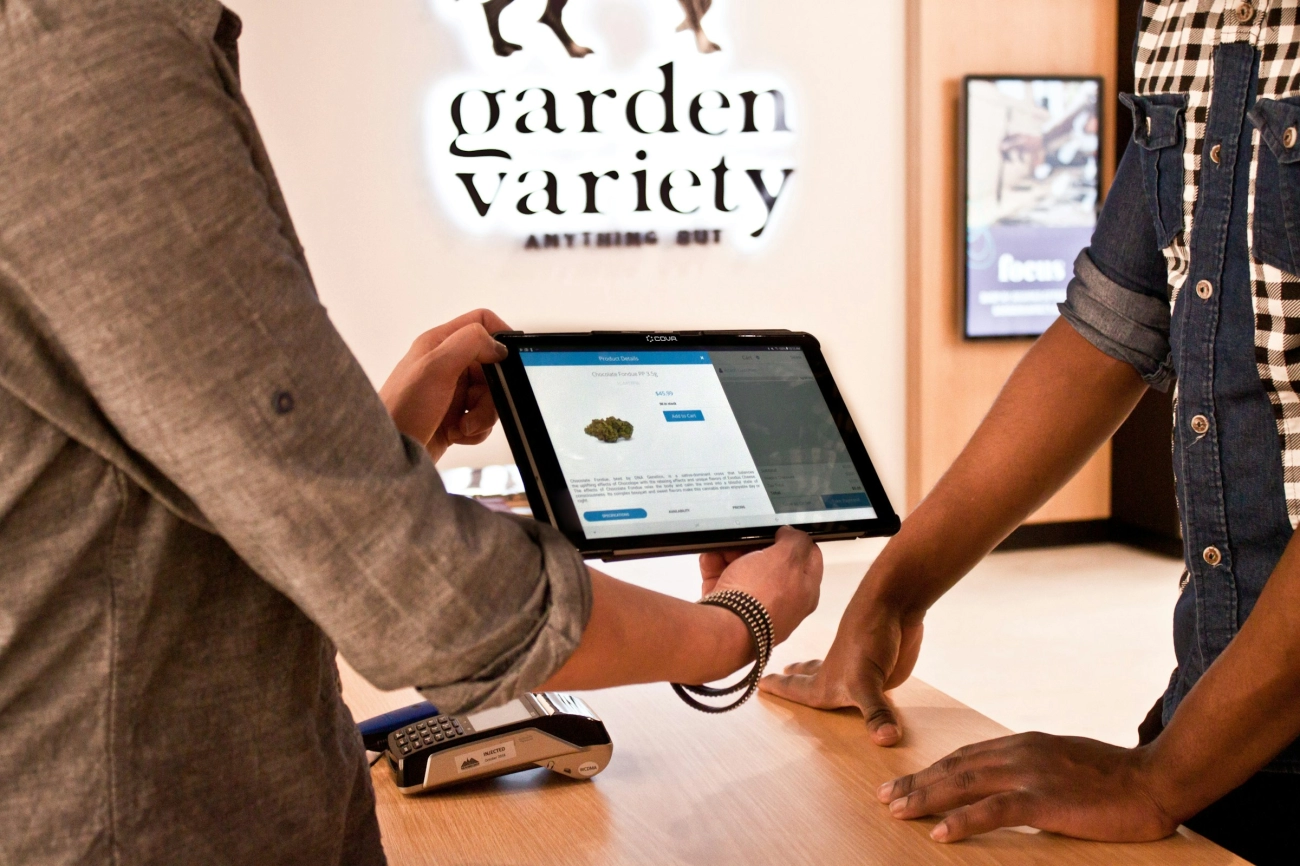
Les systèmes de point de vente sur tablette sont parfaitement adaptés à des entreprises dynamiques qui ont besoin de rapidité et de flexibilité. Pensez cafés, marchés éphémères, food trucks et petits commerces de détail où la mobilité et la rapidité de service sont essentielles.
Pourquoi la caisse POS sur tablette fonctionne pour ces entreprises
- Paiement rapide en caisse: Les applications tactile et les paiements mobiles accélèrent la file d'attente, garantissant la satisfaction des clients.
- Installation facile et déplacement: Vous pouvez vous installer n'importe où — en intérieur, en extérieur ou en déplacement — sans avoir besoin de matériel encombrant.
- Engage les clients: Les tablettes créent une expérience de paiement moderne et interactive qui séduit particulièrement les jeunes et les acheteurs technophiles.
- La synchronisation dans le cloud: Les données de ventes et d'inventaire se mettent à jour en temps réel, même si vous changez de lieu de vente ou de site multiple.
- Compatible avec les accessoires: Fonctionne avec des lecteurs de cartes portables, des scanners de codes-barres et des imprimantes de reçus adaptées à la POS mobile.
Idéal pour les entreprises mettant l'accent sur
- Service rapide: Cafés ou food trucks où la rapidité permet de mieux gérer les files d'attente.
- Marchés et festivals: Installations temporaires nécessitant du matériel léger et portable.
- Boutiques éphémères: Facile à transporter et à connecter aux réseaux sans fil sur place.
- Interaction avec le client: La vente additionnelle, les programmes de fidélité et les reçus numériques directement au point de vente maximisent l'engagement.
Points à considérer
Alors que la POS sur tablette offre une grande agilité, elle dépend d'une connexion WiFi ou de données cellulaires fiable et a des limites d'autonomie de batterie. Pourtant, pour les PME en déplacement priorisant une expérience client fluide et des transactions rapides, les tablettes offrent une commodité et une innovation inégalées par rapport aux caisses traditionnelles.
Si votre entreprise prospère grâce au mouvement et à un service rapide, les systèmes POS sur tablette peuvent rationaliser vos ventes et fidéliser vos clients.
Comparaison Directe Fenêtres Caisse vs Matériel POS sur Tablette
Lors de la comparaison caisses enregistreuses Windows to systèmes POS sur tablette, le montage matériel se distingue comme une différence majeure, en particulier pour les entreprises françaises équilibrant fiabilité et flexibilité.
Matériel de Caisse Windows
Les caisses Windows sont configurations de bureau fixes. Ils combinent un tiroir-caisse traditionnel, des scanners de codes-barres, des imprimantes de reçus et des moniteurs tactiles en une seule unité intégrée. Ces systèmes sont conçus pour la durabilité et une utilisation constante sur un comptoir, ce qui les rend idéaux pour les environnements de vente au détail à volume élevé comme les épiceries ou les salons de coiffure.
- Construction matérielle robuste conçue pour une utilisation intensive quotidienne
- Connexions LAN filaires ou Ethernet pour un fonctionnement stable
- Grands tiroirs-caisse physiques avec mécanismes de verrouillage sécurisés
- Incluent souvent compatibilité des lecteurs de codes-barres et des imprimantes de reçus intégrées
- Nécessitent des sources d'alimentation fixes, entraînant une consommation d'énergie plus élevée
Matériel POS sur tablette
Utilisation des systèmes POS sur tablette tablettes portables associées à des modules complémentaires modulaires tels que des lecteurs de codes-barres sans fil, des caisses enregistreuses portables et des supports de montage. Ces tablettes fonctionnent sous Android, iOS ou Windows selon le modèle et offrent un point de vente mobile sans faille.
- Ultra portable et léger, permettant aux employés de se déplacer librement
- Options d'accessoires : scanners de codes-barres Bluetooth, imprimantes de reçus mobiles et intégration de tiroirs-caisses
- Se connecte via WiFi ou données cellulaires – idéal pour les entreprises nécessitant paiement en tablette basé sur le cloud
- Alimenté par batterie avec besoin de recharge régulière
- Configurations personnalisables adaptées à la taille de l'entreprise et aux besoins de mobilité
Principales différences matérielles en un coup d'œil
| Fonctionnalité | Caisse enregistreuse Windows | Système POS sur tablette |
|---|---|---|
| Configuration physique | Unité de bureau, fixe | Tablette portable, modules complémentaires modulaires |
| Source d'alimentation | Branché uniquement, consommation électrique plus élevée | Alimentation par batterie, utilisation mobile |
| Connectivité | Ethernet filaire préféré, capable de fonctionner hors ligne | WiFi ou cellulaire, synchronisé dans le cloud |
| Intégration des périphériques | Tiroirs-caisse intégrés, scanners, imprimantes | Appareils Bluetooth/filaire en option |
| Durabilité | Robuste pour une utilisation quotidienne à long terme | Léger, moins robuste |
si votre entreprise exige un POS fixe avec du matériel solide sur lequel vous pouvez compter sans vous soucier de la durée de vie de la batterie ou des problèmes de WiFi, les caisses enregistreuses Windows répondent à ces critères. D'autre part, si la mobilité, une configuration rapide et des options matérielles flexibles sont plus importantes, les systèmes POS sur tablette offrent ces avantages. Comprendre ces différences aide les propriétaires d'entreprise en France à faire des choix plus éclairés en fonction de la disposition de leur magasin, du volume et du style d'interaction avec les clients.
Comparaison des coûts initiaux et des frais récurrents : caisse Windows vs POS sur tablette
Lorsqu'on considère Caisse Windows vs POS sur tablette, le coût joue un rôle crucial tant au début qu'à long terme. Voici comment les deux se comparent pour les entreprises en France en fonction du matériel, du logiciel et des dépenses continues.
Coûts matériels initiaux
- Caisse enregistreuse Windows les systèmes nécessitent généralement un investissement initial plus important. Ces configurations incluent un PC de bureau ou portable fonctionnant sous Windows, associé à des composants intégrés comme des tiroirs-caisse, des scanners de codes-barres et des imprimantes de tickets. Le matériel est plus robuste mais aussi plus lourd et encombrant, ce qui augmente le prix.
- systèmes POS sur tablette utilisent des tablettes abordables (iOS, Android ou Windows) souvent associées à des lecteurs de cartes portables et des tiroirs-caisse en option. Les tablettes elles-mêmes sont moins coûteuses que des ordinateurs Windows complets, ce qui signifie des coûts d'entrée plus faibles pour la plupart des petites entreprises.
Logiciel et licences
- logiciel de caisse Windows sont souvent accompagnés d'un achat unique ou de frais de mise à jour occasionnels. De nombreuses solutions de bureau héritées n'ont pas d'abonnement mensuel mais peuvent nécessiter des mises à jour payantes ou des contrats de support technique.
- Solutions POS sur tablette s'appuyer fortement sur des modèles de logiciels basés sur le cloud, généralement en facturant un abonnement mensuel ou annuel. Ces frais couvrent les mises à jour de l'application, la synchronisation dans le cloud, les fonctionnalités de traitement des paiements, et parfois le support client.
Coûts opérationnels continus
- Avec caisses enregistreuses Windows, les coûts énergétiques ont tendance à être plus élevés en raison du fonctionnement continu du matériel gourmand en énergie. La maintenance peut nécessiter des remplacements de matériel ou des appels à des services professionnels, surtout si le système vieillit.
- systèmes POS sur tablette fonctionnent sur batterie et ont des besoins en électricité moindres. Cependant, les coûts continus incluent abonnements logiciels mensuels et éventuellement des forfaits de données pour la synchronisation dans le cloud si le Wi-Fi n'est pas disponible.
Frais supplémentaires et coûts cachés
- Configurations Windows peuvent entraîner des frais d'installation et de configuration supplémentaires, notamment pour des environnements multi-postes ou des intégrations matérielles complexes comme la compatibilité avec tiroir-caisse portable et la liaison avec scanner de codes-barres.
- Pour utilisateurs de POS sur tablette, vous pourriez faire face à des frais pour le traitement des paiements, des périphériques comme des imprimantes sans fil, ou des intégrations d'applications personnalisées, ce qui augmente le coût total de possession.
de Comparaison des coûts
| Aspect du coût | Caisse enregistreuse Windows | Système POS sur tablette |
|---|---|---|
| Matériel initial | Plus élevé (bureau, périphériques) | Moins élevé (tablette, accessoires portables) |
| Frais de logiciel | Habituellement unique ou occasionnel | Abonnement récurrent mensuel ou annuel |
| Énergie et maintenance | Puissance supérieure, réparations matérielles | Puissance inférieure, remplacements de batteries |
| Configuration et intégration | Potentiellement coûteux, complexe | Simple, configuration minimale |
| Frais de traitement des paiements | Parfois en supplément | Généralement inclus ou en supplément |
Pour les entreprises françaises axées sur des économies à long terme et une utilisation hors ligne fiable, les caisses enregistreuses Windows apportent de la valeur malgré des coûts initiaux plus élevés. Cependant, les petites entreprises en croissance rapide privilégiant l'agilité et les faibles coûts de démarrage peuvent bénéficier davantage des systèmes POS sur tablette avec leurs barrières à l'entrée plus faibles mais des frais d'abonnement réguliers.
Équilibrer ces coûts avec la taille de votre entreprise, le volume de ventes et vos besoins en mobilité vous aidera à trouver la solution adaptée.
Comparaison directe Caisses enregistreuses Windows vs POS sur tablette Mobilité Fixe vs Mobile
Lors de la comparaison caisses enregistreuses Windows et systèmes POS sur tablette, l'une des plus grandes différences est de la mobilité.
Mobilité des caisses enregistreuses Windows
- Configuration en emplacement fixe: Les caisses enregistreuses Windows traditionnelles sont généralement des systèmes de bureau ou portables installés à un comptoir ou à une station de paiement.
- Matériel intégré: Ces configurations incluent des tiroirs-caisse connectés, des scanners de codes-barres et des imprimantes de reçus conçus pour rester en place.
- Portabilité limitée: Déplacer le système n’est pas pratique en raison des connexions filaires et des besoins en alimentation électrique.
- Idéal pour une utilisation régulière: Idéal pour les entreprises disposant d’un espace de caisse permanent comme les épiceries, salons ou magasins de détail.
Mobilité des systèmes POS sur tablette
- Très portable: Les configurations POS sur tablette utilisent des tablettes légères fonctionnant sous Android, iOS ou Windows. Vous pouvez les transporter partout sur site ou hors site.
- Sans fil et modulaire: Les lecteurs de cartes connectés, scanners de codes-barres et caisses enregistreuses portables utilisent souvent Bluetooth ou Wi-Fi.
- Paiement rapide et flexible: Parfait pour les entreprises qui se déplacent comme les camions-restaurants, marchés éphémères ou services mobiles.
- Fonctionne sur batterie: Les tablettes ont une durée de fonctionnement limitée avant de nécessiter une recharge, nécessitant un accès à l’alimentation ou des plans de secours pour une utilisation toute la journée.
Principales différences de mobilité
| Fonctionnalité | Caisse enregistreuse Windows | Système POS sur tablette |
|---|---|---|
| Mobilité | Fixe, stationnaire | Portable, en déplacement |
| Lieu d’installation | Un seul comptoir de caisse | Partout avec Wi-Fi ou réseau cellulaire |
| Intégration matérielle | Caisse enregistreuse filaire et périphériques | Accessoires sans fil, modulaires |
| Exigences d'alimentation | Alimentation électrique continue | Dépendant de la batterie |
| Types d'entreprises idéaux | Magasins physiques | Entreprises dynamiques, PME mobiles |
En résumé, si votre entreprise exige un espace de caisse stable et permanent, une caisse enregistreuse Windows offre un matériel durable et une opération fiable. Si vous avez besoin de flexibilité pour vous déplacer lors des ventes, un système de point de vente sur tablette brille par sa portabilité et son paiement mobile rapide.
Pour une analyse approfondie, consultez notre guide sur les fonctionnalités de caisse que tout détaillant doit connaître.
Comparaison tête-à-tête des fonctionnalités de caisse Windows vs POS sur tablette Analyse approfondie versus paiement rapide et bases CRM
Lors de la comparaison caisses enregistreuses Windows avec systèmes POS sur tablette, les ensembles de fonctionnalités ciblent différents besoins commerciaux, notamment en termes d'analyses et de gestion de la clientèle.
Fonctionnalités de la caisse Windows
Les caisses enregistreuses basées sur Windows brillent par des analyses approfondies et des outils de reporting robustes. Conçus pour gérer de gros volumes de transactions dans des environnements de vente au détail fixes, ces systèmes offrent :
- Rapports de ventes complets qui décomposent les données par produit, catégorie, heure et employé.
- Suivi des stocks étroitement intégrés au système pour aider à prévenir les ruptures de stock ou les surcommandes.
- Fonctionnalités avancées de gestion de la paie et des employés, souvent personnalisables pour un accès multi-utilisateur.
- Compatibilité avec lecteurs de codes-barres, écrans tactiles et intégration de tiroirs-caisses portables.
- Fiabilité du POS hors ligne est forte ici car ces systèmes fonctionnent généralement indépendamment de la connectivité cloud.
Cela rend les caisses enregistreuses Windows idéales pour les magasins où des insights détaillés aident à gérer les opérations et à planifier la croissance. L'écosystème logiciel est mature avec de nombreuses intégrations tierces, offrant un contrôle financier et opérationnel plus approfondi.
Fonctionnalités du POS sur tablette
Les systèmes POS sur tablette se concentrent sur un passage en caisse rapide et intuitif avec des capacités CRM de base conçus pour une utilisation nomade ou des configurations plus petites. Les points clés incluent :
- Interfaces à écran tactile qui simplifient la saisie des commandes et le traitement des paiements.
- Paiements mobiles et intégration polyvalente pour les lecteurs de cartes, les programmes de fidélité et la synchronisation cloud.
- Fonctionnalités basiques mais efficaces la gestion de la relation client (CRM) comme les profils clients et l'historique des achats.
- Souvent dépendant de systèmes basés sur le cloud pour la synchronisation des données, ce qui permet des mises à jour en temps réel sur plusieurs appareils mais peut présenter des risques hors ligne.
Bien que les solutions POS sur tablette n'explorent pas aussi en profondeur l'analyse, leur focus sur la rapidité et les fonctionnalités adaptées aux mobiles les rendent parfaits pour les environnements de service rapide tels que les cafés, les marchés éphémères et les petites boutiques.
Quelles fonctionnalités correspondent à votre entreprise
- Choisissez caisses enregistreuses Windows si votre priorité réside dans analyses de ventes détaillées, la gestion des stocks et une forte performance hors ligne.
- Optez pour systèmes POS sur tablette si vous avez besoin de processus de paiement rapides, de bases CRM simples et de la flexibilité de déplacer votre point de vente.
Les deux systèmes offrent de la valeur, mais comprendre leurs différences de fonctionnalités principales vous aidera à aligner votre choix avec vos opérations commerciales, en particulier sur les marchés français axés sur l'efficacité et la fiabilité.
Temps d'installation et de formation pour les caisses enregistreuses Windows vs les systèmes POS sur tablette
Lors de la comparaison temps d'installation et de formation entre caisses enregistreuses Windows et systèmes POS sur tablette, plusieurs facteurs entrent en jeu, notamment la complexité du matériel, la familiarité avec le logiciel et la conception de l'expérience utilisateur.
Installation et formation des caisses Windows
- Complexité d'installation: Les caisses basées sur Windows impliquent généralement plus de composants matériels comme des PC de bureau, des tiroirs-caisse, des scanners de codes-barres et des imprimantes de tickets. La configuration de ces appareils nécessite de connecter et de configurer plusieurs éléments, ce qui peut prendre plusieurs heures ou plus en fonction de la complexité du système.
- Familiarité avec le logiciel: Étant donné que de nombreuses entreprises utilisent le système d'exploitation Windows, le personnel trouve souvent l'interface du logiciel familière, ce qui réduit le temps de formation initiale au logiciel. Cependant, un logiciel POS spécialisé avec des fonctionnalités avancées (par exemple, le suivi des stocks ou des rapports détaillés) peut nécessiter une formation supplémentaire pour une utilisation complète.
- Effort de formation: La formation consiste généralement à apprendre au personnel comment utiliser à la fois le matériel (par exemple, ouvrir les tiroirs-caisse, utiliser les scanners à code-barres) et l'application POS de bureau. Ce processus peut être de durée modérée à élevée, surtout pour le personnel habitué à des caisses plus traditionnelles.
- Implication informatique: Les entreprises ont souvent besoin d’un support informatique pour gérer le dépannage, les mises à jour logicielles ou la configuration du réseau pendant ou après l’installation, ce qui peut prolonger le calendrier de déploiement.
Configuration et formation POS sur tablette
- Simplicité de mise en place: Les systèmes POS sur tablette sont conçus pour être des configurations plug-and-play. La mise en place consiste principalement à connecter un lecteur de cartes, un tiroir-caisse optionnel, et à synchroniser avec des services cloud. Cette configuration peut souvent être réalisée en quelques minutes à une heure, même par du personnel non technique.
- Interface conviviale: Les applications POS sur tablette sont généralement intuitives, basées sur un écran tactile, et conçues pour un apprentissage rapide. La plupart des nouveaux employés peuvent commencer à utiliser le système rapidement avec une formation minimale, surtout pour les transactions de vente de base.
- Portée de la formation: La formation porte sur la navigation dans l'application, le traitement des paiements mobiles et la gestion de l'inventaire de base. Pour les petites entreprises ou les configurations mobiles, cela signifie souvent beaucoup moins de temps de formation par rapport aux caisses enregistreuses Windows.
- Dépendance au Cloud: Étant donné que de nombreux POS sur tablette dépendent de la synchronisation cloud, la formation doit également couvrir les bases de la connectivité et la gestion des transactions hors ligne pour éviter les interruptions.
des différences de configuration et de formation
| Aspect | Caisse enregistreuse Windows | Système POS sur tablette |
|---|---|---|
| Temps de configuration | Modérée à élevée (de quelques heures à quelques jours) | Faible (de quelques minutes à une heure) |
| Complexité matérielle | Plusieurs périphériques nécessitent une configuration | Minimale, principalement sans fil ou plug-in |
| Formation logicielle | Modérée en raison des fonctionnalités avancées | Faible, principalement intuitive et basée sur l'application |
| Support informatique requis | Souvent nécessaire | Généralement minimal |
| Formation à l'utilisation hors ligne | Habituellement capacités hors ligne natives | Nécessite une formation spécifique à la gestion hors ligne |
Pour les entreprises basées en France qui privilégient fonctionnalité robuste et évolutivité dans un emplacement fixe, investir du temps dans la configuration de la caisse enregistreuse Windows et la formation peut porter ses fruits. D'un autre côté, les PME ayant besoin d'un déploiement rapide et d'une intégration facile pour des configurations mobiles ou fixes de petite taille trouveront les systèmes de caisse POS sur tablette moins exigeants en temps et en effort.
Pour un guide détaillé sur le choix de la bonne configuration de caisse, visitez Comment choisir une caisse enregistreuse pour les entreprises de restauration et de boissons.
Meilleur pour le commerce de détail fixe à volume élevé vs PME mobiles Caisse Windows vs POS sur tablette
Lorsqu'il faut choisir entre un caisse enregistreuse Windows et un système de point de vente sur tablette, l'un des facteurs les plus importants est la façon dont votre entreprise fonctionne au quotidien. Les deux ont leurs forces selon que vous gériez un magasin de détail fixe à volume élevé ou une PME mobiles de petite à moyenne taille.
Caisses Windows pour le commerce de détail fixe à volume élevé
Les caisses Windows brillent dans magasins physiques qui gèrent beaucoup de transactions chaque jour. Ces systèmes sont conçus pour :
- Gérer un trafic intense avec du matériel robuste comme des configurations POS de bureau, des scanners de codes-barres intégrés et des tiroirs-caisse.
- Fournir opérations POS hors ligne fiables— pas de souci si votre internet tombe en panne pendant les heures de pointe.
- Proposent suivi approfondi des stocks de détail et des fonctionnalités puissantes du logiciel POS Windows adaptées aux rapports complexes.
- Prise en charge environnements multi-utilisateurs afin que plusieurs employés puissent travailler sans accroc.
Cela les rend parfaits pour les épiceries, salons, pharmacies et grands magasins où la stabilité, la durabilité et des fonctionnalités complètes sont essentielles.
Systèmes POS sur tablette pour PME mobiles
Les solutions POS sur tablette sont idéales si votre entreprise a besoin de mobilité et d'une configuration rapide. Pensez aux petits cafés, marchés éphémères, food trucks ou vendeurs lors d'événements. Ici, les tablettes prennent tout leur sens car elles offrent :
- Ultra-portabilité avec des tablettes Android, iOS ou Windows que vous pouvez emporter partout.
- Configuration rapide et personnalisation facile des applications pour s'adapter aux menus saisonniers ou aux gammes de produits.
- Sans couture paiements mobiles et synchronisation cloud, aidant à maintenir l'activité sans interruption en déplacement.
- Coût initial réduit tout en vous offrant la flexibilité de faire évoluer ou d'ajuster votre configuration selon vos besoins.
Le POS sur tablette est idéal pour les entreprises axées sur la rapidité et l'engagement client où du matériel fixe pourrait ralentir le processus.
Choix en fonction du volume d'affaires et de l'emplacement
| Facteur | Caisse enregistreuse Windows | Système POS sur tablette |
|---|---|---|
| Cas d’utilisation optimal | Magasins de détail à volume élevé avec matériel fixe | PME mobiles et marchés éphémères |
| Matériel | Configuration de bureau stationnaire | Tablettes portables et lecteurs de cartes |
| Gestion des transactions | Transactions quotidiennes importantes | Transactions légères à modérées |
| Configuration | Nécessite de l'espace et de l'énergie | Rapide, nécessite un espace minimal |
| Mobilité | Limitée | Élevé |
Réflexions finales
If you’re managing commerce de détail à fort trafic en un seul endroit, caisses enregistreuses Windows offrez la stabilité et les fonctionnalités dont vous avez besoin. Pour les entreprises qui doivent rester mobiles ou préférer une configuration plus légère, la solution POS sur tablette offre flexibilité sans sacrifier des fonctions importantes.
Comprendre votre volume quotidien et votre lieu d'exploitation est essentiel pour faire le bon choix pour la réussite et l'efficacité de votre entreprise.
Intégration face à face, sécurité, ROI, habitudes locales en France, caisse enregistreuse vs POS sur tablette
Lors de la comparaison caisses enregistreuses Windows et systèmes POS sur tablette, l'intégration, la sécurité et le retour sur investissement (ROI) jouent un rôle important dans le choix de la solution adaptée — surtout en tenant compte des habitudes commerciales françaises.
Capacités d'intégration
Caisses enregistreuses Windows
Ces systèmes de bureau traditionnels sont conçus pour fonctionner parfaitement avec une large gamme de matériel établi : scanners de codes-barres, imprimantes de reçus, tiroirs-caisse, et même plusieurs moniteurs. L'environnement Windows supporte largement des logiciels tiers logiciel de point de vente, facilitant l'intégration pour les détaillants et les entreprises de services avec des systèmes hérités tels que le suivi des stocks et les logiciels de comptabilité.
Cela en fait un choix solide pour les entreprises en France qui dépendent de fiabilité POS hors ligne robuste et d'une intégration approfondie avec les outils de back-office existants.Systèmes POS sur tablette
Les configurations sur tablette excellent lorsqu'il s'agit d'intégration de services cloud, d'options de paiement mobile (Apple Pay, Google Wallet), et de plateformes de commande en ligne. Elles synchronisent en temps réel les données d'inventaire et de ventes, idéales pour les entreprises mettant l'accent sur l'agilité et les mises à jour rapides. Cependant, certaines dépendances au cloud soulèvent des questions sur fiabilité du mode hors ligne surtout dans les endroits avec une connexion Internet instable.
Les tablettes offrent une excellente intégration avec les outils CRM et marketing, s'alignant bien avec les PME axées sur l'engagement client et les canaux de vente numériques modernes.
Considérations de sécurité
Caisses enregistreuses Windows
Avec un POS de bureau, la sécurité est souvent gérée localement. Ces systèmes peuvent fonctionner entièrement hors ligne, réduisant l'exposition aux risques de piratage via des vulnérabilités web. De plus, sur un marché de plus en plus vigilant en France, la conformité PCI, les caisses enregistreuses Windows offrent l'avantage de contrôler la sécurité sur site et d'éviter les violations de données dans le cloud.
Cependant, les mises à jour et correctifs doivent être gérés avec soin pour éviter des protocoles de sécurité obsolètes.Systèmes POS sur tablette
Les solutions POS sur tablette basées sur le cloud bénéficient de mises à jour de sécurité gérées par le fournisseur, d'un traitement des paiements crypté et de la conformité aux normes industrielles telles que PCI DSS. Mais le compromis est une dépendance accrue à des connexions Internet sécurisées. Les violations de données ou cyberattaques ciblant les serveurs cloud affectent plusieurs utilisateurs simultanément, ce qui est une préoccupation pour certaines entreprises françaises privilégiant des opérations entièrement isolées.
Analyse du ROI
Caisses enregistreuses Windows
Le coût initial est généralement inférieur à celui d'un système complet de tablette avec accessoires. La fiabilité et la durabilité se traduisent par des durées de vie plus longues, ce qui signifie moins de remplacements et de réparations au fil du temps. Pour les entreprises françaises avec un volume de ventes élevé et des emplacements fixes (comme les supermarchés ou les salons de coiffure), le ROI tend à être favorable en raison d'une opération stable et d'un temps d'arrêt minimal.
Systèmes POS sur tablette
Les tablettes sont souvent accompagnées de frais d'abonnement pour les logiciels et les services cloud, ce qui augmente les coûts récurrents. Mais elles nécessitent moins d'investissement initial en matériel et offrent une expansion flexible à mesure que votre entreprise se développe. Les PME françaises valorisant la rapidité de mise en place et l'engagement client voient des retours rapides, surtout si la mobilité stimule les ventes (marchés fermiers, pop-ups, cafés).
Habitudes du marché local français
Les entreprises françaises varient largement, mais beaucoup privilégient caisses enregistreuses Windows pour la compatibilité matérielle intégrée et la fiabilité hors ligne, en particulier dans le commerce traditionnel. Par ailleurs, les jeunes entrepreneurs technophiles en France adoptent rapidement les systèmes POS sur tablette pour exploiter les fonctionnalités cloud et les paiements mobiles.
Le choix entre les deux dépend de :
- Le besoin de intégration approfondie et sécurité hors ligne (les caisses enregistreuses Windows ont leur place ici)
- Ou le désir de agilité, synchronisation cloud et fonctionnalités axées sur le client (les systèmes POS sur tablette sont de choix solides)
Comprendre les besoins spécifiques d’intégration de votre entreprise, votre niveau de confort en matière de sécurité et les habitudes de paiement des consommateurs en France vous guidera vers le bon investissement et garantira un ROI solide.
Facteurs à considérer pour le budget de votre entreprise : économies de main-d'œuvre à l'avance versus propriété totale
Lors du choix entre une caisse enregistreuse Windows et un système de point de vente sur tablette, il est crucial de comprendre les implications budgétaires. Il ne s'agit pas seulement du prix initial mais aussi du le coût total de possession au fil du temps, y compris la maintenance, les mises à jour et l'efficacité du travail.
Coût initial versus investissement à long terme
Caisse enregistreuse Windows
Généralement, ces systèmes ont un coût initial plus élevé en raison du matériel de bureau, des tiroirs-caisses intégrés, des scanners de codes-barres et du logiciel Windows robuste. Cependant, une fois installés, vous évitez souvent les frais d’abonnement récurrents. Cela les rend rentables pour les entreprises planifiant une utilisation à long terme sans mises à jour fréquentes.
Systèmes POS sur tablette
Ils ont tendance à avoir un coût initial plus faible, surtout si vous possédez déjà une tablette compatible. Mais gardez à l'esprit que beaucoup dépendent des services cloud avec des frais mensuels. Les dépenses supplémentaires peuvent inclure des lecteurs de cartes, des étuis et des abonnements logiciels. Avec le temps, ces coûts s'accumulent, impactant votre budget de propriété totale.
Économies de main-d'œuvre et efficacité opérationnelle
Les caisses enregistreuses Windows sont conçues pour une caisse rapide et fiable, ce qui peut réduire les temps de transaction dans des lieux physiques très fréquentés. Leur capacité hors ligne évite les temps d'arrêt, permettant au personnel de rester productif même en cas de problèmes de réseau.
Les systèmes de point de vente sur tablette offrent mobilité et flexibilité, permettant au personnel de servir les clients dans tout le magasin ou lors d'événements hors site. Cette agilité peut améliorer l'expérience client et réduire les temps d'attente pendant les heures de pointe. Cependant, les tablettes peuvent dépendre du Wi-Fi et de la synchronisation dans le cloud, ce qui pourrait ralentir ou interrompre le service lorsque la connectivité est faible.
Équilibrer le coût et la main-d'œuvre pour votre configuration
Réfléchissez à votre modèle d'entreprise: Si votre magasin a un emplacement fixe stable avec un volume élevé de transactions, investir dans une caisse enregistreuse Windows peut vous faire économiser des coûts de main-d'œuvre grâce à un traitement plus rapide et à une opération fiable.
Si votre entreprise nécessite des points de vente flexibles ou un déploiement rapide, comme des pop-up, des food trucks ou de petits cafés, les systèmes de point de vente sur tablette offrent des gains de main-d'œuvre en permettant des ventes partout avec un matériel minimal.
In , pèse la coût initial plus élevé mais avec des frais récurrents plus faibles des caisses enregistreuses Windows contre le coût de démarrage abordable plus des abonnements continus des systèmes de point de vente sur tablette. Évaluez également combien d'économies de main-d'œuvre vous obtenez grâce à la rapidité et à la fiabilité par rapport à la mobilité et à la commodité pour trouver la meilleure solution pour votre entreprise basée en France.
Évolutivité pour votre entreprise Caisse enregistreuse Windows vs Système de point de vente sur tablette
En pensant à la scalabilité, il est important de considérer comment votre système de point de vente évolue avec votre entreprise. Les deux caisses enregistreuses Windows et systèmes POS sur tablette offrent des options, mais ils fonctionnent différemment selon la façon dont vous prévoyez de vous développer.
Caisses enregistreuses Windows Multi-utilisateurs et expansion
- Conçues pour des environnements multi-utilisateurs: Les caisses enregistreuses Windows supportent généralement de nombreux employés travaillant simultanément. Cela fonctionne parfaitement pour les magasins de taille moyenne à grande avec plusieurs files de paiement.
- Plus facile d'ajouter des stations: Ajouter une autre station de bureau ou caisse sur la plateforme Windows implique généralement d'installer un logiciel compatible et de connecter du nouveau matériel. Cette configuration est familière à la plupart des entreprises et du personnel informatique.
- Logiciel robuste pour des besoins complexes: Les systèmes Windows peuvent exécuter des logiciels puissants de gestion des stocks et de suivi des ventes qui supportent le suivi des stocks en vente au détail dans plusieurs emplacements.
- Stabilité du mode hors ligne: Étant donné que la plupart des caisses enregistreuses Windows sont installées localement, elles rencontrent moins de disruptions si Internet tombe en panne. C'est un avantage considérable pour les magasins nécessitant des solutions de vente fiables et toujours actives.
Expansion basée sur le cloud pour POS sur tablette
- Conception axée sur le cloud: Les systèmes POS sur tablette dépendent fortement de la synchronisation cloud, ce qui permet une montée en charge vers plusieurs appareils rapidement et avec moins de matériel.
- Mises à jour instantanées sur tous les appareils: La synchronisation cloud signifie que vos ventes, stocks et rapports se mettent à jour en temps réel sur toutes les tablettes, où qu'elles soient.
- Ajout flexible d'appareils: Ajouter de nouvelles tablettes ou supports est simple — il suffit d'installer l'application et de se connecter. Cette flexibilité est idéale pour les entreprises ouvrant des pop-ups, des stands saisonniers ou s'étendant à plusieurs petits emplacements.
- Adapté aux mobiles et à distance: Les tablettes peuvent être utilisées partout où il y a du Wi-Fi, ce qui facilite la montée en charge en déplacement sans câblage compliqué ni matériel encombrant.
Choix en fonction de votre plan de croissance commerciale
- Si vous gérez une magasin physique avec plusieurs caissiers et en prévoyant une croissance continue dans des emplacements fixes, caisses enregistreuses Windows offre fiable support multi-utilisateur et options matérielles évolutives.
- Pour les entreprises qui doivent rester agiles, avancer rapidement ou ouvrir plusieurs lanes compactes—comme les camions de nourriture, les marchés fermiers ou les cafés—systèmes POS sur tablette fournissez une mise à l'échelle facile via le cloud avec moins de tracas de configuration.
| Aspect | Caisse enregistreuse Windows | Système POS sur tablette |
|---|---|---|
| Support multi-utilisateur | Solide, supporte plusieurs caisses | Disponible mais dépend des fonctionnalités cloud |
| Mise à l'échelle du matériel | Ajouter des ordinateurs de bureau ou des caisses, nécessite une configuration | Ajouter des tablettes instantanément avec l'installation d'applications |
| Complexité logicielle | Peut gérer un inventaire avancé et des rapports | Applications simplifiées pour un accès rapide |
| Performance hors ligne | Mode hors ligne fiable | Utilisation hors ligne limitée, dépend du cloud |
| Idéal pour | Magasins fixes avec un volume élevé | Mobile, plusieurs petits emplacements |
Recherchez les besoins d'expansion de votre entreprise, combien d'utilisateurs vous aurez en même temps, et si vous privilégiez fiabilité locale or flexibilité du cloud lors du choix entre caisses enregistreuses Windows et configurations POS sur tablette. Les deux évoluent bien, mais votre choix influencera la facilité d'expansion et la gestion quotidienne.
Facteurs à considérer pour l'adéquation de votre secteur d'activité : Vente au détail, Hôtellerie, Auto-évaluation

Choisir entre une caisse enregistreuse Windows et un système POS sur tablette dépend fortement de votre secteur d'activité et de la façon dont votre entreprise fonctionne. Toutes les solutions ne conviennent pas de la même manière à tous les environnements de vente au détail ou d'hôtellerie. Voici une méthode simple pour évaluer quelle option servira le mieux votre entreprise.
Industrie du commerce de détail
Pour les environnements de vente au détail traditionnels—en particulier les magasins physiques, les épiceries, et les points de vente spécialisés—a Le système de caisse Windows offre souvent la fiabilité et les fonctionnalités nécessaires. Ces systèmes prennent en charge :
- Suivi robuste des stocks de vente au détail
- Compatibilité avec le scanner de codes-barres
- Fiabilité du POS hors ligne, garantissant la poursuite des ventes même en cas de coupure Internet
- Capacité à gérer efficacement de volumes élevés de transactions
Si votre magasin fonctionne depuis un emplacement fixe avec un flux constant de clients et nécessite des analyses de ventes approfondies, les caisses enregistreuses basées sur Windows répondent généralement bien à ces besoins. Elles offrent des rapports complets et prennent en charge plusieurs utilisateurs sur site.
Industrie de l'hôtellerie
Restaurants, cafés et bars ont souvent besoin de solutions de paiement rapides et flexibles qui s'adaptent à un environnement dynamique. Les systèmes POS sur tablette conviennent parfaitement ici en raison de :
- Des appareils à écran tactile ultra-portables que le personnel peut transporter
- Paiements mobiles et fonctionnalités d'interaction avec le client
- Personnalisation simplifiée des applications pour s'adapter à la restauration rapide ou à la prise de commandes à table
Si votre entreprise prospère grâce à la rapidité et à l'engagement client avec des changements fréquents de menu ou de promotions, les appareils POS sur tablette offrent l'agilité requise.
Quiz d'auto-évaluation pour votre entreprise
Posez-vous ces questions pour trouver la meilleure adaptation à votre secteur :
- Ai-je besoin d'une configuration fixe ou d'une plus grande portabilité pour servir les clients ?
- La capacité de ventes hors ligne et la sécurité des données sont-elles cruciales pour la continuité de mon activité ?
- Quelle importance ont les rapports de ventes détaillés et le suivi des stocks ?
- Mon entreprise bénéficie-t-elle davantage d'applications personnalisées et d'options de paiement mobile ?
- Quel volume de transactions traite-je quotidiennement, et mon système peut-il suivre ?
- Le temps de formation des employés et la fiabilité du système sont-ils prioritaires pour réduire les problèmes de main-d'œuvre ?
Adaptez votre choix de POS aux besoins de votre secteur
- Les détaillants tend généralement à privilégier les caisses enregistreuses Windows en raison de leur durabilité et de leurs fonctionnalités approfondies.
- Les entreprises de l'hôtellerie profitent davantage des systèmes de point de vente sur tablette en raison de leur flexibilité et de leur rapidité.
Si vous souhaitez explorer les options de caisses enregistreuses Windows adaptées à votre commerce de détail, consultez notre guide détaillé sur les systèmes de caisse Windows. Pour des conseils pratiques et des solutions de dépannage, visitez comment résoudre les problèmes courants de caisse enregistreuse.
Faire le bon choix aligné sur votre secteur garantit que votre système POS soutient efficacement à la fois les opérations quotidiennes et la croissance à long terme.
Facteurs à considérer pour les besoins locaux de votre entreprise, fiabilité hors ligne, normes PCI
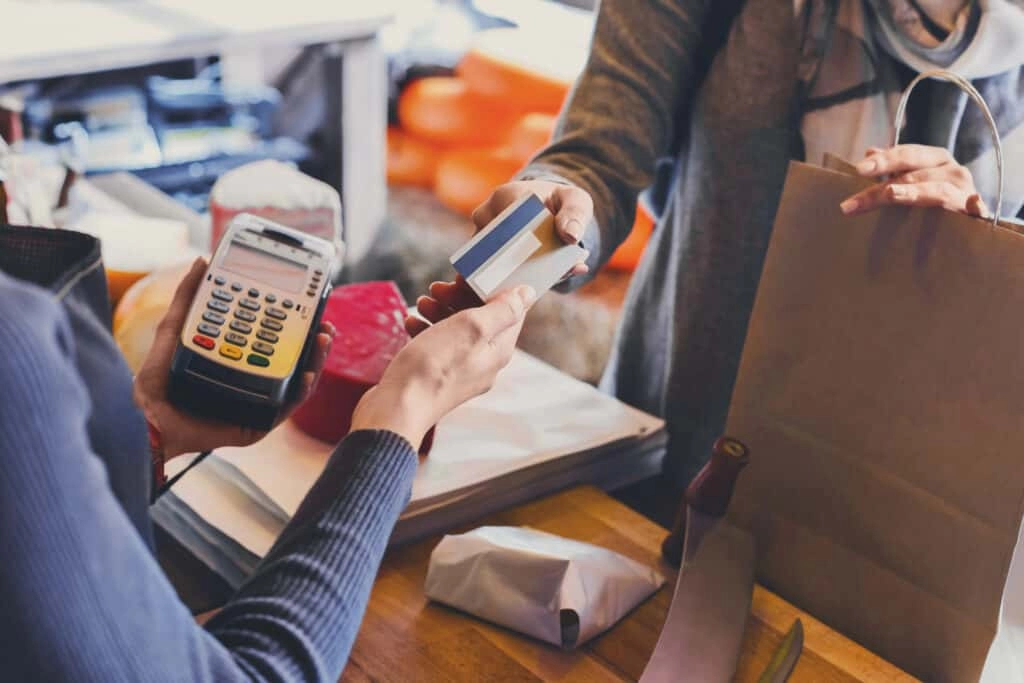
Lors du choix entre une caisse enregistreuse Windows et un POS sur tablette, les besoins locaux de l'entreprise jouent un rôle crucial dans votre processus de décision. Comprendre ce qui fonctionne le mieux dans votre région, y compris l'infrastructure et les habitudes des clients, vous aidera à choisir le système qui maintient vos opérations fluides et sécurisées.
La fiabilité hors ligne est importante
- Les caisses enregistreuses Windows excellent en fiabilité hors ligne. Ces systèmes sont conçus avec du matériel et des logiciels intégrés qui continuent de fonctionner même sans accès à Internet. Pour de nombreuses entreprises, notamment en zones avec une Wi-Fi intermittente, cela garantit que vous ne perdrez pas de ventes ni de données lors d'une panne.
- Les systèmes POS sur tablette dépendent souvent fortement de la synchronisation dans le cloud et de la connectivité Wi-Fi. Bien que de nombreuses applications offrent des modes hors ligne, la fonctionnalité peut être limitée, et les transactions peuvent ne pas se synchroniser jusqu'à la reconnexion. Cela peut entraîner des risques de retard dans la génération de rapports ou la mise à jour des stocks, surtout dans des environnements rapides.
Conformité PCI et sécurité
- La sécurité des paiements est non négociable. Tout système que vous choisissez doit respecter les normes PCI (Payment Card Industry) pour protéger les données des cartes clients et éviter les pénalités.
- Les systèmes POS basés sur Windows disposent souvent de protocoles de sécurité matures et testés, incluant le chiffrement et les paramètres de pare-feu adaptés aux besoins locaux de l'entreprise.
- Les solutions POS sur tablette s'appuient généralement sur des processeurs de paiement tiers. Bien que beaucoup soient conformes à la norme PCI, assurez-vous que votre fournisseur vous accompagne pleinement dans le respect de ces standards pour éviter les failles de sécurité.
Prendre en compte l'environnement commercial local
- Les magasins de détail, restaurants et prestataires de services en France doivent souvent faire face à réglementations nationales et locales affectant le traitement des paiements et la conservation des données. Les caisses enregistreuses Windows offrent généralement plus de contrôle pour la personnalisation locale et la conformité.
- Les systèmes POS sur tablette sont idéaux pour les entreprises privilégiant la mobilité mais peuvent nécessiter des outils ou logiciels supplémentaires pour gérer des règles fiscales locales complexes ou des besoins en reporting.
Principaux besoins locaux à évaluer
- Une alimentation électrique fiable et une connexion Internet à votre emplacement
- La nécessité de traitements de transactions hors ligne immédiats
- Requis certifications et audits de sécurité des paiements
- Capacité à accueillir les taxes locales, remises et retours
- Niveau de protection des données clients nécessaire en fonction de la taille et du type d'entreprise
Faire correspondre la fiabilité hors ligne de votre système POS et la conformité PCI avec vos exigences opérationnelles locales protégera votre entreprise et maintiendra la confiance des clients. Cette approche réfléchie garantit que vous n'achetez pas simplement de la technologie, mais que vous investissez dans un outil conçu pour gérer votre environnement unique.
Risques à considérer pour votre entreprise: caisse enregistreuse Windows vs POS sur tablette
Lors du choix entre caisses enregistreuses Windows et systèmes POS sur tablette, il est crucial de comprendre les risques liés à chaque option, en particulier autour de une perte de données, rigidité du système, et la continuité globale des activités.
Perte de données et fiabilité du système
systèmes POS sur tablette dépend souvent fortement de la synchronisation cloud et de la connectivité Wi-Fi. Cela introduit un risque de perte de données ou de retards dans les transactions si votre connexion Internet tombe en panne. Bien que de nombreuses tablettes offrent des modes hors ligne, ceux-ci sont parfois limités et nécessitent une synchronisation ultérieure — ce qui peut entraîner des écarts ou des ventes perdues si ce n’est pas géré avec soin.
les systèmes de caisse Windows gèrent généralement les transactions localement avec une fiabilité hors ligne intégrée. Cela signifie que vos données de vente et le suivi des stocks restent sécurisés même lors de coupures Internet. Cependant, si votre système n’est pas régulièrement sauvegardé, des défaillances matérielles pourraient également entraîner une perte de données. Un entretien régulier et des sauvegardes sont essentiels.
Rigidité vs Flexibilité
caisses enregistreuses Windows sont souvent considérés comme rigides parce qu’ils sont liés à des configurations matérielles physiques et stationnaires. Cette rigidité peut être un inconvénient si votre entreprise se développe, change de localisation ou doit s’adapter rapidement. La mise à niveau ou l’extension nécessite souvent l’achat et l’installation de matériel supplémentaire, ce qui peut être long et coûteux.
D'autre part, configurations PDV sur tablette offrent plus de flexibilité car ils sont portables et modulaires. Mais cette flexibilité peut comporter des vulnérabilités. Les tablettes peuvent être fragiles, dépendantes de la batterie, et nécessiter des mises à jour ou des recharges fréquentes, ce qui peut interrompre le service pendant les heures de pointe.
Sécurité et Risque Physique
Les caisses enregistreuses physiques sont généralement équipées de tiroirs-caisse robustes et de matériel de protection, réduisant les risques tels que le vol ou les dommages accidentels. Elles ont également tendance à disposer de protocoles de sécurité établis, adaptés à le suivi des stocks en vente au détail la conformité PCI et au marché local en France.
Les tablettes, bien que pratiques, peuvent être plus vulnérables au vol, à la perte ou aux dommages. Les entreprises doivent investir dans des mesures de sécurité telles que des docks verrouillables, des mises à jour logicielles régulières et des sauvegardes cloud sécurisées pour protéger les données sensibles.
Points de Risque
| Facteur de Risque | Caisse enregistreuse Windows | Système POS sur tablette |
|---|---|---|
| Perte de données | Risque moindre avec stockage local, mais nécessite des sauvegardes | Risques accrus avec la dépendance au cloud, modes hors ligne partiels |
| Rigidité du système | Plus rigide, moins flexible pour se déplacer ou évoluer rapidement | Très flexible et portable mais dépendant de la batterie et des mises à jour |
| Sécurité | Protection physique renforcée, normes PCI éprouvées | Vulnérable au vol et nécessite une sécurité numérique renforcée |
| Impact des temps d'arrêt | Fiable lors des pannes, mais réparations coûteuses | Interruption potentielle du service due à des problèmes de batterie/internet |
Choisir le bon système consiste à peser ces risques par rapport aux besoins de votre entreprise. Si la fiabilité et la durabilité dans un lieu fixe sont prioritaires, les caisses enregistreuses Windows peuvent être la meilleure option. Si la flexibilité et la mobilité sont essentielles, les systèmes POS sur tablette peuvent mieux convenir à votre entreprise — soyez simplement prêt à gérer les risques inhérents à la perte de données et à la sécurité des appareils.
Comment SDLPOS comble le fossé avec des tablettes hybrides Windows et des systèmes complets
Chez SDLPOS, nous comprenons que les entreprises en France ont besoin de solutions flexibles et fiables qui combinent la puissance de l’ordinateur traditionnel caisses enregistreuses Windows avec la commodité de systèmes POS sur tablette. C’est pourquoi nos tablettes hybrides Windows et systèmes POS complets sont conçus pour offrir le meilleur des deux mondes — des fonctionnalités puissantes de niveau bureau avec la mobilité et la simplicité des configurations sur tablette.
Tablettes hybrides Windows pour la polyvalence et la puissance
Notre tablettes hybrides Windows fonctionnent sous un système d’exploitation Windows complet, vous permettant d’utiliser un logiciel POS Windows fiable tout en profitant de la portabilité d’un appareil tablette. Cela signifie que vous obtenez :
- Capacités hors ligne robustesPas besoin de s'inquiéter des ventes perdues lors d'une panne Internet. Les systèmes hybrides garantissent la sécurité de vos transactions et leur stockage local.
- Compatibilité matérielle intégréeConnectez facilement des périphériques populaires tels que scanners de codes-barres, caisses enregistreuses et imprimantes de tickets.
- Rapports complets et suivi des stocksProfitez d'analyses approfondies et d'un support multi-utilisateur comme avec une caisse de bureau.
- Mobilité flexibleDéplacez-vous librement dans votre magasin ou votre espace événementiel sans sacrifier la puissance ou la fiabilité.
Systèmes de point de vente complets conçus pour les PME et les magasins physiques en France
Pour les entreprises qui ont besoin d'une configuration fixe mais souhaitent une mise à niveau par rapport aux caisses enregistreuses traditionnelles, SDLPOS propose des systèmes POS Windows complets qui combinent :
- Matériel POS de bureau durable conçu pour une utilisation quotidienne dans la vente au détail ou l'hôtellerie.
- Logiciel POS Windows leader du secteur, adapté pour un passage rapide en caisse, la gestion des employés et des rapports détaillés.
- Compatibilité avec des solutions de tiroirs-caisse portables et des modules d'extension pour une future expansion.
- Support local et intégration conformes aux normes PCI et aux besoins de sécurité des PME françaises.
Pourquoi SDLPOS se démarque
- Nous nous concentrons sur American SMBs’ real-world needs, en équilibrant les coûts d'investissement avec un ROI élevé.
- Nos systèmes hybrides et complets sont idéaux pour les magasins qui souhaitent rationaliser le suivi des stocks de détail tout en maintenant une fiabilité hors ligne.
- Nous proposons des solutions sur mesure pour passer en douceur des caisses encombrantes aux systèmes modernes sans longues périodes d'indisponibilité ou de défis liés à la formation.
- Avec une expertise en options de synchronisation cloud mais sans dépendance forcée, votre entreprise contrôle la sécurité et l'accessibilité des données.
En comblant le fossé entre les caisses traditionnelles Windows et les systèmes POS modernes sur tablette, SDLPOS vous permet de créer une solution de paiement adaptée à votre taille, votre budget et vos plans de croissance — le tout soutenu par des fournisseurs de matériel de confiance qui connaissent parfaitement le marché français.
Comment SDLPOS comble le fossé Recommandations pour les kits POS sur tablette de bureau
Lorsqu'il faut choisir entre un caisse enregistreuse Windows et un système de point de vente sur tablette, SDLPOS propose des solutions flexibles qui combinent le meilleur des deux mondes. Nos kits de bureau et de tablette sont conçus pour répondre aux besoins variés des entreprises françaises, que vous gériez un magasin de détail fixe ou une configuration mobile à rythme rapide.
Kits POS de bureau pour puissance et fiabilité
Pour les entreprises qui privilégient la durabilité, la fiabilité hors ligne et un suivi approfondi des stocks, nos caisses enregistreuses de bureau basées sur Windows sont un choix solide. Ces systèmes incluent :
- Logiciel POS robuste sous Windows: Compatible avec les scanners à code-barres, intégration de tiroirs-caisses portables et outils de reporting complets.
- Matériel conçu pour un trafic piétonnier élevé avec une consommation d'énergie stable.
- Extensions flexibles comme caisses tactiles et solutions avancées de gestion de caisse.
Cette configuration convient aux épiceries, salons ou chaînes de magasins nécessitant une solution fiable et durable. Découvrez notre gamme complète de systèmes de caisse personnalisables pour les chaînes de vente au détail pour plus de détails.
Kits POS sur tablette pour mobilité et rapidité
Notre kits POS pour tablettes répondre aux besoins des entreprises dynamiques qui valorisent la portabilité et la synchronisation cloud. Ces kits incluent :
- Tablettes à écran tactile fonctionnant sous Windows, Android ou iOS avec lecteurs de cartes et supports.
- Personnalisation facile des applications adaptée aux paiements mobiles et CRM.
- Installation rapide et design léger pour soutenir les cafés éphémères, marchés ou salons mettant l'accent sur une interaction client rapide.
Le POS sur tablette offre une entrée économique avec des options pour le suivi en temps réel des stocks et des ventes via le cloud, mais nécessite une connexion Wi-Fi fiable et une gestion de la batterie.
Recommandations pour des solutions hybrides pour PME
Pour les petites et moyennes entreprises cherchant le meilleur équilibre, SDLPOS propose kits hybrides combinant des tablettes sous Windows avec des tiroirs-caisse et scanners en option. Cette combinaison :
- Offre une flexibilité sur le terrain avec la puissance des logiciels locaux en mode hors ligne.
- Maintient des coûts initiaux modérés avec une évolutivité pour la croissance future.
- Vient avec configurations de caisse faciles à utiliser pour réduire le temps de formation du personnel et accélérer le passage en caisse.
En choisissant les kits de bureau ou de tablette SDLPOS, vous bénéficiez d’un support continu, de matériel fiable et de logiciels conçus en tenant compte des habitudes commerciales locales. Pour les entreprises en transition depuis des systèmes plus anciens, notre pourquoi mettre à niveau votre système de caisse guide est une ressource précieuse.
En résumé : Que vous optiez pour une caisse traditionnelle sous Windows ou un POS portable sur tablette, SDLPOS propose des recommandations adaptées à la taille de votre entreprise, à vos besoins de mobilité et à votre budget — le tout avec un support matériel et logiciel de confiance.
Études de cas sur la façon dont SDLPOS comble le fossé Impact sur les PME
Chez SDLPOS, nous comprenons les défis auxquels font face les petites et moyennes entreprises (PME) lorsqu'il s'agit de choisir entre des caisses traditionnelles sous Windows et des systèmes POS sur tablette modernes. Nos solutions hybrides sont conçues pour combiner la fiabilité du matériel POS de bureau avec l'agilité des systèmes sur tablette, offrant le meilleur des deux mondes.
Impact réel sur les PME
Nous avons travaillé avec une gamme de PME dans différents secteurs, des épiceries locales aux boutiques éphémères et cafés, en les aidant à trouver la solution idéale avec nos systèmes de caisse et de point de vente configurés sur mesure. Voici quelques exemples anonymisés illustrant l’impact :
Épicerie locale : En difficulté avec une caisse enregistreuse encombrante et obsolète, ce magasin est passé à un système de caisse hybride Windows SDLPOS. Le résultat ? Une fiabilité hors ligne améliorée pendant les heures de pointe, des passages en caisse plus rapides et un meilleur suivi des stocks, ce qui a conduit à une satisfaction client accrue et à une augmentation des ventes quotidiennes. En savoir plus sur les systèmes de caisse pour épiceries.
Boutique éphémère : Besoin d’un système de point de vente portable synchronisé dans le cloud. Nous avons fourni un système de caisse sur tablette avec tiroirs-caisses portables intégrés. Cela a réduit considérablement les temps de configuration, amélioré la mobilité et permis un suivi des ventes fluide dans plusieurs lieux d’événements.
Salon de boutique : Un emplacement fixe à fort volume nécessitant des rapports robustes et une interface conviviale. L’adoption d’un système de caisse Windows SDLPOS a offert durabilité et une évolutivité multi-utilisateur, aidant le personnel à gérer un fort trafic tout en conservant des données détaillées sur les ventes et les clients.
Principaux enseignements de ces PME
Flexibilité avec le matériel : Les systèmes SDLPOS vous permettent de choisir ce qui convient à votre entreprise — ordinateur de bureau ou tablette, ou les deux.
Personnalisation : Les configurations sur mesure répondent à des besoins spécifiques comme la compatibilité avec les scanners de codes-barres et la gestion multi-magasin.
Fiabilité: Le mode hors ligne sur les caisses enregistreuses Windows garantit un fonctionnement sans interruptions Internet, essentiel pour les entreprises locales.
Facilité d'utilisation : Ces systèmes réduisent le temps de formation grâce à des interfaces intuitives, soutenues par nos programmes complets de formation du personnel.
En combinant la robustesse des caisses traditionnelles avec l'innovation moderne des POS, SDLPOS aide les PME à augmenter leur efficacité, à améliorer l'expérience client et à augmenter le retour sur investissement— tout en maintenant des coûts abordables.
Si vous souhaitez voir comment nos solutions fonctionnent dans votre type ou configuration d'entreprise, nous proposons des démonstrations locales, une assistance personnalisée à l'installation et des essais gratuits pour vous assurer de trouver la solution idéale.
Comment SDLPOS comble le fossé Support Démos Locales Assistance à l'installation Essais Gratuits
At SDLPOS, nous comprenons qu'il peut être difficile de choisir entre une caisse Windows et un système POS sur tablette. C’est pourquoi nous proposons des démonstrations pratiques démonstrations locales, vous permettant de voir facilement comment nos systèmes fonctionnent dans des environnements réels adaptés à vos besoins commerciaux.
Assistance à l'installation personnalisée
Notre équipe ne se contente pas de vendre du matériel ; nous aidons à l'installation. Que vous installiez une caisse traditionnelle matériel POS de bureau avec tiroirs-caisse intégrés ou que vous configuriez des systèmes de paiement sur tablette basés sur le cloud, nous sommes là à chaque étape. Nos experts fournissent :
- Support à l'installation sur site ou à distance pour une installation sans souci
- Formation adaptée au rythme et au niveau de compétence de votre personnel
- Conseils pour l'intégration de scanners de codes-barres, d'imprimantes de reçus et d'intégration de tiroirs-caisse portables
Essais gratuits pour des tests sans risque
Nous savons que les entreprises apprécient fiabilité POS hors ligne et la facilité d'utilisation avant de s'engager. C’est pourquoi SDLPOS propose essais gratuits sur certains modèles. Vous pouvez tester :
- Comment le logiciel de caisse Windows OS gère le suivi de votre inventaire de vente au détail
- La mobilité et la rapidité des systèmes de point de vente mobiles sur tablettes
- Si la synchronisation cloud convient à votre entreprise ou si les fonctionnalités hors ligne sont indispensables
Cette période d'essai vous aide à décider en toute confiance sans risques initiaux.
Support local dédié
SDLPOS met un point d'honneur à offrir un service client réactif et local. En nous choisissant, vous bénéficiez de :
- Réponses rapides d'une équipe de support basée en France qui comprend votre marché
- Mises à jour régulières et conseils pour maximiser l'efficacité et la sécurité du système
- Réunion d'assistance les normes PCI et assurer la sécurité de vos données
En combinant démos, configuration personnalisée, essais gratuits et support continu, SDLPOS facilite la transition vers le bon système de caisse, sans souci et simple pour toute taille ou type d'entreprise locale.
Caisse enregistreuse Windows vs POS sur tablette pour votre entreprise
Lorsqu'il s'agit de choisir entre un caisse enregistreuse Windows et un système de point de vente sur tablette, cela dépend vraiment de ce dont votre entreprise a le plus besoin.
caisses enregistreuses Windows sont conçus pour la puissance et la fiabilité. Ils offrent matériel POS de bureau robuste, de fortes capacités hors ligne, et des outils de reporting approfondis. Cela les rend idéaux pour des points de vente fixes à volume élevé comme les épiceries, salons, ou toute entreprise physique où la durabilité et la performance constante sont essentielles.
systèmes POS sur tablette apporter de l'agilité à la table. Avec l'intégration de tiroirs-caisse portables, synchronisation dans le cloud, et personnalisation d'application tactile, les tablettes aident les entreprises à rester mobiles, accélérer le paiement, et se connecter facilement avec les clients. Elles conviennent parfaitement pour les cafés, boutiques éphémères ou marchés où la flexibilité et une installation rapide sont essentielles.
Pour de nombreuses PME, un système hybride combiner les forces des deux peut atteindre le point idéal. Les tablettes sous Windows ou les systèmes modulaires de marques comme SDLPOS offrent la fiabilité hors ligne d'une caisse traditionnelle ainsi que la facilité et les fonctionnalités modernes du paiement sur tablette basé sur le cloud. Cette combinaison favorise l'évolutivité et s'adapte à la croissance de votre entreprise.
En résumé :
- Optez pour caisses enregistreuses Windows si vous valorisez la durabilité, la fiabilité hors ligne, et le suivi intensif des stocks en retail.
- Choisissez PDV sur tablette si vous avez besoin de la mobilité, les mises à jour faciles, et les interactions rapides avec les clients.
- Envisagez solutions hybrides si votre entreprise souhaite combiner puissance et flexibilité tout en maximisant le retour sur investissement.
Faire le bon choix maintenant signifie des paiements plus fluides, une meilleure gestion des données, et des opérations plus intelligentes adaptées à votre flux d'affaires — et c’est ce qui fidélise clients et employés sur le long terme.
Passez à la solution intelligente pour simplifier le paiement avec un caisse enregistreuse Windows vs POS sur tablette
Choisir le bon Caisse Windows vs POS sur tablette peut faire une énorme différence dans la fluidité du fonctionnement de votre entreprise. Que vous gériez un magasin de détail occupé ou un stand de marché dynamique, trouver le système de point de vente parfait est essentiel pour améliorer l'efficacité, la satisfaction client, et en fin de compte, votre résultat net.
Améliorez votre système avec une consultation d'expert
Si vous êtes prêt à dépasser les caisses obsolètes ou les configurations encombrantes, la mise à niveau de votre système POS peut être simple avec la bonne orientation. Nous recommandons :
- Planifier une consultation gratuite pour évaluer votre configuration actuelle et vos besoins spécifiques en affaires.
- Essayer une démonstration en direct des deux systèmes de caisse Windows et des options de POS sur tablette pour voir celui qui s'intègre le mieux à votre flux de travail.
- Explorer des solutions hybrides qui combinent la puissance du système d'exploitation Windows avec l'agilité des tablettes, pour profiter du meilleur des deux mondes.
Notre équipe expérimentée est là pour vous aider à évaluer les coûts, la scalabilité et les options d'intégration adaptées aux entreprises françaises, afin que vous puissiez prendre une décision éclairée en toute confiance.
Passez à l'action dès aujourd'hui
Ne laissez pas des caisses lentes ou du matériel rigide freiner votre entreprise. En passant à un POS moderne comme un système de caisse Windows ou une paiement en tablette basé sur le cloud, vous bénéficierez de :
- Transactions plus rapides
- Fonctionnalités hors ligne fiables
- Meilleur suivi des stocks
- Rapports améliorés et sécurité renforcée
Visitez notre meilleures caisses enregistreuses pour petites entreprises page pour explorer vos options et commencer avec une solution conçue pour les détaillants en France.
Faites le pas maintenant pour rationaliser votre processus de paiement, améliorer l'expérience client et préparer votre entreprise pour l'avenir avec un système de caisse Windows ou un POS sur tablette personnalisé.
Anticiper l'avenir de votre caisse avec les tendances IA dans les systèmes de caisse Windows et POS sur tablette
En conclusion, il est clair que que vous choisissiez un caisse enregistreuse Windows ou une système de point de vente sur tablette, la planification à l'avance est essentielle. Le monde de la technologie de vente au détail évolue rapidement, et de fonctionnalités alimentées par l'IA deviennent des acteurs majeurs dans la simplification du paiement, le renforcement de la sécurité et l'amélioration de l'expérience client.
Améliorations IA à surveiller
Suivi intelligent des stocks: L'IA aide à prévoir ce qui se vend le mieux et quand réapprovisionner, réduisant le gaspillage et maintenant les rayons approvisionnés sans conjectures. Les logiciels POS sous Windows adoptent rapidement ces outils de gestion intelligente des stocks qui s'intègrent bien avec les configurations matérielles existantes.
Engagement client personnalisé: Les systèmes POS sur tablette avec IA peuvent analyser les habitudes d'achat pour offrir des remises ou recommandations sur mesure, créant une expérience de paiement plus engageante qui favorise la fidélité.
Détection de fraude et sécurité: Les algorithmes d'IA surveillent les transactions en temps réel pour détecter toute activité suspecte, une fonctionnalité essentielle à mesure que les normes de sécurité des paiements se renforcent. Les caisses traditionnelles et les systèmes de point de vente mobiles renforcent leurs couches de sécurité en intégrant des outils d'IA.
Commandes vocales et automatisation: Certains systèmes de point de vente explorent la reconnaissance vocale pour accélérer le service ou gérer les tâches en arrière-plan sans les mains, utile dans les magasins très fréquentés où la rapidité et la multitâche sont importantes.
Rester compétitif avec des systèmes prêts pour l'IA
Choisir un Configuration POS conçue avec des capacités d'IA en tête signifie que vous ne résolvez pas seulement les besoins d'aujourd'hui mais que vous vous préparez à la croissance future. Les entreprises investissant dans des solutions POS hybrides Windows et tablette bénéficieront de flexibilité et de modernisation à mesure que les fonctionnalités d'IA seront déployées.
Avantages locaux de l'IA dans le POS
Pour les détaillants, les systèmes POS pilotés par l'IA soutiennent la conformité aux normes PCI et aident à gérer des règles fiscales et de paiement complexes à travers les régions. Ils offrent également des options de fiabilité hors ligne pour le POS, équilibrant les avantages du cloud et un service ininterrompu en cas de perte de connexion.
Conclusion
La zone de paiement évolue d'un simple comptoir de transaction à un outil commercial puissant. En intégrant les tendances de l'IA dans votre caisse enregistreuse Windows ou votre POS tablette, vous augmentez l'efficacité, la sécurité et la satisfaction client — rendant votre entreprise prête pour l'avenir.
Prêt à explorer la prochaine génération de POS ? Consultez nos guides détaillés sur la sélection du meilleur caisse enregistreuse de confiance ou découvrez les meilleurs les terminaux POS sous Windows pour commencer votre mise à niveau dès aujourd'hui !


