







Train Retail Staff on Touch Screen POS for Faster Error-Free Checkout

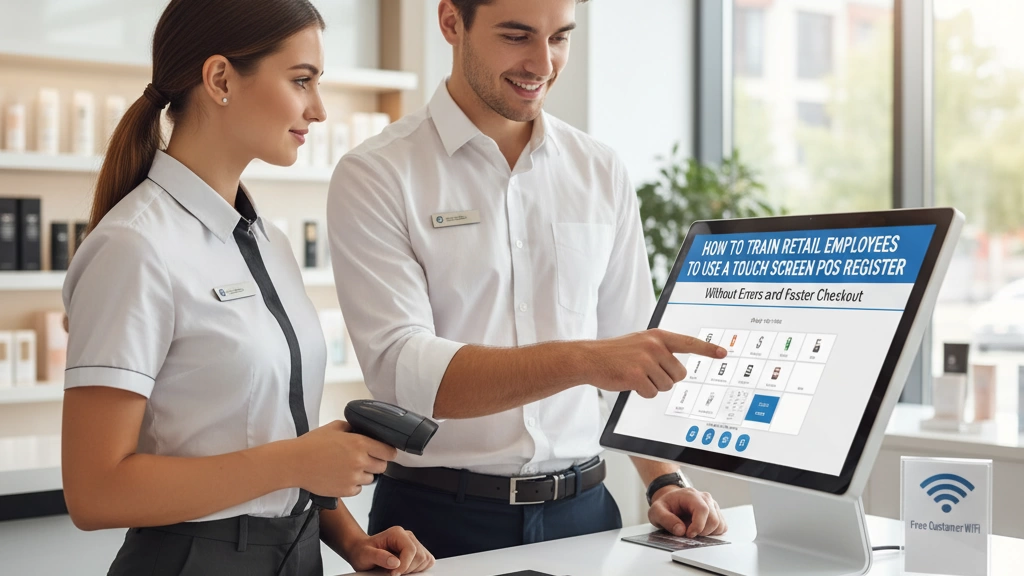
Si vous gérez un magasin de détail, vous savez déjà que former les employés à utiliser une caisse enregistreuse POS à écran tactile de manière efficace peut faire ou défaire l'expérience de paiement. L'objectif ? Moins d'erreurs et des transactions plus rapides qui satisfont les clients et font avancer les files d'attente. Mais comment transformer de nouveaux employés en caissiers confiants et sans erreur qui passent facilement à la caisse ? Dans ce guide, vous découvrirez des stratégies éprouvées pour former votre personnel de vente au système POS à écran tactile—augmentant la rapidité, réduisant les erreurs et améliorant la performance globale du magasin. Commençons.
Pourquoi une formation POS appropriée est essentielle pour la réussite du commerce de détail
Une formation adéquate sur votre système POS de détail n’est pas seulement agréable à avoir—elle est essentielle pour le succès de votre magasin. Lorsque les employés ont des difficultés avec la caisse enregistreuse à écran tactile, cela peut entraîner des erreurs coûteuses telles que des saisies de ventes incorrectes, des incohérences d’inventaire et des clients frustrés attendant plus longtemps à la caisse. Ces erreurs impactent directement votre résultat net et nuisent à la confiance des clients.
La rapidité et la précision vont de pair dans un environnement de vente au détail occupé. Un personnel bien formé peut traiter les transactions rapidement et correctement, augmentant le flux de clients pendant les heures de pointe. Cela réduit non seulement les temps d’attente mais améliore aussi l’expérience d’achat globale.
Dans le marché concurrentiel actuel du commerce de détail, une excellente formation POS distingue votre magasin. Les détaillants qui investissent dans une formation efficace de leurs employés au système POS gagnent un avantage en minimisant les erreurs, en maintenant un inventaire précis et en offrant des paiements plus rapides. Cela favorise la fidélité des clients et assure le bon fonctionnement de votre entreprise—ce qui fait de la formation POS un véritable différenciateur.
Comprendre votre système POS à écran tactile : Bases du matériel et du logiciel
Pour former efficacement les employés de détail sur un système POS à écran tactile, il est d’abord important de couvrir les composants matériels et logiciels de base. Le matériel POS courant comprend les moniteurs à écran tactile où les employés saisissent les ventes, les scanners de codes-barres pour des recherches rapides et précises des articles, les tiroirs-caisse qui sécurisent les transactions en espèces, et les imprimantes de reçus pour fournir aux clients un reçu d’achat. La familiarité avec ces appareils aide le personnel à fonctionner sans hésitation ni retard.
Du côté logiciel, les employés doivent comprendre les bases de l’interface—comment naviguer dans les menus, traiter les transactions, gérer les retours et appliquer des remises. La disposition de l’écran tactile doit être intuitive, mais une formation claire à chaque étape garantit moins d’erreurs. SDLPOS offre des avantages spécifiques à souligner, tels que des écrans personnalisables et un suivi intégré de l’inventaire, qui simplifient le flux de travail et améliorent la précision. Mettre en avant ces fonctionnalités lors de la formation augmente non seulement la confiance mais aussi la rapidité des passages en caisse.
Pour des conseils plus détaillés sur la configuration du matériel et les options de personnalisation, SDLPOS propose des solutions adaptées aux besoins du commerce de détail, que vous pouvez explorer pour améliorer davantage votre programme de formation. Consultez leurs insights sur Personnalisation du matériel POS pour voir comment les appareils peuvent être optimisés pour le flux de travail de votre magasin.
Processus de formation étape par étape pour l’utilisation du système POS à écran tactile par les employés
Pour former efficacement les employés de détail sur un POS à écran tactile, commencez par préparer des supports clairs et faciles à suivre adaptés à votre système SDLPOS. Cela inclut des manuels, des fiches de référence rapide et des, courtes tutoriels vidéo fournis par le fabricant ou le fournisseur guides axés sur le matériel et le logiciel spécifiques utilisés dans votre magasin.
Ensuite, utilisez une formation pratique guider le personnel à travers des fonctions cruciales telles que la numérisation d'articles, le traitement des paiements et la gestion des retours ou remboursements. Ne vous contentez pas d'expliquer ces tâches—guidez les employés étape par étape sur la caisse tactile, afin qu'ils deviennent à l'aise avec la navigation dans l'interface et la réalisation de transactions en toute confiance.
Ajouter transactions simulées est un excellent moyen de développer des compétences concrètes sans pression. Permettez aux employés de pratiquer la saisie de divers articles, l'application de remises et le traitement de différents types de paiement dans un environnement contrôlé. Cela aide à réduire les erreurs lorsqu'ils travaillent sur le terrain de vente en direct.
Enfin, suivez de près les progrès de chaque employé et fournissez des retours constructifs. Identifiez les domaines où ils excellent et ceux où ils ont besoin d'une aide supplémentaire. Des vérifications régulières garantissent que chacun atteint le bon niveau de rapidité et de précision pour une caisse rapide et sans erreur.
Pour des insights détaillés sur le choix et la formation avec des caisses tactiles comme celles de SDLPOS, explorer leurs ressources sur les caisses tactiles peut être très utile.
Former le personnel de vente au détail sur les programmes de fidélité et l'interaction avec les clients via le POS
Former vos employés de vente au détail à utiliser le système POS tactile pour les programmes de fidélité peut augmenter la satisfaction client et la fidélité. Voici comment bien faire :
- Inscription rapide des clients : Apprenez au personnel à saisir facilement les informations des clients ou à scanner les cartes de fidélité via le POS tactile. Assurez-vous qu'ils savent repérer rapidement les clients réguliers.
- Utilisation des récompenses et remises : Montrez aux employés comment appliquer des points, des récompenses ou des remises automatiques directement à la caisse sans ralentir le processus.
- Communication claire avec le client : Encouragez le personnel à expliquer les avantages de la fidélité de manière simple et naturelle. Par exemple, rappeler aux clients les points gagnés ou les récompenses spéciales crée une expérience de caisse positive.
En intégrant les fonctions du programme de fidélité dans la formation POS régulière, votre équipe gérera ces tâches en douceur et augmentera l'engagement global des clients. Pour une compréhension approfondie des fonctionnalités du système, envisagez de proposer des supports de formation adaptés aux utilisateurs de SDLPOS, mettant en évidence ces outils de fidélité de manière claire.
Techniques pour réduire les erreurs et accélérer les processus de paiement
Réduire les erreurs lors des transactions POS et accélérer le processus de caisse vont de pair. Voici quelques techniques éprouvées pour les employés de vente utilisant un terminal POS tactile :
Évitez les erreurs courantes :
Formez le personnel à vérifier doublement les articles scannés et les prix avant de finaliser une vente. Les erreurs de dépassement de prix ou d'entrée incorrecte d'articles entraînent des coûts importants.
Maîtrisez les raccourcis clavier et les gestes tactiles :
Encouragez les employés à utiliser les gestes sur écran tactile (comme faire glisser entre les écrans) et les raccourcis clavier pour naviguer plus rapidement au lieu de chercher des boutons. Cela réduit considérablement le temps de transaction.
Améliorez la lecture de codes-barres et la recherche d'articles :
Assurez-vous que les scanners sont bien entretenus et apprenez aux employés à vérifier rapidement les articles en utilisant la recherche par SKU ou description lorsque le code-barres est endommagé ou manquant.
Utilisez les paiements préautorisés :
Optez pour les paiements sans contact et les portefeuilles mobiles comme Apple Pay ou Google Pay lorsque cela est possible. Ces options accélèrent l'approbation du paiement et réduisent les files d'attente.
Favorisez le multitâche (avec précaution) :
Le personnel peut préparer des sacs ou organiser des articles pendant le traitement du paiement sans perdre de vue la précision. Équilibrez rapidité et attention aux détails pour éviter les erreurs.
Une formation axée sur ces conseils pratiques du quotidien aide les employés à devenir confiants et efficaces, ce qui facilite des passages en caisse plus fluides et des clients plus satisfaits. Pour en savoir plus sur les fonctionnalités modernes des systèmes de point de vente qui soutiennent un passage en caisse rapide, consultez les caractéristiques clés des systèmes de caisse modernes.
Création d'une procédure opérationnelle standard (SOP) de formation POS au niveau du magasin
Avoir une procédure opérationnelle standard (SOP) de formation POS claire et documentée est essentiel pour maintenir la cohérence et l'efficacité de votre équipe. Une SOP garantit que chaque employé sait exactement comment utiliser le système POS à écran tactile de la bonne manière — depuis leur premier jour à la caisse jusqu'aux heures de pointe.
Pourquoi les SOP sont importantes
- Cohérence : Chaque membre du personnel suit les mêmes étapes, ce qui réduit les erreurs et accélère le passage en caisse.
- Contrôle de qualité : Les managers peuvent suivre si les employés respectent les meilleures pratiques, ce qui facilite la détection et la correction des problèmes.
- Formation simplifiée : Les nouvelles recrues reçoivent des directives claires, ce qui réduit le temps de formation et renforce la confiance.
Principaux éléments à inclure dans la SOP
- Rôles des utilisateurs et accès : Définissez qui peut effectuer des actions spécifiques — comme traiter des remboursements ou accéder aux rapports — pour maintenir un contrôle strict.
- Démarrage et arrêt quotidiens : Instructions étape par étape pour démarrer et fermer correctement le système POS, garantissant un fonctionnement fluide et une gestion sécurisée de la caisse.
- Procédures de gestion des erreurs : Directives claires sur ce qu'il faut faire en cas de problèmes de transaction ou de dysfonctionnements matériels, comme comment annuler des erreurs ou quand contacter le support informatique.
Mise à jour des SOP :
Vos SOP ne doivent pas être gravés dans la pierre. À mesure que de nouvelles fonctionnalités POS sont déployées ou que les politiques du magasin évoluent, mettez à jour les documents pour refléter ces changements. Assurez-vous de communiquer clairement les mises à jour au personnel et planifiez des sessions de formation de rappel pour que tout le monde reste aligné.
Pour les magasins utilisant SDLPOS, l'intégration de conseils spécifiques au système comme la gestion du tiroir-caisse ou la manipulation du lecteur de cartes rendra le SOP encore plus efficace. Consultez les fournitures abordables pour systèmes SDLPOS pour des ressources afin de soutenir votre SOP et maintenir l’équipement en bon état de fonctionnement.
Gestion de la formation pour les équipes de vente multilingues et multi-sites
Former des employés de vente répartis sur différents sites — et parlant différentes langues — peut être un défi. Pour surmonter les barrières linguistiques lors de la formation POS, commencez par utiliser des aides à la formation multilingues comme des manuels traduits, des fiches de référence et des tutoriels vidéo. Cela permet de garantir que tout le monde comprend les fonctions clés de votre système POS à écran tactile, quelle que soit leur langue maternelle.
Exploitez des outils de formation à distance comme des webinaires en direct, le partage d'écran et des vidéos à la demande pour fournir une instruction cohérente dans tous les magasins. Cela permet de gagner du temps et de maintenir tous les sites sur la même longueur d’onde. Vous pouvez également utiliser des applications de traduction intégrées ou personnaliser le contenu de formation pour les langues couramment parlées dans votre personnel.
Suivre la progression de la formation dans plusieurs magasins est crucial pour l’assurance qualité. Utilisez des systèmes de gestion de l’apprentissage (LMS) centralisés ou des listes de contrôle numériques pour surveiller qui a terminé la formation et leur performance. Cela vous aide à identifier rapidement les lacunes et à fournir un soutien supplémentaire si nécessaire.
Pour un déploiement efficace, mettez en avant les fonctionnalités clés et le matériel comme l’interface tactile de votre POS, les scanners de codes-barres et les options de paiement en vous référant aux meilleures pratiques de l’industrie avec le guide des meilleures marques de caisses enregistreuses pour les détaillants, en veillant à ce que vos équipes soient équipées de connaissances pertinentes sur le matériel et le logiciel à chaque emplacement.
Questions fréquentes des détaillants concernant la formation POS
Combien de temps faut-il généralement aux employés pour maîtriser un système de point de vente (POS) ?
La plupart des employés de vente au détail atteignent une compétence de base avec une caisse POS à écran tactile en une semaine de formation pratique et d'exercices. La maîtrise—c'est-à-dire un passage en caisse rapide et sans erreur—intervient généralement après un mois d'utilisation régulière et de retours d'expérience continus.
Les nouvelles recrues sans expérience technologique peuvent-elles être formées rapidement ?
Oui. Les systèmes POS à écran tactile sont conçus pour être faciles à utiliser, et avec des supports de formation clairs et des guides étape par étape, même ceux avec peu de compétences techniques peuvent rapidement se mettre à niveau. La pratique concrète et un soutien lors des premiers quarts de travail font une grande différence.
Que faire lorsque le matériel POS tombe en panne pendant les heures de pointe ?
Ayez un plan clair pour les problèmes courants, incluant des étapes de redémarrage rapides, des dispositifs de secours comme des caisses manuelles, ou des modes hors ligne si votre système le supporte (voir la capacité hors ligne du POS d’SDLPOS pour des idées). Formez le personnel aux bases du dépannage et désignez une personne de contact pour le support technique afin de minimiser les temps d'arrêt.
À quelle fréquence doit-on organiser des formations de remise à niveau ?
Les formations de remise à niveau sont mieux planifiées tous les 3 à 6 mois ou chaque fois que de nouvelles fonctionnalités du système ou politiques du magasin sont déployées. Des rafraîchissements réguliers aident à réduire les erreurs lors des transactions et à maintenir une rapidité de passage en caisse élevée dans toute votre équipe, surtout si vous avez une rotation saisonnière ou élevée.
En abordant ces FAQ de manière réfléchie, vous préparez votre équipe de vente au détail à des opérations plus fluides et à de meilleures expériences client. Pour en savoir plus sur les bases du matériel et le dépannage, consultez ces insights sur les solutions matérielles POS pour les petits détaillants.


