







Comment utiliser une caisse enregistreuse dans une épicerie étape par étape

Vous vous demandez comment faire gérer une caisse enregistreuse dans un supermarché comme un professionnel ? Maîtriser cette compétence est essentiel pour offrir un service rapide, précis et convivial qui fidélise les clients.
En tant que nouveau caissier ou personne préparant un poste en supermarché, vous pourriez vous sentir dépassé par les boutons, scanners et systèmes de paiement. Ne vous inquiétez pas—je vous couvre avec des conseils pratiques issus de plusieurs années d'expérience dans la technologie de la vente au détail.
Dans ce guide, vous découvrirez le processus étape par étape pour faire fonctionner une caisse enregistreuse de supermarché, éviter les erreurs courantes et gérer les situations délicates avec confiance. De plus, découvrez comment SDLPOS équipe les magasins avec du matériel fiable pour faciliter votre travail.
Passons à l’action et préparez-vous à passer en caisse !
Les bases d’une caisse enregistreuse de supermarché
En ce qui concerne les opérations de caisse dans un supermarché, comprendre les différents types et composants principaux est essentiel. La plupart des supermarchés utilisent des systèmes POS traditionnels conçus spécifiquement pour gérer efficacement un volume élevé de transactions, la variété des produits et le flux de clients.
Types de caisses enregistreuses utilisées dans les supermarchés
Il existe principalement deux catégories de caisses enregistreuses que vous rencontrerez dans un environnement de supermarché :
- Caisses enregistreuses traditionnelles: Ce sont des machines de base qui gèrent l’argent liquide et la saisie manuelle. Elles sont souvent plus simples et mieux adaptées aux petits ou spécialisés magasins alimentaires.
- systèmes de point de vente (POS): La norme dans les supermarchés modernes, les systèmes POS intègrent matériel et logiciel pour gérer la lecture de codes-barres, la tarification, la pesée, les paiements et la gestion des stocks de manière fluide.
Principaux composants et leurs fonctions
Une caisse enregistreuse de supermarché combine plusieurs pièces clés, chacune ayant un rôle distinct pour assurer une caisse fluide :
- Scanner de codes-barres: Cet appareil lit rapidement les codes-barres des produits pour une tarification précise et le suivi des stocks. L’utilisation d’un scanner de codes-barres réduit les erreurs par rapport à la saisie manuelle des codes produits et accélère le passage en caisse.
- Tiroir-caisse: Cela stocke en toute sécurité de l'argent liquide, des pièces de monnaie, et parfois des chèques. Il s'ouvre automatiquement après le traitement du paiement et aide à l'équilibrage de la caisse à la fin des quarts de travail.
- Imprimante de reçus: Imprime des reçus détaillés de transaction montrant les articles achetés, les prix, les remises et les modes de paiement. Les reçus sont importants pour les retours, les dossiers clients et la comptabilité précise.
- Interface Tactile: Le centre névralgique pour que les caissiers opèrent la caisse. Il affiche les articles scannés, permet la saisie manuelle pour les produits ou articles sans codes-barres en utilisant des codes PLU, applique des remises, et gère le traitement des paiements. L'écran tactile rend la navigation rapide et intuitive, améliorant la formation des caissiers en épicerie.
Ensemble, ces composants fonctionnent sans problème pour gérer les procédures de passage en caisse en épicerie, aidant les caissiers à gérer efficacement les transactions tout en minimisant les erreurs. Comprendre la fonction de chaque partie est la base pour maîtriser le fonctionnement des caisses dans tout environnement d'épicerie.
Guide étape par étape pour faire fonctionner une caisse dans une épicerie
Faire fonctionner une caisse efficacement est essentiel pour des procédures de passage en caisse fluides en épicerie. Voici comment gérer chaque étape avec précision et rapidité en utilisant un système de point de vente typique en épicerie.
Se connecter et commencer votre service
- Allumez la caisse et appuyez sur le bouton de connexion.
- Saisissez le nom et l’adresse de votre ID employé ou balayez votre badge pour vous connecter.
- Vérifiez le montant initial de la caisse, puis saisissez-le dans le système pour l'équilibrage de la caisse plus tard.
- Vérifiez les alertes ou mises à jour du système avant de commencer.
Scanner les articles et ajouter manuellement des produits
- Utilisez le lecteur de codes-barres pour scanner chaque article d'épicerie. Assurez-vous que le code-barres est visible et que le scanner émet un bip pour confirmer.
- Pour les articles sans codes-barres, tels que les produits en vrac ou spécialisés, utilisez l'écran tactile ou le clavier pour saisir le produit manuellement.
- Lors de l'ajout manuel d'articles, recherchez la liste des produits ou entrez le code PLU si connu.
Application des remises, promotions et récompenses de fidélité
- Avant de finaliser la vente, demandez aux clients s'ils ont des bons de réduction en magasin, des remises ou des cartes de fidélité.
- Scannez ou entrez le numéro de carte de fidélité pour appliquer automatiquement des points ou des prix spéciaux.
- Appliquez manuellement toute remise employé ou saisonnière directement via l'interface du POS.
- Assurez-vous que toutes les promotions sont valides pour les articles dans le panier afin d'éviter les erreurs de scan.
Gestion des produits frais et des articles sans codes-barres utilisant des codes PLU
- Les produits frais et certains articles de charcuterie n'ont pas de codes-barres, utilisez donc les codes PLU (Price Look-Up).
- Entrez directement le code PLU, ou sélectionnez l'article dans le menu de produits à l'écran.
- Pesez les produits frais sur des balances intégrées si disponibles ; la caisse calculera automatiquement le prix en fonction du poids.
Peser les articles avec des balances intégrées
- Placez l'article en vrac ou les produits sur la balance attachée à la caisse.
- Le système lit le poids et le multiplie par le prix de l'article par livre.
- Confirmez l'affichage du poids et du prix corrects avant de procéder au paiement.
Traitement des paiements Espèces, Carte, Paiements mobiles
- Demandez au client comment il souhaite payer.
- Pour paiements en espèces, entrez le montant remis, donnez la monnaie si nécessaire, et enregistrez la transaction.
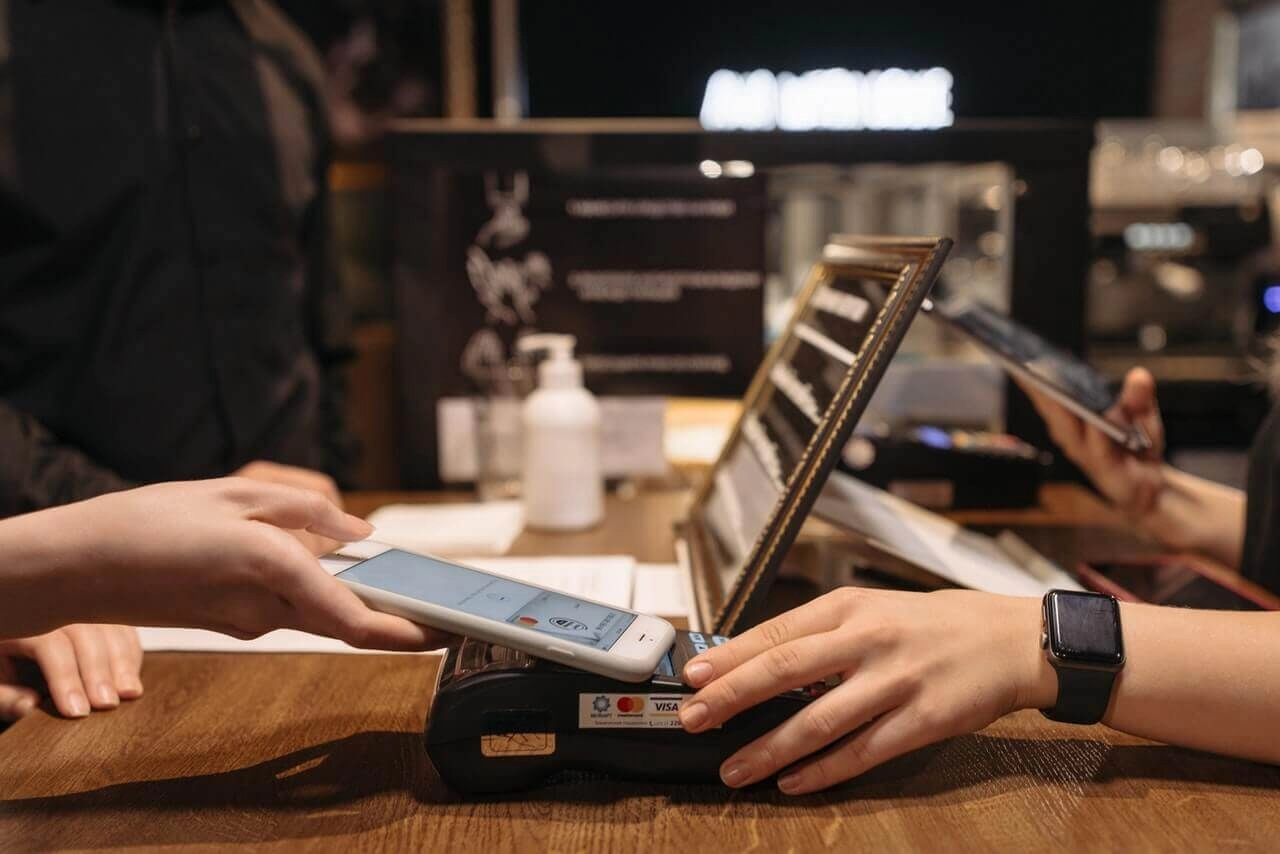
- Pour paiements par carte, demandez au client d’insérer ou de glisser sa carte, ou d’utiliser des options sans contact avec des cartes NFC ou des portefeuilles mobiles (Apple Pay, Google Pay).
- Confirmez l’approbation du paiement sur l’écran tactile.
Procédures d’émission de reçus et d’emballage
- Après le paiement, la caisse imprime automatiquement le reçu.
- Remettez le reçu au client et demandez s’il a besoin d’un sac ou apportez votre propre sac réutilisable.
- Suivez attentivement les procédures d’emballage de votre magasin — emballez séparément les articles froids et frais lorsque cela est nécessaire.
En suivant ces opérations étape par étape de la caisse, vous maintiendrez la fluidité des files d’attente et réduirez les erreurs lors des périodes de forte affluence dans les supermarchés. Ce flux de travail couvre les bases que les programmes de formation des caissiers de supermarché mettent en avant et vous aide à gérer vos shifts quotidiens en toute confiance.
Meilleures pratiques pour la précision et l’efficacité lors de l’utilisation d’une caisse dans un supermarché
Réussir chaque passage en caisse garantit la satisfaction des clients et le bon déroulement de votre shift. Voici quelques pratiques éprouvées pour améliorer la précision et la rapidité sans faire l’impasse sur la qualité.
Vérifiez à nouveau les articles scannés et les prix
- Vérifiez toujours que le code-barres scanné correspond à l’article visuellement. Les erreurs de lecture se produisent, surtout avec des étiquettes encombrées ou endommagées.
- Surveillez le prix affiché à l'écran. Les prix se mettent à jour fréquemment, et les étiquettes obsolètes peuvent causer des erreurs.
- Si le prix d’un produit semble incorrect, confirmez-le manuellement ou vérifiez avec un superviseur avant de finaliser la vente.
- Lors de la saisie manuelle d’articles ou en utilisant des codes PLU, vérifiez attentivement les chiffres et les détails des articles.
Gérez les retours et échanges sans problème
- Suivez exactement la politique de retour de votre magasin, en vous assurant que vérifiez les reçus et l’état des articles.
- Traitez les retours avant de commencer une nouvelle vente pour éviter les confusions de transactions.
- Utilisez les fonctionnalités du système de point de vente pour enregistrer correctement les retours et réapprovisionner les articles, en maintenant un inventaire précis.
- Communiquez clairement avec les clients lors des retours pour réduire la confusion et maintenir la bonne volonté.
Gérez correctement les annulations et les voids
- Les annulations doivent être effectuées immédiatement lorsqu’une erreur est détectée — ne pas attendre la fin de la transaction.
- Utilisez la fonction d’annulation de la caisse ou du système de point de vente pour maintenir des enregistrements précis.
- Assurez-vous de documenter ou de notifier votre responsable des grands vides ou annulations comme certains magasins l'exigent.
Équilibrer la caisse à la fin du service
- Comptez soigneusement votre argent liquide, vos chèques et autres paiements avant de fermer votre tiroir.
- Comparez le total avec le rapport de ventes du système de point de vente pour le service.
- Notez et signalez immédiatement toute divergence.
- Suivez de près le protocole de gestion de la caisse de votre magasin pour éviter les pénuries ou les excédents.
Conseils pour accélérer le passage en caisse des clients sans sacrifier la précision
- Organisez votre espace de travail pour que les articles passent rapidement du scanner au sac.
- Utilisez les préréglages et raccourcis dans votre système de point de vente pour les articles ou remises courants.
- Préparez à l'avance les cartes de fidélité ou coupons en demandant aux clients dès le début.
- Restez calme et concentré—même lors des périodes chargées—pour éviter les erreurs.
- Communiquez poliment et clairement lors du scan pour que les clients puissent préparer leur paiement sans délai.
Maîtriser ces meilleures pratiques vous aide à maintenir la précision et l'efficacité, garantit des expériences de passage en caisse fluides, et soutient le fonctionnement global du magasin. Suivre ces étapes est essentiel dans la formation des caissiers en épicerie et les opérations de caisse qui répondent aux attentes des clients en France.
Dépannage courant et résolutions d'erreurs pour les caisses d'épicerie
Rencontrer des problèmes avec votre caisse d'épicerie est normal, mais savoir comment les gérer rapidement maintient la fluidité de votre processus de paiement. Voici des étapes pratiques pour les problèmes courants que vous rencontrerez en gérant votre système de point de vente en épicerie.
Que faire lorsque la caisse se bloque ou plante
Un registre gelé ou planté peut perturber toute votre file de caisse. Voici comment le réparer rapidement :
- Redémarrez le système de point de vente en vous déconnectant puis en vous reconnectant ou en effectuant un redémarrage doux si possible.
- Si le problème persiste, éteignez complètement le registre et redémarrez-le pour éliminer les glitches temporaires.
- Ayez toujours un plan de secours comme une liste de prix manuelle ou un appareil secondaire prêt au cas où la panne s'étendrait.
- Contactez immédiatement votre support informatique ou POS si des plantages se produisent fréquemment pour éviter des perturbations plus importantes.
Gestion des défaillances ou erreurs du scanner
Les scanners de codes-barres sautent parfois ou lisent mal les articles, ce qui ralentit le processus. Essayez ceci :
- Vérifiez le vérifiez si la lentille du scanner est sale ou endommagée et nettoyez-la régulièrement pour améliorer la précision.
- Rescannez lentement les articles et à un angle stable pour éviter les erreurs de lecture.
- Pour les codes-barres récalcitrants, saisissez manuellement le code du produit en utilisant le clavier ou l'écran tactile.
- Si les scanners échouent systématiquement, signalez le problème pour une réparation ou un remplacement du matériel.
Traiter les écarts dans le comptage du tiroir-caisse
Si le total de votre caisse ne correspond pas aux rapports de la caisse, suivez ces étapes :
- Comptez l'argent lentement et soigneusement lors de l'équilibrage de la caisse.
- Vérifiez à nouveau pour toute transaction d'argent oubliée ou remboursement non enregistré.
- Enregistrez les écarts et avertissez votre responsable s'ils sont fréquents ou importants.
- Utilisez les rapports de caisse du système de point de vente pour suivre les transactions à des fins d'audit.
Gérer les problèmes de connectivité sur les systèmes de point de vente intégrés
De nombreux caisses enregistreuses modernes de supermarché dépendent de connexions Internet ou réseau pour traiter les paiements et mettre à jour l'inventaire. Lorsque les connexions échouent :
- Vérifiez vos câbles réseau et signaux WiFi pour assurer une connexion stable.
- Redémarrez le routeur ou le terminal de point de vente pour réinitialiser la connexion.
- Passez en mode hors ligne si votre système le supporte, ce qui vous permet de traiter les ventes et de synchroniser plus tard.
- En cas de retard dans le traitement des paiements, communiquez clairement avec les clients sur les temps d'attente.
- Contactez votre équipe informatique ou le support du point de vente pour résoudre les problèmes de réseau persistants.
En maîtrisant ces astuces de dépannage, vous minimiserez les retards au paiement et maintiendrez la satisfaction des clients. Avoir un plan clair pour résoudre les erreurs de caisse, les problèmes de scanner et de connectivité aide à maintenir la précision et la rapidité lors des périodes de forte affluence.
Importance du service client lors de l'utilisation d'une caisse enregistreuse dans un supermarché
Offrir un excellent service client tout en travaillant à la caisse dans une épicerie est aussi important que scanner correctement les articles ou gérer les paiements. La façon dont vous interagissez avec les clients lors du passage en caisse influence leur expérience d'achat globale et les incite à revenir.
Accueillir les clients et maintenir une attitude amicale
Toujours accueillir chaleureusement les clients lorsqu'ils s'approchent de la caisse. Un simple “ Bonjour ” ou “ Comment ça va aujourd'hui ? ” fait la différence. Rester amical et accessible aide à mettre les clients à l'aise, surtout pendant les périodes chargées ou stressantes. Votre attitude positive reflète bien le magasin et améliore la satisfaction des clients.
Communiquer clairement pendant les transactions
Une communication claire est essentielle lors de l'utilisation du système de caisse en épicerie :
- Expliquer les prix ou les promotions si les clients semblent incertains.
- Informer les clients lorsque vous scannez les articles or appliquez des remises.
- Confirmer clairement les totaux et les modes de paiement pour éviter toute confusion.
- En cas de retard ou de problème avec la caisse, tenir les clients informés de ce qui se passe.
Cette transparence favorise la confiance et contribue à réduire la frustration lors du passage en caisse.
Gérer les situations difficiles avec politesse et professionnalisme
Parfois, vous rencontrerez des clients mécontents ou impatients. Voici comment gérer ces moments :
- Reste calme et poli, même si le client se fâche.
- Écoutez attentivement leur préoccupation sans interrompre.
- Proposez des solutions claires et utiles ou trouvez quelqu'un qui peut aider si vous ne pouvez pas résoudre le problème.
- Évitez de vous disputer ou de hausser la voix.
Gérer les problèmes avec respect aide à désamorcer la tension et maintient le processus de paiement fluide. Rappelez-vous, un bon service client signifie garder l'interaction positive, peu importe à quel point la situation devient occupée ou compliquée.
En combinant une formation solide des caissiers en épicerie avec une interaction client réfléchie, vous améliorerez à la fois la rapidité du passage en caisse et la fidélité des clients. Un excellent service ne concerne pas seulement la caisse — c’est la façon dont vous vous connectez avec chaque personne en ligne.
Comment SDLPOS Soutient Votre Processus de Passage en Caisse en Épicerie
Aperçu des Solutions Matérielles SDLPOS pour les Épiceries
En ce qui concerne opérations de caisse en épicerie, avoir du matériel fiable est essentiel. SDLPOS propose des systèmes de caisse et périphériques adaptés conçus spécifiquement pour les environnements d’épicerie. Leurs solutions incluent tout, des caisses à écran tactile durables, scanners de codes-barres, tiroirs-caisse, jusqu’aux balances intégrées qui s’intègrent parfaitement dans l’installation de votre caisse.
Ces systèmes sont conçus pour répondre aux exigences uniques de la caisse en épicerie — balayage rapide des articles, pesée des produits, gestion de plusieurs modes de paiement — tout en maintenant le processus fluide et efficace.
Avantages de l’utilisation des caisses et périphériques SDLPOS
Choisir SDLPOS signifie investir dans du matériel qui résiste à l’usure quotidienne. Voici pourquoi SDLPOS se distingue dans les systèmes de point de vente pour épiceries :
- Durabilité: Les composants matériels comme les scanners et tiroirs-caisse sont conçus pour une utilisation durable, minimisant les temps d’arrêt.
- Facilité d'utilisation: Les interfaces tactiles intuitives et les boutons clairement étiquetés rendent la formation des caissiers plus rapide et réduisent les erreurs lors du passage en caisse.
- Fonctionnalités intégrées: Support des codes PLU, balances de pesée et plusieurs options de paiement incluant espèces, carte et portefeuilles mobiles.
- Support fiable: Un service client rapide et un accès facile à l'assistance en dépannage signifient moins de temps bloqué sur des problèmes de caisse.
- Vitesse et Précision: Conçu pour accélérer le passage en caisse tout en maintenant la précision du scan et en gérant les remises ou récompenses de fidélité sans souci.
Comment commencer avec les produits SDLPOS
Se lancer avec SDLPOS est simple :
- Évaluez les besoins de votre magasin: Décidez des périphériques dont vous avez besoin en fonction de votre flux de caisse — scanners de codes-barres, balances, imprimantes de tickets, etc.
- Achetez le matériel: Choisissez parmi la gamme de produits SDLPOS adaptée aux opérations d'épicerie.
- Installer et mettre en place: L'installation peut souvent être réalisée en interne avec des instructions claires ou avec l'aide du support SDLPOS.
- Formez votre personnel: La conception conviviale de SDLPOS réduit le temps de formation des caissiers, garantissant que votre équipe peut utiliser la caisse en toute confiance.
- Support continu: Utilisez les ressources de support de SDLPOS pour les mises à jour, le dépannage et les conseils afin de maintenir votre passage en caisse fluide.
En intégrant le matériel SDLPOS dans votre magasin d'épicerie, vous créez un système de point de vente stable, efficace et convivial qui soutient à la fois vos employés et vos clients à chaque transaction.


