







Guide d'installation des imprimantes LAN pour systèmes POS 2026 Dépannage étape par étape

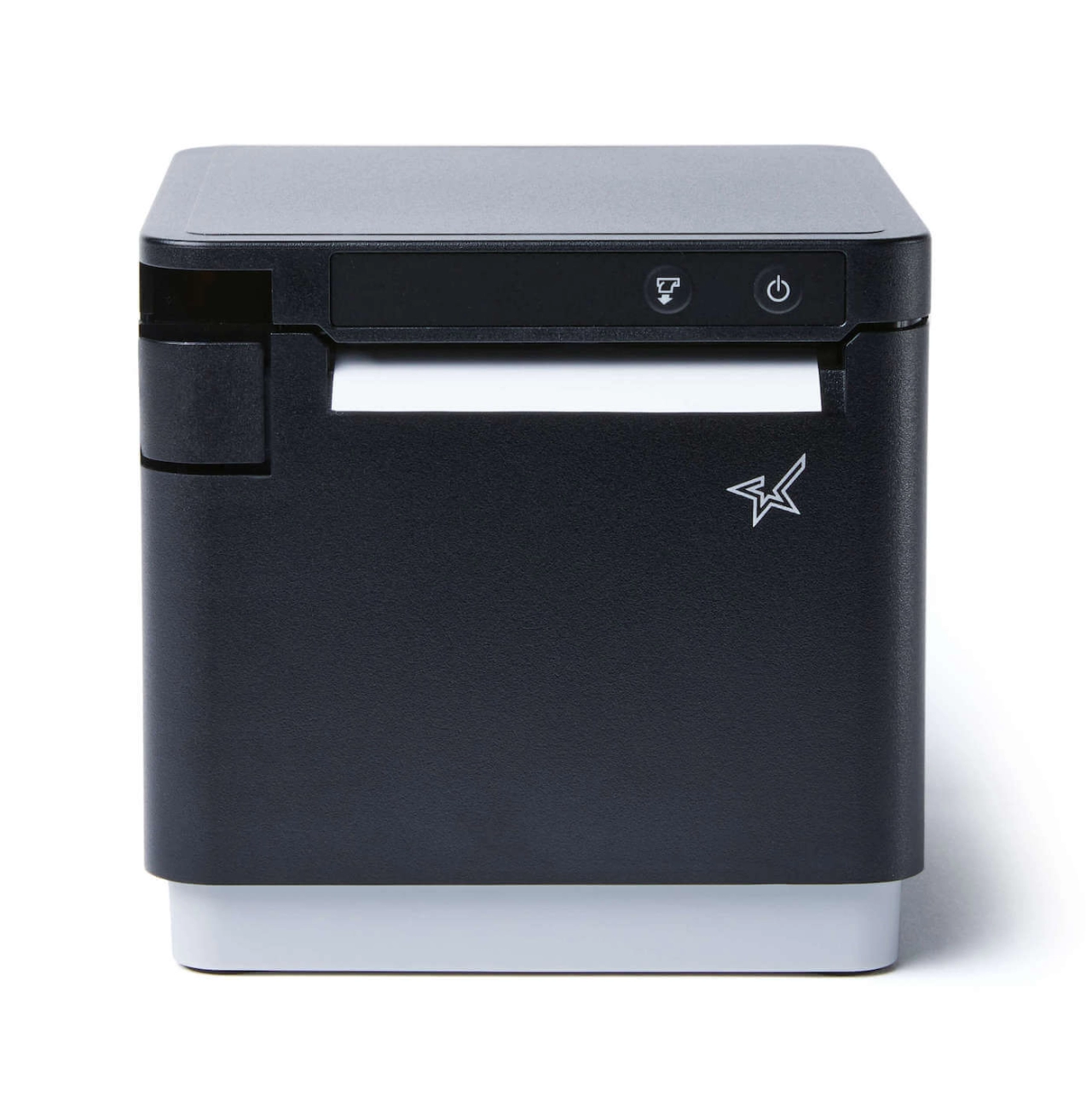
Prérequis – Ce dont vous avez besoin avant de commencer
Avant de configurer votre imprimante de reçus LAN pour votre système POS, assurez-vous d'avoir tout prêt. Cela vous fera gagner du temps et évitera les problèmes courants lors de l'installation.
Imprimantes compatibles
Choisissez une imprimante qui fonctionne bien sur un réseau LAN et avec votre logiciel POS. Les modèles populaires incluent :
- EPSON TM-T82III
- EPSON TM-T88VI
- Star TSP100III LAN
- Star TSP650II
Ces imprimantes thermiques Ethernet sont éprouvées comme fiables et prennent en charge les configurations IP standard des imprimantes POS.
Exigences réseau
Votre imprimante et vos terminaux POS doivent être sur le même sous-réseau. En général :
- Routeur avec DHCP activé, ou
- Utilisez adresses IP statiques dans la plage de votre réseau local (par exemple, 192.168.1.x)
Évitez de mélanger des sous-réseaux comme 192.168.0.x et 192.168.1.x pour prévenir les problèmes de connexion.
Outils nécessaires
Préparez ces éléments avant de commencer :
- A ordinateur portable ou PC configurer l'imprimante
- câbles Ethernet pour les connexions filaires
- Imprimante pack de pilotes et tous les outils de configuration d'imprimante pour logiciel POS
Avoir ces éléments à portée de main permet une configuration plus fluide et un dépannage plus rapide si nécessaire.
Configuration étape par étape de l'imprimante réseau (Méthode universelle)
Configurer une imprimante de reçus LAN pour votre système POS est simple lorsque vous suivez ces étapes :
Connectez l'imprimante à votre réseau
Branchez votre câble Ethernet de l'imprimante de reçus directement sur votre routeur ou commutateur réseau. Cela garantit que l'imprimante est accessible sur le réseau local.
Trouver l'adresse IP par défaut de l'imprimante
La plupart des imprimantes LAN disposent d'un bouton permettant d'imprimer un ticket de configuration réseau affichant l'adresse IP par défaut. Certains modèles affichent l'IP sur un écran intégré.
Configurez votre PC sur le même sous-réseau
Changez temporairement l'adresse IP de votre ordinateur pour qu'elle corresponde au sous-réseau de l'imprimante. Par exemple, si l'IP de l'imprimante est 192.168.1.100, configurez votre PC sur quelque chose comme 192.168.1.50 avec un masque de sous-réseau 255.255.255.0. Cela vous permet d'accéder à la page de configuration web de l'imprimante.
Accéder à la configuration web de l'imprimante
Ouvrez un navigateur web et saisissez l'adresse IP de l'imprimante (par exemple, http://192.168.1.100). Cela ouvre le panneau de configuration de l'imprimante.
Attribuer une IP statique en dehors de la plage DHCP
Pour éviter les conflits d'IP, changez l'IP de l'imprimante en une adresse statique en dehors de la plage DHCP de votre routeur, comme 192.168.1.200. Cela garantit une IP cohérente et fiable.
Configurer les paramètres de l'imprimante dans le logiciel POS
Dans votre logiciel POS, entrez la nouvelle adresse IP de l'imprimante et configurez le port de communication à 9100 (le port d'impression Raw TCP par défaut). Cela garantit un transfert de données fluide du logiciel à l'imprimante.
Impression de test depuis le POS
Enfin, envoyez une tâche d'impression de test depuis votre système POS pour confirmer que l'imprimante est en ligne et correctement configurée.
Cette méthode universelle fonctionne bien avec des imprimantes LAN populaires comme l'EPSON TM-T88VI ou Star TSP100III LAN, assurant une impression de reçus rapide et précise sur votre réseau. Pour plus de détails sur le matériel compatible et les conseils de configuration, consultez notre guide d'achat POS pour une utilisation 24/7.
Configuration spécifique SDLPOS pour les imprimantes LAN
Configurer votre imprimante LAN avec SDLPOS est simple une fois que vous connaissez les bonnes étapes et les paramètres IP.
Chemin exact dans le logiciel SDLPOS
Pour configurer votre imprimante dans SDLPOS, allez dans :
Paramètres > Matériel > Configuration de l'imprimante > Imprimante LAN
Ici, vous pouvez ajouter une nouvelle imprimante ou modifier une existante en entrant son adresse IP et son port.
Plage d'IP statiques recommandée pour les utilisateurs de SDLPOS
Nous suggérons d'attribuer des IP statiques dans la plage de 192.168.1.150 à 192.168.1.200 pour éviter les conflits avec d'autres appareils. Cela permet à SDLPOS de reconnaître votre imprimante de manière fiable sans que les changements d'IP n'interfèrent avec l'impression.
Détection d'imprimante en un clic dans SDLPOS v5.8+
À partir de la version 5.8+ de SDLPOS, il existe un outil pratique de détection d'imprimantes LAN en un clic dans le même menu de configuration de l'imprimante. Il scanne automatiquement votre réseau local pour détecter les imprimantes Epson ou Star compatibles et les ajoute à votre système — un gain de temps si vous avez plusieurs appareils.
Pour des informations matérielles plus détaillées, consultez notre guide d'achat de matériel POS pour restaurants, qui couvre les meilleurs modèles d'imprimantes et les conseils de configuration adaptés aux utilisateurs de SDLPOS.
Problèmes courants et comment les résoudre
La plupart des problèmes liés à la configuration de l'imprimante LAN se passe ici. Ci-dessous, les principaux problèmes et solutions rapides pour faire fonctionner votre système POS d'impression sans problème.
| Problème | Cause | Réparer |
|---|---|---|
| Imprimante non détectée / “ Aucune imprimante trouvée ” | Imprimante et PC sur des sous-réseaux différents ou mauvaise IP | Configurez temporairement votre PC sur le même sous-réseau et vérifiez l’IP de l’imprimante. Vérifiez les câbles et l’alimentation. |
| Conflit IP ou IP en double | Deux appareils utilisant la même IP sur le réseau | Attribuez une IP statique unique en dehors de la plage DHCP à l’imprimante (par exemple, 192.168.1.200). |
| Problèmes de sous-réseau différent (192.168.0.x vs 192.168.1.x) | Imprimante et POS sur des segments de réseau différents | Assurez-vous que le PC et l’imprimante sont sur le même sous-réseau (par exemple, tous deux 192.168.1.x). |
| Port 9100 bloqué par le pare-feu/antivirus | Pare-feu ou antivirus bloquant le trafic de l’imprimante | Ajoutez une exception pour le port 9100 dans tous les paramètres du pare-feu et de l’antivirus. |
| Impression lente ou délai d’attente | Congestion du réseau ou paramètres duplex/vitesse incorrects | Vérifiez les paramètres de vitesse Ethernet (100 Full Duplex préféré). Utilisez un LAN câblé, pas Wi-Fi. |
| Déconnexions toutes les quelques heures | Le routeur perd la connexion ou le délai d'inactivité | Activez la fonction de maintien en vie de l'imprimante dans les paramètres ou utilisez les options anti-déconnexion/tcp keep-alive. |
| Confusion entre pilote Raw et ESC/POS | Utilisation du mauvais pilote pour le modèle d'imprimante | Confirmez que vous utilisez le bon pilote ESC/POS ou TCP brut selon votre POS et votre imprimante. |
Conseils rapides pour éviter les problèmes courants
- Attribuez toujours une adresse IP statique à votre imprimante de reçus LAN pour éviter les conflits.
- Assurez-vous que votre POS et votre imprimante sont sur la même masque de sous-réseau pour communiquer sans souci.
- Pour les utilisateurs de SDLPOS, vérifiez les outils de détection d'imprimantes et les plages d'IP recommandées pour une configuration plus fluide.
- Si vous utilisez une imprimante thermique Ethernet, laissez le port 9100 ouvert — c'est le port d'impression TCP brut standard.
Si vous avez vérifié tout ce qui précède et que vous rencontrez toujours des problèmes, il est utile de revoir les règles du pare-feu de l'imprimante et de s'assurer qu'il n'y a pas de conflits avec d'autres périphériques connectés. Pour un dépannage plus approfondi ou des conseils personnalisés sur la configuration IP de l'imprimante POS, consultez notre guide sur le matériel POS abordable pour les petites entreprises.
l'Optimisation Réseau Avancée pour les Magasins Très Occupés
Lorsque votre entreprise utilise plusieurs terminaux POS et imprimantes, l'optimisation de votre configuration réseau devient essentielle pour une impression fluide et rapide. Voici quelques conseils clés :
Paramètres de vitesse et de duplex : Configurez le port Ethernet de votre imprimante pour 100 Mbps en duplex intégral au lieu de l'Auto-Négociation. Cela évite les incompatibilités de vitesse et réduit les délais d'impression ou les déconnexions fréquentes dans les environnements très fréquentés.
Bonjour/mDNS vs IP Fixe : Alors que Bonjour ou mDNS aide les appareils à trouver automatiquement les imprimantes, s'appuyer sur des adresses IP fixes est plus stable pour les configurations d'imprimantes POS. Les IP fixes réduisent les coupures de connexion et simplifient le dépannage.
VLAN dédié pour les appareils POS : Segmentez votre matériel POS—comme les imprimantes et les terminaux—sur un VLAN séparé. Cela isole le trafic, réduit la congestion du réseau et améliore la sécurité afin que votre imprimante ne soit pas interrompue par d'autres appareils réseau.
Considérations sur Power-over-Ethernet (PoE) : Si votre imprimante LAN thermique supporte le PoE, elle peut recevoir l'alimentation et le réseau via un seul câble Ethernet. L'utilisation de commutateurs PoE réduit l'encombrement des câbles et améliore la fiabilité de l'alimentation, notamment dans les magasins très fréquentés.
Pour plus d'informations sur la gestion du matériel POS et l'optimisation de votre environnement réseau, consultez notre guide matériel POS multifonction.
Exemples concrets & captures d'écran
Cas 1 : Restaurant avec 3 terminaux + 2 imprimantes de cuisine
Un restaurant de taille moyenne utilisait SDLPOS avec trois terminaux en front de salle et deux imprimantes de cuisine LAN (EPSON TM-T82III et Star TSP100III LAN). Chaque imprimante était assignée à une IP statique hors de la plage DHCP du routeur pour éviter les conflits — par exemple, 192.168.1.210 pour l'imprimante du bar et 192.168.1.220 pour l'imprimante de cuisine. Ces imprimantes étaient connectées via des câbles Ethernet au commutateur local sur le même sous-réseau, garantissant une impression fluide et fiable. Les terminaux POS étaient configurés pour envoyer les travaux d'impression via le port 9100 en utilisant le protocole ESC/POS, éliminant ainsi les délais. La configuration a réduit les erreurs de commande et amélioré la rapidité en cuisine grâce à une configuration LAN d'imprimante de reçus stable et une bonne configuration IP.
Cas 2 : Chaîne de magasins utilisant SDLPOS dans 5 magasins
Une chaîne de distribution a déployé SDLPOS dans cinq emplacements, chacun avec son propre réseau d'imprimantes LAN. Les magasins utilisaient des imprimantes thermiques Ethernet Star TSP650II et EPSON TM-T88VI, configurées avec des IP statiques dans une plage prédéfinie (sous-réseau 192.168.100.x) pour faciliter la standardisation et la maintenance aisée. Ils utilisaient l'outil de détection d'imprimantes en un clic de SDLPOS introduit dans la version 5.8+ pour mapper rapidement les imprimantes dans le réseau de chaque magasin. Dans des environnements de vente au détail très fréquentés, l'optimisation des paramètres de vitesse et de duplex pour chaque imprimante thermique Ethernet a permis de réduire les échecs d'impression. L'utilisation d'un VLAN dédié pour les appareils POS dans chaque magasin a amélioré la sécurité et la performance du réseau, un facteur critique dans leur configuration multi-magasin. Pour en savoir plus sur le matériel adapté aux environnements de vente au détail à fort trafic, consultez notre guide détaillé sur Matériel POS pour magasins à fort trafic.
Ces exemples concrets montrent comment une configuration IP intelligente, une utilisation appropriée des ports et l'utilisation des outils intégrés de SDLPOS peuvent rationaliser la configuration des imprimantes de reçus LAN et les opérations quotidiennes aussi bien dans les restaurants que dans les chaînes de distribution.
FAQ : Configuration des imprimantes LAN pour les systèmes POS
Puis-je utiliser le Wi-Fi au lieu du LAN ?
Oui, de nombreuses imprimantes de reçus POS supportent le Wi-Fi, mais les connexions LAN (Ethernet) sont généralement plus stables et plus rapides — surtout dans les magasins très fréquentés. Le LAN réduit les interférences et les coupures de connexion, ce qui peut ralentir le traitement des commandes. Si vous souhaitez un fonctionnement fluide, en particulier avec les configurations SDLPOS, le LAN filaire est généralement le meilleur choix.
Quel port une imprimante de reçus LAN utilise-t-elle ?
La plupart des imprimantes de reçus LAN utilisent Port 9100 pour l'impression. Il s'agit du port TCP brut standard pour l'envoi des travaux d'impression. Assurez-vous que ce port n'est pas bloqué par votre pare-feu ou votre logiciel antivirus pour éviter les problèmes de connectivité.
Comment réinitialiser l'IP de l'imprimante ?
Pour réinitialiser l'adresse IP de votre imprimante LAN, généralement :
- Appuyez sur le bouton d'alimentation de l'imprimante pendant quelques secondes pour imprimer une page de configuration montrant l'IP actuelle.
- Utilisez l'interface web de l'imprimante en entrant son IP dans un navigateur sur le même sous-réseau.
- À partir de là, vous pouvez définir une nouvelle IP statique ou activer DHCP pour une attribution automatique.
Consultez le manuel de votre modèle d'imprimante pour connaître les étapes exactes — des modèles comme EPSON TM-T82III ou Star TSP100III ont des méthodes de réinitialisation légèrement différentes.
Pourquoi mon imprimante devient-elle hors ligne après le redémarrage du routeur ?
Si votre imprimante perd la connexion après un redémarrage du routeur, c'est souvent parce qu'elle est configurée pour utiliser une IP dynamique (DHCP). Lorsque le routeur redémarre, il peut attribuer une IP différente à l'imprimante, ce qui fait perdre la connexion au logiciel POS. La configuration d'une IP statique en dehors de la plage DHCP évite ce problème. Vérifiez également les paramètres de votre routeur pour réserver l'IP de l'imprimante ou utilisez un VLAN dédié pour les appareils POS afin de maintenir des connexions stables.
Meilleures imprimantes LAN pour SDLPOS en 2025 ?
Imprimantes de reçus LAN recommandées en tête compatibles avec SDLPOS incluent :
- EPSON TM-T82III et TM-T88VI – fiables, rapides et largement supportées.
- Star Micronics TSP100III LAN et TSP650II – connues pour leur configuration facile et leurs performances réseau excellentes.
Ces imprimantes offrent une impression fluide ESC/POS via LAN prise en charge et fonctionnent parfaitement avec les dernières versions de SDLPOS. Pour une compatibilité optimisée et des options détaillées de bundle POS, consultez notre Pack POS pour les nouvelles boutiques.
Avoir des réponses claires à ces questions courantes garantit une configuration de votre imprimante POS fluide et sans souci. Si vous souhaitez en savoir plus sur les configurations multi-postes et les solutions POS efficaces, explorez notre guide sur les systèmes POS multi-postes.


